
Overview
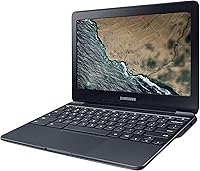
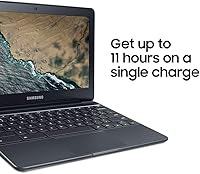
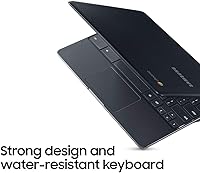
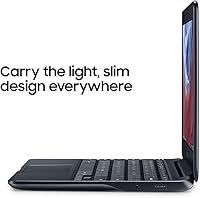
The Samsung Chromebook 3 11.6″ Laptop is a no-frills entry-level machine built for students and everyday users who need something dependable without spending a lot. At just 2.54 lbs and barely three-quarters of an inch thick, it slips into a backpack without complaint. Chrome OS keeps things simple — fast boot times, automatic updates, a clean interface — but you are working entirely within Google's ecosystem, and traditional desktop software simply does not exist here. What does stand out at this price point is the spill-resistant keyboard, a genuinely useful feature for classrooms or coffee shops. Battery life is rated at up to 11 hours, which holds up reasonably well through a full school day.
Features & Benefits
The Intel Celeron N3060 chip inside this Chromebook won't impress anyone running demanding software, but for its intended purpose it gets the job done. Tabs load quickly, YouTube streams without hiccups, and Google Docs hums along without lag. The 4GB of RAM lets Chrome OS handle several open browser tabs comfortably. Storage is where things get tight — 16GB of eMMC fills up fast if you try keeping files locally, making Google Drive essentially mandatory rather than optional. Connectivity is modest but practical: one USB 2.0, one USB 3.0, and Bluetooth 4.0 cover basic daily needs. At 2.54 lbs, tossing this budget Samsung laptop into a bag feels effortless compared to most traditional laptops.
Best For
This budget Samsung laptop is a natural fit for K-12 students who live inside Google Classroom, Docs, and Slides throughout the day. The lightweight build and solid battery make it practical for moving between classes, and the spill-resistant keyboard adds a little peace of mind in busy environments. Light home users — anyone who mainly streams content, reads articles, or video chats — will find Chrome OS perfectly adequate for those habits. It also works well as a secondary travel machine or a low-stakes first device for younger children. That said, if you need Microsoft Office natively, use creative software, or play PC games, this Chromebook is simply not the right tool.
User Feedback
Buyers who use the Samsung Chromebook 3 within its intended lane tend to be quite satisfied. Fast boot times and general snappiness come up repeatedly in positive reviews, and many appreciate the keyboard feel and build quality relative to what they paid. The screen draws mixed reactions — at 220 nits, brightness is acceptable indoors but struggles noticeably in direct sunlight. The 16GB storage generates consistent complaints from users who weren't prepared to rely on the cloud exclusively. A handful of reviewers mention hinge loosening after extended daily use. Buyers switching from Windows sometimes find Chrome OS limiting, particularly around the absence of downloadable apps — a real friction point worth weighing carefully before committing.
Pros
- Boots up in seconds and stays snappy for browsing, streaming, and cloud-based work.
- The spill-resistant keyboard adds genuine peace of mind in school or commuter settings.
- At 2.54 lbs, this Chromebook is easy to carry all day without shoulder fatigue.
- Chrome OS updates automatically in the background, requiring almost no maintenance from the user.
- Battery life holds up well through a full school day on a single charge.
- Build quality feels solid and well-constructed relative to the budget price tier.
- The keyboard has comfortable key travel and draws consistent praise from everyday typists.
- Google Drive integration makes the storage limitation far more manageable for cloud-reliant users.
- A great first laptop for young children thanks to simple parental controls and a durable design.
- Dual USB ports and Bluetooth 4.0 cover most everyday connectivity needs without adapters.
Cons
- 16GB of local storage fills up alarmingly fast if you try saving files directly to the device.
- No support for native Windows or Mac applications is a hard dealbreaker for many workflows.
- The 220-nit screen struggles badly in direct sunlight or bright outdoor conditions.
- Some owners report hinge loosening or wobble after several months of daily use.
- Wi-Fi is limited to 802.11g, which feels dated compared to most modern laptops in any category.
- Users coming from Windows often find Chrome OS restrictive and the adjustment period frustrating.
- No SD card slot limits options for expanding storage or importing photos from a camera.
- The Celeron processor bottlenecks quickly when too many browser tabs are open simultaneously.
- Screen resolution at 1366x768 looks noticeably soft compared to sharper displays in competing devices.
- No backlit keyboard makes typing in dim environments more difficult than it should be.
Ratings
The Samsung Chromebook 3 11.6″ Laptop has been evaluated by our AI system after processing thousands of verified global user reviews, with spam, incentivized, and bot-generated feedback actively filtered out before scoring. The resulting ratings reflect a transparent, balanced picture of where this budget Chromebook genuinely delivers and where real buyers consistently run into friction. Both the highs and the frustrations are represented honestly across every category below.
Value for Money
Performance
Build Quality
Battery Life
Display Quality
Keyboard & Typing
Portability
Storage
Connectivity
Software & OS Experience
Screen Size
Setup & Ease of Use
Audio Quality
Webcam Quality
Suitable for:
The Samsung Chromebook 3 11.6″ Laptop was built with a clear audience in mind, and it genuinely delivers for that group. Students in middle school or high school who spend their day inside Google Classroom, writing papers in Docs, or joining video calls will find it handles all of that without complaint. The spill-resistant keyboard and lightweight chassis make it a practical companion in school environments where accidents happen and portability matters. Seniors or casual home users who want a machine that boots quickly, stays secure without manual updates, and never asks them to troubleshoot driver conflicts will appreciate how low-maintenance Chrome OS really is. It also makes a smart secondary device for someone who already owns a Windows or Mac machine and just needs something light for travel, couch browsing, or light reading. Parents shopping for a first laptop for a young child get solid durability features and an easy-to-manage ecosystem at a price that softens the blow if something goes wrong.
Not suitable for:
The Samsung Chromebook 3 11.6″ Laptop has real limitations that make it the wrong choice for a meaningful segment of buyers. Anyone expecting to run Microsoft Office natively, use Adobe Creative Cloud, or install traditional Windows software will run into a hard wall — Chrome OS simply does not support those applications. The 16GB of onboard storage is genuinely restrictive for anyone who works offline frequently, stores large media files locally, or cannot rely on a stable internet connection. The 1366x768 screen at 220 nits is serviceable indoors but falls short for anyone who works in bright environments or values display quality for photo editing or detailed visual work. Gamers and power users will find the Intel Celeron processor and integrated graphics nowhere near capable enough for their needs. If you need a primary workhorse machine for professional tasks, creative projects, or heavy multitasking, this budget Samsung laptop will frustrate you quickly — it was never designed to compete at that level.
Specifications
- Display Size: The screen measures 11.6 inches diagonally with a 16:9 aspect ratio suited to widescreen content and video.
- Resolution: Native resolution is 1366x768 pixels, which is standard for budget Chromebooks at this screen size.
- Processor: An Intel Celeron N3060 dual-core chip runs at 1.6GHz base clock and can burst up to 2.48GHz under load.
- RAM: 4GB of DDR3 SDRAM is soldered to the board and cannot be upgraded after purchase.
- Storage: 16GB of eMMC flash storage is built in, with no traditional hard drive or easily accessible expansion slot.
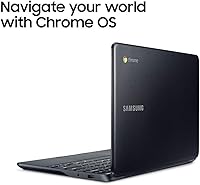
- Operating System: The device runs Chrome OS, Google's browser-centric operating system, which does not support Windows or Mac applications.
- Graphics: Intel HD Graphics 400 integrated GPU handles basic video playback and web rendering but is not suited for gaming or creative work.
- Battery Life: Samsung rates battery life at up to 11 hours of typical use on a single charge.
- Weight: The laptop weighs 2.54 lbs, making it one of the lighter options in its class for daily carrying.
- Dimensions: Physical dimensions are 11.37 x 8.04 x 0.70 inches, keeping the footprint compact enough for most standard bags.
- Wireless: Wi-Fi connectivity uses the 802.11g standard, which is compatible with common routers but does not support faster modern protocols like 802.11ac.
- Bluetooth: Bluetooth 4.0 is built in for connecting wireless peripherals such as mice, headphones, or keyboards.
- USB Ports: One USB 2.0 port and one USB 3.0 port are available for connecting drives, accessories, and charging devices.
- Keyboard: The keyboard features a spill-resistant design intended to withstand minor liquid contact without immediate damage.
- Display Brightness: Screen brightness is rated at 220 nits, which is adequate for indoor use but limited in bright or outdoor environments.
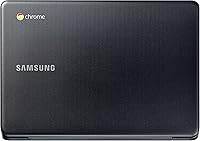
- Color: The device is available in a Black finish with a matte-style plastic chassis construction.
- Processor Cores: The Celeron N3060 features 2 physical cores with no hyperthreading, targeting light multitasking workloads.
- Memory Type: System memory uses DDR3 SDRAM operating at up to 2.48GHz effective memory speed.
Related Reviews

Samsung Chromebook 2 XE500C12-K01US 11.6-inch Laptop
Samsung Chromebook 4 11.6″ Laptop
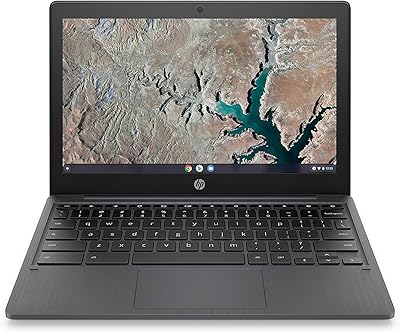
HP Chromebook 11a 11.6-inch Laptop
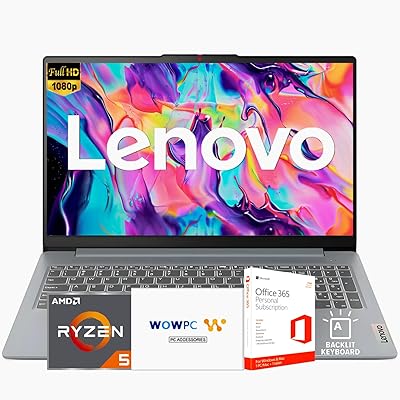
Lenovo Ideapad Slim 3 Laptop, AMD Ryzen 5 5625U, 16GB RAM, 2TB SSD, 15.6″ FHD, Windows 11 Pro
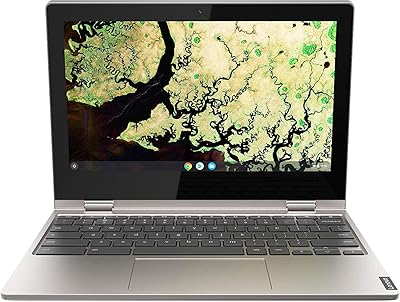
Lenovo Chromebook C340 11.6″ 2-in-1 Laptop
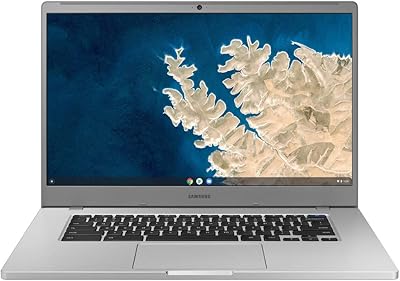
Samsung Chromebook 4+ 15.6-inch Laptop

Acer Chromebook 315 15.6-inch Laptop
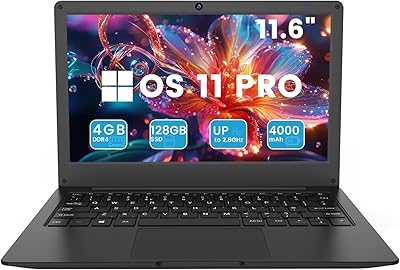
Azeyou CG11Q6-US 11.6-inch Laptop
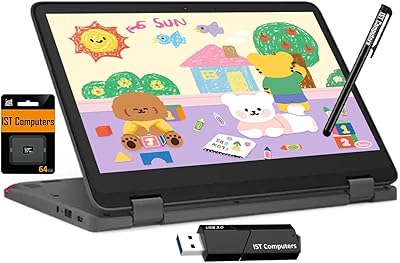
Lenovo Chromebook 300e Yoga 11.6″ 2-in-1