

Overview

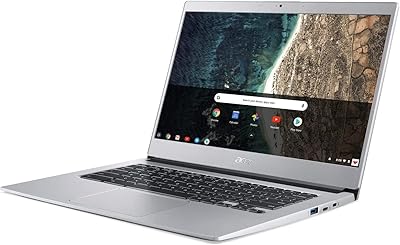
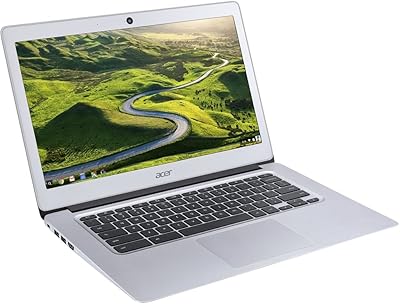
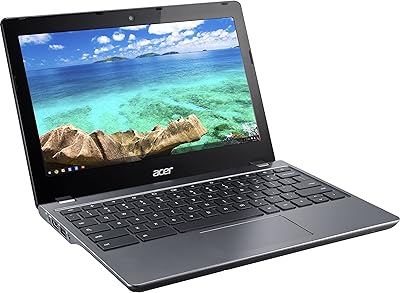
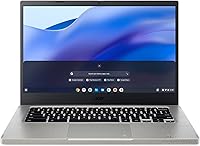
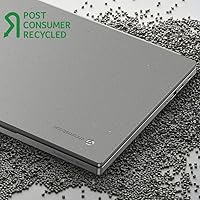
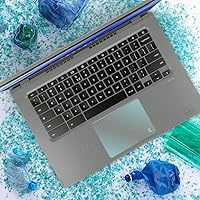
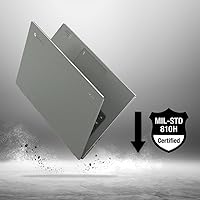
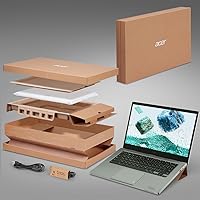
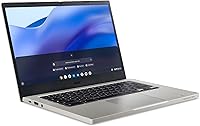
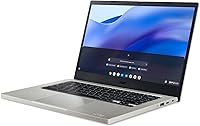
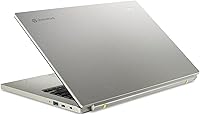
The Acer Vero 514 14″ Chromebook sits in an interesting spot — built for people who want a capable everyday machine without the complexity of a full Windows setup. Part of Acer's eco-conscious Vero line, the chassis uses recycled materials and ships with minimal packaging, which is a thoughtful touch without being the main selling point. Chrome OS keeps things straightforward: fast boot times, automatic updates, and a workflow centered around the browser. At just over three pounds, this Acer laptop is genuinely portable, and the slim profile makes it easy to carry for commutes, classes, or coffee shop sessions.

Features & Benefits

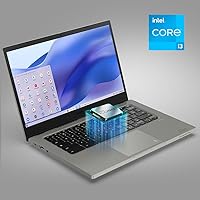
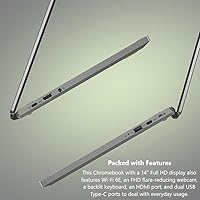
The Intel Core i3-1215U hexa-core processor handles everyday tasks with real ease — tabs, video calls, Google Docs, YouTube — none of it causes hesitation. Paired with 8GB of LPDDR4X RAM, multitasking feels noticeably smoother than on entry-level Chromebooks running 4GB. Storage is 128GB SSD, which boots fast but fills up quicker than expected if you're not leaning on Google Drive. The 14-inch IPS panel at 1080p offers solid color accuracy and wide viewing angles for this price range. Wi-Fi 6 keeps connections stable on crowded networks, and the backlit keyboard is a practical convenience that students and late-night workers will quietly appreciate.

Best For

This Chromebook is a natural fit for students — particularly those in college or high school spending most of their time in Google Classroom, Docs, or Meet. It also works well for remote workers whose daily toolkit is browser-based: email, video conferencing, and cloud tools all run without issue. If Windows-only software is essential to your workflow, this isn't the right machine — and that's worth being upfront about. But for anyone honest about how they actually use a laptop day-to-day, the Vero 514 covers a lot of ground efficiently. The lightweight build makes it especially practical for anyone moving constantly between spaces.

User Feedback

Owners frequently highlight the display quality — colors look accurate and the screen holds up well in moderately lit rooms — along with keyboard comfort during extended typing sessions. Battery life draws more mixed reactions; the 10-hour claim is optimistic under heavier use, with many users reporting closer to 7–8 hours in real conditions. A handful of buyers mention that Chrome OS app gaps caught them off guard, particularly around desktop software compatibility. Build quality is generally praised, though some note the hinge feels slightly loose over time. Overall, most buyers consider the Vero 514 solid value at this tier, especially compared to cheaper, less capable alternatives.

Pros

  • The i3-1215U processor keeps everyday tasks fast and responsive without any lag.
  • 8GB of RAM makes multitasking noticeably smoother than cheaper Chromebook alternatives.
  • The 14-inch IPS display delivers accurate colors and wide viewing angles for daily use.
  • Wi-Fi 6 support means stable, fast connections even on crowded networks at school or cafes.
  • At just over three pounds, this Chromebook is genuinely easy to carry all day.
  • The backlit keyboard is a practical touch that holds up well during extended typing sessions.
  • Chrome OS boots in seconds and stays updated automatically with no user maintenance needed.
  • The recycled-material chassis is a thoughtful design choice that does not compromise build quality.
  • Three USB 3.0 ports cover most peripheral needs without requiring a hub right away.

Cons

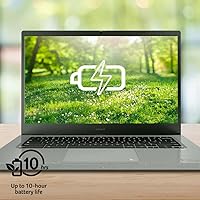
  • Real-world battery life lands closer to 7–8 hours, not the advertised 10.
  • Local storage fills up quickly if you are not actively managing files on the cloud.
  • Chrome OS app gaps can catch buyers off guard if they assumed Android or web apps cover everything.
  • Some users report the hinge feels less solid after extended daily use.
  • No optical drive and limited legacy port options may frustrate users with older peripherals.
  • The Intel UHD integrated graphics rule out any meaningful gaming beyond casual browser titles.
  • Screen brightness may struggle in very bright outdoor environments.
  • No touchscreen option on this model limits flexibility compared to some rivals at a similar price.

Ratings

The Acer Vero 514 14″ Chromebook has been scored by our AI system after processing thousands of verified buyer reviews from global markets, with spam, bot-submitted, and incentivized feedback actively filtered out. The scores below reflect a transparent synthesis of both what users genuinely praised and where real frustrations surfaced. No score has been smoothed over — strengths and pain points are weighted equally.

Everyday Performance
83%
For the typical use case — multiple browser tabs, Google Meet calls, streaming in the background — the i3-1215U keeps things moving without hesitation. Users working through full school or remote-work days reported that the machine rarely slowed them down during normal workflows.
Push it beyond the comfort zone with many simultaneous heavy tabs or Android apps running alongside browser tasks, and you will notice some slowdown. It is not a powerhouse, and users who discovered that after purchase expressed clear disappointment.
Display Quality
79%
21%
The IPS panel earns consistent praise for its wide viewing angles and color accuracy at this price tier. Users watching lectures, working on documents, or joining video calls appreciated that the screen did not feel washed out from off-center positions.
Outdoor or bright-room usability is a recurring complaint — maximum brightness struggles against direct light. A handful of users also noted that the display lacks the vibrancy of higher-end panels, which matters if you consume a lot of visual media.
Battery Life
67%
33%
For light days — some browsing, note-taking, and a video call or two — users found the battery genuinely gets through a full school or work day. The efficiency of Chrome OS helps the battery stretch further than you might expect from the hardware spec alone.
The advertised 10-hour claim does not hold up under active use; most real-world reports land between 7 and 8 hours with Wi-Fi and a moderate workload. Power users or those working long shifts without access to an outlet will feel that gap noticeably.
Keyboard & Typing Experience
81%
19%
The backlit keyboard was a pleasant surprise for many buyers, especially students pulling late-night study sessions. Key travel feels adequate and the layout is comfortable enough that extended typing sessions do not cause the fatigue you often get on cheaper Chromebook keyboards.
Some users noted the backlight brightness levels are limited and the keys feel slightly soft compared to premium alternatives. Those who type heavily all day found the feedback acceptable but not particularly satisfying over very long periods.
Build Quality
71%
29%
For a laptop built partly from recycled materials, the chassis holds together respectably in everyday use. Most users carrying it between classes or between rooms found it sturdy enough to handle the routine bumps and jostles of daily life.
The hinge draws repeated criticism from longer-term owners, with some reporting it begins to feel loose after months of daily opening and closing. The recycled plastic body also shows scratches and minor wear more visibly than matte metal alternatives.
Value for Money
86%
Buyers consistently land on the Vero 514 as one of the stronger value propositions in its price tier, especially when comparing it to Chromebooks with weaker processors or half the RAM. The Wi-Fi 6 inclusion at this price point is frequently called out as an unexpected bonus.
A few buyers felt the price crossed a threshold where they expected more — particularly around storage and build longevity. Compared to discounted Windows laptops that occasionally appear at similar prices, some questioned whether Chrome OS justifies the cost for their needs.
Storage Capacity
58%
42%
128GB SSD is enough for users who work primarily in the cloud and do not store large files locally. Boot times are fast, and the SSD keeps the system feeling snappy for day-to-day Chrome OS operations.
Users who expected to store photos, downloads, or offline media locally ran into space constraints faster than anticipated. The inability to expand internal storage is a genuine frustration, and reliance on Google Drive is not a comfortable workaround for everyone.
Portability
88%
At just over three pounds and under an inch thick, this Acer laptop is one of the easier machines to carry without thinking twice. Students and commuters mentioned it fits comfortably in a standard backpack alongside books and does not add noticeable strain.
The Vero 514 is not the lightest Chromebook on the market, and users comparing it directly to ultralight competitors noticed the difference. For daily long-distance commuters or frequent flyers, a few extra ounces do add up over time.
Wi-Fi & Connectivity
84%
Wi-Fi 6 support is a genuine daily-use upgrade — users in crowded environments like dorms, coffee shops, and open-plan offices reported noticeably stable connections compared to older-standard machines. Video calls stayed reliable even on congested networks.
The port selection, while functional, lacks a dedicated HDMI or USB-C Thunderbolt port, which frustrates users trying to connect to monitors or projectors without carrying an adapter. A couple of buyers expected more versatility given the price.
Chrome OS Experience
76%
24%
For users already living in Google's ecosystem, Chrome OS feels intuitive and well-optimized. Automatic updates, built-in virus resistance, and fast boot times are frequently cited as things users came to rely on and genuinely appreciate over time.
Buyers who underestimated Chrome OS limitations before purchasing were the most vocal critics — particularly around desktop software incompatibility. The Android app support helps, but does not fully close the gap for users who need specialized Windows applications.
Display Size & Usability
77%
23%
The 14-inch screen hits a practical middle ground — large enough to work comfortably without a second monitor, but not so large that it becomes unwieldy to carry. Users doing document work or attending online classes found the size well-suited to focused single-app use.
Multi-window workflows feel a little cramped on a 14-inch display, and users who regularly split their screen between two apps noticed the limitation. Those coming from a 15-inch or larger laptop may feel the adjustment initially.
Webcam Quality
61%
39%
For standard video calls in well-lit rooms, the built-in webcam is serviceable and produces a clear enough image for Google Meet or Zoom. Most users in educational or remote work settings found it adequate for their daily communication needs.
Low-light performance is noticeably weak, and users joining calls from dimly lit rooms reported that their video looked grainy and underexposed. Anyone who attends regular professional video calls would benefit from an external webcam.
Speaker Quality
59%
41%
Speakers are loud enough for solo video watching or a private video call without headphones in a quiet environment. A few users mentioned they were pleasantly surprised they could follow along with lecture audio without plugging in.
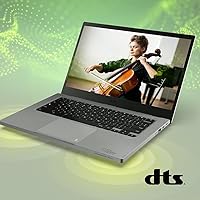
Audio quality is thin and lacks bass — music sounds flat, and streaming content does not feel immersive. Users who consume a lot of media on the device consistently recommend pairing it with headphones or an external speaker for anything beyond casual listening.
Setup & Ease of Use
91%
Out-of-the-box setup is refreshingly simple — sign into a Google account and you are up and running in minutes. Users switching from older or more complex laptops consistently praised how little friction there was getting started.
Users less familiar with Google's ecosystem found themselves hunting for equivalent apps for tools they used on Windows. The learning curve is shallow for most, but it does exist for anyone who has never used Chrome OS before.

Suitable for:

The Acer Vero 514 14″ Chromebook is a strong match for students at any level who spend their days in Google Workspace, video calls, and browser-based research — it handles all of that without breaking a sweat. College students who need a portable, no-fuss machine to carry between classes and dorms will find the lightweight build and reliable Wi-Fi 6 connectivity genuinely useful. Remote workers whose entire workflow lives in a browser — think project management tools, cloud documents, and communication apps — will feel right at home here. It also makes a smart choice for parents buying a dedicated school laptop for kids, where the simplicity and security of Chrome OS are real advantages over a full Windows machine. Anyone who values responsible purchasing will appreciate the recycled-material chassis, though that alone should not be the deciding factor.

Not suitable for:

The Acer Vero 514 14″ Chromebook is the wrong tool if your work depends on Windows-only desktop software — think Adobe Creative Suite, AutoCAD, or specialized enterprise applications that have no viable browser or Android equivalent. Power users who need local processing muscle for video editing, gaming, or data-heavy tasks will find the hardware ceiling too low for comfort. The 128GB SSD sounds reasonable on paper, but if you prefer storing files locally rather than relying on cloud services, you will run into space constraints faster than expected. Buyers who travel for extended periods without reliable internet should also think twice, since Chrome OS leans heavily on connectivity for full functionality. If you already own a capable Windows machine and are hoping this replaces it entirely, manage those expectations carefully.

Specifications

  • Display: 14-inch IPS panel with a 1920x1080 resolution and a 60Hz refresh rate, offering accurate colors and wide viewing angles.
  • Processor: Intel Core i3-1215U hexa-core CPU running at up to 4.4GHz, built on Intel's 12th-gen hybrid architecture.
  • RAM: 8GB LPDDR4X memory soldered to the motherboard, sufficient for comfortable multitasking within Chrome OS.
  • Storage: 128GB SSD provides fast read and write speeds, with boot times typically under 10 seconds.
  • Operating System: Ships with Chrome OS, which receives automatic security updates and is optimized for browser-based and cloud workflows.
  • Graphics: Intel UHD integrated graphics handle everyday video playback and light visual tasks without a discrete GPU.
  • Wireless: Wi-Fi 6 (802.11ax) and Bluetooth are both included for fast, stable wireless connectivity.
  • Ports: Three USB 3.0 ports are available, enabling direct connection of peripherals, storage drives, and accessories.
  • Keyboard: Full-size backlit keyboard designed for comfortable extended typing in low-light environments.
  • Battery: Rated for up to 10 hours on a single charge under light use conditions; real-world usage typically yields 7 to 8 hours.
  • Weight: The laptop weighs 3.09 lbs, making it practical for daily carry in a bag or backpack.
  • Dimensions: Measures 12.81 x 8.83 x 0.8 inches, keeping the footprint compact without sacrificing screen size.
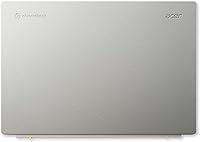
  • Chassis: Cobblestone Gray body is constructed using post-consumer recycled plastics as part of Acer's Vero sustainability initiative.
  • Optical Drive: No optical drive is included, which is standard for this class of thin, lightweight Chromebook.
  • Memory Type: RAM uses the LPDDR4X standard, which is energy-efficient and well-suited for portable devices.

Related Reviews
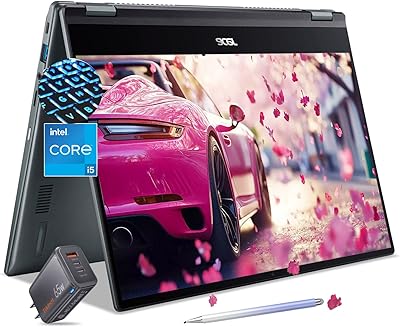
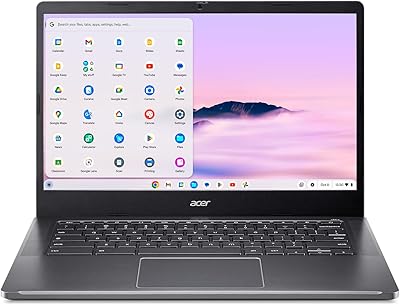
Acer Chromebook Spin 514 i5-1334U 8GB 512GB SSD 14-inch
86%
88%
Performance
92%
Battery Life
85%
Build Quality
87%
Display Quality
91%
Portability
More
Acer Chromebook 514 14-inch Laptop
69%
83%
Display Quality
61%
Performance
76%
Battery Life
81%
Keyboard & Typing
74%
Build & Portability
More
Acer Chromebook Plus 514 CB514-4HT
79%
83%
Everyday Performance
86%
Display Quality
78%
Touchscreen Responsiveness
81%
Battery Life
77%
Build Quality & Design
More
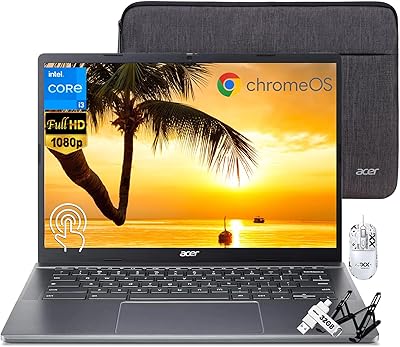
Acer Chromebook 14 CB3-431, Intel Celeron N3160, 4GB RAM, 32GB Storage
83%
91%
Value for Money
89%
Portability/Weight
93%
Battery Life
85%
Display Quality
78%
Performance (General)
More
Acer Chromebook Plus 514 Touchscreen Laptop, Intel i3-N305, 8GB RAM, 512GB SSD
85%
88%
Overall Performance
90%
Display Quality
85%
Battery Life
87%
Portability
92%
Value for Money
More
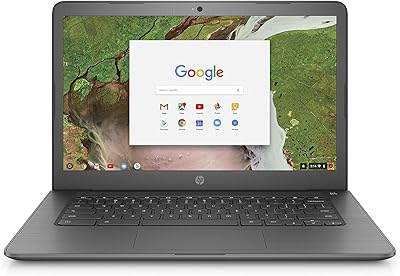
Acer Chromebook 314 14″ Laptop
78%
88%
Value for Money
84%
Display Quality
81%
Battery Life
62%
Performance
79%
Touchscreen Responsiveness
More
HP Chromebook 14-ca020nr
81%
91%
Value for Money
94%
Portability/Weight
89%
Battery Life
83%
Performance for Basic Tasks
78%
Build Quality
More
Acer Chromebook 11 C732-C6WU Laptop
71%
83%
Build Quality
79%
Battery Life
61%
Performance
58%
Display Quality
86%
Value for Money
More
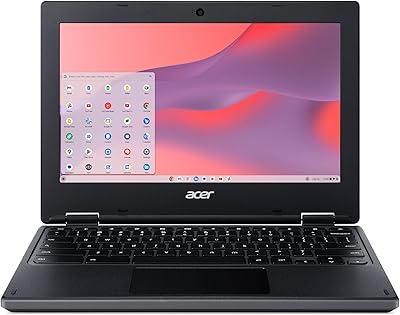
Acer Chromebook C740 11.6-inch Laptop
71%
88%
Battery Life
91%
Portability
86%
Boot & Startup Speed
83%
Value for Money
41%
Local Storage
More
Samsung Galaxy Chromebook Go 14″ 128GB
85%
78%
Performance
82%
Display Quality
94%
Portability
88%
Battery Life
81%
Build Quality
More

FAQ

It does not run Windows applications natively. However, Microsoft 365 has a solid web version that works well on Chrome OS, and many users find it covers their everyday needs without issue. If you rely on desktop-specific Windows software like AutoCAD or Photoshop, this is not the right machine.

Yes, Chrome OS supports Android apps through the Google Play Store, which expands what you can do beyond just the browser. That said, not every Android app is optimized for a laptop screen, so results can vary depending on the app.

It depends on how you work. Chrome OS is designed around cloud storage, so if you use Google Drive regularly, 128GB goes a long way. If you prefer keeping large files locally — video projects, big photo libraries, game installs — you may feel the pinch sooner than expected.

The official spec says up to 10 hours, but that is under light, controlled conditions. Most users doing real work — active browsing, video calls, streaming — report landing somewhere between 7 and 8 hours. Still solid for a full school or work day, just temper your expectations a bit.

It handles both well. The Wi-Fi 6 connection keeps calls stable, and the processor and RAM combination avoids the stuttering you sometimes get on cheaper Chromebooks during Google Meet or Zoom sessions. The display is clear enough that you will not be straining to read shared screens.

The Vero 514 has USB 3.0 ports, so you can connect an external display using a USB-C or USB-A to HDMI adapter. Chrome OS supports extended and mirrored display modes, making it practical for presentations or a larger workspace at home.

Generally yes — the chassis feels reasonably sturdy for the price, and the recycled-plastic body holds up well under normal use. Some users have mentioned the hinge feels slightly looser over time with heavy daily opening and closing, so it is worth being mindful of that.

Chrome OS works offline for many tasks — Google Docs, Sheets, and Slides all have offline modes you can enable in advance, and locally stored files are always accessible. That said, a lot of what makes Chrome OS convenient relies on being connected, so it is best treated as an online-first machine.

It comes with three USB 3.0 ports, which covers most everyday peripherals like a mouse, USB drive, and headset simultaneously. Whether you need a hub depends on your setup, but three ports is more generous than many competing Chromebooks at this price point.

Updates are handled in the background automatically and typically apply when you restart the device. You rarely get interruptions mid-session, and unlike Windows, there are no lengthy update installations that force you to wait. It is one of the genuinely underrated advantages of Chrome OS for everyday users.

Where to Buy