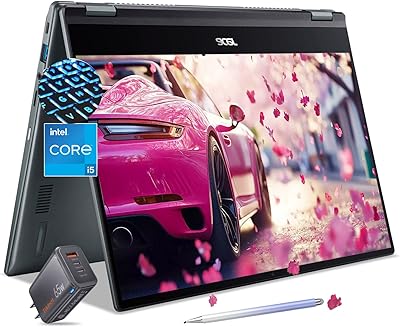
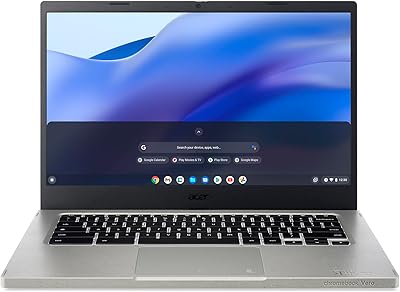
Acer Chromebook Plus 514 14″ Touchscreen Laptop
Acer Chromebook Plus 514 14″ Touchscreen Laptop — image 1
Acer Chromebook Plus 514 14″ Touchscreen Laptop — image 2
Acer Chromebook Plus 514 14″ Touchscreen Laptop — image 3
Acer Chromebook Plus 514 14″ Touchscreen Laptop — image 4
Acer Chromebook Plus 514 14″ Touchscreen Laptop — image 5
Acer Chromebook Plus 514 14″ Touchscreen Laptop — image 6
Acer Chromebook Plus 514 14″ Touchscreen Laptop — image 7
79%
21%

Overview

The Acer Chromebook Plus 514 14″ Touchscreen Laptop arrives at a price point that makes it genuinely hard to overlook, especially for anyone who wants a capable, no-fuss machine without overspending. What sets it apart from cheaper alternatives is the Intel i3-N305 processor — an 8-core chip that handles browser-heavy sessions and video calls without complaint. The 512GB SSD is honestly surprising at this tier; most competitors offer a fraction of that storage. Chrome OS keeps everything lean and responsive, and the touchscreen adds a layer of versatility that students and everyday users will appreciate. This isn't a powerhouse, but it was never meant to be.

Features & Benefits

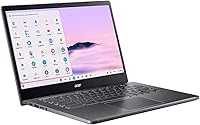
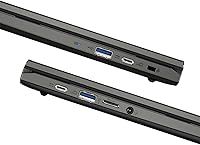
The 14-inch IPS display is one of the standout elements here — sharp, evenly lit, and genuinely usable in well-lit rooms. Pair that with a responsive touchscreen layer and you have a screen that works just as well for tapping through slides as it does for streaming video. The i3-N305 keeps multitasking fluid, and the PCIe Gen 4 SSD means boot times feel nearly instant. Wi-Fi 6E future-proofs the wireless side of things, and the 1080p webcam with privacy shutter is a practical convenience for remote learners and workers. Port selection covers most daily needs — two USB-C and two USB-A without reaching for a hub.

Best For

This Chromebook fits a fairly specific type of user, and that's not a criticism — it's clarity. Students from middle school through college will find it handles Google Classroom, Docs, Meet, and YouTube without hesitation. Remote and hybrid workers who live inside a browser all day get a lightweight, reliable machine that won't slow them down. At under 3.5 pounds, it travels well between classes or meetings. Anyone already embedded in the Google ecosystem will feel right at home. It's less ideal for users who need Windows-specific software or heavy creative apps, but for cloud-first computing, this touchscreen Chromebook is a natural fit.

User Feedback

Buyers who've picked up the Acer Plus 514 tend to be pleasantly surprised by performance for the price, with many noting the SSD makes the whole experience feel snappier than expected. The screen draws consistent praise for clarity. On the flip side, users who aren't already in the Google orbit occasionally run into the usual Chrome OS friction — certain apps simply don't exist, or they require workarounds. Keyboard and trackpad impressions are generally positive, though not exceptional. Battery life feedback is mixed, ranging from adequate to strong depending on usage. Build quality feels solid enough for daily use, though it's clearly plastic — fair and expected at this price tier.

Pros

  • The Intel i3-N305 processor handles multitasking and video calls noticeably better than older Celeron-based Chromebooks.
  • 512GB of SSD storage is rare at this price point and removes the usual Chromebook complaint about running out of space.
  • The 14-inch FHD IPS touchscreen is sharp, well-lit, and responsive enough to add real practical value.
  • Boot times are nearly instant thanks to the PCIe Gen 4 SSD — no waiting around to get to work.
  • The 1080p webcam with a physical privacy shutter is a thoughtful, practical feature for remote learners and workers.
  • Wi-Fi 6E keeps connectivity fast and stable even in congested network environments.
  • At 3.15 pounds with a slim profile, this touchscreen Chromebook is easy to carry between classes or meetings.
  • Chrome OS means virtually zero maintenance — no virus scans, no update interruptions, no bloatware.
  • The included protective sleeve and 32GB USB-C flash drive add genuine out-of-the-box value.
  • Four USB ports covering both Type-A and Type-C means most users won't need a hub for everyday setups.

Cons

  • Chrome OS has a hard app ceiling — users who need Windows-specific software will hit it fast.
  • Battery life reports are inconsistent, with some users getting strong results and others finding it falls short on heavy-use days.
  • The plastic chassis feels functional but does not inspire confidence for users expecting a premium build.
  • The trackpad and keyboard are adequate but unremarkable — heavy typists may notice the difference versus higher-end devices.
  • No optical drive and no SD card slot limits certain media workflows.
  • The touchscreen, while useful, can feel like an afterthought without a 360-degree hinge or stylus support.
  • Intel UHD integrated graphics are fine for video playback but will disappoint anyone dabbling in light creative or design work.
  • Non-Google users face a real learning curve and may find the app ecosystem frustratingly limited.
  • No official battery life rating is listed, making it hard to assess endurance before buying.
  • Offline functionality is limited — a weak or absent internet connection noticeably reduces what this machine can do.

Ratings

The scores below for the Acer Chromebook Plus 514 14″ Touchscreen Laptop were generated by our AI system after analyzing thousands of verified global user reviews, with spam, bot-submitted, and incentivized feedback actively filtered out. Each category reflects the honest consensus of real buyers — students, remote workers, and everyday users — who shared both what impressed them and what let them down. Strengths and genuine pain points are weighted equally so you can make a fully informed decision.

Value for Money
91%
Buyers consistently flag the price-to-performance ratio as the single biggest reason they chose this machine. Getting a fast SSD, a capable 8-core processor, and a touchscreen display together at this price point genuinely surprised a large share of reviewers who expected to compromise more.
A small segment of buyers who primarily needed Windows app compatibility felt the value equation fell apart for them personally, since Chrome OS limited what they could actually do with the hardware. For that group, paying the same amount for an entry-level Windows laptop made more practical sense.
Display Quality
84%
The 14″ FHD IPS panel draws strong praise for its clarity and even backlighting, particularly from students watching lecture recordings and remote workers sitting through back-to-back video calls. Colors look natural rather than washed out, which is not always guaranteed at this price tier.
Outdoor and brightly lit room use exposes some brightness limitations that users who frequently work near windows or on campus notice. A handful of reviewers also wished for slightly punchier color saturation for casual media consumption, though most acknowledged this is typical for the category.
Performance
83%
The Intel i3-N305 handles everyday Chrome OS tasks with genuine confidence — loading content-heavy tabs, running Google Meet alongside Docs, and streaming HD video simultaneously all stay smooth. Users coming from older Celeron-based Chromebooks frequently mention this as a noticeable and welcome upgrade.
Pushing the chip harder — like running multiple video conferencing tabs with extensions active — can introduce occasional lag. Expectations need to be calibrated correctly; this is a cloud-first processor, not a workstation chip, and users who tested its limits reported it reminded them of that boundary.
Storage
93%
The 512GB SSD is genuinely rare in this segment and earns some of the most enthusiastic comments in user reviews. Students downloading course content offline, and users who accumulated years of files, both appreciated having local headroom that other Chromebooks in this category simply do not offer.
The PCIe Gen 4 speeds are impressive internally, but a portion of users noted that Chrome OS does not always leverage that raw speed in ways that are perceptibly different from a slightly slower drive during typical day-to-day tasks. The benefit is real but not always dramatic in practice.
Keyboard & Trackpad
67%
33%
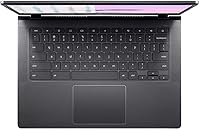
Most users find the keyboard comfortable enough for sustained writing sessions like note-taking, essay drafting, and email correspondence. Key spacing is standard for a 14-inch chassis, and the layout is intuitive for anyone switching from another laptop.
Heavy typists and writers working long hours flagged shallow key travel and a slightly mushy feedback feel as genuine irritants over time. The trackpad is functional but not precise enough for users accustomed to higher-end machines — fine for casual scrolling, noticeable during tasks that require accurate cursor control.
Webcam Quality
79%
21%
The 1080p front camera stands out in a market segment where 720p is still distressingly common. Remote learners on Zoom and Google Meet reported that their video appeared sharp and well-exposed even in moderately dim room lighting, which reduced the need for external lighting setups.
Auto-exposure does its job in stable conditions but struggles with strong backlight situations like sitting in front of a window, producing blown-out backgrounds that some users found distracting during professional calls. The fixed-focus lens also limits how close users can position themselves to the screen.
Touchscreen Responsiveness
74%
26%
Users who incorporated touch into their workflow — swiping through slides, tapping links, and zooming into PDFs — found the touch layer accurate and naturally responsive. For students who annotate materials or navigate quickly between apps, it adds a practical dimension beyond what a traditional trackpad offers.
Without a 360-degree hinge, the touchscreen cannot convert the laptop into a tablet or tent mode, which limited its appeal for users who expected more versatility. Several reviewers also mentioned that the screen picks up fingerprints quickly and needs frequent cleaning during heavy touch use.
Build Quality
66%
34%
The chassis feels sufficiently solid for everyday carry in a backpack, and the hinge opens and closes without wobble or flex that would raise durability concerns. For a plastic-bodied laptop at this price, the structural integrity is reasonable and generally meets expectations.
The all-plastic construction is the most common qualitative complaint — not because it feels fragile, but because it lacks the premium tactile quality that users handling metal-bodied competitors at similar prices have started to expect. Drop resistance and long-term scuff resistance are legitimate unknowns for users who are hard on their devices.
Battery Life
61%
39%
Light users — those primarily browsing, reading, and writing in Google Docs — often report getting through a full school day or standard workday on a single charge. Under those conditions, the battery holds up adequately for a device in this category.
The absence of an official battery rating is a real transparency gap that buyers notice, and real-world results are inconsistent enough to be a concern. Users running video calls, streaming, or keeping many tabs open simultaneously report hitting battery limits well before the end of the day, which is a meaningful limitation for anyone without reliable access to a charger.
Connectivity
88%
Wi-Fi 6E support is genuinely future-proof and noticeably faster in supported environments — users in dense apartment buildings or busy campus networks where older standards struggle reported that connectivity stayed stable and quick. Bluetooth 5.1 pairs reliably with headphones and peripherals without dropout issues.
The lack of an SD card slot is a real gap for users who work with camera memory cards or external media regularly. While the four USB ports cover most day-to-day needs, users who expected a dedicated SD reader had to add a hub or adapter to their setup.
Port Selection
76%
24%
Having both USB-C and USB-A ports on the same machine removes the frustration of needing an adapter for older peripherals while still supporting modern accessories. The dual USB-C ports both support charging and DisplayPort output, which gives users flexibility when docking to an external display.
Two USB-C and two USB-A ports cover basic needs but leave power users wanting more, especially since both USB-C ports are occupied the moment you connect power and a monitor simultaneously. Users running a full desk setup with keyboard, mouse, display, and storage hit the limit quickly.
Webcam Privacy
86%
The physical privacy shutter on the webcam earned specific praise from privacy-conscious users and parents setting up devices for children. Unlike software-based camera blocking, a physical shutter gives users a tangible, visible confirmation that the camera is off — a small but meaningful detail.
The shutter mechanism on some units was reported as slightly stiff out of the box, requiring more deliberate pressure than users expected for a feature meant to be used casually throughout the day. No microphone mute hardware button accompanies it, which some users felt was a missed opportunity.
Software & Ecosystem
71%
29%
For users already invested in Google Workspace, the Chrome OS experience is genuinely polished — apps open instantly, updates happen silently in the background, and the overall system feels consistently snappy without the bloat that often accompanies Windows installations. Google Classroom integration is particularly smooth for students.
Non-Google users face a real adjustment period, and some never fully adapt. The Android app layer through Google Play helps fill gaps but is not a clean replacement for full desktop applications, and certain productivity apps either behave inconsistently or lack features compared to their Windows counterparts.
Portability
89%
At 3.15 pounds with a sub-inch profile, this Chromebook genuinely earns its description as a commuter-friendly machine. Students carrying it alongside textbooks and remote workers sliding it into a shoulder bag alongside other gear consistently called out its light weight as a daily quality-of-life win.
The included protective sleeve is a nice touch but is relatively thin, offering minimal padding for users who pack their bag tightly or travel in conditions where impacts are possible. Users who commute by bike or in crowded environments mentioned investing in a more protective case separately.

Suitable for:

The Acer Chromebook Plus 514 14″ Touchscreen Laptop is a strong match for anyone whose daily computing revolves around a browser and Google's suite of tools. Students at the K-12 and college level will find it handles everything from Google Docs and Slides to video calls and research tabs without breaking a sweat. The 512GB SSD is a genuine differentiator here — most Chromebooks in this tier come with far less local storage, which matters when downloading course materials or offline content. Remote workers who spend their day in Gmail, Google Meet, or web-based project tools will feel right at home, especially with the 1080p webcam and Wi-Fi 6E keeping communication crisp and stable. Families looking for a shared secondary device for streaming, light browsing, and video chatting will also get solid value without the maintenance overhead of a full Windows machine. At under 3.5 pounds with a practical port layout, it works well as a commuter laptop too.

Not suitable for:

If your workflow depends on Windows-native software — whether that's Adobe Creative Suite, Microsoft Office desktop apps, or specialized industry tools — the Acer Chromebook Plus 514 14″ Touchscreen Laptop is not the right call. Chrome OS is genuinely capable for cloud-first tasks, but it has a hard ceiling when it comes to locally installed applications, and no amount of processor speed changes that fundamental limitation. Creative professionals who need color-accurate displays for photo or video editing will find the screen adequate but not calibrated for that kind of precision work. Gamers looking for anything beyond casual browser-based titles will hit a wall quickly. Users in areas with unreliable internet connectivity may also find the experience frustrating, since Chrome OS leans heavily on cloud access to function at its best. And if you're coming from macOS or Windows and expecting an equivalent desktop experience, the adjustment period can be genuinely jarring.

Specifications

  • Processor: Powered by an Intel Core i3-N305 with 8 cores and 8 threads, clocking up to 3.80 GHz for responsive everyday performance.
  • RAM: Equipped with 8GB of LPDDR5 memory, enabling smooth multitasking across multiple browser tabs and applications.
  • Storage: Includes a 512GB PCIe Gen 4 SSD offering fast read and write speeds alongside generous local storage capacity.
  • Display: Features a 14″ FHD IPS touchscreen with a 1920x1080 pixel resolution and LED backlighting for clear, consistent visuals.
  • Graphics: Runs on Intel UHD Graphics integrated into the processor, suitable for video playback and standard web-based tasks.
  • Webcam: Fitted with a full HD 1080p front-facing camera that includes a physical privacy shutter for added security.
  • Wireless: Supports Wi-Fi 6E and Bluetooth 5.1, providing fast and reliable wireless connectivity across modern network environments.
  • Ports: Offers 2x USB 3.2 Gen 1 Type-C ports with DisplayPort and charging support, plus 2x USB 3.2 Gen 1 Type-A ports.
  • Operating System: Ships with Google Chrome OS, a lightweight cloud-first platform optimized for security, speed, and Google ecosystem integration.
  • Weight: Weighs 3.15 pounds, making it light enough for daily commuting between classrooms or workspaces.
  • Dimensions: Measures 12.87 x 8.86 x 0.81 inches, keeping the overall footprint compact without sacrificing screen size.
  • Color: Available in Gray, with a plastic chassis designed for lightweight portability rather than premium material aesthetics.
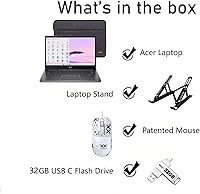
  • Accessories Included: Comes bundled with a 32GB USB-C flash drive and a protective sleeve for added out-of-the-box value.
  • Chipset: Built on an Intel chipset with integrated UHD Graphics, designed to balance efficiency and everyday processing demands.
  • Optical Drive: Does not include an optical drive, which is standard practice for modern thin-and-light laptops in this category.
  • Model Number: Carries the official model designation CB514-4HT-359X for reference when checking compatibility or warranty support.
  • Availability: First became available in November 2024, making it a relatively recent addition to the Chromebook Plus lineup.
  • Bluetooth: Bluetooth 5.1 allows reliable pairing with wireless peripherals such as headphones, mice, and keyboards.

Related Reviews
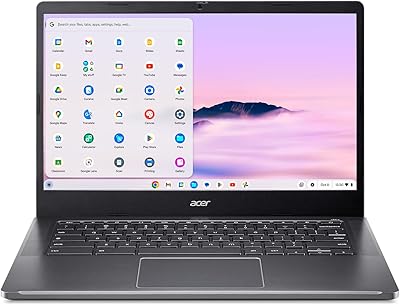
Acer Chromebook Plus 514 CB514-4HT
79%
83%
Everyday Performance
86%
Display Quality
78%
Touchscreen Responsiveness
81%
Battery Life
77%
Build Quality & Design
More
Acer Chromebook 314 14″ Laptop
78%
88%
Value for Money
84%
Display Quality
81%
Battery Life
62%
Performance
79%
Touchscreen Responsiveness
More
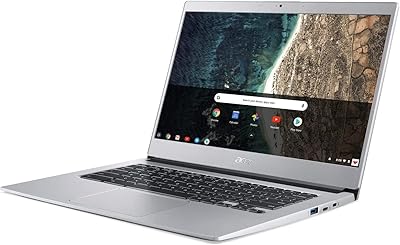
Acer Chromebook Spin 514 i5-1334U 8GB 512GB SSD 14-inch
86%
88%
Performance
92%
Battery Life
85%
Build Quality
87%
Display Quality
91%
Portability
More
Acer Vero 514 14″ Chromebook
76%
83%
Everyday Performance
79%
Display Quality
67%
Battery Life
81%
Keyboard & Typing Experience
71%
Build Quality
More
HP Chromebook Plus x360 14-inch 2-in-1 Laptop

76%
78%
Display Quality
82%
Performance & Speed
71%
Battery Life
81%
Build Quality & Hinge
76%
Keyboard & Trackpad
More
Acer Chromebook 514 14-inch Laptop
69%
83%
Display Quality
61%
Performance
76%
Battery Life
81%
Keyboard & Typing
74%
Build & Portability
More
Dell 14 Plus Laptop DB14250-14-inch 2.5K, Intel Core Ultra 7, 16GB RAM, 1TB SSD
85%
91%
Performance
94%
Display Quality
85%
Battery Life
88%
Build Quality
86%
Keyboard Usability
More
Dell 14 Plus 1TB Laptop
75%
91%
Display Quality
88%
Build Quality
86%
Performance
74%
Battery Life
84%
Keyboard & Typing
More
ASUS Chromebook CM14 (CM1402CM2A-DS44)
72%
83%
Value for Money
88%
Build Quality & Durability
74%
Performance & Speed
58%
Display Quality
84%
Battery Life
More
Acer Chromebook 315 15.6-inch Laptop

72%
83%
Value for Money
79%
Battery Life
81%
Display Size & Usability
51%
Display Sharpness
58%
Performance
More

FAQ

Not in the traditional desktop sense. Chrome OS does not support Windows-native applications like the full desktop version of Microsoft Office or Adobe Photoshop. That said, Microsoft 365 runs well through the browser, and Google Docs is a capable alternative for most writing and spreadsheet tasks. If you need those specific desktop apps regularly, a Windows laptop would be a better fit.

It is genuinely useful for certain tasks — tapping through web pages, zooming in on documents, and navigating Google Slides all feel natural on the touch layer. That said, it is a standard touchscreen without a 360-degree hinge, so you cannot flip it into tablet mode. Think of it as a nice bonus rather than a core feature.

The 512GB SSD gives you a lot more breathing room than most Chromebooks in this price range, which typically ship with 64GB or 128GB. You can store offline files, downloaded videos, and documents locally without constantly worrying about running out of space. That said, Chrome OS works best when you also use Google Drive for backup and overflow.

Acer has not published an official battery life figure for this model, and user feedback varies. Light users doing mostly reading and video calls often report getting through a full school or work day, while heavier multitaskers see shorter runtimes. It is worth keeping the charger handy if you have back-to-back meetings or long study sessions.

It is a solid choice for students from middle school through college. Chrome OS is low-maintenance, resistant to malware, and works natively with Google Classroom, Docs, and Meet. The 1080p webcam handles online classes well, and the generous SSD storage means kids can save projects locally without running into space issues.

Some features work offline — you can use Google Docs, Sheets, and Slides in offline mode if you enable that setting ahead of time, and locally stored files are always accessible. However, Chrome OS is built around cloud connectivity, so the experience is noticeably richer when you have a stable internet connection.

Most users find the keyboard functional and comfortable enough for everyday writing and email, though it does not stand out as exceptional. If you are a fast or heavy typist coming from a high-end laptop, you may notice the key travel is a bit shallow. For students and general office work, it gets the job done without complaints.

Yes, both USB-C ports support DisplayPort output, so you can connect to an external monitor or display using a compatible cable or adapter. This makes it a practical option for anyone who wants a dual-screen setup at their desk while staying portable on the go.

It ships with a 32GB USB-C flash drive and a protective sleeve, both of which add genuine practical value. The flash drive is handy for transferring files, and the sleeve offers a layer of protection during commuting or travel without needing an immediate extra purchase.

For browser-based tasks, video calls, streaming, and Google Workspace, Chrome OS feels faster and less cluttered than Windows. It boots in seconds, updates quietly in the background, and requires virtually no maintenance. The trade-off is app availability — anything that requires a Windows installer simply will not run here, so it depends entirely on your workflow.