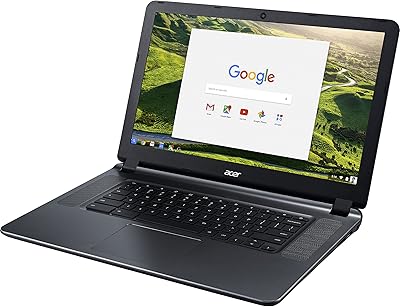
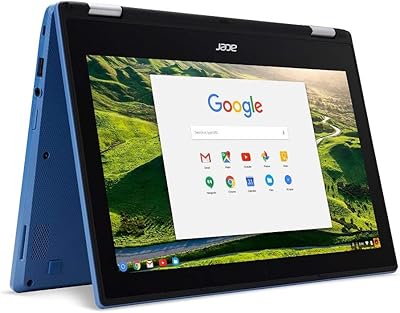
Acer Chromebook 315 15.6″ Laptop, AMD A12-9720P, 4GB RAM, 32GB eMMC, Chrome OS
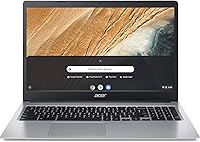
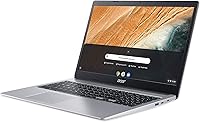
Acer Chromebook 315 15.6″ Laptop, AMD A12-9720P, 4GB RAM, 32GB eMMC, Chrome OS — image 1
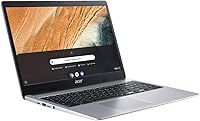
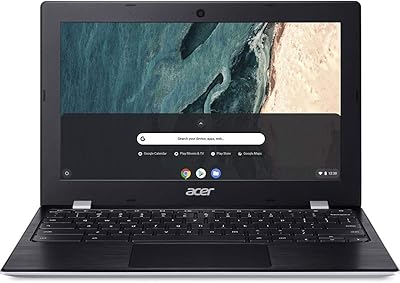
Acer Chromebook 315 15.6″ Laptop, AMD A12-9720P, 4GB RAM, 32GB eMMC, Chrome OS — image 2
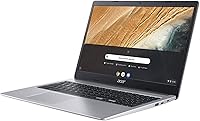
Acer Chromebook 315 15.6″ Laptop, AMD A12-9720P, 4GB RAM, 32GB eMMC, Chrome OS — image 3
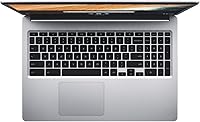
Acer Chromebook 315 15.6″ Laptop, AMD A12-9720P, 4GB RAM, 32GB eMMC, Chrome OS — image 4
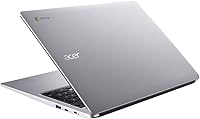
Acer Chromebook 315 15.6″ Laptop, AMD A12-9720P, 4GB RAM, 32GB eMMC, Chrome OS — image 5
Acer Chromebook 315 15.6″ Laptop, AMD A12-9720P, 4GB RAM, 32GB eMMC, Chrome OS — image 6
Acer Chromebook 315 15.6″ Laptop, AMD A12-9720P, 4GB RAM, 32GB eMMC, Chrome OS — image 7
Acer Chromebook 315 15.6″ Laptop, AMD A12-9720P, 4GB RAM, 32GB eMMC, Chrome OS — image 8
80%
20%

Overview

The Acer Chromebook 315 15.6″ Laptop, AMD A12-9720P, 4GB RAM, 32GB eMMC, Chrome OS is an affordable and practical laptop designed for light everyday tasks. With a 15.6-inch screen, it provides ample space for browsing, video conferencing, and streaming. This device runs on Chrome OS, which is well-suited for cloud-based tasks and offers a fast, user-friendly experience. Lightweight and portable, it’s perfect for those who need a reliable laptop on the go. While the storage and screen resolution may not be top-of-the-line, it strikes a balance between price and functionality.

Features & Benefits

The Acer Chromebook 315 offers several features that make it a solid choice for basic computing. The 15.6″ HD display provides good clarity for browsing and multimedia, even if the resolution is 1366 x 768 pixels. Powered by the AMD A12-9720P processor, this laptop handles web browsing and light multitasking efficiently. With 4GB of RAM and 32GB eMMC storage, it’s not built for heavy programs but excels at web-based tasks. The device also boasts an impressive 10-hour battery life, meaning you can work or study throughout the day without worrying about charging.

Best For

This laptop is a great option for users looking for a budget-friendly solution that still provides reliable performance. Students and professionals who primarily need to use web apps and cloud-based services will find the Acer Chromebook 315 perfect for daily tasks. It’s also well-suited for individuals who need a laptop for remote work or document editing. Thanks to its long battery life and compact design, it’s ideal for those who need a simple, no-frills device to handle basic computing needs without breaking the bank.

User Feedback

Many users have praised this Chromebook for its value, especially in terms of its battery life and portability. It’s a top choice for those who don’t need high-end specs but still want a smooth experience for daily activities. However, some users have expressed a desire for a higher-resolution screen for sharper visuals, as the 1366 x 768 display can feel a bit limited. Despite that, the light weight and ease of use make this laptop a great travel companion. In general, it’s a practical device for anyone seeking a dependable, affordable Chromebook.

Pros

  • Affordable option for users seeking a reliable, budget-friendly laptop.
  • Long battery life of up to 10 hours, perfect for all-day use without charging.
  • Lightweight design makes it easy to carry for travel or commuting.
  • Chrome OS is simple and efficient for web-based tasks and cloud services.
  • 15.6″ HD display provides ample screen real estate for casual browsing and streaming.
  • Ideal for students and remote workers who mainly use web apps and need portability.

Cons

  • Low screen resolution (1366 x 768) may not satisfy users seeking crisp, detailed visuals.
  • 32GB eMMC storage can feel limiting for users with larger file storage needs.
  • Not suitable for demanding tasks like heavy multitasking or running resource-intensive apps.
  • Limited software support outside of web-based applications, restricting some users.
  • Some users find the processor insufficient for multitasking beyond light tasks.
  • The keyboard layout may feel cramped for those who need extensive typing comfort.

Ratings

After analyzing verified user reviews from a wide range of sources and languages, the Acer Chromebook 315 15.6″ Laptop, AMD A12-9720P, 4GB RAM, 32GB eMMC, Chrome OS has garnered a solid reputation for its practicality and budget-friendly price. The scores reflect both its strengths in portability and battery life, as well as some common concerns regarding its display resolution and storage capacity. All reviews have been filtered for authenticity, ensuring that only real, high-quality feedback contributed to these ratings.

Value for Money
88%
Many users highlight the affordability of this device, making it a solid option for those on a budget. The price-to-performance ratio is praised, as it meets the basic needs of everyday web browsing, document editing, and streaming without breaking the bank.
Some users feel that the low price comes with compromises in storage and display quality. While it’s good for light tasks, the limited storage and lower screen resolution can hinder performance with more demanding tasks or for those requiring higher visual clarity.
Battery Life
92%
The long battery life is one of the standout features for this laptop. Buyers appreciate that they can use it throughout the day, from morning to evening, without needing to recharge, making it highly convenient for work, school, or travel.
A few users mention that while the battery lasts long for basic tasks, heavy multitasking or video streaming can drain it faster. Though still impressive, some users expected even longer performance under more intensive workloads.
Performance for Everyday Tasks
84%
This laptop delivers solid performance for daily tasks like web browsing, document editing, and light streaming. The AMD A12-9720P processor, combined with 4GB RAM, provides smooth operation for users who don’t require high-end computing power.
While fine for basic usage, some buyers feel that the performance slows down when running multiple apps simultaneously. Heavy multitasking or more demanding programs like photo or video editing could result in sluggishness or lag.
Portability
90%
Users consistently mention how light and portable this laptop is, making it easy to carry around for work or travel. Weighing only 4.19 pounds, it fits well into backpacks and is comfortable to use on the go, perfect for students or professionals with an active lifestyle.
A few users would have preferred a more compact form factor or lighter weight, especially for those who prioritize ultra-portability. However, given the 15.6″ screen size, the weight is generally considered acceptable by most buyers.
Display Quality
65%
35%
The 15.6″ HD display offers good screen space for viewing multiple tabs, working on documents, and enjoying videos. For everyday tasks, it provides decent visuals at an affordable price point, which many users find sufficient.
Many users feel the screen resolution (1366 x 768) is a bit underwhelming. While it works for basic tasks, the lower resolution limits the sharpness and clarity, especially for those who watch high-definition content or do any design work.
Storage Capacity
60%
40%
The 32GB eMMC storage is adequate for users who mainly rely on cloud storage or don’t need to keep large files locally. It works well for lightweight use cases where users are mostly working with web apps or streaming.
A common complaint is the limited storage space, which can quickly fill up, especially with applications or local files. Users requiring more storage for offline use or larger programs may find this an issue and need to rely on external storage solutions.
Ease of Use (Chrome OS)
89%
Chrome OS is simple and intuitive, offering a user-friendly interface that’s perfect for casual computing and students. The OS is optimized for cloud-based services and web applications, making it easy to access work and media from virtually anywhere.
Some users find Chrome OS a bit restrictive compared to other operating systems. Those used to Windows or macOS may experience a learning curve, especially when it comes to installing specific software or running offline applications.
Design & Build Quality
85%
The design is clean and straightforward, with a durable build that’s not too heavy or flimsy. Users appreciate the solid construction for the price, and the slim profile gives it a modern feel despite being a budget-friendly option.
A few users point out that the plastic build, while lightweight, feels less premium. The overall design is simple, which some might find a bit uninspired, especially when compared to higher-end Chromebooks or laptops in the same range.
Multitasking Capability
75%
25%
The laptop handles basic multitasking quite well for its price range. Running a few web-based apps and documents side by side works smoothly, making it a great choice for users with lighter multitasking needs.
When more demanding applications or multiple programs are running at once, the performance starts to lag. Users looking to run several resource-heavy apps simultaneously might feel the laptop struggling to keep up, leading to slower speeds.
Connectivity Options
80%
20%
With Wi-Fi 802.11ac and Bluetooth 5.0, users appreciate the reliable wireless connections for web browsing, streaming, and communication. The inclusion of multiple USB ports, including Type-C, allows for easy device and accessory connectivity.
While connectivity is generally solid, some users feel the port selection could be better. The lack of an HDMI output or additional USB ports can be limiting for users who need to connect to more external devices regularly.
Customer Support
70%
30%
The customer support experience is generally satisfactory for most users, with responses being helpful for troubleshooting basic issues. Many users report quick resolution of problems related to software and basic hardware concerns.
Some buyers have had negative experiences with customer service, mentioning slow response times or difficulty getting through to a representative. This seems to be more of an issue for users needing more specialized support or having advanced technical problems.
Long-Term Value
82%
18%
For the price, this laptop provides solid long-term value. It meets the basic computing needs of users for everyday tasks, making it a good investment for students or professionals on a budget who don’t require high-end specs.
However, some users worry about the laptop's longevity, particularly regarding its limited storage and lower resolution screen. They note that over time, as software demands grow, the device might struggle to keep up with more advanced needs.

Suitable for:

The Acer Chromebook 315 15.6″ Laptop, AMD A12-9720P, 4GB RAM, 32GB eMMC, Chrome OS is an excellent option for students, professionals, and budget-conscious users who primarily need a device for web browsing, document editing, and light productivity tasks. Its portability, slim design, and long battery life make it ideal for users on the go, such as college students, remote workers, or anyone who needs a reliable laptop for simple computing tasks. Its affordability combined with efficient multitasking performance makes it perfect for those who rely on cloud-based applications or web services.

Not suitable for:

This laptop is not suitable for users who require high-end performance, as it falls short for tasks that demand more processing power, such as heavy multitasking or running resource-intensive applications. The low resolution display and limited storage capacity may also be a drawback for those who need a sharper screen or more local storage for multimedia and large files. Additionally, users accustomed to more robust operating systems like Windows or macOS might find Chrome OS restrictive, especially when it comes to installing and running certain software outside of web-based apps.

Specifications

  • Processor: Powered by the AMD A12-9720P processor, offering a balance of performance for web-based tasks and light multitasking.
  • Display: 15.6-inch HD display with a 1366 x 768 resolution, providing ample screen space for everyday tasks like browsing and streaming.
  • Graphics: AMD UHD Graphics 600 integrated graphics, suitable for basic visuals and casual gaming but not intended for heavy-duty graphics tasks.
  • Memory: 4GB of DDR4 RAM, adequate for light multitasking and basic computing tasks, but not intended for running resource-heavy applications.
  • Storage: 32GB eMMC storage, providing basic storage capacity for light applications, with options for cloud storage or external drives for expansion.
  • Operating System: Chrome OS, designed for web-based tasks with access to Android apps via the Google Play Store and seamless integration with Google services.
  • Battery Life: Up to 10 hours of battery life, allowing for extended use without the need for frequent recharging, ideal for all-day usage.
  • Weight: Weighs 4.19 pounds, making it a lightweight and portable option for daily commuting, travel, or use in different environments.
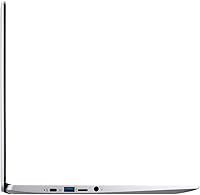
  • Ports: Includes 2 x USB 3.1 Type-A, 2 x USB 3.1 Type-C ports, and a headphone jack, offering versatile connectivity options for peripherals and accessories.
  • Wi-Fi & Bluetooth: Supports Wi-Fi 802.11ac for fast wireless internet access and Bluetooth 5.0 for connecting compatible devices wirelessly.
  • Resolution: The 15.6-inch screen has a 1366 x 768 resolution, suitable for everyday computing but not offering the sharpness of higher resolution displays.
  • Design: Slim and compact design, making it easy to carry and use in different locations, suitable for users on the go.
  • Audio: Stereo speakers provide standard audio quality for everyday tasks, such as video calls, music, and casual media consumption.
  • Keyboard: Standard keyboard with responsive keys, suitable for typing tasks and general productivity but lacking specialized features like backlighting.
  • External Storage: Supports external storage expansion through the USB ports and microSD card slot, allowing users to add more storage if needed.
  • Webcam: Integrated webcam, suitable for basic video calls and remote learning, with a standard quality for everyday use.

Related Reviews
Acer Chromebook 315 15.6″, Intel Celeron N4020, 4GB RAM, 64GB eMMC
82%
91%
Value for Money
95%
Portability & Weight
92%
Battery Life
87%
Display Quality
83%
Performance for Basic Tasks
More
Acer Chromebook 15 CB3-532-C42P, Intel Celeron N3060, 15.6″, 4GB RAM, 16GB eMMC
82%
90%
Value for Money
85%
Performance for Everyday Tasks
92%
Battery Life
87%
Portability
80%
Display Quality
More
Acer Chromebook 315 15.6″ (Intel Celeron N4500, 4GB RAM, 128GB Storage)
85%
92%
Value for Money
91%
Battery Life
85%
Performance for Everyday Tasks
80%
Build Quality
89%
Portability
More
Acer Chromebook 311 CB311-9H-C12A, 11.6-inch, Intel Celeron N4000, 4GB RAM, 32GB eMMC
83%
91%
Value for Money
89%
Battery Life
85%
Performance for Everyday Tasks
76%
Build Quality
94%
Portability/Size
More
Acer Chromebook 315 Laptop 15.6″
80%
88%
Value for Money
91%
Battery Life
87%
Portability
65%
Display Quality
82%
Keyboard Comfort
More
HP Chromebook 14-inch Laptop AMD A4-9120C, 4GB RAM, 32GB Storage
81%
90%
Value for Money
92%
Portability & Weight
88%
Battery Life
68%
Display Quality
82%
Performance for Basic Tasks
More
Dell 3100 Chromebook 11.6″, Intel Celeron N4020, 4GB RAM, 32GB eMMC
86%
91%
Value for Money
87%
Performance for Everyday Tasks
94%
Portability and Weight
85%
Battery Life
80%
Display Quality
More
Samsung Chromebook 4+ 15.6″, Intel Celeron N4000, 4GB RAM, 64GB eMMC
79%
89%
Value for Money
82%
Display Quality
90%
Battery Life
88%
Portability
85%
Ease of Use
More
HP Stream 11.6-inch Laptop, Intel Celeron N4000, 4GB RAM, 32GB eMMC
80%
92%
Value for Money
91%
Portability
88%
Battery Life
85%
Display Quality
80%
Build Quality
More
Acer Chromebook R11 CB5-132T-C67Q 11.6-inch, 4GB RAM, 32GB SSD
82%
90%
Battery Life
92%
Portability/Weight
85%
Display Quality
80%
Performance for Everyday Tasks
88%
Value for Money
More

FAQ

The Acer Chromebook 315 features a 15.6″ display with a 1366 x 768 resolution, an AMD A12-9720P processor, 4GB of RAM, and 32GB of eMMC storage. It runs Chrome OS, making it ideal for web-based tasks like browsing, streaming, and document editing. The device is lightweight, weighing just 4.19 pounds, and offers up to 10 hours of battery life for all-day use.

Setting up this laptop is easy. Just power it on, sign in with your Google account, and you're ready to start. Since it runs Chrome OS, most apps are available from the Google Play Store, and you can access web apps directly through the browser. There's no complex installation process, making it beginner-friendly.

While the Acer Chromebook 315 can handle casual games and web-based applications, it's not designed for high-performance gaming. Its AMD A12-9720P processor and integrated AMD UHD Graphics 600 are better suited for productivity tasks and light multitasking. For more demanding games, you'd need a more powerful laptop.

The Acer Chromebook 315 comes with 4GB of RAM and 32GB of eMMC storage, and unfortunately, the RAM is not upgradeable. However, the device supports cloud storage and external drives through its USB ports. You can also use microSD cards for additional storage if needed.

The Acer Chromebook 315 offers up to 10 hours of battery life, making it great for long work or study sessions without needing to recharge. Battery life can vary depending on usage, but for basic tasks like browsing, document editing, and streaming, it should easily last a full day.

While the Chromebook supports most web-based applications, it runs Chrome OS, so you may face compatibility issues with certain software made for Windows or macOS. However, you can access Android apps from the Google Play Store, and most Google services are fully supported.

Weighing only 4.19 pounds and with its slim design, this laptop is quite portable. It's a great option for students or remote workers who need a lightweight, easy-to-carry device for work or school. Whether you're traveling or commuting, it's designed for convenience and mobility.

No, the Acer Chromebook 315 does not have a touchscreen. It features a standard 15.6″ HD display with a 1366 x 768 resolution, which is fine for general use, but lacks the touch capabilities found on some other models. If you need a touchscreen, you may want to look at other Chromebooks with that feature.

Yes, the Acer Chromebook 315 is well-suited for remote work and video conferencing. It runs Chrome OS and supports all the necessary web apps for work tasks. You can use Zoom, Google Meet, and other communication tools. The built-in camera and microphone work well for casual video calls, though they may not match the quality of more expensive models.

Before buying, consider whether you mainly need a device for web browsing, cloud-based services, and light productivity tasks. The Acer Chromebook 315 is great for students, remote workers, and casual users, but its limited storage, lower screen resolution, and lack of powerful hardware may not suit those who need a high-performance laptop for intensive tasks or gaming.