



Overview
The Acer Chromebook 315 15.6-inch Laptop sits in a sweet spot for buyers who want a large screen without a large price tag. A full HD display at this price point is genuinely uncommon, and it immediately distinguishes this Chromebook from cheaper, lower-resolution alternatives. Chrome OS is the other key advantage — it boots quickly, stays out of your way, and requires almost none of the upkeep that comes with a Windows machine. Acer also includes a 64GB SD card alongside the built-in storage, adding tangible value right out of the box. This is a device built for casual users, students, and seniors, not for anyone pushing software hard.
Features & Benefits
The Celeron N4500 processor handles browsing, streaming, and cloud-based work without much fuss — just keep your tab count reasonable, because 4GB of RAM has real limits. The 15.6-inch anti-glare screen is comfortable for long stretches, whether you are reading documents or watching a show. On storage, it helps to understand the split: the 64GB eMMC runs apps smoothly like a traditional drive, while the bundled SD card is better used for files and media. Wi-Fi 6 connectivity is a genuine bonus at this tier, and the rated 12.5-hour battery holds up well through a full school or workday. The numeric keypad is a practical touch that many budget laptops skip entirely.
Best For
This large-screen Chromebook is a natural fit for students who live inside Google Workspace — Docs, Sheets, Meet, and Classroom all run without a hitch. Seniors and less tech-savvy users benefit considerably from Chrome OS, which is far less prone to viruses and confusion than Windows. Remote workers handling email, video calls, and light document editing will find it capable enough. It also works well as a shared family device for streaming and casual browsing, especially given the generous display. If your work depends on Windows-specific software or processor-heavy applications, look elsewhere — but for everyday cloud-based tasks, the Acer 315 covers the bases reliably without asking much in return.
User Feedback
Buyers consistently highlight the screen size and battery, with many reporting a full day of use on a single charge. Keyboard comfort draws praise too, and the spacious layout gets specific mentions. The clearest recurring complaint is memory: with more than six or seven tabs open, slowdowns become noticeable, and 4GB starts feeling tight. Some buyers were initially puzzled by the split storage setup, finding it unclear why apps and SD card files behave differently. Build quality is generally described as acceptable for the price, though a few reviewers noted lid flex under pressure. A handful of owners also raised questions about how long this hardware will remain eligible for Chrome OS updates going forward.
Pros
- The 15.6-inch FHD anti-glare display is genuinely impressive for this price tier and comfortable over long sessions.
- Wi-Fi 6 support is a rare and welcome inclusion on a budget laptop, improving speed and network reliability.
- Battery life regularly holds up through a full school or workday without needing a top-up.
- Chrome OS boots fast, stays secure, and requires almost no maintenance compared to Windows machines.
- The included numeric keypad adds real convenience for data entry tasks that most budget laptops skip.
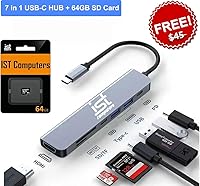
- This Chromebook comes with a bundled 64GB SD card, which adds meaningful storage value right out of the box.
- The keyboard layout is spacious and comfortable, earning consistent praise from everyday users.
- Four USB 3.0 ports plus USB-C connectivity gives it solid peripheral flexibility for a budget device.
- Compared to similarly priced Windows laptops, this large-screen Chromebook frequently comes out ahead on simplicity and reliability.
- External monitor support up to 4K via USB-C makes it more versatile for home office setups.
Cons
- 4GB of RAM becomes noticeably limiting once you push past six or seven open browser tabs.
- The eMMC and SD card storage split confuses many buyers and does not behave like a single unified drive.
- At 7.13 pounds, the Acer 315 is on the heavier side for a laptop you might carry between classes or rooms.
- Lid flex and chassis rigidity are merely adequate — the build does not inspire confidence under pressure.
- Chrome OS update eligibility for this hardware generation raises valid concerns about long-term usability.
- The Celeron N4500 shows its limits under any workload beyond browsing, streaming, or light document work.
- Integrated graphics mean there is no path to video editing, casual gaming, or GPU-assisted tasks.
- The SD card included for storage is slower than eMMC and not suitable for running apps or the OS.
- No touchscreen option is available, which some Chrome OS users find limiting given the platform supports Android apps.
- Users locked into Windows-only software will find Chrome OS a hard constraint, not just a minor inconvenience.
Ratings
The scores below for the Acer Chromebook 315 15.6-inch Laptop were generated by our AI engine after systematically analyzing thousands of verified global buyer reviews, with spam, bot activity, and incentivized feedback actively filtered out before any scoring was applied. Each category reflects the real distribution of user sentiment — where this large-screen Chromebook earns genuine praise and where recurring frustrations pull scores down. Nothing has been smoothed over to make the product look better than it actually performs in everyday hands.
Value for Money
Display Quality
Battery Life
Performance
RAM & Memory
Storage Setup
Keyboard & Trackpad
Build Quality
Chrome OS Experience
Portability
Connectivity
Screen Size & Comfort
Software & App Support
Long-Term Support
Audio Quality
Suitable for:
The Acer Chromebook 315 15.6-inch Laptop is genuinely well-matched for students who spend most of their day inside Google Workspace — Docs, Slides, Meet, and Classroom all run smoothly without any setup headaches. Seniors and first-time laptop users tend to do well with it too, since Chrome OS sidesteps the virus scares, confusing updates, and software bloat that make Windows frustrating for less technical people. Remote workers whose daily routine involves email, video calls, and light document editing will find it capable and comfortable for a full workday, especially given the generous battery life. Families looking for a shared browsing and streaming device for common areas will appreciate the large screen and low-maintenance operating system. If your computing needs are cloud-based and your patience for technical troubleshooting is limited, this large-screen Chromebook makes a lot of practical sense.
Not suitable for:
The Acer Chromebook 315 15.6-inch Laptop is not the right choice for anyone who depends on Windows-specific software — there is no running Photoshop, Microsoft Office desktop apps, or specialized industry tools here. The Celeron N4500 processor and 4GB of RAM are honest limitations: power users, developers, or anyone who routinely works with a dozen tabs plus media editing will hit a wall fairly quickly. The split storage setup, while workable, is not ideal for buyers who want a clean, unified drive experience, and the SD card portion is not as fast or reliable for running applications. Gamers should look elsewhere entirely, since the integrated Intel UHD graphics are built for basic display output, not rendering. There are also legitimate long-term questions about Chrome OS update support for this hardware generation, which matters if you plan to keep the device beyond three or four years.
Specifications
- Processor: Powered by an Intel Celeron N4500 dual-core chip with a base clock of 1.1GHz and a max turbo speed of 2.8GHz.
- RAM: Comes with 4GB of LPDDR4 onboard memory running at 4266MHz, which is soldered and cannot be upgraded.
- Internal Storage: Includes 64GB of eMMC flash storage built into the motherboard for fast app loading and OS operations.
- Bundled Storage: A 64GB SD card is included in the box, bringing total usable storage to 128GB when both are counted together.
- Display: Features a 15.6-inch FHD IPS-level panel with a 1920x1080 pixel resolution, anti-glare coating, and narrow bezels.
- Graphics: Uses integrated Intel UHD Graphics, capable of driving an external monitor at up to 4K resolution via USB-C.
- Wireless: Supports Wi-Fi 6 (802.11ax) for faster, more reliable wireless connectivity on compatible routers.
- Ports: Equipped with four USB 3.0 Type-A ports and one USB Type-C port for charging and display output.
- Battery Life: Rated for up to 12.5 hours of continuous use on a full charge under typical workload conditions.
- Operating System: Runs Chrome OS, Google's cloud-centric operating system, with automatic updates and built-in security features.
- Keyboard: Full-size keyboard layout includes a dedicated numeric keypad, which is uncommon at this price point.
- Weight: The unit weighs 7.13 pounds, making it better suited for desk use than frequent commuting or travel.
- Dimensions: Measures 14.4 x 9.9 x 0.8 inches, a footprint consistent with most 15.6-inch budget laptop designs.
- Color: Available in a silver finish with a plastic chassis construction typical of this budget tier.
- External Display: Supports connection to one external monitor at up to 4K (3840x2160) at 60Hz via the USB-C port.
- Bluetooth: Includes Bluetooth connectivity for pairing wireless peripherals such as mice, keyboards, and headphones.
- Android Apps: Chrome OS supports the Google Play Store, allowing users to install compatible Android applications.
- Update Support: Chrome OS devices receive guaranteed automatic security and feature updates tied to an official end-of-life support date per model.
Related Reviews

Acer Chromebook 315 15.6-inch Laptop
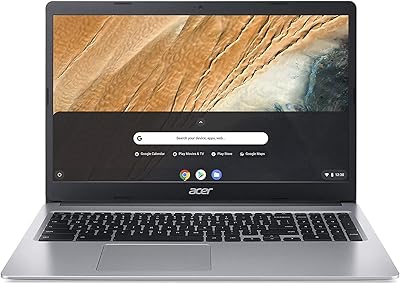
Acer Chromebook 315 15.6″ Laptop, AMD A12-9720P, 4GB RAM, 32GB eMMC, Chrome OS
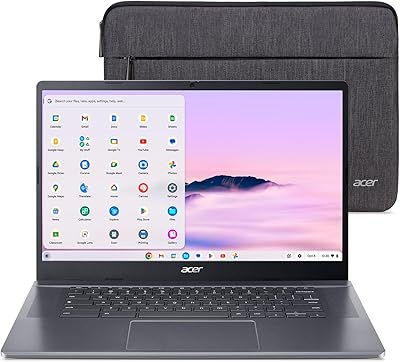
Acer Chromebook Plus 515 15.6-inch
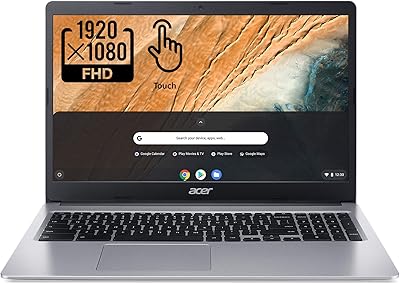
Acer Chromebook 315 15.6″ Laptop

HP 15.6-inch Laptop 15-ef0021nr, Ryzen 3 3200U, 8GB RAM, 256GB SSD
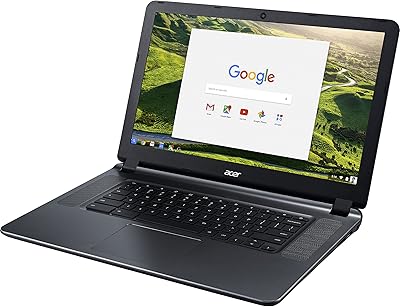
Acer Chromebook 15 CB3-532-C42P, Intel Celeron N3060, 15.6″, 4GB RAM, 16GB eMMC

Dell Inspiron 3593 15.6-inch Laptop
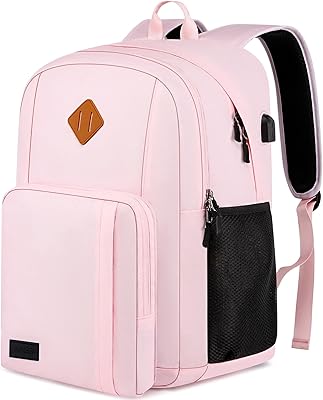
Liokesa 15.6-Inch Laptop Backpack
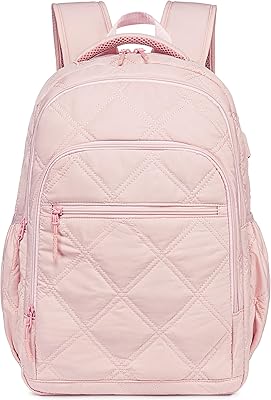
Bluboon 15.6-inch Women's Laptop Backpack