Overview

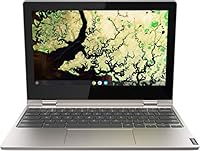
The Lenovo Chromebook C340 11.6″ 2-in-1 Laptop is a compact, budget-conscious convertible built for students and everyday users who need reliable basics without the complexity of Windows. What sets it apart from a standard clamshell is the 360-degree hinge, which lets you flip between laptop, tent, stand, and tablet modes depending on where you are and what you're doing. Chrome OS keeps things simple — it boots in seconds, updates itself quietly in the background, and stays out of your way. This is not a powerhouse machine; it's an honest, lightweight tool that fits in a backpack and handles the essentials without complaint.
Features & Benefits

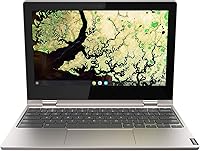
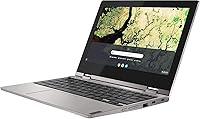
The flip-and-fold hinge is genuinely useful — fold the screen back for a Netflix session on the couch, prop it in tent mode for a video call on a cramped desk, or hand it to a kid in tablet mode for a drawing app. The 11.6-inch IPS touchscreen responds well to touch input and holds decent viewing angles, though it won't impress you outdoors. Under the hood, the Celeron N4000 paired with 4GB of RAM handles Google Docs, YouTube, and casual browsing comfortably. Push it past a dozen tabs and things slow down noticeably. Dual USB-C ports are a rare find at this price point and add real day-to-day flexibility.

Best For

The C340 is a strong fit for students and families who live inside Google's ecosystem — Classroom, Docs, Meet, Drive — and don't need anything more demanding. It works particularly well as a first laptop for younger kids: Chrome OS is hard to break, easy to manage with parental controls, and practically immune to the malware headaches Windows users deal with. Seniors or light remote workers who primarily browse, stream, and write emails will find it refreshingly uncomplicated. That said, if you're a developer, a gamer, or someone who depends on Windows-only software, this 2-in-1 Chromebook simply isn't built for you — and that's worth knowing upfront.

User Feedback

Owners of this Lenovo Chromebook tend to agree on a few things. Build quality and battery life consistently draw praise — most report getting through a full school or work day on a single charge, and the chassis feels more solid than the price suggests. The touchscreen responsiveness gets good marks too. On the downside, 32GB of storage is the most common frustration; install a handful of Android apps from the Play Store and you'll feel the squeeze fast. Some buyers find the display washes out in direct sunlight, and heavy tab-openers note that performance dips are real. Manage your expectations on storage, and most people walk away satisfied.

Pros

  • The 360-degree hinge unlocks four distinct usage modes, making it more adaptable than a standard budget laptop.
  • Chrome OS boots in seconds and rarely needs maintenance, saving real time over the course of a school year.
  • Battery life routinely carries users through a full school or work day on a single charge.
  • Build quality feels solid and well-assembled for a device at this price point.
  • Dual USB-C ports alongside two USB-A ports offer more connectivity flexibility than most competing budget Chromebooks.
  • The touchscreen is responsive and accurate, holding up well for note-taking and casual drawing apps.
  • At 2.65 lbs, the C340 slips into a backpack without adding noticeable weight to your day.
  • Chrome OS parental controls and easy account management make setting it up safely for kids straightforward.
  • Google Drive integration means local storage constraints rarely become a daily problem for typical cloud-based users.

Cons

  • 32GB of onboard storage fills up quickly once Android apps from the Play Store enter the picture.
  • Performance noticeably degrades when more than eight or ten browser tabs are open simultaneously.
  • The display washes out in direct sunlight, making outdoor use genuinely uncomfortable.
  • 4GB of RAM leaves little headroom for multitasking beyond simple, single-app workflows.
  • No Windows or macOS software support is a hard stop for users tied to specific desktop applications.
  • Heavy reliance on cloud connectivity means offline productivity is limited when Wi-Fi is unavailable.
  • The Celeron N4000 has no upgrade path, so performance will not improve as software demands grow over time.
  • The headphone jack doubles as a microphone combo port, which can cause compatibility issues with some headsets.

Ratings

The scores below for the Lenovo Chromebook C340 11.6″ 2-in-1 Laptop were generated by an AI system trained to analyze thousands of verified buyer reviews from global markets, actively filtering out incentivized submissions, duplicate accounts, and bot-generated feedback. Each category reflects the genuine consensus of real owners — strengths are recognized where buyers consistently praise them, and frustrations are scored honestly without softening. The result is a transparent, balanced snapshot designed to help you quickly assess whether this convertible Chromebook is the right fit for your specific needs.
Value for Money
83%
For buyers who need a functional, low-maintenance laptop for school or light work, the C340 delivers a compelling package at its price point — 2-in-1 flexibility, a responsive touchscreen, and solid battery life together represent real value. Few competitors at this tier bundle dual USB-C ports alongside a 360-degree hinge.
The value proposition weakens for buyers who quickly find Chrome OS too limiting or who bump into the 32GB storage ceiling within the first few months. For those users, this purchase risks becoming a short-term stopgap rather than a durable long-term investment.
Battery Life
82%
18%
Battery life is one of the most consistently praised aspects across user reviews — most people comfortably get through a full school day or a light remote work shift without reaching for the charger. For students moving between classrooms, that kind of all-day endurance is a genuine, practical advantage.
Battery performance drops noticeably under heavier loads — streaming HD video continuously or keeping many Android apps running simultaneously brings real-world endurance closer to six hours. A number of longer-term users also report that capacity begins to degrade after 18 to 24 months of daily charging cycles.
Display Quality
61%
39%
The IPS panel offers decent color accuracy and wide enough viewing angles for two people watching a video side by side without the image washing out. Indoors and under normal lighting conditions, the screen is sharp enough for reading, writing, and video calls without causing obvious eye strain.
The 1366x768 resolution shows its age next to modern 1080p displays, and the glossy surface struggles badly with reflections in bright or outdoor environments. Users who frequently work near windows or outside find themselves constantly adjusting their seating angle to avoid glare.
Performance
57%
43%
The Celeron N4000 handles the core Chrome OS use case — a handful of browser tabs, Google Docs, YouTube, and video calls — without obvious hesitation in that controlled context. Students doing homework, writing essays, or attending online classes rarely find performance a frustration during those focused tasks.
Push beyond that comfort zone and the limits show themselves quickly — running a Google Meet call while editing a Slides presentation, or loading ten or more tabs simultaneously, causes noticeable slowdowns. Users upgrading from faster Windows or Mac hardware frequently find the transition jarring during the first few weeks.
Storage
44%
56%
The 32GB eMMC does its job for a pure Chrome OS workflow where most files live in Google Drive rather than locally on the device. Users who stream media rather than downloading it and keep only a handful of essential Android apps installed rarely hit the storage wall in day-to-day use.
The moment users begin installing Android apps or saving files for offline access, 32GB feels uncomfortably tight — some buyers report the drive running half-full right after initial setup. While a built-in card reader offers a partial workaround, it cannot substitute for true onboard storage when it comes to apps and system data.
Build Quality
78%
22%
The chassis feels noticeably more solid than most plastic laptops at this price, with a tight lid and minimal flex in the keyboard deck. Users who carry it daily in a backpack report no significant cosmetic damage after months of regular use, which is a reassuring track record for a budget device.
The plastic finish does accumulate light scratches over time with heavy daily handling, and the hinge area shows wear marks after prolonged and frequent folding. It is not a ruggedized build, so parents buying it for younger children should factor in a protective sleeve or case.
Portability
88%
At 2.65 lbs and under three-quarters of an inch thick when closed, the C340 disappears into a standard backpack without adding meaningful weight. Students who carry it between classrooms all day and commuters who slip it into a shoulder bag consistently cite the compact footprint as one of their favorite practical qualities.
The same 11.6-inch screen size that makes it so easy to carry also makes extended editing sessions feel cramped — spreadsheets, split-tab research, and long writing sessions are noticeably less comfortable than on a 13 or 14-inch display. Users who want portability without sacrificing screen room will find this trade-off grows frustrating over time.
Hinge & Versatility
86%
The 360-degree hinge is the standout mechanical feature — it clicks firmly into any position and holds without wobble when the screen is touched in tablet or tent mode. Users who prop it in tent mode for video calls on a cramped desk or flip it into tablet mode for reading apps find the flexibility genuinely useful in daily life.
A small number of long-term users report the hinge pivot resistance loosening slightly after 18 or more months of daily folding, which reduces that satisfying firmness over time. The device also does not auto-rotate the screen as reliably as a dedicated tablet when used with certain third-party Android apps.
Keyboard & Trackpad
72%
28%
The keyboard offers a reasonably comfortable key travel for a compact 11.6-inch chassis, and most users find it adequate for writing assignments, emails, and standard browsing tasks. Touch typists adapt to the layout within a short adjustment period without significant frustration.
The trackpad lacks the precision and smoothness of trackpads found on mid-range Windows laptops, and users with larger hands find the overall deck slightly cramped during extended typing sessions. Clicks near the edges of the trackpad can register inconsistently, which becomes noticeable during tasks requiring frequent precise cursor positioning.
Connectivity & Ports
81%
19%
Having both dual USB-C and dual USB-A ports on a budget Chromebook is genuinely uncommon, and users notice it immediately. Being able to charge from either side of the device while keeping USB-A ports free for a mouse or USB drive eliminates the adapter juggling that plagues many ultraportable competitors.
There is no HDMI output, so connecting to a classroom projector or external monitor requires a USB-C to HDMI adapter — an extra purchase that catches some buyers off guard. The combination headphone and microphone jack also creates occasional compatibility issues with older three-pole headsets that expect separate ports.
Software & OS Experience
79%
21%
Chrome OS is the right operating system for this hardware — it runs lean, feels fast on modest specs, and requires almost no user maintenance beyond accepting automatic background updates. For anyone already inside Google's ecosystem of Docs, Drive, Meet, and Classroom, the day-one experience feels natural and frictionless.
The platform becomes frustrating the moment users need desktop-class software — there is no native Microsoft Office, no Adobe suite, and no support for Windows-only tools. Heavy reliance on internet connectivity is also a real limitation in environments with inconsistent Wi-Fi, where the platform loses a significant part of its practical appeal.
Touchscreen Response
77%
23%
The 10-point multitouch display earns consistently positive marks from users who navigate in tablet mode, scroll through web content, or use casual drawing apps with their fingers. Response latency is low enough that tapping and swiping feels natural rather than sluggish, particularly within Chrome OS's native interface.
Third-party Android apps occasionally show touch calibration inconsistencies near the display corners, where taps sometimes require a second attempt to register. The glossy screen surface also collects fingerprints at a noticeable rate, which can make the display look noticeably grubby during extended use in tablet mode.
Boot & Wake Speed
89%
Chrome OS on this Lenovo Chromebook boots from cold in under ten seconds and wakes from sleep almost instantly the moment the lid is lifted. Students who crack it open mid-lecture to jot a quick note genuinely appreciate not waiting thirty seconds for the system to become usable.
Cold boot speed can slow noticeably after several Android apps have been installed and configured to sync in the background at startup. Restoring the original snap requires a full factory reset — a minor but real inconvenience that some users report encountering within the first year of use.
Wi-Fi Performance
73%
27%
The 802.11ac wireless adapter delivers reliable performance for the primary tasks this device was designed around — video streaming, Google Meet calls, and cloud-based document editing all run without connection drops in typical home or school network environments. For most target users, it is simply not a daily concern.
In congested network environments such as large school buildings or dense apartment complexes with many competing signals, some users report intermittent drops and slower-than-expected throughput. Performance also weakens at longer distances from the router compared to devices equipped with newer Wi-Fi 6 adapters.

Suitable for:

The Lenovo Chromebook C340 11.6″ 2-in-1 Laptop was essentially designed with students and families in mind, and for those audiences it genuinely delivers. If your child needs a school machine for Google Classroom assignments, video calls, and the occasional YouTube session, this fits the brief without requiring much parental IT support. Chrome OS stays lean, boots fast, and avoids the bloat and virus risks that tend to follow Windows starter laptops around. The 360-degree hinge makes it a natural fit for younger users who flip between typing notes and using it as a tablet for reading or drawing apps. Light remote workers and seniors who need a simple, no-fuss device for email, streaming, and browsing will find it just as accessible. Anyone stepping up from a tablet who wants a proper keyboard without the overhead of a full desktop OS will feel right at home here.
Not suitable for:

The Lenovo Chromebook C340 11.6″ 2-in-1 Laptop is straightforwardly the wrong tool if your work demands anything beyond basic computing tasks. Developers, video editors, and power users will hit the Celeron N4000 ceiling fast — this processor was not built for compiling code, rendering files, or running demanding web applications alongside a heavy tab load. The 32GB of onboard storage is another hard constraint; if you rely on locally saved files or plan to install a meaningful number of Android apps, you will run out of space sooner than expected. Chrome OS, while excellent for cloud-first workflows, simply does not support the Windows or macOS software that many professionals and creatives depend on daily. Gamers should look elsewhere entirely, as the integrated Intel UHD 600 graphics cannot handle modern titles, and the platform itself has almost no gaming library to speak of. If reliable offline capability matters to you — because you travel frequently or work in areas with inconsistent Wi-Fi — the cloud-dependent nature of this device will frustrate more than it helps.
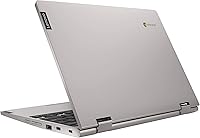
Specifications

  • Display Size: The 11.6-inch IPS panel delivers 1366x768 HD resolution with wide viewing angles and an energy-efficient LED backlight.
  • Touch Input: The display supports 10-point multitouch, enabling natural finger gestures across all four physical usage modes.
  • Processor: An Intel Celeron N4000 dual-core chip running at a 1.1 GHz base clock speed handles everyday computing tasks.
  • RAM: 4GB of DDR4 system memory supports light multitasking including web browsing, streaming, and document editing.
  • Storage: 32GB eMMC flash storage provides the local capacity needed for Chrome OS and a modest selection of installed apps.
  • Graphics: Integrated Intel UHD Graphics 600 manages everyday video playback and browser-based visuals without a dedicated GPU.
  • Operating System: Ships with Chrome OS, a cloud-optimized platform that receives automatic security and feature updates directly from Google.
  • Hinge Design: A 360-degree flip-and-fold hinge supports four physical configurations: laptop, tent, stand, and tablet modes.
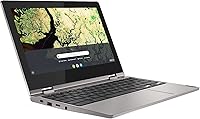
  • Ports: Connectivity includes 2x USB-A 3.0, 2x USB-C 3.1, and one combination headphone and microphone jack.
  • Wireless: 802.11ac Wi-Fi (Wi-Fi 5) provides dual-band wireless connectivity for faster and more reliable network performance.
  • Weight: At 2.65 lbs, the device is light enough for comfortable daily carry in a standard school or work bag.
  • Dimensions: The closed chassis measures 11.4 x 8.2 x 0.7 inches, keeping the overall footprint compact and backpack-friendly.
  • Color & Finish: Sold in Platinum Gray with a matte-finish exterior on both the lid and keyboard deck.
  • Battery Life: Real-world users consistently report approximately 8 to 10 hours of battery endurance under light everyday usage conditions.

Related Reviews
Lenovo Chromebook 300e Yoga 11.6″ 2-in-1
77%
88%
Build Quality & Durability
82%
Battery Life
61%
Display Quality
69%
Performance & Speed
84%
2-in-1 Versatility
More
Lenovo Thinkpad 11e 2-in-1 Laptop, 11.6-inch, Intel Celeron, 4GB RAM, 128GB SSD
80%
88%
Value for Money
75%
Performance
93%
Portability/Size/Weight
70%
Display Quality
80%
Battery Life
More
Samsung Chromebook 2 XE500C12-K01US 11.6-inch Laptop
81%
89%
Value for Money
85%
Battery Life
93%
Portability & Weight
80%
Build Quality
78%
Display Quality
More
Lenovo Yoga 6 13.3″ 2-in-1 Laptop - Ryzen 5, 8GB RAM, 256GB SSD
85%
85%
Performance
94%
Portability & Weight
92%
Battery Life
88%
Display Quality
90%
Build Quality
More
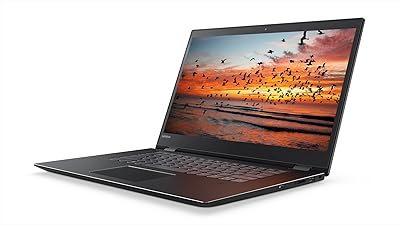
Lenovo Flex 5 15.6-inch 2-in-1 Laptop
69%
84%
Display Quality
76%
Performance
61%
Battery Life
78%
Build Quality
73%
2-in-1 Versatility
More
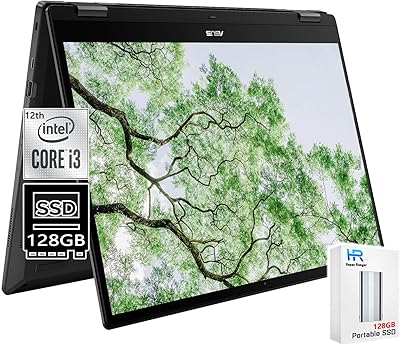
ASUS Chromebook 16 2-in-1 Touchscreen Laptop
74%
88%
Display Quality
81%
Convertible Versatility
83%
Performance & Speed
79%
Battery Life
76%
Build Quality
More
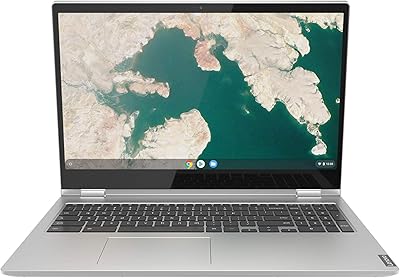
Lenovo Chromebook C340 15.6″ 2-in-1 Laptop
71%
83%
Display Quality
74%
Build Quality
81%
Hinge & Convertible Design
61%
Performance
47%
Storage & File Management
More
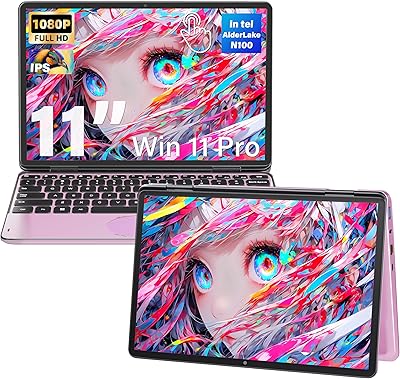
Svikou HL110YP 11″ 2-in-1 Laptop 512GB
72%
83%
Value for Money
71%
Performance & Speed
78%
Display Quality
66%
Build Quality & Design
89%
Portability
More
Lenovo ThinkPad L13 Yoga 2-in-1 Laptop
77%
91%
Build Quality
88%
Keyboard Comfort
79%
Everyday Performance
61%
RAM Adequacy
58%
Storage Capacity
More
ASUS Chromebook Flip C434 2-In-1 Laptop
86%
91%
Build Quality
87%
Display Quality
90%
Battery Life
89%
Portability
83%
Performance (General Use)
More

FAQ

Chrome OS does not run Windows applications, so traditional desktop software installed via .exe files will not work. That said, the browser-based versions of Microsoft 365 run perfectly well through Chrome, and Google Docs handles most writing and spreadsheet work without any issues. If your workflow depends on specific Windows-only software, this platform is not the right fit.

Chrome OS is built around cloud connectivity, so the experience is best when you are online. However, Google Docs, Sheets, and a handful of other apps support offline mode if you enable it in advance. For sustained offline productivity, it is less self-sufficient than a Windows or macOS device, so it is worth planning ahead if offline access matters to you.

The internal 32GB eMMC storage is soldered to the board and cannot be upgraded. Your practical options are using Google Drive for cloud storage, plugging in a USB flash drive or USB-C external drive for extra local space, or being selective about which Android apps you keep installed locally.

The built-in camera handles Google Meet, Zoom, and similar platforms adequately for everyday calls in a normally lit room. It is a basic camera by modern standards, so low-light performance is limited, but for daily school assignments or remote work check-ins it does the job without any extra setup.

It is genuinely one of the stronger picks for that use case. Chrome OS is difficult to break, easy to reset if something goes wrong, and supports Google Family Link parental controls out of the box. The 360-degree hinge lets kids flip it into tablet mode for educational apps, and at 2.65 lbs it is light enough for younger students to carry on their own.

The display supports 10-point finger touch input, but the C340 does not include an active stylus and does not support USI or EMR pen input. A basic capacitive stylus will work for rough navigation and sketching, but precision pen input is not a feature this model was designed for.

The hinge feels firm and well-constructed out of the box, and user feedback consistently describes it as one of the more durable aspects of the build. With normal daily handling it holds up well over time. As with any mechanical hinge, avoid forcing it beyond its natural range of motion and it should last through the typical lifespan of the device.

Yes, the Google Play Store is available on this 2-in-1 Chromebook, so you can install Android apps. The main limitation is storage — 32GB fills up faster than you might expect once app data starts accumulating. Keeping a short list of essential apps rather than treating it like a fully loaded tablet will help you avoid running into storage issues.

It depends on what you need from a laptop. A similarly priced Windows machine offers access to a broader software library, but it also comes with more maintenance overhead — slower boot times, antivirus considerations, and the general complexity of managing Windows updates. The C340 wins on out-of-the-box simplicity, near-instant boot speed, and low day-to-day upkeep. For anyone already working within Google's ecosystem, it is often the smarter practical choice.

Yes, this Lenovo Chromebook charges through its USB-C port, and a compatible charger is included in the box. A practical bonus is that either of the two USB-C ports can be used for charging, so you are not locked to one side of the device. Most standard USB-C PD chargers you already own will also work as a backup.

Where to Buy