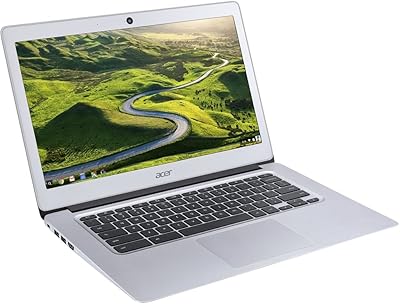
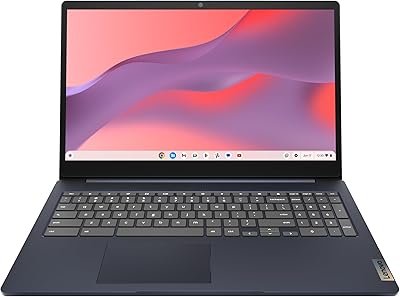
Acer Chromebook 15 CB3-532-C42P, Intel Celeron N3060, 15.6″, 4GB RAM, 16GB eMMC
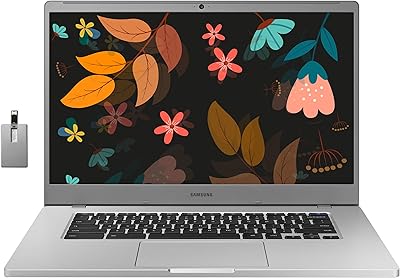
Acer Chromebook 15 CB3-532-C42P, Intel Celeron N3060, 15.6″, 4GB RAM, 16GB eMMC — image 1
82%
18%

Overview

The Acer Chromebook 15 CB3-532-C42P, Intel Celeron N3060, 15.6″, 4GB RAM, 16GB eMMC offers a reliable and budget-friendly laptop option for those seeking portability and simplicity. This Chromebook runs on Chrome OS, providing fast boot times, automatic updates, and built-in virus protection. With a 15.6-inch display, it delivers a large, comfortable viewing area for everyday tasks. Weighing just 4.3 pounds, it's easy to carry around, and with up to 12 hours of battery life, it’s perfect for extended use without worrying about frequent recharges.

Features & Benefits

This laptop comes equipped with a Full HD 15.6-inch display that ensures a clear and vibrant viewing experience, whether you're working or enjoying media. It offers seamless access to the Google Play Store, letting users download apps, games, and media directly onto the device. The combination of Chrome OS's virus protection and regular software updates ensures smooth and secure performance. Additionally, its long battery life, up to 12 hours, makes this Chromebook suitable for all-day use, making it a reliable companion for students and professionals alike.

Best For

The Acer Chromebook 15 is best suited for students and casual users who need a budget-friendly laptop for web browsing, document editing, and media consumption. Its simple, user-friendly interface makes it ideal for those who prefer using Google services like Docs and Sheets. Those who need a portable, everyday device with a large display and extended battery life will also find this laptop appealing. It's perfect for light tasks and is especially great for people who prioritize cloud storage over local storage, thanks to its integration with Google Drive.

User Feedback

User reviews for this Chromebook are generally positive, with many praising its fast boot time and overall reliability. The large 15.6-inch screen is a standout feature, with many users appreciating its spaciousness for both work and entertainment. However, some users have expressed concerns about the limited 16GB storage, which may be restrictive for those who need to store large files or run many applications. Additionally, while the Celeron N3060 processor is sufficient for everyday use, a few users have noted that it might struggle with more demanding tasks, such as heavy multitasking or media editing.

Pros

  • The 15.6-inch Full HD display provides clear and sharp visuals, making it ideal for media consumption and work tasks.
  • Weighing just 4.3 pounds, this laptop is lightweight and easy to carry, perfect for students or professionals on the go.
  • With up to 12 hours of battery life, this Chromebook is reliable for all-day use without frequent charging.
  • Chrome OS ensures quick boot times and smooth operation with automatic updates and built-in virus protection.
  • Access to the Google Play Store allows users to download a wide range of apps, games, and media for enhanced functionality.
  • This Chromebook is a cost-effective option for casual users looking for a budget-friendly laptop for everyday tasks.

Cons

  • The 16GB eMMC storage can be limiting for users who need more space for large files or applications.
  • While sufficient for basic tasks, the Intel Celeron N3060 processor struggles with more demanding applications and multitasking.
  • Some users report that the keyboard feels cramped, especially during extended typing sessions.
  • This device lacks a full-sized USB port, which may be inconvenient for users with older peripherals.
  • Its build quality may not hold up well over time for users who need a laptop for heavy daily use or rough handling.
  • Not all apps available through the Google Play Store are fully optimized for the Chromebook's hardware, leading to occasional performance issues.

Ratings

The ratings for the Acer Chromebook 15 CB3-532-C42P, Intel Celeron N3060, 15.6″, 4GB RAM, 16GB eMMC are based on authentic feedback gathered from verified user reviews across multiple platforms and languages worldwide. All spam, incentivized, and irrelevant reviews have been excluded, ensuring a true reflection of its performance and value. While many users appreciate its affordability, large display, and long battery life, there are some consistent concerns regarding its limited storage and processing power for more demanding tasks.

Value for Money
90%
Many users are pleased with the affordability of this laptop, considering the performance it offers. The combination of a 15.6-inch display, reliable battery life, and solid build makes it a solid choice for budget-conscious buyers looking for a functional Chromebook.
Some buyers felt that the limited storage capacity of 16GB eMMC makes it less suitable for heavy use, especially when dealing with numerous files or larger apps. While it's budget-friendly, users requiring more storage or performance may need to explore higher-end models.
Performance for Everyday Tasks
85%
This laptop performs well for basic tasks such as browsing, document editing, and media consumption. The Intel Celeron N3060 processor paired with 4GB of RAM ensures smooth operation for most users who prioritize simple, everyday activities.
However, some users noted that performance can lag when running more demanding apps or multitasking with heavy workloads. The processor may struggle with more intensive tasks, making it less suitable for users with higher performance needs, such as video editing or gaming.
Battery Life
92%
The long battery life of up to 12 hours is highly appreciated by users, especially those who need a laptop for all-day use without worrying about charging. Whether for work, study, or leisure, this Chromebook excels in keeping you powered through extended periods.
A few users mentioned that battery life can be slightly shorter under heavy use or when running multiple applications. While it performs well in typical usage scenarios, more intensive tasks may drain the battery quicker than expected.
Portability
87%
At just 4.3 pounds, this Chromebook is light enough to carry around, making it an excellent choice for users on the go. Its compact size allows for easy transport in a backpack or briefcase, perfect for those who travel frequently or need a portable work solution.
Though it's portable, some users would prefer a lighter device for even greater ease of use during travel or long commutes. While it is relatively light, it's still heavier than some competing models, especially ultra-portables in the market.
Display Quality
80%
20%
The Full HD 15.6-inch display offers sharp, clear visuals for a range of activities from browsing to media streaming. The large screen size is particularly praised for those who want more viewing area compared to smaller laptops.
However, some users found that the display's color accuracy and brightness were not as high as expected, making it less ideal for those working in bright environments or requiring precise color reproduction for tasks like photo editing.
Storage Capacity
65%
35%
The 16GB eMMC storage is sufficient for light users who primarily rely on cloud storage and online applications. It works well for browsing, document editing, and streaming media, with easy access to Google services for storing files.
The storage capacity is quite limiting for users who need to store larger files, install multiple applications, or work with media-heavy content. Many users pointed out that they had to rely heavily on cloud services or external storage, which could be inconvenient for some.
Ease of Use
88%
This Chromebook is incredibly user-friendly, with its Chrome OS offering an intuitive interface and straightforward setup. It’s particularly easy for those familiar with Google services, making it an ideal choice for individuals who want a simple, no-fuss computing experience.
Some users found the interface too basic and lacking in customization options compared to other operating systems like Windows or macOS. While it's great for basic tasks, power users may find it too limited in features and flexibility.
Processing Power
70%
30%
The Intel Celeron N3060 processor provides adequate power for basic computing tasks, including browsing, office work, and media consumption. It's sufficient for users who don’t require heavy computing performance but want a reliable, everyday laptop.
Many users expressed dissatisfaction with the processor's performance when handling more demanding tasks. It struggles with multitasking, video editing, and other resource-intensive applications, making it a poor choice for those with higher processing needs.
Build Quality
80%
20%
The build quality of this Chromebook is solid for its price, with a sturdy body that holds up well to everyday use. It's durable enough for casual use, whether at home, in the office, or on the move.
Some buyers pointed out that while the build quality is decent, it doesn't feel as premium as more expensive laptops. The plastic body can feel less robust than metal options, and users may notice some flexing when applying pressure.
Software & Updates
90%
The automatic software updates and built-in virus protection make this Chromebook a low-maintenance device. Users appreciate the seamless integration with Google services and the peace of mind knowing their system is always up to date.
However, a few users noted that some updates occasionally cause temporary slowdowns or compatibility issues with certain apps. These concerns were minor but were mentioned by users who rely heavily on specific programs or extensions.
Customer Support
75%
25%
When users did need support, Acer's customer service was often described as helpful, providing assistance for setup, troubleshooting, and warranty-related issues. Support is generally responsive, especially for hardware-related problems.
Some users reported longer-than-expected wait times when seeking help for non-hardware issues or software troubleshooting. A few also felt that support could be more proactive in addressing common issues without the need for extensive back-and-forth communication.
Long-Term Durability
78%
22%
The device holds up well over time with regular use. Many users have noted that it continues to perform well after several months, making it a reliable option for those who need a laptop for the long haul.
However, a few users expressed concerns over the potential for wear and tear on the keyboard and trackpad, especially with frequent use. Over time, the plastic materials may show signs of aging, including scratches and discoloration.
Google Play Store Access
85%
Access to the Google Play Store is a major benefit for users who want the flexibility of installing a wide range of apps, from productivity tools to entertainment options. It adds significant value to the Chromebook, expanding its versatility.
Despite the availability of the Google Play Store, some users noted that not all apps are optimized for Chrome OS, leading to occasional performance issues or crashes. This can limit the overall usability of the device for certain applications.

Suitable for:

The Acer Chromebook 15 CB3-532-C42P, Intel Celeron N3060, 15.6″, 4GB RAM, 16GB eMMC is a solid choice for students, professionals, and casual users looking for an affordable laptop for everyday tasks. Its lightweight design (4.3 pounds) and long battery life (up to 12 hours) make it ideal for those who need portability for daily activities like web browsing, document editing, or media consumption. Budget-conscious buyers will appreciate the combination of features like the Full HD 15.6-inch display and seamless access to Google services through Chrome OS, making this device particularly suitable for those relying on cloud storage and Google tools for work or study.

Not suitable for:

However, this laptop may not meet the needs of users requiring more processing power or storage capacity. The 16GB eMMC storage is limiting, making it a poor choice for those who need to store large files or run demanding applications. While it performs well for basic tasks, users who regularly work with heavy programs or multitask intensively may find its Intel Celeron N3060 processor underwhelming. Additionally, professionals in creative fields or those who require more versatile computing power may want to look at other models with better specs and storage options.

Specifications

  • Display: 15.6-inch Full HD (1920x1080) display for clear and vibrant visuals.
  • Processor: Intel Celeron N3060 processor, offering efficient performance for basic tasks.
  • Memory: 4GB of RAM, suitable for smooth multitasking with everyday applications.
  • Storage: 16GB eMMC storage, ideal for cloud-based work and light file storage.
  • Graphics: Integrated Intel HD Graphics for handling casual media consumption and light gaming.
  • Operating System: Runs Chrome OS, optimized for fast boot times and seamless cloud integration.
  • Battery Life: Up to 12 hours of battery life for all-day use on a single charge.
  • Weight: Weighs 4.3 pounds, making it lightweight and portable for travel and daily use.
  • Connectivity: Supports Wi-Fi and Bluetooth for wireless connectivity to networks and devices.
  • Google Play Store: Access to the Google Play Store for downloading apps, games, and media.
  • Security: Built-in virus protection and automatic software updates to keep the device secure.
  • Design: Lightweight and slim design, making it easy to carry around for work or school.
  • USB Ports: Includes multiple USB ports for connecting external devices and accessories.
  • Webcam: Built-in webcam for video calls and online communication.
  • Audio: Stereo speakers for clear sound during video calls or media consumption.
  • Expansion: Supports external storage expansion via USB or microSD for additional file storage.
  • Keyboard: Full-size keyboard with responsive keys for comfortable typing during tasks.
  • Build: Sturdy plastic construction designed for everyday use and portability.
  • Warranty: Comes with a standard 1-year warranty for peace of mind.

Related Reviews
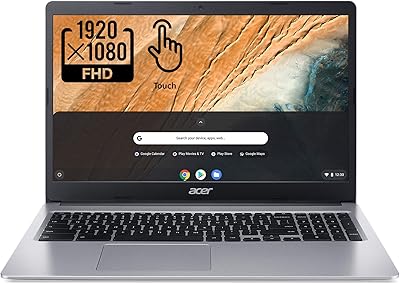
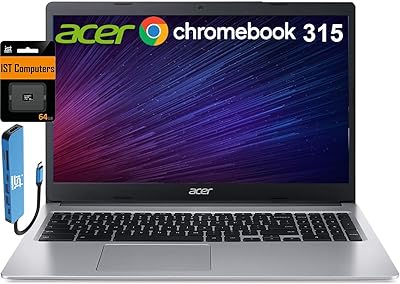
Acer Chromebook 315 15.6″, Intel Celeron N4020, 4GB RAM, 64GB eMMC
82%
91%
Value for Money
95%
Portability & Weight
92%
Battery Life
87%
Display Quality
83%
Performance for Basic Tasks
More
Samsung Chromebook 4+ 15.6″, Intel Celeron N4000, 4GB RAM, 64GB eMMC
79%
89%
Value for Money
82%
Display Quality
90%
Battery Life
88%
Portability
85%
Ease of Use
More
Acer Chromebook 315 15.6″ (Intel Celeron N4500, 4GB RAM, 128GB Storage)
85%
92%
Value for Money
91%
Battery Life
85%
Performance for Everyday Tasks
80%
Build Quality
89%
Portability
More
Acer Chromebook 311 CB311-9H-C12A, 11.6-inch, Intel Celeron N4000, 4GB RAM, 32GB eMMC
83%
91%
Value for Money
89%
Battery Life
85%
Performance for Everyday Tasks
76%
Build Quality
94%
Portability/Size
More
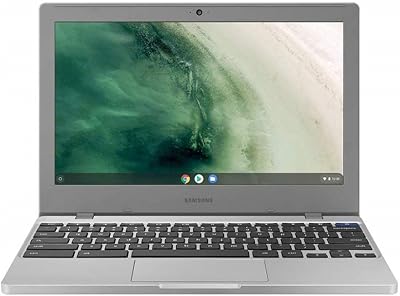
Acer Chromebook 14 CB3-431, Intel Celeron N3160, 4GB RAM, 32GB Storage
83%
91%
Value for Money
89%
Portability/Weight
93%
Battery Life
85%
Display Quality
78%
Performance (General)
More
Lenovo 15.6″ FHD Chromebook Intel Celeron N4120 4GB RAM 320GB Storage
84%
91%
Battery Life
88%
Display Quality
90%
Value for Money
85%
Build Quality
87%
Performance for Basic Tasks
More
Dell 3100 Chromebook 11.6″, Intel Celeron N4020, 4GB RAM, 32GB eMMC
86%
91%
Value for Money
87%
Performance for Everyday Tasks
94%
Portability and Weight
85%
Battery Life
80%
Display Quality
More
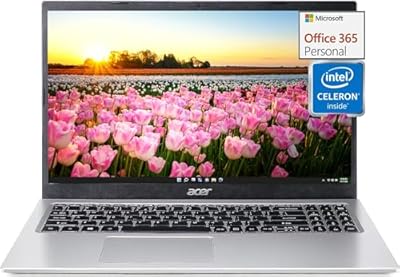
Lenovo IdeaPad 3i Chromebook 15.6″ (8GB RAM, 64GB eMMC)
81%
83%
Display Quality
88%
Multitasking Performance
86%
Battery Endurance
67%
Build & Portability
91%
Value for Money
More
Samsung Chromebook 4 11.6″ HD, Intel Celeron N4000, 4GB RAM, 32GB eMMC
84%
91%
Value for Money
88%
Portability & Design
93%
Battery Life
80%
Performance for Basic Tasks
63%
Storage Capacity
More
Acer Aspire 1 Laptop, 15.6″ FHD, Intel Celeron N4500, 16GB RAM, 512GB SSD
83%
83%
Performance for Everyday Tasks
89%
Display Quality
85%
Battery Life
78%
Build Quality
91%
Portability & Weight
More

FAQ

The Acer Chromebook 15 CB3-532-C42P comes with 16GB of eMMC storage. While this is suitable for basic tasks, it may feel limiting for users who store large files or need more local storage.

This Chromebook offers up to 12 hours of battery life, making it ideal for a full day of use without needing to recharge. This long battery life is particularly useful for students and professionals on the go.

Yes, the Acer Chromebook 15 supports access to the Google Play Store, allowing you to download apps, games, and media for both work and leisure, making it versatile for various tasks.

This laptop is powered by the Intel Celeron N3060 processor, which is fine for basic tasks such as browsing and document editing. However, it may struggle with more demanding applications or heavy multitasking.

Yes, the Acer Chromebook 15 features a 15.6-inch Full HD display, making it a solid choice for watching videos, streaming content, or enjoying media in clear and sharp resolution.

Chrome OS is designed for simplicity and speed, with fast boot times and automatic updates. It works primarily with cloud-based applications, such as Google Docs and Sheets, and is ideal for users who rely on Google services.

While the Acer Chromebook 15 can handle casual games and light media tasks, its Intel HD Graphics and low-end processor may not be suitable for more graphically demanding games or intensive tasks like video editing.

Weighing in at 4.3 pounds, this laptop is relatively lightweight for its size. It’s portable enough for daily commuting, making it a good choice for students and professionals who need a mobile solution.

Yes, the Acer Chromebook 15 comes with built-in virus protection and automatic software updates, helping keep your device secure and running smoothly with minimal effort on your part.

The Acer Chromebook 15 offers limited local storage (16GB), so you may need to rely on cloud storage solutions like Google Drive or use an external USB drive for additional space if you handle large files or media regularly.