Overview

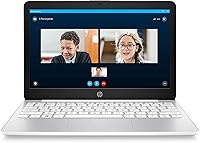
The HP Stream 11 11.6-Inch Laptop is, without pretense, a budget Windows machine built for people who need something light, portable, and functional without a hefty price tag. Weighing just 2.37 pounds, it slips into a bag almost unnoticed, which is genuinely its strongest selling point. HP throws in a one-year Office 365 subscription, making it more practical out of the box than most rivals at this tier. One thing worth knowing upfront: it ships in Windows S Mode, which restricts app installs to the Microsoft Store only — a real limitation some buyers discover too late.

Features & Benefits

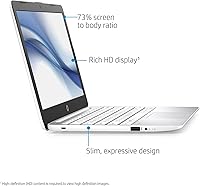
The Intel Celeron N4000 is not a speed demon, but for writing documents, browsing, and streaming video, it handles the workload without constant frustration. The 4 GB of RAM is enough for single-task sessions but starts to drag once you stack several browser tabs. Storage is the tightest constraint — 32 GB fills up fast, so leaning on OneDrive or adding a microSD card is almost mandatory from day one. Where this budget notebook surprises is the 1080p IPS display, which looks noticeably crisper than you would expect. Battery life consistently reaches 10 to 12 hours in real use, and the backlit keyboard is a welcome practical touch.

Best For

This compact HP laptop hits its stride for students who need an affordable, carry-everywhere writing and research tool. It is also a sensible pick for parents wanting a manageable first computer for younger kids — S Mode acts as a natural guardrail against unapproved software installs. Travelers or remote workers looking for a lightweight secondary device will find the weight and battery combination genuinely useful. The catch is that the whole experience assumes your workflow lives inside a browser or Microsoft 365. If you regularly need desktop software beyond that scope, this budget notebook will quickly feel constraining.

User Feedback

Buyers consistently praise the portability and the all-day battery, calling it solid value for casual everyday use. The screen quality draws more positive comments than most people expect at this price. On the flip side, storage complaints are the most common frustration — users report the drive filling up within weeks of normal use. S Mode restrictions also generate recurring disappointment, particularly from buyers who did not realize the limitation before purchasing. A handful of longer-term owners raise concerns about build durability, noting the hinge and chassis show wear with daily use. Overall, the sentiment is cautiously positive, provided expectations are set correctly from the start.

Pros

  • Weighing just 2.37 pounds, the Stream 11 is one of the lightest Windows laptops you can buy at this price.
  • Battery life regularly reaches 10 to 12 hours, making it a reliable all-day device without hunting for an outlet.
  • The 1080p IPS display looks noticeably sharp for a machine in this price tier — a genuine pleasant surprise.
  • A one-year Office 365 Personal subscription is included, adding real practical value right out of the box.
  • Three USB 3.0 ports give this budget notebook more connectivity than many comparably priced competitors.
  • The backlit keyboard is a thoughtful inclusion that makes it usable in low-light environments like classrooms or planes.
  • Boot times are snappy thanks to the eMMC flash storage, despite the limited overall capacity.
  • Windows S Mode provides a controlled, lower-risk computing environment well-suited for children or first-time users.
  • 802.11ac Wi-Fi ensures stable and reasonably fast wireless connectivity for streaming and browsing tasks.
  • At its price point, the overall package — display, battery, and portability — represents strong value for casual users.

Cons

  • 32 GB of internal storage fills up alarmingly fast; practical daily use almost requires a microSD card or heavy reliance on OneDrive.
  • Windows S Mode restrictions catch many buyers off guard — installing standard third-party apps is not possible without switching modes.
  • Performance noticeably degrades when several browser tabs or background processes are running at the same time.
  • 4 GB of RAM cannot be upgraded, so there is no hardware path to improve multitasking capability down the line.
  • The Celeron N4000 processor, while adequate for basic tasks, will feel sluggish to anyone used to a mid-range machine.
  • Some long-term owners report hinge and chassis wear after sustained daily use, raising questions about multi-year durability.
  • No optical drive and no HDMI port listed limit connectivity options for users who need to present or connect to external displays.
  • The compact screen size, while portable, can feel cramped during extended work sessions compared to 13-inch or 14-inch alternatives.

Ratings

The scores below for the HP Stream 11 11.6-Inch Laptop were generated by our AI engine after analyzing thousands of verified global user reviews, with spam, incentivized submissions, and bot activity actively filtered out. The results reflect a transparent, balanced picture of where this compact notebook genuinely delivers and where real buyers have run into friction. Both the standout strengths and the recurring pain points are weighted equally so you can make a confident, informed decision.

Value for Money
83%
Most buyers feel they got a fair return on their investment, particularly those who factored in the bundled Office 365 subscription as part of the package. For students on tight budgets or parents equipping a child with a first laptop, the overall offering at this price tier is hard to argue with.
A minority of buyers who expected more out-of-box versatility felt shortchanged once they encountered S Mode restrictions and the tight storage ceiling. When those two friction points hit at once, the perceived value drops noticeably for less tech-savvy users.
Portability
91%
At just 2.37 pounds and under an inch thick, the Stream 11 genuinely disappears into a backpack or tote bag. Commuters and students who carry it daily cite it as one of the least burdensome laptops they have owned at any price point.
The compact dimensions are a deliberate trade-off, and users who need a larger workspace for spreadsheets or split-screen tasks find the small footprint limiting during extended work sessions. The narrow screen real estate can feel cramped after a few hours.
Battery Life
88%
Real-world usage consistently lands in the 10 to 12 hour range for light tasks like writing, browsing, and streaming, which is enough to cover a full school day or a cross-country flight without needing a charger. Travelers in particular highlight battery endurance as one of the top reasons they chose this budget notebook.
Heavier use — multiple browser tabs, video calls, and background sync running simultaneously — can cut that window down to 7 or 8 hours. The battery is non-removable, so there is no easy fix if capacity degrades after a year or two of daily charging cycles.
Display Quality
79%
21%
The 1080p IPS panel is a genuine standout for this price tier, delivering crisp text and decent color reproduction that most buyers do not expect at this level. Students reading PDFs and watching lecture videos consistently praise how sharp everything looks compared to similarly priced rivals.
Outdoor visibility is limited — brightness levels are not high enough to comfortably use in direct sunlight or brightly lit environments. Color accuracy is also insufficient for any kind of photo or video editing work, though that was never the intended use case.
Performance
58%
42%
For the specific tasks this machine targets — typing documents, browsing a handful of tabs, and streaming video — the Celeron N4000 handles things without constant interruption. Users who stick to one or two apps at a time rarely complain about performance in casual everyday use.
Open more than four or five browser tabs simultaneously and slowdowns become noticeable and frustrating. Users who try to use it as a primary work machine quickly run into its ceiling, particularly with web apps like Google Meet or Microsoft Teams that are resource-hungry by nature.
Storage Capacity
41%
59%
The eMMC flash storage does contribute to fast boot and wake times, which gives the machine a snappier feel at startup than its specs might suggest. Users who immediately pivot to cloud-based workflows via OneDrive report that the local storage crunch becomes manageable.
32 GB is the single most-criticized spec in user feedback by a wide margin. Windows itself consumes a large portion of that space, and buyers regularly report hitting storage warnings within weeks of normal use. Without a microSD card or active cloud storage, this becomes a daily management headache.
Software & OS Experience
54%
46%
Windows 10 in S Mode runs smoothly on the limited hardware, and for parents setting up a safe environment for children, the restricted app ecosystem is actually a useful feature rather than a drawback. The interface is familiar to anyone who has used a Windows device before.
S Mode catches a significant portion of buyers completely off guard — many do not realize they cannot install Chrome, Spotify, or other standard desktop applications until after purchase. Switching out of S Mode resolves this, but it is permanent and confusing for non-technical users.
Build Quality
56%
44%
The chassis is lightweight and reasonably solid for day-to-day gentle handling, and most short-term users report no structural issues in the first several months of use. It feels acceptable for the price when you first take it out of the box.
Longer-term owners raise concerns about hinge stiffness degrading and plastic casing showing stress marks after a year or more of daily use. It does not feel built to survive rough treatment, and users who toss it in a bag without a sleeve often report cosmetic wear relatively quickly.
Keyboard & Typing Experience
72%
28%
The backlit keyboard is a well-received inclusion that many buyers did not expect at this price, making the laptop usable in dimly lit classrooms, libraries, or economy class cabins. Key travel is adequate for extended typing sessions like essay writing.
The compact 11.6-inch chassis means the keyboard layout is slightly cramped, and touch typists with larger hands occasionally report hitting the wrong keys during fast typing. The trackpad is functional but lacks precision compared to machines even a step up in price.
Connectivity & Ports
68%
32%
Three USB 3.0 ports is a genuinely generous offering for a machine this size, giving users enough slots for a mouse, USB drive, and an adapter simultaneously without constantly swapping cables. Built-in Bluetooth adds wireless peripheral flexibility.
The absence of an HDMI port is a recurring frustration for users who want to connect to a classroom projector, second monitor, or TV, requiring an additional USB adapter purchase. There is also no USB-C port, which increasingly feels like a limitation as accessories move toward that standard.
Setup & Out-of-Box Experience
74%
26%
The initial setup process is straightforward and Windows 10 guides less experienced users through configuration clearly. The inclusion of an Office 365 redemption code in the box gives buyers an immediate practical tool without any extra purchases.
The S Mode prompt during setup confuses a fair number of buyers who are not sure whether to switch modes or stay, and HP's guidance on this decision is minimal. Users also report that Windows updates on first boot can occupy a noticeable chunk of the already-limited storage.
Audio Quality
49%
51%
Audio is serviceable for video calls and casual YouTube viewing at low to moderate volumes, and the built-in speakers are adequate enough that most users do not immediately reach for headphones for basic tasks.
At higher volumes, the speakers distort noticeably and the bass response is essentially absent. Users watching movies or listening to music regularly cite audio as the weakest sensory aspect of the machine, and headphones or a Bluetooth speaker become almost mandatory for enjoyable media consumption.
Thermal Management
63%
37%
During light use the machine stays cool and quiet, with no fan noise or perceptible heat buildup during document work or casual browsing. The fanless design keeps the experience pleasant in quiet environments.
Under sustained load — extended video streaming or prolonged multitasking — the underside can become noticeably warm, which is uncomfortable when using it on a lap. The passive cooling has no headroom to handle heavier workloads without heat becoming a factor.
Webcam Quality
47%
53%
The webcam covers the functional minimum for basic video calls, and in well-lit environments users are clearly recognizable on platforms like Zoom or Teams without technical complaints from the other side.
In anything less than ideal lighting — a dorm room, a home office with a window behind the user — image quality degrades quickly into grainy, washed-out footage. It is a budget-tier webcam in every meaningful sense and falls short of what most dedicated remote workers would find acceptable.

Suitable for:

The HP Stream 11 11.6-Inch Laptop is a genuinely practical choice for students who need an affordable, carry-everywhere device for writing essays, taking notes, and accessing course materials online. Parents looking for a first laptop for younger children will appreciate that Windows S Mode keeps the software environment locked down to Microsoft Store apps by default, which adds a layer of control without requiring extra parental software. Travelers and remote workers who already have a primary machine will find the Stream 11 makes a capable, featherlight backup device that handles email, documents, and video calls without complaint. The bundled year of Office 365 Personal makes it especially compelling for anyone whose daily workflow revolves around Word, Excel, and OneDrive, since cloud storage effectively sidesteps the tight local storage limitations. If your needs are modest and portability is a priority, this compact HP laptop delivers exactly what it promises.

Not suitable for:

The HP Stream 11 11.6-Inch Laptop is a poor fit for anyone expecting to run demanding or creative software — photo editing, video production, coding environments, and even some newer web applications will push its hardware well past its comfort zone. Users who rely on specific third-party desktop applications should know that S Mode blocks installation of software distributed outside the Microsoft Store; switching out of S Mode is possible but permanent and may concern less technically confident buyers. The 32 GB of internal storage is a genuine daily frustration for anyone who downloads media, installs several applications, or does not actively manage files using cloud services. Buyers expecting this budget notebook to replace a mid-range laptop will be disappointed by the slowdowns that emerge when multitasking with multiple browser tabs or background apps running simultaneously. Long-term heavy users should also factor in mixed reports about build durability, as the chassis and hinge have shown wear in extended daily use scenarios.

Specifications

  • Display: 11.6-inch IPS panel with a 1920x1080 pixel resolution, delivering noticeably sharp visuals for its size class.
  • Processor: Intel Celeron N4000 dual-core CPU with a 1.1 GHz base frequency that boosts up to 2.6 GHz under load.
  • RAM: 4 GB DDR3L SDRAM soldered to the motherboard, which means it cannot be upgraded after purchase.
  • Storage: 32 GB eMMC flash storage provides fast boot times but limited capacity for local files and applications.
  • Graphics: Intel UHD Graphics 600 integrated GPU handles everyday display tasks and basic video playback without a discrete chip.
  • Operating System: Windows 10 Home in S Mode ships as the default OS, restricting app installs to the Microsoft Store unless S Mode is disabled.
  • Battery Life: HP rates the battery at up to 12 hours of mixed use, with real-world results typically falling in the 10 to 12 hour range.
  • Weight: The laptop weighs 2.37 pounds, making it one of the lighter Windows machines available in its price bracket.
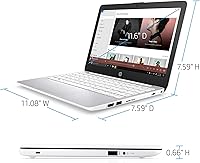
  • Dimensions: The chassis measures 11.08 x 7.59 x 0.66 inches, keeping it compact enough to fit in most standard backpack sleeves.
  • Wireless: 802.11ac dual-band Wi-Fi and Bluetooth are built in for wireless connectivity and peripheral pairing.
  • Ports: Three USB 3.0 ports and one 3.5mm combination audio jack are included; there is no HDMI or USB-C port.
  • Keyboard: A backlit keyboard is included, allowing comfortable typing in dim environments such as classrooms or flights.
  • Optical Drive: No optical drive is included, consistent with the ultraportable form factor of this machine.
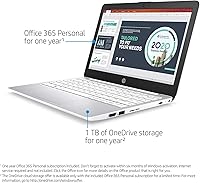
  • Bundled Software: A one-year Office 365 Personal subscription is included, covering Word, Excel, PowerPoint, and 1 TB of OneDrive storage.
  • Color: Available in Diamond White as the standard finish for this model configuration.
  • Memory Type: System memory uses DDR3L SDRAM running at an effective speed suited to the Celeron N4000 platform.
  • Chipset: Intel integrated chipset pairs with the Celeron N4000 to manage system functions and graphics output.
  • Power: The laptop is powered by an included AC adapter rated at 15 volts with a lithium metal battery pack.

Related Reviews
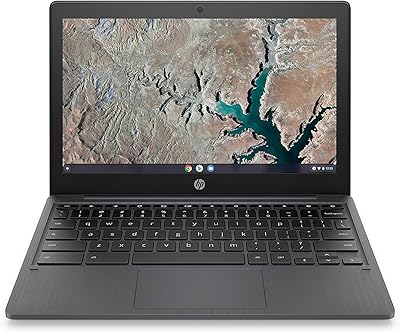
HP Chromebook 11a 11.6-inch Laptop
73%
91%
Battery Life
83%
Value for Money
62%
Performance
49%
Storage Capacity
67%
Display Quality
More
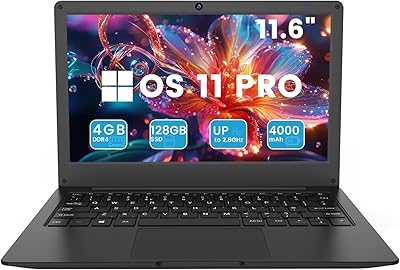
Azeyou CG11Q6-US 11.6-inch Laptop

80%
90%
Value for Money
92%
Portability
86%
Battery Life
78%
Build Quality
64%
Display Quality
More
Samsung Chromebook 2 XE500C12-K01US 11.6-inch Laptop
81%
89%
Value for Money
85%
Battery Life
93%
Portability & Weight
80%
Build Quality
78%
Display Quality
More
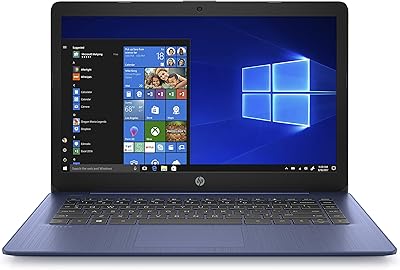
HP Stream 14-inch Laptop
65%
78%
Value for Money
84%
Battery Life
53%
Performance
41%
Storage Capacity
67%
Display Quality
More
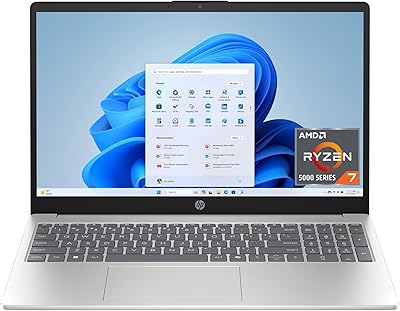
HP 15.6-inch Laptop, AMD Ryzen 7 5825U, 8GB RAM, 512GB SSD
84%
89%
Performance
87%
Display Quality
92%
Privacy Features
80%
Battery Life
85%
Portability
More
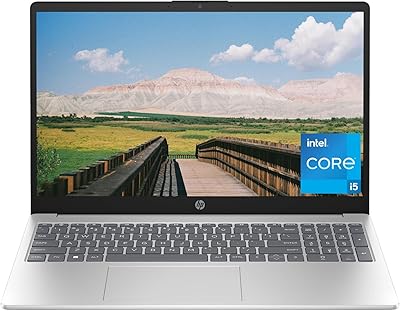
HP 15.6-inch Laptop, Intel Core i5-1334U, 8GB RAM, 512GB SSD
84%
86%
Performance for Everyday Tasks
91%
Battery Life
90%
Value for Money
88%
Display Quality
82%
Build Quality
More
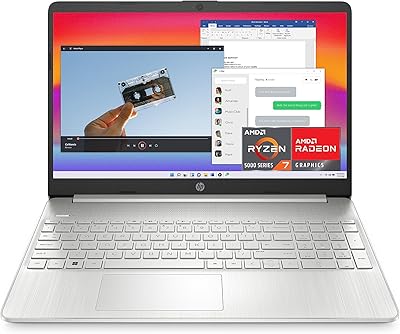
HP 15.6-inch Laptop, AMD Ryzen 7 5700U, 8GB RAM, 256GB SSD

81%
89%
Value for Money
91%
Battery Life
88%
Portability
87%
Processor Performance
71%
Display Quality
More
HP 15.6-inch Laptop 15-ef0021nr, Ryzen 3 3200U, 8GB RAM, 256GB SSD
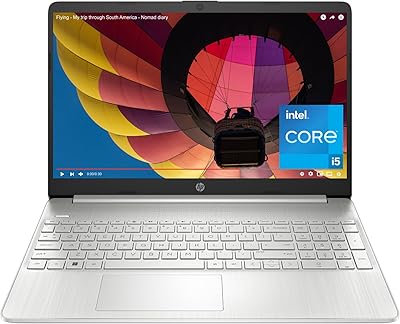
82%
92%
Value for Money
85%
Performance
83%
Build Quality
89%
Portability
81%
Battery Life
More
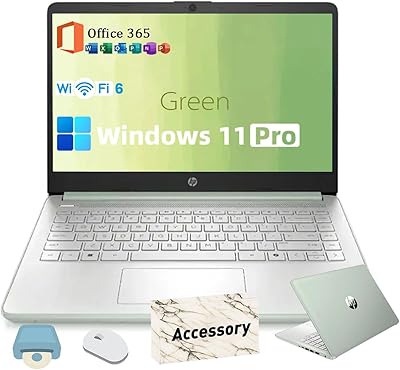
HP 2025 14-inch Laptop - 16GB RAM, 128GB UFS, 256GB MSD, Windows 11 Pro
82%
89%
Value for Money
92%
Battery Life
85%
Performance
90%
Portability
81%
Build Quality
More
HP 15 Core i5-1235U 15.6-inch Laptop
75%
88%
Value for Money
82%
Performance
74%
Display Quality
58%
Battery Life
69%
Build Quality
More

FAQ

Not while S Mode is active. By default, the Stream 11 only allows app installs from the Microsoft Store, which means browsers like Chrome and most third-party desktop software are blocked. You can switch out of S Mode for free through Windows Settings, but it is a one-way change — you cannot go back to S Mode once you leave it.

Honestly, it is tight. Windows and pre-installed software consume a significant chunk right away, leaving you with noticeably less free space than the headline number suggests. The practical workaround most owners use is storing documents and media on OneDrive, which comes with 1 TB included through the bundled Office 365 subscription, or adding a microSD card for extra local storage.

It manages video calls reasonably well when that is the primary task running. If you have several browser tabs open at the same time, you may notice some stuttering or lag, so it is worth closing unnecessary background apps before jumping on a call.

Windows S Mode actually works well as a basic guardrail for younger users since it limits software installs to vetted Microsoft Store apps. It is not a full parental control solution, but it does reduce the risk of kids accidentally downloading unsafe software. You can layer on additional parental controls through the Microsoft Family Safety app for more granular oversight.

Real-world usage from buyers consistently lands in the 10 to 12 hour range for light tasks like browsing and document work, which is actually close to what HP claims. Heavy streaming or having many tabs open will bring that number down, but for a school day or a long travel day, most users do not need to pack the charger.

Surprisingly, yes. The 1080p IPS panel is one of the genuine highlights of this budget notebook — the image is sharp and the colors are decent for casual viewing. It is not a color-accurate display for creative work, but for YouTube, Netflix, or video calls, it holds up better than you might expect given the price.

No, unfortunately not. Both the RAM and the eMMC storage are soldered directly onto the motherboard, so neither component can be swapped or expanded. This makes it especially important to plan around cloud storage and keep the local drive tidy from day one.

Office is not pre-installed but a one-year Office 365 Personal subscription code is included in the box. You will need to create or sign into a Microsoft account and redeem the code to activate it, which takes just a few minutes. After the year is up, the subscription renews at Microsoft's standard rate unless you cancel.

This is an area where feedback is a bit mixed. Most buyers find the build perfectly adequate for careful daily use, but some longer-term owners report that the hinge and plastic chassis show wear after a year or more of regular handling. It is not built to the same standard as a premium business laptop, so a protective sleeve is a sensible investment if you are carrying it in a bag every day.

No, this particular model does not include an HDMI port, which is a notable gap if you plan to connect to an external display or projector. You would need a USB 3.0 to HDMI adapter to work around this, which adds a small extra cost but does resolve the limitation.