Overview

The 3Dconnexion SpaceMouse Wireless Bluetooth 3D Mouse is a purpose-built 6DoF controller — meaning it lets you simultaneously pan, tilt, rotate, and zoom through 3D space with a single hand — designed specifically for CAD, modeling, and design professionals. It sits at the premium end of 3Dconnexion's SpaceMouse lineup and arrived in June 2024 as the first fully Bluetooth-native variant, dropping the USB dongle that earlier wireless models required. This isn't a replacement for your regular mouse; it works alongside it, dedicated entirely to 3D navigation. The learning curve is genuine — expect a week or two before it feels natural — but for anyone spending hours daily in a 3D viewport, the payoff is real.
Features & Benefits

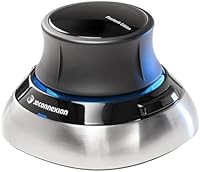
The Bluetooth connectivity is the headline upgrade here — no dongle, no receiver to lose, just a clean pairing process. 3Dconnexion's Bluetooth puck also charges via USB-C, which means one less proprietary cable on your desk. Battery life is rated at up to a month, and most users find that figure holds up reasonably well under daily professional workloads. The symmetrical puck shape is genuinely thoughtful — left-handed users finally get a device that doesn't feel like an afterthought. Programmable buttons can be mapped to your most-used shortcuts through 3Dconnexion's driver software, and the device plays well across Windows and macOS, including major CAD platforms out of the box.

Best For

This wireless SpaceMouse is squarely aimed at professionals who live inside SolidWorks, Fusion 360, CATIA, or similar software for hours at a stretch. If you're a 3D animator or modeler who needs to simultaneously orbit, zoom, and pan without constantly repositioning your hand, the puck format makes that feel almost effortless once you're past the initial adjustment period. Remote workers and those with minimal desk setups will appreciate the lack of a dongle eating up a USB port. Left-handed designers specifically get a rare win here — the ambidextrous form factor doesn't force any compromises. If you work primarily in 2D or rarely open a 3D viewport, this isn't your tool.

User Feedback

With a 4.6-out-of-5 rating across 129 reviews, the Bluetooth SpaceMouse earns strong marks from its niche audience. The most consistent praise centers on productivity gains in navigation — once users build the muscle memory, working without it feels noticeably clunky. That said, a recurring theme in critical reviews is the initial driver setup; some users hit friction getting it configured properly on first install, especially on macOS. Bluetooth stability also comes up — a handful of reviewers note occasional reconnection hiccups versus the more consistent USB dongle experience. On battery life, real-world reports largely align with the rated estimate. On balance, experienced 3D professionals tend to be the happiest; first-time SpaceMouse users need to factor in the ramp-up time.

Pros

  • Bluetooth-native design eliminates dongle clutter, freeing up a USB port and keeping your desk cleaner.
  • Ambidextrous puck shape works equally well for left- and right-handed users — a genuine rarity in this category.
  • Up to one month of battery life means you rarely need to think about charging mid-project.
  • USB-C charging keeps things simple; no proprietary cables or awkward adapters required.
  • Programmable buttons let you map workflow-specific shortcuts, meaningfully reducing reliance on keyboard hotkeys.
  • Rated 4.6 out of 5 across 129 reviews — strong owner satisfaction for a premium, specialized device.
  • Full compatibility with Windows and macOS, plus broad out-of-the-box support for major CAD platforms.
  • Once muscle memory develops, 3D navigation feels noticeably faster and more fluid than keyboard shortcut workarounds.
  • The wireless SpaceMouse is compact and portable enough to include in a laptop bag without friction.

Cons

  • Initial driver installation can be genuinely frustrating, particularly for first-time users setting it up on macOS.
  • A real learning curve exists — expect one to two weeks before the device starts feeling natural.
  • Some users report occasional Bluetooth reconnection hiccups that can interrupt time-sensitive professional workflows.
  • It provides zero cursor control; a separate standard mouse is always required alongside it.
  • The premium asking price is a substantial upfront commitment for professionals still unsure it suits their workflow.
  • 3Dconnexion's driver software, while capable, can feel complex and unintuitive to configure from scratch.
  • No built-in display or haptic feedback means there is no quick visual confirmation of which button profile is active.
  • Bluetooth latency, though usually negligible, may be perceptible in extremely precision-sensitive modeling tasks.
  • Support for niche or indie 3D applications often requires manual profile creation rather than automatic platform detection.

Ratings

Our AI-generated scores for the 3Dconnexion SpaceMouse Wireless Bluetooth 3D Mouse were produced by processing verified purchase reviews from professional buyers worldwide, with automated filtering applied to remove incentivized, bot-generated, and duplicate submissions. Each category score reflects the full spectrum of reported experience — including the friction points that manufacturers rarely highlight. Both the device's notable strengths and its real-world limitations are weighted and represented transparently below.
3D Navigation Performance
91%
Users who work daily in SolidWorks, Fusion 360, or CATIA consistently describe viewport navigation as feeling genuinely fluid once muscle memory develops — orbiting, zooming, and panning simultaneously with one hand is a capability no standard mouse can replicate. For professionals spending four or more hours inside a 3D viewport each day, the productivity difference is hard to overstate.
The learning curve means this score takes time to become personally relevant — new users will not experience that high-end payoff on day one, and some give up before muscle memory arrives. It is also worth noting this rating applies strictly to 3D work; in any non-3D application the navigation function is simply irrelevant.
Bluetooth Connectivity
74%
26%
The absence of a USB dongle is the most immediately appreciated quality-of-life improvement over older wireless models, especially for users with minimal desk space or MacBooks with limited ports. Pairing is straightforward in most setups, and the majority of buyers working in standard office or home environments report the connection holds reliably throughout the day.
A meaningful portion of reviewers — particularly those in Bluetooth-congested environments or running multiple wireless peripherals simultaneously — report occasional dropout events and reconnection delays that interrupt focused work sessions. This score is held back by direct comparison to the USB dongle version, which consistently receives higher marks for link stability and lower perceived latency.
Battery Life
83%
Professionals who charge the device every few weeks report that the rated one-month estimate is broadly accurate under realistic daily workloads, and USB-C charging lets them top it up using the same cable as their laptop or phone. Several reviewers specifically noted they stopped thinking about battery management altogether after the first few weeks of ownership.
Heavy users running it eight or more hours daily in busy production environments report real-world runtime landing closer to two to three weeks rather than the full month. There is no persistent on-screen battery status indicator by default, meaning some users only discover the charge is low when the device unexpectedly disconnects mid-session.
Ease of Setup
62%
38%
Bluetooth pairing itself is standard and usually completes without incident on both Windows and macOS — users with recent operating system versions and clean Bluetooth stacks generally get through the hardware side of setup without problems. The physical unboxing experience is clean and the device is ready to charge and pair quickly out of the box.
The driver software installation is where setup friction concentrates — macOS users in particular report multi-step permission granting, accessibility settings adjustments, and occasional restarts before the device registers correctly. First-time SpaceMouse users frequently describe the initial configuration as more involved than expected for a peripheral at this price tier, and 3Dconnexion's in-app guidance is considered thin by a notable portion of reviewers.
Value for Money
71%
29%
For professionals who use CAD or 3D modeling tools daily as their primary income source, the consensus is that this wireless SpaceMouse pays for itself relatively quickly in time saved and reduced physical strain from repetitive viewport navigation. Buyers who committed to the learning curve overwhelmingly report satisfaction with their purchase in retrospect.
The premium price is a real barrier for hobbyists, students, or professionals who only occasionally enter a 3D environment — the value proposition weakens significantly below a certain usage threshold. Some buyers also feel the Bluetooth edition commands a price premium over the dongle version without delivering a proportionally better experience, given the connectivity trade-offs involved.
Build Quality
88%
The puck has a weighty, premium feel that users consistently describe as confidence-inspiring — at 15.9 oz it sits planted on the desk during use without shifting, which matters when applying precise fingertip pressure across extended sessions. The materials feel robust and the device shows no wobble or flex under normal operating conditions.
Long-term durability data is limited given the June 2024 release date, so there is not yet a meaningful body of reviews commenting on multi-year wear patterns. A small number of users have noted the top cap of the puck can feel slightly imprecise to reseat correctly if removed during cleaning.
Software & Driver Experience
67%
33%
Once configured, the driver software delivers genuine depth — per-application profiles mean the device behaves differently inside SolidWorks versus Rhino versus Blender, and button assignments carry over automatically when switching programs. Users who invest time learning the software consistently report that the customization capability justifies the upfront effort.
The interface itself is dated and unintuitive by modern software standards — new users frequently describe hunting through menus to accomplish basic tasks that should be more discoverable. Some reviewers also note that driver updates have occasionally introduced behavior changes that required re-tuning their established profiles from scratch.
Ergonomics & Comfort
86%
The low-profile puck design keeps the wrist in a natural resting position throughout long work sessions, and users routinely credit it with reducing the repetitive strain associated with constantly repositioning a standard mouse for 3D navigation. Architects and engineers logging six or more hours daily in modeling software specifically highlight long-session comfort as a decisive purchase factor.
The 15.9 oz weight, while contributing to desk stability, can feel heavier than expected for buyers accustomed to lightweight peripherals — this is rarely a dealbreaker but appears frequently as a first-impression comment. A small subset of users with smaller hands note that the puck diameter requires a slightly stretched finger position during extended use.
Left-Hand Compatibility
93%
The symmetrical form factor is genuinely ambidextrous — not just marketed that way — with no button placement bias favoring the right hand in any measurable way. Left-handed designers and engineers consistently rate this as a top purchase factor, and satisfaction among this group is notably higher than the overall review average.
The cons here are minor: some left-handed users note a brief period of recalibrating hand position expectations compared to asymmetric peripherals they previously built workarounds around. The button layout, while neutral in placement, is not specifically optimized for left-handed ergonomic preferences beyond the symmetrical puck shape itself.
Portability
79%
21%
The puck's compact footprint means it slides into a laptop bag without adding significant bulk, making it a viable option for designers who move between office and home workstations or travel for client work. The absence of a USB dongle to lose in transit is a practical benefit that mobile professionals specifically call out as a genuine advantage.
At 15.9 oz, it is heavier than most portable peripherals, which makes it less appealing for frequent flyers trying to minimize bag weight. Re-pairing Bluetooth with a new host device while traveling can add friction for users who switch between multiple machines, and no dedicated carrying case is included in the box.
Button Customization
82%
18%
Power users who map frequently used commands — view presets, fit-to-window, layer toggles — report meaningful reductions in time spent reaching for keyboard shortcuts mid-modeling session. Per-application profiles mean button assignments shift automatically when switching between major 3D applications without requiring any manual intervention from the user.
The number of physical buttons is modest, so users coming from macro-heavy keyboards or dedicated shortcut panels may find the customization ceiling lower than expected. Configuring those buttons requires navigating the driver software interface which, as noted elsewhere, carries its own learning curve that can make initial profile setup feel laborious.
Cross-Platform Compatibility
84%
Official Windows and macOS support covers the two platforms that matter most for professional CAD and modeling work, and major applications including SolidWorks, Fusion 360, CATIA, AutoCAD, and Rhino come pre-profiled in the driver software. Switching the device between a Windows workstation and a Mac requires only a re-pair, not a full reinstallation.
Linux is not officially supported, which is a genuine gap for engineers and developers who work primarily in open-source environments. Some specialized or niche industry software has limited or no native SpaceMouse integration, requiring third-party workarounds or entirely manual profile creation to achieve basic functionality.
Sensor Responsiveness
89%
The 6DoF capacitive sensor is praised for nuanced pressure sensitivity — light touches produce gentle movements while firmer pressure fluidly accelerates the motion, giving experienced users fine-grained control over navigation speed without toggling settings. Users transitioning from older SpaceMouse models consistently note the sensor in the Bluetooth edition feels as responsive as prior wired versions.
New users almost universally over-control the sensor in the first few days — the high sensitivity that veterans appreciate becomes a source of frustration until the hand learns to apply minimal pressure. Sensitivity tuning is only available through the driver software rather than via any physical control on the device itself, adding a configuration step for those who find the default too reactive.

Suitable for:

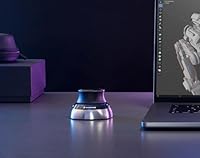
The 3Dconnexion SpaceMouse Wireless Bluetooth 3D Mouse is built for one audience: professionals who spend serious time navigating 3D space. If your daily workflow involves SolidWorks, Fusion 360, CATIA, Rhino, or any comparable CAD or modeling platform, this device pays for itself in reduced friction and faster iteration — once you have cleared the initial adjustment period. It is especially well-suited to left-handed designers who have been stuck with asymmetric peripherals for years, since the symmetrical puck design genuinely levels the playing field. Remote workers and anyone running a minimal desk setup will find the dongle-free Bluetooth connection a real quality-of-life upgrade over older wireless variants. If you are a 3D animator or modeler who works with both hands independently — one on the SpaceMouse, one on a regular mouse — this is exactly the two-device workflow configuration the puck was designed to support.
Not suitable for:

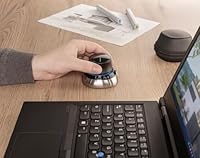
The 3Dconnexion SpaceMouse Wireless Bluetooth 3D Mouse is a specialized tool with a narrow target, and that cuts both ways. If your work is primarily 2D — graphic design, photo editing, spreadsheets, or general office tasks — there is no meaningful benefit here; this device solves a problem you simply do not have. Buyers expecting a primary mouse replacement will also be disappointed: it has no cursor control whatsoever and functions only as a dedicated 3D navigation controller used alongside a standard mouse. The premium price point is harder to justify if you are an occasional hobbyist who opens 3D software a few hours a month rather than relying on it daily. Those who require rock-solid, zero-latency wireless connectivity may want to carefully compare this Bluetooth edition against the USB dongle version, as a portion of users have flagged occasional reconnection interruptions. First-time SpaceMouse users should also factor in that driver setup can be bumpy on macOS, and the learning curve demands a genuine time investment before productivity gains become apparent.
Specifications

  • Brand: Manufactured by 3Dconnexion, a company specializing in professional 3D input peripherals for design and engineering workflows.
  • Model: SpaceMouse Wireless Bluetooth Edition, official model number 3DX-700115.
  • Input Type: 6DoF (six degrees of freedom) capacitive sensor controller, enabling simultaneous pan, tilt, rotate, and zoom within 3D applications.
  • Connectivity: Bluetooth wireless connection for cable-free operation, with a USB-C port used exclusively for charging.
  • Battery Life: Rated at up to one month of runtime per full charge under typical daily professional use conditions.
  • Battery Type: Rechargeable Lithium-Ion battery, included in the box and pre-installed at the time of purchase.
  • Charging Port: USB-C port, compatible with standard modern charging cables and requiring no proprietary adapter.
  • OS Support: Officially supported on Windows and macOS, covering both PC and Mac hardware platforms.
  • Handedness: Symmetrical puck form factor engineered to be equally usable by left-handed and right-handed users without compromise.
  • Weight: The unit weighs 15.9 oz, giving it a stable, grounded feel on the desk surface during active 3D navigation.
  • Release Date: First made available in June 2024 as the Bluetooth-native addition to 3Dconnexion's SpaceMouse Wireless lineup.
  • Special Features: Includes programmable buttons that can be mapped to application-specific shortcuts via 3Dconnexion's driver software.
  • Form Factor: Stationary ergonomic puck operated with light fingertip pressure that does not slide or move across the desk surface.
  • Software: Full functionality requires installation of 3Dconnexion's driver software, which supports profile creation for individual applications and button customization.
  • User Rating: Holds an average rating of 4.6 out of 5 stars across 129 customer ratings, ranked #326 in the Computer Mice category.

Related Reviews
Kovess 4-Mode Silent Wireless Mouse
79%
91%
Multi-Device Connectivity
88%
2-in-1 Receiver Design
86%
Jiggler Mode
84%
Silent Click Mechanism
79%
Battery Life
More
Macally Wireless Bluetooth Mouse
86%
93%
Quiet Operation
89%
Battery Life
91%
Comfort and Ergonomics
75%
Bluetooth Connectivity
92%
Cross-Device Compatibility
More
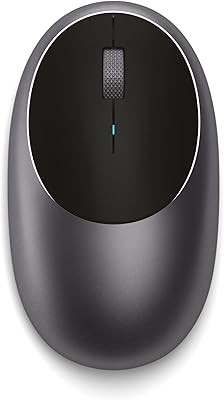
Satechi M1 Wireless Bluetooth Mouse
78%
88%
Build Quality
83%
Connectivity & Stability
71%
Tracking Performance
62%
Ergonomics & Comfort
58%
Scroll Wheel
More
XBG B15 Pro
XBG B15 Pro
80%
78%
Connectivity Reliability
88%
LED Status Display
74%
Battery Life
91%
Silent Click Mechanism
69%
Ergonomics & Comfort
More
CITLLA L360
CITLLA L360
79%
88%
Multi-Device Switching
91%
Value for Money
74%
Battery Life
86%
Silent Click Mechanism
82%
4-Way Scrolling
More
Elasto M4 Ergonomic Wireless Mouse
74%
88%
Click Comfort
81%
Ergonomic Design
83%
Wireless Connectivity
46%
Button Layout
53%
Adjustment Period
More
SANWA GMABTTB41 Bluetooth Ergonomic Trackball Mouse
73%
82%
Ergonomic Comfort
67%
Trackball Precision
74%
Bluetooth Connectivity
89%
Noise Level
61%
Build Quality
More
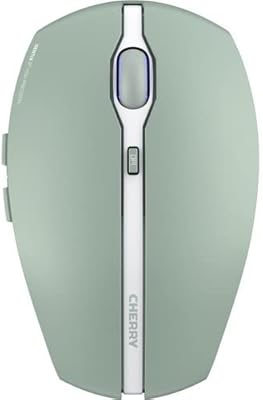
Cherry GENTIX BT Wireless Mouse
78%
88%
Multi-Device Pairing
83%
Bluetooth Reliability
91%
OS Compatibility
86%
Battery Life
61%
DPI & Precision
More
Arteck MD172 Multi-Device Wireless Bluetooth Mouse
87%
88%
Performance
91%
Ergonomics
93%
Battery Life
89%
Connectivity
85%
Clicking Noise
More
Logitech MK250
Logitech MK250
75%
91%
Value for Money
78%
Bluetooth Connectivity
69%
Keyboard Typing Feel
61%
Mouse Comfort & Fit
88%
Battery Life
More

FAQ

It does not replace your regular mouse at all — the puck is a dedicated 3D navigation controller that works alongside your standard pointing device. You keep one hand on the puck to handle all viewport navigation (orbit, zoom, pan) while your other hand stays on a regular mouse for selecting, clicking, and drawing. Once you adapt to this two-device workflow, it feels very natural, but going in expecting it to replace a conventional mouse will lead to disappointment.

Honest answer: plan for roughly one to two weeks before it really clicks. The first few days can feel disorienting because the sensor responds to very light fingertip pressure, and new users tend to over-push it initially. Most people find their muscle memory kicks in after consistent daily use, and from that point the device starts to feel almost indispensable for 3D work. Stick with it through the awkward early phase — it is temporary and worth it.

The 3Dconnexion SpaceMouse Wireless Bluetooth 3D Mouse connects natively via Bluetooth rather than a USB wireless dongle, meaning it does not consume a USB port and leaves your desk cleaner. The practical tradeoff is that a subset of users report slightly less consistent connectivity compared to the dongle version, which typically delivers a more stable, lower-latency link. If you work in an environment with heavy Bluetooth congestion or need zero-tolerance reliability, the dongle-based model is worth comparing directly before deciding.

Yes, both are supported. Once you install 3Dconnexion's driver software, major CAD platforms including Fusion 360, SolidWorks, CATIA, and Rhino are recognized automatically and receive pre-built navigation profiles. For less common or indie 3D tools, you may need to create a custom profile manually inside the driver settings, but that process is fairly approachable once you are familiar with the interface.

For most professionals working several hours a day, the one-month estimate is broadly accurate, though heavy users occasionally report it running somewhat shorter. The USB-C charging is fast and uses a universally available cable, so topping it up when needed is painless. It is not the kind of device that will die on you mid-project without warning — just charge it when you charge everything else.

The symmetrical design is genuine, not just a marketing claim. The puck has no dominant-hand bias in its shape or button placement, so left-handed users get the same ergonomic experience as right-handed ones. Left-handed designers who have spent years working around asymmetric peripherals tend to be among the most enthusiastic buyers of this particular device for exactly this reason.

For the majority of users in typical office or home-office environments, the connection is stable enough for uninterrupted professional work. That said, a portion of reviewers have flagged occasional reconnection hiccups, particularly in spaces crowded with multiple Bluetooth devices. If you are running a clean wireless environment, issues are unlikely. If absolute connection stability is non-negotiable for your workflow, it is worth seriously comparing the USB dongle version before committing to the Bluetooth edition.

The Bluetooth pairing itself is standard, but getting the full driver software configured on macOS can catch new users off guard — particularly around granting the required system permissions and accessibility access. A handful of reviewers specifically noted that the first-time setup on Mac required more steps than expected compared to Windows. Keeping 3Dconnexion's support documentation open during installation is a practical time-saver.

Like most Bluetooth peripherals, it pairs with one host at a time, so switching between two computers means going through a re-pairing process each time. There are no dedicated multi-device pairing buttons as found on some Bluetooth keyboards. For users who regularly hot-swap between two machines, this adds a small but real friction point that is worth factoring into your decision.

The box contains the SpaceMouse puck itself, a USB-C charging cable, and a pre-installed Lithium-Ion battery ready to go after its initial charge. The 3Dconnexion driver software — which is required for button customization and application-specific navigation profiles — is not included on physical media and needs to be downloaded separately from the 3Dconnexion website before you can unlock the full feature set.

Where to Buy