Overview

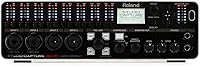
The Roland UA-1610 USB Audio Interface is a professional-grade recording tool from Roland's STUDIO-CAPTURE line, built for serious home and studio producers who need high channel count without stepping into rack-mounted territory. Released in early 2013, it was positioned as a flagship USB interface — compact enough to move around, capable enough to handle full band sessions. With 16 audio inputs packed into a relatively small footprint, it sits in a category few USB devices occupy. It holds a 3.9 out of 5 rating from over 100 buyers — respectable, though not universal praise. This is not beginner gear; expect a real learning curve if you're coming from a basic two-channel box.

Features & Benefits

The 16 XLR/TRS combo inputs are the centerpiece — enough to mic a full drum kit, run DIs, and capture room mics simultaneously. Ten TRS outputs provide solid routing flexibility for monitor sends and headphone mixes. The 12 VS PREAMP circuits are genuinely clean, with a low noise floor that reviewers consistently mention. AUTO-SENS is a surprisingly practical feature: it reads incoming signal levels and sets gain automatically, cutting down on the usual pre-session fiddling. The VS STREAMING driver keeps latency tight during both tracking and live monitoring. USB 2.0 connectivity means no specialized ports required — compatible with virtually any modern computer.

Best For

This 16-channel interface is a natural fit for home studio owners tracking full bands, particularly anyone needing to record a drum kit without sacrificing mic placement options. It also works well in broadcast or podcast environments where multiple clean inputs in a single unit matter. Mobile engineers will appreciate the compact build relative to the channel count — easy to transport without rack hardware. DAW compatibility covers Mac and PC across all major platforms. If you're currently working with a 2- or 4-channel interface and hitting its limits, the STUDIO-CAPTURE unit represents a meaningful step up in capability without demanding a full rack infrastructure.

User Feedback

Among verified buyers, preamp quality and low-latency monitoring performance come up most often as genuine strengths. Build quality also earns solid marks. On the other side, a meaningful number of users flag driver stability on newer versions of macOS and Windows — this Roland interface is older hardware, and Roland's responsiveness on keeping drivers current appears inconsistent. Several owners note the unit runs noticeably warm during extended sessions, which is worth considering for ventilation. Roland's customer support draws mixed responses, particularly around firmware updates. Not a dealbreaker for everyone, but buyers on current operating systems should verify compatibility before committing.

Pros

  • 16 XLR/TRS combo inputs give you enough channels to track a full drum kit or entire band in one session.
  • The VS PREAMP circuits are genuinely clean and quiet, holding up well against competing interfaces in this class.
  • AUTO-SENS automatically sets optimal gain levels, cutting out a lot of tedious pre-session prep work.
  • Low-latency monitoring performance is a consistent highlight among verified buyers, especially useful for live tracking.
  • USB 2.0 connectivity means broad compatibility without needing Thunderbolt ports or PCIe slots.
  • Ten TRS outputs provide solid flexibility for routing monitor mixes, headphone sends, and studio returns.
  • The compact footprint for a 16-channel unit makes it realistic for mobile recording without rack gear.
  • Individual per-channel metering lets you keep a close eye on levels across all inputs at once.
  • Build quality is frequently praised by long-term owners as sturdy and professional-feeling.
  • Works across all major DAW platforms on both Mac and PC without requiring proprietary software.

Cons

  • Driver stability on newer versions of macOS and Windows is a documented concern among real users.
  • Roland's responsiveness on firmware and driver updates has been inconsistent, leaving some buyers stranded after OS upgrades.
  • The unit runs noticeably warm during extended sessions, which requires attention to ventilation and placement.
  • Hardware dates back to early 2013, meaning buyers are investing in an aging platform with an uncertain support future.
  • No Thunderbolt or USB-C connectivity limits future-proofing as older USB 2.0 ports become less common.
  • Roland customer support receives mixed reviews, particularly when users need help with compatibility or technical issues.
  • The learning curve is steep for anyone not already comfortable with multi-channel routing and DAW configuration.
  • At this channel count and price tier, buyers should compare against newer competing interfaces that ship with current driver support.
  • No onboard DSP mixing software is included, which can be a drawback for users who prefer hardware-controlled monitor mixing.

Ratings

The Roland UA-1610 USB Audio Interface scores below are generated by AI after analyzing verified buyer reviews worldwide, with spam, bot activity, and incentivized feedback actively filtered out. This 16-channel Roland interface has drawn feedback from home studio producers, mobile engineers, and broadcast professionals — and the ratings honestly reflect both where it excels and where real users have run into genuine frustrations.

Preamp Quality
88%
Users tracking vocals, acoustic instruments, and drum overheads consistently single out the VS PREAMP circuits as the standout strength of this unit. The noise floor stays low even when pushing gain, which matters significantly when you have 12 channels running simultaneously in a live session.
A handful of users working with very high-impedance ribbon microphones noted the preamps feel less optimized for that specific use case. At higher gain settings, a small number of reviewers picked up minor coloration that purists found less than ideal.
Driver Stability
51%
49%
On the OS versions this interface was originally designed for, the VS STREAMING driver performs reliably and keeps latency tight during tracking sessions. Users who have held onto older Mac or Windows configurations report genuinely stable day-to-day performance without dropouts.
This is the most consistent pain point in buyer feedback. Users who updated to recent macOS releases or newer Windows builds frequently report dropped connections, audio glitches, and compatibility headaches. Roland has not kept the driver roadmap current, and that directly affects users on modern systems.
Latency Performance
83%
Live monitoring during vocal and instrument tracking is where this unit earns strong marks. Multiple reviewers specifically mention being able to track with near-zero perceived latency, which is critical when performers need to hear themselves in real time without uncomfortable delay.
Latency performance is tightly coupled to driver health, so users experiencing the OS compatibility issues described elsewhere also report latency degradation. On unsupported OS versions, the low-latency advantage largely disappears.
Channel Count & I/O
91%
Having 16 inputs and 10 outputs in a desktop unit that does not require rack space is a genuine differentiator. Engineers recording full drum kits or multi-instrument live sessions consistently describe the I/O layout as more than sufficient for demanding session work.
The 16 inputs are split between 12 mic-preamp channels and 4 line-level inputs, which can catch buyers off guard if they assumed all 16 had full preamp circuits. Routing the 10 outputs meaningfully also requires familiarity with DAW bus management.
Build Quality
79%
21%
The chassis feels solid and professional in hand, and long-term owners frequently mention that the unit has held up physically through years of regular use. The input/output connectors feel well-secured and do not show the looseness common in cheaper interfaces after repeated plugging cycles.
A few users noted the surface finish scuffs more readily than expected during transport, and the overall aesthetic feels dated compared to current-generation hardware. The form factor is sturdy but not ruggedized for harsh mobile environments.
AUTO-SENS Feature
86%
This is a feature that genuinely saves time in real sessions. Engineers setting up 10 or more channels before a tracking date describe AUTO-SENS as cutting gain-staging prep from many minutes down to a single pass, which adds up quickly across a full recording project.
Some more experienced engineers feel AUTO-SENS occasionally sets gain levels more conservatively than they would manually, leaving headroom on the table. It works best as a starting point rather than a final set-and-forget solution for critical recordings.
Value for Money
67%
33%
For buyers who purchased this unit close to its original release window, the price-to-channel-count ratio was genuinely competitive. The combination of 12 clean preamps and 16 inputs in a USB desktop unit represented strong value for what was available at the time.
As a 2013-era product, its current market value needs to be weighed carefully against newer alternatives that ship with updated drivers and modern connectivity. Paying for aging hardware without guaranteed OS support is a real risk that erodes the value proposition for today's buyers.
Ease of Setup
72%
28%
Users already familiar with multi-channel interfaces found the initial setup straightforward, and DAW recognition across Logic, Ableton, and Pro Tools is generally smooth once the driver is correctly installed. The per-channel controls and metering help speed up the gain-staging process.
First-time users of high-channel interfaces consistently describe the learning curve as steep. Driver installation on modern systems can involve troubleshooting steps that frustrate buyers who expected a simple plug-and-play experience out of the box.
Portability
76%
24%
For a 16-channel interface, the compact desktop form factor is a real practical advantage. Mobile engineers who need multi-channel capability at remote locations, rehearsal spaces, or live venues appreciate not having to transport a dedicated rack case for this unit.
At 4.2 pounds with a footprint of over 11 inches wide, it is not something you casually toss in a bag. It needs a dedicated protective case for transport, and bus power via USB is appreciated but means the connected laptop must stay powered throughout the session.
Monitoring & Metering
81%
19%
Individual input and output meters for each channel give engineers a real-time view of signal health across the full channel strip, which becomes particularly useful when managing 10 or more simultaneous inputs. The channel buttons allow quick muting and management without diving into software.
The metering display is functional but not highly detailed — it gives you enough to catch clipping and check signal presence, but it is not a substitute for the more granular metering available inside a DAW. Some users wanted more visual resolution in the peak indicators.
Thermal Management
58%
42%
Under normal session conditions with moderate channel usage, the unit operates without any perceptible heat-related performance issues. Short tracking sessions rarely produce temperatures that cause concern for most users.
Extended sessions with all channels active regularly cause the unit to run noticeably warm. Several buyers raised this as a concern in home studios where ventilation is limited, and a few noted the warmth increased after years of use, suggesting thermal performance degrades over time.
Manufacturer Support
44%
56%
Roland as a brand carries well-established credibility in the audio hardware space, and some users have had positive individual experiences reaching their support team for setup guidance on older OS versions. Documentation for the original feature set is reasonably thorough.
This is a genuine weak point based on buyer feedback. Driver and firmware updates have not kept pace with evolving OS environments, and multiple users describe unresolved support tickets and slow responses when reporting compatibility problems. For a piece of hardware at this price tier, that track record is difficult to overlook.
DAW Compatibility
84%
Across its supported OS versions, this interface works reliably with every major recording platform without requiring proprietary plugins or custom routing software. Logic, Ableton, Pro Tools, Cubase, and Reaper users all report normal integration once the driver is properly installed.
DAW compatibility is only as good as the underlying driver, so compatibility concerns loop back directly to the OS support issues. Users on unsupported OS versions may find their DAW struggles to maintain stable communication with the hardware during longer sessions.
Headphone Output
63%
37%
For producers who need a dedicated headphone mix during tracking, the headphone output delivers adequate volume and acceptable clarity for monitoring purposes. It handles most professional headphones without audible strain at moderate listening levels.
The headphone output does not match the preamp section in terms of overall quality, and audiophile users tracking on high-impedance studio headphones noted the output lacks the drive and detail they expected at this price tier. It is functional, not exceptional.

Suitable for:

The Roland UA-1610 USB Audio Interface is built for producers and engineers who genuinely need high channel counts in a single, portable unit. If you're tracking a live drum kit, recording a full band rehearsal, or running a multi-mic broadcast setup, this is the kind of hardware that actually handles it without forcing you into a rack system. Home studio owners who have outgrown their 2- or 4-channel interfaces will find the jump in capability substantial — 16 inputs means real flexibility in how you position mics and route signals. Mobile engineers who move between locations will appreciate that it runs over USB 2.0, requiring no specialized ports or power infrastructure. It also suits podcasters or content creators running roundtable setups where multiple clean mic inputs in one device are a practical necessity rather than a luxury.

Not suitable for:

Buyers who are new to audio production or just starting to build a home studio setup should look elsewhere — this unit assumes you already understand gain staging, routing, and DAW configuration at a working level. Anyone running a current version of macOS or the latest Windows builds should do careful research before purchasing, since driver support for this hardware has not kept pace consistently with OS updates, and compatibility issues are a real risk. The unit also runs warm during extended sessions, which could be a concern in poorly ventilated spaces or if you plan to leave it running continuously. If your needs are simple — a vocal chain, a guitar DI, or a basic two-person podcast — the channel count here is far more than you need, and you would likely get better value and more reliable modern driver support from a current-generation interface at a lower price point. Budget-conscious buyers or those who prioritize long-term manufacturer support should factor in that this is older hardware with an uncertain update roadmap.

Specifications

  • Audio Inputs: The unit provides 16 XLR/TRS combo inputs, accommodating both microphones and line-level sources simultaneously.
  • Audio Outputs: Ten balanced TRS outputs are included, suitable for routing to monitors, headphone amps, and external gear.
  • Mic Preamps: Twelve VS PREAMP circuits are built in, designed for low-noise, high-clarity signal capture across multiple channels.
  • Connectivity: Uses a USB 2.0 interface for computer connection, compatible with standard USB ports on Mac and PC systems.
  • Supported OS: Compatible with Windows and macOS operating systems; buyers should verify current driver availability for their specific OS version.
  • DAW Support: Works with all major DAW platforms including Pro Tools, Logic Pro, Ableton Live, Cubase, and Reaper.
  • Sample Rate: Supports recording at sample rates up to 192kHz, allowing high-resolution audio capture for professional productions.
  • Bit Depth: Records at up to 24-bit depth, meeting standard professional studio requirements for dynamic range and audio fidelity.
  • Dimensions: The unit measures 11.2 x 6.4 x 3.5 inches, keeping it compact relative to its 16-channel capability.
  • Weight: The interface weighs 4.2 pounds, making it manageable for transport between locations without dedicated rack hardware.
  • AUTO-SENS: The AUTO-SENS feature automatically detects and sets optimal input gain levels across all active preamp channels.
  • Driver Technology: VS STREAMING driver technology is engineered for stable, low-latency performance during both tracking and live monitoring sessions.
  • Channel Metering: Individual input and output level meters are provided for each channel, allowing real-time monitoring of signal levels.
  • Model Number: The official Roland model number is UA-1610, part of the STUDIO-CAPTURE product line.
  • Release Date: This interface was first made available in February 2013, making it an established but aging hardware platform.
  • Manufacturer: Designed and manufactured by Roland Corporation, a Japanese company with a long history in professional audio hardware.
  • Form Factor: The unit is desktop-format rather than rack-mounted, sitting horizontally on a studio desk or portable work surface.
  • Power Source: The interface is bus-powered via USB, meaning it draws power directly from the connected computer without a separate power supply.

Related Reviews
Roland Rubix44 4-In/4-Out USB Audio Interface
80%
91%
Preamp Quality
94%
Build Quality
88%
Noise Performance
58%
Windows Driver Experience
74%
Value for Money
More
Roland Rubix22 USB Audio Interface

81%
93%
Build Quality
84%
Preamp Performance
81%
Noise Floor
88%
MIDI Functionality
91%
Ease of Setup
More
Roland UA-1010 OCTA-CAPTURE USB Audio Interface

74%
88%
Preamp Quality
93%
Channel Count & I/O
86%
Driver Stability on Windows
31%
macOS Compatibility
79%
AUTO-SENS Function
More
Black Lion Audio Revolution 2x2 Audio Interface

75%
88%
Preamp Quality
91%
Audio Transparency
86%
Clocking Performance
87%
Build Quality
73%
Value for Money
More
M-Audio M-Track 2X2 USB Audio Interface

76%
84%
Build Quality
76%
Preamp Performance
82%
Ease of Setup
58%
Driver Stability
79%
Value for Money
More
M-Audio M-Track Duo
M-Audio M-Track Duo
83%
88%
Preamp Clarity
93%
Value for Money
62%
Build Quality
91%
Ease of Installation
87%
Portability
More
Antelope Audio Zen Go Synergy Core Interface
76%
93%
Preamp Quality
88%
Onboard Effects
54%
Software Experience
57%
Windows Stability
91%
Portability
More
Audient iD4 USB Audio Interface

86%
94%
Sound Quality
91%
Portability
90%
Latency
88%
Setup and Installation
89%
Build Quality
More
MOTU 8pre USB Audio Interface
80%
86%
Preamp Quality
91%
Build Quality
88%
Channel Count & I/O
79%
Value for Money
61%
CueMix DSP Software
More
Audient EVO 4
Audient EVO 4
89%
96%
Ease of Setup
92%
Preamplifier Clarity
89%
Software Loopback
94%
Portability & Form Factor
71%
Build Materials
More

FAQ

This is honestly the biggest question to resolve before buying. The Roland UA-1610 USB Audio Interface was released in 2013, and Roland's driver updates have not kept pace reliably with every new macOS release. Before purchasing, check Roland's official support page for the most current driver and confirm it supports your specific macOS version. Several buyers have reported issues after OS upgrades, so do this homework first.

You can connect up to 12 microphones using the XLR inputs, since 12 of the 16 combo inputs have dedicated VS PREAMP circuits. The remaining 4 inputs can accept line-level signals via TRS. So for a full mic session, you have 12 properly preamplified mic channels available simultaneously.

AUTO-SENS reads the incoming audio signal from each connected source and automatically sets an appropriate gain level for that channel. In practice, you play or sing at your normal level for a few seconds, and the interface figures out the best gain setting on its own. It saves a lot of time during setup, especially when you have many channels to configure at once.

Yes, and this is actually one of the strongest use cases for this unit. A standard drum kit typically requires 8 to 12 microphones depending on how detailed you want the capture to be, and this interface handles that comfortably. You have enough inputs to mic kick, snare, hi-hat, toms, overheads, and room mics all at the same time.

Yes, latency performance is one of the features that real-world users consistently praise. The VS STREAMING driver is specifically designed to keep buffer performance stable, and multiple reviewers specifically call out live monitoring as a strong point. If you need to track while listening to yourself in real time, this interface handles it well.

It is bus-powered, meaning it draws its power directly from the USB connection to your computer. No separate power brick is required, which is part of what makes it practical for mobile recording situations.

Some owners do note that the unit runs warm during extended sessions. It is not reported as dangerously hot, but if you are planning long recording days, make sure it has adequate airflow around it and is not enclosed in a tight space or covered by other gear.

There are 10 TRS outputs in total, which gives you plenty of routing options. You can connect a pair of studio monitors to the main outputs and still have outputs left over for headphone amp sends, hardware effects returns, or secondary monitor mixes.

You do not need Roland-specific software to record with this interface. It works as a standard audio device across all major DAW platforms including Pro Tools, Logic, Ableton, Cubase, and others. You will need to install Roland's driver for your OS, but after that it integrates like any professional audio interface.

Honestly, probably not. This unit is well-suited to experienced producers who already understand multi-channel routing, gain staging, and DAW configuration. If you are new to recording, the setup process may be frustrating, and the high channel count is more than most beginners need. A simpler 2- or 4-channel interface would likely serve you better as a starting point, and you could step up to something like this once your workflow demands it.