Overview

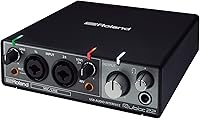
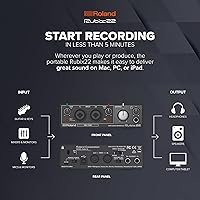
The Roland Rubix22 USB Audio Interface is Roland's answer to the question every home recording beginner eventually asks: can I get a genuinely reliable, quiet interface without spending a fortune on gear I'll outgrow in six months? Built around a solid metal chassis, the Rubix22 feels nothing like the lightweight plastic boxes that crowd the budget end of the market. It connects via USB and works across Mac, PC, and iPad with no driver installation drama. It won't replace a high-end boutique preamp, but as an everyday recording workhorse, it punches well above its weight class for most home studio needs.

Features & Benefits

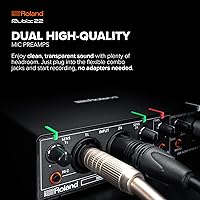
The two mic preamps are where this Roland interface earns its keep — they're genuinely quiet, and for tracking vocals, acoustic guitar, or a single mic on a podcast, the noise floor is low enough that you won't be fighting hiss during mixdown. The Hi-Z instrument input means guitarists can plug in directly without a separate DI box, saving both money and desk space. What really sets the Rubix22 apart at this price point, though, is the inclusion of MIDI In and Out ports — something most competitors quietly omit. Pair that with broad DAW compatibility and ground lift switches for hum-prone venues, and the feature set is hard to argue with.

Best For

This compact audio interface is an especially strong fit for singer-songwriters and podcasters building out their first real recording setup — the two inputs cover the vast majority of what solo creators actually need day to day. Guitarists will appreciate plugging straight in and getting a clean, usable DI tone without any extra hardware in the chain. iPad musicians and producers who need MIDI alongside their audio I/O will find this combination genuinely hard to match in something this portable. That said, if you're planning to record a full band simultaneously, two channels will hit a ceiling fast — that's not a knock, just a practical reality worth knowing upfront.

User Feedback

Across more than 300 ratings, the Rubix22 holds a strong 4.5-star average — and reading through buyer comments, the praise is consistent: people love the build quality and the clean preamp performance right out of the box. Long-term owners note that the metal housing holds up well after years of regular use, which isn't something every interface in this class can claim. On the critical side, some users flag that the headphone output volume could be louder, and a handful mention wanting more gain headroom for quieter dynamic microphones. Mac and Windows compatibility is reported as largely painless, though a few older Windows machines required a firmware check before everything clicked into place.

Pros

  • Preamps are genuinely quiet, making vocal and instrument tracks clean straight out of the box.
  • The all-metal chassis feels built to last and resists the everyday wear that kills plastic-bodied rivals.
  • MIDI In and Out ports are a rare and practical bonus at this price tier, useful for keyboard players and producers.
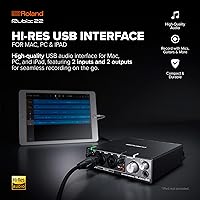
  • Plug-and-play USB setup works reliably across Mac, PC, and iPad with minimal driver friction.
  • The Hi-Z input lets guitarists record direct without buying a separate DI box.
  • Ground lift switches help eliminate hum when recording in less-than-ideal electrical environments.
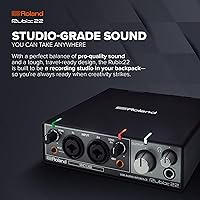
  • Compact dimensions make the Rubix22 genuinely backpack-friendly for mobile recording sessions.
  • Compatible with virtually every major DAW, so you are not locked into any particular software ecosystem.
  • Roland's long track record in pro audio hardware gives buyers reasonable confidence in long-term reliability.
  • Strong 4.5-star average across a meaningful sample of real buyer reviews reflects consistent satisfaction.

Cons

  • Two inputs are the hard limit — recording more than one or two sources simultaneously is simply not possible.
  • The headphone output volume ceiling is lower than some users expect, which can be frustrating during loud tracking sessions.
  • Dynamic microphones with low output may need additional gain boosting that the onboard preamps cannot fully provide.
  • No onboard DSP or zero-latency monitoring mix control beyond the basic direct monitor knob.
  • Some Windows users have reported needing firmware or driver updates before the interface works correctly.
  • No standalone mode — the Rubix22 requires a host device and cannot function as a standalone preamp or converter.
  • The single direct monitor blend knob offers limited control over your monitoring mix compared to interfaces with dedicated software mixers.
  • No dedicated instrument-level output, which limits integration options for certain studio or live rig configurations.

Ratings

The scores below reflect an AI-driven analysis of verified buyer reviews for the Roland Rubix22 USB Audio Interface sourced from multiple global markets, with spam, bot-generated, and incentivized feedback actively filtered out before scoring. Each category is weighted against real-world usage patterns reported by confirmed purchasers — from home studio beginners to working gigging musicians — so both the genuine strengths and the honest pain points are reflected without bias.

Build Quality
93%
The all-metal chassis is one of the most consistently praised aspects across hundreds of reviews. Long-term owners who have carried the Rubix22 in backpacks, checked luggage, and live performance bags report that it holds up without cracking, warping, or developing rattles — something that genuinely separates it from plastic-bodied rivals in the same category.
A small number of users noted that the knobs feel slightly loose after extended daily use, suggesting the potentiometers may wear over time with heavy-handed operation. This is a minor concern rather than a widespread failure point, but worth monitoring if you are particularly rough with gear.
Preamp Performance
84%
For home studio vocal tracking and acoustic instrument recording, the two onboard preamps deliver a clean, quiet signal that satisfies the vast majority of buyers upgrading from basic USB microphones. Podcasters and singer-songwriters consistently report getting usable, professional-sounding takes without needing external gain-staging hardware.
Users recording with low-output dynamic microphones — particularly broadcast-style mics with high gain requirements — frequently report that the preamps run out of headroom before reaching an optimal signal level. This is a real limitation that buyers relying on such microphones should factor in before purchasing.
Noise Floor
81%
19%
The extensive internal shielding pays off in real recording environments: most users describe the background noise level as negligibly low for home studio use, and the ground lift switches resolve hum problems in electrically noisy venues quickly and reliably. For typical vocal, guitar, and podcast sessions, the noise floor is simply not an issue.
At maximum gain settings, some users detect a faint hiss that becomes audible in quiet passages, particularly when recording sensitive condenser microphones in treated rooms where background noise is already very low. It does not ruin recordings but is noticeable to detail-oriented engineers.
MIDI Functionality
88%
Having dedicated five-pin DIN MIDI In and Out ports on an interface at this price tier is a genuine and practical advantage — keyboard players and producers routinely highlight this as the deciding factor over competing interfaces that lack MIDI entirely. It eliminates the need for a separate USB MIDI adapter and keeps desktop setups tidy.
The MIDI implementation is straightforward and functional rather than feature-rich; there is no MIDI thru port, and users with complex hardware rigs requiring multiple MIDI channels simultaneously may find the single In and Out setup limiting. For most solo producers, though, this is rarely an obstacle.
Ease of Setup
91%
Mac users almost universally report a genuinely plug-and-play experience — connect the USB cable, select the interface in System Settings, and you are recording within a few minutes. iPad compatibility with the appropriate adapter is equally straightforward, making this a strong choice for musicians who move between devices.
A subset of Windows users, particularly on older machines or certain Windows 10 configurations, have reported needing to manually install or update drivers before the interface is recognized correctly. It is not a common problem, but it does add friction for the Windows users who encounter it.
DAW Compatibility
89%
Buyers across Logic Pro, Ableton Live, GarageBand, Pro Tools, and Cubase all report reliable recognition and stable operation without software conflicts. The class-compliant design means it works across platforms without requiring proprietary software, which is a practical advantage for users who switch between DAWs or computers.
A few users noted minor latency calibration steps needed inside certain DAWs at higher sample rates, which is not unique to this interface but can catch beginners off guard. The interface ships without bundled software, so new users need to already have a DAW installed.
Headphone Output
62%
38%
For standard monitoring headphones in the 32 to 80 ohm impedance range, the headphone output provides an adequate level for tracking and casual mixing tasks. Users working with consumer headphones or lower-impedance studio cans generally report no complaints about the output stage.
This is one of the more consistently flagged pain points: users with higher-impedance headphones above 150 ohms frequently find the maximum output volume too low for comfortable monitoring, especially when tracking loud instruments. Several reviewers specifically wished for a more powerful headphone amplifier stage.
Portability
94%
Weighing just 2.2 pounds and fitting easily into a laptop compartment or small bag, the Rubix22 is one of the more genuinely portable metal-chassis interfaces available. Gigging musicians and mobile producers specifically mention that its form factor makes it easy to bring to rehearsal spaces, studios, and live venues without a dedicated equipment case.
The unit does not include a carry pouch or protective sleeve, so users who travel frequently typically need to wrap it in a cloth or buy a small protective bag separately to avoid scratches. A minor omission, but one worth knowing about before your first trip.
Hi-Z Guitar Input
86%
Guitarists report that the direct input tone is clean and accurate, preserving the natural character of passive pickups without the loading or tone loss that a standard line input would introduce. For recording clean DI tracks destined for re-amping or amp simulation plugins, the Hi-Z input performs reliably.
Some players using active pickups or high-output humbuckers note that the input can clip at moderate to high pickup output levels, requiring careful gain management. There is also no instrument-level thru output for monitoring through an amplifier simultaneously.
Value for Money
83%
For a two-channel interface that includes MIDI ports, ground lift switches, a metal chassis, and Roland's brand reliability, most buyers feel the price is well justified relative to plastic-bodied competitors offering fewer features. Long-term durability reports reinforce the perception that this is a purchase that does not need to be repeated soon.
Buyers who only need basic two-channel audio without MIDI may find comparably priced or slightly cheaper alternatives offer similar preamp performance, making the value proposition more nuanced for users who will never use the MIDI ports. The lack of bundled DAW software also means additional spend for complete beginners.
Channel Count & Scalability
54%
46%
For the target user — a solo creator, podcaster, or singer-songwriter — two channels genuinely cover the full range of daily recording needs without compromise. The input layout is thoughtfully designed to serve that use case well.
The hard ceiling of two simultaneous inputs is a real and frequently mentioned limitation for anyone who outgrows solo recording. Users who later want to mic a drum kit, record a band rehearsal, or capture multiple sources at once will find the Rubix22 incapable of scaling with those needs and will need to replace it entirely.
Long-Term Durability
88%
Owners who have used the Rubix22 daily for multiple years consistently describe it as one of the more reliable pieces of gear in their setup. The metal build resists the physical degradation that typically affects plastic interfaces after eighteen to twenty-four months of regular use.
There are isolated reports of USB port loosening after very heavy use cycles, which can cause intermittent connectivity. This appears to be an edge case rather than a systemic issue, but it underscores the importance of not repeatedly straining the USB connector with heavy cables.
Monitoring Controls
67%
33%
The direct monitor knob provides a practical blend between the live input signal and the DAW playback, which is sufficient for tracking sessions where zero-latency monitoring of a single source is the priority. Most home studio users find this level of control adequate for straightforward recording workflows.
There is no dedicated software mixer or routing utility, which limits flexible monitoring configurations for users who want to send different mixes to headphones versus monitors, or who need to manage multiple input sources independently. More experienced recordists accustomed to mixer-style monitoring will find this setup restrictive.
Driver Stability
76%
24%
On macOS and current iPad OS versions, the class-compliant USB implementation means no driver at all is required, which translates to zero compatibility headaches across operating system updates. Mac-based users almost never mention driver-related issues.
Windows compatibility, while generally functional, has produced more mixed feedback — particularly on Windows 10 systems where some users needed to download updated drivers from Roland's support portal before the device operated correctly. It is not a disqualifying issue but introduces a setup step that Mac users do not face.

Suitable for:

The Roland Rubix22 USB Audio Interface is a well-matched tool for solo creators who need dependable, clean audio capture without wrestling with complicated setups or fragile hardware. Singer-songwriters recording vocals and acoustic guitar at home will get genuinely useful preamp quality without needing to spend more on outboard gear. Podcasters who want a step up from a basic USB microphone — with proper gain control and a low noise floor — will find the two-channel layout more than sufficient for solo or interview-style recording. Guitar and bass players benefit from the dedicated Hi-Z input, which lets them record direct without hunting down a separate DI box. iPad-based producers and live performers are particularly well served here: the compact metal build survives life on the road, and the built-in MIDI ports open up keyboard and controller integration that most interfaces at this tier simply do not offer.

Not suitable for:

The Roland Rubix22 USB Audio Interface has a hard ceiling at two simultaneous inputs, which makes it a poor fit for anyone trying to record a full band, a drum kit, or multiple vocalists at once — you will run out of channels almost immediately. Producers who rely heavily on high-gain dynamic microphones like the Shure SM7B may find the available preamp headroom limiting, potentially requiring a separate preamp booster to get a clean signal. Audiophiles chasing the last word in low-noise, transparent conversion will find more capable options at a higher price point. If a large headphone output level is important to your workflow — for tracking in loud environments, for instance — some users report the headphone amp does not get as loud as expected. Anyone already owning a multi-channel interface and looking for an upgrade will likely find the Rubix22 a lateral move rather than a meaningful step forward.

Specifications

  • Brand: Manufactured by Roland, a Japanese company with over five decades of experience in professional audio and electronic instruments.
  • Model Number: The official model designation is RUBIX22, with ASIN B01N14VOZM on Amazon.
  • Inputs: Features two combo XLR-TRS jacks that accept both balanced microphone cables and standard quarter-inch instrument or line-level connections.
  • Outputs: Provides two output channels suitable for connecting to studio monitors, a mixer, or other line-level destination devices.
  • Mic Preamps: Equipped with two low-noise microphone preamps designed to deliver a clean signal floor suitable for vocal, acoustic, and instrument tracking.
  • Hi-Z Input: Includes a dedicated high-impedance instrument input for connecting guitars, basses, and other passive pickups directly without a separate DI box.
  • MIDI I/O: Offers dedicated five-pin DIN MIDI In and MIDI Out ports, enabling connection of keyboards, controllers, and other MIDI-compatible devices.
  • Connectivity: Connects to host computers and iPads via USB, with no proprietary cable required beyond a standard USB connection.
  • Platform Support: Compatible with Mac, Windows PC, and iPad, covering the most widely used platforms in modern home and mobile recording workflows.
  • DAW Support: Works with most major digital audio workstation software including Logic Pro, Ableton Live, Pro Tools, GarageBand, and Cubase, among others.
  • Ground Lifts: Fitted with ground lift switches on inputs to help eliminate ground loop hum when used in venues or environments with problematic electrical wiring.
  • Shielding: The internal electronics use extensive electromagnetic shielding to minimize interference and maintain a low noise floor during recording.
  • Build Material: The outer enclosure is constructed from metal, providing greater durability and resistance to physical wear compared to plastic-bodied interfaces in the same category.
  • Dimensions: The unit measures 5 x 2 x 6 inches, making it compact enough to fit in a laptop bag or backpack alongside other portable gear.
  • Weight: Weighs 2.2 pounds, keeping it light enough for regular travel without adding significant load to a mobile recording kit.
  • Channel Count: Supports two simultaneous input channels, covering the needs of solo recording sessions but not multi-source band or ensemble recording setups.
  • First Available: This interface was first listed for sale in January 2017 and remains an active, non-discontinued product in Roland's lineup.

Related Reviews
Roland Rubix44 4-In/4-Out USB Audio Interface
80%
91%
Preamp Quality
94%
Build Quality
88%
Noise Performance
58%
Windows Driver Experience
74%
Value for Money
More
Roland UA-1610 USB Audio Interface

73%
88%
Preamp Quality
51%
Driver Stability
83%
Latency Performance
91%
Channel Count & I/O
79%
Build Quality
More
M-Audio M-Track Duo
M-Audio M-Track Duo
83%
88%
Preamp Clarity
93%
Value for Money
62%
Build Quality
91%
Ease of Installation
87%
Portability
More
Black Lion Audio Revolution 2x2 Audio Interface

75%
88%
Preamp Quality
91%
Audio Transparency
86%
Clocking Performance
87%
Build Quality
73%
Value for Money
More
M-Audio M-Track 2X2 USB Audio Interface
76%
84%
Build Quality
76%
Preamp Performance
82%
Ease of Setup
58%
Driver Stability
79%
Value for Money
More
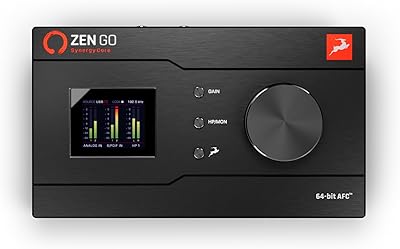
Antelope Audio Zen Go Synergy Core Interface
76%
93%
Preamp Quality
88%
Onboard Effects
54%
Software Experience
57%
Windows Stability
91%
Portability
More
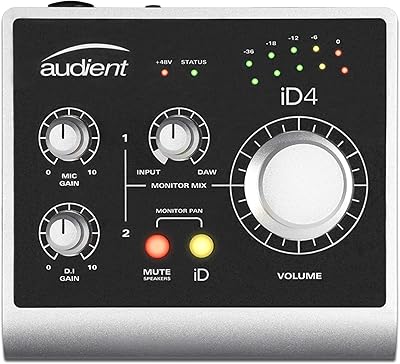
Audient iD4 USB Audio Interface

80%
93%
Preamp Quality
88%
Build Quality
71%
Value for Money
91%
Ease of Setup
84%
Headphone Performance
More
MOTU 8pre USB Audio Interface
80%
86%
Preamp Quality
91%
Build Quality
88%
Channel Count & I/O
79%
Value for Money
61%
CueMix DSP Software
More
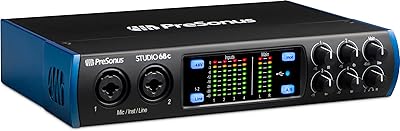
PreSonus Studio 1810c USB Audio Interface
79%
83%
Preamp Quality
86%
Build Quality
87%
Audio Fidelity
89%
I/O Versatility
61%
Driver Stability
More
Focusrite Clarett 2Pre USB Audio Interface
83%
93%
Preamp Quality
94%
Noise Floor
67%
Value for Money
82%
Air Mode Performance
71%
Driver Stability
More

FAQ

On macOS, the Rubix22 is class-compliant, which means you plug it in and your Mac recognizes it automatically — no driver installation needed. You may need to select it as your input and output device in System Settings, but that takes about thirty seconds.

Yes, this compact audio interface works with iPad, but you will need a compatible USB adapter depending on which iPad you own — either a Lightning to USB Camera Adapter or a USB-C cable if your iPad has that port. The interface itself does not include those adapters, so pick one up separately if you do not already have one.

The Roland Rubix22 USB Audio Interface delivers a clean, low-noise signal that is more than capable for home studio vocal recording, podcast production, and demo-level work. It is not a boutique studio preamp, but the results are solid and usable in any serious home recording context. If you are tracking for a major label release, you would want higher-end gear, but for most independent artists and content creators, the Rubix22 does the job well.

You can plug your guitar straight into the Rubix22 using the Hi-Z input — no DI box required. The Hi-Z designation means the input is specifically designed to handle the high impedance signal that passive guitar and bass pickups produce, so you get a clean, accurate tone without loading down your pickups.

The ground lift switch disconnects the audio ground from the chassis ground on a given input, which can break a ground loop — the cause of that persistent low-frequency hum you sometimes hear when recording in certain rooms or venues. If you plug in and hear hum that is not coming from your microphone or guitar, try flipping the ground lift; it often resolves the problem immediately.

Yes — with two inputs, you can plug a microphone into each channel and record both voices simultaneously as separate tracks in your DAW. Just make sure both mics are connected using XLR cables to the combo jacks. This setup works well for interview-style podcasts and dual vocal recordings.

The Rubix22 is broadly compatible with modern Windows versions, including Windows 11, though some users have noted it is worth checking Roland's support page for the latest driver if you run into any issues on Windows. Most users report it working without problems, but having the current driver installed is good practice on any Windows machine.

A handful of users have flagged that the headphone output does not reach the volume levels they expected, particularly with high-impedance headphones. If your headphones have an impedance above 150 ohms or so, they may not get as loud as you would like. Lower-impedance headphones — most consumer and studio models in the 32 to 80 ohm range — tend to perform better with the built-in headphone amp.

Absolutely. The MIDI In and Out ports let you connect any standard MIDI keyboard, drum pad, or controller and route that data into your DAW for recording or triggering software instruments. This is genuinely uncommon at this price point — most competing interfaces skip MIDI entirely — so if you use hardware MIDI gear, this is a meaningful practical advantage.

The all-metal enclosure makes a real difference in day-to-day durability compared to plastic-bodied interfaces that crack or warp after a few trips. Long-term owners consistently mention that the Rubix22 holds up well after years of regular use, including travel. It is not ruggedized in a military sense, but for a working musician who packs and unpacks gear frequently, it is noticeably tougher than most of the competition at its price tier.

Where to Buy