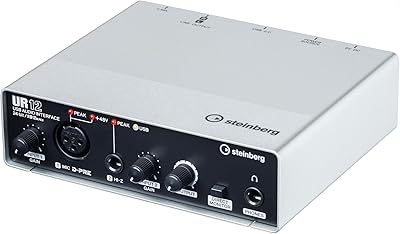
Roland UA-1010 OCTA-CAPTURE USB Audio Interface

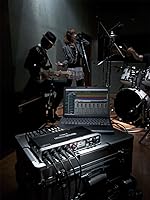
Overview
The Roland UA-1010 OCTA-CAPTURE USB Audio Interface arrived in 2010 as Roland's most ambitious desktop interface, and it still holds its own for anyone needing serious channel count without stepping up to rack-mounted hardware. Ten inputs and ten outputs over a USB 2.0 connection is genuinely rare, and the compact footprint makes that even more impressive. This isn't a beginner's first interface — it was built for working musicians and engineers who record multiple sources simultaneously. With 106 Amazon ratings averaging 3.9 stars, the reception is strong but not uncritical, and understanding the trade-offs is exactly what separates a smart purchase from a frustrating one.
Features & Benefits
The OCTA-CAPTURE's most practical asset is its sheer input capacity — ten XLR/TRS combo inputs mean you can mic a full drum kit, capture multiple vocalists, or run an entire small ensemble without patching in additional gear. The eight built-in VS preamps are clean and honest at 24-bit/192kHz, so you're not coloring your source material unintentionally. AUTO-SENS is worth calling out specifically: it scans each input and sets gain automatically, which matters enormously when you're engineering alone and can't walk back and forth between the mic and the computer. Four independent Direct Mixers round things out for custom, latency-free monitor blends.
Best For
This Roland interface is squarely aimed at home studio owners who record full bands or multi-instrument sessions and need everything captured in one pass. It's also a strong fit for podcasters running large roundtable setups, live sound engineers wanting a portable multi-channel solution, and producers deeply invested in a Windows-based DAW workflow — ASIO driver stability on Windows is consistently praised. Mac users should approach with caution; driver support for modern macOS versions is not guaranteed given the hardware's age. If you're already within the Roland or Boss ecosystem, the integration benefits add further incentive to stay.
User Feedback
Long-term owners speak highly of the build quality and durability — several report using this 10-input USB interface without issues for well over a decade, which is a meaningful endorsement. The preamp transparency and AUTO-SENS earn consistent praise from solo engineers working without assistants. On the other side, the initial driver setup on newer Windows versions draws some complaints, and the manual is not the most intuitive starting point for less experienced users. The most significant concern, repeated across multiple reviews, is macOS incompatibility on modern systems — if you're on a Mac, this is not a minor footnote; it could render the unit unusable entirely.
Pros
- Ten XLR/TRS combo inputs let you capture a full band or ensemble in a single recording pass.
- Eight built-in VS preamps deliver clean, transparent audio at 24-bit/192kHz without external hardware.
- AUTO-SENS automatically sets optimal gain levels, saving significant time for solo engineers.
- Four independent Direct Mixers allow separate, latency-free monitor mixes for different performers.
- ASIO driver stability on Windows is consistently praised by long-term users across DAW setups.
- Hardware durability is exceptional — multiple owners report reliable use well beyond a decade.
- Compact desktop form factor packs professional channel count into a surprisingly small footprint.
- USB 2.0 connectivity ensures broad compatibility with a wide range of Windows PCs and laptops.
- The Roland ecosystem integration is a genuine bonus for users already running Roland or Boss gear.
Cons
- macOS compatibility is unreliable on modern operating systems, making this a risky buy for Mac users.
- The setup manual is not beginner-friendly, and initial driver configuration can frustrate new users.
- Hardware was first released in 2010, meaning long-term OS and driver support is not guaranteed.
- No USB-C connectivity requires an adapter on modern laptops, which can introduce stability concerns.
- No ongoing firmware updates means emerging OS compatibility issues are unlikely to be patched.
- Windows-only reliable operation narrows the audience considerably compared to newer interfaces.
- Initial driver installation on newer Windows versions has caused headaches for a portion of buyers.
- No standalone or direct-to-storage recording mode limits use outside of a computer-connected setup.
Ratings
The scores below for the Roland UA-1010 OCTA-CAPTURE USB Audio Interface were generated by our AI system after analyzing verified purchase reviews from buyers worldwide, with spam, bot activity, and incentivized feedback actively filtered out. The ratings reflect a balanced synthesis of what real users praised and where they ran into genuine frustration — nothing is glossed over. Both the standout strengths and the legitimate pain points are represented transparently in every category.
Preamp Quality
Channel Count & I/O
Driver Stability on Windows
macOS Compatibility
AUTO-SENS Function
Build Quality & Durability
Latency Performance
Monitor Mix Flexibility
Setup & Ease of Use
Value for Money
Software & Control App
Connectivity & Compatibility
Physical Form Factor
Suitable for:
The Roland UA-1010 OCTA-CAPTURE USB Audio Interface is built for musicians and engineers who need to record multiple sources simultaneously without investing in rack-mounted or Thunderbolt-dependent hardware. It's an especially strong fit for home studio owners tracking full bands — drummers, guitarists, bassists, and vocalists all in one session — where eight clean preamps and ten discrete inputs make a real operational difference. Solo engineers working without an assistant will appreciate AUTO-SENS, which handles gain staging automatically so you can move between the mic position and the DAW without guesswork or clipping disasters. Producers running Windows-based DAWs who prioritize ASIO driver stability over cutting-edge connectivity will find this Roland interface performs reliably over long sessions. It also suits podcasters or content creators running multi-guest roundtable formats who need professional-grade, low-latency monitoring without patching in a separate mixing console.
Not suitable for:
Mac users considering this 10-input USB interface should stop and think carefully before purchasing — modern macOS versions are not reliably supported, and driver compatibility has not kept pace with Apple's OS updates since this hardware was released in 2010. Anyone who needs a plug-and-play experience on a current Mac system should look at a newer interface designed with modern driver support in mind. Beginners or casual home recordists who only need two to four inputs will find the OCTA-CAPTURE far more interface than they need, and the initial setup complexity will likely frustrate rather than reward. If you work primarily with USB-C or Thunderbolt-only laptops and lack a USB-A port or reliable adapter, the connection dependency adds another layer of friction. Finally, buyers expecting ongoing firmware or software updates from Roland should temper those expectations — this is legacy hardware, and long-term OS support is genuinely uncertain.
Specifications
- Audio Inputs: Features 10 combination XLR/TRS inputs, accepting both balanced microphone and line-level signals simultaneously.
- Audio Outputs: Provides 10 balanced TRS outputs for routing to monitors, external gear, or a mixing console.
- Built-in Preamps: Includes 8 VS PREAMP microphone preamps with transparent gain characteristics designed for clean, uncolored recordings.
- Max Resolution: Supports audio recording and playback at up to 24-bit/192kHz for professional-grade fidelity.
- Connectivity: Connects to a host computer via USB 2.0, compatible with standard USB-A ports on desktop and laptop computers.
- Driver Support: Ships with Roland's VS STREAMING driver, supporting ASIO and WDM protocols for low-latency DAW integration on Windows.
- Auto Gain Function: AUTO-SENS scans all active inputs and automatically configures optimal gain levels across all preamp channels simultaneously.
- Direct Mixers: Offers 4 independent software-controlled Direct Mixers for building separate, latency-free monitor and headphone mixes.
- Compatible OS: Officially supports Windows 7 and above; macOS compatibility is limited and not reliably supported on modern versions.
- Dimensions: Measures 6.25 x 11.19 x 2 inches, making it suitable for desktop placement in home and project studio environments.
- Weight: Weighs 2.9 pounds, lightweight enough for transport between studio sessions or live recording locations.
- Channels: Supports 8 simultaneous recording channels with independent preamp control per channel.
- Brand: Manufactured by Roland Corporation, a Japanese company with a long-standing reputation in professional audio and musical instruments.
- Model Number: Carries the official model designation UA-1010, as assigned by Roland Corporation.
- Release Date: Was first made available for purchase in October 2010, establishing it as legacy but proven hardware.
- Hardware Interface: Uses a USB 2.0 hardware interface for both power and bidirectional audio data transfer.
Related Reviews
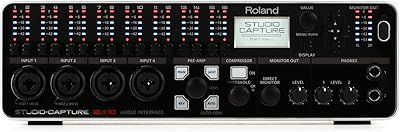
Roland UA-1610 USB Audio Interface
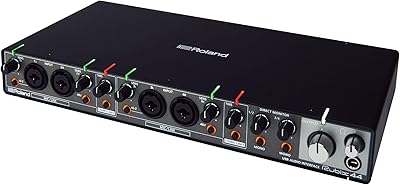
Roland Rubix44 4-In/4-Out USB Audio Interface
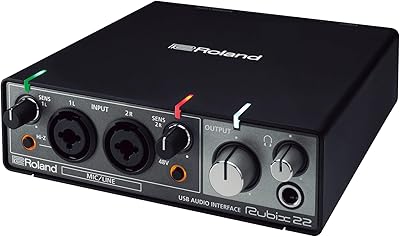
Roland Rubix22 USB Audio Interface

M-Audio M-Track Duo

Black Lion Audio Revolution 2x2 Audio Interface

M-Audio M-Track 2X2 USB Audio Interface
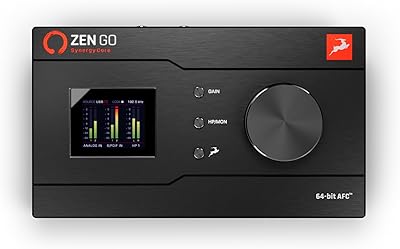
Antelope Audio Zen Go Synergy Core Interface

MOTU 8pre USB Audio Interface
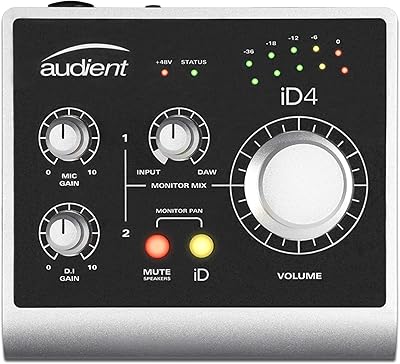
Audient iD4 USB Audio Interface