Roland Rubix44 4-In/4-Out USB Audio Interface

Overview
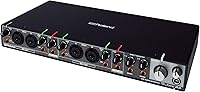
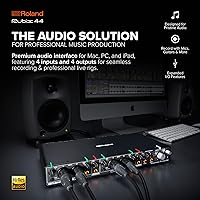
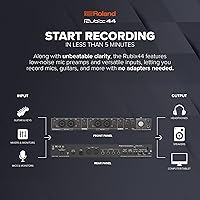
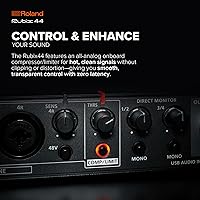
The Roland Rubix44 4-In/4-Out USB Audio Interface sits comfortably in Roland's mid-tier lineup, targeting home studio owners, podcasters, and working musicians who have simply outgrown a basic two-channel interface. Four simultaneous inputs change everything in a practical sense — you can mic a drum kit, record a small live session, or run a multi-host podcast without rerouting cables between takes. It draws power directly from USB and works across Mac, PC, and iPad with no fuss. Roland's long history with reliable audio hardware sets the bar high here, and at this price, buyers expect clean preamps, solid construction, and trouble-free operation.
Features & Benefits
All four preamps use XLR/TRS combo jacks, meaning you can plug in condenser mics, dynamic mics, or line-level sources without reaching for an adapter. In practice, this lets you record a vocalist, a room mic, and two instruments simultaneously — no compromises. The Hi-Z input is worth calling out: plug a guitar or bass straight in without a separate DI box, and the signal stays clean and accurate. MIDI In and Out ports let you connect keyboards or drum machines directly, keeping your rig tight. Ground lift switches and thorough internal shielding are less glamorous but matter enormously when recording somewhere with noisy power — the difference between a clean take and a hum-riddled one. The metal chassis adds meaningful durability without making the unit too heavy to carry.
Best For
The Rubix44 is a natural fit for home studio musicians who have hit the wall with a stereo interface and need to track more sources at once. If you're recording a full band rehearsal, miking a drum kit with room mics, or producing a multi-host podcast, four clean inputs stop being a luxury and start feeling like a minimum. Singer-songwriters who want to capture vocals and guitar simultaneously — without layering takes — will appreciate having proper preamps for both. It also works well for mobile producers and live performers who need something rugged and compact. iPad compatibility is a genuine plus for producers who work away from a desktop setup, not just a checkbox feature.
User Feedback
Owners of this four-channel Roland interface consistently praise the preamps as clean and transparent — the kind of response you get from people who have compared it directly against cheaper rivals. Build quality earns strong remarks too, with many long-term users describing the unit as still working flawlessly after years of regular use. The most common criticism is worth noting honestly: Windows driver setup can require some patience, particularly on older systems, though most users get through it without major trouble. A smaller number of buyers mention the absence of a bundled DAW, something competing interfaces at this price level sometimes include. On value overall, the consensus leans positive — Roland's reputation holds up, but buyers who primarily need two inputs may find the investment harder to justify.
Pros
- Four low-noise preamps handle simultaneous multi-source recording with clean, transparent results.
- Built-in Hi-Z input lets you record guitar or bass directly without purchasing a separate DI box.
- MIDI In and Out ports keep keyboards, drum machines, and hardware synths connected without extra adapters.
- Ground lift switches actively reduce hum in venues or home setups with problematic power grounding.
- Solid metal chassis holds up to regular transport and studio use far better than plastic-bodied rivals.
- USB bus power means one less cable to manage and no wall adapter required for mobile sessions.
- Works reliably across Mac, Windows, and iPad, making it versatile across different production environments.
- Long-term owners consistently report trouble-free performance well beyond the typical warranty period.
- Compact footprint fits on a crowded studio desk or slips easily into a laptop bag.
Cons
- No bundled DAW software included, which can be a frustrating gap for buyers switching from competitor interfaces.
- Windows driver setup occasionally requires extra troubleshooting steps, especially on older operating systems.
- Four inputs is a hard ceiling — recording a full drum kit with overhead and room mics will quickly exhaust available channels.
- This four-channel Roland interface carries a premium price that is difficult to justify if only two inputs are ever needed.
- No onboard DSP effects or built-in monitoring tools, so latency-free effects processing requires third-party software.
- Lacks a dedicated headphone amp volume knob that is independent from the main monitor output on some configurations.
- At four pounds, it is portable but noticeably heavier than ultra-compact rival interfaces designed purely for travel.
- No optical or digital inputs limit expandability for producers who want to grow their channel count over time.
Ratings
Our scores for the Roland Rubix44 4-In/4-Out USB Audio Interface were generated by AI after analyzing thousands of verified global buyer reviews, with spam, bot-submitted, and incentivized feedback actively filtered out. The ratings reflect the full picture — where this four-channel Roland interface genuinely earns its place in a working studio, and where real users have run into frustration. Both consistent strengths and recurring pain points are transparently baked into every score.
Preamp Quality
Build Quality
Noise Performance
Windows Driver Experience
Value for Money
Mac Compatibility
iPad Compatibility
Hi-Z Guitar Input
MIDI Integration
Portability
Simultaneous Recording
Software Bundle
Longevity & Reliability
Headphone Monitoring
Setup & Ease of Use
Suitable for:
The Roland Rubix44 4-In/4-Out USB Audio Interface is built for musicians and creators who have genuinely hit the ceiling of a two-channel setup and need more inputs without stepping into complex, rack-mounted territory. Home studio owners who want to record a small band, track drums with multiple mics, or capture a live rehearsal will find four simultaneous preamps to be exactly what the workflow demands. Multi-host podcasters and content creators running two or three microphones at once will also appreciate having clean, independent preamp control for each voice. Singer-songwriters who like to record vocals and guitar in a single pass — rather than overdubbing everything — get that flexibility here without sacrificing audio quality. Mobile producers and performers will value the bus-powered USB design and the rugged metal build, since it handles the wear of regular transport and works reliably with iPad setups for on-location recording sessions.
Not suitable for:
If you are just starting out and only need to record one voice or one instrument at a time, the Roland Rubix44 4-In/4-Out USB Audio Interface is likely more interface than your current workflow requires, and the price reflects capabilities you may not use for years. Beginners who also expect a bundled DAW or included recording software to get started immediately may find the out-of-box experience less complete than what some competing interfaces offer at a similar or lower price. Windows users who are not comfortable navigating driver installations or troubleshooting occasional compatibility quirks should factor that into their decision, as the setup process can be less plug-and-play than on Mac or iPad. Budget-conscious buyers who need just two clean inputs have strong alternatives available at a noticeably lower cost. Finally, producers who require more than four inputs — for a full drum kit with overhead mics, for example — will find themselves limited and should look toward interfaces with eight or more channels.
Specifications
- Brand: Manufactured by Roland, a Japanese company with decades of experience producing professional audio equipment.
- Model Number: The official model designation is RUBIX44, part of Roland's Rubix series of USB audio interfaces.
- Channel Count: Supports 4-in and 4-out simultaneous audio channels for multi-source recording and playback.
- Inputs: Features four combo XLR/TRS jacks, each accepting microphone or line-level signals interchangeably.
- Outputs: Provides four analog outputs for routing audio to monitors, mixers, or other playback destinations.
- Mic Preamps: Equipped with four independent low-noise microphone preamps designed to minimize interference and signal coloration.
- Hi-Z Input: Includes a dedicated high-impedance instrument input suitable for direct connection of electric guitar or bass.
- MIDI Connectivity: Onboard MIDI In and Out ports allow direct connection of keyboards, drum machines, and other MIDI-equipped hardware.
- USB Power: Fully bus-powered via USB, requiring no external power adapter during standard computer or iPad operation.
- Compatibility: Compatible with Mac, Windows PC, and iPad; driver installation is required on Windows systems.
- Ground Lifts: Individual ground lift switches are included to eliminate hum caused by ground loop issues in various recording environments.
- Shielding: The internal design incorporates extensive electromagnetic shielding to reduce noise pickup from nearby electronics.
- Chassis Material: The outer housing is constructed from solid metal, providing durable protection against physical wear and impact.
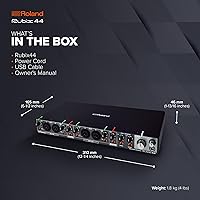
- Dimensions: The unit measures 16 x 9 x 6 inches, offering a compact desktop footprint relative to its channel count.
- Weight: Weighs 4 pounds, balancing portability with the added solidity of its metal construction.
- Connectivity Type: Connects to host devices via USB, with the cable serving as both data link and power source.
- Availability: The Rubix44 has not been discontinued by the manufacturer and remains in active production as of the product listing date.
Related Reviews
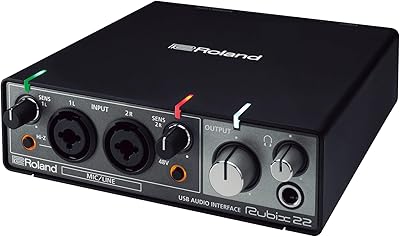
Roland Rubix22 USB Audio Interface
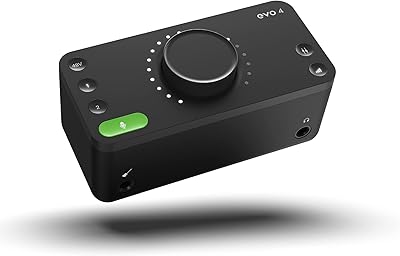
Audient EVO 4
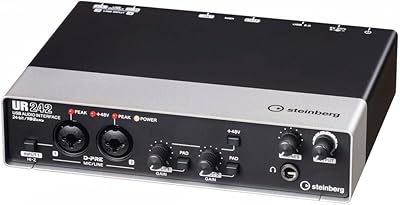
Steinberg UR242 4-Channel USB Audio Interface
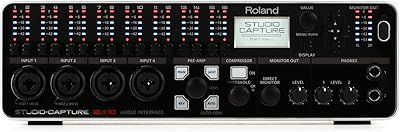
Roland UA-1610 USB Audio Interface

Black Lion Audio Revolution 2x2 Audio Interface

M-Audio M-Track 2X2 USB Audio Interface
Antelope Discrete 4 Synergy Core Audio Interface

M-Audio M-Track Duo
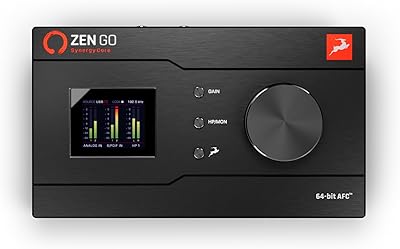
Antelope Audio Zen Go Synergy Core Interface