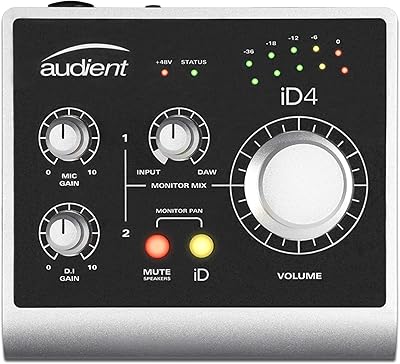
Overview
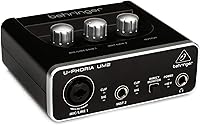
The Behringer UM2 USB Audio Interface has been a staple in the budget recording space for well over a decade, and that staying power says something real about its value. Aimed squarely at bedroom producers, first-time podcasters, and singer-songwriters who need a no-fuss way to get audio into a computer, the UM2 keeps things straightforward. Plug it into a USB port, install the driver, and you're recording — no external power supply, no complicated setup. It works on both Windows and macOS, and it even ships with Tracktion 4 DAW software, which is a genuine bonus for anyone starting from scratch. Just be clear on what this is: a capable starter-level tool, not a professional studio centerpiece.
Features & Benefits
The UM2 packs a XENYX mic preamp that handles a 100 dB dynamic range — meaning the gap between background noise and a loud signal is wide enough for clean home recordings of vocals or acoustic guitar. You get one XLR/TRS combo input for a microphone and a separate 1/4-inch instrument input, so a vocalist-guitarist can run both without swapping cables. The direct monitor switch lets you hear yourself in real time without any computer-induced delay, which makes a real difference when tracking vocals. Recordings top out at 48 kHz sample rate — solid for home use, though not the ceiling you'd find on pricier units. The whole thing runs off USB bus power, so there's no wall adapter to pack.
Best For
This compact audio interface makes the most sense for a specific type of buyer: someone just getting started who doesn't need to overthink their gear. If you're a solo vocalist, a guitarist recording demos at home, or someone launching a podcast, the UM2 gives you everything you need without demanding a steep learning curve. Music students find it useful for coursework because it's compatible with virtually every major DAW. It also works well for hobbyists who want to dip a toe into home recording before committing to something more capable. The one caveat: if you plan to record multiple microphones simultaneously, you'll outgrow this setup quickly and need something with more inputs.
User Feedback
With over 17,000 ratings and a 4.4-star average, Behringer's entry-level interface has clearly landed well with buyers — but the details behind those numbers are worth understanding. The most consistent praise centers on easy setup and the surprisingly clean sound for the price point. Criticism, however, is equally consistent: the plastic housing feels flimsy, and several reviewers mention running into driver issues on Windows that required some troubleshooting. A recurring pattern is how many people describe the UM2 as a stepping-stone purchase — something they used for a year or two before upgrading to something more capable. Long-term durability is genuinely mixed; some units hold up for years, while others don't make it that far.
Pros
- Plug-and-play setup works on both Windows and macOS with no complicated configuration required.
- The XENYX preamp delivers noticeably cleaner audio than any built-in laptop microphone.
- Bus-powered via USB, so you can record anywhere without hunting for a wall outlet.
- Includes Tracktion 4 DAW software, giving absolute beginners a free and functional starting point.
- The direct monitor switch lets you hear yourself in real time with zero computer-induced delay.
- Over 17,000 buyer ratings with a 4.4-star average signals genuine, broad satisfaction at this price tier.
- Works out of the box with virtually every major DAW, from Ableton Live to Pro Tools.
- RCA outputs make connecting to a pair of powered monitors or a home stereo straightforward.
- Lightweight and small enough to drop in a backpack alongside a laptop without a second thought.
Cons
- Only one XLR input means recording two microphones at the same time is simply not possible.
- The all-plastic body feels noticeably budget and shows wear faster than metal-chassis competitors at similar prices.
- Some Windows users report driver conflicts that require manual troubleshooting before recordings can even begin.
- Long-term durability is inconsistent — a meaningful share of buyers report hardware failures within the first two years.
- The 48 kHz sample rate ceiling rules it out for anyone targeting professional-grade or broadcast-quality audio.
- No MIDI I/O means producers working with keyboards or synthesizers will need a separate interface or adapter.
- The UM2 is widely framed as a stepping-stone purchase — expect to outgrow it within one to two years.
- Gain knob feel can be imprecise at lower settings, making quiet sound sources harder to dial in cleanly.
Ratings
The scores below were generated by our AI engine after analyzing thousands of verified buyer reviews for the Behringer UM2 USB Audio Interface across multiple global marketplaces, with spam, bot-generated, and incentivized feedback actively filtered out before any scoring was applied. Each category reflects the full distribution of real user sentiment — not just the loudest opinions — so both the genuine strengths and the recurring frustrations are represented proportionally. The goal is a buying guide grounded in actual ownership experience, not a polished marketing summary.
Value for Money
Build Quality
Ease of Setup
Preamp Quality
Input Versatility
Driver Stability
DAW Compatibility
Direct Monitoring
Headphone Output
Portability
Software Bundle
Sound Quality
Long-term Durability
Beginner Friendliness
Suitable for:
The Behringer UM2 USB Audio Interface is purpose-built for people taking their first serious step into home recording — particularly those who want meaningfully better audio than a built-in laptop microphone can offer without getting overwhelmed by gear. Singer-songwriters who need to capture quick vocal or guitar demos will find the single mic and instrument inputs cover everything a solo performer actually needs. Podcasters and streamers looking for a clean, simple mic-to-computer connection without building a complicated signal chain will also get solid value here. Music production students appreciate it because it works out of the box with every major DAW, runs off USB power, and doesn't require a dedicated wall adapter, making it genuinely portable between home and class. If you're a hobbyist testing whether home recording is something worth pursuing seriously, this compact audio interface lets you find that out without a painful financial commitment.
Not suitable for:
Anyone who needs to record more than one microphone simultaneously will hit a hard structural limit almost immediately — the single XLR input is a design constraint, not something you can work around with adapters. Multi-track sessions, band rehearsals, or two-guest interview podcasts where each person needs their own mic are simply outside the scope of what this device was built to handle. The Behringer UM2 USB Audio Interface also tops out at a 48 kHz sample rate, which disqualifies it for professional deliverables that require higher-resolution audio. Buyers who prioritize long-term build quality should factor in the mixed community feedback: the plastic chassis has its detractors, and a meaningful portion of owners report reliability issues within the first couple of years. Windows users who aren't comfortable doing basic driver troubleshooting may also find the occasional compatibility hiccups more frustrating than the price savings are worth.
Specifications
- Brand: Manufactured by Behringer, a Germany-founded audio equipment company known for producing budget-oriented gear for home and project studio use.
- Model: The UM2 is a 2-channel USB audio interface within Behringer's U-PHORIA product line, first available in August 2013.
- Connectivity: Connects to a host computer via USB 2.0, compatible with standard USB-A ports on both Windows and macOS systems.
- Mic Input: Features one XLR/TRS combo input on the front panel, accepting both balanced microphone signals and line-level sources.
- Instrument Input: Includes one dedicated 1/4-inch instrument input for direct connection of guitars, basses, or other high-impedance sources.
- Outputs: Provides two RCA outputs for routing audio to powered monitors, a stereo receiver, or other downstream playback equipment.
- Sample Rate: Records and plays back audio at a maximum of 48 kHz, which is adequate for home recording, podcasting, and streaming.
- Dynamic Range: The onboard XENYX mic preamp delivers a 100 dB dynamic range, providing a wide gap between the noise floor and peak signal level.
- Frequency Response: The preamp's frequency response extends from 10 Hz to well above 30 kHz, covering the full audible range and beyond.
- Phantom Power: Supplies 48V phantom power via the XLR input to support condenser microphones that require external powering to operate.
- Direct Monitor: A front-panel hardware switch enables direct monitoring, allowing the input signal to be heard in real time without passing through the computer.
- Power Source: Draws power entirely through the USB connection, requiring no external power adapter or separate power supply.
- Included Software: Ships with a license for Tracktion 4, a functional entry-level DAW application compatible with both Windows and macOS.
- OS Support: Officially supported on Windows and macOS; the unit is class-compliant on macOS, eliminating the need for manual driver installation.
- Dimensions: Measures 6.3 x 8.27 x 3.54 inches, compact enough to sit on a small desk or slip into a laptop bag without difficulty.
- Weight: Weighs 9.1 oz, light enough to transport between locations without adding meaningful bulk to a bag or backpack.
- Body Material: The chassis is constructed from composite plastic, keeping the unit lightweight but more susceptible to surface wear than metal-chassis alternatives.
Related Reviews

Black Lion Audio Revolution 2x2 Audio Interface

M-Audio M-Track Duo

M-Audio M-Track 2X2 USB Audio Interface
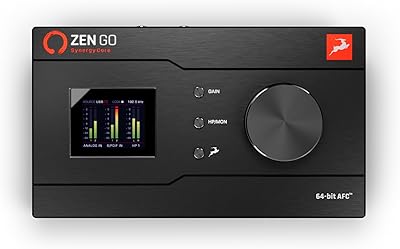
Antelope Audio Zen Go Synergy Core Interface
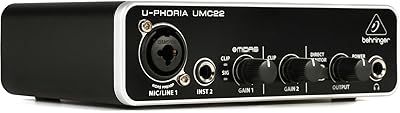
Behringer UMC22 USB Audio Interface
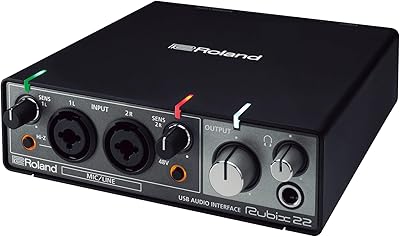
Roland Rubix22 USB Audio Interface

Behringer UMC1820
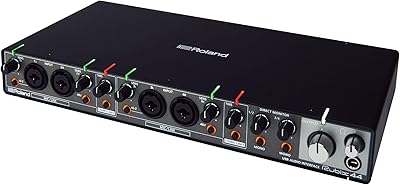
Roland Rubix44 4-In/4-Out USB Audio Interface

MOTU 8pre USB Audio Interface