Overview

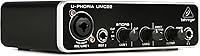
The Behringer UMC22 USB Audio Interface has been a quiet fixture in the budget recording world since 2013, and the fact that it remains relevant says something real about what it actually delivers. It won't satisfy producers chasing high-resolution audio, but for beginners stepping away from a laptop's built-in soundcard for the first time, this compact interface gets the job done without demanding much in return. The headline feature is the Midas-designed preamp — a name borrowed from professional console history. In practice, that translates to noticeably lower noise and cleaner gain than you'd typically expect at this price tier. Plug it in via USB and you're recording within minutes.

Features & Benefits

The front panel gives you a combo XLR/TRS input for microphones and a separate quarter-inch instrument input for guitar or bass — both usable simultaneously if needed. Phantom power lives on the rear panel as a simple toggle switch, so condenser microphones are fully supported. The UMC22 tops out at 48 kHz and 24-bit, which is more than adequate for podcasting, vocal demos, and home recordings destined for streaming. A direct monitor switch lets you hear yourself in real time without latency, which matters more than people realize when tracking vocals. And because it draws power straight from USB, there is no adapter or power brick to carry around.

Best For

This entry-level audio interface is genuinely well-matched to a specific kind of buyer. Singer-songwriters who need to capture vocals and an acoustic guitar at the same time will find it covers that use case cleanly. Podcasters and content creators who simply want a reliable XLR input for their microphone will find the setup refreshingly painless. Students working through recording tutorials will appreciate the broad DAW compatibility — Pro Tools, Ableton, and Cubase all recognize it without fuss. It also travels well: lightweight and bus-powered, it fits neatly into any laptop bag. Where it falls short is for anyone needing more than two inputs or sample rates above 48 kHz.

User Feedback

Across a wide range of buyer reviews, the most consistent praise centers on the noticeable audio improvement over built-in laptop sound — people are often genuinely surprised by how much cleaner their recordings become. Setup earns high marks too, with most users running on Windows or Mac quickly and without complications. That said, the UMC22 draws real criticism in a few areas. The plastic casing feels light in a way that makes some buyers nervous about long-term durability, and a subset of Windows users have reported driver stability issues on certain system configurations. A handful of more experienced reviewers also flag the 48 kHz ceiling as limiting. Overall satisfaction is strong for the intended audience, but expectations need to stay grounded.

Pros

  • The Midas-designed preamp delivers noticeably cleaner gain than most interfaces competing at this price point.
  • Plug-and-play USB setup means most users are recording within minutes of opening the box.
  • Bus-powered operation eliminates the need for an external adapter, keeping your desk and bag tidy.
  • Works reliably with major DAWs including Pro Tools, Ableton Live, and Cubase without manual driver hunting.
  • The direct monitor switch lets you hear yourself in real time, reducing the frustration of latency while tracking vocals.
  • Phantom power support means you can use condenser microphones right away without a separate preamp.
  • The combo XLR and instrument inputs give you genuine two-source recording flexibility in a tiny footprint.
  • At roughly one pound, the UMC22 is one of the most portable wired interfaces available in its class.
  • Signal clip and status LEDs give you just enough visual feedback to catch gain issues without cluttering the interface.
  • Cross-platform compatibility with both Windows and Mac keeps it accessible regardless of your setup.

Cons

  • The plastic build feels light in hand and raises legitimate questions about how well it holds up over years of regular use.
  • A notable number of Windows users have reported driver instability on specific system configurations, which can disrupt recording sessions.
  • The 48 kHz sample rate ceiling rules it out for any project requiring high-resolution audio delivery.
  • Only two inputs means you cannot simultaneously record more than a mic and one instrument — no band tracking possible.
  • Gain knob feel and overall tactile feedback from the controls is basic at best, with no premium build quality to speak of.
  • No software bundle is included, so first-time buyers will need to source a DAW separately if they do not already have one.
  • The rear-panel placement of the phantom power switch is awkward and easy to forget, especially for beginners mid-session.
  • Output monitoring options are limited, with no dedicated headphone volume control separate from the main output level.
  • Users upgrading from a mid-range interface will notice a clear step down in headroom and preamp transparency.
  • No USB-C connectivity, which is increasingly relevant as newer laptops drop standard USB-A ports.

Ratings

The scores below for the Behringer UMC22 USB Audio Interface were generated by our AI system after analyzing thousands of verified global buyer reviews, with spam, bot activity, and incentivized feedback actively filtered out before any scoring took place. Both the genuine strengths and the real frustrations buyers have encountered are reflected honestly in each category — nothing has been softened to protect a brand impression.

Audio Quality
83%
For an entry-level interface, the Midas-designed preamp consistently impresses buyers who are recording vocals or acoustic guitar at home for the first time. The jump in clarity compared to a laptop soundcard is immediately audible, and most users report clean, usable tracks without excessive noise or coloration.
Experienced recordists stepping down from a mid-range interface will notice the preamp runs out of headroom faster and introduces more noise at higher gain settings. The 48 kHz sample rate ceiling also limits the UMC22 for anyone working on projects that require high-resolution audio delivery.
Ease of Setup
91%
Plug-and-play simplicity is one of the most consistently praised aspects of the UMC22 across both Windows and Mac reviews. Most buyers report being up and recording within minutes of opening the box, with DAW recognition happening automatically and without any manual driver configuration.
A meaningful subset of Windows users have hit driver stability issues depending on their specific OS version or USB controller chipset, which can turn a quick setup into a troubleshooting session. These problems are not universal but appear often enough in verified reviews to be a real consideration.
Build Quality
57%
43%
The lightweight design works in the UMC22's favor when it comes to portability — at roughly one pound, it genuinely disappears into a laptop bag, and the compact footprint means it does not dominate a small desk setup.
The plastic chassis draws consistent criticism from buyers who feel it does not inspire confidence for long-term use. Knobs and switches feel functional but not precise, and several reviewers noted concern about durability after just a few months of regular use.
Value for Money
88%
Relative to what this compact interface actually delivers — a Midas preamp, phantom power, direct monitoring, and solid DAW compatibility — most buyers feel the asking price is genuinely fair for the category. First-time buyers in particular frequently describe it as one of the smarter starting-point purchases they made.
As buyers gain experience and start comparing the UMC22 against slightly pricier alternatives, some feel the value proposition weakens. A modest additional spend on competing interfaces often buys meaningfully better preamp performance and sturdier construction, which makes the price-to-quality gap more visible over time.
DAW Compatibility
92%
Compatibility with Pro Tools, Ableton Live, Cubase, and most other major DAWs is consistently reported as rock-solid, with the interface appearing correctly in software without manual configuration in the vast majority of cases. This broad out-of-box support is particularly valued by students and beginners navigating recording software for the first time.
A small number of users have reported sync or latency issues when running the UMC22 alongside certain plugin-heavy sessions, particularly on lower-spec computers. These are edge cases, but they do surface often enough in reviews to be worth noting for buyers planning demanding production workflows.
Microphone Preamp
79%
21%
The Midas branding here reflects a real and audible difference compared to the generic preamps found in competing budget interfaces. Vocals tracked through the UMC22 tend to have a cleaner noise floor and more natural gain structure, which holds up well in podcasting and demo recording contexts.
At higher gain settings — particularly when recording quieter sound sources like ribbon microphones or acoustic instruments in untreated rooms — the preamp shows its limitations through increased hiss. Engineers who routinely need to push gain above 75 percent will find the noise floor becomes a persistent issue.
Phantom Power
74%
26%
The rear-panel +48V phantom power switch works reliably for the condenser microphones that most beginners pair with this entry-level audio interface, opening up a much wider range of microphone options than a dynamic-only setup would allow.
The rear placement of the switch is awkward in practice — it is easy to forget mid-session, and toggling it requires reaching around the unit. There is also no LED indicator to confirm phantom power is active, which has caused confusion for newer users troubleshooting microphone signal issues.
Direct Monitoring
81%
19%
The direct monitor switch delivers on its core promise: singers and instrumentalists can hear themselves clearly while tracking without the distracting delay that software monitoring introduces. This feature alone meaningfully improves the recording experience for solo performers working without an engineer.
The implementation is fairly basic — monitoring is either fully on or off, with no mix control between the input signal and DAW playback. Buyers used to interfaces with a blend knob will miss the ability to balance their live input against backing tracks while recording.
Portability
89%
Bus-powered operation and a weight of roughly one pound make the UMC22 genuinely easy to carry. Traveling musicians and students frequently mention that it fits in a jacket pocket or small bag compartment, and the absence of an external power supply removes one more cable from the equation.
The USB-A connector becomes a minor inconvenience as newer laptops increasingly ship with only USB-C ports, requiring an adapter that adds a small point of potential failure. The plastic housing also offers no real protection if the interface gets jostled around loose in a bag.
Headphone Output
66%
34%
The headphone output is loud enough to drive most standard studio headphones to a comfortable monitoring volume, which is adequate for solo tracking sessions and basic playback checks without reaching for a separate headphone amplifier.
The headphone output shares level control with the main monitor outputs on some signal path configurations, which limits independent volume management. A few reviewers also noted that the output sounds slightly thin compared to dedicated headphone amps, particularly with higher-impedance headphones above 80 ohms.
Input Flexibility
71%
29%
Having both a combo XLR/TRS input and a dedicated instrument input on the front panel means you can genuinely record a vocalist and a guitarist at the same time without any extra gear. For a solo musician or a two-person podcast, that covers the most common recording scenarios cleanly.
Two inputs is the hard ceiling, and buyers who eventually want to expand their setup — adding a second microphone, a keyboard, and a guitar simultaneously, for instance — will need to replace the UMC22 entirely rather than build on it. There is no expansion path built into this interface.
Driver Stability
62%
38%
The majority of Mac users and a solid portion of Windows users report a completely stable driver experience with no dropouts or crashes during normal recording sessions. For the typical beginner use case, the interface simply works without demanding ongoing maintenance.
Driver-related instability on specific Windows configurations is one of the most frequently recurring complaints in verified reviews. Problems tend to surface as audio dropouts, device recognition failures after sleep mode, or increased latency, and while Behringer offers troubleshooting resources, the resolution process is not always straightforward.
Sample Rate Ceiling
58%
42%
For the core audience — podcasters, bedroom producers, and singer-songwriters making demos — the 48 kHz maximum sample rate is entirely sufficient and covers every standard delivery format for streaming, YouTube, and casual home recording.
The 48 kHz ceiling becomes a genuine limitation the moment a buyer starts working on projects that call for 96 kHz or higher, whether for professional music production, high-quality sound design, or advanced post-production work. This is a hard technical constraint with no workaround short of switching interfaces.
Indicator Visibility
68%
32%
The status and signal clip LEDs provide just enough visual feedback for a beginner to catch obvious gain problems before they ruin a take. For simple solo recording sessions, they serve their purpose without adding unnecessary complexity to the front panel.
Beyond clipping alerts, the UMC22 offers no metering at all — no input level display, no output level readout, and no confirmation LED for phantom power. Users who want even basic visual gain staging feedback will need to rely entirely on their DAW meters, which adds friction to the recording workflow.

Suitable for:

The Behringer UMC22 USB Audio Interface is a solid fit for anyone taking their first real step into home recording without wanting to overthink the setup or overextend their budget. Singer-songwriters who need to lay down vocals and a guitar simultaneously will find its two-input design covers that workflow cleanly and reliably. Podcasters and content creators who simply need a proper XLR microphone input — rather than relying on a USB mic or onboard laptop audio — will appreciate how quickly this compact interface gets them up and running. Students enrolled in music production programs benefit from its broad DAW compatibility, since it works out of the box with Pro Tools, Ableton, and Cubase without any complex driver configuration. Traveling musicians will also find it genuinely convenient: it weighs about a pound, draws all its power from a USB port, and takes up almost no space in a bag.

Not suitable for:

The UMC22 is not the right tool for producers or engineers who need more than two simultaneous inputs, work at sample rates above 48 kHz, or rely on high-resolution audio for professional deliverables. Bands tracking multiple instruments at once will hit the ceiling of what this entry-level audio interface can handle almost immediately. Buyers who have already worked with mid-range interfaces from brands like Focusrite, Universal Audio, or MOTU will likely find the preamp performance and build quality a step down from what they are used to. The plastic chassis is noticeably light, and users who tend to be hard on gear or move equipment frequently should factor in some real durability concerns. There is also a subset of Windows users who have encountered driver stability problems depending on their system configuration, so if a rock-solid, trouble-free driver experience is non-negotiable for you, it is worth researching compatibility with your specific OS version before committing.

Specifications

  • Connectivity: The UMC22 connects to a computer via USB 2.0 and is fully bus-powered, requiring no external power supply.
  • Sample Rate: Maximum sample rate is 48 kHz, which is suitable for podcasting, streaming, and standard home recording projects.
  • Bit Depth: Records at 24-bit depth, providing a clean dynamic range appropriate for vocal and instrument tracking.
  • Input Configuration: Features a 2-in layout: one front-panel combo XLR/TRS input for microphones and one dedicated 1/4-inch TRS instrument input.
  • Output Configuration: Provides two rear-panel 1/4-inch TRS balanced outputs for connecting to studio monitors or a mixing desk.
  • Mic Preamp: Equipped with a Midas-designed microphone preamplifier intended to reduce noise and deliver cleaner gain at this price tier.
  • Phantom Power: A +48V phantom power switch is located on the rear panel, enabling the use of condenser microphones that require external power.
  • Direct Monitoring: A front-panel direct monitor select switch allows zero-latency monitoring of the input signal during recording.
  • Headphone Output: Includes a front-panel headphone output with a dedicated volume knob for real-time monitoring through headphones.
  • Indicators: Status LED and signal clip LED indicators are present to provide basic visual feedback on power and gain levels.
  • OS Compatibility: Compatible with both Windows and macOS operating systems, functioning as a class-compliant USB audio device on supported versions.
  • DAW Support: Works with major digital audio workstations including Avid Pro Tools, Ableton Live, and Steinberg Cubase without requiring proprietary software.
  • Dimensions: The unit measures 9.61 x 6.14 x 3.46 inches, making it compact enough to fit in most laptop bags.
  • Weight: Weighs approximately 1 pound, keeping it among the lighter options in the entry-level interface category.
  • Chassis Material: The housing is constructed from plastic, which contributes to its low weight but raises some user concerns about long-term durability.
  • Power Source: Draws all operating power directly from the connected USB port, eliminating the need for a wall adapter or batteries.
  • Channel Count: Operates as a 2-in, 2-out interface, supporting simultaneous recording of one microphone and one instrument source.
  • First Available: The UMC22 was first made available in August 2013 and has remained in active production without discontinuation.

Related Reviews
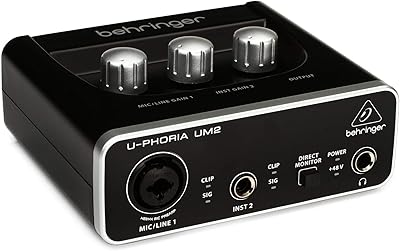
Behringer UM2 USB Audio Interface

73%
88%
Value for Money
51%
Build Quality
92%
Ease of Setup
73%
Preamp Quality
47%
Input Versatility
More
M-Audio M-Track Duo
M-Audio M-Track Duo
83%
88%
Preamp Clarity
93%
Value for Money
62%
Build Quality
91%
Ease of Installation
87%
Portability
More
M-Audio M-Track 2X2 USB Audio Interface
76%
84%
Build Quality
76%
Preamp Performance
82%
Ease of Setup
58%
Driver Stability
79%
Value for Money
More
Black Lion Audio Revolution 2x2 Audio Interface

75%
88%
Preamp Quality
91%
Audio Transparency
86%
Clocking Performance
87%
Build Quality
73%
Value for Money
More
Antelope Audio Zen Go Synergy Core Interface

76%
93%
Preamp Quality
88%
Onboard Effects
54%
Software Experience
57%
Windows Stability
91%
Portability
More
Audient iD4 USB Audio Interface
80%
93%
Preamp Quality
88%
Build Quality
71%
Value for Money
91%
Ease of Setup
84%
Headphone Performance
More
Behringer UMC1820
Behringer UMC1820
86%
96%
Value for Money
91%
Preamplifier Clarity
88%
Build Quality
94%
Input/Output Versatility
67%
Driver Stability (Windows)
More
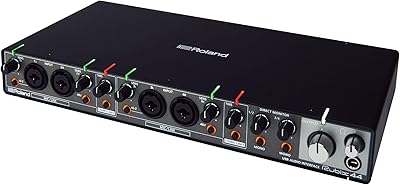
Roland Rubix44 4-In/4-Out USB Audio Interface
80%
91%
Preamp Quality
94%
Build Quality
88%
Noise Performance
58%
Windows Driver Experience
74%
Value for Money
More
MOTU 8pre USB Audio Interface
80%
86%
Preamp Quality
91%
Build Quality
88%
Channel Count & I/O
79%
Value for Money
61%
CueMix DSP Software
More
Roland Rubix22 USB Audio Interface
81%
93%
Build Quality
84%
Preamp Performance
81%
Noise Floor
88%
MIDI Functionality
91%
Ease of Setup
More

FAQ

On macOS it is fully plug-and-play with no driver installation needed. On Windows, most users find it works without additional software, though Behringer does offer optional ASIO drivers on their website if you want lower latency performance in your DAW.

Yes. The rear-panel +48V phantom power switch activates phantom power on the XLR input, which is what most condenser microphones require. Just make sure to engage it before plugging in and testing your mic.

It depends on your definition of professional. The Midas-designed preamp performs noticeably better than what you would get from a laptop soundcard, and the 24-bit recording depth is more than adequate for clean vocal tracks. That said, producers working on commercial releases who need pristine headroom and ultra-low noise floors will likely want to invest in a higher-tier interface.

Yes, that is actually one of the most common use cases for this compact interface. The front-panel combo input handles your microphone via XLR while the dedicated instrument input takes care of your guitar or bass, letting you track both sources simultaneously.

The UMC22 uses a standard USB-A connector, so you will need a USB-A to USB-C adapter or hub if your Mac only has USB-C ports. The adapter itself is inexpensive and does not affect audio performance.

When you flip the direct monitor switch, the interface sends your input signal straight to the headphone output without routing it through your computer first. This removes the processing delay that would otherwise make your voice or instrument sound slightly behind in your headphones while recording.

Honestly, it is better suited for a home studio setup than heavy road use. The plastic chassis is lightweight, which is great for portability, but it is not built to withstand the kind of wear a touring musician might put it through. If you plan to carry it around frequently, a small protective case is a worthwhile investment.

The UMC22 tops out at 48 kHz, so 96 kHz is not an option. For most recording purposes — podcasts, demos, streaming content, and even release-quality tracks — 48 kHz at 24-bit is entirely sufficient. If 96 kHz is a hard requirement for your workflow, you will need a different interface.

A subset of users have reported stability problems on certain Windows configurations, particularly with older OS versions or specific USB controller chipsets. It is not a universal issue, but it is worth checking Behringer's support forums for your specific Windows version before purchasing. Keeping your USB drivers updated tends to resolve most reported problems.

No software bundle is included in the box. The interface is compatible with most major DAWs, but if you do not already have recording software, you will need to source it separately. Reaper offers an affordable license, and both GarageBand for Mac and Audacity for Windows and Mac are free options worth considering for beginners.

Where to Buy