Overview

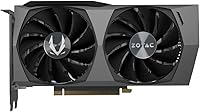
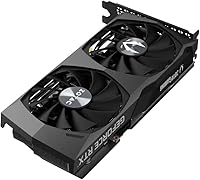
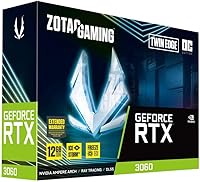
The ZOTAC RTX 3060 Twin Edge OC GPU sits in a crowded but important part of the market — the sweet spot where most PC builders actually shop. ZOTAC has been producing reliable graphics cards for years, and the Twin Edge OC line represents their mainstream gaming tier: competent, compact, and priced to compete. The headline spec here is 12GB of GDDR6 VRAM, which is genuinely unusual at this price point and gives this card longer legs than many rivals. Expect strong 1080p performance across nearly every modern title, solid 1440p results at medium-to-high settings, and a dual-fan cooler compact enough to fit most mid-tower and even some smaller form factor cases.

Features & Benefits

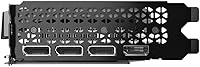
The IceStorm 2.0 cooling setup is one of the more practical features here — when you are browsing or watching video, the fans shut off entirely, and the drop in ambient noise is immediately noticeable. Under gaming load they spin up gradually rather than lurching on all at once, keeping the acoustic experience reasonable even during longer sessions. The factory overclock delivers a modest but genuine advantage over a reference RTX 3060 in sustained workloads. DLSS support, powered by third-gen Tensor Cores, makes a real difference in titles like Cyberpunk 2077 or Control. Connectivity is thorough: HDMI 2.1 plus three DisplayPort outputs handles everything from a single high-refresh monitor to a full three-screen setup.

Best For

This mid-range graphics card makes the most sense for 1080p gamers who want high frame rates in demanding titles without paying flagship GPU prices. At 1440p it handles most games well at medium-to-high settings, though expectations need to stay realistic when maxing out graphically intense titles. The 12GB VRAM buffer also makes it surprisingly useful for creators doing light video editing or AI-assisted rendering, where memory headroom matters more than raw shader throughput. If you are upgrading from a GTX 1060, 1070, or an RX 580, the performance jump will be immediately obvious. It also fits comfortably in compact PC builds, making it a practical option for both standard towers and tighter enclosures.

User Feedback

With over a thousand ratings averaging 4.5 stars, the reception for the RTX 3060 Twin Edge is broadly positive — and the reasons are not hard to find. Buyers frequently call out near-silent idle behavior as a genuine quality-of-life improvement, and installation tends to go smoothly even for first-time builders. That said, a recurring theme in critical reviews is thermal behavior under sustained heavy load — the card can run warm in cases with restricted airflow, so adequate ventilation is genuinely important, not just a suggestion. A small number of users have flagged occasional driver quirks, though these are typically resolved through standard NVIDIA updates. Long-term reliability reports are mostly encouraging, with no widespread failure patterns emerging across verified purchases.

Pros

  • 12GB of GDDR6 VRAM stands out at this price tier and gives the card genuine longevity.
  • Fans shut off completely at idle, making this ZOTAC Twin Edge OC noticeably quieter during everyday desktop use.
  • The factory overclock provides a small but real performance edge over reference RTX 3060 cards.
  • DLSS support meaningfully boosts frame rates in compatible titles without a visible quality penalty.
  • Three DisplayPort 1.4a outputs plus HDMI 2.1 cover virtually any monitor or multi-display setup.
  • At 8.82 inches long, this mid-range graphics card fits cases where larger dual-slot designs simply will not.
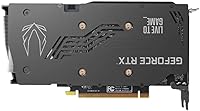
  • The metal backplate protects the PCB and keeps the card from sagging over time.
  • Installation is straightforward, with a standard power connector setup that first-time builders handle easily.
  • Over 1,000 Amazon ratings averaging 4.5 stars reflects consistently reliable real-world performance.
  • Ray tracing support adds visual depth in supported titles without requiring a top-tier GPU budget.

Cons

  • Under sustained heavy gaming loads, the card can run noticeably warm in cases with limited airflow.
  • Performance at 4K is underwhelming; buyers chasing high-res gaming will need to look elsewhere.
  • Competing AMD cards at similar price points sometimes offer better rasterization performance per dollar.
  • A small subset of users have reported occasional driver-related instability, though not at alarming rates.
  • The OC boost over reference clocks is modest — do not expect dramatic gains from the factory overclock.
  • No USB-C or VirtualLink output, which limits compatibility with certain VR headsets and newer displays.
  • Power efficiency is not a strong suit compared to some rival architectures at this performance level.
  • The RTX 3060 Twin Edge runs on a single 12-pin adapter in some configurations, which can catch buyers off guard if their PSU is older.
  • With no dedicated overclock software bundled, tweaking beyond factory settings requires third-party tools.
  • Buyers in competitive markets may find stock availability or pricing inconsistent compared to launch conditions.

Ratings

Our AI-generated scores for the ZOTAC RTX 3060 Twin Edge OC GPU were produced by analyzing thousands of verified global user reviews, with spam, bot activity, and incentivized feedback actively filtered out before any scoring took place. The results reflect a balanced picture — genuine strengths are recognized, but recurring pain points are weighted honestly and not smoothed over. Where buyers consistently disagreed on an aspect, that tension is visible in the scores.
1080p Gaming Performance
88%
At 1080p, this mid-range graphics card handles virtually every AAA title with comfortable headroom, and esports titles run at high refresh rates with settings maxed out. Buyers upgrading from GTX 10-series hardware describe the jump as immediately and dramatically noticeable in day-to-day play.
In particularly demanding titles like Cyberpunk 2077 at max settings without DLSS, frame rates can dip below the smoothness threshold some competitive players expect. The card performs best when given a little room on settings rather than pushed to absolute ultra across the board.
1440p Gaming Performance
72%
28%
For buyers who game primarily at 1440p in less graphically intense titles — including popular RPGs, strategy games, and older AAA releases — the RTX 3060 Twin Edge holds up well at high settings. DLSS integration meaningfully extends its ceiling in supported titles.
In heavily GPU-bound scenarios at 1440p ultra settings, frame rates become inconsistent enough to frustrate users who expected a primary 1440p card. Several reviewers noted they had to drop to medium-high rather than high-ultra to maintain smooth gameplay, which felt like a compromise at this price point.
Thermal Performance
69%
31%
Under standard gaming conditions in well-ventilated cases, the IceStorm 2.0 cooler keeps temperatures in an acceptable range, and the card rarely throttles in typical gaming sessions. Users with mid-towers featuring front-intake fans generally report no thermal complaints during one- to two-hour sessions.
Extended sessions beyond two hours, particularly in warmer rooms or cases with restricted airflow, push temperatures into the mid-to-upper 80s Celsius — not dangerous, but warmer than many buyers anticipated. Compact case owners in particular flagged this as a meaningful concern that required adding supplemental case fans to resolve.
Noise Levels
84%
The FREEZE Fan Stop feature earns consistent praise — during web browsing, video streaming, and light productivity work, the card is completely silent, which genuinely improves the ambient feel of a workstation or living-room PC build. Under gaming load, fan noise is present but measured rather than intrusive.
When the card is pushed hard — extended ray tracing sessions or multi-hour gaming marathons — the fans audibly ramp up to a level that some users in quieter environments find distracting. Those sensitive to fan noise in open-air desk setups noticed it more than users with headsets or enclosed cases.
VRAM Capacity
91%
The 12GB of GDDR6 memory is the single most discussed positive attribute across buyer reviews, and for good reason — it stands well above most competitors at this price tier. Users doing light video editing, AI upscaling tasks, or playing texture-heavy games at 1440p specifically call out the VRAM headroom as a key reason they chose this card.
The raw VRAM advantage is occasionally overstated in buyer expectations — memory bandwidth and shader throughput still limit what the card can realistically do at higher resolutions, regardless of how much VRAM is installed. A small number of reviewers felt the 12GB spec led them to overestimate overall performance capability.
DLSS & Ray Tracing
79%
21%
DLSS Quality mode delivers noticeably smoother frame rates in compatible titles without a visible image quality tradeoff at typical viewing distances, and buyers who game in DLSS-supported titles regularly cite this as a genuine daily driver benefit. Ray tracing adds meaningful visual depth in titles like Control and Metro Exodus.
Ray tracing at demanding quality levels pushes the card hard enough that DLSS becomes a necessity rather than a bonus, which limits how freely users can configure visual settings. In titles without DLSS support, ray tracing often requires too steep a performance tax to be worth enabling at this GPU tier.
Build & Fit Finish
83%
The metal backplate gives the card a solid, premium physical impression that buyers consistently comment on at unboxing, and the dual-fan shroud design feels purposeful rather than cheap. The compact 8.82-inch length meant that users building in smaller cases found installation far less stressful than expected.
A few buyers noted that the plastic fan shroud edges feel slightly less refined compared to higher-end ZOTAC variants, and the overall aesthetic is understated rather than distinctive. Users who care about visible RGB accents inside windowed cases will find this card's understated look disappointing.
Connectivity & Display Output
86%
Having three DisplayPort 1.4a outputs alongside HDMI 2.1 is a genuinely practical advantage for multi-monitor setups, and the HDMI 2.1 spec supports high-refresh-rate output to modern TVs without adapters. Home theater PC users and triple-monitor productivity builders praised this configuration specifically.
There is no USB-C or VirtualLink output, which matters for certain VR headset users and owners of USB-C monitors who wanted a clean single-cable desktop setup. This is a relatively niche concern, but it surfaced in enough reviews to be worth flagging for buyers with those specific needs.
Installation Ease
89%
First-time PC builders consistently highlight this card as one of the more straightforward GPU installations they experienced, with standard PCIe power connector requirements and a physical form factor that slides in cleanly without fighting tight case geometries. Driver installation via NVIDIA's standard setup process drew no notable complaints.
A small cluster of users on older systems with PCIe 3.0 motherboards noted confusion about compatibility, though the card functions normally on those platforms. A handful of buyers on platforms with legacy BIOS configurations encountered minor initial detection issues that required a BIOS update to resolve.
Value for Money
74%
26%
The 12GB VRAM at this price tier makes a strong case for value when measured against competitors offering only 8GB, and buyers who prioritize longevity over raw frame-rate-per-dollar tend to feel well served. For users upgrading from three- or four-generation-old GPUs, the price-to-performance jump feels substantial.
Buyers who benchmark price-per-frame rigorously note that competing AMD options at similar price points sometimes deliver better pure rasterization performance, making the value case more nuanced than it first appears. GPU pricing volatility has also meant that the value proposition has shifted since launch, and buyers should check current competitive pricing carefully before committing.
Driver Stability
76%
24%
The majority of users report no meaningful driver issues across months of use, and NVIDIA's driver update cadence means that any bugs that surface tend to be patched relatively quickly. Long-term owners running the card for over a year describe a stable experience with no performance regression.
A visible minority of reviewers flagged occasional crashes or black-screen events tied to specific driver versions, particularly after certain major NVIDIA updates. While these issues were typically resolved by rolling back or updating drivers, the troubleshooting process frustrated less technically experienced buyers who expected plug-and-play stability throughout.
Creator Workload Performance
71%
29%
For light video editing in DaVinci Resolve or Premiere Pro, the combination of 12GB VRAM and CUDA acceleration makes the card noticeably capable beyond its gaming positioning. AI upscaling workflows and NVENC hardware encoding in streaming or recording applications also benefit meaningfully from the Ampere architecture.
Users running heavy 3D rendering workloads or machine learning pipelines quickly hit the ceiling of what this card's CUDA core count can handle, and render times in those scenarios lag well behind workstation-class GPU options. It is a capable light creator card, but buyers with serious production demands will outgrow it faster than expected.
Long-Term Durability
81%
19%
Across reviewers who have used the card for one to two-plus years, reports of hardware failure or significant performance degradation are rare, and most long-term owners describe the card as holding up well under regular use. The metal backplate and quality fan bearings appear to contribute positively to sustained reliability.
There are isolated reports of fan bearing noise developing after extended heavy use in warm environments, though these remain a minority of long-term experiences. Users who run the card in cases with poor airflow for extended periods may accelerate wear on thermal components faster than those who maintain good case ventilation.
Small Form Factor Compatibility
82%
18%
At 8.82 inches, the RTX 3060 Twin Edge fits into a wider range of compact cases than most dual-fan cards in its performance class, which is a genuine differentiator for buyers building in mATX or select ITX enclosures. Community build logs consistently confirm successful installations in cases where longer cards simply would not fit.
Even at this length, a handful of very compact ITX cases with GPU clearances under 8 inches remain off-limits, and buyers should measure their specific case before assuming compatibility. Thermal performance in tightly enclosed small form factor builds also requires more careful airflow planning than in standard mid-towers.

Suitable for:

The ZOTAC RTX 3060 Twin Edge OC GPU is a strong fit for anyone building or upgrading a gaming PC primarily around a 1080p monitor, where it consistently delivers high frame rates in both AAA titles and competitive esports games without requiring a premium budget. Gamers who want to step into 1440p gaming will also find it capable, provided they are comfortable dialing back a few settings in the most demanding titles. The generous 12GB of GDDR6 VRAM makes it a surprisingly practical pick for content creators doing light video editing, AI-assisted upscaling, or 3D rendering work, where memory capacity often matters more than raw shader performance. Its compact 8.82-inch footprint is a real advantage for small form factor builders who struggle to fit larger cards. Anyone upgrading from a GTX 1060, 1070, or an AMD RX 580 will feel an immediate and meaningful generational jump in both performance and feature support.
Not suitable for:

The ZOTAC RTX 3060 Twin Edge OC GPU is not the right choice for anyone set on gaming at 4K with consistently high frame rates and maximum settings — the hardware simply was not designed to operate comfortably at that workload, and expectations need to stay grounded. Enthusiasts who run their systems in poorly ventilated cases, or who habitually push GPUs hard across multi-hour sessions, may find that this mid-range graphics card runs warmer than ideal without deliberate airflow planning. Power users who need professional-grade GPU compute performance for machine learning workloads or heavy 3D rendering pipelines should look at higher-tier options with significantly more CUDA cores. This card is also not the right answer for buyers who have already made the jump to a capable RTX 30-series or RX 6000-series GPU, as the upgrade benefit would be marginal at best. Those chasing the absolute best price-per-frame ratio should also benchmark competing options carefully, since the GPU market has grown more competitive since this card launched.
Specifications

  • GPU Chip: Powered by the NVIDIA GeForce RTX 3060 graphics processor, built on the Ampere architecture.
  • VRAM: Equipped with 12GB of GDDR6 memory, which is notably generous for a card in this performance class.
  • Memory Speed: The GDDR6 memory operates at 7500 MHz, supporting strong bandwidth for 1080p and moderate 1440p workloads.
  • Cooling System: Uses ZOTAC's IceStorm 2.0 dual-fan cooler with Active Fan Control that dynamically adjusts fan speed based on GPU temperature.
  • Fan Stop: FREEZE Fan Stop technology keeps both fans completely off during light workloads, reducing noise and extending fan lifespan.
  • Ray Tracing: Features 2nd Generation Ray Tracing Cores for hardware-accelerated lighting effects in supported game titles.
  • Tensor Cores: Includes 3rd Generation Tensor Cores enabling DLSS (Deep Learning Super Sampling) for AI-driven frame rate improvement.
  • Display Outputs: Offers one HDMI 2.1 port and three DisplayPort 1.4a ports, supporting up to four simultaneous displays.
  • Max Resolution: Capable of outputting up to 7680x4320 (8K) resolution, though gaming at that resolution is not a practical use case for this card.
  • Backplate: A full metal backplate is included, adding structural rigidity and protecting the PCB from physical stress and dust accumulation.
  • Card Length: Measures 8.82 inches in length, making it compatible with most mid-tower cases and a range of compact small form factor enclosures.
  • Card Dimensions: Full dimensions are 8.82 x 4.57 inches, occupying a standard dual-slot PCIe footprint.
  • Factory Overclock: Ships with a factory boost clock above NVIDIA's reference RTX 3060 specification as part of the Twin Edge OC variant tuning.
  • Model Number: The official ZOTAC model identifier for this card is ZT-A30600H-10M.
  • Card Weight: Weighs approximately 1.32 pounds, which is manageable for most standard PCIe slots without additional GPU support brackets.
  • Chipset Brand: The graphics processor is designed and manufactured by NVIDIA under the Ampere generation lineup.
  • API Support: Supports DirectX 12 Ultimate, OpenGL 4.6, and Vulkan, covering the full range of modern gaming and compute APIs.
  • PCIe Interface: Connects via a PCIe 4.0 x16 slot and is backward compatible with PCIe 3.0 motherboards without performance loss in most scenarios.
  • Amazon Rating: Holds a 4.5 out of 5 star rating based on over 1,076 verified customer reviews on Amazon.
  • Release Date: First made available for purchase in February 2021, placing it squarely within the initial Ampere generation GPU rollout.

Related Reviews
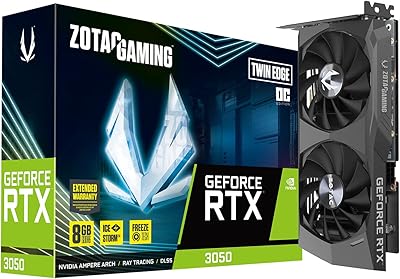
ZOTAC Gaming GeForce RTX 3050 Twin Edge OC 8GB
83%
88%
Gaming Performance
91%
Cooling & Noise
85%
Build Quality
92%
Value for Money
89%
Compatibility & Connectivity
More
ZOTAC Gaming GeForce RTX 4060 8GB Twin Edge OC White Edition
83%
88%
1440p Gaming Performance
91%
Quiet Operation
87%
VR Compatibility
85%
Build Quality
82%
Overclocking Potential
More
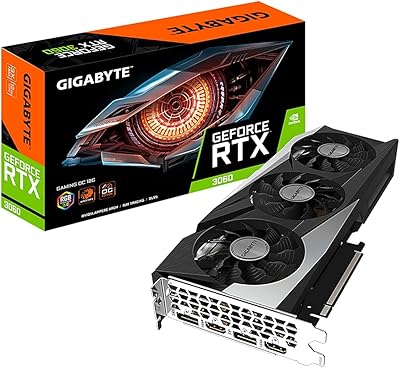
GIGABYTE GeForce RTX 3060 WINDFORCE OC 12GB Graphics Card
83%
88%
1080p Gaming Performance
74%
Thermal Management
86%
Noise Level
93%
VRAM Capacity
63%
Ray Tracing Performance
More
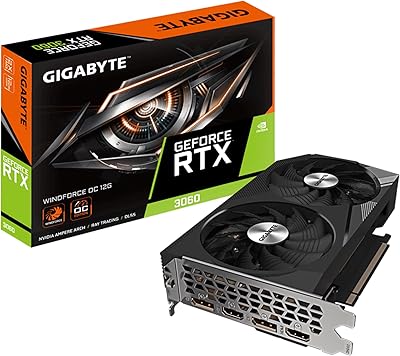
GIGABYTE GeForce RTX 3060 Gaming OC 12G
80%
88%
Gaming Performance at 1080p
71%
Gaming Performance at 1440p
86%
Thermal Management
83%
Noise Levels
91%
VRAM Capacity
More
GIGABYTE RTX 3060 Ti Vision OC GPU
78%
86%
Gaming Performance
83%
Thermal Management
77%
Noise Level
89%
Build Quality
93%
Aesthetic Design
More
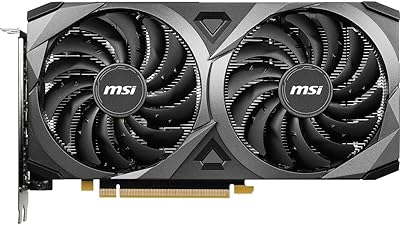
MSI GeForce RTX 3060 Ventus 2X 8GB OC
84%
89%
Performance at 1080p
75%
Gaming Performance at 1440p
92%
Cooling System (Noise & Effectiveness)
94%
Value for Money
85%
Installation & Setup
More
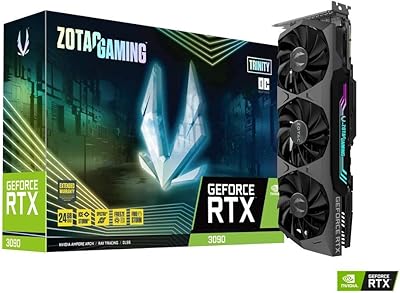
ZOTAC Gaming GeForce RTX 3090 Trinity OC 24GB
86%
94%
Performance
88%
Cooling Efficiency
70%
Ease of Installation
85%
Design & Aesthetics
91%
Value for Money
More
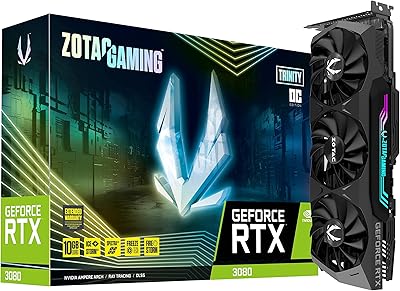
ZOTAC GeForce RTX 3080 Trinity OC LHR 10GB
85%
94%
Gaming Performance
88%
Cooling Efficiency
72%
Noise Level Under Load
90%
RGB Customization
89%
Value for Money
More
GIGABYTE RTX 3060 Ti Gaming OC GPU
78%
88%
Gaming Performance
91%
Thermal Performance
86%
Noise Level
67%
Ray Tracing Capability
72%
VRAM Adequacy
More
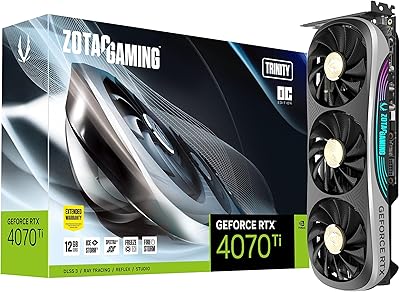
ZOTAC Gaming GeForce RTX 4070 Ti Trinity OC 12GB
87%
94%
Gaming Performance (4K/8K)
89%
Cooling and Noise
91%
Ray Tracing and DLSS 3
87%
Build Quality
90%
Compatibility with Multi-Monitor Setups
More

FAQ

At 8.82 inches long, the RTX 3060 Twin Edge is shorter than many competing dual-fan cards, which makes it a practical option for mid-towers and even some smaller ITX builds. That said, always check your case's maximum GPU length specification before ordering — a few particularly compact cases cap out around 7 or 8 inches.

It handles 1440p gaming reasonably well in most titles, especially if you are playing at high rather than ultra settings. Games like Fortnite, Valorant, or even Cyberpunk 2077 (with DLSS enabled) run comfortably at 1440p. If you plan to max out every graphical setting in every title at 1440p, you may hit frame rate ceilings more often than you would like.

Under sustained load the fans are audible, but not aggressively loud — most users describe it as a moderate hum rather than a whirring drone. The more notable feature is how quiet it gets at idle, where the FREEZE Fan Stop cuts fan operation entirely. If your case has decent airflow, noise during gaming sessions should stay within a comfortable range.

Yes, it does. DLSS is powered by the card's 3rd Gen Tensor Cores and works in any title that has implemented NVIDIA's DLSS technology. In practice, enabling DLSS Quality mode in a game like Dying Light 2 or Marvel's Spider-Man can add a meaningful frame rate boost with little visible image quality cost.

NVIDIA recommends at least a 550W power supply for systems using the RTX 3060. That said, if your build includes a high-end CPU or multiple storage drives, budgeting for a 650W unit gives you comfortable headroom and avoids any instability under peak combined loads.

Yes. The card has three DisplayPort 1.4a outputs and one HDMI 2.1 port, so you can run up to four displays simultaneously. For a three-monitor productivity setup or a triple-screen racing sim rig, the connectivity options are more than sufficient.

It is genuinely useful, particularly if you plan to keep this card for several years. Higher VRAM capacity helps with texture-heavy games at 1440p, video editing timelines, and AI-accelerated tasks where memory gets consumed quickly. Competing cards in this tier often ship with 8GB, so the 12GB here provides real future-proofing headroom.

It can run warm — some users report temperatures climbing into the mid-80 degrees Celsius range during extended sessions, particularly in cases with restricted airflow. This is within normal operating limits for the RTX 3060, but if your case is poorly ventilated, adding an extra intake fan before installing the card is a worthwhile precaution.

The main differences are the custom cooling solution and the factory overclock. The ZOTAC Twin Edge OC ships with a higher boost clock than NVIDIA's reference design out of the box, and the IceStorm 2.0 cooler with FREEZE Fan Stop is a step up from the basic blower-style cooler used on reference cards. You get better thermals, quieter idle operation, and a slight performance edge without any manual overclocking.

The RX 6600 often edges ahead in raw rasterization performance at 1080p, but the RTX 3060 Twin Edge counters with significantly more VRAM (12GB versus 8GB), DLSS support, and better ray tracing performance in supported titles. If you primarily play games that benefit from DLSS or you want extra memory for creative workloads, the ZOTAC card makes a reasonable case for itself — but if pure 1080p frame rates are your only priority, the comparison is tighter than the spec sheets suggest.

Where to Buy