Overview

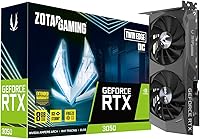
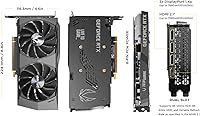
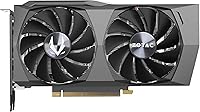
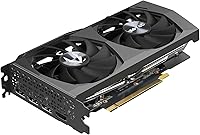
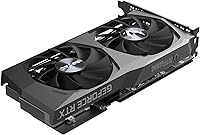
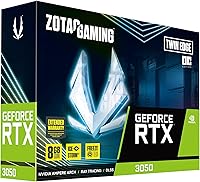
The ZOTAC RTX 3050 Twin Edge OC GPU entered the market in early 2022 as a straightforward answer for builders who wanted a capable 1080p card without spending flagship money. Built on NVIDIA’s Ampere architecture, it slots into a crowded mid-range segment where every dollar gets scrutinized. The compact dual-fan design — measuring just under 9 inches long — fits comfortably in mid-tower and most micro-ATX cases. Technically it supports 8K output, but let’s be honest: this card’s sweet spot is 1080p gaming, and pushing it to 1440p or higher will expose its limits quickly. Set expectations accordingly.

Features & Benefits

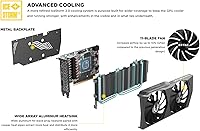
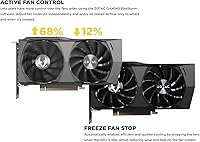
ZOTAC equips this Twin Edge OC card with 8GB of GDDR6 memory running at 14 Gbps, but the 128-bit memory bus is worth addressing head-on — it’s narrower than what some older mid-range cards offered, which can affect performance in texture-heavy scenes. The IceStorm 2.0 cooling setup is genuinely one of the better reasons to choose this card over a reference design: the fans stop completely at idle and under light desktop workloads, making it whisper-quiet when you’re browsing or streaming. Under gaming loads, Active Fan Control ramps speeds intelligently. Ampere’s DLSS support is useful at 1080p, though ray tracing at this tier demands meaningful quality trade-offs.

Best For

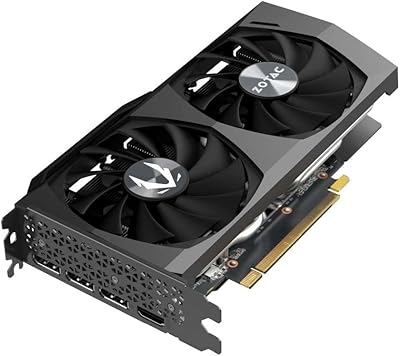
This mid-range Ampere GPU fits a clear audience. Budget-minded 1080p gamers who want 60-plus fps in titles like Valorant, CS2, or Fortnite will find it more than capable. Even older AAA games like The Witcher 3 or GTA V run well at high settings. The short card length and near-silent idle behavior make it a strong pick for HTPC and small form factor builds where thermals and noise matter as much as raw frame rates. First-time builders stepping up from integrated graphics will appreciate the easy installation and reliable driver experience. It also covers multi-monitor productivity setups with its four display outputs.

User Feedback

Across close to 950 ratings, this ZOTAC RTX 3050 holds a 4.6-star average — a solid score that reflects genuine satisfaction rather than hype. Buyers consistently call out quiet operation as a standout, with many noting they forget the card is running during regular desktop use. Installation gets frequent praise, particularly from first-time builders. Where the criticism lands is predictable and fair: some users coming from older cards with wider memory buses note that bandwidth can bottleneck in demanding titles, and a handful of buyers feel the value proposition has softened as competing cards have entered the market. Long-term reliability reports have been largely positive.

Pros

  • Freeze Fan Stop keeps this Twin Edge OC card completely silent during desktop use and light workloads.
  • 8GB of GDDR6 VRAM handles 1080p textures comfortably and leaves breathing room for multitasking.
  • Competitive titles like Valorant and CS2 run well into triple-digit frame rates at high settings.
  • DLSS support delivers tangible frame rate gains in supported games without needing a premium GPU.
  • Sub-9-inch card length fits comfortably in mid-tower, micro-ATX, and most HTPC enclosures.
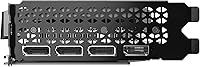
  • Four display outputs including HDMI 2.1 make multi-monitor configurations straightforward to set up.
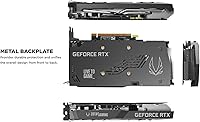
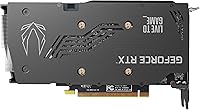
  • A solid metal backplate adds structural rigidity and a noticeably premium feel for the price tier.
  • A 4.6-star average across nearly 950 verified buyers reflects consistent, real-world satisfaction.
  • First-time builders consistently praise the simple, trouble-free installation experience.
  • PCIe 4.0 interface ensures reliable compatibility with current and near-future motherboard platforms.

Cons

  • The 128-bit memory bus creates a real bandwidth ceiling that shows up in texture-heavy modern games.
  • Demanding recent releases like Alan Wake 2 can expose frame rate limitations even at 1080p.
  • Ray tracing requires steep quality trade-offs on this mid-range Ampere GPU to remain playable.
  • 1440p gaming is technically possible but uncomfortable in anything more demanding than lighter or older titles.
  • Competing cards have eroded the value case since 2022, making price-per-performance comparisons essential.
  • Upgraders stepping up from a mid-range card just one generation old may find the performance gains modest.
  • Fan noise ramps up noticeably during sustained heavy gaming sessions despite whisper-quiet idle behavior.
  • Long-term driver stability feedback is mixed, with some owners reporting issues after certain NVIDIA updates.

Ratings

The ZOTAC RTX 3050 Twin Edge OC GPU earns a 4.6-star consensus across nearly 950 verified global ratings, and the scores below reflect a rigorous AI-assisted analysis of that feedback — filtered to remove bot, incentivized, and duplicate submissions for accuracy. This mid-range Ampere card has both genuine strengths and well-documented limitations, and both are transparently represented across every category. Whether buyers praise the near-silent idle behavior or flag the 128-bit memory bus constraint, every dimension of real-world ownership is accounted for here.

1080p Gaming Performance
76%
24%
In competitive titles like Valorant and CS2, this card consistently delivers 100-plus fps at high settings, making it a genuine fit for fast-paced 1080p play. Even in older open-world games like GTA V and The Witcher 3, frame rates stay comfortably above 60 fps at maxed-out visuals.
Newer, demanding titles expose the card's limits — Cyberpunk 2077 and Alan Wake 2 at high settings can push frame rates uncomfortably low even at 1080p. Buyers expecting consistent 60-plus fps in the most visually demanding recent releases without lowering settings may come away frustrated.
Memory Bandwidth
51%
49%
The 8GB of GDDR6 running at 14 Gbps handles 1080p texture loads and general multitasking without issue. For casual gaming and everyday productivity use, the available memory capacity is genuinely adequate and won't bottleneck typical 1080p workflows.
The 128-bit memory bus is the card's most significant technical weakness — it limits peak bandwidth in a way that becomes a real bottleneck in texture-heavy modern titles, and no amount of overclocking changes this structural constraint. Buyers coming from older cards with 192-bit or 256-bit buses will notice the difference in demanding scenes.
Noise Levels
84%
The Freeze Fan Stop feature is the standout here — during browsing, streaming, or office work, both fans switch off entirely, making the card completely inaudible. For HTPC and living room builds, this is genuinely one of the better passive-idle behaviors available at this price tier.
Under sustained gaming loads, the fans become noticeably audible as Active Fan Control ramps speeds up to maintain safe temperatures. It is not unusually loud, but buyers expecting silence during heavy gaming sessions — not just at idle — will need to temper expectations.
Value for Money
63%
37%
At launch, this card represented a reasonable entry into NVIDIA's Ampere ecosystem with DLSS and ray tracing access at a mid-range price. For first-time builders upgrading from integrated graphics or significantly older hardware, the performance jump still makes financial sense today.
Competing GPUs have made real inroads since 2022, narrowing the value gap considerably. Buyers doing price-per-performance comparisons may find alternatives that deliver more bandwidth or better rasterization at a comparable price, making this card a harder sell than it once was.
Thermal Management
82%
18%
The IceStorm 2.0 cooler keeps temperatures in check during sustained gaming sessions, with this Twin Edge OC card rarely breaching uncomfortable thermal limits under normal case airflow. Active Fan Control ramps speeds progressively rather than jumping abruptly, keeping thermals and acoustics balanced during longer play sessions.
In cases with limited airflow or during extended high-load sessions, the cooler can push temperatures toward the higher end of the safe operating range. The dual-fan setup, while effective, does not offer the same thermal headroom as the larger triple-fan coolers found on premium-tier models.
Build Quality
83%
The full-coverage metal backplate adds real structural rigidity, preventing the flex and sag that can affect lighter cards over time. At this price point, the overall fit and finish feels more premium than expected, and buyers consistently describe the card as feeling solidly constructed right out of the box.
While the dual-fan shroud is well-constructed, it uses a mix of plastic and metal that does not feel as robust as higher-tier ZOTAC models. A small number of buyers noted minor cosmetic imperfections upon delivery, though functional quality complaints remain rare across the review sample.
DLSS Performance
81%
19%
At 1080p, DLSS Quality mode delivers a meaningful frame rate boost with minimal perceptible image quality loss, and it is one of the more practical arguments for choosing an Ampere-based card. In games like Cyberpunk 2077, enabling DLSS can recover 20 to 30 percent additional fps, making otherwise borderline titles genuinely playable.
DLSS benefits are most pronounced at 1440p and above, so at 1080p the gains, while real, are less dramatic than at higher resolutions. Buyers expecting DLSS to transform demanding recent titles into consistently smooth experiences at this performance tier will find the feature helpful but not transformative.
Ray Tracing Performance
43%
57%
Hardware RT cores are present and functional, meaning supported titles do run with ray tracing enabled — a clear step up from cards without dedicated RT hardware. For lightly ray-traced effects in less demanding games, the feature works with only moderate settings adjustments.
Enabling ray tracing in demanding titles causes a significant frame rate penalty that typically makes the feature impractical without DLSS assistance, and even then the results at 1080p are a compromise. Buyers drawn to this mid-range Ampere GPU specifically for ray tracing will likely find the experience disappointing compared to cards one performance tier up.
Display Versatility
87%
Four display outputs — three DisplayPort 1.4a and one HDMI 2.1 — give buyers real flexibility for multi-monitor productivity setups, and the HDMI 2.1 port supports 4K at 120Hz for compatible displays. Connecting up to four screens for a wide desktop workspace is straightforward without additional hardware.
There is no USB-C or Thunderbolt output, which limits connectivity for users with newer monitors that rely on those interfaces. Buyers using older displays with only DVI or VGA inputs will need active adapters, adding cost and a potential point of failure to the setup.
Installation & Setup
91%
Across hundreds of reviews, first-time builders consistently describe installation as painless — standard PCIe slot fit, straightforward driver setup via GeForce Experience, and no compatibility surprises in most common build configurations. The sub-9-inch card length means clearance issues are rare even in moderately compact cases.
A small number of users reported needing to manually locate and install drivers after initial plug-in rather than relying on automatic detection. Buyers migrating from AMD hardware should perform a clean driver removal using DDU beforehand to avoid potential conflicts during the transition.
Driver Stability
71%
29%
For the majority of buyers, this card runs reliably across long gaming sessions with current NVIDIA driver releases, and day-to-day stability is rarely flagged as a concern in the review sample. Most users set it up and manage driver updates without incident for months or years.
A subset of long-term owners has reported instability or performance regressions following certain NVIDIA driver updates, requiring rollbacks to earlier versions to restore normal function. While not unique to this card or brand, it is worth monitoring driver release notes before updating on a stable system.
Multi-Monitor Productivity
86%
Running four monitors simultaneously for productivity, creative, or trading workflows is well-supported with no noticeable performance penalty during desktop use. The combination of DisplayPort 1.4a and HDMI 2.1 outputs provides practical flexibility across a wide range of monitor generations and connection types.
Running four displays while also gaming introduces overhead that can trim a few frames off performance compared to single-monitor configurations. Users targeting high-refresh multi-monitor gaming setups specifically may find the card's output bandwidth more constrained than expected for that particular use case.
Power Efficiency
78%
22%
With a 130W TDP, this card draws notably less power than higher-tier GPUs, making it practical for systems with modest power supplies and for users mindful of electricity costs during long sessions. It runs efficiently relative to the 1080p performance it delivers day to day.
Newer competing architectures from both NVIDIA and AMD deliver more performance per watt at a similar price point, meaning this card has aged in pure efficiency terms. Buyers prioritizing performance-per-watt as a key metric will find more compelling options among more recent GPU launches.
Form Factor Fit
88%
At under 9 inches long and just over 1.5 inches thick, this card drops into mid-tower, micro-ATX, and most HTPC enclosures without modification or bracket adjustments. Quiet-build enthusiasts particularly appreciate how well the compact dimensions align with popular smaller case options on the market.
The card is still too large for the most compact mini-ITX chassis, where GPU clearance can be as tight as 6 to 7 inches. Buyers targeting truly ultra-compact builds should verify their specific case's GPU length clearance specification carefully before purchasing.

Suitable for:

The ZOTAC RTX 3050 Twin Edge OC GPU is the right card for PC builders and upgraders whose primary goal is solid 1080p gaming without stretching into flagship GPU territory. Competitive gamers who spend most of their time in titles like Valorant, Fortnite, or CS2 will find frame rates well into the triple digits at high settings, while players of older AAA releases like The Witcher 3 or GTA V can count on 60-plus fps at maxed-out visuals. The compact design and near-silent fan stop behavior also make it a strong fit for HTPC enthusiasts and small form factor builders where quiet operation during desktop and media use is a genuine priority, not just a bonus. First-time builders will appreciate how painless the installation process tends to be, and the four display outputs make it a versatile option for multi-monitor productivity setups that occasionally double as gaming rigs. DLSS access adds real practical value at 1080p for users who want it, though ray tracing remains more of an experimental option than a core feature at this performance tier.

Not suitable for:

The ZOTAC RTX 3050 Twin Edge OC GPU is not built for buyers with ambitions beyond 1080p — if 1440p or 4K gaming is even a medium-term goal, this card will leave you wanting more sooner than you'd hope. The 128-bit memory bus is the single biggest hardware constraint here: it limits memory bandwidth in a way that surfaces clearly in texture-heavy modern titles, and it's a ceiling that no tuning or overclocking can raise. Demanding recent releases — think Cyberpunk 2077 at high settings or Alan Wake 2 in any meaningful visual configuration — will expose real frame rate pressure even at 1080p resolution. Ray tracing is accessible in principle, but at this tier it demands quality compromises that usually make the feature more trouble than it's worth in anything taxing. Buyers who've been tracking the GPU market will also find that competing cards have narrowed the value gap considerably since 2022, so a careful price-per-performance comparison is strongly worth doing before committing.

Specifications

  • GPU Architecture: Built on NVIDIA's Ampere architecture with 2nd-gen Ray Tracing cores and 3rd-gen Tensor cores for AI-accelerated rendering.
  • VRAM: Equipped with 8GB of GDDR6 video memory for handling 1080p textures, multitasking, and modern game asset loads.
  • Memory Speed: Video memory operates at 14 Gbps, providing adequate throughput for mainstream 1080p gaming workloads.
  • Memory Bus: Uses a 128-bit memory bus, which limits peak bandwidth compared to wider-bus alternatives available at a similar price tier.
  • Boost Clock: The GPU boosts up to 1807 MHz under load, reflecting ZOTAC's factory OC tuning above NVIDIA's reference specification.
  • PCIe Interface: Connects via PCIe 4.0, ensuring full bandwidth compatibility with current-generation motherboards and backward compatibility with PCIe 3.0 slots.
  • Cooling System: IceStorm 2.0 dual-fan cooler features Freeze Fan Stop, which completely halts both fans during idle and low-load operation.
  • Fan Control: Active Fan Control dynamically adjusts fan speeds based on real-time GPU temperature readings to balance acoustics and thermal headroom.
  • Display Outputs: Provides three DisplayPort 1.4a ports and one HDMI 2.1 port, supporting up to four simultaneous display connections.
  • Max Resolution: Supports a maximum output resolution of 7680x4320 (8K), though sustained gaming performance is optimized for 1080p.
  • Ray Tracing: 2nd-gen hardware RT cores enable real-time ray tracing, though demanding scenes require meaningful quality trade-offs at this performance tier.
  • DLSS Support: 3rd-gen Tensor cores support NVIDIA DLSS, delivering AI-upscaled frame rate improvements in compatible titles at 1080p resolution.
  • Dimensions: The card measures 8.82 x 4.58 x 1.54 inches, fitting standard mid-tower cases and many smaller form factor enclosures.
  • Weight: Weighs 2.14 pounds, classifying it as a mid-weight dual-slot card within standard PCIe retention tolerances.
  • Backplate: A full-coverage metal backplate provides structural rigidity and protects the PCB from flex and physical stress.
  • API Support: Fully supports DirectX 12 Ultimate, Vulkan RT API, and OpenGL 4.6 for broad compatibility with modern and legacy game engines.
  • HDCP Version: HDCP 2.3 compliance enables protected 4K content playback from streaming services and compatible Blu-ray sources.

Related Reviews
ZOTAC RTX 3060 Twin Edge OC GPU
80%
88%
1080p Gaming Performance
72%
1440p Gaming Performance
69%
Thermal Performance
84%
Noise Levels
91%
VRAM Capacity
More
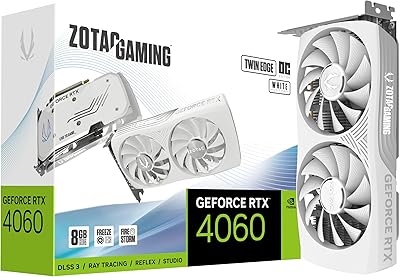
ZOTAC Gaming GeForce RTX 4060 8GB Twin Edge OC White Edition
83%
88%
1440p Gaming Performance
91%
Quiet Operation
87%
VR Compatibility
85%
Build Quality
82%
Overclocking Potential
More
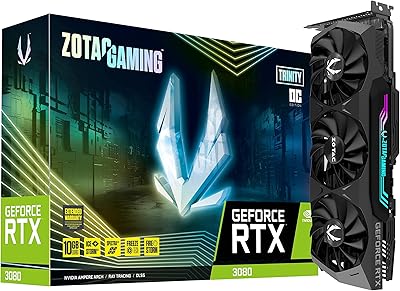
ZOTAC GeForce RTX 3080 Trinity OC LHR 10GB
85%
94%
Gaming Performance
88%
Cooling Efficiency
72%
Noise Level Under Load
90%
RGB Customization
89%
Value for Money
More
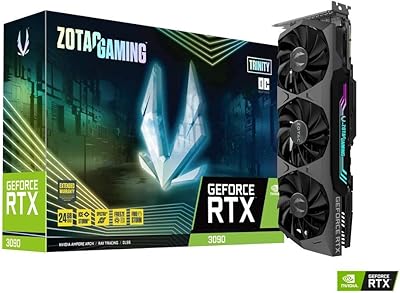
ZOTAC GeForce RTX 3090 Trinity OC 24GB Graphics Card
78%
88%
Thermal Performance
93%
VRAM Capacity & Utility
84%
Noise Levels
91%
Build Quality
58%
Value for Money
More
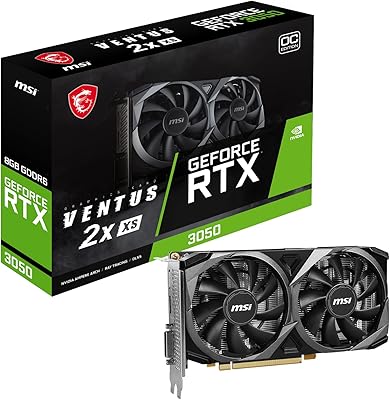
MSI RTX 3050 Ventus 2X 8GB GPU
74%
73%
1080p Gaming Performance
66%
Value for Money
81%
Thermal Performance
84%
Noise Level
77%
Build Quality
More
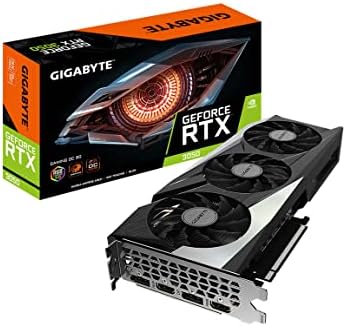
GIGABYTE GeForce RTX 3050 Gaming OC 8GB Graphics Card
84%
91%
Value for Money
88%
Gaming Performance (1080p)
89%
Cooling Efficiency
84%
Build Quality
86%
Noise Level
More
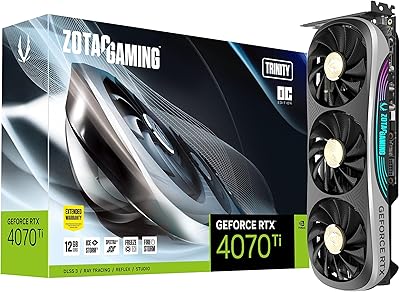
ZOTAC Gaming GeForce RTX 4070 Ti Trinity OC 12GB
87%
94%
Gaming Performance (4K/8K)
89%
Cooling and Noise
91%
Ray Tracing and DLSS 3
87%
Build Quality
90%
Compatibility with Multi-Monitor Setups
More
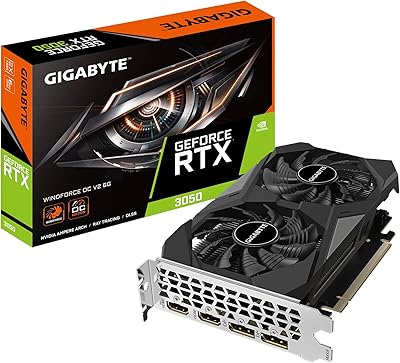
GIGABYTE GeForce RTX 3050 WINDFORCE OC V2 6G
79%
74%
1080p Gaming Performance
71%
Value for Money
83%
Cooling & Thermal Management
57%
Memory Bandwidth & Bus Width
91%
Installation & Setup Ease
More
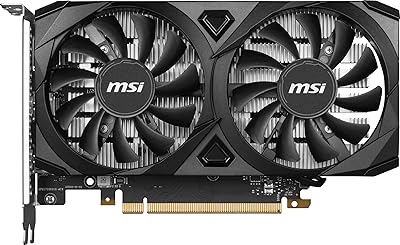
MSI RTX 3050 Ventus 2X Graphics Card
76%
71%
1080p Gaming Performance
48%
Memory Bandwidth
93%
Installation Ease
79%
Thermal Management
88%
Noise Level
More
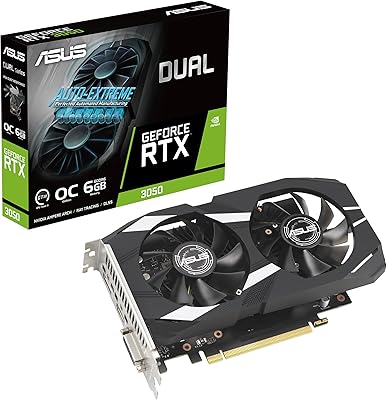
ASUS Dual GeForce RTX 3050 6GB OC
81%
78%
1080p Gaming Performance
58%
VRAM Adequacy
72%
Value for Money
83%
Thermal Performance
91%
Noise Level
More

FAQ

For most mainstream titles, yes. The ZOTAC RTX 3050 Twin Edge OC GPU handles 1080p gaming well in games like Valorant, CS2, Fortnite, and older AAA titles such as GTA V or The Witcher 3, typically reaching 60 to 100-plus fps at high settings. Newer, more demanding releases like Cyberpunk 2077 or Alan Wake 2 will require medium settings to stay consistently comfortable.

It fits in most mid-tower and micro-ATX builds without any trouble since the card is just under 9 inches long. Many smaller cases can accommodate it too, but if you're working with a mini-ITX chassis, check your case's GPU clearance specification before buying, as some ultra-compact designs cap out under 8 inches.

NVIDIA rates the RTX 3050 at a 130W TDP, and ZOTAC recommends at least a 550W PSU for a full system running this card. If your CPU is on the power-hungry side, a 650W unit gives you more comfortable headroom. Stick with a quality 80+ Bronze or better unit from a reputable brand to keep things stable.

Genuinely, yes — and it matters more than it might seem on paper. During browsing, video playback, or light office work, both fans stay completely off, making the card totally silent. For anyone building a quiet home theater PC or an office machine that doubles as a light gaming rig, this alone can be a meaningful deciding factor.

It can push 1440p in older or less demanding games, but this card was designed around 1080p and the limitations show at higher resolutions. The 128-bit memory bus restricts bandwidth in a way that hurts sustained performance in newer AAA titles at 1440p. If that resolution is your primary target, a step-up card is worth the extra investment.

At 1080p, DLSS can give a meaningful frame rate boost in supported titles by rendering internally at a lower resolution and using AI upscaling to sharpen the output. In games like Cyberpunk 2077, it can genuinely be the difference between choppy and playable. Using Quality mode keeps the visual trade-off minimal, and it's one of the more practical reasons to choose an Ampere-based card over older-generation alternatives.

Yes, it's a meaningful step forward — you gain DLSS support, hardware ray tracing access, and better performance in newer titles, along with faster GDDR6 memory. One thing worth knowing going in: the 128-bit bus is technically narrower than the 192-bit bus on the GTX 1060, though the higher memory speed largely compensates at 1080p. The jump is real, just not as dramatic as moving up two or three full generations.

It handles light video editing in apps like DaVinci Resolve or Premiere Pro reasonably well, especially on 1080p timelines. The 8GB of VRAM is adequate for entry-level creative work. That said, GPU rendering in Blender or heavy 4K color grading sessions will start showing strain, so how well it suits you really depends on the demands of your specific workflow.

You can connect up to four displays at once using the three DisplayPort 1.4a outputs and the single HDMI 2.1 port. Standard DisplayPort cables work with most modern monitors. For older screens that only have DVI or VGA inputs, you'll need an active adapter — passive adapters generally do not work reliably with DisplayPort connections.

Most long-term owners report no significant hardware failures, and the 4.6-star average across a large buyer sample suggests the card is solidly built. A small number of users have mentioned needing driver rollbacks after certain NVIDIA update releases, though this is not specific to this card or ZOTAC as a brand. Maintaining good airflow in your case and keeping drivers reasonably current covers most long-term reliability concerns.