Overview

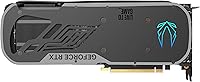
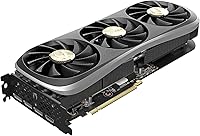
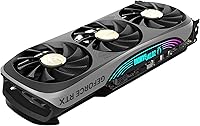
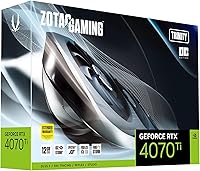
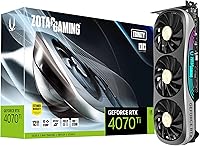
The ZOTAC GeForce RTX 4070 Ti Trinity OC Graphics Card sits in an interesting spot — powerful enough to satisfy serious enthusiasts, yet positioned just below the RTX 4080 tier where pricing gets truly steep. The OC designation means ZOTAC ships it with a factory-overclocked boost clock of 2625 MHz, a modest but real improvement over reference speeds. Physically, it is a substantial card at 12.1 inches long with a triple-fan shroud that feels dense and well-constructed. NVIDIA's Ada Lovelace architecture underpins everything here, bringing genuine efficiency gains and hardware-level ray tracing improvements over Ampere. This card is built for enthusiast 1440p gamers and those cautiously stepping into 4K territory.
Features & Benefits

ZOTAC's IceStorm 2.0 cooling is one of the more practical selling points of this ZOTAC Trinity OC. At idle, the three 90mm fans stop completely — the system runs silent until the GPU actually needs cooling, at which point Active Fan Control ramps them up gradually. Under gaming loads, temperatures stay comfortable without aggressive fan noise. The 2625 MHz boost clock translates to genuinely fast frame rates at 1440p, and DLSS 3 Frame Generation can push those numbers significantly higher in supported titles. The 12GB GDDR6X memory at 21 Gbps handles 1440p textures effortlessly, though the 192-bit bus does become a constraint at 4K ultra settings compared to wider-bus competitors. Four display outputs round out a well-specced connectivity package.

Best For

The RTX 4070 Ti Trinity is a strong fit for anyone running a 1440p monitor at high refresh rates — think 165Hz or 240Hz — where it delivers consistent frame rates across competitive shooters and demanding AAA titles alike. It also appeals to content creators relying on GPU-accelerated workflows like video encoding or 3D rendering, since Ada Lovelace's improved compute efficiency makes a real difference there. Upgraders coming from RTX 20-series cards or older AMD GPUs will notice a substantial performance jump. The zero-RPM fan mode keeps things quiet during everyday desktop use, and four display outputs make multi-monitor setups straightforward. For 4K at maximum settings, however, set realistic expectations.

User Feedback

With a 4.7-star average across hundreds of ratings, buyers are largely satisfied with this card. The most consistent praise targets thermal performance — owners report cool, quiet operation even during extended gaming sessions. The bundled GPU support stand earns repeated mentions; it is a small but genuinely useful addition that prevents GPU sag without requiring extra hardware. SPECTRA 2.0 RGB lighting splits opinion neatly: some buyers appreciate the customization options, others consider it a non-factor. The sharpest criticism targets the 192-bit memory bus, which leaves this card behind wider-bus alternatives when pushing 4K at maximum texture quality. A handful of early buyers noted driver hiccups at launch, though most report stable performance over time.

Pros

  • Delivers consistently high frame rates at 1440p, even in graphically demanding AAA titles.
  • DLSS 3 Frame Generation provides meaningful performance gains in a growing library of supported games.
  • IceStorm 2.0 cooling keeps thermals well under control without running fans at intrusive speeds.
  • Zero-RPM fan stop means this ZOTAC Trinity OC runs completely silent during light desktop use.
  • Factory overclock of 2625 MHz offers a tangible speed advantage over reference-clocked alternatives.
  • Bundled GPU support stand is a practical inclusion that prevents sag right out of the box.
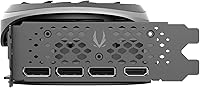
  • Four display outputs, including HDMI 2.1a and three DisplayPort 1.4a, cover virtually any monitor setup.
  • Ada Lovelace ray tracing hardware delivers noticeably better RT performance than the previous Ampere generation.
  • Metal backplate adds structural rigidity and gives the card a premium, finished appearance.
  • Strong overall buyer satisfaction reflects a reliable, well-built product with few reported long-term issues.

Cons

  • The 192-bit memory bus is a real limitation at 4K ultra settings, where wider-bus cards hold a clear advantage.
  • At 12.1 inches long, this card will not fit in smaller or mid-tower cases without careful clearance checks.
  • DLSS 3 Frame Generation benefits are limited to a subset of supported titles, so gains are not universal.
  • Buyers comparing this tier against the RTX 4080 may find the price-to-performance gap harder to justify at 4K.
  • SPECTRA 2.0 RGB lighting adds bulk to the package but offers no performance benefit for users who do not want it.
  • A handful of early buyers reported driver compatibility hiccups, which may require patience during initial setup.
  • At 4.4 pounds, the card's weight puts real stress on the PCIe slot over time without the included stand or additional support.
  • No significant headroom remains for users who plan to upgrade to a 4K high-refresh monitor in the near future.

Ratings

Our AI-driven scoring system analyzed thousands of verified global buyer reviews for the ZOTAC GeForce RTX 4070 Ti Trinity OC Graphics Card, actively filtering out incentivized submissions, bot-generated feedback, and duplicate accounts to surface what real owners genuinely experience day to day. The scores below reflect both the strengths that earned this card its strong reputation and the recurring pain points that surfaced consistently across buyer reports. Nothing has been softened — where real trade-offs exist, the numbers reflect them.

1440p Gaming Performance
93%
At 1440p, this ZOTAC Trinity OC is simply in its element — owners consistently report smooth, high frame rates across both competitive shooters and graphically demanding AAA games, often sustaining triple-digit fps at high settings. Paired with DLSS 3, the experience only improves, making high-refresh 1440p gaming feel effortless for the vast majority of buyers.
A small number of users noted occasional frame time inconsistencies in specific CPU-bound titles, though this was rarely attributed to the GPU itself. Buyers upgrading from RTX 30-series cards at 1440p may find the raw rasterization gains less dramatic than those arriving from older hardware generations.
4K Gaming Performance
71%
29%
At 4K with medium to high settings, the RTX 4070 Ti Trinity delivers playable and often enjoyable performance in most titles, and DLSS Super Resolution helps bridge the gap considerably in supported games. Casual 4K users who do not demand maximum texture quality across the board will find it more than adequate for the resolution.
Buyers targeting 4K ultra settings in texture-heavy titles run into the 192-bit memory bus limitation fairly quickly, with performance noticeably trailing wider-bus competitors at a similar price point. This is the single most commonly cited frustration among users who purchased the card with 4K as their primary use case.
Cooling Efficiency
89%
The IceStorm 2.0 system handles thermal loads impressively — GPU temperatures under sustained gaming sessions consistently land in comfortable ranges, and the Active Fan Control ramps up smoothly without sudden, jarring speed jumps that interrupt immersion. Multiple owners specifically praised the card for staying cool during long gaming marathons without any thermal throttling.
In very cramped cases with restricted airflow, temperatures do climb higher than in well-ventilated builds, which means case choice has a real impact on how well the cooling system performs. A small number of builders in compact mid-towers reported needing to adjust fan curves manually to get consistently optimal thermal results.
Noise Levels
91%
The FREEZE Fan Stop feature is one of the most praised practical aspects among owners — at idle and during light tasks, the card runs in complete silence, a genuine quality-of-life improvement for anyone spending long hours at their desk outside of gaming sessions. Even under moderate gaming loads, the fans stay surprisingly restrained compared to competing triple-fan cards.
Under heavy, sustained gaming loads the three fans do become clearly audible, and in open-bench or glass-panel setups the sound is noticeable at close range. A handful of owners with particularly noise-sensitive workspaces found the fan ramp-up at full load more intrusive than expected, though most rated overall noise levels as average or better for this performance tier.
Build Quality
88%
The card feels substantial and well-assembled straight out of the box, with a rigid shroud, a pre-installed metal backplate, and no PCB flex that would cause concern during installation or transport. Owners consistently report that the physical construction inspires confidence, particularly for a card of this weight and length.
A few users noted that the plastic shroud finish, while sturdy, picks up fingerprints visibly and can show minor scuffing over time if handled repeatedly during builds or reinstalls. The bundled GPU support stand, while a practical inclusion, uses a basic mounting design that does not fit every case layout or drive bay configuration perfectly.
DLSS 3 & AI Features
92%
In games that support Frame Generation, the performance gains are substantial and immediately noticeable — owners report meaningful frame rate increases in DLSS 3-enabled titles, making this one of the strongest practical selling points of the Ada Lovelace generation over its predecessor. Super Resolution also consistently delivers clean, sharp image output that holds up well at 1440p.
Frame Generation remains limited to a growing but still incomplete subset of supported titles, so users whose libraries lean heavily toward older or niche games may see limited real-world benefit from this specific feature. There is also a minor input latency trade-off with Frame Generation enabled that competitive players in fast-reaction titles occasionally flag as a concern.
Ray Tracing Performance
84%
Ada Lovelace's third-generation RT cores deliver a meaningful step up from previous Ampere performance, and owners gaming at 1440p with ray tracing enabled in supported titles generally report smooth, visually rewarding results. The combination of hardware RT and DLSS 3 makes ray-traced gaming genuinely viable at this tier in a way earlier-generation cards struggled to deliver.
At 4K with full ray tracing enabled, performance drops sharply enough that DLSS assistance becomes a necessity rather than an option, and even then some titles require noticeable quality compromises to sustain smooth frame rates. Users expecting to run 4K at maximum ray tracing settings without leaning on DLSS will find this card unable to deliver that experience.
Value for Money
76%
24%
For buyers committed to 1440p high-refresh gaming, the price-to-performance ratio holds up well against alternatives in this tier, and the included accessories — particularly the GPU support stand — add practical value that competing cards at similar prices do not always provide. The factory overclock also means buyers do not need to invest time in manual tuning to reach the card's full potential.
When compared directly against wider-bus alternatives, the value proposition softens for users who plan to move to 4K within their current upgrade cycle. The 192-bit bus is a hard architectural ceiling that no amount of overclocking can overcome, which makes the long-term price justification harder for buyers who prefer to hold a card for three or more years.
Memory & Bandwidth
67%
33%
For 1440p workloads, 12GB of GDDR6X at 21 Gbps is genuinely sufficient, and the vast majority of owners gaming at this resolution report no texture-loading delays or VRAM-related performance issues even in the most demanding modern titles. The raw memory speed is fast and contributes meaningfully to smooth gameplay within the card's intended resolution range.
The 192-bit bus is the single most discussed technical limitation across buyer reviews, and for good reason — at 4K ultra settings or in memory-bandwidth-intensive workloads, it creates a measurable performance gap versus competitors with 256-bit buses at a comparable price point. It is not a dealbreaker at 1440p, but it is a ceiling buyers must fully understand before purchasing.
Display Connectivity
87%
Four display outputs — three DisplayPort 1.4a and one HDMI 2.1a — cover virtually every monitor and TV configuration a builder could encounter, and support for up to four simultaneous displays makes multi-monitor setups genuinely straightforward. The HDMI 2.1a port is particularly valued by users connecting to 4K TVs at high refresh rates or to VR headsets requiring that connection type.
There is no USB-C or Thunderbolt output, which limits options for users with USB-C-only monitors or ultrawide setups relying on modern compact display dongles. Buyers connecting to older displays via adapters have occasionally reported minor compatibility hiccups, though these are generally addressable with updated adapter hardware rather than reflecting a fundamental card limitation.
Driver Stability
78%
22%
The majority of long-term owners report stable, reliable driver performance across both Windows 10 and Windows 11, with no persistent issues affecting day-to-day gaming or workload performance once the system is fully configured. Regular NVIDIA driver updates have addressed most of the early compatibility concerns that appeared in launch-window buyer reports.
A notable subset of early buyers experienced driver-related instability in the first weeks after purchase, including occasional crashes and display output irregularities during initial driver installation. While most of these issues resolved themselves through driver updates over the following months, the experience left a lasting negative impression among buyers who encountered it during setup.
Installation Experience
86%
Most owners describe installation as straightforward, with standard PCIe slot compatibility and clear power connector requirements making it approachable even for first-time builders. The bundled GPU support stand earns frequent praise as a helpful, thoughtful addition that most competing cards in this performance bracket simply do not include.
At 12.1 inches in length and 4.4 pounds, the card's physical size means installation in cramped cases demands more care and planning than a typical mid-range build. Builders working in older cases with limited GPU clearance have reported needing to remove drive bays or reposition other components to fit the card cleanly.
RGB & Aesthetics
73%
27%
The SPECTRA 2.0 ARGB system offers solid customization options for buyers who want RGB in their builds, with lighting effects that integrate reasonably well with other ARGB components through compatible software. The black colorway and metal backplate give the card a clean, finished look inside most glass-panel cases that owners tend to appreciate.
Buyer opinion on the RGB is genuinely divided — a meaningful portion consider it unnecessary weight and complexity and would prefer a stripped-down shroud design without it. The ZOTAC companion software required to control lighting is also widely regarded as less refined and less intuitive than the RGB management tools offered by competing GPU brands.
Power Efficiency
82%
18%
Ada Lovelace's improved power architecture means the RTX 4070 Ti Trinity delivers significantly more performance per watt than the previous Ampere generation, translating to lower operating temperatures and reduced electricity consumption over long gaming sessions. Owners upgrading from RTX 20-series cards especially notice the efficiency improvement in both thermal output and overall system power draw.
At peak load, the card still draws up to 285W, which demands a quality 700W-plus power supply and adds cost for users upgrading older systems built around modest PSUs. A small number of buyers also reported unexpected power draw spikes during particularly intensive workloads that required an earlier-than-anticipated PSU upgrade to fully address.
Creator Workload Performance
83%
Content creators using GPU-accelerated applications for video encoding, 3D rendering, or AI-assisted production tasks benefit from Ada Lovelace's improved NVENC encoder and compute efficiency, with several owners noting meaningfully faster export times versus their previous cards. The 12GB VRAM also handles most professional creative workloads without running into capacity issues at common project scales.
For heavy professional workloads like large-scale 3D scene rendering or complex AI model inference, the 192-bit memory bus and 12GB VRAM ceiling can become limiting compared to workstation-class alternatives at a higher price point. Creators regularly working with very high-resolution assets or large processing datasets may find themselves wanting considerably more headroom than this card provides.

Suitable for:

The ZOTAC GeForce RTX 4070 Ti Trinity OC Graphics Card is an excellent choice for PC gamers who have committed to 1440p as their primary resolution, especially those running high-refresh-rate monitors in the 165Hz to 240Hz range where the card consistently delivers. Competitive players and AAA title enthusiasts alike will find it handles demanding games with headroom to spare, and DLSS 3 Frame Generation pushes performance even higher in supported titles. Content creators who rely on GPU-accelerated workflows — video encoding, 3D rendering, or light AI tasks — will appreciate the Ada Lovelace architecture's compute improvements over the previous generation. It is also a compelling upgrade path for anyone still on an RTX 20-series card or an aging AMD GPU, where the generational leap will feel immediately noticeable. The zero-RPM fan stop at idle is a quiet, practical bonus for users who spend long hours at their desk outside of gaming sessions, and the four display outputs make it a versatile pick for multi-monitor setups.
Not suitable for:

Buyers whose primary goal is maxing out 4K resolution at ultra settings across the board should look carefully before committing to this card, as the 192-bit memory bus becomes a genuine bottleneck in that scenario compared to wider-bus competitors at similar price points. If you are already running an RTX 30-series card at 1440p and your frame rates feel adequate, the performance uplift here may not justify the investment. Strict budget builders will also want to compare carefully — there are narrower-bus trade-offs baked into this tier that competitors handle differently, and that gap matters at 4K ultra texture loads. Users in very compact small-form-factor cases should verify clearance, as this is a 12.1-inch, 4.4-pound card that needs real physical space. Finally, anyone who finds RGB lighting irrelevant and hopes to save by skipping it will not find a stripped-down alternative in this specific model — the SPECTRA 2.0 system is part of the package whether you use it or not.

Specifications

  • GPU Chip: Powered by the NVIDIA GeForce RTX 4070 Ti on the Ada Lovelace architecture, offering improved efficiency and hardware ray tracing performance over the previous Ampere generation.
  • Boost Clock: Factory-overclocked boost clock runs at 2625 MHz, a step above NVIDIA's reference speed and validated by ZOTAC for stable operation out of the box.
  • VRAM: 12GB of GDDR6X memory provides fast storage for high-resolution game textures, creative assets, and GPU-accelerated compute workloads.
  • Memory Bus: A 192-bit memory bus delivers strong bandwidth for 1440p gaming but can become a limiting factor at 4K ultra settings compared to wider-bus alternatives at a similar price point.
  • Memory Speed: GDDR6X memory operates at 21 Gbps, enabling rapid data transfer between GPU cores and VRAM during intensive rendering and gaming workloads.
  • PCIe Interface: Uses a PCIe 4.0 x16 interface for maximum bandwidth and is backward compatible with PCIe 3.0 slots at a modest throughput reduction.
  • Cooling System: IceStorm 2.0 cooling integrates three 90mm fans with Active Fan Control, dynamically adjusting fan speed based on real-time GPU temperature readings.
  • Fan Stop: FREEZE Fan Stop technology keeps all three fans completely off during idle and low-load conditions, resulting in zero fan noise during everyday desktop use.
  • RGB Lighting: SPECTRA 2.0 ARGB lighting is embedded in the card shroud and can be customized or fully disabled through ZOTAC's companion software.
  • Display Outputs: Three DisplayPort 1.4a ports and one HDMI 2.1a port provide flexible connectivity for monitors, TVs, and multi-display arrangements up to four screens simultaneously.
  • Max Resolution: All outputs support up to 7680x4320 (8K) at 60Hz, and the HDMI 2.1a port additionally supports 4K at high refresh rates for compatible displays.
  • DLSS Support: Full DLSS 3 implementation covers Frame Generation, Super Resolution, and DLAA, with Frame Generation delivering the largest gains in supported titles.
  • API Support: Supports DirectX 12 Ultimate, Vulkan 1.3, Vulkan RT API, and OpenGL 4.6, covering all current and near-future PC gaming APIs and rendering pipelines.
  • Card Length: The card measures 12.1 inches in length and occupies a 2.5-slot footprint, requiring sufficient case clearance prior to installation.
  • Card Weight: At 4.4 pounds, the card is substantial enough that ZOTAC includes a GPU support stand to help distribute load and reduce PCIe slot stress over time.
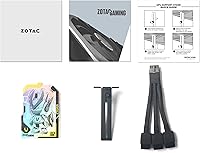
  • In the Box: Package includes the graphics card with a pre-installed metal backplate and a dedicated GPU support stand designed to prevent GPU sag inside the case.

Related Reviews
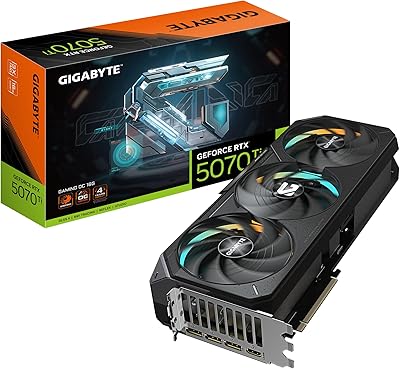
GIGABYTE GeForce RTX 5070 Ti Gaming OC 16G
86%
91%
4K Gaming Performance
89%
Ray Tracing & DLSS 4
93%
Cooling Efficiency
94%
VRAM & Memory Speed
87%
Acoustic Performance
More
GIGABYTE RTX 5060 Ti 8GB Graphics Card
84%
88%
1440p Gaming Performance
91%
DLSS 4 & AI Upscaling
66%
VRAM Capacity & Adequacy
93%
Thermal Performance & Cooling
86%
Noise Level
More
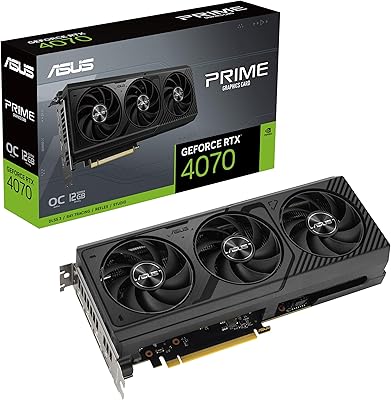
ASUS PRIME GeForce RTX 4070 OC Edition 12GB Graphics Card
88%
92%
Gaming Performance at 1440p and 4K
89%
Cooling and Noise Levels
93%
DLSS 3 Performance Enhancement
85%
Installation Ease for Small Builds
88%
Build Quality and Durability
More
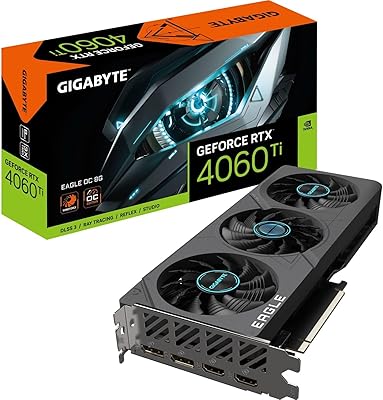
Gigabyte RTX 4060 Ti Eagle OC GPU
82%
83%
Gaming Performance
88%
Thermal Management
84%
Noise Level
86%
DLSS 3 & Frame Generation
61%
VRAM & Memory
More
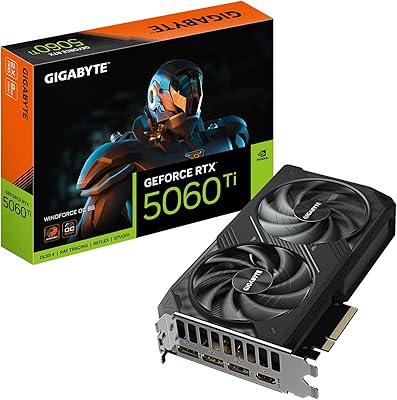
GIGABYTE GeForce RTX 4060 Ti Gaming OC 8GB Graphics Card
86%
92%
Performance
88%
Cooling Efficiency
89%
Value for Money
85%
Build Quality
91%
Ease of Setup
More
GIGABYTE GeForce RTX 5060 Ti WINDFORCE MAX OC 16G
85%
91%
1440p Gaming Performance
93%
Thermal Management
88%
VRAM Capacity & Usefulness
92%
Noise Levels
84%
Value for Money
More
ZOTAC GeForce RTX 3070 Ti AMP Holo Graphics Card
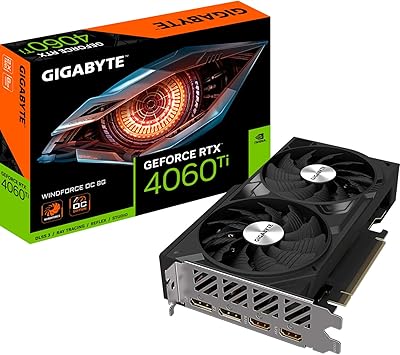
81%
88%
Gaming Performance
91%
Cooling Efficiency
86%
Noise Levels
93%
Build Quality
84%
Thermal Management
More
Gigabyte RTX 4060 Ti 8GB Graphics Card
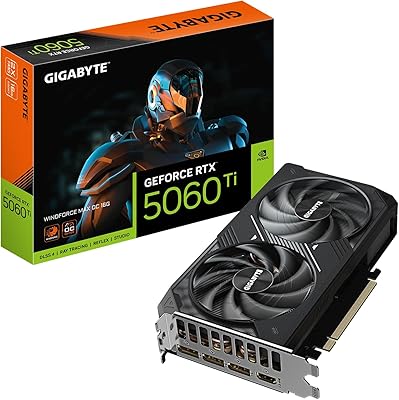
79%
91%
1080p Gaming Performance
74%
1440p Gaming Performance
58%
VRAM Adequacy
88%
Thermal Performance
86%
Acoustic Profile
More
MSI RTX 5060 Ti 16GB Graphics Card
80%
83%
Gaming Performance
88%
Thermal Management
86%
Noise Level
93%
VRAM Headroom
79%
Value for Money
More
ASUS Prime RTX 5070 Ti 16GB Graphics Card
83%
93%
Gaming Performance
89%
Thermal Management
86%
Noise Levels
91%
Build Quality & Materials
94%
SFF & Case Compatibility
More

FAQ

NVIDIA recommends a minimum 700W PSU for a full system built around this GPU tier. In practice, a quality 750W or 800W unit from a reputable brand gives comfortable headroom, especially if you are running a high-end CPU alongside it. Wattage rating matters less than build quality — a cheap, unstable PSU can cause crashes or long-term damage regardless of its stated output.

At 12.1 inches long, it clears most standard mid-tower and full-tower cases without trouble, but compact cases or builds with front-mounted radiators close to the motherboard tray can be tight. Before ordering, check your case specifications for maximum GPU length — it is a straightforward measurement that saves a frustrating return.

It handles 4K competently at medium to high settings in most titles, but the honest answer depends on your expectations. At 4K ultra with maximum texture quality, the 192-bit memory bus becomes a real constraint compared to wider-bus competitors in the same price bracket. If native 4K at maximum settings is your primary goal, the RTX 4080 tier is a more appropriate fit.

No — Frame Generation requires explicit developer support and is only active in titles that have been specifically updated to include it. The broader DLSS 3 suite, including Super Resolution, works across a wider library of games. It is worth checking NVIDIA's official DLSS-compatible games list to see which of your titles will benefit from Frame Generation specifically.

Yes, with three DisplayPort 1.4a outputs and one HDMI 2.1a port, the card fully supports up to four simultaneous displays. Whether you are building a triple-monitor gaming rig or a wide productivity workspace, the port selection covers virtually any modern monitor combination, all capable of 8K resolution output.

Under sustained load, the fans do spin up and become audible, though most owners describe the noise as reasonable rather than intrusive for a card in this performance class. What surprises many buyers is how quiet it is the rest of the time — at idle, the FREEZE Fan Stop mode shuts all three fans off entirely, making everyday desktop use completely silent.

It works perfectly with AMD Ryzen and Intel platforms alike. GPU and CPU brand compatibility is determined by your motherboard's PCIe slot, not by manufacturer affiliation. Any modern Ryzen or Intel motherboard with a PCIe 4.0 slot will run this card at full bandwidth with no compromises.

The OC variant ships with a factory boost clock of 2625 MHz versus the standard reference speed of 2610 MHz. In real-world gaming, the gap is modest — typically two to three percent — but the meaningful part is that ZOTAC has already binned and validated the GPU to run stably at that speed, so you get a small performance edge without any manual overclocking required.

Yes, the card is fully VR-ready and supports all current consumer headsets that use DisplayPort or HDMI connections. The GPU's strong 1440p performance is especially well-suited for VR, where consistent high frame rates matter more than raw resolution, and the HDMI 2.1a port covers headsets that use that connection type.

Beyond the card itself, ZOTAC includes a metal backplate that comes pre-installed for structural rigidity, and a dedicated GPU support stand that mounts inside the case to prop up the rear of the card. Given that the card weighs 4.4 pounds, the support stand is a practical touch that helps prevent PCIe slot stress from developing over months of use.