Overview

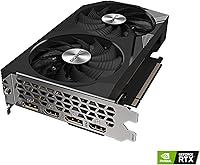
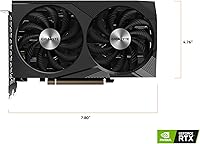
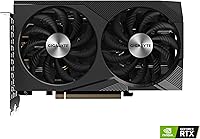
The GIGABYTE GeForce RTX 3060 WINDFORCE OC 12GB Graphics Card sits comfortably in GIGABYTE's well-regarded WINDFORCE lineup — a family known for solid thermal performance without the inflated price tag of flagship coolers. This is a rev. 2.0 iteration, which typically signals a more refined manufacturing run with minor engineering improvements baked in. Expect confident 1080p performance across demanding AAA titles and a genuine shot at 1440p in games that aren't pushing every graphical slider to the limit. The 12GB of VRAM is the real headline here — unusually generous for this price bracket and worth factoring in if you care about how long the card stays relevant.
Features & Benefits

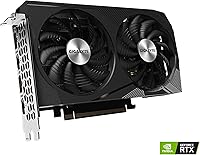
The dual WINDFORCE fans spin in alternating directions — a design choice that cuts turbulence and keeps noise impressively low during typical gaming sessions. You probably won't hear this card over your keyboard on most nights. The 12GB GDDR6 memory on a 192-bit bus handles high-resolution textures and heavily modded games without the stutters you'd expect from a card with less headroom. Out of the box, the factory overclock pushes the boost clock to 1792 MHz, so you're already pulling above-reference performance before touching any tuning software. Ray tracing and DLSS are both on board, though DLSS-assisted ray tracing at 1080p is where you'll realistically land playable frame rates.

Best For

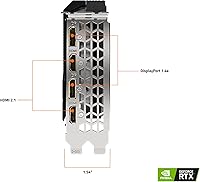
This GIGABYTE RTX 3060 hits a practical sweet spot for 1080p gaming enthusiasts who want strong frame rates in competitive and AAA titles without chasing top-tier pricing. If you're still on a GTX 1060 or 1070, the jump in rasterization performance alone — plus hardware ray tracing — makes this a genuinely satisfying generational upgrade. Content creators who dabble in video editing or light 3D work will appreciate the VRAM cushion; 12GB gives breathing room that cheaper cards in this class simply can't match. It's also a clean pick for anyone building a home theater PC or running multiple displays, given the flexible HDMI and DisplayPort output options.

User Feedback

Among verified buyers, near-silent cooling is the most consistently praised trait — most people report barely noticing the card during normal gaming sessions. Installation gets high marks too, with the dual-slot design sliding into ATX mid-towers without drama. Where feedback gets more nuanced is thermals: a vocal minority of users in compact or poorly ventilated builds report elevated temps under sustained, heavy loads. That's not alarming for a card of this class, but if your case airflow is questionable, it's worth addressing before blaming the GPU. Driver stability and plug-and-play setup draw consistent praise, and long-term owners note the rev. 2.0 build feels more polished than the original release.

Pros

  • The 12GB GDDR6 VRAM is unusually generous at this price tier and holds up well with modded and texture-heavy games.
  • Dual WINDFORCE fans keep noise levels impressively low during typical gaming — most users won't hear it over ambient sound.
  • Factory overclock delivers above-reference performance straight out of the box with no tuning required.
  • DLSS support meaningfully boosts frame rates in compatible titles, making 1440p gaming a realistic option.
  • Compact dual-slot design installs cleanly in standard ATX mid-towers with no clearance headaches.
  • Rev. 2.0 refinements result in a build quality that feels more polished than the original release.
  • Driver stability is consistently praised — plug it in, install drivers, and it simply works.
  • HDMI and DisplayPort outputs offer solid flexibility for multi-monitor or home theater setups.
  • A strong generational upgrade for anyone still on GTX 10- or 16-series hardware across both performance and feature sets.
  • A 4.7-star rating across thousands of verified buyers signals broad, sustained real-world satisfaction.

Cons

  • Native 4K gaming at high settings is out of reach without relying on DLSS to compensate for raw performance limits.
  • Ray tracing performance drops sharply in demanding titles — it works best only with DLSS enabled at 1080p.
  • Users upgrading from RTX 20-series mid-to-high-end cards may find the performance delta disappointing.
  • Small-case and mini-ITX builders should be cautious — thermals climb under sustained heavy workloads in tight enclosures.
  • The RTX 30-series is a maturing platform, and newer architectures offer better power efficiency for similar or greater performance.
  • No passive or semi-passive fan mode is confirmed, which may matter to users in near-silent build configurations.
  • The 192-bit memory bus, while capable, can become a limiting factor compared to wider-bus competitors at similar price points.
  • Competitive multiplayer gamers chasing maximum frame rates may need to compromise on visual settings more than expected.

Ratings

The scores below reflect an AI-driven analysis of thousands of verified global buyer reviews for the GIGABYTE GeForce RTX 3060 WINDFORCE OC 12GB Graphics Card, with spam, bot-submitted, and incentivized feedback actively filtered out before scoring. Each category is evaluated on real-world usage patterns reported by actual owners — from daily gaming sessions to long-term reliability observations. Both the standout strengths and the genuine frustrations are weighted transparently, so the numbers reflect how buyers actually experience this card over time.

1080p Gaming Performance
88%
In day-to-day gaming at 1080p — whether that is running through open-world AAA titles or grinding competitive shooters — owners consistently report smooth, high-frame-rate experiences without needing to heavily compromise on visual settings. The factory overclock gives an immediate edge over reference-clocked alternatives right out of the box.
Users tackling the most graphically intensive recent releases occasionally note that ultra settings require a step down to maintain frame rate consistency. It is a capable card, but it is not immune to the ceiling imposed by its rasterization architecture in truly demanding scenes.
Thermal Management
74%
26%
Under typical gaming loads, the dual WINDFORCE fans keep temperatures firmly in a comfortable range, and the alternate-spin blade design genuinely reduces the turbulence noise that plagues some competing coolers. Most users gaming in well-ventilated mid-towers report temperatures that never become a concern.
A meaningful subset of owners in compact or poorly ventilated cases report elevated sustained temperatures during extended heavy workloads like long rendering jobs or back-to-back benchmark runs. The card is not poorly designed thermally, but it does reward good case airflow and punishes the absence of it.
Noise Level
86%
Near-silent operation under light-to-moderate gaming loads is one of the most frequently praised traits across buyer reviews. Users working in quiet home office setups or gaming in shared spaces consistently note that the card barely registers over ambient room noise during everyday use.
At sustained full load, the fans do become audible — not alarmingly loud, but noticeable in a quiet room. This is expected behavior for active cooling, though buyers coming from water-cooled or semi-passive setups may find the spin-up under stress more intrusive than anticipated.
VRAM Capacity
93%
The 12GB GDDR6 buffer is the card's most forward-looking attribute and one buyers genuinely feel in practice — heavily modded games, high-resolution texture packs, and 4K asset pipelines in creative software all run more cleanly compared to the 8GB cards that dominate this price bracket. Long-term owners specifically call this out as the reason the card has aged better than expected.
The 192-bit memory bus, while adequate, is narrower than the 256-bit configurations found on competing higher-tier options, which limits the raw bandwidth advantage of that large VRAM pool in bandwidth-sensitive scenarios. It is a trade-off that rarely affects typical gaming but is worth noting for professional workloads.
Ray Tracing Performance
63%
37%
In well-optimized titles at 1080p with DLSS engaged — games like Control or Metro Exodus Enhanced Edition — ray tracing produces a visually meaningful upgrade and remains playable enough to genuinely enjoy. Users who pair RT with DLSS Balanced mode report a satisfying experience that feels like a feature rather than a gimmick.
Without DLSS acting as a frame rate lifeline, enabling ray tracing in demanding titles cuts performance to uncomfortable levels. Buyers who expected to run high-quality ray tracing settings natively in the latest releases are frequently disappointed, and the 2nd-generation RT Cores simply cannot match what newer GPU architectures deliver in this area.
DLSS Support
84%
3rd-generation Tensor Cores power DLSS 2.x upscaling, and in practice this translates to a genuinely useful tool for squeezing playable frame rates out of 1440p or ray-traced scenarios that would otherwise be too demanding. Buyers using DLSS in Quality mode at 1440p report image quality that holds up surprisingly well.
DLSS 3 Frame Generation — NVIDIA's newer and more aggressive upscaling technology — is exclusive to the RTX 40-series and unavailable on this card, which is a relevant limitation for buyers thinking about long-term software feature access. The gap between DLSS 2 and DLSS 3 will become more noticeable as game developers lean further into the newer implementation.
Build Quality
89%
The rev. 2.0 designation carries weight here — long-term owners who have experience with the original release consistently describe the newer iteration as more solid in construction, with tighter fan tolerances and a more premium feel to the shroud and backplate. The card holds up well across months of daily use without any reported structural degradation.
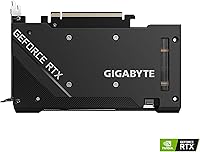
There is no metal backplate on all variants, which some buyers notice when handling the card during installation. The aesthetic is functional rather than flashy — no RGB, no aggressive styling — which is a deliberate choice but may disappoint builders who care about the look of their rig through a windowed panel.
Installation Ease
91%
Reviewers of all experience levels — from first-time builders to veteran enthusiasts — highlight how straightforward the installation process is. The dual-slot form factor clears standard ATX case layouts comfortably, and driver installation through NVIDIA's standard software pipeline generates almost no complaints.
A small number of users in cases with tight GPU clearance near the front panel or cable management routing report minor fitment friction, though this is more a case design issue than a card design flaw. Power connector routing can be awkward in some chassis depending on where the PSU cable exits.
1440p Gaming Performance
71%
29%
In less demanding titles and esports games, this mid-range GPU handles 1440p well enough that buyers using it at that resolution report genuine satisfaction — especially when DLSS is available to offset the resolution overhead. For gamers who are not exclusively chasing the latest ultra-demanding releases, 1440p is a realistic daily resolution.
Pushing demanding AAA titles at native 1440p with high settings is where the card's limitations become visible, with frame rates dropping into ranges that feel inconsistent for competitive play. Buyers who intended to use this card as their primary 1440p driver for the next three or more years may find it underwhelming sooner than expected.
Driver Stability
87%
Consistent praise for plug-and-play driver reliability appears across a wide range of buyer profiles and system configurations. Users report that the card works correctly from the first boot without the crashes, black screens, or repeated reinstalls that have historically plagued some competing GPU launches.
A small fraction of users report occasional driver-related artifacts or crashes tied to specific game or software combinations, though these appear to be isolated incidents rather than systemic issues. NVIDIA's driver update cadence means periodic mandatory updates that some users find disruptive to stable configurations.
Value for Money
78%
22%
At its typical street price, the WINDFORCE OC card offers a combination of VRAM, cooling quality, and out-of-box performance that is genuinely hard to match among new cards at the same tier. Buyers upgrading from significantly older hardware feel the value proposition most acutely, often describing the purchase as a clear and justified upgrade.
The growing availability of RTX 40-series cards at competitive price points complicates the value calculation for buyers who take a longer investment horizon. Used RTX 3070 units occasionally surface at similar prices with stronger raw performance, making the decision less clear-cut than it would have been a year ago.
Compatibility
92%
PCIe 4.0 with full backward compatibility to PCIe 3.0 means this card slides into a broad range of motherboards without any configuration headaches. Users across Intel and AMD platform builds report universal compatibility with no chipset-specific issues surfacing in reviews.
The power connector configuration may require an adapter depending on the PSU brand and cable set in older systems, which a handful of users flag as a minor but unexpected step during installation. Buyers with aging power supplies near the lower wattage threshold should verify their unit can support the card under peak draw.
Creative Workload Performance
76%
24%
For hobbyist and semi-professional creative work — 4K video editing timelines, Blender renders, and GPU-accelerated exports — the 12GB VRAM buffer allows this card to handle workloads that would cause 8GB alternatives to stutter or rely heavily on system RAM overflow. Users in content creation workflows describe it as a capable daily driver for non-studio-grade projects.
The RTX 3060 is not purpose-built for professional creative pipelines, and users running compute-heavy tasks like large AI model inference or multi-layer compositing in high-end software will hit its ceiling relatively quickly. Those with serious professional workload demands should look at workstation-class alternatives rather than expecting this card to scale with them.
Multi-Monitor Support
83%
Running a dual or triple monitor setup is a smooth experience — the combination of HDMI and DisplayPort outputs covers the vast majority of modern display configurations, and buyers using it for productivity or home theater purposes report stable multi-display operation without signal or bandwidth issues.
The specific number of simultaneous active outputs on this board variant limits flexibility for users who want to drive more than two or three displays at once. Buyers planning elaborate multi-monitor arrays involving mixed refresh rate and resolution panels should verify output configuration compatibility before purchasing.

Suitable for:

The GIGABYTE GeForce RTX 3060 WINDFORCE OC 12GB Graphics Card is a strong match for PC gamers who prioritize smooth 1080p performance and want genuine 1440p capability in less demanding titles without stretching into premium GPU territory. Builders upgrading from GTX 10- or 16-series cards will notice an immediate and meaningful difference — not just in raw frame rates, but in gaining access to hardware ray tracing and DLSS upscaling for the first time. The 12GB VRAM buffer is particularly valuable for players who run heavily modded games or push high-resolution texture packs, where cards with tighter memory budgets start to struggle. Light content creators — those doing 1080p or 4K video editing, motion graphics work, or hobbyist 3D rendering in tools like Blender — will also find the memory headroom genuinely useful rather than just a marketing number. Anyone setting up a home theater PC or a multi-monitor workstation will appreciate the flexible output options without needing to spend more than necessary.
Not suitable for:

The GIGABYTE GeForce RTX 3060 WINDFORCE OC 12GB Graphics Card is not the right choice for gamers whose primary goal is native 4K gaming with high settings and stable frame rates — the GPU horsepower simply isn't there without leaning heavily on DLSS, which softens the experience compared to native rendering. Buyers expecting ray tracing to work at high quality across demanding modern titles will also be disappointed; it's best treated as a situational feature rather than an everyday setting at this performance tier. If you're already running an RTX 20-series card like a 2070 or 2080, the real-world performance jump is modest enough that this upgrade may feel underwhelming for the investment. Users in compact or mini-ITX builds with limited airflow should also think carefully — sustained workloads can push temperatures higher than ideal in poorly ventilated cases, and this card is not passively cooled. Finally, enthusiasts eyeing the RTX 40-series for longer-term relevance and efficiency gains may find it worth stretching the budget or waiting, since newer architectures offer a more forward-looking investment.
Specifications

  • GPU: Powered by the NVIDIA GeForce RTX 3060 Ampere architecture, built on Samsung's 8nm process node.
  • VRAM: 12GB of GDDR6 memory provides substantial headroom for high-resolution textures, modded games, and light creative workloads.
  • Memory Interface: The 192-bit memory bus delivers a memory bandwidth suited to smooth 1080p and moderate 1440p workloads.
  • Boost Clock: Factory overclocked boost clock runs at 1792 MHz, offering above-reference performance without requiring manual tuning.
  • Memory Speed: GDDR6 memory operates at an effective speed of 15000 MHz for responsive data throughput during intensive rendering tasks.
  • Cooling System: Dual WINDFORCE fans with alternate-spin blade design reduce turbulence and improve heat dissipation across the heatsink surface.
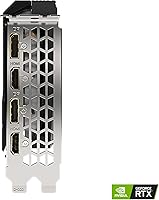
  • Display Outputs: Equipped with HDMI and DisplayPort connectors to support multi-monitor configurations and home theater setups.
  • Max Resolution: Supports output resolutions up to 7680x4320 pixels (8K) across compatible displays and connection types.
  • RT Cores: 2nd-generation RT Cores enable hardware-accelerated ray tracing for supported games and rendering applications.
  • Tensor Cores: 3rd-generation Tensor Cores power NVIDIA DLSS upscaling, helping recover frame rates lost when ray tracing is enabled.
  • Form Factor: Dual-slot card measuring 198mm in length, compatible with standard ATX mid-towers and many compact cases.
  • Power Connector: Requires a single 12-pin or dual 8-pin power connector input depending on adapter configuration; a 650W PSU is recommended.
  • PCIe Interface: Uses a PCIe 4.0 x16 interface and remains fully backward compatible with PCIe 3.0 motherboard slots.
  • Revision: This is the Rev. 2.0 iteration of the WINDFORCE OC design, reflecting a refined manufacturing and component run over the original.
  • Weight: The card weighs approximately 1.85 pounds, consistent with a mid-range dual-fan cooler design.
  • Color: Finished in black with GIGABYTE's standard WINDFORCE shroud styling, without RGB lighting elements.
  • API Support: Fully supports DirectX 12 Ultimate, OpenGL 4.6, and Vulkan for broad compatibility across modern games and software.
  • Chipset Brand: NVIDIA serves as the chipset manufacturer, with GIGABYTE handling board design, cooling, and factory overclocking.

Related Reviews
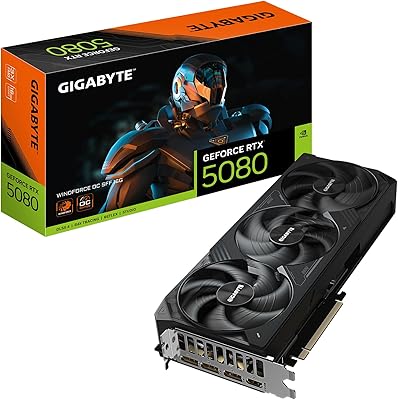
GIGABYTE GeForce RTX 5080 WINDFORCE OC SFF 16G
78%
93%
Gaming Performance
91%
DLSS 4 & AI Features
89%
SFF Compatibility & Fit
86%
Thermal Performance
84%
Noise Levels
More
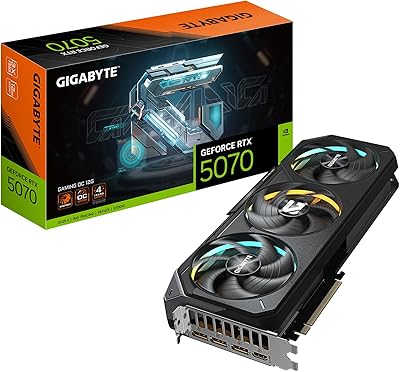
GIGABYTE RTX 5070 Gaming OC 12GB GPU
83%
93%
Gaming Performance at 1440p
76%
4K Gaming Capability
91%
Thermal Performance
94%
DLSS 4 and Multi Frame Generation
89%
Build Quality and Construction
More
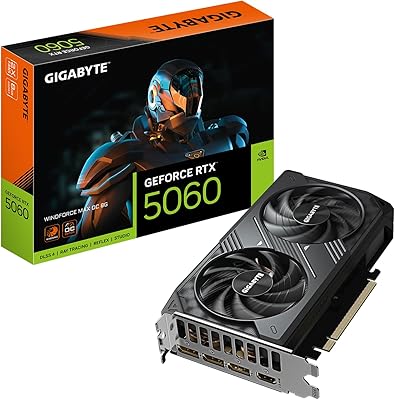
GIGABYTE RTX 5060 WINDFORCE OC 8GB GPU
81%
93%
1080p Gaming Performance
76%
1440p Gaming Performance
61%
VRAM Adequacy
88%
Thermal Performance
84%
Noise Levels
More
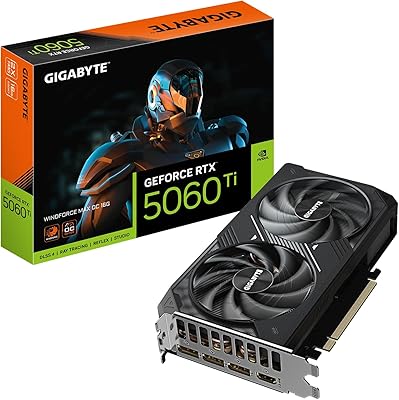
GIGABYTE RTX 5060 Ti 8GB Graphics Card
84%
88%
1440p Gaming Performance
91%
DLSS 4 & AI Upscaling
66%
VRAM Capacity & Adequacy
93%
Thermal Performance & Cooling
86%
Noise Level
More
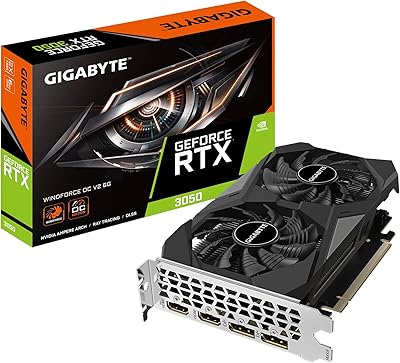
GIGABYTE GeForce RTX 3050 WINDFORCE OC V2 6G
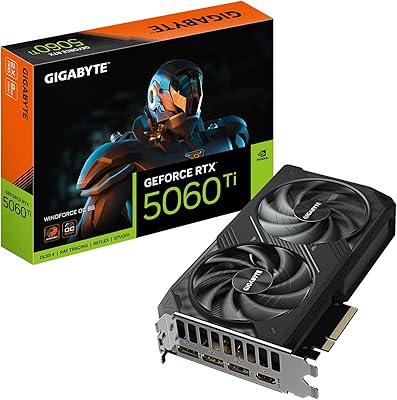
79%
74%
1080p Gaming Performance
71%
Value for Money
83%
Cooling & Thermal Management
57%
Memory Bandwidth & Bus Width
91%
Installation & Setup Ease
More
GIGABYTE GeForce RTX 5060 Ti WINDFORCE MAX OC 16G
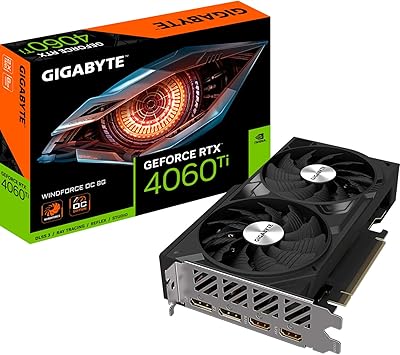
85%
91%
1440p Gaming Performance
93%
Thermal Management
88%
VRAM Capacity & Usefulness
92%
Noise Levels
84%
Value for Money
More
Gigabyte NVIDIA GeForce RTX 4060 Ti WINDFORCE OC 8GB Graphics Card
86%
90%
Gaming Performance
92%
Value for Money
89%
Ray Tracing & DLSS
88%
Cooling & Noise
85%
Installation & Setup
More
ASUS ROG Strix NVIDIA GeForce RTX 3060 V2 OC Edition 12GB Graphics Card
85%
91%
Gaming Performance
88%
Value for Money
89%
Cooling Efficiency
84%
Ease of Installation
87%
Design and Build Quality
More
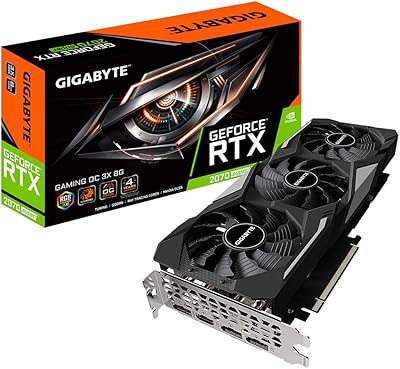
Gigabyte GV-N207SGAMING OC-8GD GeForce RTX 2070 Super Gaming OC 8GB Graphics Card
86%
91%
Gaming Performance
94%
Cooling Efficiency
87%
Ray Tracing Capabilities
89%
Build Quality
92%
Value for Money
More
GIGABYTE GeForce RTX 4070 Super WINDFORCE OC 12GB
88%
94%
4K Gaming Performance
88%
Cooling Efficiency
90%
Build Quality
85%
Noise Levels
81%
Value for Money
More

FAQ

For 1080p gaming it still holds up well across most titles, including demanding AAA releases, though you may need to dial back a setting or two in the most GPU-intensive games to keep frame rates comfortable. The 12GB of VRAM genuinely helps here — it avoids the texture pop and stuttering you sometimes see with cards that have tighter memory budgets. It is not a forever card, but it has more runway left than many alternatives at this price point.

Almost certainly yes. At 198mm long and occupying two expansion slots, it is a relatively compact dual-fan card that slides into most standard ATX and even some micro-ATX mid-towers without issue. Just double-check your case's listed GPU clearance spec if you are working with a particularly tight or unusual layout.

During typical gaming sessions, it runs surprisingly quietly — most users report barely noticing it. Under prolonged, heavy workloads like extended benchmark runs or all-day rendering jobs, the fans do spin up more noticeably, but it does not reach the kind of jet-engine noise some older mid-range cards were known for.

NVIDIA recommends at least a 650W PSU for an RTX 3060-based system, and that is a reasonable target. If your current build already has a quality 550W or 600W unit powering a modest CPU and a few drives, you may be fine, but 650W gives you a proper headroom buffer and avoids stability issues under peak load.

It is genuinely usable, but you need to set realistic expectations. In titles that implement ray tracing efficiently — like Control, Cyberpunk 2077 at medium RT settings, or Metro Exodus — you can get a playable experience at 1080p with DLSS set to Balanced or Performance mode. Turning ray tracing on without DLSS in demanding games will tank your frame rates, so treat them as a pair rather than independent options.

Typically, GIGABYTE includes minimal accessories — usually just documentation and sometimes a power adapter cable. Do not expect a full cable kit. If you need a specific adapter for your monitor, plan to pick one up separately before the card arrives.

For 1080p and 4K timeline editing in software like DaVinci Resolve or Premiere Pro, the 12GB VRAM is a genuine advantage over tighter cards, allowing heavier effect stacks without dropping to proxy workflows as quickly. GPU-accelerated exports are noticeably faster than integrated or older discrete graphics. It is not a professional workstation card, but for creators working at a hobbyist or semi-professional level, it handles the workload confidently.

Not if your case has decent airflow. Under normal gaming conditions, temperatures are well-managed. The concerns you may have read about are mostly from users in very compact cases with limited ventilation or those running sustained all-core loads for extended periods. Make sure you have at least one intake and one exhaust fan in your case, and the card will behave itself without issue.

Yes, the card supports multi-monitor configurations. It offers both HDMI and DisplayPort outputs, and the RTX 3060 architecture supports up to four simultaneous displays. You will need to confirm the exact number and type of output ports on this specific board variant, but a two- or three-monitor setup is well within its capabilities.

It is a genuine trade-off worth thinking through. A used RTX 3070 typically delivers stronger raw rasterization performance and a wider 256-bit memory bus, which helps at 1440p. However, the WINDFORCE OC card has 12GB of VRAM versus the 3070's 8GB, which matters for certain workloads and will matter more as games continue to get more memory-hungry. If you prioritize peak frame rates and are confident in the seller, a used 3070 is compelling — but if you value the warranty, known condition, and that VRAM buffer, the new GIGABYTE card makes a defensible case for itself.

Where to Buy