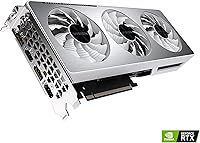
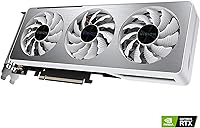
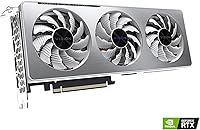
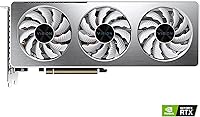
Overview

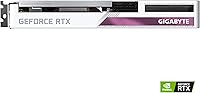
The GIGABYTE RTX 3060 Ti Vision OC GPU is GIGABYTE's answer to a specific but growing demand: a capable mid-range graphics card that looks as good as it performs. Built around NVIDIA's Ampere architecture, it targets 1080p and 1440p gaming without the steep cost of flagship options. Released in mid-2021, it remains a relevant choice today — both new and on the used market. The LHR designation simply means the card shipped with a reduced mining hash rate; for gamers, that detail has zero impact on day-to-day gaming performance.

Features & Benefits

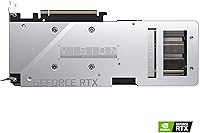
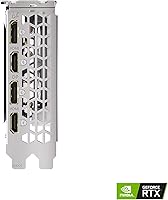
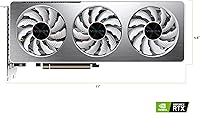
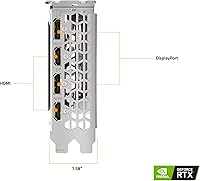
The WINDFORCE 3X cooling is one of this GIGABYTE Vision OC card's most practical advantages. Three 80mm fans with alternating spin directions keep turbulence low and temperatures controlled even during long gaming sessions. The 8GB of GDDR6 memory on a 256-bit bus handles modern titles confidently at 1440p, while NVIDIA's Ampere architecture brings real hardware ray tracing and DLSS — not just spec-sheet talking points. A factory overclock adds a genuine, if modest, performance bump right out of the box. The all-white shroud pulls the whole package together visually, and both DisplayPort and HDMI outputs are covered for flexible monitor setups.

Best For

This mid-range GPU is a natural fit for 1440p gamers who want smooth, consistent framerates in demanding titles without the cost of a top-tier card. If you are building a white or light-themed system and care about aesthetics, the RTX 3060 Ti Vision is one of very few options that genuinely delivers on looks without giving up performance. Content creators doing moderate video editing or rendering will also find value here, as Tensor Core support can accelerate certain workflows meaningfully. Anyone stepping up from a GTX 1060 or 1660 will feel a significant jump. Just temper expectations for sustained 4K gaming — that is not really its lane.

User Feedback

Across a wide range of buyer reviews, the pattern is consistent: owners are happy with how quietly it runs, even under sustained load, and many note temperatures stay well within comfortable limits. Build quality gets regular compliments, and the white shroud is frequently highlighted in build showcase photos. That said, a notable minority has flagged coil whine under heavy load, and some users encountered minor driver hiccups during initial setup. Fitment is worth checking — at just over 11 inches long, it can sit snugly in compact cases. Overall sentiment lands positive, with most buyers feeling the card competes well for price against similarly positioned alternatives.

Pros

  • Handles 1440p gaming in demanding AAA titles with smooth, reliable framerates.
  • WINDFORCE 3X cooling keeps temperatures genuinely comfortable during long sessions.
  • White shroud design is one of the cleanest aesthetic options in the mid-range GPU segment.
  • DLSS support adds meaningful performance headroom in titles that support it.
  • Factory overclock delivers a real, if modest, boost over reference clock speeds.
  • 8GB GDDR6 on a 256-bit bus holds up well in most modern game environments.
  • Build quality feels solid, with a premium finish that matches the visual design.
  • Hardware ray tracing access at a non-flagship price is a genuine value advantage.
  • Both DisplayPort and HDMI outputs make multi-monitor configurations straightforward.
  • Buyers upgrading from GTX 10 or 16 series cards will notice a meaningful performance jump.

Cons

  • Coil whine under sustained heavy load has been a recurring complaint among a notable share of buyers.
  • At just over 11 inches long, fitment in smaller or compact cases requires careful planning.
  • Some users experienced driver hiccups during initial setup that required troubleshooting.
  • The 8GB VRAM ceiling can become a bottleneck in VRAM-hungry titles at higher resolutions.
  • Competing RTX 3060 Ti models from other board partners occasionally offer better value at similar price points.
  • 4K gaming is technically possible but not a realistic daily-use target for this card.
  • The LHR designation may slightly complicate resale value perception in the used GPU market.
  • No significant performance advantage over standard RTX 3060 Ti models justifies a premium if aesthetics are not a priority.

Ratings

The GIGABYTE RTX 3060 Ti Vision OC GPU earns strong marks across most categories, based on AI analysis of verified global buyer reviews with spam, bot-submitted, and incentivized feedback actively filtered out. Scores reflect the full picture — where this mid-range card genuinely impresses and where real buyers have run into friction. Both the highlights and the honest shortcomings are represented transparently below.

Gaming Performance
86%
At 1080p and 1440p, buyers consistently report smooth, confident framerates in demanding AAA titles without needing to compromise heavily on visual settings. Games like Cyberpunk 2077, Elden Ring, and Forza Horizon run well, and the factory overclock gives a noticeable edge over reference-clocked alternatives in back-to-back comparisons.
A small but vocal group of reviewers noted that a handful of newer, VRAM-hungry titles begin to show frame dips at 1440p ultra settings, suggesting the 8GB buffer is already feeling pressure from 2023-onwards releases. 4K gaming is technically possible but inconsistent enough that it should not factor into a purchase decision.
Thermal Management
83%
The WINDFORCE 3X cooling system performs reliably under sustained load, with most buyers reporting GPU temperatures settling in the mid-to-upper 60s Celsius during extended gaming sessions — a healthy and stable operating range. The alternate-spin fan configuration demonstrably reduces hot-air recirculation compared to simpler triple-fan layouts.
A subset of users running the card in poorly ventilated cases or warmer ambient environments reported temperatures creeping into the mid-70s, which is still acceptable but narrows the thermal headroom. The cooling solution is effective but not class-leading when compared to some competing board partner designs with thicker heatsinks.
Noise Level
77%
23%
Under typical gaming workloads, the card runs quietly enough that most buyers say it is inaudible over case fans or headphones. The semi-passive mode at idle and light loads means the fans stop entirely in desktop use, which users in quiet home office setups specifically appreciated.
Coil whine under heavy GPU load is the most consistently reported complaint across review patterns — enough buyers flagged it to make it a statistically meaningful issue rather than isolated bad luck. The fan noise itself is fine, but the electrical whine from power delivery components bothers a notable minority during intense scenes.
Build Quality
89%
Buyers repeatedly highlight the card's solid, premium feel — the white shroud does not flex or creak, the backplate is sturdy, and the overall construction feels substantially built for its market position. The quality of the physical finish stands out in user photos, and there are few reports of cosmetic defects on arrival.
A small number of buyers reported minor issues with the RGB connector seating or the backplate alignment on first inspection, though these appear to be isolated manufacturing variance rather than a systemic flaw. The card is on the heavier side for its class, and a few users noted the need for a support bracket to prevent sag over time.
Aesthetic Design
93%
This is arguably where the RTX 3060 Ti Vision earns its strongest differentiation — the clean white shroud is one of the most consistently praised design choices in its tier. Builders investing in white or monochrome-themed systems specifically seek this card out, and user-submitted build photos reinforce that it photographs exceptionally well under case lighting.
The aesthetic advantage is entirely context-dependent — buyers building in black cases or who have no interest in themed builds gain nothing from this design choice and may find competing variants with better cooling or software at a similar price. The RGB lighting, while present, is described by some as understated rather than vibrant.
Value for Money
71%
29%
For buyers who prioritize the white aesthetic alongside solid 1440p performance, the value proposition is reasonable since there are few direct competitors offering both in the same package. Owners upgrading from GTX 1060 or 1660 cards consistently describe the performance jump as well worth the investment.
Buyers who are indifferent to the visual design often note that competing RTX 3060 Ti models from other board partners offer comparable or slightly better performance at a lower price, making the Vision OC a harder sell on performance-per-dollar terms alone. In a GPU market with increasingly capable newer generation options, the price requires careful comparison before committing.
DLSS & Ray Tracing
82%
18%
Ampere-generation DLSS support is a genuine advantage for users in titles like Control, Dying Light 2, or Microsoft Flight Simulator, where enabling DLSS Quality mode can recover significant framerates without obvious visual degradation. Hardware RT Cores make ray tracing a usable feature rather than just a checkbox, which buyers transitioning from older GTX cards find notably impressive.
Ray tracing at 1440p ultra in the most demanding titles still requires DLSS to maintain comfortable framerates, meaning the two features work best in tandem rather than independently. Buyers expecting to run native ray tracing at high resolutions without upscaling will find the performance ceiling lower than anticipated.
Driver Stability
73%
27%
The majority of buyers report no meaningful driver issues after initial setup, with the card running stably across a wide variety of games and applications once the latest NVIDIA drivers are installed. Long-term stability over months of ownership is described positively by most users who left follow-up reviews.
A recurring pattern in early setup reviews involves driver conflicts or installation hiccups, particularly on systems being upgraded from AMD GPUs without a full driver wipe. A smaller subset reported occasional crashes or black screen events that resolved after driver rollbacks, suggesting some sensitivity to specific driver versions.
Compatibility & Fitment
74%
26%
In standard mid-tower ATX cases, the card installs cleanly without issue, and the PCIe 4.0 interface with full PCIe 3.0 backward compatibility makes it broadly usable across a wide range of motherboard generations. Most buyers on standard platforms report a straightforward installation experience.
At just over 11 inches in length, compact and micro-ATX cases require careful clearance verification before purchase, and a number of buyers in smaller builds reported tight or incompatible fitment. The card's slot width also means adjacent expansion slots may be blocked in denser motherboard layouts.
Software & Utilities
67%
33%
GIGABYTE's AORUS Engine software allows fan curve customization and basic overclocking adjustments, which enthusiast buyers found useful for dialing in thermals to their preference. Integration with NVIDIA's own driver ecosystem means broad software compatibility for most use cases.
AORUS Engine itself receives mixed feedback — several buyers describe the interface as dated and occasionally unstable, and a few reported it conflicting with other system monitoring tools. Buyers accustomed to MSI Afterburner or EVGA Precision X tend to default to third-party utilities rather than relying on GIGABYTE's native software.
Multi-Monitor Support
81%
19%
The combination of DisplayPort and HDMI outputs covers the vast majority of monitor configurations buyers are likely to use, and running dual or triple monitor setups works reliably without additional adapters in most cases. Buyers using the card for productivity alongside gaming appreciated the flexibility of mixed display connections.
Users attempting four-monitor configurations will find the output count a limiting factor, and some buyers noted that specific high-refresh DisplayPort daisy-chaining setups required additional configuration. HDMI bandwidth limitations become relevant for users targeting 4K at 144Hz on that connector specifically.
Content Creation
72%
28%
Light video editing in DaVinci Resolve or Adobe Premiere benefits noticeably from CUDA acceleration, and Tensor Core support provides practical speedups in AI-assisted tasks within creative applications. Buyers doing hobby-level 3D rendering in Blender report render times meaningfully faster than what older GTX cards delivered.
The 8GB VRAM ceiling becomes a real constraint for more serious creative workloads — high-resolution video editing timelines with multiple effects layers or large 3D scene files can push the card to its memory limits and introduce slowdowns. Professional-grade content creators will likely outgrow this card faster than dedicated gamers will.
Upgrade Longevity
68%
32%
For buyers coming from GTX 10 or 16 series hardware, this card delivers several years of comfortable gaming at 1440p with settings that remain respectably high in current titles. DLSS extends the effective lifespan by allowing framerate recovery in newer, more demanding games.
With newer generation mid-range cards increasingly available, the RTX 3060 Ti Vision's long-term competitive position is narrowing, particularly as 12GB VRAM options become more common in the same price bracket. Buyers planning to keep a card for four or more years may find the VRAM headroom limiting sooner than they would like.
Packaging & Unboxing
79%
21%
Buyers generally report the card arriving well-protected, with foam inserts and anti-static packaging that inspires confidence during shipping. The presentation is clean and appropriately premium for the product tier, and the white color scheme extends subtly to the packaging design.
The accessory bundle is minimal — most buyers receive only the card and basic documentation without extras like a PCIe power adapter or cable ties, which some felt was a missed opportunity at this price point. A few buyers in international markets reported packaging that showed transit wear, though card damage was rarely reported.

Suitable for:

The GIGABYTE RTX 3060 Ti Vision OC GPU is a strong match for gamers who spend most of their time at 1080p or 1440p and want reliable, consistent performance without paying flagship prices. If you are building a white or light-themed system, this card is one of the few mid-range options that genuinely completes the aesthetic without forcing a compromise on raw capability. Builders upgrading from older GTX 10 or GTX 16 series cards will feel a substantial generational improvement, particularly with access to hardware ray tracing and DLSS upscaling that simply did not exist on those older architectures. Light content creators — those doing video editing, 3D rendering at a hobbyist level, or working in applications that leverage CUDA or Tensor Core acceleration — will also find this card punches usefully above its weight class. If case aesthetics and thermal headroom both matter to you, this GIGABYTE Vision OC card covers both without asking you to choose.

Not suitable for:

The GIGABYTE RTX 3060 Ti Vision OC GPU is not the right call if your primary goal is consistent, high-quality 4K gaming — the 8GB frame buffer and overall throughput are not built for that workload at that resolution. Competitive esports players who already own a capable RTX 20-series card may find the generational uplift too marginal to justify the cost, since raw rasterization gains between those generations at 1080p are not dramatic. Users working in heavily GPU-accelerated professional applications — think large-scale 3D rendering, machine learning training, or high-resolution video production — will quickly run into VRAM constraints and should look toward cards with 12GB or more. Buyers with compact ITX cases should measure carefully before purchasing, as this card's length of just over 11 inches can create fitment challenges. And if the white aesthetic does not matter to you at all, other RTX 3060 Ti variants from competing board partners sometimes offer slightly better out-of-box performance or quieter operation at a similar or lower price point.

Specifications

  • GPU Chip: Powered by the NVIDIA GeForce RTX 3060 Ti, built on the Ampere architecture with second-generation RT Cores and third-generation Tensor Cores.
  • VRAM: Equipped with 8GB of GDDR6 memory running at 14000 MHz for strong bandwidth headroom in modern gaming and light creative workloads.
  • Memory Bus: The 256-bit memory interface provides a solid data throughput balance suited for 1080p and 1440p gaming scenarios.
  • Cooling System: GIGABYTE's WINDFORCE 3X system uses three 80mm fans with alternating spin directions to reduce air turbulence and improve overall thermal efficiency.
  • Clock Speed: The card ships factory overclocked above NVIDIA's reference boost clock, delivering a practical performance uplift without manual tuning.
  • Display Outputs: Offers three DisplayPort and one HDMI port, supporting multi-monitor configurations and resolutions up to 3840x2160.
  • Max Resolution: Officially supports output up to 3840x2160 (4K UHD), though optimal gaming performance is targeted at 1440p and below.
  • Card Length: Measures 11.06 inches in length, requiring case clearance verification before installation, particularly in compact or ITX builds.
  • Dimensions: Full card dimensions are 11.06 x 4.53 x 1.57 inches, occupying a standard dual-to-triple slot footprint in most ATX enclosures.
  • Weight: The card weighs 2.51 pounds, which is typical for a triple-fan mid-range GPU and may benefit from a GPU support bracket in some builds.
  • Slot Width: Occupies approximately 2.5 slots in a standard PCIe motherboard layout, so adjacent slot clearance should be confirmed before purchase.
  • Power Connector: Requires a 12-pin or dual 8-pin PCIe power connector depending on adapter configuration, with a recommended system PSU of at least 600W.
  • PCIe Interface: Connects via a PCIe 4.0 x16 slot and remains fully backward compatible with PCIe 3.0 x16 motherboards without meaningful performance loss.
  • LHR Status: This is a Lite Hash Rate (LHR) variant, a hardware-level designation that has no impact on gaming or general compute performance.
  • Aesthetic Design: Features an all-white shroud designed specifically for windowed cases and light or monochrome-themed PC builds.
  • API Support: Fully supports DirectX 12 Ultimate, OpenGL 4.6, and Vulkan, ensuring broad compatibility with current and upcoming game titles.
  • DLSS Support: Supports NVIDIA DLSS (Deep Learning Super Sampling), allowing compatible games to render at lower resolutions and upscale with AI assistance for better framerates.
  • Ray Tracing: Includes dedicated second-generation RT Cores for real-time hardware-accelerated ray tracing in supported titles.
  • Manufacturer: Designed and manufactured by GIGABYTE Technology, a Taiwan-based hardware company with an established track record in custom GPU cooling solutions.
  • Release Date: First made available in June 2021 as part of GIGABYTE's Vision series lineup targeting aesthetics-conscious mid-range PC builders.

Related Reviews
GIGABYTE GeForce RTX 3080 Ti Vision OC 12G
87%
94%
4K Gaming Performance
89%
Cooling Efficiency
90%
Build Quality
84%
Noise Levels
91%
Value for Money
More
GIGABYTE RTX 3060 Ti Gaming OC GPU
78%
88%
Gaming Performance
91%
Thermal Performance
86%
Noise Level
67%
Ray Tracing Capability
72%
VRAM Adequacy
More
GIGABYTE GeForce RTX 3060 Gaming OC 12G
80%
88%
Gaming Performance at 1080p
71%
Gaming Performance at 1440p
86%
Thermal Management
83%
Noise Levels
91%
VRAM Capacity
More
GIGABYTE GeForce RTX 3060 WINDFORCE OC 12GB Graphics Card
83%
88%
1080p Gaming Performance
74%
Thermal Management
86%
Noise Level
93%
VRAM Capacity
63%
Ray Tracing Performance
More
Gigabyte RTX 3080 Ti Gaming OC Graphics Card
78%
93%
4K Gaming Performance
88%
Thermal Management
84%
Ray Tracing Capability
91%
DLSS & AI Upscaling
79%
Cooling Noise Level
More
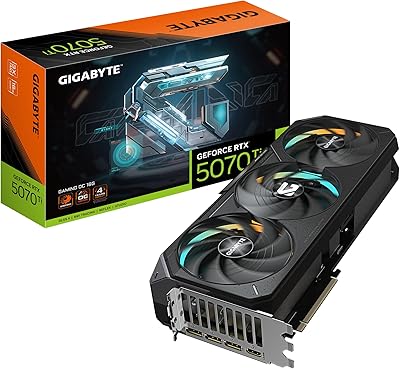
GIGABYTE GeForce RTX 5070 Ti Gaming OC 16G
86%
91%
4K Gaming Performance
89%
Ray Tracing & DLSS 4
93%
Cooling Efficiency
94%
VRAM & Memory Speed
87%
Acoustic Performance
More
GIGABYTE RTX 5060 Ti 8GB Graphics Card
84%
88%
1440p Gaming Performance
91%
DLSS 4 & AI Upscaling
66%
VRAM Capacity & Adequacy
93%
Thermal Performance & Cooling
86%
Noise Level
More
GIGABYTE GeForce RTX 4060 Ti Gaming OC 8GB Graphics Card
86%
92%
Performance
88%
Cooling Efficiency
89%
Value for Money
85%
Build Quality
91%
Ease of Setup
More
GIGABYTE GeForce RTX 4070 Ti Super WINDFORCE MAX OC 16GB
88%
94%
Gaming Performance
91%
Cooling Efficiency
92%
Ray Tracing & DLSS 3
93%
4K Gaming Capability
88%
Build Quality & Durability
More
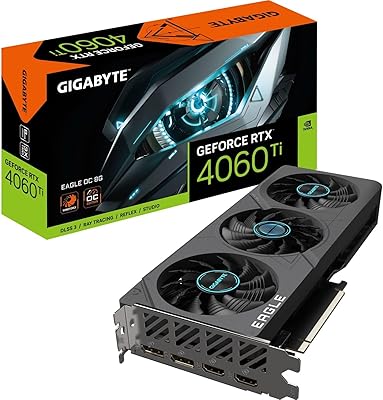
Gigabyte RTX 4060 Ti Eagle OC GPU
82%
83%
Gaming Performance
88%
Thermal Management
84%
Noise Level
86%
DLSS 3 & Frame Generation
61%
VRAM & Memory
More

FAQ

It handles 1440p genuinely well in most AAA titles. You can expect high to ultra settings at smooth framerates in games like Cyberpunk 2077 or Forza Horizon, though extremely demanding scenes may require dialing back one or two settings to maintain consistency. For competitive titles at 1440p, you have a lot of headroom.

Most standard mid-tower ATX cases will accommodate it without issue, but the card is just over 11 inches long, so it is worth double-checking your case's maximum GPU length spec before ordering. Compact ITX or slim cases are where you are more likely to run into clearance problems.

A quality 600W PSU is the practical minimum, and a 650W unit gives you more comfortable headroom if your other components draw meaningful power. Brand and quality matter here — a certified 650W unit from a reputable manufacturer is better than a generic 750W one.

Owners consistently describe it as a clean, bright white that photographs well and matches white cases reliably. It is not the slightly yellowed or cream-tinted finish that some white peripherals suffer from, which is part of why it shows up so often in build showcase photos.

LHR stands for Lite Hash Rate, and it was a hardware-level limitation NVIDIA introduced to reduce appeal to cryptocurrency miners. For gaming, content creation, or any typical consumer use, it has absolutely zero effect on performance. You will never notice it.

Based on real-world feedback, temperatures under sustained load tend to sit in the mid-60s Celsius range under normal conditions, which is genuinely healthy for a GPU of this class. The alternate-spin fan design does seem to help with airflow consistency compared to simpler triple-fan setups.

It comes up often enough in user reviews to be worth acknowledging. A meaningful minority of buyers report audible coil whine under heavy GPU load. It is not universal, and many owners report no issues at all, but it is one of those things that varies by individual unit and is difficult to predict before purchase.

Yes. The card offers multiple display outputs including both DisplayPort and HDMI, so running two or three monitors simultaneously is straightforward. Just confirm your monitors use compatible input types before assuming all ports will be in use at once.

The RTX 3060 Ti Vision stands out primarily for its white aesthetic, which most competing models do not offer. In terms of raw gaming performance, the differences between board partner models at this tier are generally small. If aesthetics are not a priority, some competing variants offer slightly quieter operation or better software bundles at comparable prices, so it is worth comparing if you are indifferent to the look.

Yes, it is a very noticeable upgrade from either of those cards. You gain access to hardware ray tracing, DLSS upscaling, significantly more memory bandwidth, and a meaningful jump in raw rasterization performance. If you have been on a GTX 10 or 16 series card and skipped a generation, the difference in modern titles will be hard to miss.

Where to Buy