Overview

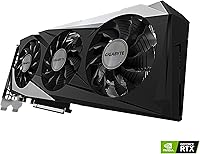
The GIGABYTE GeForce RTX 3060 Gaming OC 12G sits squarely in the mainstream GPU market, built for gamers who want solid performance without spending flagship money. It belongs to NVIDIA's Ampere generation, a lineup that brought ray tracing and AI-powered upscaling to approachable price points. The REV2.0 revision addresses early production refinements, so buyers purchasing new today are getting the updated version. GIGABYTE's Gaming OC branding signals a factory overclock and a custom cooling solution rather than a plain reference design. This is a capable, well-rounded card — but it won't compete with the tier above it, and setting that expectation upfront matters.
Features & Benefits

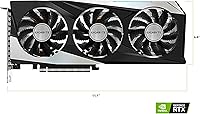
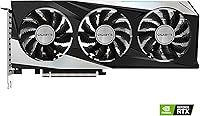
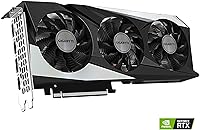
The triple WINDFORCE fan setup keeps thermals in check during long gaming sessions, and most users report the card running cool without becoming distractingly loud. Out of the box the boost clock reaches 1837 MHz, a step above stock RTX 3060 reference speeds — that headroom is real and measurable in practice. The 12GB of GDDR6 VRAM is genuinely generous for this tier, giving texture-heavy games and light creative tasks room to breathe. Worth noting honestly: the 192-bit memory bus is narrower than some competitors, which does cap peak bandwidth. DLSS support and hardware ray tracing round out a feature set that goes well beyond entry-level without demanding a premium price.

Best For

This RTX 3060 card is an obvious fit for 1080p high-refresh gaming — modern AAA titles run at high settings comfortably on a 144Hz monitor. At 1440p it's playable, though you'll want to dial back settings in the most demanding games to keep framerates consistent. Builders upgrading from GTX 10-series or RX 500-series hardware will feel a substantial difference, especially once DLSS kicks in on supported titles. The generous VRAM also makes this mid-range GPU a reasonable pick for light video editors or 3D hobbyists who need headroom without budgeting for a workstation-class card.

User Feedback

Across more than 3,400 verified ratings, the GIGABYTE Gaming OC holds a 4.7-star average that reflects consistent, real-world satisfaction. Buyers regularly highlight how easy the card is to install and how quiet it remains under typical gaming loads, with temperatures staying controlled even during extended sessions. The most recurring complaint is physical size: the triple-slot footprint creates clearance issues inside smaller cases with tight layouts. A portion of reviewers also point out that the narrower memory bus puts it behind wider-bus rivals in bandwidth-intensive workloads. Overall the sentiment is strongly positive, with case compatibility being the one practical concern worth checking before committing to a purchase.

Pros

  • Handles 1080p gaming at high to ultra settings with confidence in most modern titles.
  • Factory overclock delivers a measurable performance advantage over standard RTX 3060 reference cards.
  • 12GB of GDDR6 VRAM is unusually generous for this price tier and future-proofs texture headroom.
  • Triple WINDFORCE cooling keeps temperatures stable without making the card audible during typical gaming sessions.
  • DLSS support meaningfully extends the card's reach at 1440p and in ray-traced games.
  • REV2.0 refinements give buyers purchasing today improved component consistency over early units.
  • Installation is straightforward, with no unusual power or driver quirks reported by the majority of users.
  • Strong 4.7-star average across thousands of verified buyers reflects consistent, broad satisfaction.
  • Light creative workloads like video editing and 3D modeling benefit noticeably from the VRAM headroom.
  • Represents a dramatic performance and feature jump for anyone upgrading from a GTX 10-series or RX 500-series card.

Cons

  • The 192-bit memory bus limits bandwidth in ways that show up in benchmarks and compute-heavy tasks.
  • Triple-slot width creates real fitment problems in compact and micro-ATX cases — measure before buying.
  • Ray tracing at native resolution without DLSS is taxing enough to feel impractical in demanding titles.
  • Manual overclocking headroom beyond the factory boost clock is modest and yields diminishing returns.
  • Sustained 1440p gaming in the most graphically intensive games requires setting compromises to stay smooth.
  • Buyers in poorly ventilated cases will see thermals climb higher than the card's otherwise solid baseline.
  • Some users encountered driver timeout issues in specific titles, particularly after major Windows updates.
  • Competing GPUs at a similar price point offer wider memory buses, which narrows this card's value edge.
  • Port selection, while functional, does not support three or more high-refresh displays simultaneously.
  • Not a practical choice for anyone whose primary goal is native 4K gaming at acceptable framerates.

Ratings

The GIGABYTE GeForce RTX 3060 Gaming OC 12G has accumulated thousands of verified purchases worldwide, and the scores below are generated by AI after systematically analyzing that global buyer feedback — filtering out incentivized reviews, bot patterns, and outlier noise. What remains reflects an honest cross-section of real user experiences, capturing both what this mid-range GPU genuinely does well and where it falls short of expectations.
Gaming Performance at 1080p
88%
Most buyers running 1080p monitors report hitting high or ultra settings in modern AAA titles without frame-rate anxiety. The factory overclock gives it a noticeable edge over stock RTX 3060 cards, and games like Cyberpunk 2077 and Hogwarts Legacy run at playable, enjoyable framerates with DLSS enabled.
A handful of users found that the most GPU-intensive titles at maximum settings still dip below their 144Hz target without DLSS assistance. It is a capable 1080p card, but it is not effortless at the very top of that resolution.
Gaming Performance at 1440p
71%
29%
Buyers gaming at 1440p on mid-range monitors report solid results in less demanding titles and older games, where this RTX 3060 card handles the resolution comfortably at high settings. For esports and competitive games the experience at 1440p is genuinely smooth.
In demanding open-world or graphically intensive games at 1440p, users consistently mention needing to drop settings to medium or rely heavily on DLSS to maintain stable framerates. Honest buyers describe it as a capable 1440p card only with compromises, not a confident one.
Thermal Management
86%
The triple WINDFORCE fan array draws frequent praise for keeping GPU core temperatures in a comfortable range even during multi-hour gaming sessions. Multiple users noted the card hovering around 70–75°C under sustained load, which speaks well to the cooler's real-world effectiveness.
A smaller subset of buyers in poorly ventilated cases or warm ambient environments reported temperatures creeping higher than expected. The cooler is good, but it is not a substitute for decent airflow in the chassis it is installed in.
Noise Levels
83%
Under typical gaming loads, the fans remain unobtrusive — buyers frequently mention not being able to hear the card over their in-game audio. The semi-passive mode, where fans stop entirely at low loads, gets specific appreciation from users who leave their PCs running for desktop tasks.
During extended stress tests or in very hot rooms, some users report the fans becoming audible enough to notice. It is not loud by any measure, but buyers expecting near-silent operation under heavy workloads may be mildly surprised.
VRAM Capacity
91%
Twelve gigabytes of GDDR6 at this price tier is genuinely unusual and draws consistent positive comments from buyers who run texture mods in games like Skyrim or Fallout, or who keep multiple applications open alongside their games. Content creators doing light video work also appreciate the headroom.
The wider VRAM capacity is somewhat constrained by the 192-bit memory bus, which limits how fast that memory can actually be accessed. Buyers who specifically benchmark memory bandwidth notice the gap compared to wider-bus competitors at similar price points.
Memory Bandwidth
67%
33%
For the majority of mainstream gaming scenarios at 1080p, the available bandwidth is sufficient and buyers do not encounter practical bottlenecks during normal play. Casual users switching from older cards rarely notice any limitation.
Technically informed buyers and those running bandwidth-hungry workloads — such as high-resolution texture streaming or compute tasks — flag the 192-bit bus as a genuine ceiling. Competing GPUs at similar prices offer wider buses, and that difference shows up in benchmarks.
DLSS & Ray Tracing
82%
18%
Hardware ray tracing and DLSS support are highlights for buyers upgrading from previous-generation cards that lacked these features entirely. Games with DLSS Quality mode enabled show a meaningful performance uplift that makes 1440p or ray tracing scenarios more viable on this mid-range GPU.
Ray tracing at native resolution without DLSS is taxing enough that some buyers feel it is more of a checkbox feature than a daily-use one. The RT core count is not in the same league as higher-tier Ampere cards, and buyers expecting flagship-level RT performance will be disappointed.
Build Quality & PCB
84%
The card feels solid out of the box, with a sturdy backplate and well-finished shroud that buyers consistently describe as looking and feeling more premium than the price suggests. The REV2.0 iteration in particular draws comments about improved component consistency.
A small number of buyers noted minor cosmetic inconsistencies on the shroud finish, and the plastic fan shroud, while robust, does not have the same heft as metal-clad alternatives. Nothing structural, but worth noting for buyers who prioritize premium aesthetics.
Case Compatibility
63%
37%
At 11.1 inches in length, the card fits comfortably in standard mid-tower and full-tower cases, and buyers with typical ATX builds report zero clearance issues during installation.
The triple-slot width is the most commonly cited frustration among buyers with compact or micro-ATX builds. Several users discovered fitment conflicts with adjacent PCIe slots or case side panels only after the card arrived, making case measurement homework essential before purchasing.
Installation Experience
89%
First-time builders and experienced upgraders alike praise how straightforward the installation process is. Standard PCIe power connectors, a clear physical fit in most mid-towers, and no unusual driver quirks make for a smooth out-of-box experience.
A minority of buyers encountered driver installation hiccups on systems with remnants of older GPU drivers still present. Running a clean driver install via DDU resolves this, but it is an extra step that a few users were not expecting.
Value for Money
78%
22%
At its typical street price this RTX 3060 card sits in a sensible spot for buyers who want modern GPU features — ray tracing, DLSS, ample VRAM — without stretching into higher-tier pricing. Buyers upgrading from GTX 10-series hardware describe the performance jump as striking.
Some buyers feel the 192-bit bus and the competition landscape from both AMD and newer NVIDIA generations puts pressure on its value proposition. Buyers willing to wait for sales or consider alternatives occasionally find comparable performance at a lower cost.
Driver Stability
81%
19%
The overwhelming majority of buyers report stable, reliable driver behavior across Windows 10 and 11 with no crashes or artifacts under normal gaming conditions. Long-term owners describe it as a set-and-forget card from a software perspective.
A small cluster of reviews mention occasional driver timeout errors, typically in specific titles or after major Windows updates. These cases appear isolated rather than systemic, but they surface often enough to be worth acknowledging.
Overclocking Headroom
74%
26%
Buyers who enjoy manual tuning report that the card has modest but usable headroom beyond its factory overclock. Achieving stable clocks above 1900 MHz is achievable for those willing to spend time in MSI Afterburner or similar tools.
The gains from further overclocking are incremental rather than transformative, and thermal headroom in a closed case limits how far most users can push it. Enthusiasts expecting significant manual OC potential may find the ceiling frustrating.
Display Output Versatility
80%
20%
The combination of DisplayPort and HDMI outputs covers virtually every monitor and TV setup buyers are likely to use. Multi-monitor setups are well supported, and the card handles 4K output cleanly for media playback or desktop use even if gaming at that resolution is limited.
Buyers wanting three or more simultaneous displays at high refresh rates may find the output configuration restrictive. The port selection is practical but not expansive, and users with older DVI-dependent monitors need an adapter.

Suitable for:

The GIGABYTE GeForce RTX 3060 Gaming OC 12G is an excellent fit for PC gamers who primarily play at 1080p and want to do so at high settings on a 144Hz monitor without paying flagship prices. It also works well for 1440p gaming as long as you are comfortable adjusting settings or leaning on DLSS to maintain smooth framerates in demanding titles. Builders upgrading from GTX 10-series or AMD RX 500-series hardware will feel a substantial generational leap, both in raw performance and in access to features like ray tracing and AI-powered upscaling that older cards simply cannot offer. The generous 12GB of VRAM makes this mid-range GPU a practical choice for players who run texture mods, keep multiple applications open alongside their games, or dabble in light video editing and 3D rendering work. If your priority is a well-rounded, reliable card for mainstream gaming that runs quietly and installs without fuss, this RTX 3060 card consistently delivers on those expectations.
Not suitable for:

Buyers chasing native 4K gaming performance should look elsewhere — the GIGABYTE GeForce RTX 3060 Gaming OC 12G is not built for that workload, and pushing it there without heavy DLSS reliance will result in disappointing framerates in modern titles. Competitive or professional-level 1440p gamers targeting sustained high refresh rates in the most demanding AAA releases may also find themselves hitting the card's ceiling more often than they would like. The 192-bit memory bus, while acceptable for casual gaming, becomes a measurable bottleneck in bandwidth-heavy scenarios, putting this mid-range GPU behind wider-bus competitors when those workloads arise. Anyone building in a small form factor or micro-ATX case needs to measure carefully before buying — the triple-slot footprint has caused real fitment headaches for a notable portion of buyers. Finally, users who want extensive manual overclocking potential or the kind of ray tracing performance seen on higher-tier Ampere cards will find this GIGABYTE Gaming OC falls short of those ambitions.
Specifications

  • GPU Architecture: Built on NVIDIA's Ampere architecture, the GA106 chip delivers a meaningful generational leap in efficiency and feature support over the previous Turing generation.
  • VRAM: Equipped with 12GB of GDDR6 memory, offering substantially more headroom than competing cards at this tier for texture-heavy games and light creative workloads.
  • Memory Interface: The memory runs across a 192-bit bus, which is functional for mainstream gaming but represents a narrower bandwidth ceiling than some rival GPUs at a similar price.
  • Memory Speed: GDDR6 memory operates at 15000 MHz effective clock speed, supporting adequate throughput for 1080p and moderate 1440p gaming scenarios.
  • Boost Clock: The factory overclock pushes the GPU boost clock to 1837 MHz out of the box, slightly ahead of the reference RTX 3060 specification.
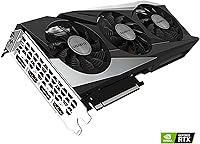
  • Cooling System: Three WINDFORCE fans with alternate spin direction and a composite heat pipe array manage thermal dissipation across the full length of the card.
  • Slot Width: The card occupies three expansion slots, which requires verifying clearance against adjacent PCIe slots and the case side panel before installation.
  • Card Length: At 11.1 inches long, the card fits standard mid-tower and full-tower ATX cases without issue, but compact builds should confirm internal clearance.
  • Ray Tracing: 2nd Generation RT Cores enable hardware-accelerated ray tracing in supported titles, though performance is best supplemented with DLSS at this tier.
  • AI Upscaling: 3rd Generation Tensor Cores power NVIDIA DLSS, allowing supported games to render at lower resolutions and upscale intelligently for better framerates.
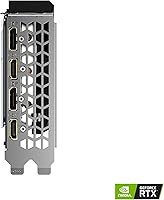
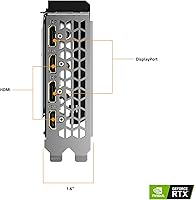
  • Display Outputs: The card provides a combination of DisplayPort and HDMI outputs, supporting connections to modern monitors and TVs up to a maximum resolution of 7680x4320.
  • Power Connectors: The RTX 3060 requires a PCIe power connector from the PSU; a 550W or higher power supply is generally recommended for stable system operation.
  • API Support: Supports DirectX 12 Ultimate, OpenGL 4.6, and Vulkan, covering the full range of modern gaming and professional application requirements.
  • PCIe Interface: Uses a PCIe 4.0 x16 interface and is backward compatible with PCIe 3.0 motherboards, making it a viable upgrade for a wide range of existing systems.
  • Revision: This is the REV2.0 iteration of the GV-N3060GAMING OC-12GD, incorporating component refinements over the original production run.
  • Card Weight: The card weighs approximately 12 ounces, which is light enough that most standard PCIe slots handle it without requiring additional GPU support brackets.
  • Software: Compatible with GIGABYTE's AORUS Engine utility for fan curve adjustment and clock tuning, as well as third-party tools such as MSI Afterburner.
  • OS Compatibility: Officially supported on Windows 10 and Windows 11 via NVIDIA's standard Game Ready and Studio driver packages.
  • Amazon Rating: Holds a 4.7 out of 5 star average across 3,411 verified ratings, ranking #49 in the Computer Graphics Cards category at time of review.
  • Warranty: GIGABYTE provides a standard limited warranty on this card; buyers should confirm regional warranty terms directly with GIGABYTE or their retailer at time of purchase.

Related Reviews
GIGABYTE GeForce RTX 3080 Gaming OC 12G
86%
94%
4K Gaming Performance
88%
Cooling Efficiency
91%
Build Quality
85%
Ease of Installation
82%
Noise Levels
More
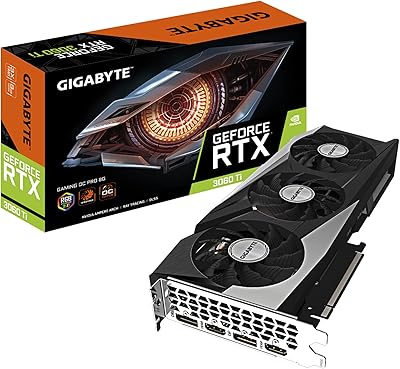
GIGABYTE GeForce RTX 3060 Ti Gaming OC PRO 8G
87%
92%
Gaming Performance
90%
Cooling Efficiency
87%
Ray Tracing Performance
91%
Value for Money
85%
Noise Levels
More
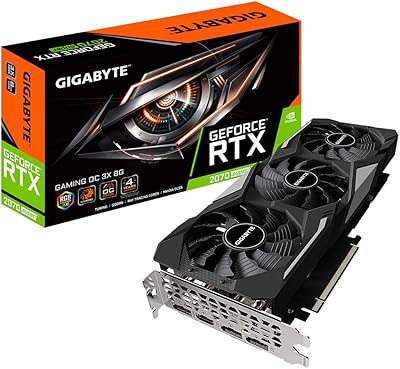
Gigabyte GV-N207SGAMING OC-8GD GeForce RTX 2070 Super Gaming OC 8GB Graphics Card
86%
91%
Gaming Performance
94%
Cooling Efficiency
87%
Ray Tracing Capabilities
89%
Build Quality
92%
Value for Money
More
Gigabyte GeForce RTX 3090 GAMING OC 24G
87%
95%
4K Gaming Performance
93%
Cooling Efficiency
92%
Ray Tracing Performance
89%
Build Quality
94%
Memory Capacity (24GB)
More
GIGABYTE GeForce RTX 3070 Gaming OC 8G
86%
94%
Gaming Performance (1440p & 4K)
90%
Cooling Efficiency
92%
Value for Money
87%
Build Quality
80%
Power Consumption
More
GIGABYTE GeForce RTX 3060 WINDFORCE OC 12GB
83%
92%
Performance
87%
Cooling Efficiency
90%
Ease of Installation
70%
Noise Levels Under Load
94%
Gaming Experience at 1440p
More
Gigabyte GeForce RTX 4090 Gaming OC 24GB
85%
95%
Gaming Performance
90%
Cooling Efficiency
92%
Visuals & Resolution
91%
Build Quality
65%
Installation & Size Compatibility
More
GIGABYTE GeForce RTX 3060 Ti Vision OC 8G
86%
94%
Gaming Performance
91%
Creative Software Acceleration
88%
Thermal Efficiency
85%
Noise Levels
92%
Build Quality
More
MSI GeForce RTX 3060 Gaming X Trio 12G
84%
91%
Gaming Performance
94%
Cooling Efficiency
87%
Build Quality
89%
Value for Money
70%
Compatibility with Cases
More
GIGABYTE GeForce RTX 3080 Ti Vision OC 12G
87%
94%
4K Gaming Performance
89%
Cooling Efficiency
90%
Build Quality
84%
Noise Levels
91%
Value for Money
More

FAQ

In the vast majority of standard mid-tower and full-tower ATX cases, the 11.1-inch length fits without any trouble. The bigger thing to check is the triple-slot width — if you have a populated slot directly below your PCIe x16 slot, that card or device may need to be moved. Always cross-reference your case's GPU length limit and slot clearance before ordering.

It depends on what you are playing and how flexible you are with settings. In esports titles, older games, and less demanding open-world games it handles 1440p comfortably. In the most graphically intensive modern AAA titles at maximum settings, you will likely need to drop to high or medium, or lean on DLSS Quality mode, to keep framerates where you want them. It is a capable 1440p card with caveats, not an effortless one.

NVIDIA recommends a minimum 550W PSU for an RTX 3060 system, and that is a reasonable baseline for a mid-range build. If your system has a high-core-count CPU or lots of drives and peripherals, budgeting for a 650W unit gives you a more comfortable headroom. Make sure your PSU has the required PCIe power connectors available.

Under normal gaming conditions most users find it genuinely quiet — the fans spin at moderate speeds and blend into the background. At full load during stress tests or in a very warm room the fans ramp up noticeably, but it is still not aggressive compared to many competing coolers. The semi-passive mode also means the fans stop entirely during light desktop use, which is a nice touch.

The REV2.0 is a minor production revision that GIGABYTE introduced to address component sourcing and consistency improvements. For practical purposes, buyers purchasing new today will receive the REV2.0 and there is no meaningful real-world performance difference to worry about. It is more relevant as a production note than a feature distinction.

Yes, both are supported through dedicated hardware on the Ampere chip. DLSS in particular is worth enabling in supported games — it can recover a significant chunk of framerate when ray tracing is active, making those features actually usable at this tier rather than just theoretical checkboxes.

For light to moderate creative work it performs well, and the 12GB of VRAM is a genuine asset for working with high-resolution footage or complex 3D scenes that would overwhelm cards with less memory. It is not a substitute for a dedicated workstation GPU, but for a gamer who also does creative work on the side it covers both reasonably well.

Yes, the card uses a PCIe 4.0 x16 interface but is fully backward compatible with PCIe 3.0 slots. In gaming workloads the real-world performance difference between running it on PCIe 3.0 versus 4.0 is minimal — well within the margin of error in most benchmarks.

For the vast majority of 1080p gaming and most 1440p scenarios you will not notice it during normal play. Where it becomes relevant is in bandwidth-intensive tasks — think very high-resolution texture packs, certain compute workloads, or technical benchmarks that specifically stress memory throughput. Competing cards at similar prices do offer wider buses, so if memory bandwidth is a priority for your specific use case it is worth factoring into your comparison.

The card includes DisplayPort and HDMI outputs, which covers the connection types used by the overwhelming majority of modern monitors and TVs. Multi-monitor setups are supported, but if you plan to run three or more displays simultaneously at high refresh rates, check the specific output configuration carefully to make sure it meets your needs before purchasing.