Overview

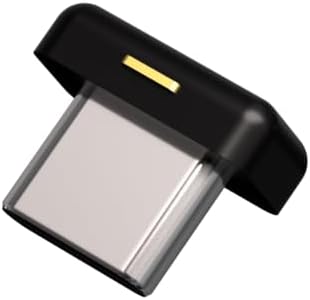
The Yubico YubiKey 5Ci Security Key was built for a specific and underserved group: people who carry an iPhone but also work daily on USB-C laptops. Yubico has long been the trusted name in hardware authentication, and this dual-connector variant solves a genuine friction point without requiring dongles or workarounds. It sits at a premium price point, which naturally filters buyers toward professionals and security-conscious individuals who understand what phishing-resistant authentication actually means. Since its 2019 launch, the threat landscape has only grown more hostile, making this hardware authentication key more relevant now than it was at release.
Features & Benefits

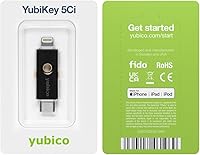
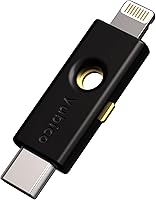
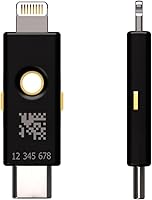
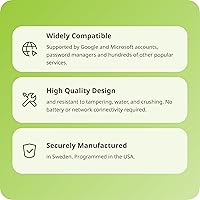
The dual physical connectors are the headline feature — plug the Lightning end into an iPhone, flip it around for USB-C on a MacBook or Android device, and you never need an adapter. Beyond convenience, the protocol support is genuinely broad: FIDO2 passkeys, OATH-TOTP, PIV smart card, and OpenPGP are all baked in, covering everything from basic two-factor login to enterprise certificate-based authentication. The key requires no battery and no wireless connection, so it works whenever you need it. Add IP68-rated water and crush resistance, plus a made-in-USA-and-Sweden supply chain, and you have a key designed to be trusted on every level.

Best For

This dual-connector security key is the obvious pick if you use an iPhone alongside a USB-C laptop — it covers both without compromise. Security professionals managing cloud platforms like AWS, Azure, or Okta will appreciate the broad enterprise compatibility right out of the box. Password manager users on 1Password or Dashlane get a meaningful upgrade by adding a hardware second factor to their vault. IT admins deploying FIDO2-certified keys across a team will find the compliance credentials easy to verify. And if you are still relying on SMS-based two-factor codes, switching to this hardware authentication key is one of the most effective steps you can take to cut phishing exposure.

User Feedback

With a 4.4-star average across more than 2,100 ratings, satisfaction sits consistently high. Repeated praise centers on the compact build, solid construction, and how quickly the key pairs with Google and Apple accounts. The most cited complaint is the absence of NFC — the sibling 5C NFC model supports tap-to-authenticate on Android, and some buyers only notice this gap after purchasing. Price is another recurring sticking point, especially because Yubico recommends registering a backup key. That advice is genuinely worth following — losing your only registered key can lock you out of accounts — but it effectively doubles the upfront cost. A few users have also raised questions about Lightning's long-term relevance as Apple shifts its lineup to USB-C.

Pros

  • Single key handles both iPhone Lightning and USB-C laptop authentication with no adapters required.
  • FIDO2 hardware authentication makes phishing attacks essentially impossible on supported services.
  • IP68-rated casing survives water, drops, and daily keychain abuse without complaint.
  • Works with hundreds of major platforms including Google, Microsoft, Okta, and AWS IAM.
  • No battery means it is always ready — no charging, no degradation, no surprises.
  • Compact enough to disappear on a keyring while remaining easy to grab and use quickly.
  • Broad protocol support covers everything from basic two-factor to PIV smart card and OpenPGP.
  • Manufactured in Sweden and programmed in the USA, with verifiable supply-chain provenance.
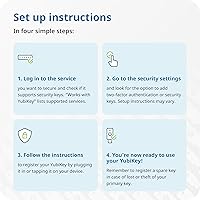
  • Setup with Google and Apple accounts typically takes just a couple of minutes for most users.
  • This hardware authentication key carries FIDO2 and U2F certifications that simplify enterprise compliance.

Cons

  • No NFC support makes tap-to-authenticate on Android or iPhone completely impossible.
  • Lightning connector is being phased out across Apple devices, limiting the key's long-term versatility.
  • Registering a backup key — which is genuinely recommended — effectively doubles the purchase cost.
  • Advanced functions like PIV and OpenPGP require command-line tools and technical confidence to configure.
  • Some iOS apps have not implemented the Lightning security key API, blocking direct mobile use in those cases.
  • Small size is a double-edged reality: easy to carry, easy to misplace or lose entirely.
  • Legacy enterprise platforms without FIDO2 or U2F support may force fallback to weaker authentication methods.
  • No in-box guidance covers advanced setup scenarios, leaving technical buyers to rely on external documentation.

Ratings

The Yubico YubiKey 5Ci Security Key earns strong marks overall, and these scores reflect AI-driven analysis of thousands of verified global buyer reviews, with spam, bot-generated, and incentivized feedback actively filtered out. The result is an honest, balanced picture — standout strengths and real frustrations included — so you can make a genuinely informed decision before buying.
Dual Connector Utility
88%
For users who split their day between an iPhone and a USB-C laptop, having both connectors on a single keychain device removes a genuine daily friction point. No adapter pouch, no second key — just plug whichever end fits and authenticate.
The design assumes a world of two connector types, but as Apple migrates its entire iPhone lineup to USB-C, the Lightning end becomes less relevant with each product cycle. Buyers planning for a three-to-five year horizon should weigh that honestly.
Phishing Resistance & Security Strength
96%
FIDO2 hardware-bound passkey authentication is about as strong as consumer security gets right now. Unlike SMS codes or app-based TOTP, the private key never leaves the device, making remote phishing attacks essentially impossible with supported services.
The security ceiling is only meaningful if the services you care about actually support FIDO2 or U2F. A handful of legacy platforms still do not, which can leave some users falling back to weaker authentication methods for certain accounts anyway.
Compatibility & Service Support
84%
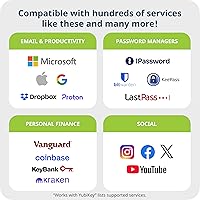
Google, Microsoft, Dropbox, 1Password, Dashlane, AWS IAM, Okta, and hundreds of others work without any special configuration. For professionals already embedded in major cloud ecosystems, setup is typically measured in minutes, not hours.
Enterprise environments running older identity platforms or proprietary SSO solutions may hit compatibility walls. PIV and OpenPGP support covers many of these cases, but getting those modes configured correctly requires technical comfort that not every buyer has.
NFC Support
31%
69%
There is nothing positive to say here for buyers who need it — the 5Ci simply does not support NFC. Buyers who already know they will only ever use physical connectors will not notice the omission at all.
This is the most frequently cited disappointment in user reviews, and for good reason. Android users who want tap-to-authenticate, or anyone who wants the flexibility to use a phone without plugging anything in, should look directly at the 5C NFC instead.
Build Quality & Durability
93%
IP68 water and dust resistance, no moving parts, and a crush-resistant casing make this hardware authentication key genuinely tough. Reviewers who have run it through the wash or dropped it repeatedly report zero issues, which is exactly what you want from something living on a keychain.
The connector tips — Lightning in particular — can accumulate lint and debris over time, and some users report needing to clean them before the key reads reliably. It is a minor maintenance issue but worth knowing about.
Ease of Setup
82%
18%
Registering the key with Google or an Apple account takes under two minutes for most users. The physical tap-to-register interaction is intuitive, and Yubico's documentation is clear enough that non-technical buyers rarely get stuck.
Setting up more advanced functions like PIV smart card or OpenPGP requires familiarity with command-line tools and external software. That portion of the setup is not beginner-friendly, and the in-box documentation does not cover it in any useful depth.
Portability & Form Factor
91%
At just over a tenth of an ounce and smaller than a standard house key, this dual-connector security key disappears on a keyring. It does not add noticeable bulk to a bag or pocket, and the keychain hole is robust enough for daily attachment and removal.
Because it is so small, misplacing it is a real risk — several reviewers mention discovering this the hard way. Yubico's recommendation to register a second key exists precisely for this reason, but that adds cost most buyers do not anticipate upfront.
Value for Money
62%
38%
For security professionals or anyone protecting high-value accounts and sensitive business data, the per-key cost represents reasonable insurance. The hardware is built to last years, and there are no subscription fees or recurring costs attached.
The price point stings most when you factor in the standard advice to buy two keys. Casual users who just want basic two-factor on a personal email account may find it difficult to justify the total outlay compared to free app-based alternatives.
Cross-Platform OS Support
89%
Windows, macOS, ChromeOS, Linux, iOS, and Android are all supported, which means a single key can follow a user across every device they own. IT admins managing mixed-OS environments particularly appreciate not needing to stock multiple key variants.
iOS support, while functional, requires apps to explicitly implement the Lightning security key API. Not every iOS app does, which means some mobile workflows still cannot use the key directly on an iPhone despite the dedicated connector.
Protocol Breadth
87%
FIDO2, U2F, OATH-TOTP, PIV, OpenPGP, and Yubico OTP in a single device gives this hardware authentication key a level of flexibility that few competitors match at any price. Power users can deploy one key across radically different authentication contexts.
For the average buyer, most of these protocols will go completely unused. The breadth is a genuine asset in enterprise settings, but it adds a perception of complexity that can intimidate buyers who only need basic two-factor authentication.
Supply Chain Trustworthiness
92%
Manufactured in Sweden and programmed in the USA, with clear provenance documentation available. For government contractors, regulated industries, or anyone with legitimate supply-chain concerns, this transparency is a meaningful differentiator from cheaper alternatives.
Buyers who are not operating in regulated environments will likely not find this attribute worth paying extra for. It is a valid feature, but it does not translate to a practical benefit for most everyday consumers.
Long-Term Connector Relevance
54%
46%
USB-C is a mature and expanding standard that will remain relevant across laptops, Android devices, and — increasingly — Apple hardware for the foreseeable future. That half of the key has a long useful life ahead of it.
Lightning is a proprietary Apple connector being phased out across the entire iPhone lineup. Buyers purchasing today for a three-plus-year horizon should acknowledge they may eventually own a key where one of its two connectors no longer matches any device they own.
Backup Key Awareness
58%
42%
Yubico openly recommends registering a second key from the start, and most major services support multiple registered hardware keys. Buyers who follow this advice from day one avoid the painful account-recovery process that trips up less-prepared users.
The need for a backup key is not prominently communicated at the point of purchase, and many reviewers only discover it after losing their primary key. Effectively, the product asks for a doubled investment that is easy to overlook when evaluating initial cost.
No Battery Dependency
94%
Authentication works the same whether you have been offline for ten minutes or ten days. There is no charge cycle to manage, no battery degradation over time, and no risk of the key dying at the exact moment you need it most — a real advantage over any wireless alternative.
The lack of wireless functionality is the direct tradeoff for this reliability. If you want NFC tap authentication or Bluetooth connectivity, this hardware authentication key simply cannot deliver those, and no firmware update will change that.

Suitable for:

The Yubico YubiKey 5Ci Security Key was designed with a very specific user in mind, and if you match that profile, it is hard to find a better option. If you carry an iPhone daily but do most of your computer work on a USB-C laptop — whether that is a MacBook, a modern Windows machine, or a Chromebook — this dual-connector security key covers both without requiring you to carry adapters or a second key. Security professionals who manage access to platforms like AWS, Azure, Okta, or Google Workspace will appreciate the FIDO2 certification and broad enterprise compatibility, which makes deployment and compliance documentation straightforward. Password manager users on 1Password, Dashlane, or LastPass who want to add a hardware layer to their vault login will find setup quick and the day-to-day experience unobtrusive. Small business owners and IT admins building out authentication policies for a team will also find the protocol breadth — covering everything from standard two-factor to smart card and OpenPGP — genuinely useful across diverse device and software environments. Anyone actively moving away from SMS-based verification codes toward phishing-resistant authentication will find this hardware authentication key to be one of the most effective and durable tools available for that transition.
Not suitable for:

The Yubico YubiKey 5Ci Security Key is not the right choice for every buyer, and being clear about that upfront saves a frustrating return. If you primarily want to authenticate by tapping your phone without plugging anything in, this key will disappoint you — it has no NFC support, full stop, and that gap is real compared to sibling models like the 5C NFC. Android-first users who want wireless tap authentication should look elsewhere in the YubiKey lineup rather than assume an adapter will solve the problem. Buyers on a tight budget should also think carefully before purchasing: the strong practical advice to register a backup key effectively doubles the upfront cost, and the total outlay is hard to justify if you only need basic two-factor protection on a personal email account. Casual users who have never heard of FIDO2 and just want something simple to approve login notifications may find the setup and concept more involved than they expected. Finally, buyers with a longer product horizon should weigh the Lightning connector's declining relevance honestly — as Apple moves its entire iPhone lineup to USB-C, one of the two connectors on this key will eventually have nothing to plug into.
Specifications

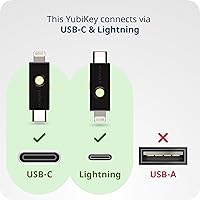
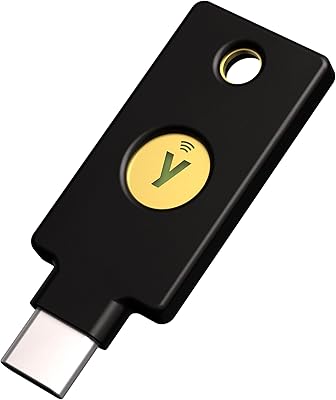
  • Connectors: The key features two physical connectors: a Lightning plug for iPhones and a USB-C plug for modern laptops and Android devices.
  • NFC Support: NFC is not supported on this model; authentication requires physical connector insertion rather than wireless tap.
  • Form Factor: Designed as a keychain device, compact enough to attach to a key ring and carry daily without noticeable bulk.
  • Dimensions: The key measures 1.59″ x 0.47″ x 0.20″, making it one of the more compact dual-connector security keys available.
  • Weight: The device weighs 0.106 ounces, light enough that most users report forgetting it is on their keyring.
  • Water Resistance: Rated IP68, the key is fully protected against dust ingress and can withstand immersion in water under standard test conditions.
  • Crush Resistance: The casing is crush-resistant, built to survive the kind of pressure a keychain endures in a bag or back pocket.
  • Power Source: No battery or external power is required; the key draws minimal power directly from the host device via its connector.
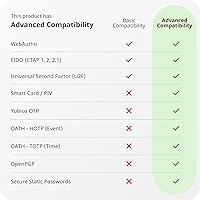
  • Supported Protocols: Authentication protocols include FIDO2 (hardware-bound passkey), FIDO U2F, OATH-TOTP, OATH-HOTP, PIV smart card, OpenPGP, and Yubico OTP.
  • Cryptographic Specs: Supported cryptographic specifications include RSA 2048, RSA 4096 (PGP only), ECC p256, and ECC p384.
  • Certifications: The device holds FIDO2 Certified and FIDO Universal 2nd Factor (U2F) Certified status from the FIDO Alliance.
  • Compatible OS: Works across Windows, macOS, ChromeOS, Linux, iOS, and Android operating systems without requiring additional drivers on most platforms.
  • Color: Available in black with a matte finish that resists visible scuffing under normal daily use.
  • Manufacturing: Hardware is manufactured in Sweden and programmed in the USA, with documented supply-chain provenance for compliance-sensitive buyers.
  • Hardware Interface: The USB side of the device operates over USB 2.0, which is sufficient for the low-bandwidth data exchange authentication requires.
  • Compatible Services: Works with Google, Microsoft, Dropbox, AWS IAM, Okta, Salesforce, 1Password, LastPass, Dashlane, Keeper, and hundreds of other FIDO-compatible services.
  • Item Model Number: The official manufacturer model number for this variant is Y-291, which can be used for warranty and support reference.
  • GTIN: The Global Trade Identification Number for this product is 5060408461969, matching retail packaging and distributor records.
  • Wireless Connectivity: The device has no wireless radio of any kind; there is no Bluetooth, NFC, or Wi-Fi functionality built into this model.
  • Moving Parts: The key contains zero moving parts, which eliminates mechanical wear as a failure mode over its operational lifespan.

Related Reviews
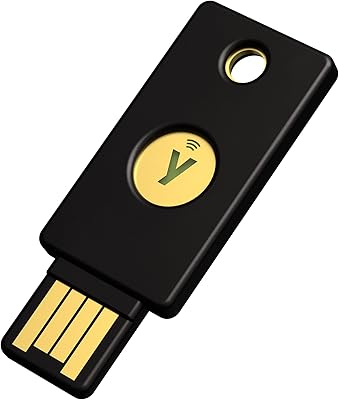
Yubico Security Key NFC
90%
92%
Value for Money
89%
Build Quality & Durability
94%
Portability & Size
93%
Ease of Use
88%
Security Features
More
Cryptnox FIDO2 NFC Security Key
76%
93%
Portability & Form Factor
86%
NFC Authentication Speed
81%
Platform & Service Compatibility
94%
Security Credentials
67%
Setup & Registration Experience
More
Yubico YubiKey 5 Nano
89%
91%
Value for Money
96%
Security & Protection
88%
Build Quality & Durability
89%
Setup & Installation
93%
Compatibility with Platforms
More
Yubico YubiKey 5C NFC
85%
97%
Security & Phishing Protection
93%
Build Quality & Durability
91%
Compatibility & Protocol Support
78%
Ease of Setup
88%
Connectivity & Daily Use
More
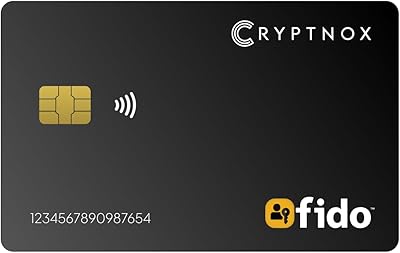
Yubico YubiKey 5C Nano USB-C Security Key
80%
94%
Form Factor & Portability
91%
Authentication Reliability
88%
Protocol & Service Compatibility
92%
Build Quality & Durability
96%
Security Architecture
More
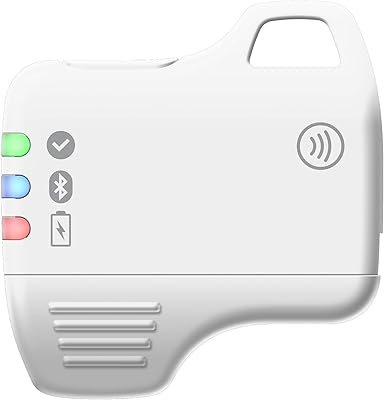
FeiTian A4B USB Security Key
87%
94%
Ease of Use
92%
Portability
89%
Security Features
87%
Compatibility with Devices
85%
Build Quality
More
FeiTian K40 USB Security Key
85%
93%
Security Performance
88%
Ease of Use
90%
Compatibility with Devices
91%
Build Quality
85%
Setup & Installation
More
Thetis FIDO2 Fingerprint Security Key
86%
88%
Performance
91%
Setup & Installation
94%
Security Features
85%
Compatibility with Operating Systems
93%
Portability
More
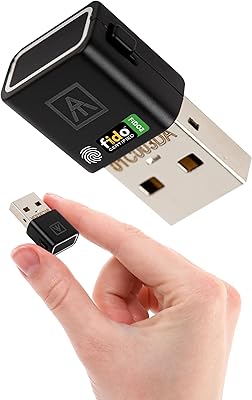
Feitian MultiPass K32 USB Security Key
87%
88%
Ease of Use
92%
Portability & Size
90%
Compatibility
65%
Bluetooth Connectivity
93%
Setup & Installation
More
AUTHENTREND ATKey.Pro FIDO2 Fingerprint Security Key
70%
81%
Fingerprint Recognition Speed
46%
Setup & Enrollment Experience
88%
PIN-Free Authentication
73%
Compatibility & Platform Coverage
58%
Windows Device Login (Entra ID)
More

FAQ

Yes and no — the USB-C end will plug directly into an iPhone 15 or any later model that uses USB-C, so the key remains functional. However, if you are buying specifically because you have an older Lightning iPhone, know that the Lightning end becomes less relevant as you upgrade your devices over time. The USB-C connector is the future-proof half of this key.

The core difference comes down to one feature: NFC. The 5C NFC model supports tap-to-authenticate wirelessly on Android and modern iPhones, while this dual-connector key does not support NFC at all. If you want the flexibility to authenticate without plugging anything in, the 5C NFC is the better pick. If you specifically need Lightning support for an older iPhone and are comfortable always plugging in, this dual-connector security key makes more sense.

It is genuinely practical advice, not a sales move. If you lose your only registered key, recovering account access can be a serious headache — some services require contacting support and verifying identity through a slow manual process. Registering a backup key upfront costs more initially but protects you from being locked out when it matters most. Most security professionals treat a backup key as standard practice, the same way you keep a spare house key with a trusted person.

Yes. 1Password, Dashlane Premium, LastPass Premium, and Keeper all support hardware security keys for vault authentication. Setup involves registering the key in your password manager's security settings, which typically takes a few minutes. Once registered, you plug in the key and touch it to confirm your identity when opening the vault — it adds a meaningful layer of protection beyond just a master password.

Yes, both Google and Microsoft accounts have supported FIDO2 hardware keys for several years, and setup is straightforward through the security settings of each account. For Google, you navigate to your account security settings and register the key under two-step verification. For Microsoft, the process is similar through account security options. After registration, signing in prompts you to insert and tap the key alongside your password.

Yes. You can register the same key with as many accounts and services as you want — there is no practical limit to the number of accounts you associate with a single key. The key does not store credentials for each service; instead, it performs a cryptographic operation on demand, so adding more services does not fill up any internal storage.

If you have a registered backup key, you simply use that to log in and then remove the lost key from your accounts. If you do not have a backup, you will need to use alternative recovery methods — which vary by service and can involve identity verification, backup codes, or contacting support. This is precisely why registering a second key before you ever need it is the standard recommendation among security professionals.

It is IP68-rated, which means it is dust-tight and can handle water immersion under standard test conditions — accidental drops in a sink, getting caught in rain, or going through a washing machine in a pocket are all situations that real users have reported without damage. It is also crush-resistant, so the daily pressure of sitting in a bag or back pocket is not a concern. For everyday keychain use, the durability is genuinely strong.

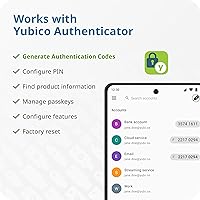
For basic FIDO2 and U2F authentication with mainstream services on Windows, macOS, and ChromeOS, no additional software or drivers are needed — modern operating systems handle the key natively. iOS requires that the specific app you are authenticating with supports the Lightning security key API, which most major apps now do. More advanced functions like PIV smart card or OpenPGP configuration do require Yubico's desktop software and some technical setup.

Yes, and this is actually one of the more powerful use cases for technically inclined users. The key supports OpenPGP and PIV smart card functions, which can be used to store SSH keys and sign Git commits, among other developer workflows. Setting this up requires using Yubico's YubiKey Manager and some familiarity with command-line tools, so it is not a plug-and-play experience — but for developers who want hardware-backed SSH authentication, this hardware authentication key handles it well.

Where to Buy