Overview

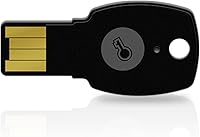
The FeiTian A4B USB Security Key is a small physical authenticator built for people who are tired of relying on text-message codes to protect their accounts. Plug it into a USB-A port and it just works, with no software installs, no driver hunting, no waiting around for an app to sync. It's built on the FIDO2 and FIDO U2F standards, which means it speaks a language that most major browsers and platforms already understand. That matters because the whole point of two-factor authentication is to add a layer attackers can't easily fake, and a hardware key does that by requiring something physical in hand, not just something you know. For anyone who's grown wary of SMS codes getting intercepted, this is a straightforward upgrade.
Features & Benefits

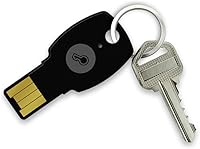
Build quality is one of the first things you notice with this security key. It's rated IP67 for water resistance, so a spilled coffee or a trip through a rainy commute won't take it out of commission, and the tiny, lightweight shell means it disappears on a keychain instead of weighing down your pocket. Where this authentication device really earns its keep is compatibility: it works with everyday accounts like Google, Microsoft, and Dropbox, but also plugs into enterprise-grade identity systems such as Okta, Duo, and Azure Entra ID, so IT departments aren't choosing between convenience and security. Because logging in requires the physical key itself, remote phishing attempts that rely on stolen passwords simply don't work. A quick touch is all it takes to confirm, so the login flow stays fast rather than turning into a chore.

Best For

This is a good match for anyone who wants real protection on the accounts that matter most, not just the box-checking kind. Privacy-conscious users locking down personal email and social media will appreciate having one small device that covers most of their logins. Small business owners juggling financial dashboards, cloud admin panels, and client data get an extra layer that doesn't rely on a phone signal or a text message that can be intercepted. IT teams rolling out hardware-based MFA across a staff of any size will find it easy to standardize on, since setup doesn't require specialized training. And if you've simply decided that SMS codes feel outdated and a little too easy to exploit, switching over to the USB key is a sensible, low-effort move that closes a real security gap.

User Feedback

Feedback from people who've actually used the device tends to be pretty consistent. Most are pleasantly surprised at how painless setup turns out to be, especially given there's no driver to track down or app to configure first. A handful of buyers mention they had to double-check ahead of time whether a particular site or service actually supported hardware keys, since not every platform does. The most common complaint is the USB-A-only connector, which can be a real annoyance for anyone using a newer laptop that's gone all-in on USB-C and now needs an adapter just to plug it in. Even with that gripe, the overall sentiment leans positive, with reviewers generally describing it as solidly built and dependable for daily use over the long haul.

Pros

  • Works instantly across major browsers with zero drivers or software to install
  • IP67 water resistance means it survives spills, rain, and rough daily handling
  • Compact, keychain-friendly size makes it easy to carry without noticing the weight
  • Physical key requirement blocks remote phishing attempts that bypass password-only logins
  • Broad compatibility spans everyday platforms like Google and Dropbox, plus enterprise tools like Okta
  • Touch-based activation keeps logins quick instead of adding friction to daily use
  • No battery or app required, so there is nothing extra to charge or maintain
  • The FeiTian A4B USB Security Key feels genuinely well-built for long-term daily use
Cons

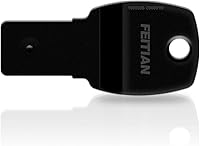
  • USB-A-only connector forces an extra adapter purchase for newer USB-C-only laptops
  • No backup recovery system built into the key itself if it gets lost
  • Not every website or service supports FIDO2 or U2F hardware keys yet
  • Doesn't double as password storage, so a separate manager may still be needed
  • Small, low-profile design makes it easy to misplace if not kept on a keychain
  • Requires checking compatibility ahead of purchase, which adds an extra research step
  • Some buyers may find a single key insufficient and want a backup spare

Ratings

The FeiTian A4B USB Security Key has been evaluated using AI analysis of verified buyer reviews collected from multiple regions, with spam, bot activity, and incentivized feedback filtered out before scoring. The categories below reflect a balanced mix of praise and recurring complaints from real owners, not a marketing summary. Where buyers consistently flagged a limitation, that pain point is reflected honestly in the score.
Phishing Protection
94%
Users consistently mention feeling far more confident logging into banking and email accounts knowing a stolen password alone cannot grant access. The physical touch requirement gets praised repeatedly as the single biggest reason people switched away from SMS codes after a scare.
A small number of reviewers note that protection only applies to accounts where the key has been properly registered, so partial rollout leaves gaps. It does not protect against threats unrelated to login credentials, which some buyers initially misunderstood.
Setup Simplicity
91%
Reviewers frequently highlight that plugging it in and registering it through a service's security settings takes just a few minutes with no driver downloads. First-time hardware key users especially appreciate that the process felt far less technical than expected.
A few buyers mention needing to hunt through account settings menus to find where to register the key, since not every platform makes the option obvious. Less tech-savvy users occasionally needed outside guidance for their first setup.
Build Quality & Durability
89%
Owners who carry the key daily on a keychain report it holding up well against scratches, drops, and general pocket wear over months of use. The compact shell feels solid rather than flimsy, which builds trust for something meant to last years.
Some buyers wish there were a more rugged or reinforced option for harsher work environments like construction or outdoor field jobs. The lightweight build, while convenient, leaves a few wondering about long-term wear on the touch sensor.
Platform & Service Compatibility
86%
Buyers managing both personal and work logins like that the same authentication device covers everyday accounts such as Google and Dropbox alongside enterprise tools like Okta and Azure Entra ID. This flexibility cuts down on needing multiple security devices.
A handful of reviewers were caught off guard when a niche service or older internal company system did not support FIDO2 keys at all. Buyers recommend confirming compatibility with specific accounts before assuming full coverage.
Connector Versatility
58%
42%
For anyone still using USB-A ports on desktops or older laptops, the connector works without any adapter or extra purchase needed. It plugs in cleanly and sits flush enough not to feel awkward in daily use.
This is the most commonly cited frustration in reviews, since newer laptops with USB-C-only ports require buying a separate adapter just to use the key. Several buyers felt this should have been clearer before purchase.
Water & Dust Resistance
92%
The IP67 rating gets genuine praise from buyers who've survived spilled drinks or sudden rain without losing functionality. People who keep keys loose in bags or pockets feel reassured knowing dust and minor moisture won't compromise it.
A few reviewers note the rating doesn't cover prolonged submersion, so it isn't meant for swimming or heavy water exposure. This is a minor concern but worth clarifying for buyers expecting full waterproofing.
Portability
88%
The small, lightweight design earns consistent praise for disappearing on a keychain without adding noticeable bulk. Frequent travelers especially like that it survives being tossed in a bag without needing special storage or a case.
Its small size, while convenient, is also why a few buyers admit it's easy to misplace if not attached securely to keys or a lanyard. There's no tracking feature to help locate a lost unit.
Login Speed & Convenience
90%
The touch-based activation keeps the login flow fast, with reviewers noting it adds only a second or two compared to password-only logins. People managing multiple accounts daily appreciate not having to wait for a code to arrive by text.
A few users mention occasionally fumbling to locate an open USB port quickly, especially on laptops with limited port placement. This is a minor friction point rather than a functional flaw.
Enterprise & Business Integration
83%
IT administrators managing rollouts across staff like that the device works smoothly with identity platforms such as Okta, Duo, and Ping Identity without needing custom configuration. This makes standardizing hardware MFA across a team more manageable.
Some business buyers note that bulk purchasing and managing dozens of keys across employees still requires manual tracking, since there's no centralized fleet management tool included. Larger organizations may need extra administrative planning.
Cross-Device Support
79%
21%
Buyers like that the same key works across desktops, laptops, and tablets without needing separate setups for each device, as long as a USB-A port is available. This makes switching between a work and personal computer simple.
Mobile device support is more limited without an adapter, which frustrates buyers who primarily authenticate from a phone. This gap shows up repeatedly in reviews from users with USB-C or Lightning-only mobile devices.
Value for Money
81%
19%
Many reviewers feel the price is reasonable given the security upgrade it provides, especially compared to the potential cost of a compromised account. Buyers protecting financial or business accounts see it as a worthwhile one-time investment.
A few buyers wish a USB-C version were included or bundled at the same price point, given how common that connector has become. Some also recommend budgeting for a second backup key, which adds to the total cost.
Beginner Friendliness
84%
First-time hardware key users frequently mention being relieved at how little technical knowledge was required to get started, with plug-and-play functionality living up to expectations. Clear browser prompts guide most of the registration process.
A small subset of reviewers, particularly older or less tech-savvy users, mention initial confusion about which accounts actually support hardware keys. Better in-box guidance could ease this learning curve.
Long-Term Reliability
87%
Owners who've used the key for extended periods report consistent performance with no degradation in the touch sensor or connection reliability. This builds confidence for buyers wanting a device that won't need replacing every year.
Without a battery or moving parts, failure points are rare, but a few buyers mention mild concern over what happens if the connector itself wears down from frequent plugging and unplugging over several years.

Suitable for:

The FeiTian A4B USB Security Key makes the most sense for anyone who has decided that SMS-based two-factor codes are no longer good enough protection for the accounts they actually care about. Privacy-conscious individuals who want to lock down personal email, social media, or cloud storage will appreciate having one small device that covers the major platforms they already use daily. It's also a smart pick for small business owners managing financial dashboards or admin panels, where a stolen password alone shouldn't be enough to grant access. IT teams responsible for rolling out hardware-based multi-factor authentication across a team will find it easy to standardize on, since there's no software to install or configure on each machine. Anyone who travels frequently or works from varied locations will also benefit, since it works across desktops, laptops, and tablets without needing a cellular signal or battery.

Not suitable for:

This isn't the right fit for someone whose primary devices are exclusively USB-C, since the FeiTian A4B USB Security Key only ships in a USB-A connector and would require carrying around an adapter. Buyers who haven't checked whether their specific accounts or workplace systems actually support FIDO2 or U2F hardware keys may also end up disappointed, since not every login screen offers this option yet. People looking for a single key that also handles password storage or other password-manager features should look elsewhere, as this device is strictly an authentication token. It's also a poor match for anyone who's likely to lose small items easily, since there's no companion app or backup recovery built into the key itself. Finally, casual users who only need protection for a handful of low-stakes accounts may find a free authenticator app sufficient without the added hardware.

Specifications

  • Connector Type: This key uses a USB-A connector designed to plug directly into standard USB-A ports on desktops and laptops.
  • Authentication Standards: It is certified for both FIDO2 and FIDO U2F protocols, ensuring broad compatibility with modern authentication systems.
  • Water Resistance: The device carries an IP67 rating, meaning it can withstand brief submersion in water and resist dust intrusion.
  • Driver Requirements: No drivers or additional software are needed, since the key works natively across major browsers.
  • Dimensions: The key measures 3.94 x 1.18 x 3.94 inches, making it small enough to attach to a keyring.
  • Weight: It weighs just 0.096 ounces, so it adds negligible bulk to a keychain or bag.
  • Model Number: The product is identified by the model number A4B.
  • Manufacturer: This key is manufactured by Feitian Technologies Co., Ltd.
  • Activation Method: Authentication is confirmed through a simple touch on the key rather than a PIN entry or button press sequence.
  • Power Source: The key draws power directly from the USB port and does not require an internal battery.
  • Consumer Platform Support: It supports major consumer services including Google, Microsoft, Facebook, Twitter, eBay, and Dropbox accounts.
  • Enterprise Platform Support: It integrates with enterprise identity systems such as Okta, Ping Identity, Duo Security, and Microsoft Azure Entra ID.
  • Financial Service Support: It is compatible with financial and crypto platforms including Bank of America and Coinbase.
  • Device Compatibility: The key works across desktops, laptops, tablets, and mobile devices that accept USB-A connections.
  • Operating System Support: It supports Windows log-in authentication in addition to browser-based web services.
  • Build Material: The casing is constructed from a durable plastic shell rated for everyday handling and water exposure.

Related Reviews
FEITIAN ePass K40 USB Security Key
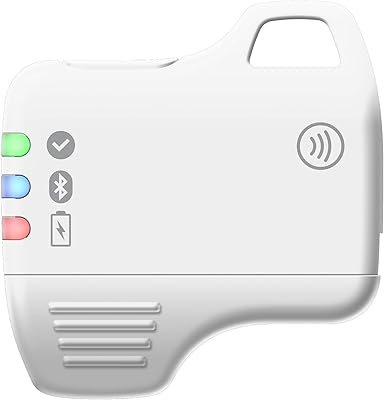
82%
88%
Authentication Reliability
83%
NFC Performance
74%
Setup & Ease of Use
61%
Build Quality
86%
Compatibility Range
More
Feitian MultiPass K32 USB Security Key
77%
88%
Value for Money
91%
Multi-Interface Connectivity
84%
Ease of Setup
86%
NFC Performance
61%
Bluetooth Reliability
More
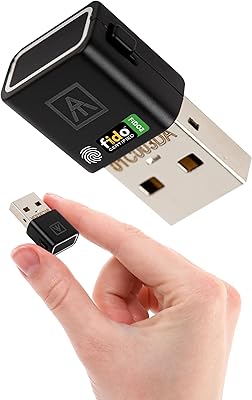
AUTHENTREND ATKey.Pro FIDO2 Fingerprint Security Key
70%
81%
Fingerprint Recognition Speed
46%
Setup & Enrollment Experience
88%
PIN-Free Authentication
73%
Compatibility & Platform Coverage
58%
Windows Device Login (Entra ID)
More
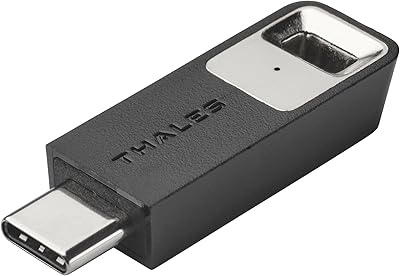
Thales SafeNet eToken FIDO USB-C Security Key
87%
94%
Ease of Use
91%
Security Features
88%
Platform Compatibility
89%
Setup Process
85%
Reliability
More
Apricorn Aegis Secure Key 1TB USB Drive
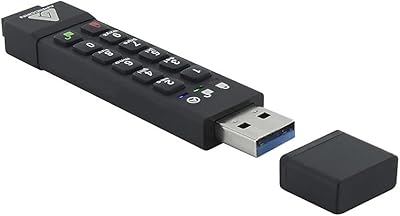
80%
96%
Data Security
91%
Build Quality
67%
Ease of Setup
54%
Value for Money
78%
Transfer Speed
More
Apricorn Aegis Secure Key 3Z 128GB USB 3.0 Flash Drive
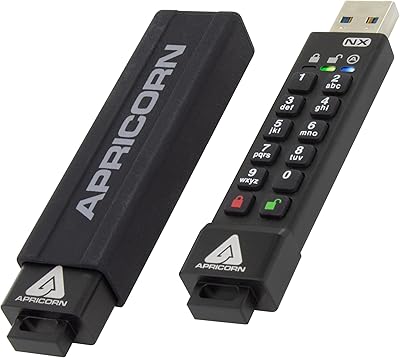
87%
94%
Security Features
89%
Durability & Build Quality
91%
Ease of Use (Pin Authentication)
72%
Data Transfer Speed (Write Speed)
85%
Waterproof & Dustproof Performance
More
Apricorn Aegis Secure Key 3NX 16GB Drive
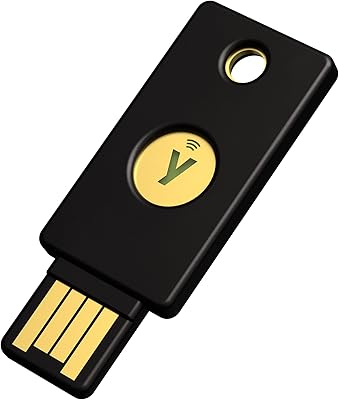
80%
97%
Data Security
91%
Build Quality
83%
Ease of Setup
48%
Value for Money
78%
Authentication Experience
More
Yubico Security Key NFC USB Security Key
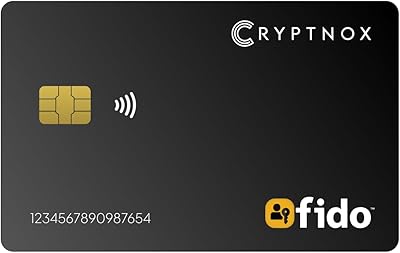
80%
91%
Ease of Setup
96%
Phishing Protection
83%
NFC Performance
88%
Build Quality
87%
Service Compatibility
More
Cryptnox FIDO2 NFC Security Key
76%
93%
Portability & Form Factor
86%
NFC Authentication Speed
81%
Platform & Service Compatibility
94%
Security Credentials
67%
Setup & Registration Experience
More
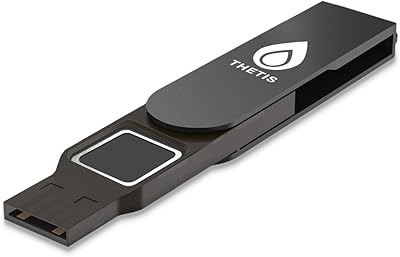
Thetis FIDO2 Fingerprint USB-A Security Key
73%
61%
Fingerprint Recognition
78%
Setup Experience
54%
Platform Compatibility
86%
Security Architecture
67%
Build Quality
More

FAQ

No, that is one of the main draws of this security key. You simply plug it into a USB-A port and your browser recognizes it automatically without any drivers or apps.

Not directly, since this key uses a USB-A connector. You would need a USB-C to USB-A adapter to use it with a USB-C-only device, which is worth factoring into your purchase decision.

No, the key draws all the power it needs directly from the USB port when plugged in. There is nothing to charge and no battery to replace.

Check the security or login settings of the specific service, since support for FIDO2 or U2F hardware keys varies by platform. Most major services like Google, Microsoft, and Dropbox do support it, but smaller sites may not yet.

It carries an IP67 rating, which means it can handle brief submersion in water and resist dust, so accidental spills or a trip through the rain shouldn't damage it. That said, it is not meant for prolonged underwater use.

Because logging in requires the physical key to be plugged in and touched, an attacker who steals your password alone cannot get into your account remotely. This physical requirement is what makes hardware-based authentication so much harder to bypass than codes sent by text.

Yes, the same authentication device can be registered to multiple accounts and services, so you do not need a separate key for each one.

You would lose the ability to authenticate with it on any account it was registered to, so most security experts recommend registering a backup method or second key as a precaution. There is no built-in recovery system on the device itself.

Setup is generally straightforward. The FeiTian A4B USB Security Key is recognized automatically when plugged in, and most platforms walk you through registering it in their security settings within a couple of minutes.

Yes, it is versatile enough for both. Many buyers use the same USB key for personal accounts like email and social media as well as workplace systems such as Okta or Azure Entra ID.