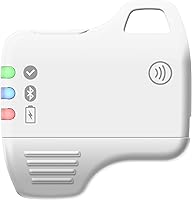
Overview

The Feitian MultiPass K32 USB Security Key doesn't try to be anything other than what it is: a practical, no-frills hardware authenticator built for people who take account security seriously. Feitian isn't a household name the way YubiKey is, but the company holds legitimate FIDO2 and FIDO U2F certifications, which means this security key works with the same major platforms and services as its more famous competitors. At its mid-range price, it punches well above what you'd expect — especially given the connectivity options packed into a keychain-sized body that weighs less than a quarter-ounce.

Features & Benefits

What sets this hardware authenticator apart at this price tier is the sheer breadth of its connectivity. Most affordable security keys offer USB only — you have to spend significantly more to get NFC, let alone Bluetooth support. The K32 covers all three: plug it into a USB-C port on your laptop, tap it against your phone for quick NFC authentication, or pair it wirelessly to devices that lack a compatible port altogether. There are no drivers to install on Windows, Linux, or macOS, keeping setup refreshingly simple. A built-in LED indicator pulses during each authentication, so you always know the key is active and responding.

Best For

This security key is a strong fit for anyone ready to move past SMS-based two-factor authentication and into something harder to crack — without paying premium prices. It's particularly suited to remote workers and IT admins who manage access across cloud platforms like Azure, Okta, or Salesforce, since the K32 works with all of them right out of the box. Android and iPhone users who want to simply tap-to-authenticate on mobile will find the NFC support genuinely useful. And if you've been eyeing a YubiKey but found the price steep, this hardware authenticator covers the same core use cases at a meaningfully lower cost.

User Feedback

With 55 ratings and a 4.0-star average, this security key has earned a respectable — if modest — track record. Buyers generally praise how painless the initial setup is and how reliably NFC performs with their phones. The Bluetooth pairing experience draws more mixed reactions: some users find it solid once configured, while others note hiccups depending on the host device. A handful also mention that brand recognition made them hesitate — Feitian simply doesn't carry the name recognition of YubiKey, which is a fair concern. With only 55 reviews, it's genuinely difficult to draw firm conclusions about long-term durability, though no pattern of build-quality failures has emerged.

Pros

  • Covers USB-C, NFC, and Bluetooth in a single keychain-sized device — rare at this price point.
  • FIDO2 and FIDO U2F certified, so it works with Google, Microsoft, Facebook, Coinbase, Okta, and more.
  • No driver installation needed on Windows, Linux, or macOS — just plug in and authenticate.
  • Bluetooth support is genuinely uncommon among affordable security keys and adds real flexibility for non-NFC devices.
  • NFC tap-to-authenticate works reliably on both Android and iPhone for quick mobile logins.
  • Compact enough to live on a keychain and light enough that you forget it is there.
  • A solid value proposition for small businesses or IT admins who need multi-interface keys across a team.
  • The built-in LED indicator gives clear visual feedback that authentication is in progress.
  • Battery is included out of the box — no waiting around before first use.

Cons

  • Feitian carries far less brand recognition than YubiKey, which may raise trust concerns for some buyers.
  • With only 55 reviews, there is limited data to judge long-term reliability or durability under daily wear.
  • Bluetooth pairing has been inconsistent for some users depending on their host device or OS.
  • USB-C only — users with older USB-A ports will need a separate adapter, adding cost and inconvenience.
  • No fingerprint sensor or advanced biometric option for those who want an extra layer of hardware verification.
  • No enterprise management console or centralized provisioning support for larger IT deployments.
  • Feitian's customer support resources and community documentation are thinner than what established competitors offer.
  • The small form factor, while convenient, could be a risk if the key is lost with no backup registered.

Ratings

Our AI-generated scores for the Feitian MultiPass K32 USB Security Key were produced by analyzing verified buyer reviews from multiple global sources, with spam, bot activity, and incentivized feedback actively filtered out. The result is an honest, balanced summary that reflects both what real users genuinely value about this hardware authenticator and where it falls short in everyday use.

Value for Money
88%
For a security key that bundles USB-C, NFC, and Bluetooth into one device, the K32 represents genuinely strong value at its price point. Most comparable multi-interface keys cost significantly more, and buyers upgrading from SMS-based authentication frequently note that the feature set exceeds their expectations given what they paid.
A small number of buyers feel the Bluetooth functionality, while appreciated in concept, adds to the cost without delivering fully reliable performance — making the value calculation less clear for those who planned to use wireless authentication as their primary method.
Multi-Interface Connectivity
91%
Having USB-C, NFC, and Bluetooth in a single key genuinely reduces the friction of securing multiple devices. Users who authenticate on a work laptop, a personal Android phone, and occasionally a tablet report that the K32 handles the rotation without needing adapters or separate keys.
Bluetooth pairing has been a point of frustration for a subset of users, particularly on certain Android configurations and older operating systems. When it works smoothly it is a differentiator, but the inconsistency means some buyers end up relying on NFC and USB almost exclusively.
Ease of Setup
84%
Plugging the key into a USB-C port on Windows, macOS, or Linux and registering it with a Google or Microsoft account takes only a few minutes with no driver downloads involved. Users with little technical background consistently report that the initial setup was less intimidating than they expected.
Bluetooth setup requires more steps than USB or NFC, and a few users found the pairing process confusing when switching between devices. The documentation bundled with the key could do more to walk buyers through the full process for each interface.
NFC Performance
86%
NFC tap-to-authenticate works reliably on both Android and iOS for the services that support it, and users particularly appreciate how fast it is — a quick tap on the back of a phone and the login is done. For mobile-heavy users, this is one of the most-praised aspects of the K32.
NFC compatibility can vary slightly depending on the app and the specific phone model. A small number of iPhone users noted that certain third-party apps did not trigger NFC authentication consistently, though core services like Google and Microsoft accounts worked without issue.
Bluetooth Reliability
61%
39%
Bluetooth extends the K32 to devices without NFC — a legitimately useful addition for users with older tablets or specific desktop setups where USB is inconvenient. When pairing goes smoothly, the wireless authentication feels genuinely convenient and is a differentiator at this price tier.
This is the most polarizing aspect of the key. Several users report that Bluetooth pairing drops unexpectedly, requires re-pairing after device restarts, or behaves inconsistently across operating systems. For a feature that justifies part of the purchase price, the reliability falls short of what buyers reasonably expect.
Build Quality
74%
26%
The K32 feels solid enough for daily keychain carry — it does not flex or creak, and the casing holds up to the light scratches and pocket wear that come with everyday use. Users who have carried it for several months generally report no physical deterioration.
With a relatively small review pool of 55 ratings, long-term durability data is genuinely limited. The plastic casing, while adequate, does not inspire the same confidence as the aluminum-bodied competitors at higher price points, and a few buyers wished the build felt more premium given its intended daily carry role.
Compatibility Breadth
89%
FIDO2 and FIDO U2F dual certification means the key works across an impressive range of platforms — Google, Microsoft, Facebook, Okta, Salesforce, Coinbase, and more — without any service-specific configuration. IT admins and power users covering multiple cloud platforms find this breadth genuinely useful.
A handful of niche enterprise platforms and legacy systems that have not adopted FIDO standards remain incompatible, which is a standards-level limitation rather than a Feitian-specific flaw. Still, buyers with unusual enterprise environments should verify compatibility before purchasing.
Portability
92%
At under a quarter of an ounce and barely larger than a large postage stamp, the K32 is one of the easiest security keys to carry every day. Users who attach it to their keychain or badge lanyard consistently report forgetting it is there until they need it — high praise for a daily-use device.
The compact size, while great for portability, makes it easy to misplace. A few buyers noted they had close calls losing the key and wished it came in a bolder color or with a more distinctive shape to make it easier to spot in a bag.
Brand Trust
58%
42%
Feitian is a legitimate, FIDO-certified manufacturer with real enterprise credentials, and security-conscious buyers who research the brand typically come away reassured. The company has manufactured hardware authentication devices for institutional clients well before the K32 reached the consumer market.
For buyers who are not familiar with the security hardware landscape, Feitian simply does not carry the household-name reassurance that YubiKey does. Some users admit they hesitated at checkout purely due to unfamiliarity, and post-purchase support resources are noticeably thinner than what competitors offer.
Driver-Free Operation
93%
Plug-and-play USB authentication with no software installation is something users genuinely appreciate, especially in managed IT environments where installing drivers requires admin approval. The fact that it just works on Windows, macOS, and Linux out of the box removes a real barrier to adoption.
The zero-driver advantage applies only to USB. Users who want to use Bluetooth will need to install a companion app or follow OS-specific pairing steps, which somewhat undermines the plug-and-play narrative for those expecting the same simplicity across all three interfaces.
LED Feedback
77%
23%
The onboard LED pulses during authentication, giving users a clear signal that the key is active and waiting for their touch. This small detail reduces confusion during the first few logins and reassures users that the key is functioning correctly during each session.
The LED is functional rather than refined — it does not indicate different states such as Bluetooth versus USB mode, which would be helpful. A few users noted they would benefit from more informative feedback, particularly when diagnosing a failed Bluetooth pairing attempt.
Mobile App Support
63%
37%
For services that have built proper FIDO2 support into their mobile apps, the K32 handles authentication via NFC or Bluetooth without friction. Mainstream platforms like Google and Microsoft accounts work reliably in their respective mobile apps across both iOS and Android.
The experience becomes inconsistent with less mainstream apps and services that have partial or experimental FIDO support. Bluetooth-based authentication through mobile apps in particular can be hit-or-miss depending on how thoroughly the app developer has implemented the standard.
Documentation & Support
51%
49%
The key works well enough for common use cases that most technically confident buyers will never need the documentation. For standard setups — registering with a Google account, for example — the process is intuitive enough to complete without consulting a manual.
The included documentation is sparse, and Feitian's online support resources are limited compared to YubiKey, which has detailed guides, community forums, and active developer support. Buyers who run into edge cases with Bluetooth or enterprise platforms may find themselves searching for answers with limited help available.

Suitable for:

The Feitian MultiPass K32 USB Security Key is a strong match for anyone who wants hardware-level account protection across multiple device types without buying separate keys for each one. Remote workers who regularly switch between a laptop, a personal phone, and shared workstations will appreciate having USB-C, NFC, and Bluetooth covered by a single keychain-sized device. IT administrators managing access to enterprise cloud platforms like Okta, Azure, or Salesforce will find that the FIDO2 certification ticks all the right compatibility boxes at a price that makes sense for small-team deployments. It is also a practical upgrade for individuals who are tired of relying on SMS codes and want something that is genuinely resistant to phishing — without the steep learning curve that sometimes comes with higher-end security hardware. Android and iPhone users who want tap-to-authenticate on the go will find the NFC support works reliably for everyday logins.

Not suitable for:

The Feitian MultiPass K32 USB Security Key may not be the right fit for buyers who place heavy weight on established brand reputation and long-term vendor support — Feitian is a credible, FIDO-certified manufacturer, but it simply does not carry the name recognition or community resources that YubiKey has built over years. Users who require advanced features like on-device credential storage for passkeys, a built-in fingerprint sensor, or enterprise-grade management consoles should look at higher-end options before committing. The Bluetooth pairing experience has drawn mixed reactions from some users, so anyone who depends critically on wireless authentication in unpredictable environments may want to verify compatibility with their specific devices first. With only 55 reviews in its history, there is not yet a deep body of long-term user data to draw on, which matters if you are making a purchasing decision for a larger organization. Finally, users locked into older USB-A ports exclusively — without an adapter — will need to factor that in, as this key is USB-C only.

Specifications

  • Model: The K32 is manufactured by Feitian Technologies Co., Ltd. under the MultiPass product line.
  • Connectivity: The key supports three interfaces: USB-C for wired connections, NFC for tap-based mobile authentication, and Bluetooth for wireless pairing.
  • Certifications: Fully certified under both FIDO2 and FIDO U2F standards, ensuring broad compatibility with modern authentication frameworks.
  • Dimensions: The device measures 1.25″ in depth, 1.25″ in width, and 0.3″ in height, making it compact enough for a keychain.
  • Weight: At just 0.247 ounces, the key is light enough to carry daily without adding noticeable bulk to a bag or pocket.
  • Battery: One Lithium Ion battery is required for Bluetooth operation and comes included in the box.
  • OS Support: Works on Windows, Linux, and macOS without requiring any additional drivers for USB operation.
  • Browser Support: Compatible with major browsers including Chrome and Firefox, as well as other browsers that support FIDO-based authentication.
  • LED Indicator: A built-in LED light pulses during authentication events to confirm the key is active and responding.
  • Driver Required: No driver installation is needed when using the USB-C interface on any of the three supported operating systems.
  • Form Factor: The keychain-compatible design includes a standard attachment loop so the key can be carried alongside physical keys.
  • Color: Available in white as the standard retail color option.
  • Compatible Services: Works with Google, Microsoft, Facebook, Salesforce, Coinbase, Okta, Dropbox, DUO Security, Bank of America, Ping Identity, and other FIDO-compliant platforms.
  • NFC Support: NFC functionality is compatible with NFC-enabled smartphones and contactless readers, allowing tap-to-authenticate on both Android and iOS devices.
  • Bluetooth Range: Bluetooth connectivity enables wireless authentication on devices that lack NFC, extending usability across a wider range of hardware.

Related Reviews
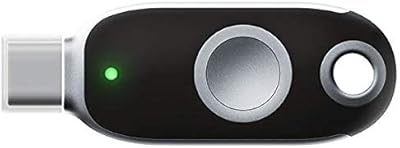
FEITIAN ePass K40 USB Security Key
82%
88%
Authentication Reliability
83%
NFC Performance
74%
Setup & Ease of Use
61%
Build Quality
86%
Compatibility Range
More
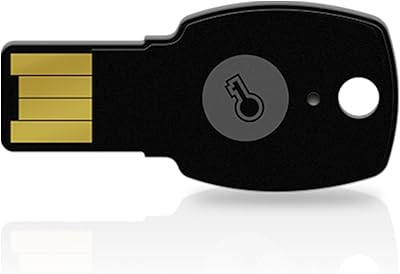
FeiTian A4B USB Security Key
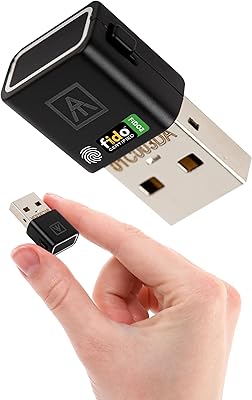
87%
94%
Ease of Use
92%
Portability
89%
Security Features
87%
Compatibility with Devices
85%
Build Quality
More
AUTHENTREND ATKey.Pro FIDO2 Fingerprint Security Key
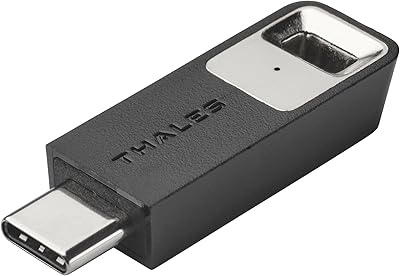
70%
81%
Fingerprint Recognition Speed
46%
Setup & Enrollment Experience
88%
PIN-Free Authentication
73%
Compatibility & Platform Coverage
58%
Windows Device Login (Entra ID)
More
Thales SafeNet eToken FIDO USB-C Security Key
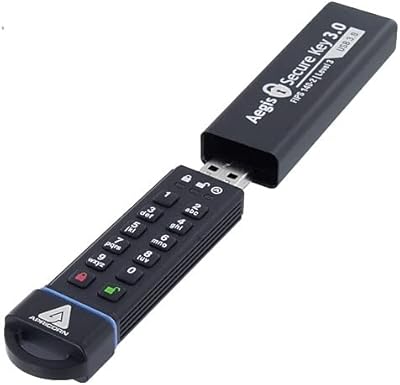
87%
94%
Ease of Use
91%
Security Features
88%
Platform Compatibility
89%
Setup Process
85%
Reliability
More
Apricorn Aegis Secure Key 1TB USB Drive
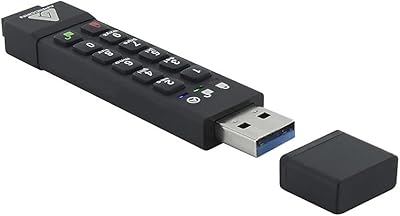
80%
96%
Data Security
91%
Build Quality
67%
Ease of Setup
54%
Value for Money
78%
Transfer Speed
More
Apricorn Aegis Secure Key 3Z 128GB USB 3.0 Flash Drive
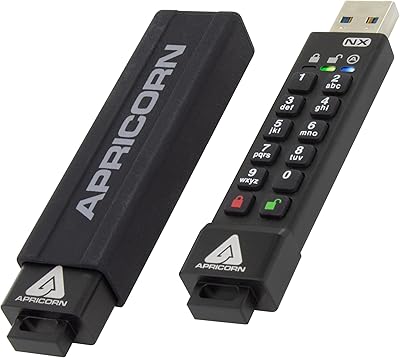
87%
94%
Security Features
89%
Durability & Build Quality
91%
Ease of Use (Pin Authentication)
72%
Data Transfer Speed (Write Speed)
85%
Waterproof & Dustproof Performance
More
Apricorn Aegis Secure Key 3NX 16GB Drive
80%
97%
Data Security
91%
Build Quality
83%
Ease of Setup
48%
Value for Money
78%
Authentication Experience
More
Cryptnox FIDO2 NFC Security Key
76%
93%
Portability & Form Factor
86%
NFC Authentication Speed
81%
Platform & Service Compatibility
94%
Security Credentials
67%
Setup & Registration Experience
More
Yubico Security Key NFC USB Security Key
80%
91%
Ease of Setup
96%
Phishing Protection
83%
NFC Performance
88%
Build Quality
87%
Service Compatibility
More
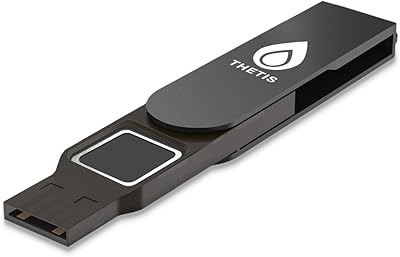
Thetis FIDO2 Fingerprint USB-A Security Key
73%
61%
Fingerprint Recognition
78%
Setup Experience
54%
Platform Compatibility
86%
Security Architecture
67%
Build Quality
More

FAQ

Yes, the NFC feature works with iPhones running iOS 13 or later, which added background NFC tag reading. You can tap the key against the top of your iPhone to authenticate without any special app in most supported services. Bluetooth is also available as an alternative if NFC is not cooperating with a specific app.

Not for USB use. When you plug it into a USB-C port, Windows, macOS, and Linux all recognize it automatically. Bluetooth pairing will require following a standard Bluetooth setup process on your device, but there is no proprietary driver or companion software to install.

The core FIDO2 and FIDO U2F functionality is comparable — both work with the same major platforms and both are properly certified. The K32 has an edge in offering Bluetooth in addition to USB-C and NFC at a lower price point. Where YubiKey has the advantage is in brand trust, community support, and a broader ecosystem of enterprise management tools.

Yes. Google accounts support FIDO2 hardware security keys natively, so setup is straightforward through your Google account security settings. You register the key once, and from then on you can use it to verify your identity during login.

This is important to plan for before it happens, not after. Most services that support hardware keys allow you to register a backup key or a backup authentication method. Make sure you set that up at enrollment time, because recovering an account without a backup can be a long process with some providers.

A single included Lithium Ion battery handles Bluetooth operation, and security keys in general are low-power devices that only activate briefly during authentication events. Battery life should be quite long under typical use, though exact longevity data from a large user base is not yet available given the modest review count for this key.

Hardware keys are more secure than passwords or SMS codes precisely because the cryptographic authentication happens on the key itself — your credentials are never typed in or transmitted in a way that can be intercepted. That said, always be cautious about logging into sensitive accounts on untrusted machines regardless of which authentication method you use.

Yes, both Azure Active Directory and Okta support FIDO2-compliant hardware keys, and this hardware authenticator is FIDO2 certified. Your IT administrator may need to enable hardware key support in your organization's settings, but the key itself is compatible.

No, the K32 is USB-C only for wired connections. If your laptop or desktop has only USB-A ports, you will need a USB-C to USB-A adapter. The NFC and Bluetooth interfaces remain available regardless of port type, which helps work around that limitation on most modern devices.

The form factor is designed for keychain use, so it is built to tolerate the rough-and-tumble of daily carry. That said, with only around 55 user reviews collected to date, there is not yet a large body of long-term durability reports to draw from. No consistent pattern of breakage has emerged in current feedback, which is a reasonable early indicator.