Overview

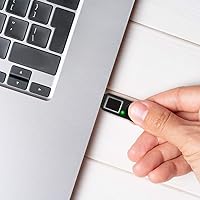
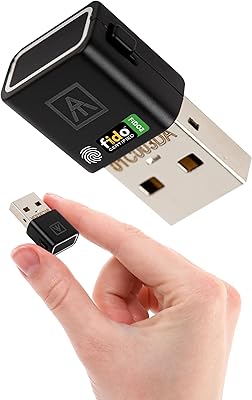
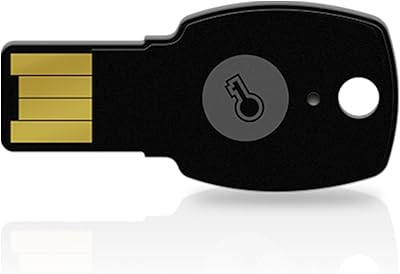
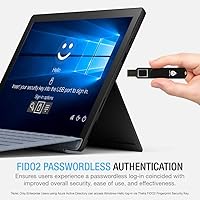
The Thetis FIDO2 Fingerprint USB-A Security Key is a biometric hardware authenticator built for small business teams and power users who are tired of juggling passwords or waiting on SMS verification codes. FIDO2 is an open authentication standard that lets you prove your identity by physically possessing the key — pair that with a fingerprint, and you have login credentials that are genuinely hard to steal remotely. This fingerprint security key lands in the mid-range price tier, positioning it as a real alternative to pricier options like the YubiKey Bio. Two important caveats upfront: Mac login is unsupported, and Windows Hello works only for enterprise accounts on Azure Active Directory.
Features & Benefits

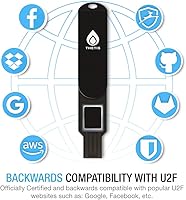
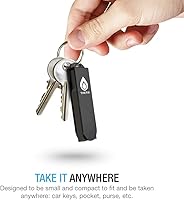
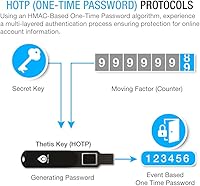
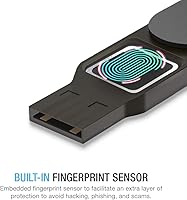
The embedded fingerprint sensor is the standout here — biometric data is processed entirely on the device, meaning your fingerprint never leaves the key or gets uploaded anywhere. That distinction matters for privacy-conscious users. FIDO2 support means it works natively with Chrome and other modern browsers for true passwordless sign-in on compatible platforms. For services not yet on FIDO2, U2F backward compatibility keeps this FIDO2 dongle useful across a wide range of sites including Google, Dropbox, and GitHub. It also supports HOTP — a one-time password protocol — as a fallback authentication layer. Physically, it is compact enough to live on a keychain, and the USB-A connector plugs directly into most desktops and older laptops.

Best For

This fingerprint security key makes the most sense for a few specific types of users. Remote workers and small business teams that want hardware-based authentication without depending on a phone signal or app will find it practical. It is also a solid fit for Gmail, GitHub, or Dropbox power users who want tighter login security than SMS codes provide. Windows 10 and 11 users on personal or SMB setups can take full advantage of FIDO2 passwordless sign-in on supported services. Linux users, in particular, tend to appreciate how straightforwardly this FIDO2 dongle works without driver headaches. It also doubles as a physical backup key kept separate from your primary authentication device.

User Feedback

With a 3.7-star average across 92 ratings, the Thetis biometric key sits in honest, mixed-review territory. Satisfied buyers consistently praise how smoothly setup goes on Windows and Chrome, and that fingerprint reads are reliable once a print is enrolled. Critics point to two recurring frustrations: fingerprint recognition can be inconsistent for some users, and a meaningful chunk of negative reviews come from Mac buyers who expected full login support and discovered the limitation only after purchase. The Windows Hello enterprise-only restriction also catches personal account holders off guard. A handful of longer-term reviewers report the connector and sensor holding up fine over months of use, though the sample is too small for firm durability conclusions.

Pros

  • Fingerprint data is processed entirely on-device and never transmitted to any external server.
  • Works out of the box on Linux with no drivers or configuration required.
  • U2F backward compatibility means it functions on a wide range of older services, not just modern FIDO2 platforms.
  • Compact and lightweight enough to attach to a keychain without adding noticeable bulk.
  • Setup on Windows and Chrome is consistently reported as fast and straightforward by buyers.
  • Supports HOTP one-time passwords as a secondary authentication fallback option.
  • USB-A connector plugs directly into most desktops and older laptops without an adapter.
  • Priced below the YubiKey Bio while offering a comparable core biometric feature set.
  • Works as a reliable physical backup key kept separate from your primary authentication device.

Cons

  • Fingerprint recognition is inconsistent for some users, even after careful enrollment.
  • Mac system login is not supported at all, a limitation that catches many buyers off guard.
  • Windows Hello integration is restricted to enterprise Azure AD accounts, not personal or standard SMB setups.
  • No USB-C version available, which limits direct compatibility with modern thin-and-light laptops.
  • The 3.7-star average across 92 ratings signals a meaningful share of dissatisfied customers, not just outliers.
  • No NFC support, so it cannot be used as a mobile authenticator without a physical USB connection.
  • Durability data from long-term users is limited, leaving sensor longevity an open question.
  • A notable portion of negative reviews stem from mismatched expectations, suggesting product listing clarity could be better.

Ratings

Our AI rating system analyzed verified global buyer reviews for the Thetis FIDO2 Fingerprint USB-A Security Key, actively filtering out incentivized, bot-generated, and duplicate feedback to surface what real users actually experienced. The scores below reflect both where this fingerprint security key genuinely delivers and where it falls short — no category has been softened or inflated.

Fingerprint Recognition
61%
39%
When enrollment goes well — typically with a clean, dry fingertip placed consistently — most Windows users report that the sensor reads reliably in daily use. Registering the same finger at multiple angles during setup noticeably reduces the failure rate for many buyers.
A meaningful portion of reviewers report hit-or-miss recognition, particularly after months of use or in varied temperature conditions. The inconsistency is frustrating enough for some users that they abandon fingerprint login and fall back to PIN-based authentication instead.
Setup Experience
78%
22%
On Windows 10 and 11 with Chrome, the initial registration process is straightforward — plug in the key, follow the browser prompts, and enroll a fingerprint in a few minutes. Linux users similarly report a plug-and-play experience with no driver installation required.
Setup becomes considerably more confusing for users who expect Mac login or Windows Hello support on personal accounts, neither of which works as many buyers initially assume. The onboarding experience could do more to surface these limitations before a user hits a wall.
Platform Compatibility
54%
46%
The Thetis biometric key covers solid ground for Windows and Linux users, and it functions as a web authentication token on macOS through Chrome and other FIDO2-compliant browsers. U2F backward compatibility extends its usefulness to a wide range of older services.
The absence of macOS system login support and the enterprise-only restriction on Windows Hello shrink the real-world use cases considerably for a broad swath of buyers. Users with USB-C-only machines face an additional hardware barrier without an included adapter.
Security Architecture
86%
On-device fingerprint processing is a genuine differentiator — no biometric data ever leaves the key, which matters for privacy-conscious users and IT-aware buyers. The dedicated security chip using hardware cryptography provides a meaningful layer of protection that software authenticators simply cannot match.
While the cryptographic foundation is solid, the key lacks NFC support, which limits its utility for anyone who wants mobile authentication without carrying a USB adapter. There is also no published IP rating, leaving dust and water resistance an open question for field users.
Build Quality
67%
33%
The key feels reasonably solid for its size and weight class, and the USB-A connector reports no widespread issues with fit or wobble after repeated insertions in everyday desktop use. For a device that lives on a keychain, the dimensions are well-suited to daily carry.
Long-term durability data from verified reviewers is thin, which makes it hard to assess how the fingerprint sensor and connector hold up beyond the first year. A few reviewers note the plastic casing feels less premium compared to the YubiKey Bio at its higher price point.
Portability
83%
At 0.7 oz and smaller than most USB flash drives, this FIDO2 dongle disappears onto a keyring or into a bag pocket without any hassle. Users who carry it daily alongside their keys report forgetting it is there — which is exactly what you want from a security token.
The USB-A form factor, while broad in compatibility, is not ideal for anyone working primarily from a modern laptop with only USB-C ports. Without an included adapter in the box, those users face an extra purchase and an extra piece of hardware to track.
Browser Compatibility
81%
19%
Chrome support is reliable across platforms, and the key works as expected with other major FIDO2-compliant browsers including Edge and Firefox. For users whose work lives inside a browser — which covers most Gmail, Dropbox, and GitHub users — compatibility is rarely an issue.
Older or niche browsers that have not implemented FIDO2 or U2F will not work with this key at all. Safari support on macOS can be inconsistent depending on the specific service implementation, which is a minor but real friction point for Mac-heavy households.
Value for Money
69%
31%
Compared to the YubiKey Bio, this fingerprint security key comes in at a noticeably lower price while offering the same core biometric FIDO2 functionality. For a personal user or small team that needs hardware authentication without enterprise-level spend, the cost-to-feature ratio is reasonable.
Given the fingerprint reliability issues and the platform limitations, some buyers feel the pricing sits in an uncomfortable middle ground — not cheap enough to shrug off disappointment, yet not polished enough to feel like a confident purchase. Users who hit sensor issues early tend to feel the value proposition collapses quickly.
Service Compatibility
77%
23%
Gmail, GitHub, Dropbox, and most Microsoft web services all work well with this key once registered, covering the core use cases for the majority of personal and small business buyers. The growing adoption of FIDO2 across major platforms makes this key more useful today than when it launched in 2019.
Services that have not yet adopted FIDO2 or U2F still require a different authentication method, meaning the key cannot fully replace other login tools for all accounts in a mixed-service environment. HOTP support helps as a fallback, but it requires additional configuration that not all users complete.
Documentation & Support
55%
45%
Thetis provides basic setup guides and the key follows open FIDO standards, which means community documentation and third-party tutorials are available across Windows and Linux platforms. Standard enrollment steps are intuitive enough that most technically literate users will not need to consult a manual.
Official documentation for advanced scenarios — re-enrollment after a firmware reset, enterprise deployment, or troubleshooting inconsistent fingerprint reads — is sparse and hard to locate. Customer support responsiveness receives mixed marks in reviews, with some buyers reporting slow or unhelpful responses to hardware issues.
Ease of Daily Use
72%
28%
Once set up correctly on a compatible platform, the day-to-day experience is fast: touch the sensor, get in. For Windows users logging into Google or GitHub dozens of times per week, eliminating the password-plus-SMS step adds up to a genuinely meaningful time saving.
Users who experience intermittent fingerprint failures have to maintain a backup authentication method anyway, which partially undermines the convenience promise. Re-authentication prompts on some services require more deliberate key placement than casual users expect, adding a small but recurring friction point.
Privacy Design
88%
The on-device fingerprint processing model is the right architecture for a biometric security device — no enrollment data is transmitted, stored remotely, or accessible by Thetis. Privacy-conscious buyers and IT administrators will appreciate that this design eliminates a whole class of data breach risk.
While the privacy architecture is sound in principle, Thetis has not published a third-party security audit of the firmware or the secure element, which leaves enterprise buyers with limited ability to independently verify the cryptographic claims. For most personal users this is a non-issue, but it matters for regulated industries.

Suitable for:

The Thetis FIDO2 Fingerprint USB-A Security Key is a strong fit for Windows and Linux users who want to move beyond password-based logins and SMS two-factor codes without paying a premium for a YubiKey Bio. Small business teams and remote workers will find it especially practical — it is portable enough to carry daily and works reliably across Gmail, Dropbox, GitHub, and any other service supporting FIDO2 or U2F authentication. Linux users, in particular, tend to have a notably smooth experience, since the key functions as a plug-and-play device with no driver installation required. Security-conscious individuals who want a dedicated physical backup authenticator — kept separate from their primary phone or laptop — will also get real value here. If your workflow lives mostly inside Chrome on a Windows machine and you want biometric login without your fingerprint ever touching a cloud server, this fingerprint security key is genuinely worth considering.
Not suitable for:

The Thetis FIDO2 Fingerprint USB-A Security Key has some firm limitations that will frustrate certain buyers, and it is worth being direct about them. Mac users hoping to use this as a system login key will be disappointed — FIDO2 does not support macOS account authentication, so the key functions only as a web browser authenticator on Apple hardware. Windows Hello support is restricted exclusively to enterprise accounts connected through Azure Active Directory, meaning personal account holders and most small business users cannot use it for Windows desktop login. Anyone expecting this to function like a password manager — storing credentials and auto-filling login fields — will find it does none of that; it is a hardware authenticator, not a password vault. Users with USB-C-only machines, such as many recent MacBooks or ultrabooks, will need a separate adapter, since this FIDO2 dongle ships with only a USB-A connector. Finally, buyers who need rock-solid, consistent fingerprint recognition in all conditions may find the sensor less reliable than competing biometric keys at higher price points.
Specifications

  • Manufacturer: This security key is designed and sold by Thetis, a hardware authentication brand focused on FIDO-certified devices.
  • Model Number: The official model identifier is MB000386, which can be used for support or compatibility verification purposes.
  • Connector Type: The key uses a standard USB-A connector, compatible with most desktop computers, monitors with USB hubs, and older laptops.
  • Dimensions: The device measures 2.5 x 0.8 x 0.4 inches, making it small enough to sit on a keychain without significant bulk.
  • Weight: At 0.7 oz, this fingerprint security key adds virtually no noticeable weight to a bag, pocket, or keyring.
  • Biometric Sensor: An embedded capacitive fingerprint sensor handles on-device biometric matching without transmitting fingerprint data externally.
  • Auth Standards: Supported authentication protocols include FIDO2, U2F (CTAP1), and HOTP (HMAC-based One-Time Password).
  • FIDO2 Certified: The key holds official FIDO2 certification, ensuring interoperability with compliant browsers, operating systems, and web services.
  • Compatible OS: The key is supported on Windows, macOS, and Linux; however, macOS system-level login via FIDO2 is not available.
  • Browser Support: Google Chrome is the primary supported browser, with additional compatibility across other major FIDO2-compliant browsers.
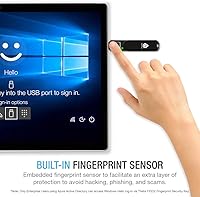
  • Windows Hello: Windows Hello login is supported only for enterprise users operating within an Azure Active Directory environment.
  • Mac Login: FIDO2-based macOS account login is not supported; the key can only be used for web authentication on Mac.
  • Cryptography: The key uses a dedicated security chip with hardware-level cryptographic algorithms to protect stored credentials and authentication operations.
  • Color: The device is available in black with a matte finish suited to professional and office environments.
  • Release Date: This model was first made available in November 2019 and has not been discontinued by the manufacturer as of the latest listing data.
  • User Rating: The key holds a 3.7 out of 5 star average based on 92 customer ratings on Amazon.
  • Fingerprint Storage: Fingerprint templates are stored locally on the key's secure chip and are never uploaded to any cloud or external server.
  • Platform: The key is designed for use on PC, Mac, and Linux machines; mobile device support is limited by the USB-A form factor.

Related Reviews

AUTHENTREND ATKey.Pro FIDO2 Fingerprint Security Key
70%
81%
Fingerprint Recognition Speed
46%
Setup & Enrollment Experience
88%
PIN-Free Authentication
73%
Compatibility & Platform Coverage
58%
Windows Device Login (Entra ID)
More
Cryptnox FIDO2 NFC Security Key
76%
93%
Portability & Form Factor
86%
NFC Authentication Speed
81%
Platform & Service Compatibility
94%
Security Credentials
67%
Setup & Registration Experience
More
FeiTian A4B USB Security Key
87%
94%
Ease of Use
92%
Portability
89%
Security Features
87%
Compatibility with Devices
85%
Build Quality
More
FEITIAN ePass K40 USB Security Key
82%
88%
Authentication Reliability
83%
NFC Performance
74%
Setup & Ease of Use
61%
Build Quality
86%
Compatibility Range
More
Feitian MultiPass K32 USB Security Key
77%
88%
Value for Money
91%
Multi-Interface Connectivity
84%
Ease of Setup
86%
NFC Performance
61%
Bluetooth Reliability
More
Kensington VeriMark Gen2 USB-A Fingerprint Key Reader
77%
88%
Fingerprint Recognition Speed
83%
Authentication Accuracy
93%
Security Architecture
61%
Setup & Enrollment Experience
84%
Build Quality & Durability
More
OnlyKey FIDO2/U2F Security Key and Hardware Password Manager
84%
94%
Security Features
88%
Ease of Setup
91%
Build Quality and Durability
72%
Compatibility with Devices
85%
Password Management Convenience
More
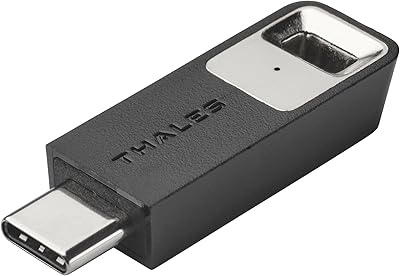
Thales SafeNet eToken FIDO USB-C Security Key
87%
94%
Ease of Use
91%
Security Features
88%
Platform Compatibility
89%
Setup Process
85%
Reliability
More
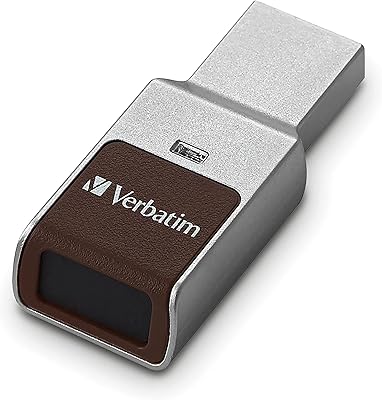
Verbatim Fingerprint Secure 64GB USB Flash Drive
76%
93%
Data Security
74%
Fingerprint Recognition
83%
Ease of Setup
81%
Build Quality
67%
Transfer Speed
More
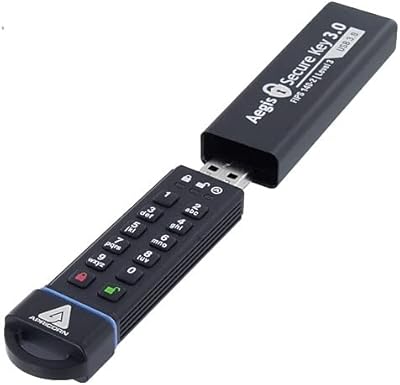
Apricorn Aegis Secure Key 1TB USB Drive
80%
96%
Data Security
91%
Build Quality
67%
Ease of Setup
54%
Value for Money
78%
Transfer Speed
More

FAQ

Yes, it works well with Google accounts. Once you register the key in your Google account security settings, you can use your fingerprint to approve logins via Chrome. It uses the U2F or FIDO2 protocol depending on what Google prompts — both are supported.

Not for system-level Mac login — that feature is not supported via FIDO2. You can still use this fingerprint security key as a second factor when logging into websites through a browser on your Mac, but it will not replace your macOS password at the login screen.

The Thetis biometric key supports registration of multiple fingerprints, which is useful if you want to enroll both a primary and a backup finger. Check Thetis documentation for the exact enrollment limit, as this can vary by firmware version.

Unfortunately, no. Windows Hello integration via this FIDO2 dongle is restricted to enterprise users enrolled in Azure Active Directory. If you are on a personal Microsoft account or a standard local Windows account, you cannot use it for Windows desktop login, though it will still work for web-based logins.

No drivers are needed on Linux. The key is recognized as a standard FIDO HID device by modern Linux distributions, so you can plug it in and register it with compatible services right away. It is one of the smoother experiences this key offers across operating systems.

Without your enrolled fingerprint, the key will not authenticate. A thief would need both the physical device and your fingerprint to gain access, which is a meaningful security advantage over traditional hardware tokens that require only possession of the device.

Yes. Any service that supports FIDO2 or U2F authentication can work with this key, which includes GitHub, Dropbox, Microsoft accounts (for web sign-in), Twitter, and many others. The list of compatible services continues to grow as more platforms adopt these standards.

The Thetis FIDO2 Fingerprint USB-A Security Key is positioned as a more affordable alternative to the YubiKey Bio, which carries a notably higher price tag. The trade-off is that YubiKey has a longer track record, broader enterprise software support, and is generally regarded as having a more polished fingerprint sensor. For personal or small business use, the Thetis key offers solid value; for high-stakes enterprise deployments, YubiKey is the safer long-term bet.
First, try re-enrolling your fingerprint — sensors can sometimes struggle with dry skin, cuts, or changes in how you place your finger. Enrolling the same finger multiple times at slightly different angles can also improve recognition rates. If problems persist, Thetis customer support can guide you through a firmware reset or replacement process.

As of this listing, the key ships with a USB-A connector only. If your laptop or desktop has only USB-C ports, you will need a USB-A to USB-C adapter. Thetis does offer other models with different form factors, so it is worth checking their current lineup if USB-C native support is important to you.