Overview

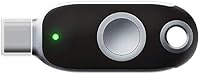
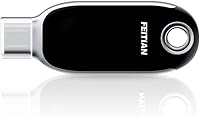
The FEITIAN ePass K40 USB Security Key is a mid-range hardware authentication token from FEITIAN, a manufacturer with real credibility in the security space. SMS-based two-factor authentication has well-documented weaknesses — SIM swapping being the most notorious — so dedicated hardware keys have become a practical upgrade for anyone serious about account protection. This security key connects via USB-C and NFC, covering both laptop use and Android mobile devices. One important caveat: NFC is not natively supported on iOS without a third-party app. There is no biometric sensor, no Bluetooth, and setup requires no driver installation. Straightforward by design.

Features & Benefits

Dual certification — FIDO2 and FIDO U2F — is arguably the K40 key's most important technical credential. FIDO2 enables passwordless login on supported platforms, while the older FIDO U2F standard keeps it compatible with services that have not yet migrated. Plug it into a USB-C port on a Windows, Mac, Linux, or Chrome OS machine and it just works — no software to install, no account to create. NFC tap authentication works reliably on Android. The physical build is compact, just about 2 inches long and weighing under a third of an ounce, with an IP67 rating protecting against water and dust. Supported services include Google, Microsoft, Okta, Dropbox, Coinbase, and dozens more.

Best For

This FEITIAN token is a strong fit for remote workers and IT professionals managing access to cloud platforms where phishing attacks are a genuine daily risk. Crypto holders who want hardware-backed authentication on exchanges like Coinbase will find it worth the investment. If your devices run USB-C — recent MacBooks, modern Android phones, newer Windows laptops — the connectivity will feel natural. Small teams looking to standardize authentication without the added complexity of biometric enrollment will appreciate the simplicity. It also suits privacy-focused individuals wanting to drop SMS codes entirely. That said, it is not the right pick for iPhone-first users who expect native NFC support out of the box.

User Feedback

Across roughly 150 ratings, this security key holds a 4.1 out of 5 average — respectable, but not without complaints. On the positive side, NFC on Android gets consistent praise, particularly for Google Account and Microsoft sign-ins, where tap authentication works reliably. The setup process earns good marks from technically comfortable users. Where the criticism lands: the plastic casing feels less premium than some competing keys at a similar price point, and a handful of enterprise buyers reported compatibility gaps with legacy systems that only partially support the FIDO U2F standard. Beginners occasionally find initial setup less intuitive than expected. The IP67 durability holds up well in practice, though — accidental water exposure has not been a dealbreaker for most owners.

Pros

  • FIDO2 certification enables true passwordless login on supported platforms, not just traditional two-factor prompts.
  • NFC tap authentication on Android works reliably — no fumbling with ports when you are on your phone.
  • No drivers, no software installs — plug into any USB-C port and it is ready to go on most major operating systems.
  • IP67 water and dust resistance means daily keychain carry is genuinely viable, not just a marketing claim.
  • Compatible with a wide range of major services including Google, Microsoft, Coinbase, Bank of America, Okta, and Dropbox.
  • The physical footprint is tiny — roughly 2 inches long and under a third of an ounce — so it never gets in the way.
  • FIDO U2F backward compatibility keeps it useful on platforms that have not yet adopted the newer FIDO2 standard.
  • No account creation or cloud dependency required; authentication stays entirely local to the key.
  • Broad OS support covers Windows, macOS, Linux, Chrome OS, and Android without any configuration headaches.

Cons

  • NFC does not work natively with iOS, which is a significant gap if any of your devices are iPhones or iPads.
  • The plastic casing feels noticeably less solid than competing keys at a similar price point — build quality is functional, not impressive.
  • No biometric sensor means a lost or stolen key paired with a compromised password offers weaker protection than a fingerprint-locked alternative.
  • Initial setup can genuinely confuse less technical users, particularly when enrolling the key across multiple accounts and services.
  • No Bluetooth support limits wireless use to NFC only, which rules out some desktop and laptop scenarios without a USB-C port nearby.
  • A handful of users have reported compatibility issues with older enterprise FIDO U2F-only environments, which may require IT-side configuration.
  • With only around 150 ratings on Amazon, there is less collective user experience to draw from compared to more established competitors.
  • The key ships with no carrying case or protective sleeve, so scratches and minor wear during keychain use are likely over time.

Ratings

The scores below reflect an AI-driven analysis of verified global buyer reviews for the FEITIAN ePass K40 USB Security Key, with spam, bot activity, and incentivized feedback actively filtered out before scoring. Each category was weighted against real-world usage patterns — not just feature checklists — to give an honest picture of where this security key excels and where it falls short. Both the consistent praise and the recurring frustrations from actual buyers are transparently baked into every score.

Authentication Reliability
88%
Users consistently report that FIDO2 authentication works without hiccups across Google, Microsoft, and Okta accounts in daily work environments. Phishing protection is effective by design — the key simply refuses to authenticate on spoofed sites, which is exactly what buyers are paying for.
A handful of enterprise users encountered authentication failures on legacy systems configured for FIDO U2F only, requiring IT-side adjustments before the key would function correctly in those environments.
NFC Performance
83%
Android users in particular are satisfied with how consistently the NFC tap works — holding the key to the back of the phone during a Microsoft or Google sign-in prompt is quick and reliable in practice. No cable juggling on the go is a real quality-of-life improvement for mobile-heavy users.
The NFC limitation on iOS is a genuine dealbreaker for iPhone users, who cannot use this feature natively without a third-party app workaround. This single gap narrows the appeal significantly for users in Apple-first households.
Setup & Ease of Use
74%
26%
Tech-comfortable users — IT staff, developers, crypto enthusiasts — report a smooth out-of-the-box experience with no driver installation and straightforward account enrollment across major services. Getting the key running with Google or Microsoft typically takes under five minutes.
Less technically experienced buyers find the initial registration process confusing, particularly when enrolling across multiple services that each have different security settings menus. There is no included quick-start guide that walks a total beginner through the process step by step.
Build Quality
61%
39%
The IP67 water and dust resistance rating is legitimate — users who have accidentally put the key through a wash cycle or dropped it in a puddle report it surviving without issue. For a keychain item subjected to daily wear, that kind of resilience matters.
The all-plastic casing is the most commonly cited disappointment, with multiple reviewers noting it feels noticeably cheaper than competing keys at a comparable price point. There is a slight flex when pressure is applied, which gives an impression of fragility that the IP67 rating does not quite overcome in feel.
Compatibility Range
86%
The breadth of supported services is one of the K40 key's strongest practical selling points — Google, Microsoft, Coinbase, Bank of America, Okta, Dropbox, and dozens more all work without any special configuration. Cross-platform OS support covering Windows, macOS, Linux, Chrome OS, and Android adds further flexibility.
Compatibility is less reliable at the edges — some niche enterprise platforms and older web applications that have not fully adopted FIDO standards require workarounds or simply do not support hardware keys at all yet.
Portability & Form Factor
91%
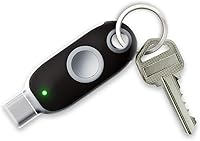
At roughly 2 inches long and under 0.3 oz, this security key barely registers on a keychain and slips into any pocket without bulk. Users who carry it daily alongside house keys report forgetting it is even there, which is exactly the right outcome for an always-available authentication device.
The slim, flat profile makes it slightly fiddly to grab quickly when it is mixed in with other keys, and there is no included keyring hole reinforcement, which causes minor concern about long-term stress on the attachment point.
Driver-Free Operation
93%
Plug-and-play functionality across all five supported operating systems is executed well — there is genuinely nothing to install, and the key registers instantly on modern machines. For IT administrators deploying across a mixed-OS team, this removes a meaningful friction point.
On very old operating systems or locked-down corporate machines with restricted USB policies, the plug-and-play experience breaks down and requires administrative intervention — though this is an environment constraint rather than a product flaw per se.
Value for Money
72%
28%
For buyers who need both USB-C and NFC in a single FIDO2-certified key, the pricing sits at a reasonable mid-market level — you are getting dual-protocol coverage without paying a premium for biometric features you may not need.
When compared directly to some competing keys at a similar or slightly higher price that offer metal casing, biometric options, or broader NFC support including iOS, the value calculation becomes less clear-cut, especially for buyers who prioritize build quality.
Durability in Daily Use
82%
18%
Beyond the IP67 certification, real-world durability feedback is broadly positive — keys that have been carried daily for over a year show normal cosmetic wear but continue functioning without issue. The internal electronics appear well-protected despite the plasticky exterior.
Surface scratching on the casing is reported by most long-term users within the first few months of keychain carry, and the black finish shows wear marks more visibly than a matte or textured alternative might.
Security Architecture
89%
The cryptographic design underlying FIDO2 means credentials are stored on the device itself and never transmitted to a server — this is a fundamentally strong security posture that protects against both phishing and large-scale data breaches at the service level.
The absence of a biometric sensor or PIN protection on the key itself means that if the physical key is stolen alongside a compromised password, the attacker has everything they need — a limitation inherent to non-biometric keys, not specific to this model but worth acknowledging.
Android Integration
85%
Users relying on Android devices for work or personal authentication report the NFC tap experience as fast and consistent, with Google and Microsoft apps in particular handling the handshake cleanly. No app installation is required on the Android side for most major services.
NFC range is relatively short and positioning-sensitive on some Android devices, meaning users occasionally need to adjust how they hold the key against the phone to get a successful read — a minor but recurring complaint in user feedback.
Brand Trustworthiness
78%
22%
FEITIAN is a well-established manufacturer in the hardware authentication space with a significant installed base in enterprise environments globally, which gives buyers more confidence than purchasing from a no-name brand. The certifications are independently verified, not self-declared.
FEITIAN does not carry the same mainstream name recognition as some competitors in the consumer market, and customer support responsiveness receives mixed feedback — a concern for buyers who encounter setup issues and need direct assistance.

Suitable for:

The FEITIAN ePass K40 USB Security Key is a well-matched choice for anyone operating primarily in a USB-C and Android ecosystem who wants to move beyond the vulnerability of SMS-based two-factor authentication. Remote workers and IT professionals managing access to cloud platforms like Microsoft Azure, Okta, or Google Workspace will get the most practical day-to-day value from it, since FIDO2 authentication actively blocks phishing attempts that trick users into entering credentials on fake sites. Cryptocurrency holders are another strong fit — hardware-backed login on exchanges like Coinbase adds a meaningful layer of protection that software authenticator apps simply cannot match. Small businesses looking to standardize employee authentication without the added cost and complexity of biometric keys will find the plug-and-play setup refreshingly straightforward. Privacy-focused individuals who want to eliminate SMS codes and authenticator app dependencies across personal accounts — Google, Dropbox, Twitter, and similar services — will also find this security key a practical, no-fuss upgrade.

Not suitable for:

The FEITIAN ePass K40 USB Security Key has real limitations that make it a poor fit for certain buyers, and it is worth being upfront about them. iPhone users are the most obvious group to reconsider: NFC on this key does not work natively with iOS, so anyone expecting to tap-authenticate on an iPhone will hit a wall without a third-party app workaround, which defeats the point of a friction-free experience. Users who need a key with fingerprint verification should also look elsewhere — this token has no biometric sensor at all, meaning anyone who picks it up can technically use it if they also know the account password. Organizations running legacy enterprise infrastructure that relies exclusively on older FIDO U2F implementations may encounter compatibility gaps, particularly in more rigid IT environments. Those expecting a premium build quality comparable to keys from other established security vendors may be disappointed by the plastic casing, which feels utilitarian rather than robust. Finally, complete beginners to hardware authentication without any technical support available to them may find initial setup more confusing than anticipated.

Specifications

  • Connector: The key uses a USB-C interface for wired connection to laptops, tablets, and other USB-C compatible devices.
  • Wireless: NFC support allows tap-based authentication on compatible Android smartphones and tablets without plugging in.
  • Certifications: Certified under both FIDO2 and FIDO U2F standards, covering passwordless login and legacy two-factor authentication scenarios.
  • Biometric Sensor: This key has no biometric sensor; authentication relies on physical possession of the key rather than fingerprint verification.
  • Water Resistance: Rated IP67, meaning it can withstand submersion in up to 1 meter of water for up to 30 minutes under test conditions.
  • Dimensions: The key measures 2″ long by 0.75″ wide by 0.13″ thick, making it compact enough for everyday keychain carry.
  • Weight: At 0.254 oz, this security key adds virtually no noticeable weight to a keychain or bag.
  • Compatible OS: Works natively on Windows, macOS, Linux, Chrome OS, and Android without any driver or software installation.
  • Driver Required: No driver installation is needed; the key is recognized automatically by supported operating systems upon connection.
  • Color: The key ships in a black and silver colorway with a plastic housing and minimal branding.
  • Manufacturer: Made by Feitian Technologies Co., Ltd., a Beijing-based company with an established history in hardware authentication products.
  • Model Name: The official model designation is ePass K40, sometimes listed by the manufacturer as FEITIAN K40.
  • Bluetooth: This key does not include Bluetooth connectivity; wireless use is limited to NFC tap only.
  • iOS Compatibility: NFC functionality is not natively supported on iOS devices and requires a third-party application to operate on iPhone or iPad.
  • Service Support: Compatible with major platforms including Google Accounts, Microsoft 365, Coinbase, Okta, Dropbox, Twitter, Bank of America, and many others that accept FIDO-standard keys.
  • First Available: The ePass K40 has been available on Amazon since June 2020, giving it several years of real-world user feedback.

Related Reviews
FeiTian A4B USB Security Key
87%
94%
Ease of Use
92%
Portability
89%
Security Features
87%
Compatibility with Devices
85%
Build Quality
More
Feitian MultiPass K32 USB Security Key
77%
88%
Value for Money
91%
Multi-Interface Connectivity
84%
Ease of Setup
86%
NFC Performance
61%
Bluetooth Reliability
More
AUTHENTREND ATKey.Pro FIDO2 Fingerprint Security Key
70%
81%
Fingerprint Recognition Speed
46%
Setup & Enrollment Experience
88%
PIN-Free Authentication
73%
Compatibility & Platform Coverage
58%
Windows Device Login (Entra ID)
More
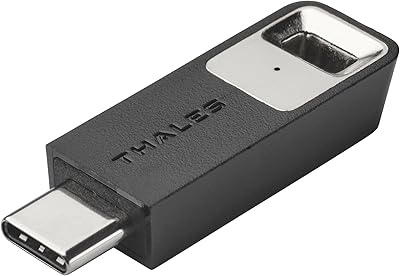
Thales SafeNet eToken FIDO USB-C Security Key
87%
94%
Ease of Use
91%
Security Features
88%
Platform Compatibility
89%
Setup Process
85%
Reliability
More
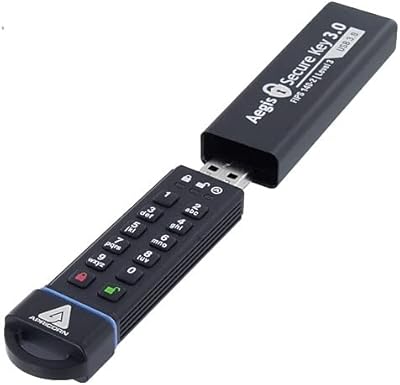
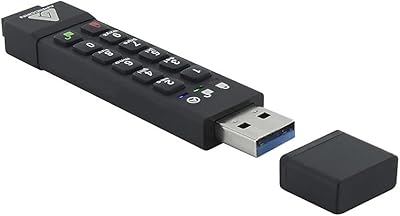
Apricorn Aegis Secure Key 1TB USB Drive
80%
96%
Data Security
91%
Build Quality
67%
Ease of Setup
54%
Value for Money
78%
Transfer Speed
More
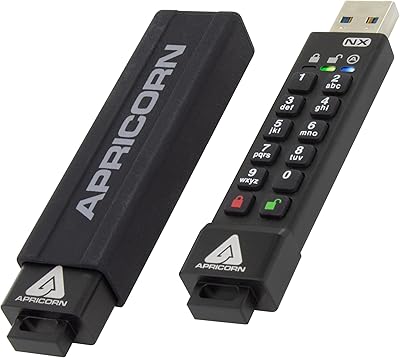
Apricorn Aegis Secure Key 3Z 128GB USB 3.0 Flash Drive
87%
94%
Security Features
89%
Durability & Build Quality
91%
Ease of Use (Pin Authentication)
72%
Data Transfer Speed (Write Speed)
85%
Waterproof & Dustproof Performance
More
Apricorn Aegis Secure Key 3NX 16GB Drive
80%
97%
Data Security
91%
Build Quality
83%
Ease of Setup
48%
Value for Money
78%
Authentication Experience
More
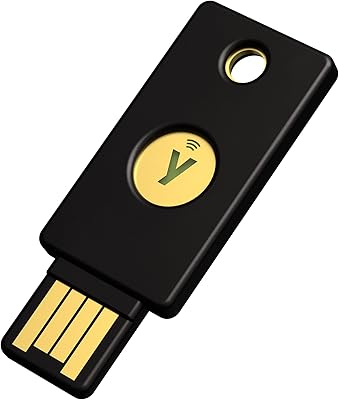
Yubico Security Key NFC USB Security Key
80%
91%
Ease of Setup
96%
Phishing Protection
83%
NFC Performance
88%
Build Quality
87%
Service Compatibility
More
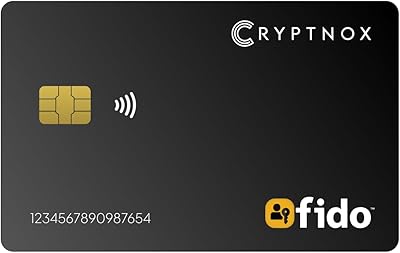
Cryptnox FIDO2 NFC Security Key
76%
93%
Portability & Form Factor
86%
NFC Authentication Speed
81%
Platform & Service Compatibility
94%
Security Credentials
67%
Setup & Registration Experience
More
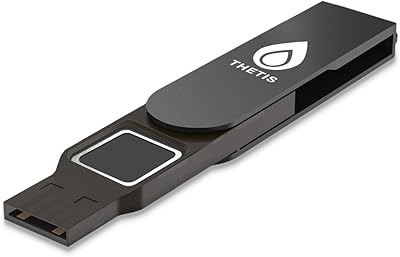
Thetis FIDO2 Fingerprint USB-A Security Key
73%
61%
Fingerprint Recognition
78%
Setup Experience
54%
Platform Compatibility
86%
Security Architecture
67%
Build Quality
More

FAQ

Not natively. The NFC on this key is not supported by iOS out of the box, so tapping it to an iPhone will not trigger authentication the way it would on Android. There are third-party apps that can enable some NFC key functionality on iOS, but the experience is not as smooth. If iPhone is your primary device, you may want to consider a key with broader iOS support.

No, and that is one of its genuine strengths. Plug the K40 key into a USB-C port on a Windows, Mac, Linux, or Chrome OS device and the operating system recognizes it immediately. There is nothing to download, no account to create, and no background app running. You just register it with your accounts through each service's security settings, which is typically a two-minute process.

Yes, and this works reliably according to most user reports. On Android, you simply tap the key to the back of your phone when prompted during login — no cable needed. Make sure NFC is enabled in your phone settings, and you should be good to go with services like Google, Microsoft, and others that support FIDO2 NFC authentication.

FIDO U2F is the older standard, used primarily as a second factor alongside a password. FIDO2 is the newer protocol that can support fully passwordless login on supported platforms — meaning no password entry at all, just the key. Having both certifications means the FEITIAN ePass K40 USB Security Key works with modern passwordless setups and older systems that have not yet upgraded to FIDO2.

The IP67 rating means it has been tested to handle submersion in a meter of water for up to 30 minutes, so accidental rain exposure, being dropped in a puddle, or going through a washing machine in a jacket pocket is unlikely to kill it. Real-world user feedback backs this up — water damage complaints are essentially absent in the reviews.

Yes, and that is the whole point of a hardware security key. You can register the same key with dozens of services simultaneously — Google, Microsoft, Dropbox, Coinbase, and so on. Each service stores a unique cryptographic credential associated with your key, so registering with one service has no effect on the others.

This is something to plan for before it happens, not after. Most services that support hardware keys allow you to register a backup key or a backup authentication method during initial setup. If you lose your only key without a backup in place, account recovery can be a frustrating process that varies by service. It is strongly recommended to register a second key or keep a set of backup codes somewhere safe.

Yes, it supports Windows Hello for Business and can be used for local Windows login in environments configured to accept FIDO2 keys. This is particularly useful for IT administrators setting up passwordless desktop authentication. Standard home Windows setups may require some configuration to enable this, but the hardware supports it.

Honestly, this is where some buyers are underwhelmed. The plastic casing is functional and the IP67 rating is legitimate, but the overall feel is more utilitarian than premium. Competing keys at a similar or slightly higher price point do have a more solid, metal-accented build. If how the key feels in hand matters to you, it is worth factoring that in — but if you care primarily about what it does, the build holds up fine for everyday use.

It is a reasonable choice for small teams, especially those already using cloud platforms like Microsoft 365, Google Workspace, or Okta. The lack of biometric enrollment keeps setup simple and consistent across staff. That said, this is more of a prosumer-grade key than a full enterprise solution — organizations with strict IT compliance requirements or complex legacy systems may need to evaluate compatibility more carefully before rolling it out at scale.