Overview

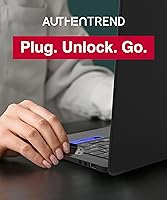
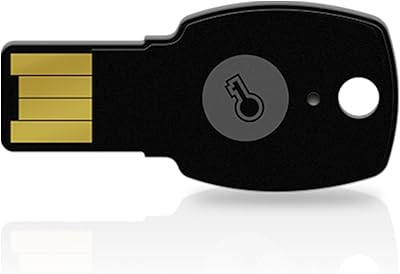
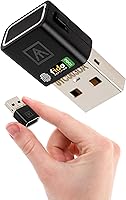
The AUTHENTREND ATKey.Pro FIDO2 Fingerprint Security Key takes a different approach than most hardware keys — instead of asking for a PIN, it uses your fingerprint as the only factor. Think of a passkey as a physical token that websites recognize in place of a password; FIDO2 is the open standard that makes it work across platforms and browsers. This biometric key occupies a niche where fingerprint-capable options are still genuinely rare. It has been on the market since early 2020, giving it more real-world history than many newer rivals. One practical caveat worth flagging upfront: it connects via USB-A only, so owners of modern thin laptops may need a small adapter.
Features & Benefits

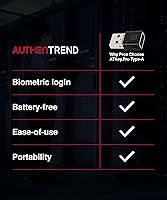
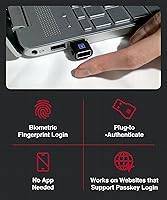
What sets this fingerprint security key apart is PIN-free authentication — touch the sensor and you are logged in, no memorized code required. The side-mounted sensor reads at any angle in under a second, a genuine advantage on convertible or rotating devices. It stores up to 10 fingerprints and manages up to 160 FIDO2 credentials, making it workable for multi-account users or small shared-use setups. On the compatibility front, it covers FIDO2 CTAP2.1, U2F, and WebAuthn across Chrome, Edge, Safari, and Firefox, with full support for Windows, macOS, Linux, and Chromebook. At 4.54 grams, it barely registers on a keychain.

Best For

This biometric key is a strong match for people who want hardware-based MFA but find PIN entry annoying or error-prone — frequent travelers, remote workers, and anyone who has ever locked themselves out of an authenticator app will appreciate the idea immediately. IT teams rolling out passwordless access via Windows Entra ID, Microsoft's enterprise identity platform, also have a specific reason to look here. That said, a subscription to ATKey.Login is required to unlock the full Windows device login experience — not an obvious detail at purchase. Apple-first users should know upfront that macOS device login is not supported, making this a less complete solution in that ecosystem.

User Feedback

With a 3.3-out-of-5 average across 111 reviews, the ATKey.Pro trails most competing keys in satisfaction — and that gap deserves honest attention. Positive reviewers consistently praise the fast fingerprint recognition and genuinely PIN-free experience, along with build quality that feels solid for the key's size. Criticism clusters around two areas: the initial enrollment process, which some users find confusing, and intermittent read failures during daily use. The paid ATKey.Login subscription required for Windows device login also catches buyers off guard. For context, AUTHENTREND's companion ATKey.Card scores 4.4 stars, suggesting the USB-A form factor — not the underlying technology — may be where the Pro falls short for certain users.

Pros

  • No PIN ever required — your fingerprint is the only thing standing between you and logged in
  • Fingerprint reads in under a second, even at awkward angles on rotating or convertible laptops
  • Stores up to 10 fingerprints, useful for enrolling multiple fingers as backups
  • Manages up to 160 FIDO2 credentials, making it practical for heavy multi-account users
  • Works across Windows, macOS, Linux, and Chromebook with no driver drama
  • Compatible with all major browsers including Chrome, Edge, Safari, and Firefox
  • Weighs just 4.54 grams — you genuinely forget it is on your keychain
  • Supports FIDO2 CTAP2.1, U2F, and WebAuthn, covering virtually every passkey-enabled service
  • Has been commercially available since 2020, giving it a longer real-world reliability track record than many competitors
  • Solid physical build quality praised consistently by users across different review sources

Cons

  • USB-A only — no USB-C option means adapter dependency on virtually every modern laptop
  • Initial fingerprint enrollment process is unintuitive and has frustrated a notable share of buyers
  • Occasional read failures reported during daily use, requiring re-attempts that undercut the speed benefit
  • Full Windows device login requires a paid ATKey.Login subscription not included in the purchase price
  • A 3.3-out-of-5 average rating across 111 reviews is well below what category-leading security keys achieve
  • No Apple device login support makes the experience incomplete for macOS and iPhone-first users
  • Buyers unfamiliar with FIDO2 may face a steep learning curve understanding what the key does and does not do
  • AUTHENTREND's own ATKey.Card variant earns significantly higher user satisfaction, raising questions about this form factor specifically
  • No USB-C variant available as an alternative purchase option from the same brand
  • Some negative reviews reflect mismatched expectations, but the pattern of read failures and setup complaints is too consistent to dismiss

Ratings

The scores below for the AUTHENTREND ATKey.Pro FIDO2 Fingerprint Security Key were generated by our AI system after analyzing verified buyer reviews from global markets, with spam, bot-submitted, and incentivized feedback actively filtered out. The result is an honest, data-driven picture that reflects both what this biometric key genuinely does well and where real users have run into frustration. Nothing has been smoothed over to protect the brand.
Fingerprint Recognition Speed
81%
19%
Users consistently report that the sensor reads a finger in under a second during normal daily use, which holds up even when inserting the key at awkward angles on a laptop mounted on a desk stand or used in a moving vehicle. The side-mounted sensor placement earns specific praise from people using convertible or rotating devices.
A meaningful subset of reviewers describes moments where the sensor simply fails to read, requiring a second or third attempt that defeats the purpose of fast authentication. Cold or dry fingers seem to worsen reliability, a recurring theme in winter-climate reviews.
Setup & Enrollment Experience
46%
54%
Users who took time to read the documentation and use AUTHENTREND's companion software report that once enrollment is done correctly, the day-to-day experience is smooth. IT administrators familiar with FIDO2 infrastructure tend to find the process straightforward relative to enterprise alternatives.
For the average buyer, the enrollment process is a genuine stumbling block — multiple reviews describe failed first attempts, unclear software prompts, and confusion about which accounts support FIDO2 passkeys. This is the single biggest driver of negative ratings and a real barrier for non-technical users.
PIN-Free Authentication
88%
Among users who successfully set up the key, the PIN-free experience is the feature they praise most enthusiastically. Remote workers especially appreciate not having to type a PIN in a coffee shop or airport where they feel observed, and the simplicity of a single touch resonates strongly with everyday use.
Because there is no PIN fallback, a failed fingerprint read during a time-sensitive login — think a video call authentication prompt — creates more stress than it would with a backup PIN option. A small number of users feel the all-or-nothing biometric approach is a design risk they were not prepared for.
Compatibility & Platform Coverage
73%
27%
Cross-platform coverage across Windows, macOS, Linux, and Chromebook is broadly confirmed by real users, and the key works reliably with Chrome, Edge, Safari, and Firefox for web-based FIDO2 logins. Windows-first users in particular find the ecosystem support solid for both personal and organizational use cases.
macOS users frequently express disappointment that system-level device login is not supported — web logins work, but that is a narrower experience than many expect. Apple-ecosystem buyers often feel misled by the broad compatibility claims when the practical Mac experience is significantly more limited.
Windows Device Login (Entra ID)
58%
42%
For IT administrators already operating Microsoft Entra ID environments, the ability to use a fingerprint key for Windows device login is a genuinely useful capability that few competing keys offer at all. Organizations piloting passwordless workplace access report this as a strong differentiator.
The requirement for a paid ATKey.Login subscription to unlock this feature catches many individual buyers completely off guard — it is not prominently communicated before purchase. Several reviewers describe this as feeling like a bait-and-switch, and the ongoing subscription cost changes the value calculation meaningfully.
Build Quality & Portability
84%
The physical key earns consistent praise for feeling solid and well-made despite its tiny footprint — at 4.54 g it adds nothing noticeable to a keychain and has survived daily carry without reported damage across many long-term reviews. The compact dimensions make it genuinely travel-friendly.
The exposed USB-A connector has no protective cap, which some users worry about over time despite no widespread reports of connector damage. A few reviewers note that the small size makes it easy to misplace, which is more a lifestyle consideration than a product flaw.
Credential Storage Capacity
83%
The ability to store up to 160 FIDO2 credentials on a single key is well above average for this product category and draws specific praise from power users managing accounts across multiple organizations. Multi-account professionals find they can consolidate authentication entirely onto one device.
Managing stored credentials requires the desktop software, and a few users find the credential management interface unintuitive when they need to delete old entries or reorganize accounts. There is no on-device way to see what is stored without connecting to a computer.
Multi-User Fingerprint Support
74%
26%
Enrolling up to 10 fingerprints makes the key workable for households or small IT-managed deployments where more than one person needs access. Users who register multiple fingers for themselves as backups report meaningfully fewer read-failure frustrations in practice.
Ten fingerprints sounds generous until you consider a shared office context where five users each want two fingers registered — that fills the key completely. Larger shared-use scenarios hit the ceiling quickly, and there is no easy way to audit which fingerprint slots are in use without the desktop app.
Browser & Web Login Experience
79%
21%
Web-based passkey login across Chrome, Edge, Safari, and Firefox works reliably for services that support WebAuthn, and users report a smooth experience on platforms like Google, Microsoft, and GitHub once the key is registered. The cross-browser consistency is better than many competing keys.
The experience depends entirely on whether the website or service has implemented FIDO2 properly, and some users are disappointed to discover that several services they use daily do not yet support hardware passkeys. That is an ecosystem limitation rather than a flaw in the key itself.
Value for Money
53%
47%
For Windows-centric enterprise users who need a PIN-free biometric key and already have an Entra ID subscription in place, the price point is reasonable relative to the capability on offer. The long credential storage and broad protocol support add genuine depth.
For individual buyers who discover that Windows device login requires an additional subscription, the overall cost of ownership climbs in a way that weakens the value argument considerably. The 3.3-star average rating also signals that a significant share of buyers feel the experience did not match the price expectation.
Software & App Quality
51%
49%
The ATKey.Pro management app does handle fingerprint enrollment and basic credential management, and users who work through it methodically report it functioning as advertised for core tasks. Enterprise IT users tend to find it more acceptable than consumer reviewers do.
Consumer reviewers describe the software as clunky, poorly documented, and prone to confusion during first-time setup. Several users report needing to attempt enrollment multiple times before succeeding, and the interface has not received significant updates that reviewers have noted since early versions.
Security Architecture
91%
From a technical standpoint, on-device credential storage means your passkeys never leave the hardware key — a meaningful advantage over phone-based authenticators or cloud-synced passkeys. Security professionals in the review pool consistently affirm the implementation is sound and the FIDO2 CTAP2.1 certification is legitimate.
The security model is strong, but it creates a recovery challenge: if you lose the key and have not registered a backup authentication method, account recovery can be genuinely difficult. Several users mention this as something they only thought about after losing or damaging a key.
Documentation & Onboarding
44%
56%
Users who found and read the full online documentation report that the technical information is accurate and covers edge cases reasonably well. IT administrators familiar with FIDO2 deployments generally navigate the setup without major difficulty using available resources.
Out-of-box documentation is widely criticized as insufficient for non-technical buyers — the included materials assume a level of familiarity with FIDO2 that most consumers do not have. This documentation gap is a direct contributor to the high rate of negative early reviews from otherwise willing buyers.

Suitable for:

The AUTHENTREND ATKey.Pro FIDO2 Fingerprint Security Key is built for people who are genuinely tired of passwords and PINs and want a physical key that does the work for them. It fits best with remote workers and frequent travelers who need fast, reliable multi-factor authentication without depending on a phone signal or a code generator app. Windows-centric professionals and IT teams deploying passwordless access through Microsoft Entra ID will find specific value here, since the key supports device-level login on that platform. Security-conscious individuals who manage many online accounts will also appreciate the ability to store up to 160 FIDO2 credentials in one small device. Anyone already familiar with the FIDO2 or WebAuthn ecosystem and looking to move beyond a PIN-only key will find this biometric key a practical and well-supported upgrade.
Not suitable for:

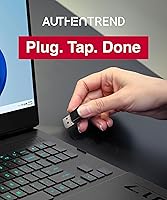
The AUTHENTREND ATKey.Pro FIDO2 Fingerprint Security Key is a harder sell for buyers who live primarily in Apple's ecosystem. There is no native macOS device login support, and Apple's own passkey integration does not extend to this hardware key in a meaningful way, so iPhone and Mac-first users may find the experience incomplete. The USB-A connector is another real-world friction point — most modern ultrabooks and all recent MacBooks require a USB-C adapter, which adds bulk and a potential failure point. Budget-focused buyers should also know that full Windows device login functionality requires an ATKey.Login subscription, an ongoing cost not reflected in the upfront price. Users who want a simple plug-and-tap experience right out of the box may also struggle with the enrollment process, which has drawn consistent complaints about its complexity.
Specifications

  • Brand: Manufactured by AUTHENTREND, a company specializing in biometric security hardware.
  • Model Number: The official model identifier is BLC-622A1, also marketed under the ATKey.Pro name.
  • Connector Type: Uses a USB-A plug; no USB-C variant is available from this product line.
  • Dimensions: The key measures 0.59 x 1.04 x 0.33 inches, making it compact enough to sit unobtrusively on a keychain.
  • Weight: Weighs just 4.54 g (0.16 oz), adding virtually no noticeable bulk to a bag or keyring.
  • Authentication: Authenticates via fingerprint biometric only, using AUTHENTREND's Bio-Touch sensor — no PIN is required at any stage.
  • Sensor Speed: The side-mounted fingerprint sensor completes recognition in under one second and reads from any angle.
  • Fingerprint Storage: Supports enrollment of up to 10 individual fingerprints, useful for registering multiple fingers as backups.
  • Credential Storage: Securely stores up to 160 FIDO2 passkey credentials on-device.
  • Protocols: Certified for FIDO2 CTAP2.1, U2F, and WebAuthn, covering the full range of modern passwordless authentication standards.
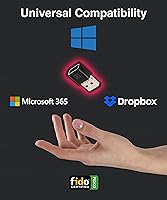
  • Compatible OS: Works with Windows, macOS, Linux, and Chromebook operating systems.
  • Browser Support: Compatible with WebAuthn-enabled browsers including Chrome, Edge, Safari, and Firefox.
  • Transfer Rate: Operates at a USB data transfer rate of 150 Mbps, though authentication tasks place negligible demand on bandwidth.
  • Apple Support: No native Apple device login support; macOS can use the key for web-based FIDO2 logins but not system-level authentication.
  • Enterprise Feature: Windows device login via Microsoft Entra ID is supported, though full functionality requires an ATKey.Login subscription.
  • Market Availability: The ATKey.Pro has been commercially available since February 2020, giving it over four years of real-world deployment history.
  • PIN Requirement: No PIN is required at any point during authentication; the fingerprint is the sole credential factor.
  • User Rating: Holds an average rating of 3.3 out of 5 stars based on 111 customer reviews on Amazon.

Related Reviews
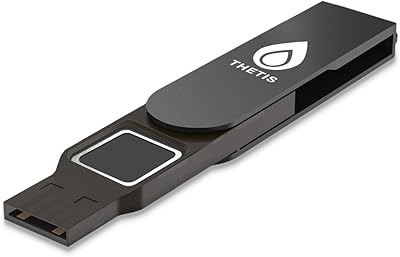
Thetis FIDO2 Fingerprint Security Key
86%
88%
Performance
91%
Setup & Installation
94%
Security Features
85%
Compatibility with Operating Systems
93%
Portability
More
Cryptnox FIDO2 NFC Security Key
76%
93%
Portability & Form Factor
86%
NFC Authentication Speed
81%
Platform & Service Compatibility
94%
Security Credentials
67%
Setup & Registration Experience
More
OnlyKey FIDO2/U2F Security Key and Hardware Password Manager
84%
94%
Security Features
88%
Ease of Setup
91%
Build Quality and Durability
72%
Compatibility with Devices
85%
Password Management Convenience
More
Yubico Security Key NFC
90%
92%
Value for Money
89%
Build Quality & Durability
94%
Portability & Size
93%
Ease of Use
88%
Security Features
More
FeiTian K40 USB Security Key
85%
93%
Security Performance
88%
Ease of Use
90%
Compatibility with Devices
91%
Build Quality
85%
Setup & Installation
More
Canary Pro Indoor Home Security Camera
73%
91%
Ease of Setup
78%
Video Quality
63%
Motion Detection
61%
App Experience
87%
Siren Effectiveness
More
FeiTian A4B USB Security Key
87%
94%
Ease of Use
92%
Portability
89%
Security Features
87%
Compatibility with Devices
85%
Build Quality
More
Arlo Pro 5S 2K Spotlight Security Camera
76%
88%
Video Quality
71%
Night Vision Performance
63%
Battery Life
91%
Setup & Installation
83%
App & Notifications
More
Arlo Pro 3 Floodlight Security Camera
78%
88%
Video Quality
91%
Night Vision
61%
Battery Life
93%
Installation & Setup
69%
App Experience
More
Winees L2 Pro Solar Security Camera
85%
88%
Video Quality
91%
Solar Charging Performance
85%
Night Vision
70%
Ease of Setup
89%
Motion Detection Accuracy
More

FAQ

It is genuinely PIN-free from start to finish. During initial setup you enroll your fingerprints, and after that your touch is the only thing required — no PIN prompt ever appears. This is one of the features that genuinely sets the ATKey.Pro apart from most other hardware security keys on the market.

The key uses a USB-A connector, so you will need a USB-A to USB-C adapter to plug it into a modern MacBook. Also worth knowing: while you can use it for web-based FIDO2 logins on macOS, there is no support for logging into your Mac itself with a fingerprint touch — that level of integration is Windows-only.

A passkey is a way to log into websites and apps without a password — instead, a cryptographic key stored on your device (or in this case, your hardware key) proves your identity. The ATKey.Pro stores those passkeys on the physical device itself, so your credentials never live in the cloud or on someone else's server, which is a meaningful security advantage.

Partially, yes. The key supports Windows Hello and can handle web-based passwordless login without any subscription. However, full Windows device login through Microsoft Entra ID — the feature most enterprise users want — requires an ATKey.Login subscription, which is a separate ongoing cost. That detail is easy to miss before purchasing, so it is worth factoring into your decision upfront.

Yes, with some caveats. You can enroll up to 10 fingerprints on a single key, so multiple people can register their own fingers. However, all users would share the same pool of up to 160 stored credentials, so it is better suited for a small household or a controlled IT environment than a large shared-access setup.

A few users have reported intermittent read failures, which is something to be aware of. The practical workaround is to enroll more than one finger — registering your index finger and thumb, for example — so if one scan fails, you can try another. There is no PIN fallback by design, so enrolling backup fingerprints upfront is genuinely important.

Yes, Google accounts support FIDO2 and WebAuthn, so you can register this biometric key as a passkey for your Google account. The same applies to other major services like Microsoft, GitHub, and many others that have adopted the passkey standard.

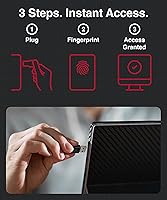
Setup is more involved than plugging in a standard USB key. You need to use AUTHENTREND's ATKey.Pro management software to enroll fingerprints and register the device with each service individually. The process is not complicated once you understand it, but it is less intuitive than competitors who walk you through each step. Setting aside 20 to 30 minutes and reading the documentation before starting will save you a lot of frustration.

The physical build quality gets consistent praise from users — it feels solid and holds up well to daily carry. At just over 4 grams it is small enough that it adds no real stress to a keyring. There is no moving cap or cover over the connector, so the USB-A plug is exposed, but most users report no issues with that over extended use.

Most standard hardware keys — including many YubiKeys — ask you to tap the key and enter a PIN to confirm your identity. This fingerprint security key skips the PIN entirely: your touch is both the physical possession factor and the biometric confirmation in one step. That makes authentication faster and removes the risk of forgetting or being shoulder-surfed for your PIN. The trade-off is that biometric hardware adds complexity and, as some users have found, occasional sensor reliability concerns.