Overview

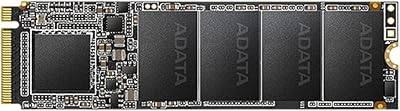
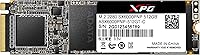
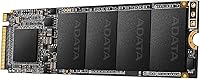
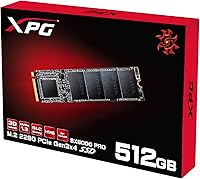
The XPG SX6000 Pro 512GB NVMe SSD comes from XPG, ADATA's gaming-oriented sub-brand, and occupies a comfortable spot in the mid-range NVMe market. It uses a PCIe Gen3x4 interface in the standard M.2 2280 form factor — the footprint found in the vast majority of modern motherboards and laptops. At 512GB, the capacity hits a sweet spot: enough for Windows, several large games, and everyday documents without crossing into premium price territory. Before buying, confirm that your M.2 slot supports NVMe specifically and not just SATA — Mac systems are also unsupported. This is a capable, honest performer rather than a top-of-the-line flagship drive.
Features & Benefits

The SX6000 Pro pulls sequential reads up to 2100 MB/s and writes up to 1500 MB/s over PCIe Gen3x4 — fast enough that boot times and app launches feel noticeably sharper compared to any SATA drive. It runs on 3D NAND flash, which holds up better over time than older planar designs, and XPG backs that with a 150 TBW endurance rating alongside a 2,000,000-hour MTBF figure. One underrated detail: the single-sided PCB keeps the component footprint tight, useful in slim laptops where the back of the M.2 slot has limited clearance. NVMe 1.3 also reduces how much the CPU gets involved during transfers, keeping system resources available for whatever else is running.

Best For

This XPG NVMe drive makes the most sense for someone currently on a SATA SSD looking for a meaningful speed upgrade without a significant price jump. Gamers in particular will notice shorter load screens in open-world and large-asset titles. Students or home users who need a dedicated Windows drive with room for productivity software and media will find the 512GB capacity plenty workable. It also fits naturally as a secondary cache drive in a desktop build, paired with a larger HDD for bulk storage. For slim laptops, the single-sided layout means there is less risk of components fouling against the chassis.

User Feedback

With a 4.2-star average across nearly 1,700 ratings, buyers are broadly satisfied with this M.2 SSD. The most frequent praise centres on easy installation and the jump in system responsiveness that anyone upgrading from a SATA drive will immediately feel. On the critical side, some users have noted that sustained write speeds under prolonged, heavy workloads can dip below the advertised ceiling — not unusual at this price tier, but worth knowing if large sequential writes are routine for you. Slot compatibility confusion surfaces repeatedly in reviews, reinforcing the need to check NVMe support before purchasing. Long-term owners have largely reported reliable daily operation with no notable failures over extended use.

Pros

  • Sequential reads up to 2100 MB/s make boot times and app launches noticeably faster than any SATA drive.
  • 3D NAND flash improves long-term data integrity compared to older planar NAND designs.
  • A 2,000,000-hour MTBF rating suggests solid reliability for everyday consumer workloads.
  • The single-sided PCB is a practical advantage in slim laptops with tight M.2 slot clearance.
  • At 512GB, the capacity comfortably holds an OS plus a rotating library of large games.
  • NVMe 1.3 protocol keeps CPU overhead low, leaving more resources available for active tasks.
  • Installation is straightforward — the M.2 2280 form factor is universally supported in modern systems.
  • Nearly 1,700 buyer ratings back up real-world satisfaction with a strong 4.2-star average.
  • The SX6000 Pro has been on the market since 2018, giving it a longer reliability track record than newer unknowns.

Cons

  • Sustained write speeds can throttle under prolonged heavy workloads, falling short of the advertised ceiling.
  • No Gen4 performance headroom — buyers with newer platforms may find the speed ceiling limiting over time.
  • Completely incompatible with Mac systems, with no supported workaround.
  • Will not work in SATA-only M.2 slots, which has caused confusion among a notable share of buyers.
  • 150 TBW endurance is modest for anyone doing frequent large-file writes day after day.
  • No DRAM cache, which can affect real-world random read performance compared to fully buffered drives.
  • 512GB may feel restrictive quickly for users with large media collections or growing game libraries.
  • Thermal performance under sustained loads has drawn occasional concern from users in poorly ventilated cases.

Ratings

The XPG SX6000 Pro 512GB NVMe SSD scores below are generated by AI after analyzing thousands of verified global buyer reviews, with spam, bot-submitted, and incentivized feedback actively filtered out. The ratings reflect what real users consistently experienced over time — both the strengths that made them recommend it and the friction points that gave them pause. Nothing has been smoothed over to flatter the product.
Sequential Read Performance
86%
Users upgrading from SATA drives consistently describe the jump in read speed as immediately tangible — Windows loads faster, large game levels stream in quicker, and file browsing feels snappier. At up to 2100 MB/s, the SX6000 Pro delivers on its headline number for typical burst reads.
The advantage narrows when compared to Gen4 drives, which have become increasingly affordable. Enthusiasts who benchmarked this drive noticed the Gen3 ceiling and felt it would age out of relevance sooner than they had hoped.
Sustained Write Performance
61%
39%
For everyday tasks — saving documents, installing games, transferring moderate file batches — write performance feels responsive and consistent. Casual users and students rarely push the drive hard enough to notice any limitation in write throughput.
Buyers who regularly move large batches of files or write sequentially for extended periods have reported noticeable speed drops once the cache fills. This is a well-documented characteristic of drives in this class, but it catches some buyers off guard given the 1500 MB/s headline figure.
Value for Money
83%
Sitting in the accessible mid-range tier, the SX6000 Pro consistently earns praise from budget-conscious builders who want NVMe speeds without paying a flagship premium. Students and first-time PC builders in particular cite it as a sensible, no-compromise starting point.
As Gen4 NVMe prices have dropped over time, the value equation has tightened. A few buyers noted that spending slightly more now gets you into Gen4 territory, which makes this drive feel less like the obvious choice it once was at launch in 2018.
Installation Ease
91%
Among the most consistently praised aspects in user reviews, installation is described as genuinely straightforward — slot in at an angle, press flat, tighten one screw. Buyers with no prior SSD experience reported completing the process in under five minutes without issues.
The only recurring complaint here is not about the drive itself but about slot confusion — some buyers discovered too late that their motherboard only had a SATA M.2 slot, making the drive incompatible. XPG's packaging warning is there, but it is easy to overlook.
Compatibility & Platform Support
58%
42%
For standard Windows-based desktops and laptops with a PCIe NVMe M.2 slot, the SX6000 Pro works reliably straight out of the box with no driver installation needed. It is detected immediately by modern BIOS firmware and Windows installation media alike.
Compatibility complaints appear more frequently in reviews for this drive than for many rivals. Mac incompatibility, SATA-only M.2 slot mismatches, and occasional older motherboard detection issues have left a meaningful number of buyers frustrated and returning the drive.
Random Read & Write (4K IOPS)
77%
23%
At 190K read and 180K write IOPS, the SX6000 Pro handles the kind of fragmented, small-file activity that defines real desktop use — launching browsers, switching between apps, opening project folders — with enough responsiveness to satisfy most everyday users.
Compared to drives with DRAM cache, the random performance under sustained mixed workloads is less consistent. Users running database applications or creative workflows with many simultaneous small-file reads reported that the drive does not maintain its peak IOPS over time.
Thermal Management
69%
31%
Under typical daily use — gaming sessions, general productivity, routine file transfers — the drive stays within acceptable temperature ranges without requiring a dedicated heatsink. Users in well-ventilated mid-tower cases rarely reported thermal complaints.
In compact builds, slim laptops, or cases with poor airflow, some users observed the drive running warm under sustained load, occasionally triggering thermal throttling. Those without a motherboard M.2 heatsink cover noted that adding even a basic thermal pad made a measurable difference.
Endurance & Longevity
74%
26%
With a 150 TBW rating and 2,000,000-hour MTBF, the drive is built to outlast typical consumer usage patterns by a considerable margin. A number of buyers who purchased early in 2018 or 2019 report the drive still operating without issue years later, which is reassuring context.
The 150 TBW rating is on the lower end for a 512GB NVMe drive, and users who write heavily — content creators, developers, anyone running frequent virtual machine snapshots — may find the endurance ceiling a legitimate long-term concern rather than a theoretical one.
3D NAND Flash Quality
81%
19%
Buyers who have owned the drive for multiple years tend to report stable, consistent behavior with no unexpected data integrity issues. The use of 3D NAND over planar NAND adds a meaningful layer of confidence for users storing documents, photos, or project files they cannot afford to lose.
XPG does not publicly disclose the specific NAND supplier or die configuration for this drive, which leaves some technically informed buyers uncertain about the exact quality tier of flash in use — a minor but recurring point of criticism in enthusiast communities.
Build & Form Factor
88%
The single-sided PCB design is a genuine practical advantage that many buyers in slim laptops only appreciate once they go looking for alternatives and realize not all M.2 SSDs share this layout. The drive feels solid, installs flush, and does not add any meaningful thermal mass to the system.
There is no included heatsink or thermal sticker in the retail package, which is standard at this price point but still leaves buyers in hot-running systems to source their own thermal solution. The bare drive also has no label on the component side, making it harder to visually confirm orientation during install.
Software & Ecosystem
53%
47%
The drive is plug-and-play on Windows 10 and 11 with no additional software required for basic operation. XPG does offer its own SSD Toolbox software for health monitoring and firmware updates, which some users found genuinely useful for peace of mind.
XPG's toolbox software has received mixed reviews for reliability and compatibility, with some users reporting it fails to detect the drive or crashes on launch. Compared to the polished software ecosystems offered by rivals, the XPG tooling feels like an afterthought rather than a refined experience.
Noise & Vibration
97%
As an NVMe solid-state drive with no moving parts, it operates in complete silence regardless of workload — a meaningful upgrade for anyone coming from a spinning hard drive who noticed clicks, seek noise, or vibration during file-intensive tasks.
There is nothing meaningful to criticize here. Silence is expected from any SSD, and this drive delivers exactly that consistently across all reported use cases and environments.
Packaging & Unboxing
66%
34%
The retail packaging is compact and functional, with the drive arriving safely secured and clearly labeled. Budget-conscious buyers appreciate that XPG has not inflated the cost by over-engineering the box, keeping the price focused on the product itself.
There are no included accessories beyond the drive — no mounting screw, no thermal pad, no installation guide beyond a basic leaflet. For first-time builders, the absence of a screw is a surprisingly common point of frustration raised across multiple reviews.
Brand Reputation & Support
72%
28%
ADATA has been manufacturing storage products for decades, and the XPG sub-brand has built a credible following among gamers and budget enthusiasts. Most buyers feel reassured by the brand's market longevity and the volume of real-world ownership data available for this specific drive.
Warranty support experiences vary noticeably by region. Some international buyers reported slow RMA turnaround times and difficulty reaching ADATA support directly, which is a concern for buyers outside major markets who want reliable after-sales coverage on a storage device.

Suitable for:

The XPG SX6000 Pro 512GB NVMe SSD is a strong fit for anyone stepping up from a SATA-based drive who wants a real, day-to-day performance difference without spending on a premium Gen4 drive. PC builders putting together a mid-range gaming rig will appreciate the fast sequential reads that cut down load times in large open-world titles, and 512GB gives enough room for an OS install plus a rotating selection of games. Students and home office users who primarily run Windows alongside productivity and creative software will find the capacity and speed more than adequate for their workload. The single-sided PCB design also makes this a practical pick for slim and compact laptops where component clearance behind the M.2 slot is tight. Those looking for a reliable secondary scratch or cache drive alongside a large HDD in a desktop build will get solid value here as well.
Not suitable for:

The XPG SX6000 Pro 512GB NVMe SSD is not the right tool for users who push their storage hard with sustained, large-file write tasks — video editors rendering long timelines or anyone regularly moving hundreds of gigabytes at a stretch may encounter speed throttling that the peak spec numbers do not suggest. This is a PCIe Gen3 drive, so anyone with a Gen4-capable motherboard and a performance-first mindset will get meaningfully better results from a current-generation alternative. Mac users cannot use this drive at all, and anyone with a SATA-only M.2 slot will face an incompatibility that no firmware update can fix, so checking the motherboard manual is essential before buying. Power users who need more than 512GB as a primary drive — for large game libraries, raw photo archives, or video project files — may outgrow the capacity quickly. And for workstation or enterprise use, the 150 TBW endurance rating is on the modest side compared to drives purpose-built for write-heavy environments.
Specifications

  • Capacity: The drive offers 512GB of usable storage, suitable for an operating system, applications, and a rotating selection of large games.
  • Interface: It connects via PCIe Gen3x4 using the NVMe 1.3 protocol, which significantly reduces CPU overhead compared to legacy AHCI-based drives.
  • Form Factor: The M.2 2280 form factor measures 22mm wide and 80mm long, fitting the standard slot found in the vast majority of modern motherboards and laptops.
  • Sequential Read: Peak sequential read speed reaches up to 2100 MB/s under controlled benchmark conditions.
  • Sequential Write: Peak sequential write speed reaches up to 1500 MB/s, though real-world sustained writes may fall below this figure under prolonged load.
  • 4K Random Read: Random read performance is rated at up to 190,000 IOPS, supporting responsive multitasking and fast file access.
  • 4K Random Write: Random write performance is rated at up to 180,000 IOPS, benefiting application loading and frequent small-file operations.
  • Flash Type: The drive uses 3D NAND flash memory, which stacks memory cells vertically to improve density, endurance, and data reliability over planar NAND.
  • PCB Design: A single-sided PCB layout keeps all components on one face of the board, making it compatible with slim laptops and compact builds with limited M.2 slot clearance.
  • Endurance (TBW): Total Bytes Written endurance is rated at 150 TBW, representing the cumulative data volume the drive is warranted to handle over its lifetime.
  • MTBF: Mean Time Between Failures is rated at 2,000,000 hours, a standard reliability metric for consumer-grade NVMe drives in this category.
  • Dimensions: The drive measures 3 x 1 x 1 inches, consistent with the M.2 2280 standard and easy to handle during installation.
  • Weight: At 0.317 oz, the drive adds virtually no measurable weight to a laptop or desktop build.
  • Mac Support: This drive is not compatible with Mac systems and cannot be used as a boot or data drive in any Apple computer.
  • Manufacturer: Manufactured by ADATA under the XPG sub-brand, which focuses on performance-oriented components for gaming and enthusiast PC builds.
  • Availability: The drive was first made available in September 2018 and has remained in active production since, accumulating a substantial base of long-term user feedback.

Related Reviews

XPG SX6000 Lite 512GB NVMe SSD
85%
87%
Performance
90%
Read Speed
85%
Write Speed
91%
Ease of Installation
92%
Value for Money
More
DATO DP800 Pro 512GB M.2 NVMe SSD
76%
83%
Value for Money
87%
Sequential Performance
91%
Installation Experience
57%
Thermal Management
74%
Build and Durability
More
Ediloca EN600 Pro 512GB NVMe SSD
78%
88%
Value for Money
84%
Read Performance
67%
Write Performance
91%
Installation Ease
83%
Compatibility
More
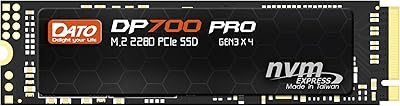
DATO DP700Pro 512GB M.2 NVMe SSD
77%
83%
Read/Write Performance
91%
Value for Money
94%
Installation Ease
61%
Thermal Management
67%
Brand Trust & Reliability
More
XPG SX8100 4TB NVMe M.2 SSD
72%
93%
Storage Capacity
86%
Sequential Read Speed
67%
Sequential Write Speed
58%
Thermal Performance
84%
Endurance & Longevity
More
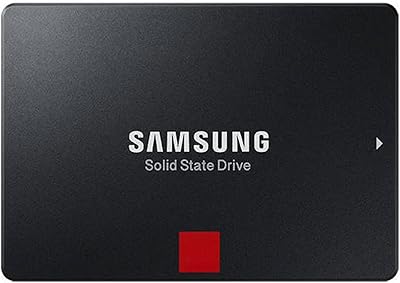
Samsung 860 Pro 512GB SSD
89%
94%
Performance
92%
Reliability
86%
Value for Money
95%
Ease of Installation
91%
Data Security
More
Fikwot FX550 512GB NVMe SSD
83%
91%
Performance
92%
Value for Money
88%
Read Speed
85%
Write Speed
89%
Reliability
More
RONGSHU RS001 512GB PCIe 4.0 NVMe SSD
75%
91%
Value for Money
83%
Read Speed Performance
86%
PS5 Compatibility
53%
Brand Reliability
61%
Sustained Workload Performance
More
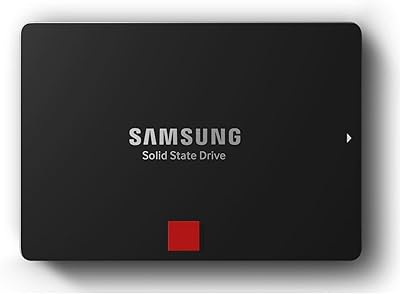
Samsung 850 PRO 512GB Internal SSD
80%
93%
Real-World Read Performance
88%
Sustained Write Throughput
96%
Long-Term Durability
57%
Value for Money
91%
Reliability & Failure Rate
More
Samsung PM981 512GB NVMe SSD
87%
91%
Performance (Speed)
88%
Value for Money
84%
Installation/Setup
90%
Reliability/Durability
92%
Gaming Performance
More

FAQ

It depends on what type of M.2 slot your laptop has. This drive requires an NVMe-compatible M.2 slot — it will not work in a SATA-only M.2 slot even though the connector looks identical. Check your laptop's manual or manufacturer spec page and look specifically for PCIe NVMe support on the M.2 slot before buying.

Yes, absolutely. The SX6000 Pro is well-suited as a primary Windows drive. At 512GB you have plenty of room for the OS, drivers, and a solid collection of applications or games, and the fast read speeds make boot times and app launches noticeably quicker than a SATA drive.

No. This drive is not compatible with Mac systems. Apple uses proprietary storage controllers and formats that are not supported by this M.2 SSD, so it cannot be used as a boot or data drive in any Mac, even with an adapter.

The difference is real and noticeable. A typical SATA SSD tops out around 550 MB/s sequential read, while the XPG SX6000 Pro 512GB NVMe SSD reaches up to 2100 MB/s. In practice, that translates to faster Windows startup, snappier application loading, and quicker large file transfers — though for tasks like web browsing or word processing, you may not notice as much of a gap.
Under short, burst workloads the drive can hit close to its rated write speed, but during sustained heavy writes — like copying a large folder of files — speeds can throttle as the drive's cache fills. This is common for drives at this price point and is not a defect, but it is worth knowing if you regularly move very large amounts of data in one go.

For typical everyday use — gaming, browsing, office work — you generally do not need an aftermarket heatsink. However, if your system runs hot or you plan extended periods of heavy read and write activity, a thin thermal pad between the drive and your motherboard's M.2 heatsink cover can help keep temperatures in check.

It depends on how many large games you play at once. Modern AAA titles can run anywhere from 50GB to over 100GB each, so 512GB gives you room for Windows and roughly four to six big games before you need to start uninstalling. Pairing this drive with a larger HDD for less frequently played titles is a common and cost-effective solution.

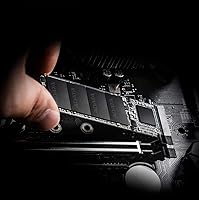
Installation is straightforward and only requires a small Phillips-head screwdriver. You slot the drive into the M.2 socket at an angle, press it down flat, and secure it with a single mounting screw. Most motherboards and laptops include the screw; if yours does not, it is a standard M2 standoff screw available cheaply.

XPG typically does not bundle cloning software in the retail package. For migrating an existing OS, you would need a third-party tool like Macrium Reflect or the free version of AOMEI Backupper. Regarding warranty, ADATA generally covers this drive for three years from purchase — confirm with your retailer as terms can vary by region.

No. The PS5 requires an M.2 NVMe SSD with a PCIe Gen4 interface, and this drive operates on Gen3. Inserting a Gen3 drive into the PS5 M.2 expansion slot is not supported and will not function correctly, so you would need a Gen4-compatible drive for that use case.