Overview

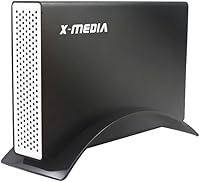
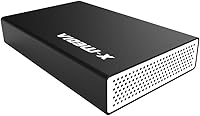
The X-MEDIA XM-EN3451 3.5-Inch External HDD Enclosure is the kind of no-nonsense tool that earns its place on a workbench when you're staring at a pile of old drives pulled from retired desktops. What genuinely sets it apart at this price point is dual-interface support — it handles both IDE/PATA and SATA drives, which almost no competing enclosure in this tier bothers to offer. The aluminum shell isn't purely cosmetic; it helps manage heat during longer transfer sessions. Whether you're recovering files from a decade-old IDE disk or turning a spare SATA drive into a quick backup volume, this drive enclosure covers ground that most single-interface cases simply can't.
Features & Benefits

Plug it in and Windows or macOS recognizes it instantly — no drivers required, which matters when you're working on a machine that isn't fully configured yet. The USB 3.0 connection theoretically hits 5Gbps, though real-world speeds depend heavily on the drive inside; an aging IDE disk won't saturate that bandwidth, but a newer SATA III drive can move large files at a solid clip. The electroplated aluminum casing dissipates heat passively, keeping things cooler during extended backup sessions. Hot-swap support lets you swap drives without rebooting — a small but genuinely practical convenience when you're testing several disks back to back.

Best For

This IDE and SATA enclosure is a niche buy, and that's honestly its strength. IT technicians pulling drives from decommissioned office machines will find the IDE/PATA compatibility alone worth the investment; very few enclosures still support it. Home users who just upgraded to an SSD can slot their old mechanical drive in here and gain extra storage without any configuration headache. Small offices needing occasional backups without committing to a full NAS will also appreciate the simplicity. If your machine only has USB 2.0, the connection still works fine. Just keep in mind this handles one drive at a time — it's not built for multi-drive workflows.

User Feedback

Buyers consistently highlight how quick and painless the initial setup is, with most reporting a recognized drive within minutes of unboxing. The broad compatibility across drive types draws particular praise from users who assumed their old IDE disks were permanently inaccessible. On the downside, a handful of reviewers mention that certain older high-capacity IDE drives can be inconsistent with power delivery, so it's worth factoring that in if you're working with bulkier legacy hardware. Build quality generally earns positive remarks — the aluminum chassis feels noticeably sturdier than plastic-bodied rivals in the same price bracket. Thermal performance during extended transfers gets mostly favorable feedback, with users noting the enclosure stays comfortably warm rather than hot.

Pros

  • Rare dual-interface support means one enclosure handles both vintage IDE and modern SATA drives.
  • Plug-and-play on Windows and macOS — no driver installs, no configuration headaches.
  • Aluminum casing feels noticeably more substantial than plastic-chassis rivals in the same category.
  • Hot-swap support saves time when cycling through several drives back to back.
  • USB 3.0 speeds make a real difference when copying large files from capable SATA drives.
  • Broad OS support stretches from Windows 2000 all the way through Windows 11.
  • Compact and light enough to toss in a bag for field data recovery work.
  • Passive heat management through the aluminum shell keeps temps reasonable during typical backup sessions.
  • Strong value proposition when IDE compatibility is a requirement — few alternatives exist at this price.

Cons

  • Power delivery can be unreliable with older high-capacity IDE drives that have demanding spin-up requirements.
  • No meaningful documentation for IDE jumper settings, which trips up less experienced users.
  • Only one drive supported at a time — a real constraint if you are working through a large batch.
  • Transfer speeds vary widely depending on the drive inside; the USB 3.0 ceiling means little with aging hardware.
  • Hot-swap detection occasionally requires a manual rescan in Disk Management rather than being instant.
  • The enclosure gets noticeably warm during multi-hour transfers, which can create concern for large migrations.
  • Internal drive seating feels slightly loose with certain drive models, reducing confidence during any movement.
  • Included USB cable length is on the shorter side and limits flexible desktop positioning.
  • No Linux support officially listed, making it a gamble for users on non-Windows and non-Mac systems.

Ratings

The X-MEDIA XM-EN3451 3.5-Inch External HDD Enclosure has been evaluated using AI-driven analysis of verified global buyer reviews, with spam, bot-submitted, and incentivized feedback actively filtered out before scoring. What emerges is a candid picture of a utility-focused tool that genuinely delivers for a specific audience — while carrying a few real-world limitations worth knowing before you buy. Both its standout strengths and its honest shortcomings are reflected in every score below.
Drive Compatibility
93%
The ability to connect both IDE/PATA and SATA drives in a single enclosure is the feature buyers mention most. Reviewers repeatedly praise recovering files from drives they assumed were permanently stranded — particularly older IDE disks pulled from machines that hadn't been powered on in years.
A small number of users report that certain very old or non-standard IDE configurations require extra fiddling with jumper settings before the drive is recognized, which can be confusing for less experienced users working with legacy hardware for the first time.
Ease of Setup
91%
Most buyers report having a drive recognized and accessible within minutes of unboxing, with no driver downloads or software installs required on Windows 10, 11, or recent macOS versions. That plug-and-play reliability is especially valued by users who are not particularly technical.
A handful of reviewers on older operating systems — particularly some Linux distributions and early Windows versions — note that detection is less consistent and may require manual configuration, which falls outside what most buyers will encounter but is worth flagging.
Build Quality
78%
22%
The electroplated aluminum chassis feels noticeably more substantial than the plastic shells common on competing enclosures in this price range. Buyers frequently contrast the solid feel of this drive enclosure with flimsier options they previously owned, citing it as a confidence-inspiring choice for regular use.
A few reviewers note that the internal drive retention mechanism — the way the drive seats and locks in — feels slightly loose with some drive models, which creates mild concern during transport even if it causes no functional issues during stationary use.
Thermal Performance
74%
26%
Passive heat dissipation through the aluminum casing performs well during moderate-length transfers, with most users reporting that the enclosure stays comfortably warm rather than hot. For typical backup sessions lasting under an hour, thermal management is rarely a concern.
During extended multi-hour data migrations, several users note the enclosure gets quite warm to the touch. While no drive failures are widely attributed to this, it creates anxiety during large archival transfers and suggests the design could benefit from even minimal ventilation.
USB 3.0 Transfer Performance
76%
24%
When paired with a capable SATA III drive, buyers transferring large batches of files report noticeably faster speeds compared to older USB 2.0 enclosures they replaced. For bulk photo archives, video files, or full drive backups, the USB 3.0 connection makes a tangible practical difference.
Reviewers are occasionally disappointed expecting maximum throughput regardless of the drive inside. IDE and older SATA I drives simply cannot saturate the USB 3.0 bandwidth, meaning real-world speeds vary widely depending on the drive — something not always clear from the product listing.
Power Delivery
61%
39%
For standard SATA drives and most modern IDE disks, the power supply included with the enclosure handles operation without issues. The majority of buyers connect their drives without any power-related problems during typical data recovery or backup tasks.
Older high-capacity IDE drives — particularly those from the early-to-mid 2000s with higher spin-up power demands — occasionally fail to initialize reliably. This is a recurring pain point in reviews from users working specifically with legacy hardware, and it represents a real limitation for that use case.
Hot-Swap Functionality
82%
18%
Being able to unplug one drive and connect another without rebooting saves meaningful time when testing or cataloging several disks in sequence. IT professionals and hobbyists working through a stack of old drives particularly appreciate this, as it turns what could be a multi-hour process into a much smoother workflow.
A small number of users report that hot-swapping occasionally causes Windows to not immediately recognize the newly connected drive, requiring a manual rescan in Disk Management. It works correctly most of the time, but it is not as instantaneously reliable as hot-swap on higher-end docking stations.
OS Compatibility
88%
The breadth of supported operating systems is genuinely impressive for an enclosure in this category. Buyers using older Windows versions for specialized legacy software, or macOS users running older system versions, appreciate not having to worry about compatibility barriers before purchasing.
Linux users report a more inconsistent experience, with some distributions requiring manual mounting steps that the product documentation does not address. Official support is listed only for Windows and Mac, so Linux compatibility is effectively use-at-your-own-risk territory.
Value for Money
86%
Given the dual-interface support and aluminum build, most buyers consider this IDE and SATA enclosure a strong value. The combination of features offered at this price point is genuinely difficult to match, and reviewers who specifically needed IDE support frequently note there are very few comparable alternatives available at any price.
Buyers who only need SATA support can find similarly priced or cheaper alternatives that may offer better power delivery or a more refined internal drive-mounting system. The value proposition is strongest when IDE compatibility is a requirement — without that need, the calculus becomes less clear.
Documentation & Packaging
58%
42%
The physical packaging is adequate, and the enclosure arrives protected without unnecessary bulk. Some buyers appreciate that the necessary cables are included, avoiding an immediate additional purchase before getting started.
The included instruction manual is minimal and provides little guidance for users connecting IDE drives for the first time, including no clear instructions on jumper settings. Several reviewers who encountered initial setup difficulties specifically mention that better documentation would have resolved their issues immediately.
Port & Cable Quality
71%
29%
The included USB 3.0 cable is of reasonable length for desktop use and fits securely in the port. Buyers who have dealt with loose or unreliable cable connections on cheaper enclosures note that the port on this drive enclosure maintains a solid connection during normal use.
Some reviewers find the USB cable on the shorter side for flexible desktop positioning, and a few note that the power adapter cable feels thinner than expected for a device drawing power for a 3.5-inch drive. Neither issue is a dealbreaker, but both come up with enough frequency to be worth noting.
Portability
53%
47%
The enclosure is compact and light enough to slip into a bag alongside a laptop, making it usable in field data recovery situations where a technician needs to access a drive away from a dedicated workstation. The aluminum shell adds enough rigidity to survive a bag without concern.
This is fundamentally a desktop-use device. Without a protective carrying case, transporting a loaded drive inside the enclosure introduces real risk from vibration and impact. It is also not bus-powered, meaning the power adapter must travel with it, which limits genuine portability compared to 2.5-inch bus-powered alternatives.
Aesthetics & Design
69%
31%
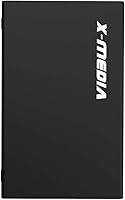
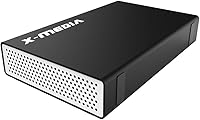
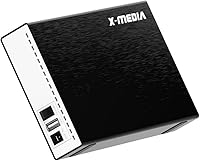
The clean black aluminum finish looks professional enough to sit on a desk without drawing unwanted attention. Compared to the cheap-looking plastic enclosures that dominate this product category, the XM-EN3451 has a visual presence that aligns with its slightly more serious intended use.
The design is purely utilitarian, with no indicator LED behavior beyond basic power confirmation, and the overall form is boxy in a way that prioritizes internal clearance over refined aesthetics. Buyers who care about desk aesthetics will find nothing distinctive here beyond the material choice.

Suitable for:

The X-MEDIA XM-EN3451 3.5-Inch External HDD Enclosure is purpose-built for anyone sitting on a collection of old drives they can no longer access through conventional means. IT technicians decommissioning office hardware will find it particularly useful — it handles both legacy IDE/PATA and modern SATA drives in the same chassis, which essentially means one tool covers an entire decade's worth of hard drive generations. Home users who recently swapped their desktop's mechanical drive for an SSD will appreciate being able to repurpose the old drive as accessible external storage without any configuration headaches. Hobbyists doing data recovery work, small offices running occasional backups, and anyone who has ever wondered whether those old drives in a drawer still contain anything worth keeping will all find this drive enclosure fits naturally into their workflow. The plug-and-play setup lowers the barrier to entry considerably, making it accessible even to users who are not particularly technical.
Not suitable for:

Buyers who only need to connect a modern SATA drive and want the most refined, polished experience possible should know the X-MEDIA XM-EN3451 3.5-Inch External HDD Enclosure is not optimized for that scenario — SATA-only enclosures at comparable prices sometimes offer tighter drive mounting and more consistent power delivery. Anyone planning to run a drive continuously for days at a time, such as for a personal media server or always-on backup appliance, should consider a proper docking station or NAS device better suited for sustained workloads. Users working with very old, high-capacity IDE drives from the early 2000s may encounter power delivery inconsistencies during spin-up, which can make reliable access hit-or-miss without additional troubleshooting. This IDE and SATA enclosure handles one drive at a time, so anyone managing multiple drives simultaneously will quickly find it limiting. Linux users should also approach with caution, as official OS support is restricted to Windows and Mac.
Specifications

  • Brand & Model: Manufactured by X-MEDIA USA under the model designation XM-EN3451.
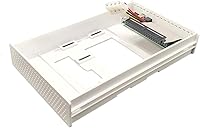
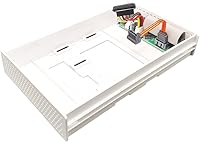
  • Drive Interface: Supports 3.5-inch IDE/PATA (Parallel ATA) and 3.5-inch SATA I, II, and III hard disk drives.
  • Host Interface: USB 3.0 connection with a theoretical maximum data transfer rate of 5Gbps; backward compatible with USB 2.0 ports.
  • Form Factor: Designed exclusively for 3.5-inch hard disk drives; does not accommodate 2.5-inch laptop drives.
  • Casing Material: Electroplated aluminum construction used for both the top and bottom shell panels.
  • Dimensions: The enclosure measures 7.4″ in length, 4.6″ in width, and 1.3″ in height.
  • Weight: Complete unit weighs approximately 1.37 pounds without a drive installed.
  • OS Support (Windows): Compatible with Windows 2000, XP, Vista, 7, 8, 8.1, 10, and 11.
  • OS Support (Mac): Compatible with Mac OS 9.2 and all later macOS versions at time of listing.
  • Plug & Play: Operates without requiring driver installation on all supported Windows and macOS versions.
  • Hot-Swap: Supports hot-swapping, allowing drives to be connected or disconnected without rebooting the host system.
  • Max Devices: Supports one hard disk drive at a time; does not function as a multi-drive dock.
  • Platform: Fully compatible with both PC (Windows) and Mac desktop and laptop systems.
  • Color: Available in black with an aluminum-finish exterior.
  • Drive Not Included: The enclosure ships without a hard disk drive; the user must supply their own 3.5-inch IDE or SATA drive.
  • UPC: The product carries UPC code 850390003118 and GTIN 00850390003118.
  • Availability Status: As of the latest listing data, this product has not been discontinued by the manufacturer.

Related Reviews

ikuai 3.5″ USB 3.0 Hard Drive Enclosure
80%
93%
Ease of Setup
71%
Build Quality
62%
Cable Quality & Reliability
88%
Drive Compatibility
74%
Data Transfer Speed
More
Syba 5 Bay 2.5″/3.5″ SATA HDD External RAID Enclosure SY-ENC50122
85%
87%
Performance
91%
Ease of Use
89%
Build Quality
85%
Data Transfer Speed
90%
RAID Flexibility
More
ICY DOCK flexiDOCK MB830SP-B 3-Bay 3.5 Inch SATA/SAS HDD Docking Enclosure
83%
93%
Ease of Installation
88%
Build Quality
87%
Performance & Speed
79%
Cooling Efficiency
65%
Noise Levels
More
Cenmate 5-Bay Hybrid HDD/NVMe Enclosure
73%
83%
Build Quality
78%
Thermal Management
71%
Transfer Speed
69%
RAID Functionality
76%
Drive Compatibility
More
Vantec NexStar JX 3.5″ HDD Enclosure
76%
93%
Ease of Setup
78%
Transfer Speed — USB
86%
Transfer Speed — eSATA
74%
Thermal Management
67%
Build Quality
More
ORICO DS500U3 5-Bay 3.5″ HDD Enclosure
72%
93%
Ease of Setup
91%
Drive Installation & Swap
67%
Drive Detection Reliability
72%
Transfer Speed
74%
Cooling & Thermal Management
More
Inateck FE3001 3.5-inch Hard Drive Enclosure
79%
88%
Build Quality
83%
Drive Compatibility
79%
Transfer Speed
74%
Heat Management
91%
Setup & Ease of Use
More
ORICO 3.5″ External Hard Drive Enclosure SATA III to USB 3.1 Type C
84%
92%
Ease of Setup
90%
Data Transfer Speed
85%
Build Quality
88%
Compatibility with OS
87%
Shock Protection
More
Vantec NexStar3 NST-380SU3-BK 3.5″ SATA to USB 3.0 & eSATA External Hard Drive Enclosure
85%
91%
Value for Money
89%
Build Quality
85%
Performance (Transfer Speed)
92%
Ease of Setup
90%
Compatibility (Windows/Mac OS)
More
Vantec NST-371C31-BK NexStar Gx USB 3.1 Gen 2 Type-C 3.5″ SATA HDD/SSD Enclosure
84%
89%
Performance
94%
Ease of Setup
85%
Build Quality
92%
Compatibility with Systems
88%
Data Transfer Speed
More

FAQ

It genuinely supports both in a single unit, which is what makes the X-MEDIA XM-EN3451 3.5-Inch External HDD Enclosure stand out. You can connect a 3.5-inch IDE/PATA drive one day and swap it for a SATA drive the next without needing any adapters or additional hardware. Just keep in mind it handles one drive at a time.
No drivers are required on modern Windows or macOS systems. Just plug it into a USB port and your operating system should recognize the connected drive automatically within a minute or two. If you are running something older or more unusual, results may vary.

No — this enclosure is sized specifically for 3.5-inch drives. A 2.5-inch drive will not mount properly inside it. If you need to connect a 2.5-inch drive, you will need a different enclosure designed for that form factor.

This is one of the weaker points of the package — the included instructions are minimal and do not walk you through IDE jumper configuration. In general, setting the drive to Master mode works best for single-drive enclosures like this one. If you are unsure, a quick search for your specific drive model and jumper settings will get you sorted faster than the manual will.

The aluminum casing does a reasonable job of passively dissipating heat during typical backup sessions. For transfers lasting an hour or less, it stays comfortably warm. During extended multi-hour migrations, it can get noticeably warm to the touch, though reports of heat-related drive failures are rare. If you are moving very large amounts of data, giving it a short break between sessions is sensible.

The official listing states Mac OS 9.2 and above, and the drive enclosure relies on standard USB Mass Storage protocols that macOS has supported for many years. Most users on current macOS versions report no issues. That said, X-MEDIA has not explicitly updated its compatibility list to name specific recent macOS releases, so there is a small degree of use-at-your-own-risk for the very latest system updates.

Technically you can, but this enclosure is better suited for intermittent use — data recovery, occasional backups, archiving — rather than continuous 24/7 operation. It lacks active cooling, and running it constantly for days at a time puts more sustained thermal stress on the drive than the passive aluminum design was really intended to manage.

It works fine on USB 2.0 ports — you just won't get USB 3.0 speeds. On a USB 2.0 connection, transfer rates are capped at the older standard's bandwidth, which is noticeably slower for large files. For recovering data or occasional transfers, that is usually acceptable. For regular large backups, a USB 3.0 port will make a meaningful difference.

This is where the drive enclosure has a known limitation. Older high-capacity IDE drives from that era often have higher spin-up power demands, and a number of users have reported inconsistent initialization with drives like these. It is not guaranteed to fail, but it is the scenario most likely to cause trouble. If reliable access to a specific vintage IDE drive is critical, it may be worth testing before counting on it.

The box includes the aluminum enclosure itself, a USB 3.0 cable, a power adapter, and a basic instruction sheet. The hard drive itself is not included — you supply your own. The cable length is functional for desktop use but on the shorter side, so keep your setup in mind when positioning the enclosure relative to your computer.

Where to Buy