Overview

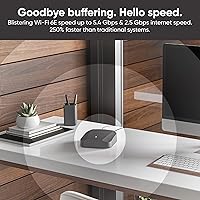
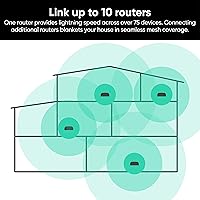
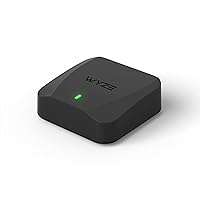
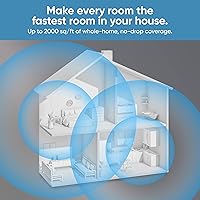
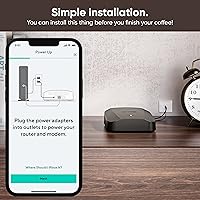
The Wyze Mesh Router Pro Wi-Fi 6E Router enters a category where competing brands routinely charge twice as much, making it one of the more accessible paths into Wi-Fi 6E territory. This Wyze mesh router covers up to 2000 square feet per node — a figure worth treating with some skepticism if your home has thick walls or multiple floors. The hardware itself is unassuming: a flat, compact square that disappears on a bookshelf. Setup runs through the Wyze app using Bluetooth provisioning, which keeps things straightforward for anyone who finds router admin pages intimidating. Scale it up with as many as 10 nodes to cover larger spaces.
Features & Benefits

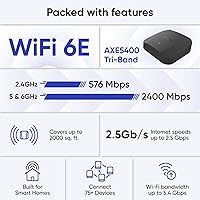
Running three bands simultaneously — 2.4 GHz, 5 GHz, and 6 GHz — the Router Pro reaches aggregate theoretical speeds of AXE5400. In practice, the real advantage of that 6 GHz band is less about raw speed and more about congestion: it gives Wi-Fi 6E-capable devices a cleaner, less-cluttered channel, while older devices still connect normally on 2.4 or 5 GHz. The 2.5 Gbps WAN port is a genuinely useful inclusion for anyone on a multi-gig internet plan, and wired backhaul between nodes is supported for more stable inter-node connections. On the software side, the Wyze app handles parental controls, device prioritization, and room-based scheduling, while WPA3 security and automatic updates manage protection quietly in the background.

Best For

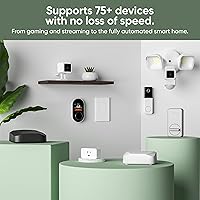
This Wi-Fi 6E node makes the most sense for renters, apartment dwellers, or small homeowners who want reliable whole-home coverage without wading through advanced networking settings. It suits households moving away from a single aging router — people who notice dead zones in the back bedroom or garage but have no interest in enterprise-grade features. If you already own Wyze cameras or sensors, consolidating everything under one app is a practical bonus. Budget-conscious buyers who have been priced out of Eero Pro or Google Nest setups will find this compelling. It also handles light gaming and streaming without issue; just don't expect it to satisfy power users chasing granular VLAN or QoS controls.

User Feedback

Sitting at 3.9 stars across roughly 250 ratings, reception for this Wyze mesh router is cautiously positive rather than enthusiastic. Buyers most often praise how quickly it sets up — many report having the network running in under ten minutes — and the speed improvement over a previous single router is a recurring highlight. The app interface draws consistent compliments for being clean and intuitive. On the other side, some users report intermittent drop-outs that require a reboot to fix, which is frustrating for a device meant to run quietly in the background. Power users flag the absence of advanced configuration options. A handful of buyers also note that the coverage estimate can be optimistic in homes with concrete or plaster walls.

Pros

  • One of the most affordable ways to get Wi-Fi 6E mesh networking into your home today.
  • The Wyze app setup is fast and approachable — most users are online in under ten minutes.
  • A 2.5 Gbps WAN port prepares this Wi-Fi 6E node for multi-gig ISP plans without extra hardware.
  • WPA3 security and automatic firmware updates work quietly in the background, requiring no user action.
  • Scales up to 10 nodes, so you can expand coverage gradually as your needs change.
  • Wired backhaul support between nodes delivers noticeably more stable connections than wireless-only mesh setups.
  • The 6 GHz band reduces congestion for compatible devices in dense neighborhoods with crowded Wi-Fi.
  • Compact, low-profile design sits unobtrusively on a shelf without dominating the room.
  • No subscription required for parental controls, device scheduling, or basic network management.
  • Buyers already in the Wyze ecosystem can manage cameras, sensors, and their network from a single app.

Cons

  • Intermittent disconnections requiring a full reboot are a recurring complaint from real-world buyers.
  • The 2000 sq. ft. coverage estimate is optimistic in homes with thick walls or multiple floors.
  • Only one LAN port per node forces users with multiple wired devices to buy an additional switch.
  • No VLAN support, custom DNS options, or granular QoS controls for anyone who needs them.
  • The 6 GHz band benefit is wasted on most current phones and laptops that lack Wi-Fi 6E support.
  • Customer support response times draw consistent criticism, with many buyers reporting generic, unhelpful replies.
  • Some firmware updates have introduced temporary bugs, undermining confidence in the auto-update system.
  • No built-in VPN server support for users who need secure remote access to their home network.
  • The single-pack coverage claim can make the total cost misleading for larger or older homes needing two nodes.
  • Wyze's past security incidents with other product lines have left some privacy-conscious buyers cautious.

Ratings

The scores below for the Wyze Mesh Router Pro Wi-Fi 6E Router were generated by our AI engine after analyzing verified purchase reviews from buyers worldwide, with spam, bot submissions, and incentivized feedback actively filtered out. We weighted recurring patterns across hundreds of real-world installations — apartments, split-level homes, small offices — to reflect how this router actually performs day to day. Both the genuine strengths and the frustrations that push buyers toward competitors are transparently reflected in every score.
Setup & Ease of Use
91%
The Bluetooth-guided setup through the Wyze app is consistently one of the most praised aspects across all buyer segments. Non-technical users report having a working network in under ten minutes, with no need to touch a browser-based admin panel at any point.
A small but vocal group of buyers ran into Bluetooth pairing failures during initial setup, requiring app restarts or phone restarts to resolve. Those who hit this snag found the troubleshooting documentation thin and support response times slow.
Wi-Fi Speed & Throughput
78%
22%
For households upgrading from an older single-band or Wi-Fi 5 router, the jump in perceived speed is real and immediate — particularly for 5 GHz clients in mid-range devices. Streaming 4K content on multiple TVs simultaneously holds up well under normal household load.
The AXE5400 aggregate figure is theoretical, and real-world throughput on the 6 GHz band only materializes if your devices actually support Wi-Fi 6E, which most phones and laptops still do not. Peak speeds measured by buyers fall noticeably short of the advertised ceiling.
Coverage & Range
72%
28%
In open-plan apartments and single-story homes under 1800 square feet, buyers report solid, consistent coverage with few or no dead zones. The low-profile form factor makes it easy to position the node centrally without it looking out of place.
The 2000 sq. ft. per-node claim is optimistic in homes with plaster walls, brick, or multiple floors — a pattern that appears repeatedly in critical reviews. Buyers in older construction or two-story layouts often find they need a second node sooner than expected.
Connection Stability
66%
34%
Under normal, everyday usage — browsing, video calls, background streaming — the Router Pro holds a stable connection for the majority of users. Those who set up wired backhaul between nodes consistently report a noticeably more reliable experience than purely wireless mesh configurations.
Intermittent disconnections are the single most cited complaint in negative reviews. Some buyers describe needing to reboot the router every few days, which is a real nuisance for households with smart home devices or people who work from home and cannot tolerate unexpected drops.
6 GHz Band Performance
69%
31%
For buyers with newer Wi-Fi 6E laptops or phones, the 6 GHz band delivers noticeably lower latency compared to a congested 5 GHz network, especially in dense apartment buildings where neighboring networks create interference. It also functions as a cleaner wireless backhaul channel between nodes.
The practical benefit is limited to a small slice of current consumer devices, and most households will not feel the difference until they upgrade their client hardware. Buyers who purchased primarily for 6 GHz gains and then realized their devices did not support it expressed clear disappointment.
App & Software Experience
83%
The Wyze app interface is clean and well-organized, making tasks like pausing internet access for kids, running a speed test, or grouping devices by room genuinely accessible without any technical background. Buyers already using Wyze cameras or sensors appreciate managing everything from one place.
Power users find the app too restrictive — there is no access to VLAN configuration, granular QoS controls, or advanced DNS settings. A few buyers also noted that the app occasionally lags in reflecting network changes, requiring a manual refresh to see accurate device status.
Parental Controls
74%
26%
The ability to group devices by room and schedule internet cutoffs at specific times of day is genuinely useful for parents managing screen time across multiple kids and devices. Setup is quick and does not require a separate subscription, which buyers call out as a meaningful advantage over competitors.
Content filtering is basic compared to dedicated parental control platforms or routers with built-in DNS filtering services. Parents who want per-device website-level blocking or detailed usage reports will find the current feature set too shallow for serious family management.
Security & Privacy
81%
19%
WPA3 support out of the box is a meaningful inclusion at this price point, offering stronger encryption for devices that support it while still maintaining backward compatibility with WPA2 hardware. Automatic firmware updates mean most users stay protected without ever thinking about it.
Wyze has had well-publicized security incidents with its camera products in the past, and some privacy-conscious buyers carry that concern over to this router. There is also no built-in VPN server support, which matters to buyers who want to access their home network remotely.
Port Selection & Wired Connectivity
76%
24%
The inclusion of a 2.5 Gbps WAN port is a standout feature for a router in this price range, genuinely preparing buyers for multi-gig ISP tiers without requiring an immediate hardware upgrade. The USB 2.0 port adds basic network storage or printer sharing capability.
Only one LAN port per node is a real constraint — buyers who want to hardwire a desktop, a smart TV, and a gaming console simultaneously need an unmanaged switch on top of this setup. In a multi-device household, that single port fills up fast.
Mesh Scalability
79%
21%
The ability to expand the network up to 10 nodes is a credible selling point for buyers planning to grow their setup over time. Adding a second node to cover a garage or basement is straightforward through the app and requires no reconfiguration of the existing network.
Each additional node adds cost, and at a certain scale the value equation starts to shift toward competitors with more robust inter-node communication. Buyers running three or more nodes wirelessly have reported more inconsistent roaming handoffs compared to wired backhaul configurations.
Build Quality & Design
73%
27%
The compact square footprint and matte black finish look clean on a shelf or entertainment unit without demanding attention. At just under 1.6 pounds, the unit feels solid enough without any obvious flex or cheap-feeling plastic on the casing.
The build does not feel premium in the hand compared to Eero or Google Nest hardware. A few buyers noted that the device runs noticeably warm during sustained heavy use, which raises long-term durability questions even if it has not caused functional issues for most.
Value for Money
84%
As one of the most affordable entry points into Wi-Fi 6E mesh networking, this Wi-Fi 6E node punches above its weight for buyers who primarily want coverage and basic modern wireless standards without paying a premium brand tax. The hardware specifications are competitive for the price tier.
The value calculation weakens if you hit connectivity stability issues, since troubleshooting time and the potential cost of adding nodes erodes the initial savings. Buyers who needed to purchase a second node to meet the promised coverage feel the per-square-foot cost is less impressive than advertised.
Advanced Configuration Options
43%
57%
For the target audience — everyday home users with no networking background — the limited configuration surface is actually appropriate and keeps the experience uncluttered. Bridge mode and auto WAN or LAN port sensing cover the basic needs of most non-technical households without any manual intervention.
Networking enthusiasts who want VLAN segmentation, custom DNS resolvers, detailed traffic monitoring, or manual channel selection will hit a hard wall almost immediately. This is not a router for anyone who has ever used DD-WRT, OpenWrt, or a UniFi setup and expects similar depth.
Customer Support & Firmware Reliability
57%
43%
Automatic firmware updates do deploy regularly, and several buyers noted that post-launch updates improved stability compared to their initial out-of-box experience. The Wyze community forums offer some peer-to-peer troubleshooting that fills gaps in official documentation.
Direct customer support response times draw repeated criticism, with buyers reporting long waits and generic scripted responses that do not resolve specific issues. A handful of users also experienced firmware updates that temporarily introduced new bugs, creating a trust deficit around the auto-update mechanism.

Suitable for:

The Wyze Mesh Router Pro Wi-Fi 6E Router is a strong fit for renters, apartment dwellers, and small homeowners who want to upgrade from a single aging router without dealing with complicated networking software. If your home is under 2000 square feet, has a relatively open floor plan, and you are simply tired of dead zones near the back bedroom or patio, this Wi-Fi 6E node solves that problem at a price most competitors cannot match. It is particularly well-suited to households already using Wyze cameras or smart plugs, since managing everything through one app genuinely reduces friction. Parents who want basic internet scheduling and device management for their kids will find the built-in parental controls good enough for everyday use without a subscription fee. Light gamers and 4K streamers who need lower latency than their old router provides — but have no interest in enterprise-grade dashboards — will also find the Router Pro hits a practical sweet spot.
Not suitable for:

The Wyze Mesh Router Pro Wi-Fi 6E Router is not the right choice for networking enthusiasts or anyone who expects deep configuration access. If you rely on VLAN segmentation, custom DNS resolvers, manual channel selection, or detailed per-device traffic analytics, this router will feel frustratingly locked down from day one. Larger homes with older construction — think plaster walls, brick, or multiple floors — are likely to find that the 2000 sq. ft. per-node coverage claim falls short in practice, making the cost of adequate coverage higher than it first appears. Buyers who need rock-solid, zero-downtime connectivity for remote work or home server hosting should also be cautious, given the recurring reports of intermittent drops that require a manual reboot to fix. Finally, if the primary reason you want Wi-Fi 6E is to take advantage of the 6 GHz band, make sure your devices actually support it first — most phones and laptops currently do not, and without compatible client hardware the upgrade over Wi-Fi 6 is largely theoretical.
Specifications

  • Wi-Fi Standard: Supports Wi-Fi 6E (802.11ax) with backward compatibility for Wi-Fi 5 (802.11ac), Wi-Fi 4 (802.11n), and older 802.11a/b/g devices.
  • Frequency Bands: Operates simultaneously across three bands: 2.4 GHz, 5 GHz, and 6 GHz, each with a 2x2 AX radio configuration per node.
  • Aggregate Speed: Maximum theoretical aggregate Wi-Fi throughput is AXE5400, combining 576 Mbps (2.4 GHz), 2400 Mbps (5 GHz), and 2400 Mbps (6 GHz).
  • Coverage Per Node: Rated for up to 2000 sq. ft. per node under ideal open-plan conditions; real-world coverage varies with wall materials and building layout.
  • WAN Port: Includes one 2.5 Gbps WAN port, supporting multi-gig internet service plans without requiring a separate adapter or switch.
  • LAN Port: Includes one 1 Gbps LAN port per node, which can also be used for wired backhaul between mesh nodes for improved inter-node stability.
  • USB Port: One USB 2.0 Type-A port is available per node for basic network-attached storage or peripheral sharing use cases.
  • Processor: Powered by an ARM Cortex-A53 Dual-Core processor running at 1 GHz, paired with a dedicated Wi-Fi accelerator and a dedicated routing performance accelerator.
  • Memory: Each node includes 1 GB of DDR3L RAM and 128 MB of SPI NAND flash storage for the operating system and firmware.
  • Antennas: Six internal antennas per node support the tri-band radio configuration with no external antenna protrusions.
  • Security Protocols: Supports WPA3-PSK (Personal Mode), WPA2-PSK (AES), and WPA-PSK (AES) for wireless network encryption across all connected devices.
  • Provisioning: Initial setup is handled via Bluetooth Low Energy 5.1, enabling guided configuration through the Wyze smartphone app without a browser.
  • Mesh Capacity: The Wyze mesh system supports up to 10 nodes per network, with coverage scaling proportionally as additional nodes are added.
  • Operation Modes: Supports Router Mode, Bridge Mode with Auto ISP Router Passthrough, and Auto WAN/LAN Port Sensing for flexible deployment scenarios.
  • Channel Width: Supports channel widths of 20 MHz, 40 MHz, 80 MHz, and 160 MHz across applicable frequency bands for adaptive throughput optimization.
  • Dimensions: Each node measures 5.43 x 5.43 x 1.89 inches, offering a compact, square footprint that suits shelves, desks, or entertainment units.
  • Weight: Each node weighs 1.59 pounds, making it light enough to reposition easily without tools or mounting hardware.
  • Power Supply: Operates on a 12V 2A DC power adapter included in the box; no Power over Ethernet support is available on this model.
  • In-Box Contents: Each pack includes the router node, a Quick Start Guide, a 3-foot Ethernet cable, and a 12V 2A power adapter.
  • Channel Standards: Also compatible with legacy 802.15.4 wireless protocol, broadening interoperability within smart home device ecosystems.

Related Reviews

Google Nest WiFi Pro Mesh Router

79%
86%
Wi-Fi Coverage & Range
79%
Wi-Fi 6E Performance (6 GHz Band)
91%
Setup & Ease of Use
84%
Network Stability & Reliability
88%
Video Call & Streaming Prioritization
More
Davolink AXE-5400 Kevin Wi-Fi 6 Router
71%
76%
Wireless Performance
84%
Setup & Ease of Use
68%
Mesh & Coverage Expansion
79%
Device Capacity & Network Stability
83%
Security Features
More
FRITZ!Box 4690 Wi-Fi 7 Mesh Router
84%
92%
Performance
88%
Wi-Fi Range & Coverage
85%
Setup & Installation
90%
Security Features
89%
Smart Home Integration
More
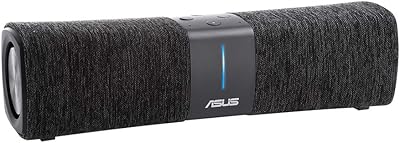
ASUS Lyra Voice Mesh Router Smart Speaker
65%
58%
Wi-Fi Coverage & Range
67%
Wi-Fi Speed & Throughput
44%
Smart Speaker Audio Quality
76%
Alexa Integration & Voice Control
82%
Setup & Installation Ease
More
ARRIS SURFboard mAX W30 Tri-Band Mesh Wi-Fi 6 Router
85%
88%
Wi-Fi Performance
81%
Setup & Installation
85%
Smart Home Integration
90%
Coverage & Range
89%
Speed (AX7800) & Throughput
More
TP-Link Deco AXE5300 Mesh System 3-Pack
78%
88%
Wireless Coverage
86%
Network Speed & Throughput
91%
Setup & Installation
83%
App Experience & Management
67%
Wi-Fi 6E & 6 GHz Band Utility
More
ARRIS SURFboard mAX Pro W133 Mesh Router
71%
83%
Wi-Fi Coverage
71%
Wi-Fi Speed Performance
52%
App & Software Experience
58%
Network Reliability & Stability
91%
Wired Port Availability
More
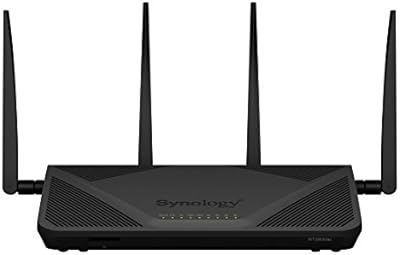
Synology RT2600ac Wi-Fi Router
85%
88%
Performance
91%
Wi-Fi Speed & Coverage
80%
Setup & Installation
90%
Security Features
84%
Ease of Use
More
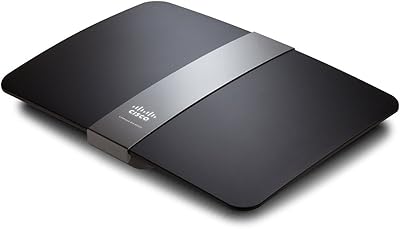
Linksys EA6900 AC1900 Dual-Band Wi-Fi Router
73%
91%
Ease of Setup
78%
Wi-Fi Speed & Performance
67%
Wireless Range
73%
Beamforming Effectiveness
74%
Build Quality & Design
More
LNN 788 Wi-Fi 6 Router
74%
91%
Ease of Setup
78%
Wi-Fi Speed Performance
67%
Coverage & Range
82%
Multi-Device Handling
79%
Gaming & Streaming Quality
More

FAQ

It is genuinely one of the easier routers to get running. You download the Wyze app, plug in the node, and follow the Bluetooth-guided steps — most buyers report being fully online in under ten minutes. You never need to open a browser-based admin panel or type in an IP address.

The 2000 sq. ft. figure is accurate for open, single-story spaces with standard drywall construction. In older homes with brick, plaster, or concrete walls — or on a second floor — that range shrinks noticeably. If your home is over 1500 sq. ft. and has multiple floors, budgeting for a second node from the start is the more realistic approach.

No, all your existing devices will connect normally on the 2.4 GHz or 5 GHz bands. The 6 GHz band is reserved for Wi-Fi 6E-capable clients, and most current phones and laptops do not support it yet. The router still delivers better performance than older Wi-Fi 5 hardware even without 6E devices, but the full 6 GHz advantage is a future-facing benefit for when you upgrade your gear.

Yes, and it makes a meaningful difference in stability. Each node has a 1 Gbps LAN port, and if you run an Ethernet cable between two nodes, the Router Pro automatically uses it as the backhaul link. Buyers who set this up report far fewer dropout issues compared to purely wireless mesh configurations.

For light-to-moderate gaming — casual online play, streaming, video calls — it performs well in stable conditions. The 6 GHz band does offer lower latency for compatible devices, which helps. That said, if your job absolutely cannot tolerate a network hiccup, the intermittent connectivity drops some users have reported give us pause; a wired backhaul setup reduces that risk considerably.

No subscription is required. You can schedule internet access by room or device group, pause connectivity for specific devices, and manage everything from the Wyze app at no extra cost. The controls are straightforward rather than deeply granular — you will not get website-level content filtering, but for managing screen time they work well.

For now, yes, but it is a genuine long-term benefit. Multi-gig ISP plans are becoming more common and affordable, and having a 2.5 Gbps WAN port means this router will not become a bottleneck when you eventually upgrade your internet service. It costs you nothing extra to have it there.

It supports Bridge Mode with Auto ISP Router Passthrough, so you can place it behind an existing router or modem-router combo if needed. That said, running it in full Router Mode — as your primary gateway — is where it performs best and where the app features work as intended.

The main trade-off is price versus polish. Eero and Google Nest have stronger track records for connection stability and more mature app ecosystems, but they cost significantly more per node. This Wyze mesh router closes much of the feature gap at a lower price point, making it a reasonable alternative for buyers who prioritize value and are willing to accept a slightly rougher edge on long-term reliability.

Rolling back firmware is not a supported option through the Wyze app, which is a real limitation if an update introduces bugs. Updates are applied automatically, so you cannot defer them either. In practice, most updates have been stability improvements, but a handful of users have experienced short-term issues post-update. Keeping an eye on the Wyze community forums before and after updates is the best way to stay informed about any known issues.

Where to Buy