WyreStorm Halo VX10 Conference Room Camera




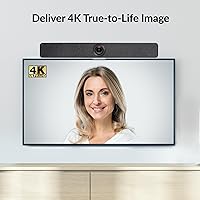
Overview
The WyreStorm Halo VX10 Conference Room Camera arrived in October 2024 as a serious all-in-one conferencing bar targeting medium to large meeting spaces — not the crowded field of personal desk webcams. It sits in a tier above basic USB cameras but stops short of the complexity and cost of dedicated AV infrastructure, which gives it a compelling middle-ground appeal. The plug-and-play USB-C connection means no separate speakerphone, no audio interface, no driver headaches. It cracked the top 150 in Amazon's webcam category within months of launch — a fast start for a brand not yet on every IT buyer's shortlist. That said, this conferencing bar is built for rooms, not desks.
Features & Benefits
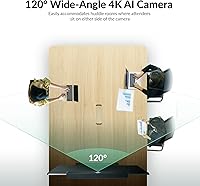
The Halo VX10's standout capability is its AI Auto Framing system, which tracks whoever is speaking or moving and adjusts the frame without anyone touching a control. It works reasonably well in practice — smooth enough that remote participants rarely notice the adjustment. The underlying camera is a 1/2.8-inch CMOS sensor capturing full 4K at 30fps across a 120-degree field of view, realistically covering a 12 to 15-foot conference table. The 5x digital zoom is useful for pulling in a presenter, though softness becomes noticeable at maximum range — it is digital, not optical. Four microphones with echo cancellation capture voices up to about 16 feet out, and the dual speakers handle call audio adequately for mid-size rooms.
Best For
This conferencing bar makes the most sense in rooms that seat roughly 6 to 15 people — spaces where a standard webcam leaves half the room out of frame and a full AV installation feels excessive. Hybrid teams benefit most, particularly those who frequently hand the floor to different speakers, since auto-tracking removes any need to manage the camera manually. IT departments will appreciate the driver-free setup — no software to push, no codec to install on first connection. It is also a practical upgrade for offices still running a webcam-plus-Bluetooth-speaker combination, consolidating two or three devices into one tidy bar mounted above or below the room display.
User Feedback
Early users consistently praise the tracking responsiveness — the camera reframes quickly enough that most remote participants don't notice the adjustment happening. The wide-angle coverage also draws positive comments for capturing the full room without obvious distortion. Where feedback grows more measured is around digital zoom at maximum range, which introduces visible softness, and the auto-framing can briefly struggle when several people shift positions at once. Audio pickup gets mixed reactions — voices come through clearly at moderate distances, but some users in larger rooms find the built-in speakers underpowered for the space. A recurring note involves the companion app stability, which feels less consistent on Mac than on Windows, with occasional firmware updates requiring manual steps.
Pros
- AI presenter tracking works smoothly enough that remote participants rarely notice the camera adjusting mid-meeting.
- The 120-degree field of view captures a full conference table without requiring any manual panning or repositioning.
- True 4K resolution at 30fps delivers sharp, detailed video that holds up well on large remote displays.
- Single USB-C cable handles both video and power, keeping cable clutter to a minimum in shared rooms.
- The four-microphone array picks up voices clearly across a 16-foot range without participants needing to lean toward the device.
- Works out of the box with Zoom, Microsoft Teams, and Google Meet — no drivers, no setup software required.
- Built-in noise reduction noticeably reduces HVAC hum and background office chatter during calls.
- The Halo VX10 replaces several separate devices, cutting both hardware cost and setup complexity in one move.
- Mounting bracket is included and well-designed for placement above or below a room display.
- Broad encoding format support gives AV admins flexibility when integrating with different streaming or recording workflows.
Cons
- Digital zoom softens visibly at maximum range — not a substitute for optical zoom in deep rooms.
- Auto-framing can briefly lose its footing when multiple people shift position simultaneously in a crowded room.
- Built-in speakers may feel underpowered in larger rooms where audio needs to carry more than a few meters.
- The companion configuration app has reported stability issues on macOS, which adds friction for Mac-first organizations.
- Firmware updates occasionally require manual intervention rather than updating silently in the background.
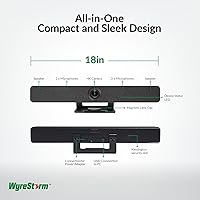
- At 18 inches wide, the bar is physically large and may look oversized mounted above a small display.
- No wireless connectivity — the USB-C tether is mandatory, which can complicate room layouts with distant PC placements.
- Limited fine-grained control over AI tracking sensitivity without diving into the desktop app settings.
Ratings
The scores below reflect our AI-driven analysis of verified global user reviews for the WyreStorm Halo VX10 Conference Room Camera, with spam, bot-submitted, and incentivized feedback actively filtered out before scoring. Each category is weighted against real-world usage patterns reported by IT administrators, hybrid team managers, and conference room users across multiple markets. Both the standout strengths and the genuine frustrations are reflected transparently in every score.
AI Tracking Accuracy
Video Quality
Digital Zoom Performance
Microphone Clarity
Speaker Volume & Quality
Setup & Deployment
Companion App Stability
Build Quality & Design
Platform Compatibility
Wide-Angle Coverage
Noise Reduction
Value for Money
Firmware & Long-Term Support
Suitable for:
The WyreStorm Halo VX10 Conference Room Camera is built for organizations that need a reliable, low-friction video conferencing solution in rooms that seat roughly 6 to 15 people. IT teams managing multiple meeting rooms will appreciate the driver-free USB-C deployment — there is nothing to pre-install, and the UVC 1.1 standard means it works with any modern Windows or Mac system out of the box. Hybrid teams that rotate presenters frequently get the most out of the AI auto-framing, since the camera tracks whoever is speaking without anyone needing to adjust a pan-tilt head or ask a colleague to manually zoom in. Companies already standardized on Microsoft Teams or Zoom will find the integration completely straightforward. It also makes strong practical sense for businesses looking to consolidate a patchwork of separate webcams, speakerphones, and Bluetooth speakers into a single, tidy bar mounted at the front of the room.
Not suitable for:
The WyreStorm Halo VX10 Conference Room Camera is not the right fit for individual desk setups or personal home office use — the 120-degree wide-angle lens and room-scale microphone array are simply oversized for a single person sitting two feet from a screen. Very small huddle rooms with only two or three people may also find the wide field of view picks up too much empty space, and the AI framing has less meaningful work to do in those tight configurations. Buyers expecting optical zoom performance will be disappointed — the 5x digital zoom softens noticeably at full extension, which matters if the room is deep and close-up detail is regularly needed. Organizations running complex AV setups with dedicated room control systems, external DSP units, or ceiling microphone arrays will likely find this conferencing bar redundant or incompatible with their existing infrastructure. Those on a strict budget looking for a basic webcam solution will find more cost-effective options; this device earns its price in multi-person, AI-driven tracking scenarios specifically.
Specifications
- Video Resolution: The camera captures video at up to 3840×2160 pixels (4K UHD) at 30 frames per second for sharp, detailed room coverage.
- Image Sensor: A 1/2.8″ CMOS sensor with 8.0 effective megapixels provides the imaging foundation for both wide-angle and zoomed shots.
- Field of View: The lens delivers a 120-degree horizontal field of view, designed to cover the full width of a medium to large conference table in a single frame.
- Digital Zoom: 5x digital zoom is available for pulling in a presenter or specific area of the room, though image sharpness decreases noticeably at maximum zoom.
- Output Encoding: Supported video encoding formats include MJPEG, YUV2, H.264, and H.265, giving administrators flexibility for different streaming and recording environments.
- Microphone Array: Four linear microphone arrays with built-in echo cancellation cover an audio pickup range of approximately 5 meters (16.4 feet) from the device.
- Speakers: Two integrated speakers are built into the bar for call audio playback, eliminating the need for a separate room speakerphone in most mid-size rooms.
- Noise Reduction: Built-in background noise suppression filters ambient sounds such as HVAC noise and office chatter to improve voice clarity during calls.
- AI Features: The device supports AI Auto Framing, Presenter Tracking, and Speaker Tracking, which work together to keep active participants centered in frame without manual input.
- Connectivity: A single USB-C connection handles both data and power delivery, with UVC 1.1 compliance ensuring plug-and-play operation on Windows and macOS.
- Platform Support: The conferencing bar is compatible with Zoom, Microsoft Teams, Google Meet, and any PC or Mac application that supports standard UVC webcam input.
- Power Supply: The unit requires a DC 12V, 2A external power supply, which is included in the box.
- Dimensions: With the mounting bracket attached, the bar measures 460mm × 97.43mm × 61mm (approximately 18″ × 3.84″ × 2.4″).
- Weight: The complete unit including the mounting bracket weighs 0.81kg (1.78 lbs), making it manageable for single-person wall or display mounting.
- Lens Type: The camera uses a fixed-focus lens, so there is no motorized optical focus adjustment — the wide aperture and FOV are designed to keep the room in focus at all times.
- Audio Formats: Supported audio formats for recording and output include AAC and PCM, covering the most common conferencing and archiving workflows.
- Camera Type: The device is classified as a USB conference bar (webcam category), not a standalone PTZ camera, and relies on digital rather than mechanical pan-tilt-zoom movement.
- Control Method: Camera settings and AI tracking parameters can be adjusted via the WyreStorm Windows and macOS companion application.
Related Reviews
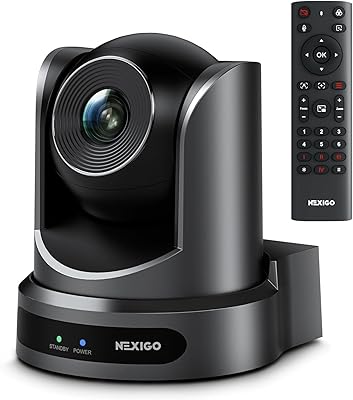
NexiGo P610 10X Optical Zoom PTZ Camera
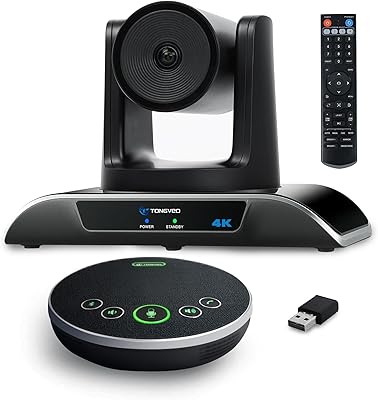
TONGVEO 4K Conference Room Camera System
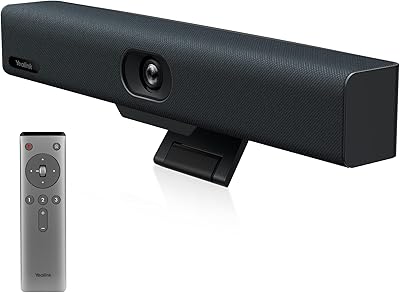
Yealink UVC34 All-in-One Conference Camera System
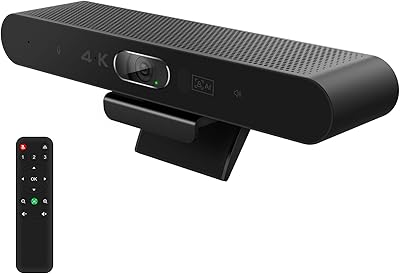
RayBit SeeUp 4C
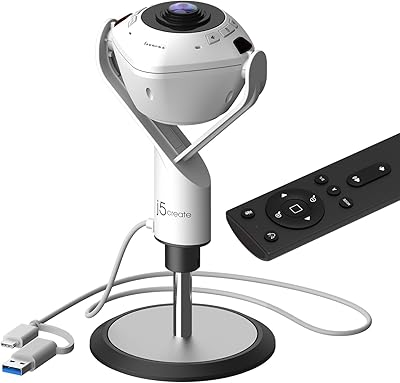
j5create JVU368 360° Conference Camera
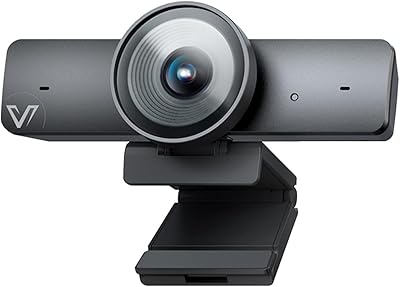
AV Access BizEye 90 Conference Camera
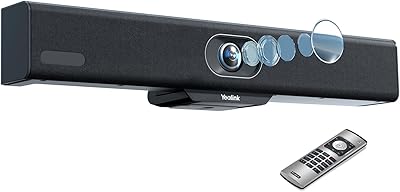
Yealink MeetingBar A10 Conference Room Camera System
TOUCAN SC360 360-Degree Conference Camera
Jabra PanaCast 50