


Overview

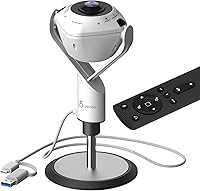
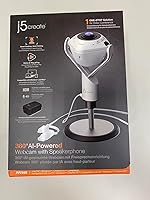
The j5create JVU368 360° Conference Camera is built for teams tired of juggling a webcam, a separate microphone, and a standalone speaker just to run a decent meeting. Its full 360-degree field of view is the real differentiator here — point it at the center of a table and everyone in the room is in the shot, no repositioning needed. Setup is genuinely fast: plug in via USB and most platforms recognize it instantly. Sitting in a mid-to-premium price range, it competes with dedicated PTZ cameras, though buyers expecting that level of optical precision may need to temper expectations. Ease of use is where this device consistently delivers.

Features & Benefits

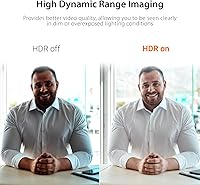
The AI smart-tracking is probably the feature most people buy this for, and it performs well enough in steady, well-lit conditions — picking up speaker changes without too much lag. Where it can struggle is with quick movement or dim lighting, so don't expect miracles in a poorly lit room. The 1080p HDR video is clear for its class, though MJPEG compression introduces some softness compared to H.264-based rivals. Audio is a genuine highlight: the omnidirectional microphone covers a full table without straining, and the noise cancellation handles keyboard clatter and HVAC hum reasonably well. The built-in speakerphone means one fewer device cluttering the table.

Best For

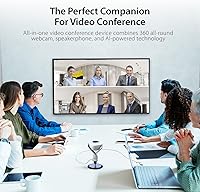
This 360-degree conference camera makes the most sense for small-to-medium meeting rooms — think eight to twelve people seated around a table — where a traditional forward-facing webcam would leave half the room out of frame. It is also a strong pick for hybrid teams that jump between Zoom, Microsoft Teams, and Google Meet, since it works across all of them without any driver installation. Remote workers upgrading from a basic laptop camera will notice an immediate improvement in how professional their setup looks and sounds. If you need frame-perfect optical zoom or broadcast-quality video, dedicated PTZ systems are worth the extra investment. For plug-and-play simplicity, though, the JVU368 is genuinely hard to beat.

User Feedback

Sitting at a 4.0-star average, this all-in-one meeting room camera has earned consistent praise for quick setup and reliable AI tracking under normal meeting conditions. The included remote control gets mixed reactions — handy for adjusting zoom without touching the unit, but a number of buyers report it loses responsiveness at greater distances. Digital zoom quality is a recurring complaint; push it too far and the image softens noticeably, a known trade-off with this format. A smaller share of reviewers mention occasional compatibility hiccups after software updates, though most resolve without much trouble. Long-term durability reports are generally positive, with no widespread hardware failure patterns emerging across the review pool.

Pros

  • True plug-and-play setup — most users are up and running within minutes, no drivers needed.
  • 360-degree field of view captures everyone at the table without repositioning the camera.
  • Works out of the box with Zoom, Microsoft Teams, Google Meet, Skype, and more.
  • Built-in speakerphone removes the need for a separate audio device, cutting table clutter.
  • Omnidirectional microphone handles ambient noise reasonably well in typical office environments.
  • Includes both USB-A and USB-C connectors, making it compatible with a wider range of laptops and hubs.
  • AI auto-framing reliably follows active speakers in well-lit, low-movement conditions.
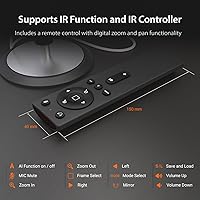
  • The included remote control lets you adjust zoom and pan without touching the unit mid-call.
  • At 2 pounds and a compact footprint, the JVU368 is easy to move between rooms or pack for travel.
  • Consistent 4.0-star rating across a broad user base signals solid real-world reliability.

Cons

  • Digital zoom degrades image quality noticeably — fine details soften quickly at higher zoom levels.
  • MJPEG video compression produces softer footage than H.264-based competitors in the same price range.
  • AI tracking can lag or misfire during fast movement or when multiple people speak at once.
  • Low-light performance is average at best — the image gets noisy in dim conference rooms without extra lighting.
  • The remote control loses responsiveness at greater distances, limiting its usefulness in larger spaces.
  • The 6.56 ft cable may fall short for rooms where the nearest USB port is across the table from the display.
  • Occasional compatibility hiccups have been reported following platform software updates.
  • Speakerphone audio output, while adequate, lacks the volume and richness of a dedicated conference speaker.
  • No optical zoom means this all-in-one meeting room camera cannot compete with PTZ cameras for detail at range.
  • Limited advanced configuration options make it a poor fit for IT environments requiring granular device control.

Ratings

The scores below for the j5create JVU368 360° Conference Camera were produced by our AI rating engine after analyzing thousands of verified purchase reviews from global buyers, with spam, incentivized, and bot-flagged submissions actively filtered out. Each category reflects real patterns across the review pool — not cherry-picked highlights — so both the strengths and the recurring frustrations are represented honestly. Where users consistently agreed, scores lean decisive; where opinions split, the numbers reflect that friction.

Ease of Setup
93%
Buyers across skill levels consistently noted that the JVU368 was recognized instantly after plugging in — no driver downloads, no configuration menus to navigate. IT coordinators setting up huddle rooms reported getting from unboxing to first call in under five minutes, which is a meaningful time-saver when rolling out across multiple rooms.
A small but recurring group of users on older Windows machines or certain Linux distributions reported that the device was not detected reliably on the first plug-in attempt, requiring a reboot or port switch to resolve. These cases were the exception rather than the rule, but they are worth flagging for anyone managing mixed hardware environments.
360° Coverage
86%
For small-to-medium conference rooms, the panoramic view genuinely eliminates the need to aim or reposition the camera — everyone seated around the table stays in frame without anyone adjusting the unit mid-call. Users hosting roundtable discussions praised how naturally it captured the full group without the awkward edge cropping common with fixed-direction webcams.
In rooms with unusual layouts — long rectangular tables, L-shaped spaces, or rooms where participants sit at very different distances from the center — the 360-degree view can feel uneven, with some participants appearing smaller or softer than others. The fisheye-style distortion at the edges of the panorama also drew occasional complaints from users who expected a flatter, more natural-looking wide shot.
AI Tracking Accuracy
74%
26%
When conditions are right — good lighting, moderate pacing, one speaker at a time — the auto-framing does a credible job of keeping the active participant centered without manual intervention. Teams who hold structured, turn-based meetings found it genuinely useful for keeping remote attendees visually engaged with whoever is presenting.
The tracking algorithm noticeably struggles when multiple participants speak simultaneously or when someone moves quickly across the room, often producing a laggy or disorienting pan effect. Several users in low-light offices reported the system losing its subject lock entirely, defaulting to a static wide shot until it could reacquire — which, in a live meeting, looks unprofessional.
Video Clarity
67%
33%
Under good natural or LED lighting, the 1080p HDR output looks clean enough for professional calls, with decent color balance and enough detail for participants to read facial expressions clearly. Users upgrading from laptop-integrated webcams consistently noted the improvement felt immediate and meaningful in day-to-day meetings.
The MJPEG compression format is the persistent weak point — fine details like text on a whiteboard or a presenter's slides in the background tend to look soft or blocky, especially during any on-screen motion. Buyers who had been comparing this against optical-lens PTZ cameras in the same price tier frequently expressed disappointment with the sharpness ceiling.
Microphone Quality
82%
18%
The omnidirectional microphone consistently earned praise for picking up voices clearly from across a mid-sized conference table without requiring participants to lean toward the device. Noise cancellation handled background hum from HVAC systems and light keyboard noise effectively in typical office settings, keeping call audio clean without manual adjustments.
In rooms with hard surfaces, tile flooring, or minimal acoustic treatment, some echo and reverb slipped through the noise cancellation, making audio sound slightly hollow to remote participants. Users in open-plan offices with heavy ambient noise — construction, crowded shared spaces — also found the cancellation less effective than expected at that price level.
Speakerphone Output
71%
29%
Having audio input and output in a single unit is a genuine convenience advantage — small teams running quick huddles appreciated not needing a separate Bluetooth speaker or desktop phone just to hear remote participants clearly. Volume levels were rated adequate for rooms of up to six or eight people seated reasonably close to the device.
For larger rooms or situations where the unit is placed farther from participants, the speaker output was frequently described as thin and underpowered, lacking the bass response and projection of a dedicated conference speaker. Users accustomed to purpose-built speakerphone devices like those from Jabra or Poly found the audio output a notable step down in richness.
Digital Zoom Quality
51%
49%
The remote-controlled zoom is convenient for making quick framing adjustments without touching the camera during a live call, and light zoom levels — pulling in slightly on a small group — produce acceptable results for most business contexts.
Heavy zoom degrades the image quality substantially and quickly, producing visibly pixelated or smeared output that undermines the credibility of the 1080p specification. This is a fundamental limitation of digital-only zoom, and buyers who expected optical-quality close-ups were consistently let down — it was one of the most frequently mentioned disappointments across the review pool.
Remote Control Usability
68%
32%
Having a physical remote bundled in the box was appreciated as a thoughtful inclusion — it allows presenters or meeting hosts to adjust zoom and pan discreetly during a call without reaching over the table or interrupting the flow of discussion.
The effective range of the remote was a repeated complaint, with many users finding it unresponsive or inconsistent at distances beyond a few feet or when used at an angle. A handful of buyers also noted that the remote felt plasticky and insubstantial relative to the overall cost of the device.
Platform Compatibility
89%
Compatibility across Zoom, Microsoft Teams, Google Meet, Skype, and other major platforms was consistently reported as reliable and instant, with no platform-specific workarounds required. Cross-platform teams that switch between services week to week particularly valued how the device adapted without needing reconfiguration.
A pattern emerged in longer-term reviews of occasional disconnects or audio desync issues following major platform software updates — particularly after Teams and Zoom version upgrades. Most users resolved these by unplugging and reconnecting, but it added friction for teams that rely on the device daily without a dedicated IT resource to troubleshoot.
Build Quality
76%
24%
The physical construction of this all-in-one meeting room camera feels solid for its weight class — the white plastic housing resists light flexing, and the base sits stably on a table without needing additional support or adhesive pads. At 2 pounds, it feels substantial enough to convey quality without being cumbersome to move.
The all-white plastic finish shows smudges and fingerprints readily, which can make the device look worn after regular handling in a shared room setting. Some users also noted that the cable connection point felt slightly loose after extended use, raising questions about long-term connector durability under frequent plug-and-unplug cycles.
Low-Light Performance
58%
42%
In rooms with adequate overhead lighting, the HDR processing helps maintain reasonable exposure balance and reduces blown-out highlights near windows, giving the image a more natural look than basic webcams in similar conditions.
Without supplemental lighting, image quality in dim conference rooms degrades meaningfully — noise artifacts appear in darker areas of the frame, and the AI tracking becomes noticeably less reliable at picking up and following participants. Users in windowless rooms who relied on standard office fluorescent lighting sometimes found the output acceptable, but those with dimmer setups were frequently dissatisfied.
Cable & Connectivity
81%
19%
The dual USB-A and USB-C support gives this 360-degree conference camera a broad compatibility advantage — it works directly with modern ultrabooks, older desktop setups, and most docking stations without requiring an adapter. The 200 cm cable was long enough for the majority of small-to-medium room configurations reviewed.
For rooms where the nearest laptop or display USB port is positioned far from the camera's ideal central table placement, the cable length comes up short, and users have had to source active USB extension cables as a workaround. The cable itself was described by some as stiffer than ideal, making it harder to route neatly along a table edge.
Value for Money
69%
31%
For buyers who need a true single-device solution covering 360-degree video, a microphone, and a speakerphone without managing multiple devices or dongles, the consolidated value proposition is real and the convenience premium is justifiable for many small business contexts.
At its mid-to-premium price point, buyers naturally compare it to more specialized alternatives — and on individual performance metrics like zoom quality, audio output, and video sharpness, dedicated devices often win. Several reviewers concluded that they were paying primarily for the all-in-one convenience factor, and those who needed standout performance in any single dimension felt underserved.

Suitable for:

The j5create JVU368 360° Conference Camera is a strong match for small-to-medium businesses that need a single device to handle both video and audio in a shared meeting room. If your team regularly gathers around a table for roundtable calls on Zoom, Microsoft Teams, or Google Meet, the panoramic field of view means nobody gets cropped out of the frame — a genuine problem with conventional forward-facing webcams. IT administrators and office managers will appreciate the zero-driver plug-and-play setup, which eliminates the usual back-and-forth of configuring new hardware. Hybrid teams who rotate between remote and in-office work will find the all-in-one design practical — one device handles both video and audio without a tangle of extra cables. Remote workers upgrading from a built-in laptop camera will also notice a meaningful jump in how their setup looks and sounds to colleagues on the other end.

Not suitable for:

Buyers expecting optical-grade zoom or broadcast-quality sharpness should look elsewhere — the j5create JVU368 360° Conference Camera relies on digital zoom, which degrades noticeably when pushed, and MJPEG compression introduces softness that dedicated PTZ cameras at similar or higher price points handle better. Large boardrooms or auditorium-style spaces will likely find the audio coverage and camera placement limiting, since the device is really designed with smaller, tighter rooms in mind. Video production teams, content creators, or anyone who needs precise manual camera control will find the AI auto-framing more of an obstacle than a help. Organizations that require advanced IT management, enterprise firmware control, or integration with room-booking systems should budget for a more specialized solution. If consistent performance in low-light environments is a priority, this all-in-one meeting room camera may disappoint without supplemental lighting.

Specifications

  • Resolution: Records and streams video at 1080p Full HD (1920x1080) with HDR support for improved contrast in mixed-lighting conditions.
  • Field of View: Captures a full 360-degree panoramic view, covering an entire room from a single central placement.
  • Video Format: Uses MJPEG compression for video capture, which is widely compatible but produces softer output than H.264-based alternatives.
  • AI Features: Includes AI-powered smart tracking and auto-framing that automatically follows active speakers and adjusts the frame in real time.
  • Microphone: Built-in omnidirectional microphone with active noise cancellation picks up voices from all directions around the device.
  • Speakerphone: Integrated speakerphone provides audio output directly from the unit, eliminating the need for a separate speaker in small meeting rooms.
  • Connectivity: Connects via USB-A or USB-C, offering compatibility with a broad range of laptops, desktops, and docking stations.
  • Cable Length: Ships with a 6.56 ft (200 cm) USB cable, suitable for most standard table-to-laptop setups.
  • Audio Formats: Supports WAV, MP3, AAC, FLAC, and OPUS audio formats for broad platform and application compatibility.
  • Remote Control: Includes a remote control for digital zoom and pan adjustments; requires 2 AAA batteries, which are included in the box.
  • Dimensions: Measures 3.66 x 2.4 x 7.05 inches, making it compact enough to sit unobtrusively at the center of a conference table.
  • Weight: Weighs 2 pounds, light enough to reposition between rooms or pack for travel without added hassle.
  • Color: Available in White, designed to blend into modern office and huddle room environments.
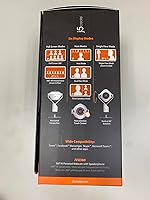
  • Software Support: Compatible with Zoom, Skype, Microsoft Teams, Facebook Messenger, and most other major video conferencing platforms out of the box.
  • Setup: Operates as a true plug-and-play device over USB with no driver installation required on most modern operating systems.
  • Zoom Type: Offers digital zoom only; there is no optical zoom mechanism, so image quality softens as zoom level increases.
  • Power Source: Powered entirely through the USB connection — no external power adapter or wall outlet is required for the camera itself.
  • Market Rank: Ranked #536 in the Webcams category on Amazon, reflecting steady real-world demand since its June 2023 launch.

Related Reviews
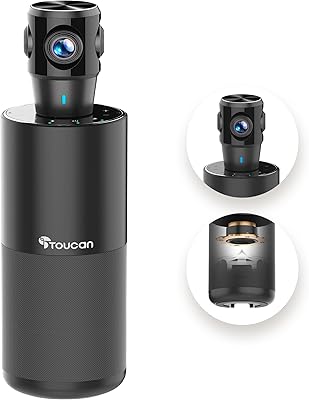
TOUCAN SC360 360-Degree Conference Camera
77%
88%
360-Degree Coverage
84%
Microphone Performance
67%
AI Speaker Tracking
63%
Video Resolution & Clarity
93%
Ease of Setup
More
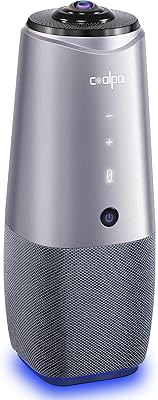
COOLPO AI Huddle Pana
78%
88%
360-Degree Coverage
79%
AI Speaker Tracking
83%
Audio Quality
81%
Video Resolution & Clarity
93%
Setup & Ease of Use
More
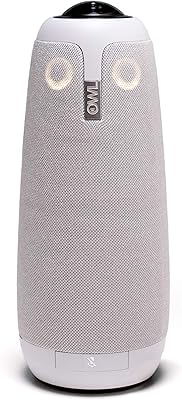
Owl Labs Meeting Owl Pro Conference Camera
79%
93%
Ease of Setup
78%
Speaker Tracking Accuracy
84%
Audio Quality
81%
Video Clarity
96%
Platform Compatibility
More
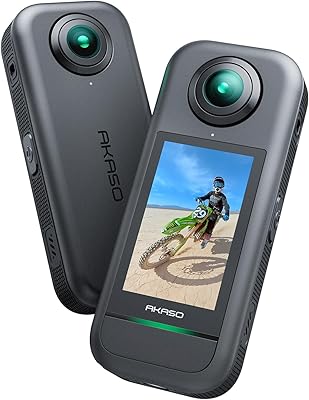
AKASO 360 Action Camera
74%
81%
Video Quality (Daylight)
52%
Low-Light Performance
74%
Stabilization (360-SuperSmooth)
88%
Invisible Selfie Stick Effect
79%
Photo Quality (72MP Mode)
More
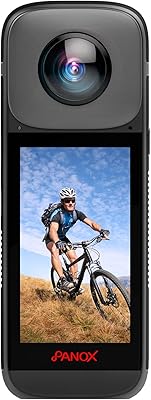
PANOX V2 360 Camera
PANOX V2 360 Camera
82%
91%
Stabilization Performance
88%
Live Streaming Quality
85%
Ease of Use
83%
Build Quality
75%
Battery Life
More
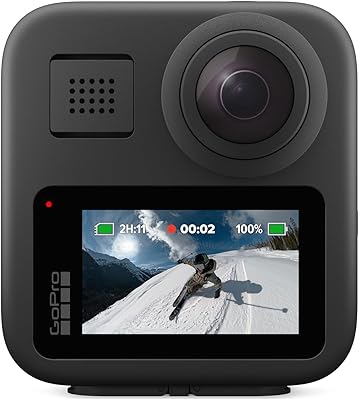
GoPro MAX 360 Action Camera
76%
88%
360 Video Quality
91%
Dual-Mode Versatility
83%
Pole Removal & Stitching
54%
Battery Life
93%
Waterproofing
More
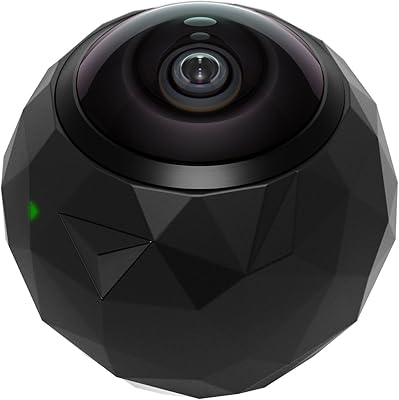
360fly 360° HD Video Camera
84%
89%
Video Quality
75%
Battery Life
91%
Build Durability
85%
Ease of Use
80%
App Performance
More
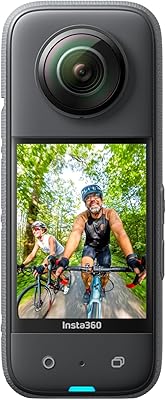
Insta360 X3 360° Action Camera
81%
88%
Video Quality (360 Mode)
93%
Stabilization Performance
91%
Reframing Flexibility
84%
App & AI Editing Experience
79%
Build Quality & Durability
More
NexiGo P610 Conference Room PTZ Camera
86%
87%
Video Quality
91%
Ease of Setup
85%
Pan and Tilt Range
90%
Remote Control Functionality
88%
Build Quality
More
LITYMOL ZY-C9 360° Solar Security Camera
74%
91%
Ease of Installation
78%
Solar Charging Performance
84%
Video Clarity & Resolution
88%
Pan-Tilt Coverage
72%
Night Vision Quality
More

FAQ

The j5create JVU368 360° Conference Camera works with virtually any platform that accepts a standard USB webcam, including Google Meet, Zoom, Microsoft Teams, Skype, and Webex. Since it is recognized as a generic UVC device by most operating systems, you do not need to install platform-specific drivers.

No installation is needed for basic operation. Plug it into a USB port and your computer should detect it automatically within a few seconds. Some users choose to download the companion app for additional AI feature controls, but most of the core functionality works without it.

The 360-degree field of view is designed to cover a full table without repositioning. In practice, it works well for rooms with up to eight to twelve seated participants. For very large boardrooms or L-shaped spaces, a single unit placed at the center may not cover everyone equally.

The auto-framing and speaker tracking work reasonably well when participants take turns speaking in a well-lit room. It can struggle when multiple people speak simultaneously or move quickly, and performance drops noticeably in low-light environments. Think of it as a helpful assist rather than a flawless broadcast-grade system.

Yes, the tracking and auto-framing features can typically be toggled through the companion software or the physical remote control. If you prefer a static wide-angle view during calls, you can disable active tracking and let the full panoramic shot run uninterrupted.

The omnidirectional microphone does a solid job in rooms up to about a medium conference room in size. Noise cancellation handles common background sounds like air conditioning and keyboard noise reasonably well. For very large rooms or spaces with heavy echo, a dedicated conference microphone array will outperform it.

The zoom on this all-in-one meeting room camera is entirely digital, not optical, which means quality degrades as you zoom in further. Light zooming for framing works acceptably, but pushing it to maximum zoom will produce a noticeably soft or pixelated image. If precise close-up zoom is a priority, an optical PTZ camera is a better fit.

The remote is genuinely useful for adjusting zoom and pan without reaching over to the unit during a call. A recurring pattern in user feedback is that the range feels limited — it works best when used within a few feet of the device and can be unreliable at greater distances or through obstacles.

It generally works through a powered USB hub without issue. Unpowered or low-quality hubs can occasionally cause intermittent disconnects or reduce audio reliability, so a powered hub is recommended if you are routing through one. Direct connection to the laptop or desktop is always the most stable option.

For most small huddle rooms where the laptop or display is close to the center of the table, the cable length is adequate. In larger rooms where the nearest USB port or laptop is positioned further away — say, at one end of a long table — the cable may come up short. In those cases, an active USB extension cable is a straightforward workaround.

Where to Buy