Overview

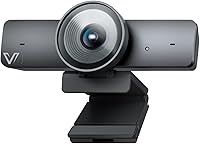
The AV Access BizEye 90 Conference Camera sits comfortably in the mid-range conferencing space, offering a hardware spec — specifically its 1/1.8″ CMOS sensor — that you don't often see at this price point. That larger sensor means better light collection and cleaner images in the kinds of mixed-lighting rooms most offices actually have. Setup is straightforward: plug in via USB, and it works with Teams, Zoom, and Meet without any driver drama. One honest caveat upfront — the signature Individuals Gallery feature requires downloading the BizEye app separately from the manufacturer's website, so factor that into your setup expectations. Holding a #334 rank in Webcams reflects real buyer adoption.

Features & Benefits

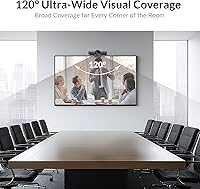
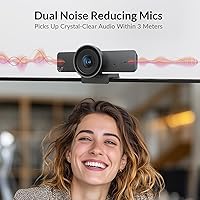
The 120° field of view is genuinely wide — a standard six-person table fits in frame without anyone getting cropped at the edges. Electronic PTZ control handles panning and tilting without you ever touching the camera. Auto Framing and Presenter Tracking are two distinct AI modes: the first keeps the whole group centered as people shift around, the second locks onto whoever is actively speaking. The 1/1.8″ CMOS sensor earns its place here — a larger imaging surface captures more light, which shows up as noticeably cleaner video in the dim or mixed-light rooms most offices have. The dual noise-cancelling mics handle moderate background noise well, though they're not a substitute for a dedicated room microphone in bigger spaces. The physical privacy cover rounds out an honest feature set.

Best For

This AI webcam is a strong match for small-to-medium conference rooms where there's no dedicated AV person managing the camera during calls. If your team rotates through speakers frequently, Presenter Tracking removes the awkward scramble to manually reframe. Organizations already running Teams, Zoom, or Meet will appreciate that setup involves nothing more than plugging in a USB cable. Educators and online trainers will find the wide-angle coverage useful for capturing a whiteboard or teaching area without stepping around to adjust the shot. It's also a realistic option for buyers who need genuine 4K image quality from a large-format sensor but aren't ready to spend on dedicated enterprise AV hardware. Not ideal for very large boardrooms, where the built-in mics will struggle.

User Feedback

The BizEye 90 holds a 4.4-star rating, and reading through the reviews, the pattern is consistent: buyers appreciate the image clarity and how well Auto Framing works straight out of the box. The complaints that surface most often center on the BizEye app — some users didn't realize Individuals Gallery requires a separate download, and the activation process adds friction to what should be a simple setup. The 5x digital zoom gets mixed marks; functional at moderate extension, but the image softens noticeably at full zoom, which is simply the nature of digital zoom. Microphone performance earns decent marks in quieter rooms, though a few reviewers note it picks up HVAC hum in offices with poor acoustics. Build quality and mount stability are generally well-regarded for this price tier.

Pros

  • The 1/1.8″ CMOS sensor delivers noticeably cleaner 4K video in dim or mixed-lighting meeting rooms.
  • Auto Framing keeps the whole group centered automatically as people move around the table.
  • Presenter Tracking locks onto the active speaker without any manual camera adjustments needed.
  • A 120° field of view covers a full small conference table without anyone getting cut out of frame.
  • USB plug-and-play setup works with Teams, Zoom, and Google Meet without driver installation.
  • The physical privacy cover is a practical, no-software solution for security-conscious workplaces.
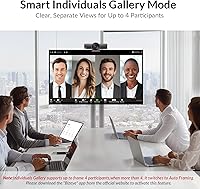
  • Individuals Gallery mode frames each participant separately, which is a genuinely uncommon feature at this price point.
  • Dual noise-cancelling microphones handle moderate office background noise well in smaller rooms.
  • Lightweight and compact enough to move between rooms or pack for travel without hassle.
  • Strong real-world adoption reflected in a top-400 Best Seller rank in the Webcams category.

Cons

  • Individuals Gallery requires a separate BizEye app download — it does not activate out of the box.
  • The BizEye app activation process adds setup friction that some buyers find frustrating or confusing.
  • 5x digital zoom degrades image sharpness noticeably when pushed toward its upper range.
  • Built-in microphones lose effectiveness in larger rooms or spaces with significant HVAC background noise.
  • No Bluetooth connectivity, which limits flexibility for certain wireless audio or peripheral setups.
  • Individuals Gallery mode caps out at four participants before automatically switching to group framing.
  • No optical zoom means the camera relies entirely on digital processing to close in on distant subjects.
  • The BizEye app dependency creates a potential long-term risk if manufacturer software support is discontinued.
  • Mount and cable management options are basic, which may be limiting for permanent or ceiling-mounted installations.

Ratings

The scores below reflect AI analysis of verified global buyer reviews for the AV Access BizEye 90 Conference Camera, with spam, incentivized, and bot-generated feedback actively filtered out before scoring. Each category captures what real users consistently praised and where they hit friction, giving you a transparent, balanced picture across both strengths and genuine pain points. No score here is inflated — the numbers reflect the honest spread of satisfaction across thousands of real-world meeting rooms, classrooms, and home offices.

Video Clarity
88%
Buyers repeatedly note that the 4K output looks noticeably sharper and more natural than cameras they previously used in the same price range. The 1/1.8″ CMOS sensor delivers real-world benefits — faces are recognizable, text on whiteboards is legible, and the image holds up well in typical office lighting.
A handful of users report that clarity takes a visible dip when the digital zoom is pushed past the midpoint, which is expected behavior but still disappoints buyers who assumed 5x would deliver crisp close-ups. Color accuracy under warm or heavily tinted office lighting also draws occasional criticism.
Low-Light Performance
83%
The larger imaging sensor makes a meaningful difference in dim conference rooms and home offices with uneven lighting — most users find that faces remain well-lit and recognizable without needing to adjust room lights before a call. WDR processing handles windows-in-the-background scenarios better than competing cameras at this tier.
In very dark environments or rooms with only a single overhead lamp, some graininess creeps into the image, particularly around the edges of the frame. Users in basement offices or windowless rooms report needing at least one supplemental light source for consistently clean video.
AI Auto Framing
84%
Auto Framing is consistently one of the most praised features — users say it reliably keeps the group centered as people shift in their seats or lean in and out of frame, removing the need for anyone to manage the camera during a call. Teams who move between standing and seated positions mid-meeting find it adapts without obvious delay.
Occasional jitter is noted when two people move simultaneously in opposite directions, causing a brief moment of indecision before the frame re-centers. A small number of users also report the framing pulling too wide in rooms with more than four people, leaving individuals looking small in the frame.
Presenter Tracking
79%
21%
For meetings with a clear lead speaker who moves around — trainers, educators, sales presenters — the tracking mode gets consistent praise for following the subject smoothly without the jarring cuts you might expect from AI-driven camera control. Most users say it activates and locks on quickly after the speaker takes the floor.
In fast-moving group discussions where multiple voices overlap, the tracking can oscillate between speakers, which some users find distracting. It also occasionally picks up someone just walking past the room if the camera has a wide sightline to a door or corridor, triggering an unwanted pan.
Individuals Gallery Mode
71%
29%
When it works, buyers genuinely appreciate how the gallery view frames each participant individually — remote participants feel more engaged and facial expressions come through clearly, which matters in emotionally loaded calls like feedback sessions or interviews.
The required BizEye app download catches a significant number of buyers off guard, and the activation process is described by multiple users as more involved than it should be. The four-person cap means the feature becomes less useful the moment a fifth attendee joins, which happens constantly in real conference room use.
Microphone Quality
74%
26%
In rooms up to about eight people around a standard conference table, the dual noise-cancelling mics hold up well — voices at the near end of the table come through clearly, and moderate ambient noise like keyboard clicks or distant office chatter gets filtered reasonably well.
Users in larger rooms or open-plan areas consistently flag that voices at the far end of the table are noticeably quieter and occasionally hard to understand. HVAC hum is also a recurring complaint, with some users noting it bleeds into the audio in rooms with older ventilation systems.
Field of View
86%
The 120° diagonal FOV is one of the features buyers mention most positively in written reviews — it captures a full small conference table comfortably, and educators say it covers a whiteboard and presenter position simultaneously without any repositioning mid-session.
At the widest angle, the edges of the frame show mild geometric distortion, which most users either do not notice or accept as normal for wide-angle optics. A few buyers who use it in narrow or long rectangular rooms note that the width is more than they need while depth coverage feels limiting.
Digital Zoom
58%
42%
At conservative zoom levels — roughly 2x to 3x — the ePTZ zoom is functional enough for basic framing adjustments, and users who rely on Auto Framing rather than manual zoom tend not to engage with this limitation at all.
At 4x and 5x, image softness is the most consistent complaint across reviews — buyers who expected optical-quality close-ups are regularly disappointed, and several specifically warn others not to expect true 5x zoom performance. This is an inherent limitation of digital zoom, but the marketing framing sets expectations that the hardware cannot match.
Setup & Compatibility
91%
Plug-and-play USB setup draws near-universal praise — buyers say it works immediately with Teams, Zoom, and Google Meet on both Windows and Mac without installing any drivers or changing system settings. IT departments and non-technical users alike appreciate that basic operation requires nothing beyond a USB cable.
The BizEye app requirement for advanced AI features introduces a layer of complexity that contradicts the plug-and-play experience, and a subset of users report the app's interface is not as intuitive as the hardware setup itself. Compatibility with less common conferencing platforms is not guaranteed and requires individual verification.
Build Quality
77%
23%
The physical construction gets generally positive marks — users describe it as feeling solid for its weight class, and the monitor-top clip is reported to sit stably without wobbling during calls. At 12.6 oz it is light enough to carry easily but substantial enough that it does not feel like a toy.
A few buyers note that the plastic housing looks less premium than cameras in higher price brackets, and the clip mechanism — while functional — feels less refined than some competing designs. Long-term durability comments are limited given the product's relatively recent availability.
Privacy Cover
89%
The physical lens cover earns quiet but genuine appreciation, particularly from users in regulated industries or security-conscious organizations — it provides hardware-level certainty that the camera is blocked, which a software mute button simply cannot. Several reviewers specifically mention this as a deciding factor in their purchase.
A small number of users note the cover feels slightly loose over time with frequent sliding, raising mild concerns about long-term reliability. It does the job, but the mechanism is not as polished as purpose-built lens shutters found on more expensive dedicated video conferencing systems.
Value for Money
82%
18%
Most buyers feel the BizEye 90 over-delivers relative to its price point — specifically, the sensor size and AI framing features are typically found on cameras that cost meaningfully more, and that hardware generosity at this tier is the most frequently cited reason buyers recommend it to others.
Buyers who primarily wanted Individuals Gallery and then discovered the app requirement feel the value proposition was partially misrepresented. Those who rarely use the AI features and just needed a clean 4K webcam occasionally note they could have found a simpler option for less.
Software & App Experience
61%
39%
Users who get through the BizEye app setup describe the Individuals Gallery activation as working as advertised, and the app interface does offer some useful controls beyond what is available natively through the USB connection alone.
The app setup process is the single largest source of negative reviews — complaints center on unclear instructions, a non-intuitive activation flow, and occasional connectivity issues between the app and the camera. Some users also raise questions about data privacy and what the app communicates with the manufacturer's servers.
Portability
85%
At just over 12 oz and with a compact footprint, this AI webcam is easy to move between rooms or pack into a laptop bag for travel. Buyers who use it across multiple meeting rooms or bring it to off-site locations appreciate that it requires only a USB cable and no additional power source.
The monitor clip, while functional on standard monitors, is reported by a few users as slightly loose on ultra-thin display bezels, which limits portability to setups with a compatible mounting surface. A carrying pouch or case is not included, which would have made travel use more practical.

Suitable for:

The AV Access BizEye 90 Conference Camera is a strong fit for teams running regular hybrid meetings in small-to-medium rooms where nobody wants to babysit the camera during a call. If your meeting space seats somewhere between four and eight people and you rotate through speakers frequently, the combination of Auto Framing and Presenter Tracking will handle the shot composition automatically so participants can focus on the conversation instead of the tech. Educators and online trainers who need to cover a broad teaching area — a whiteboard, a demo table, a classroom corner — will find the 120° field of view genuinely useful without needing to reposition anything mid-session. Organizations already standardized on Teams, Zoom, or Google Meet will appreciate the plug-and-play USB setup, which requires no specialized IT involvement. For budget-conscious buyers who want a larger imaging sensor than what most cameras in this tier offer, the 1/1.8″ CMOS is a real hardware advantage that shows up noticeably in low-light or mixed-lighting rooms.

Not suitable for:

The AV Access BizEye 90 Conference Camera is not the right call for larger boardrooms or open-plan spaces where the built-in dual microphones will struggle to pick up voices clearly at greater distances — a dedicated room audio system is a better investment there. Buyers expecting the Individuals Gallery feature to work immediately out of the box will be disappointed; it requires downloading the BizEye app from the manufacturer's website separately, and users who skip that step will miss what is arguably the most distinctive feature this camera offers. The 5x digital zoom sounds compelling on paper, but digital zoom is not optical zoom — at full extension the image softens noticeably, so if tight close-up framing of a distant speaker is a core requirement, this camera will fall short. It is also not well-suited for professional broadcast or high-production video work, where the limitations of a USB conference camera become obvious against purpose-built equipment. If your organization relies on legacy or niche video conferencing platforms outside of Teams, Zoom, or Meet, compatibility should be verified before purchasing.

Specifications

  • Image Sensor: Uses a 1/1.8″ CMOS sensor, which is larger than typical webcam sensors at this price tier, allowing more light capture for cleaner, more detailed video.
  • Resolution: Records and streams at 4K resolution, delivering sharp, high-definition video suitable for both conferencing and online teaching environments.
  • Field of View: Offers a 120° diagonal field of view, wide enough to capture a full small-to-medium conference table without physically repositioning the camera.
  • Digital Zoom: Supports up to 5x digital zoom via ePTZ control, though image sharpness will soften noticeably when pushed toward the upper end of that range.
  • PTZ Control: Equipped with electronic PTZ (ePTZ), enabling pan, tilt, and zoom adjustments through software without any motorized mechanical movement.
  • AI Features: Includes three AI-driven modes: Auto Framing for group centering, Presenter Tracking for active speaker focus, and Individuals Gallery for per-participant framing.
  • Gallery Limit: Individuals Gallery mode frames up to 4 participants separately; when more than 4 people are detected, the camera automatically switches to standard group framing.
  • Microphones: Fitted with dual built-in noise-cancelling microphones designed to reduce ambient background noise in small-to-medium sized meeting rooms.
  • Connectivity: Connects via USB with plug-and-play support, requiring no additional drivers or software for basic camera operation on compatible systems.
  • Platform Support: Compatible with Microsoft Teams, Zoom, and Google Meet out of the box, as well as most major operating systems that recognize USB video devices.
  • App Requirement: The Individuals Gallery feature requires the free BizEye app, which must be downloaded separately from the AV Access official website before activation.
  • Privacy Cover: Includes a physical sliding privacy cover for the lens, providing a hardware-level privacy solution that does not rely on software or firmware to function.
  • Video Format: Captures and outputs video in MP4 format, which is broadly compatible with editing software, storage systems, and playback applications.
  • Audio Format: Supports AAC and MP3 audio formats for recorded content, covering the most common audio encoding standards used in conferencing and media workflows.
  • Weight: Weighs 12.6 oz, making it light enough to move between rooms or pack for travel without adding meaningful bulk to a laptop bag or carry case.
  • Dimensions: The packaged unit measures 6.22 x 3.43 x 3.23 inches, indicating a compact footprint well suited for placement on a monitor top, shelf, or tripod mount.
  • Model Number: Official model designation is BizEye 90, used for warranty registration, support inquiries, and software compatibility verification on the manufacturer's website.
  • Market Rank: Holds a Best Seller Rank of #334 in the Webcams category on Amazon, reflecting consistent real-world purchase volume among competing conferencing cameras.

Related Reviews
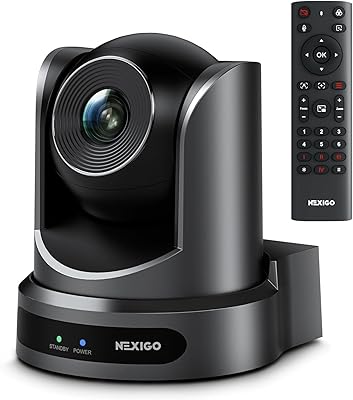
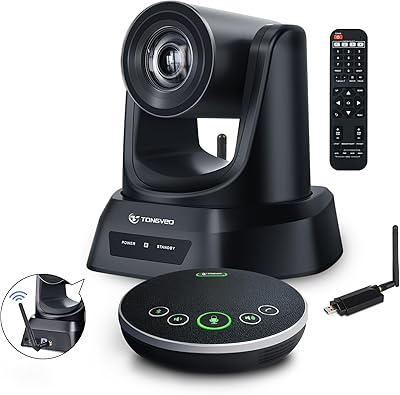
TONGVEO 4K Conference Room Camera System
78%
83%
AI Auto-Tracking Performance
78%
Video Quality
58%
Digital Zoom Quality
74%
Speakerphone Audio Clarity
91%
Ease of Setup
More
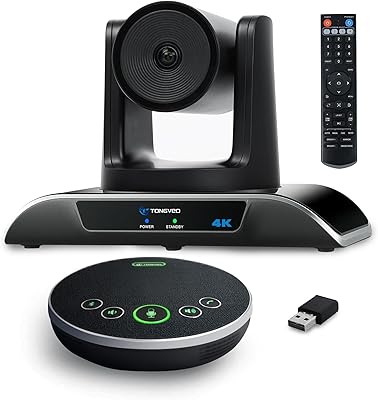
NexiGo P610 10X Optical Zoom PTZ Camera
78%
88%
Zoom Performance
83%
Image Quality
86%
PTZ Movement & Silence
79%
Preset & Remote Control
84%
Setup & Installation
More
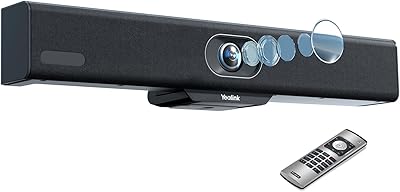
Yealink MeetingBar A10 Conference Room Camera System
81%
88%
Video Quality
86%
Microphone Quality
79%
AI Framing Accuracy
91%
Setup & Installation
58%
Speaker Output
More
Pentax WG-90 Waterproof Compact Camera
75%
93%
Build Quality & Durability
88%
Underwater Performance
91%
Macro & Ring Light System
78%
Image Quality (Daylight)
61%
Low-Light Image Quality
More
Jabra PanaCast 50
Jabra PanaCast 50
82%
93%
Video Coverage & Field of View
88%
Image Quality
71%
Audio Performance
82%
AI & Intelligent Features
91%
Ease of Setup
More
TOUCAN SC360 360-Degree Conference Camera
77%
88%
360-Degree Coverage
84%
Microphone Performance
67%
AI Speaker Tracking
63%
Video Resolution & Clarity
93%
Ease of Setup
More
AV Access 4KEX100-DP-Pro KVM Extender
79%
93%
Signal Quality
91%
Transmission Range
94%
Latency Performance
67%
USB Functionality
74%
Installation Experience
More
WyreStorm Halo VX10 Conference Room Camera
77%
83%
AI Tracking Accuracy
88%
Video Quality
58%
Digital Zoom Performance
84%
Microphone Clarity
67%
Speaker Volume & Quality
More
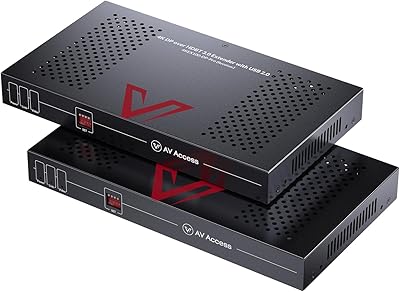
AV Access 4KIP100-KVM HDMI KVM Extender
76%
83%
Video Signal Quality
88%
Transmission Range
79%
USB Hub Functionality
61%
Network Compatibility & Setup
67%
DIP Switch Configuration
More
Yealink UVC34 All-in-One Conference Camera System
81%
93%
Ease of Setup
88%
Video Quality
61%
Digital Zoom Performance
84%
Audio Clarity
79%
AI Auto-Framing
More

FAQ

For standard video and audio use, yes — plug it into a USB port and your conferencing platform of choice will detect it automatically without any drivers. The one exception is the Individuals Gallery feature, which requires downloading the BizEye app separately from the AV Access website before it becomes active.

Auto Framing keeps the entire group centered in a single shared frame as people move around — think of it as a smart wide shot. Individuals Gallery goes further by detecting each person separately and displaying them in their own framed panel, almost like a Brady Bunch-style grid. It kicks in for groups of up to four people, and once a fifth person enters the room, it falls back to standard group framing automatically.

You can absolutely skip it if you only need Auto Framing, Presenter Tracking, and standard 4K video — all of that works without the app. But Individuals Gallery, which is arguably the most distinctive feature this camera offers, will not function until you download and activate the BizEye app from the manufacturer's website. It's a free download, but it is a required step if that feature matters to you.

At moderate zoom levels it holds up reasonably well, but at or near the 5x maximum you will notice the image getting softer and less defined. That is the nature of digital zoom — it is cropping and enlarging the image rather than using optical glass to bring a subject closer. For most conferencing use cases the ePTZ auto-tracking handles framing without needing manual zoom at all, so this limitation rarely becomes a practical problem.

In a small-to-medium room — say, a six-to-eight person table — the dual noise-cancelling mics are generally adequate for a clear call. In a larger room, or one with significant HVAC noise or hard reflective surfaces, you may find voices at the far end of the table sounding thinner or harder to pick up. For bigger spaces or rooms with poor acoustics, pairing this camera with a dedicated conference speakerphone is worth considering.

It is designed to sit on a monitor top, which is the most common placement in conference rooms. Most conference cameras in this form factor also include a standard tripod thread on the base, so a standard camera tripod or desk mount should be compatible — just verify the thread spec with the manufacturer if you plan to mount it permanently.

It is a physical sliding cover that sits directly over the lens, so it blocks the optical path entirely — no software or firmware involved. This kind of hardware-level privacy solution is genuinely useful in workplaces where security policies require a verifiable camera shutter, since it cannot be bypassed remotely the way a software mute or disable can.

The 1/1.8″ CMOS sensor is a meaningful advantage here compared to smaller sensors common at this price point. A larger imaging surface captures more light overall, and the camera's WDR (wide dynamic range) processing helps balance bright and dark areas in the same frame. It is not a perfect solution for extreme backlighting situations, but it handles typical office mixed-lighting conditions noticeably better than cameras with smaller sensors.

Presenter Tracking is designed to lock onto the most active speaker and follow them as they move, but like most AI tracking systems it can momentarily hesitate or shift if two people speak simultaneously or if someone makes a sudden movement. In practice, most users find it stabilizes quickly and is far less disruptive than having no tracking at all. It is best suited for meetings with a clear lead presenter rather than rapid back-and-forth group discussions.

This is a fair concern and worth keeping in mind. If AV Access were to discontinue the BizEye app, the Individuals Gallery feature would likely stop working or become unavailable on newer operating systems over time. Auto Framing, Presenter Tracking, standard 4K video, and the microphones are all hardware-level or natively supported functions that do not depend on the app, so the core camera would continue to work regardless. For buyers who consider Individuals Gallery a critical feature rather than a nice extra, this long-term software dependency is a real trade-off to weigh.