NexiGo P610 10X Optical Zoom PTZ Camera
Overview
The NexiGo P610 10X Optical Zoom PTZ Camera is a focused, mid-range solution built for small to medium conference rooms, classrooms, and houses of worship that need real zoom capability without the complexity of a full broadcast rig. What makes it practical is the combination of genuine optical zoom and USB plug-and-play connectivity — plug it in and your video software recognizes it instantly. Two things worth knowing upfront: there is no built-in microphone, and no mounting hardware comes in the box. It works with Zoom, OBS, Skype, and most major platforms right out of the gate. This is a camera that does one thing well — it is not an all-in-one conferencing system.
Features & Benefits
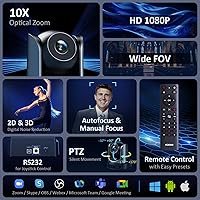
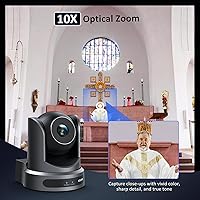
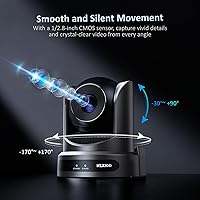
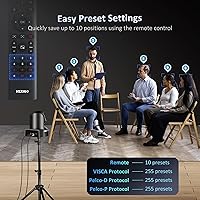
The zoom on this PTZ camera is the headline feature, and it earns its place. Ten times optical zoom means you can pull a speaker into tight close-up from the back of a mid-sized room without losing image quality — something digital zoom simply cannot replicate. The pan and tilt movement is genuinely quiet, which matters during live services or recorded sessions where camera noise is distracting. Preset position support is a standout: power users connecting via RS232 can store over 200 distinct framing positions, while the included remote handles ten presets for simpler setups. Low-light performance holds up well thanks to dual noise reduction processing built into the 1080p sensor.
Best For
This zoom camera fits naturally into a handful of specific scenarios. Conference rooms where a single operator needs to reframe shots remotely — without walking to the camera — will get genuine value from the pan, tilt, and preset system. Church AV teams tracking a pastor across a stage will appreciate the quiet motor and wide pan range. Hybrid educators who need to shift between showing the whole classroom and zooming in on a whiteboard will find the optical zoom practical rather than gimmicky. It also suits OBS-based live streamers who want a physical PTZ camera without dealing with IP configuration or network setup. Audio already handled elsewhere? That is the ideal buyer profile.
User Feedback
Buyers generally respond well to image quality, particularly praising sharpness at full zoom during video calls and live events. The remote control gets solid marks for usability, and the preset system works as advertised for most users. Setup is consistently described as straightforward — USB recognition is reliable across platforms. Where opinions split: some users note that autofocus can take a moment to settle when lighting shifts abruptly, which is worth knowing for fast-moving environments. The missing microphone rarely surprises buyers at this price point — most had already planned to pair it with a USB speakerphone. A handful mention wanting mounting screws included, but overall build quality is praised as sturdy.
Pros
- True 10x optical zoom keeps image quality sharp when pulling close on a speaker from across the room.
- Silent motor movement makes this PTZ camera practical for live worship services and quiet recording environments.
- USB plug-and-play setup means no driver installation — recognized immediately on Windows, Mac, Linux, and Android.
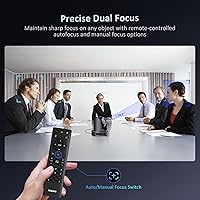
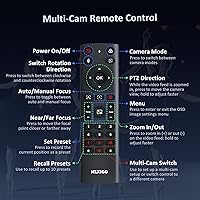
- Preset position support lets recurring users lock in repeatable shots and recall them instantly with the included remote.
- 1080p output holds up well in lower light conditions thanks to built-in dual noise reduction processing.
- Wide pan range covers nearly the full width of most small to medium rooms without repositioning the camera.
- Compatible with Zoom, OBS, Skype, and other major platforms without any additional configuration.
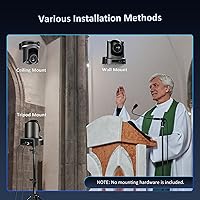
- Multiple mounting styles give installers flexibility depending on the room layout and existing infrastructure.
- Buyers consistently report that setup is quick and that the camera performs reliably across extended daily use.
- At its price point, optical zoom of this range is genuinely hard to find in a USB conference camera.
Cons
- No microphone is included, so a separate audio solution is required before this camera is meeting-ready.
- No mounting hardware comes in the box, which adds unexpected cost and planning for wall or ceiling installs.
- Autofocus can take a noticeable moment to lock when lighting in the room changes abruptly during a session.
- No auto-framing or speaker tracking means someone must operate the remote manually during active meetings.
- 30fps maximum output may feel limiting for buyers accustomed to smoother video in fast-moving presentation environments.
- The camera is relatively heavy at over four pounds, which requires a sturdy mount and careful installation planning.
- RS232 preset programming unlocks the most powerful features but requires technical comfort that casual users may lack.
- No built-in Wi-Fi or Ethernet means this camera cannot function as a standalone network device for IP-based workflows.
- Digital zoom quality drops off noticeably beyond the optical range, so users should not rely on it for critical shots.
Ratings
The NexiGo P610 10X Optical Zoom PTZ Camera scores below are generated by AI after systematically analyzing verified global buyer reviews, with spam, bot activity, and incentivized feedback actively filtered out before any scoring is applied. The result reflects a candid, balanced picture of where this zoom camera genuinely excels and where real users have run into friction. Both the strengths and the recurring pain points are transparently represented in each category score.
Zoom Performance
Image Quality
PTZ Movement & Silence
Preset & Remote Control
Setup & Installation
Low-Light Performance
Build Quality
Autofocus Reliability
Software Compatibility
Value for Money
Remote Range & Usability
Mounting Flexibility
Multi-Camera Support
Audio Integration
Suitable for:
The NexiGo P610 10X Optical Zoom PTZ Camera is a strong match for anyone running a small to medium-sized space where a single operator needs to control framing remotely without physically touching the camera. Church AV volunteers will find real value here — the quiet motor and wide pan range make it practical for tracking a speaker across a stage during a live service without distracting the congregation. Hybrid educators who need to shift between a wide classroom view and a tight close-up of a whiteboard will get genuine utility from the optical zoom in a way that fixed-lens webcams simply cannot offer. Corporate teams hosting recurring video calls in a dedicated conference room can program preset positions and recall them with the remote, making each meeting consistent without any manual adjustment. OBS-based streamers who want a physical PTZ camera but have no interest in wrestling with IP networking or custom software will appreciate that it shows up as a standard USB camera on every major operating system.
Not suitable for:
The NexiGo P610 10X Optical Zoom PTZ Camera is not the right tool for buyers who need audio included in a single-box solution. There is no built-in microphone, so anyone expecting to run a complete meeting setup from this camera alone will need to budget separately for a USB speakerphone or dedicated microphone. It also is not a fit for large auditoriums or event spaces where the distance between camera and subject pushes well beyond what a mid-range optical zoom can handle cleanly. Buyers who need auto-framing or AI-based speaker tracking should look elsewhere, as this camera requires manual pan, tilt, and zoom adjustment via remote or preset recall — there is no automatic subject detection built in. Those expecting mounting hardware in the box will also need to plan ahead, as nothing is included to attach it to a wall or ceiling. Finally, if your workflow depends heavily on ultra-smooth 60fps video, the 30fps ceiling on this sensor is a genuine constraint worth factoring in before buying.
Specifications
- Image Sensor: The camera uses a 1/2.8-inch CMOS sensor, a size common in professional PTZ cameras that balances low-light sensitivity with compact form factor.
- Resolution: Video output is full HD 1080p at up to 30 frames per second, delivered in H.264, MJPEG, or YUV formats depending on host software requirements.
- Optical Zoom: A 10x optical zoom lens provides true glass-based magnification, maintaining image sharpness across the entire zoom range without the quality loss associated with digital zoom.
- Digital Zoom: An additional 16x digital zoom extends reach beyond the optical range, though image quality will degrade at higher digital magnification levels.
- Field of View: The horizontal field of view spans from 58.5° at wide angle down to 6.5° at full optical zoom, covering everything from full-room wide shots to tight close-ups of a single presenter.
- Pan Range: The camera pans 170° left and right from center, covering nearly the full width of a small to medium room from a single fixed mounting position.
- Tilt Range: Tilt movement ranges from 30° below horizontal to 90° straight up, accommodating ceiling mounts, elevated podiums, and ground-level stage setups.
- PTZ Speed: Pan speed ranges from 2.7° to 47° per second, and tilt speed from 2.7° to 30° per second, allowing both slow cinematic sweeps and quick repositioning.
- Preset Positions: Up to 10 preset positions can be stored and recalled using the included IR remote, while RS232 connection expands this to 255 programmable presets for advanced installations.
- Noise Reduction: Both 2D and 3D digital noise reduction are applied in-camera, improving image clarity in low-light environments and producing a cleaner signal with a signal-to-noise ratio above 55 dB.
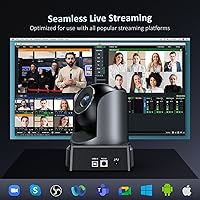
- Connectivity: The camera connects via USB and is recognized as a standard UVC device on Windows 7 through 11, macOS, Linux, and Android without requiring any driver installation.
- Control Interface: Primary control is via the included IR remote control with on-screen display; RS232 interface is also available for integration with professional AV control systems.
- Microphone: There is no built-in microphone; a separate audio input device such as a USB speakerphone or dedicated conferencing microphone is required for complete meeting setups.
- Mounting Options: The camera supports wall, ceiling, and tripod mounting configurations, though no mounting screws, brackets, or hardware are included in the box.
- Dimensions: The camera body measures 5.56 x 6.02 x 6.44 inches, making it compact enough for most conference room shelf or wall positions without dominating the space.
- Weight: At 4.54 pounds, the camera has a solid, substantial build that requires a sturdy mount, particularly for ceiling or inverted wall installations.
- Scanning Mode: The sensor uses progressive scanning, which reduces motion artifacts and produces cleaner video during panning movements compared to interlaced alternatives.
- Compatibility: The camera works natively with Zoom, Microsoft Teams, OBS, Skype, and any other platform that accepts a standard USB video class device as a camera source.
Related Reviews
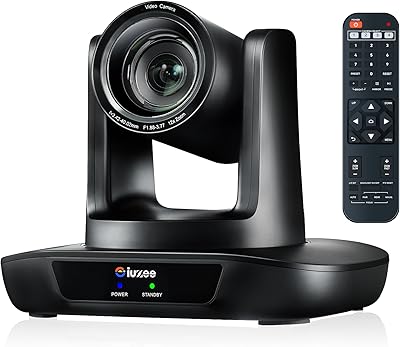
iuZee UHD12U-4K 4K PTZ Conference Camera
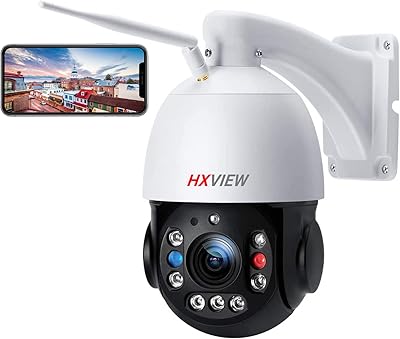
HXVIEW BU-E580 30X PTZ Outdoor Security Camera
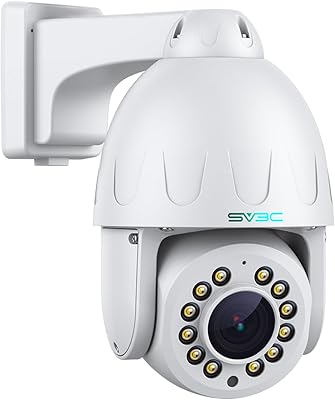
SV3C C12POE PTZ Security Camera
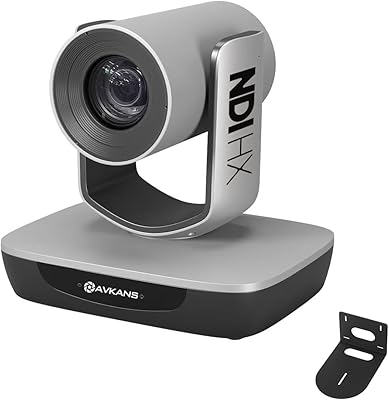
AVKANS AV-E20-NDI PTZ Camera
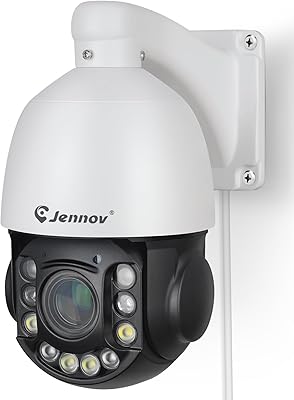
Jennov PS6009 6MP PTZ Security Camera
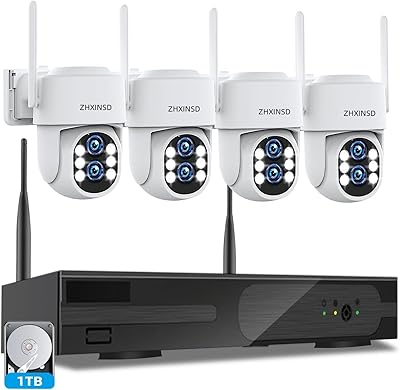
ZHXINSD Dual-Lens PTZ 4-Camera Security System 1TB
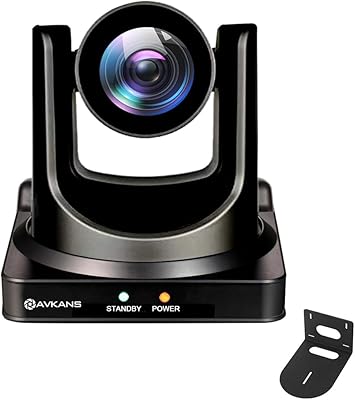
AVKANS NDI PTZ Camera 30X
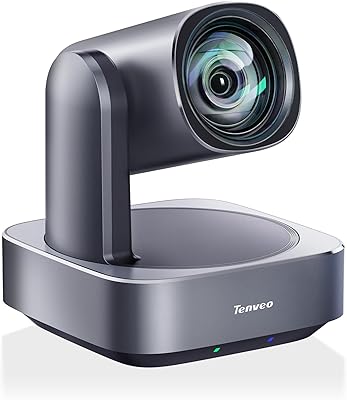
Tenveo VL12U 4K PTZ Camera
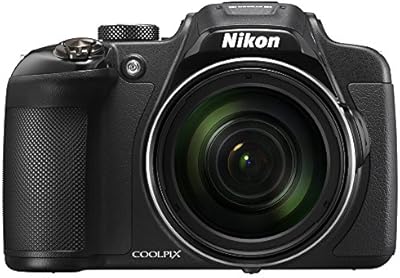
Nikon COOLPIX P610 Digital Camera