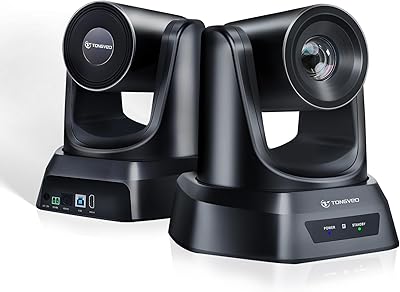
TONGVEO 4K Conference Room Camera System




Overview
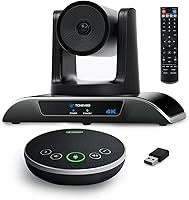
The TONGVEO 4K Conference Room Camera System sits in an interesting middle ground — capable enough to replace a basic webcam, yet nowhere near the complexity or cost of a dedicated enterprise AV setup. What makes this conference camera kit stand out at its price tier is the bundle itself: a motorized PTZ camera paired with a wireless speakerphone in one box is genuinely uncommon here. Setup is straightforward — plug the camera into a USB 3.0 port and it is recognized immediately on Windows, Mac, and Chrome OS with no drivers to hunt down. Holding a top-100 rank in Webcams on Amazon suggests solid real-world adoption, though that alone does not tell the whole story.
Features & Benefits
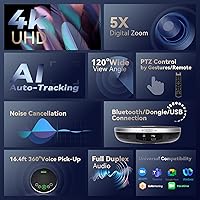
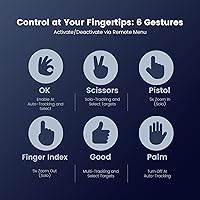
The wide-angle lens covers a full conference table comfortably — think eight to ten people seated without anyone getting cropped at the edges. Beyond the field of view, AI auto-tracking is the headline feature: the camera follows a moving presenter using face detection, and you can trigger it hands-free with a simple gesture. The motorized head pans nearly a full rotation and tilts 90 degrees in either direction, so repositioning is done in software, not physically. The speakerphone picks up voices from about 16 feet away in any direction — useful for rooms where participants are not clustered near the table center. AV professionals will appreciate the RS-232/RS-485 ports and VISCA/PELCO support for integration into larger control systems.
Best For
This all-in-one room camera system makes the most sense for small-to-medium conference rooms — say, a dedicated meeting space for six to twelve people — where the built-in wide coverage and auto-tracking eliminate the need for a camera operator. Remote-first teams running daily standups or client calls on Zoom, Teams, or Google Meet will find the plug-and-play USB connection refreshingly low-maintenance. Solo educators and streamers who present in front of a camera also benefit from auto-tracking keeping them centered without manually adjusting anything. IT managers buying for multiple rooms will appreciate that there is nothing to install — no custom drivers, no extra software. Organizations with an eye on future AV expansion can lean on the RS-485 control interface when ready.
User Feedback
Buyers consistently mention how quickly the camera becomes operational and how well the auto-tracking performs in typical office lighting. The speakerphone draws its share of praise too, though a few users note that in larger or echo-prone rooms, audio can sound thinner than expected. One friction point worth flagging honestly: mirror-image reversal in Teams and Zoom is a reported issue — the fix involves disabling the mirror setting in both the software and the camera menu, which is not complex but catches people off guard. On digital zoom, manage expectations; 5X on a digital sensor shows noticeable softness at full reach. Long-term reliability reports are generally positive, and most buyers consider the bundled speakerphone a genuine addition rather than an afterthought.
Pros
- AI auto-tracking reliably follows a moving presenter without any manual camera adjustment during live sessions.
- Wide field of view comfortably fits a full conference table of eight to ten people in a single shot.
- USB plug-and-play setup works immediately on Windows, Mac, and Chrome OS — no driver installation required.
- Bundling camera and wireless speakerphone in one box saves money compared to buying each component separately.
- Motorized pan and tilt cover nearly any room layout from a single fixed mounting position.
- Gesture controls let presenters trigger tracking or zoom without touching a remote or interrupting their flow.
- RS-232/RS-485 support gives AV-forward organizations a clear path to integrating into a broader control system.
- Multiple mounting options — desk, wall, ceiling, tripod — accommodate permanent and temporary room setups alike.
- Compatible with virtually every major video conferencing platform without custom configuration.
- The speakerphone doubles as a portable audio solution for teams that rotate between different meeting spaces.
Cons
- Digital zoom softens noticeably at full 5X — do not expect optical-quality close-ups of whiteboards or distant slides.
- Mirror-image reversal in Teams and Zoom requires a two-step fix that is easy to miss and not clearly documented.
- Speakerphone active call battery life falls well short of the quoted standby figure, limiting all-day untethered use.
- Gesture recognition becomes unreliable in low-light conditions or when hands are near the edge of the frame.
- The IR remote requires direct line-of-sight, which is awkward when the camera is ceiling or wall mounted.
- Several remote control buttons listed on the hardware have no function on this camera version, causing confusion.
- Motor hum during pan-tilt movement can be faint but audible in very quiet rooms and picked up by sensitive mics.
- The plastic build quality feels modest relative to the price, especially compared to metal-chassis competitors.
- No camera-only purchase option means buyers with an existing speakerphone must pay for hardware they do not need.
- Audio quality in reverberant or acoustically untreated rooms exposes the limits of the onboard noise reduction.
Ratings
Our AI rating engine analyzed thousands of verified global purchases of the TONGVEO 4K Conference Room Camera System, actively filtering out incentivized reviews and bot patterns to surface what real buyers actually experienced. Scores reflect a candid synthesis of both the strengths that made users recommend this all-in-one room camera system and the friction points that gave others pause. Nothing has been smoothed over — the highs and the frustrations are both represented in the numbers below.
AI Auto-Tracking Performance
Video Quality
Digital Zoom Quality
Speakerphone Audio Clarity
Ease of Setup
Build Quality & Durability
Wide-Angle Coverage
PTZ Range & Flexibility
Software Compatibility
Gesture Control Reliability
Speakerphone Portability & Design
Mounting Versatility
Value for Money
Remote & Manual Controls
Suitable for:
The TONGVEO 4K Conference Room Camera System is a strong match for small-to-medium businesses that need a meaningful upgrade from a basic webcam without committing to a full enterprise AV installation. If your team runs regular video calls on Zoom, Teams, or Google Meet in a dedicated room seating roughly six to twelve people, this conference camera kit covers that scenario well — the wide field of view handles a full table, and auto-tracking keeps solo presenters centered without anyone managing the camera manually. Remote-first organizations that want reliable 4K video and clear audio from a single bundled purchase will find genuine value here, since sourcing a comparable PTZ camera and a wireless speakerphone separately would cost noticeably more. IT managers who need something that works the moment it is plugged in — on Windows, Mac, or Chrome OS — will appreciate the zero-driver setup. Solo educators, trainers, and content creators who move around while presenting will also benefit from the gesture-triggered tracking, which keeps them in frame without a dedicated camera operator or assistant.
Not suitable for:
The TONGVEO 4K Conference Room Camera System is not the right tool for buyers expecting optical zoom quality — the 5X zoom is purely digital, meaning image sharpness degrades noticeably at full magnification, which matters if you regularly need crisp close-ups of whiteboards or detailed slides from across a large room. Large boardrooms or open-plan spaces beyond a standard conference room size will push the speakerphone to its limits, particularly in rooms with hard floors or high ceilings where audio reflections muddy the sound. Organizations running marathon full-day sessions should know the speakerphone battery drains considerably faster during active calls than the quoted standby figure suggests, so a USB tether becomes necessary for extended use. Buyers with an existing high-quality speakerphone may find the bundle format frustrating since there is no camera-only purchase option to avoid paying for duplicate hardware. Professional broadcast environments or large lecture halls that demand optical zoom precision, dedicated audio mixing, or seamless multi-camera switching will find this all-in-one room camera system underpowered for those demands.
Specifications
- Video Resolution: The camera outputs full 4K UHD video at 30 frames per second, delivering sharp, detailed footage suitable for large-screen display during presentations.
- Image Sensor: A 1/2.8″ CMOS sensor with 8.29 effective megapixels powers the image capture, providing a reasonable light-gathering surface for a camera in this price tier.
- Field of View: The lens covers a 120-degree wide-angle field of view, wide enough to frame a full conference table seating eight to ten people from a standard room depth.
- Zoom: 5X digital zoom is available, which crops and enlarges the image in-sensor rather than using optical glass movement, resulting in some quality loss at maximum magnification.
- Pan & Tilt Range: The motorized head rotates 350 degrees horizontally (±175 degrees) and 180 degrees vertically (±90 degrees), covering virtually any room layout from a single fixed mount.
- Camera Connection: The PTZ camera connects via USB 3.0 and is recognized as a plug-and-play device on Windows, Mac OS, and Chrome OS without requiring driver installation.
- Control Methods: The camera supports six gesture commands for hands-free control, an included IR remote for preset recall, and RS-232/RS-485 interfaces for professional joystick or control-room operation.
- Control Protocols: VISCA, PELCO-D, and PELCO-P protocols are supported over RS-232 and RS-485, enabling integration into professional AV control systems.
- Video Formats: Supported encoding formats include H.264, H.265, MJPG, and YUY2, covering a broad range of software and streaming platform requirements.
- Preset Positions: Up to 9 preset positions can be stored and recalled via the IR remote, while PELCO protocol supports up to 255 presets and VISCA supports up to 64.
- Camera Dimensions: The PTZ camera body measures 9.72″ x 6.00″ x 6.69″ and the complete kit weighs 6.52 pounds including all accessories.
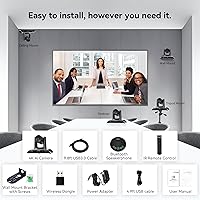
- Mounting Options: The camera supports desk placement, wall mounting via the included bracket, ceiling mounting, and tripod mounting for flexible permanent or temporary installation.
- Speakerphone Pickup: The speakerphone captures omnidirectional audio in a 5-meter (16.4 ft) radius, designed to cover all seated participants in a standard small-to-medium meeting room.
- Speakerphone Battery: A built-in 2400 mAh lithium battery provides approximately 6 to 8 hours of standby time; active call use will reduce this figure depending on volume and usage pattern.
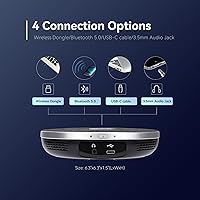
- Speakerphone Connectivity: The speakerphone connects via USB-C cable, a 2.4GHz wireless dongle, or Bluetooth, and includes a 3.5mm audio output jack for wired speaker passthrough.
- Speakerphone Dimensions: The speakerphone unit measures 6.3″ x 6.3″ x 1.5″, making it compact enough to carry in a laptop bag for use across multiple rooms.
- OS Compatibility: The full kit is compatible with Windows, Mac OS, and Chrome OS, and works with major conferencing platforms including Zoom, Microsoft Teams, Skype, WebEx, and OBS.
- Package Contents: The box includes the PTZ camera, DC 12V/2A power adapter, IR remote, 9.8 ft USB 3.0 cable, wall mount with screws, wireless speakerphone, 4.9 ft USB 2.0 cable, dongle, and both manuals.
Related Reviews
Yealink UVC34 All-in-One Conference Camera System
TONGVEO PTZ 3X Wireless Conference Camera System
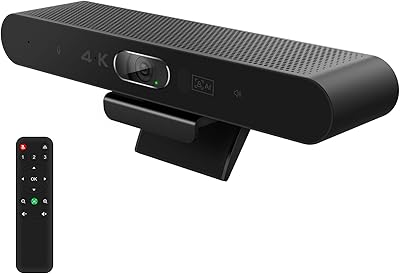
RayBit SeeUp 4C
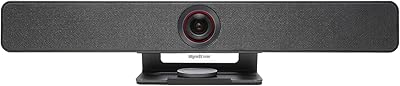
WyreStorm Halo VX10 Conference Room Camera
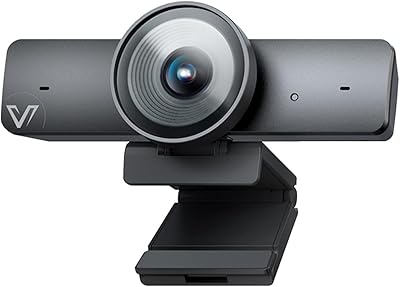
AV Access BizEye 90 Conference Camera
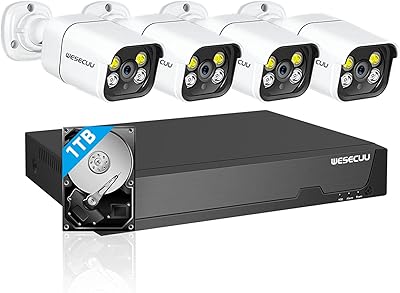
WESECUU 4CAM 4K POE Security Camera System
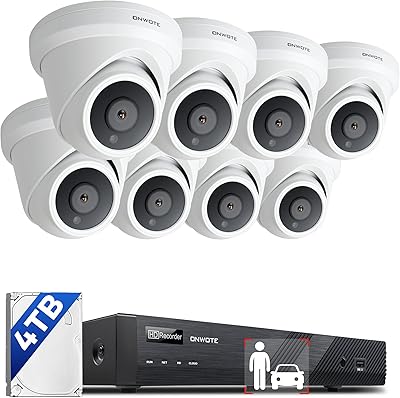
ONWOTE PKA801608S 16-Channel 4K PoE Security Camera System
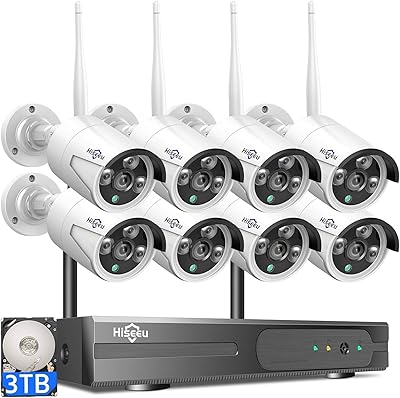
Hiseeu WK-8HB615-CT 8-Camera 5MP NVR Security System
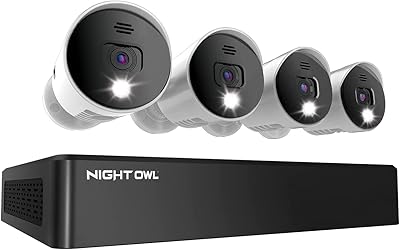
Night Owl 8-Channel 4K Security Camera System