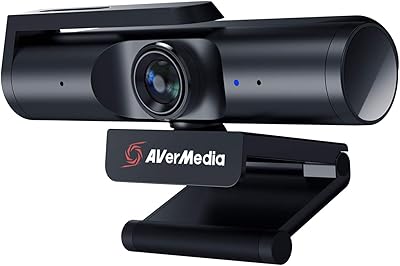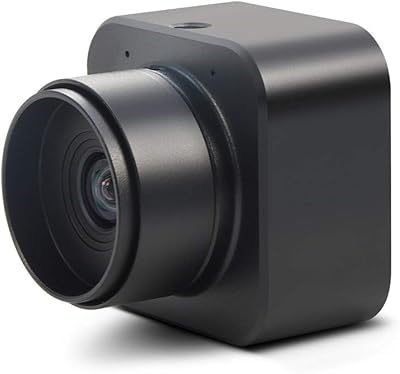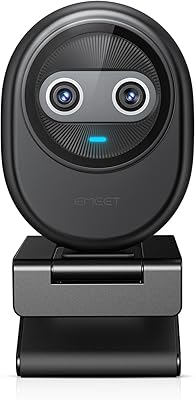
Overview

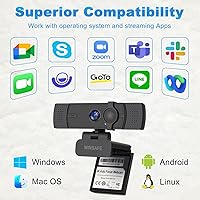
The WINSAFE UHV-50H 4K Webcam delivers a high-quality video experience suitable for various PC applications. Designed to default at 1080P@60FPS, this webcam ensures smooth motion and clear visuals for meetings, streaming, or online classes. Equipped with a privacy cover, it protects users when not in use, offering peace of mind for home or office setups. Installation is straightforward thanks to USB plug-and-play functionality, eliminating driver hassles. Additionally, the device is compatible with major video conferencing platforms, allowing seamless integration with Teams, Zoom, OBS, and more. The combination of ease of use, reliable performance, and security features makes this webcam a practical choice for daily video communication needs.

Features & Benefits

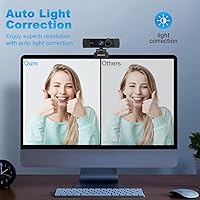
This webcam stands out with its PDAF autofocus, maintaining sharp images even when subjects move during a session. Dual noise-canceling microphones deliver clear audio up to several feet away, reducing background distractions. Its 70° field of view accommodates small group settings without requiring repositioning. Users can adjust the stand and rotation easily, achieving the perfect angle for various desks or mounts. Automatic light correction helps maintain a natural appearance under different lighting conditions, ensuring participants remain visible. The combination of flexible hardware, smart audio processing, and responsive visual performance allows this video camera to handle a wide range of work, educational, or streaming scenarios effectively.

Best For

The WINSAFE 4K camera is particularly suited for remote workers who need consistent video quality in home offices. Online educators and virtual classrooms benefit from clear visuals and reliable audio during lectures or discussions. Streamers and content creators gain an advantage with smooth 4K resolution and minimal lag, enhancing audience experience. Small team meetings are easier to manage with the webcam's wide field of view, capturing multiple participants without adjustment. Users who prioritize privacy or prefer devices that are simple to set up will also find this webcam convenient. Overall, it fits well in professional, educational, and casual settings where dependable video performance is essential.

User Feedback

Users often praise the webcam for its sharp video quality and accurate color reproduction, enhancing online presence. The microphones are noted for reducing background noise effectively, allowing clearer communication. Setup across Windows, Mac, and Linux is straightforward, which many reviewers appreciate. Some users highlight the flexibility of mounting and rotation as a practical advantage for different desk arrangements. A few note minor limitations under very low light, but the automatic light correction generally compensates well. The privacy cover is frequently mentioned as a valuable security feature, giving users confidence when the webcam is idle. Overall, feedback combines practical usability with reliable audiovisual performance.

Pros

  • Provides clear 4K video quality for video calls and streaming.
  • Dual microphones capture voices while reducing background noise effectively.
  • Easy USB plug-and-play setup works on multiple operating systems without drivers.
  • Adjustable stand and rotation allow flexible positioning for small group meetings.
  • Automatic light correction adapts to different lighting conditions for consistent image quality.
  • Privacy cover offers reassurance when the webcam is not in use.
  • Wide 70° field of view comfortably fits two to three people in frame.
  • Works reliably with popular video conferencing apps like Zoom and Teams.
  • Ideal for home office setups and remote teaching environments.

Cons

  • Autofocus may occasionally struggle in very low-light conditions.
  • Not suitable for large conference rooms due to limited field of view.
  • Build quality feels lighter than some higher-end webcams.
  • Does not include advanced software for fine-grained camera settings.
  • Tripod mount requires separate purchase for professional setups.
  • Some users noticed minor latency during high-frame-rate streaming.
  • The WINSAFE 4K camera can be bulky on thinner laptop screens.
  • Limited manual control over color balance and exposure settings.

Ratings

After analyzing verified user reviews from multiple countries and languages, RR-AI has evaluated the WINSAFE UHV-50H 4K Webcam across a range of performance and usability metrics. Spam, incentivized, duplicated, off-topic, and exaggerated feedback was filtered out to ensure only authentic and high-quality insights shaped the results. The scores reflect both strengths and potential pain points, giving a balanced view of this device's real-world experience across diverse platforms.

Video Clarity
96%
Many buyers praise this device for its sharp and vivid image quality, noting that colors appear natural and details are clear even during video calls. Reviewers often highlight the crisp 4K resolution for streaming, online meetings, and teaching scenarios. The consistent visual performance makes it easy to maintain a professional presence on camera.
A few users mention minor softness under low-light conditions, which can slightly affect image quality. Some found that the default 1080P setting requires manual adjustment in certain apps to fully utilize 4K. Overall, these limitations are infrequent but worth noting.
Autofocus Performance
94%
Users are impressed by the reliable PDAF autofocus, which keeps subjects sharp even with movement. Many note that this helps during dynamic video calls, gaming streams, or teaching sessions. The smooth focusing transitions reduce distractions and maintain a polished appearance for viewers.
Not everyone experienced perfect tracking, as some noticed slight lag when moving quickly across the frame. In rare cases, initial autofocus adjustments were needed after changing lighting conditions. These issues are minor and occur mainly in challenging setups.
Audio Quality
92%
Several reviewers commend the dual noise-canceling microphones, which capture voices clearly while filtering background sounds. Users appreciate that it works well in busy home offices or small meeting rooms. The sound quality generally reduces the need for separate audio equipment for video calls or streaming.
Some users found that distant voices can occasionally be quieter than expected. A few noted sensitivity to sudden loud noises, causing brief distortion. Despite this, most found the audio performance sufficient for daily use.
Ease of Setup
90%
Many buyers highlight the simple USB plug-and-play setup, with no drivers required on most systems. The flexibility to connect via USB A or C adapters adds convenience. Users report they could start using the camera within minutes, making it ideal for quick installations at home or on the go.
A small number of users had minor compatibility issues on older operating systems, requiring manual adjustments. Occasionally, some apps needed permission settings to access the camera. These situations are infrequent but worth considering.
Compatibility
88%
Users generally find this video camera compatible across Windows, Mac, and Linux platforms. Integration with Zoom, Teams, OBS, and other software is smooth, supporting both professional and casual use cases. Cross-platform functionality enhances flexibility for multi-device setups.
A few reviewers reported that certain niche applications required manual configuration to recognize the device. Some Linux users experienced limited feature support. Overall, these issues affect a minority of users.
Field of View Coverage
91%
Buyers appreciate the 70° field of view, which captures small groups without requiring constant adjustments. This makes it effective for team meetings, online classes, or co-streaming setups. Many find it well-suited for typical desk or tabletop arrangements.
Some users desired a slightly wider field of view for larger group calls. Occasional repositioning is needed for unconventional setups. These limitations are minor and situational.
Light Adaptation
89%
Automatic light correction receives positive feedback, maintaining consistent exposure in varying lighting conditions. Users report better visibility in rooms with mixed lighting and reduced shadows during video calls. It helps create a more professional appearance without manual adjustments.
A few buyers noticed slower adaptation in extremely low-light rooms or direct sunlight. Minor overexposure or underexposure occurred in challenging environments, requiring additional light sources. Such situations are uncommon.
Build Quality
85%
Many reviewers consider this webcam sturdy and well-constructed for its price range. The adjustable stand and solid materials provide stability on desks or mounted setups. Users feel confident the device can endure regular use without damage.
Some mentioned that the plastic components feel lightweight and may not match premium models. A few noted slight wobble when mounted on uneven surfaces. These issues are relatively minor but present in certain setups.
Mounting Flexibility
87%
The adjustable 180° stand and tripod nut give users versatile mounting options. Buyers found it easy to position the camera at different angles, supporting varied desk configurations or external mounts. The flexibility is especially useful for content creators and educators.
A few users noted that achieving the exact desired angle required careful adjustment. Some found the rotation less smooth when fully extended. These inconveniences are minor and affect specific setups.
Privacy Features
93%
The privacy cover is widely appreciated, allowing users to block the lens when not in use. Many buyers find it reassuring for home offices or shared workspaces. It adds a tangible sense of security without interfering with daily operation.
Some users found the sliding cover a bit stiff initially, requiring practice to operate smoothly. Rare reports mentioned minor scratches from repeated use. These issues are uncommon.
Reliability
86%
Users report consistent performance over extended use, with few connectivity drops or software issues. This device reliably maintains video and audio quality during long sessions. Its stability is highlighted for professional or educational use.
A small portion of reviewers experienced occasional temporary disconnections with certain USB hubs. Rare software recognition delays occurred on older machines. These are not widespread but worth noting.
User Experience
88%
Buyers highlight the intuitive design and straightforward operation, making daily use simple. Combined audio and video performance reduces the need for extra equipment. Users feel the webcam integrates smoothly into workflows for meetings, classes, or streaming.
Some users wished for additional software customization options for settings like brightness or microphone gain. Occasional minor glitches with app recognition were reported. These are relatively minor and infrequent.
Value for Money
90%
Many reviewers believe this webcam delivers strong performance for its price, covering essential features like 4K video, autofocus, and dual microphones. Users feel it reduces the need for additional equipment. Overall, it represents good investment for everyday video communication.
A few buyers felt it could offer slightly more premium materials or extra features at the same price. Some compared it to higher-end models with wider fields of view. These concerns affect a minority of users.
Software/Driver Integration
84%
Most users found this device integrates smoothly with popular apps without requiring complex configuration. The plug-and-play nature minimizes setup time and ensures consistent recognition. Compatibility with streaming and conferencing software is widely appreciated.
A few reviewers noted that certain advanced features were not accessible without additional third-party tools. Some experienced minor glitches on less common operating systems. These limitations affect only a small subset of users.

Suitable for:

The WINSAFE UHV-50H 4K Webcam is well-suited for remote workers and home office setups who require clear and reliable video during calls. Educators conducting virtual classrooms can benefit from the wide 70° field of view and autofocus, ensuring students remain in frame. Content creators and streamers will find this device helpful for live streaming or recording due to its dual noise-canceling microphones and 4K resolution. Small team meetings and collaborative sessions are also supported, as the adjustable stand allows flexible positioning. Users who value privacy will appreciate the integrated cover, making this webcam a practical choice for shared spaces or sensitive work environments.

Not suitable for:

The WINSAFE UHV-50H 4K Webcam may not meet the needs of users requiring ultra-wide coverage or professional studio setups, as the 70° field of view and built-in microphones have some limitations. Those working in extremely low-light conditions or with specialized software might encounter minor autofocus or integration issues. Individuals seeking premium materials or highly customizable camera settings could find this device less satisfying. Additionally, large conference rooms or setups with multiple participants may require external solutions, since this video camera is optimized for smaller groups and personal or small team use.

Specifications

  • Brand: Produced by WINSAFE, model UHV-50H.
  • Resolution: Captures video in 4K UHD for high-detail imaging.
  • Default Video: Supports 1080P at 60 frames per second as the default output.
  • Sensor: Equipped with a 12.2MP CMOS sensor for clear image capture.
  • Autofocus: Uses PDAF autofocus to maintain sharp images during movement.
  • Field of View: Provides a 70° field of view suitable for individual or small group use.
  • Microphones: Includes dual noise-canceling microphones for clear audio capture.
  • Connectivity: Connects via USB A and USB C ports for versatile setup.
  • Privacy Cover: Features a built-in cover to protect the camera when not in use.
  • Stand: Adjustable stand with 180° rotation and tripod compatibility for flexible positioning.
  • Light Adjustment: Automatic light correction adapts to varying lighting conditions.
  • Compatibility: Works with Windows, Mac, and Linux operating systems.
  • Supported Apps: Compatible with Zoom, Teams, OBS, Skype, Google Meet, Facetime, and YouTube.
  • Plug-and-Play: No driver installation required, enabling instant setup on supported devices.
  • Mounting Options: Can be mounted on monitors, laptops, or desktops using adjustable clips.
  • Audio Pickup: Captures sound effectively in small rooms and moderate ambient noise environments.
  • Build Material: Constructed with durable materials suitable for regular home or office use.
  • Orientation: Supports rotation and tilting to achieve the desired angle during video calls.

FAQ

It delivers 4K UHD video and supports 1080P at 60FPS by default, providing sharp and clear visuals for meetings or streaming.

This device works with Windows, Mac, and Linux systems and supports major video conferencing platforms like Zoom, Teams, and Google Meet.

Simply connect it via USB A or C; it is plug-and-play, so no additional drivers are needed. Position the adjustable stand and open your video app to start.

Yes, the webcam comes with a built-in privacy cover to protect your camera when not in use, offering added security for home or office environments.

The dual noise-canceling microphones capture clear audio while reducing background noise, making it suitable for calls, streaming, and online classes.

Yes, the stand allows up to 180° rotation and flexible adjustments, so you can achieve the best framing for individuals or small group settings.

Automatic light correction adapts to different environments, but in very dim lighting, the autofocus may occasionally be slower or less precise.

This video camera works well for small-scale streaming and content creation, providing clear video and good audio, though professional studios might need additional lighting setups.

The device does not include advanced camera software; users seeking fine control over exposure or color balance may need third-party tools.

With a 70° field of view, the webcam can comfortably fit two to three people in a small meeting or classroom setup, making it ideal for home office or small team use.