Overview

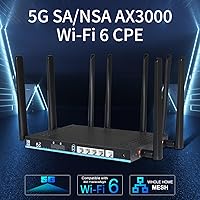
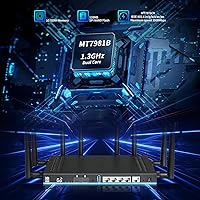
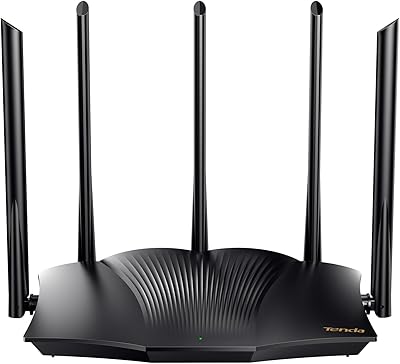
The Wiflyer Z8102AX-T-RM520NGL 5G WiFi 6 Router is a compact, mid-to-premium cellular router built for users who want reliable internet without a fixed broadband line. Before anything else, US buyers need to know one hard fact: T-Mobile only in the United States — no AT&T, no Verizon. Internationally, it works with virtually any ISP. The hardware is a tidy desktop unit with dual SIM slots and detachable antennas, not flashy but purposeful. Under the hood sits a Quectel RM520NGL modem module, which carries real credibility among informed buyers. Add dual-band WiFi 6 support to the mix, and this router makes a compelling case against traditional wired alternatives in areas with strong 5G coverage.
Features & Benefits

The Wiflyer dual-SIM router runs two SIM cards simultaneously, though only one is active at a time — the second kicks in automatically if the primary connection drops. That automatic failover alone makes it worth serious consideration for anyone who cannot afford downtime. The WiFi 6 AX3000 engine with MU-MIMO technology handles multiple devices without the usual bottlenecks, which matters in a home office or small business setting. Eight detachable antennas cover both cellular and WiFi bands, and SMA connectors mean you can swap in a stronger outdoor antenna if indoor signal is weak. Band locking lets experienced users pin to a less-congested frequency, and security tools — MAC filtering, guest networks, ad blocking — round things out.

Best For

This 5G cellular router is a natural fit for a fairly specific set of buyers. International travelers and expats will appreciate that it works with nearly any carrier outside the US — just swap SIMs and go. Stateside, it is a legitimate option if you are on T-Mobile home internet and want more control than a carrier-supplied device offers. Rural users and RV owners who rely on cellular as their only connection will find the dual-SIM redundancy genuinely useful. Small home offices needing a reliable backup connection are another solid match. And if you are comfortable flashing OpenWrt and want access to low-level modem settings, this unit gives you that flexibility — though that is a bonus, not a baseline expectation.

User Feedback

With a 3.6 out of 5 rating across 89 reviews, the reception is genuinely mixed — and understanding why matters. International buyers tend to be the most satisfied, with many reporting strong signal performance across multiple countries without fuss. US buyers have a harder time: the T-Mobile restriction catches some off guard, and a few note the web interface can be stubborn when saving configuration changes, though a factory reset resolves this per the manufacturer. Setup documentation is a real friction point — the manual is thin, and first-time users sometimes struggle to get started. Hardware build quality, at least, draws little complaint. The pattern is clear: if this router fits your use case precisely, it delivers; if you are on the edge, it can frustrate.

Pros

  • Dual SIM slots with automatic failover provide genuine connection redundancy without any manual switching.
  • Works with virtually any carrier outside the US, making it one of the more flexible global cellular routers available.
  • The Quectel RM520NGL modem module is a well-regarded component that informed buyers will recognize as capable hardware.
  • Detachable SMA antennas let you upgrade to an outdoor cellular antenna if indoor signal is weak.
  • Band locking gives technically inclined users real control over which frequency their connection uses.
  • WiFi 6 AX3000 with MU-MIMO handles multi-device households and small offices without significant slowdown.
  • OpenWrt compatibility opens the door for advanced configuration well beyond the stock interface.
  • Solid build quality with wall-mount accessories included for flexible installation options.
  • WAN port can serve as a wired backup, so the router can fall back to landline if cellular fails.
  • International buyers consistently report strong 5G signal performance across multiple countries.

Cons

  • In the US, only T-Mobile data SIMs are supported — AT&T, Verizon, and others will not work.
  • The web interface can be stubborn about saving configuration changes, requiring a factory reset as a workaround.
  • Setup documentation is thin and leaves first-time users without enough guidance to troubleshoot confidently.
  • Only one SIM is active at a time despite two slots, so you cannot aggregate speeds across two carriers.
  • Real-world 5G speeds vary dramatically by location — the hardware ceiling means little without strong local signal.
  • AT commands are not supported, which limits low-level modem access for developers and power users.
  • The 3.6-star average rating across nearly 90 reviews signals meaningful inconsistency in user experience.
  • No mention of a companion mobile app, making remote management less convenient than some competing routers.
  • At this price point, the stock OS feels underdeveloped compared to more polished router interfaces on the market.

Ratings

The scores below reflect an AI-driven analysis of verified global buyer reviews for the Wiflyer Z8102AX-T-RM520NGL 5G WiFi 6 Router, with spam, bot-generated, and incentivized submissions actively filtered out before scoring. Feedback was drawn from users across multiple countries and use cases, ranging from rural home internet to international business travel. Both the genuine strengths and the recurring frustrations are weighted transparently here — nothing is glossed over.

Cellular Performance
74%
26%
International users consistently report strong and stable 5G connections across a wide range of countries, with the Quectel RM520NGL modem delivering solid real-world throughput where signal conditions are favorable. Travelers who swap SIMs frequently find the device adapts quickly to new carriers without fuss.
Performance is heavily location-dependent, and users in fringe coverage areas report underwhelming speeds that the hardware alone cannot compensate for. US buyers outside strong T-Mobile 5G zones find the experience particularly inconsistent.
Dual SIM Functionality
78%
22%
The automatic failover between SIM slots works reliably in practice — remote workers and RV users particularly appreciate that the switch happens without manual intervention when a primary carrier drops. Having two slots filled gives genuine peace of mind for connectivity-critical situations.
Single-standby operation means you cannot aggregate bandwidth across two SIMs simultaneously, which disappoints buyers who expected combined speeds. The SIM selection interface is functional but not intuitive, especially for users new to cellular routers.
US Carrier Compatibility
38%
62%
T-Mobile subscribers in the US find this router a capable and flexible alternative to carrier-supplied hardware, with band locking giving them control that locked-down ISP devices do not offer. For that specific group, the compatibility works exactly as described.
The T-Mobile-only restriction in the US is a hard dealbreaker for the majority of American buyers, and several reviews reflect frustration from users who did not realize this before purchasing. There is no firmware path to expand domestic carrier support, making this a permanent limitation.
WiFi 6 Performance
81%
19%
In households and small offices with multiple devices running simultaneously, the AX3000 WiFi 6 engine with MU-MIMO handles concurrent connections noticeably better than older WiFi 5 routers at a similar tier. Video calls, streaming, and file transfers co-exist without the usual interference or slowdown.
The WiFi ceiling is only as useful as the cellular input feeding it — if 5G throughput is limited by signal, the WiFi 6 capability offers little practical advantage. A few users also noted the 2.4GHz range is adequate but unremarkable compared to dedicated home routers.
Antenna System
83%
Eight detachable antennas covering both cellular and WiFi bands give this router real versatility, and the SMA connectors mean upgrading to outdoor or high-gain antennas is straightforward. Rural users who mounted directional external antennas reported meaningful signal improvements over stock configuration.
With eight antennas attached, the physical footprint becomes larger and slightly unwieldy on a cramped desk. The stock antennas perform adequately indoors but show their limits at distance from a 5G tower, making the upgrade path necessary rather than optional for some users.
Band Locking
77%
23%
Tech-savvy users in urban areas with congested towers find band locking genuinely useful for pinning to a less-loaded frequency and maintaining more consistent speeds throughout the day. This level of control is absent on most carrier-supplied routers and adds real value for informed buyers.
The feature is effectively invisible to less experienced users who may not know which bands their carrier prioritizes or how to identify the optimal lock. Documentation on using band locking correctly is minimal, leaving casual users unlikely to benefit from it.
Setup Experience
47%
53%
Users with prior cellular router or networking experience generally get through the initial configuration without major obstacles, and the web interface covers the essential functions once you know where to look. Resetting and reconfiguring is not particularly time-consuming for those comfortable with router admin panels.
The included manual is thin and leaves significant gaps for buyers without a networking background, and the web interface has a known bug where settings — including the WiFi password — do not save reliably without a factory reset. Multiple reviewers flagged this as their first and most jarring experience with the device.
Software & Interface
52%
48%
OpenWrt support is a genuine asset for advanced users who want to push beyond the stock OS, enabling custom firewall rules, VPN configuration, and deeper network management that the proprietary interface does not expose. For that audience, it meaningfully extends the device’s useful life and capability.
The stock proprietary OS feels unfinished compared to what buyers at this price point might expect from a consumer router brand. AT command access to the modem is blocked, which frustrates developers and power users who want direct modem diagnostics or configuration.
Build Quality
79%
21%
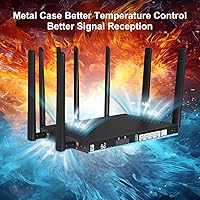
The physical construction draws consistent praise even from reviewers who are otherwise critical of the software — the chassis feels solid, connectors are firm, and the unit does not feel like a cost-cut product despite its mid-range price positioning. Wall-mount hardware is included and functional.
At 3.05 pounds with antennas, the router is heavier than some competing units and not well-suited for portable or bag-based travel setups. The design is utilitarian rather than attractive, which is a minor but real consideration for buyers placing it in a visible living or office space.
Security Features
72%
28%
WPA2 and WPA-AES encryption, combined with MAC address filtering and guest network support, covers the security baseline that most home and small business users need. Ad blocking at the router level is a practical bonus that reduces overhead on individual devices.
Security feature depth does not match what a dedicated router running OpenWrt or DD-WRT can offer out of the box, and the stock interface does not make it easy to verify that security settings have actually saved correctly given the known settings-persistence bug.
WAN Failover Flexibility
75%
25%
The ability to configure the Ethernet port as a WAN input and use cellular as a backup — rather than the other way around — gives home offices a flexible failover architecture that most cellular routers do not support at this price range. It works cleanly once configured correctly.
Switching between WAN and cellular priority requires manual reconfiguration through the web interface, and the process is not well-documented for users unfamiliar with network port roles. A more automated or policy-based failover system would make this feature far more accessible.
Global ISP Compatibility
86%
Outside the US, the router has proven itself across a wide range of carriers and countries, with international buyers consistently reporting smooth SIM recognition and stable connections without any special configuration. This is clearly where the device was designed to perform.
Compatibility outside the US, while broad, is not exhaustively documented — buyers in less common markets may need to manually configure APNs, and there is no published list of tested carriers to reference before purchasing.
Value for Money
61%
39%
For international users and T-Mobile subscribers who match the use case precisely, the hardware capability — including the Quectel modem, dual-SIM failover, and WiFi 6 — justifies the mid-to-premium price relative to alternatives with lesser modems or no dual-SIM support.
For US buyers outside T-Mobile, the value proposition collapses entirely given the carrier restriction. Even for the right audience, the software rough edges and sparse documentation make the asking price feel slightly high for a product that still requires meaningful user effort to get working properly.

Suitable for:

The Wiflyer Z8102AX-T-RM520NGL 5G WiFi 6 Router is built for buyers who need internet without a fixed landline and have the technical comfort to configure a cellular router themselves. It is an especially strong match for international users and expats who move between countries, since it works with most global carriers — just swap the SIM and you are largely set. RV travelers and rural households that depend entirely on cellular connectivity will appreciate the dual-SIM failover, which keeps a backup connection ready if the primary carrier drops out. T-Mobile subscribers in the US looking to ditch their ISP-supplied hardware for something with more control and flexibility will also find it a capable option. Small home offices that need a secondary connection for redundancy, and advanced users who want to run OpenWrt or dig into modem-level settings, round out the ideal audience.
Not suitable for:

The Wiflyer Z8102AX-T-RM520NGL 5G WiFi 6 Router is a poor choice for most US buyers not on T-Mobile — AT&T, Verizon, and other domestic carriers simply will not work with it, and no firmware update changes that. Buyers expecting plug-and-play simplicity should also look elsewhere; the setup documentation is thin, the web interface has quirks around saving settings, and troubleshooting requires patience. Anyone expecting guaranteed maximum 5G speeds will be disappointed — actual throughput depends entirely on local signal strength and carrier conditions, not the hardware alone. This is not a device for someone who wants to call support and get walked through a setup; it rewards those who already understand cellular bands, APN configuration, and basic network management. If you are shopping for a straightforward home router to pair with a cable or fiber line, there are far better and cheaper options purpose-built for that job.
Specifications

  • Model: The unit is identified by the model designation Z8102AX-T-RM520NGL, manufactured by Wiflyer.
  • Modem Module: Connectivity is powered by the Quectel RM520NGL modem, a recognized sub-6GHz and mmWave-capable 5G module used in professional-grade cellular devices.
  • WiFi Standard: Supports 802.11ax (WiFi 6) dual-band operation, rated at a combined AX3000 throughput across 2.4GHz and 5.8GHz bands.
  • Cellular Bands: Compatible with 3G, 4G LTE, and 5G SA/NSA networks, allowing fallback to lower generations when 5G signal is unavailable.
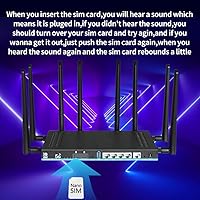
  • SIM Slots: Equipped with two SIM card slots operating in dual-SIM single-standby mode, with automatic failover to the secondary SIM if the primary connection drops.
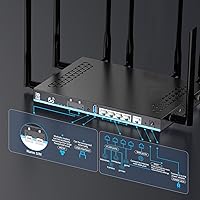
  • Antennas: Includes eight detachable antennas: four 5dBi cellular, two 5dBi 2.4GHz WiFi, and two 5dBi 5.8GHz WiFi, all connected via SMA ports.
  • Antenna Port: SMA connectors allow replacement of stock antennas with higher-gain or outdoor-rated external cellular antennas.
  • Dimensions: The router measures 9.8 x 6.3 x 1.65 inches, making it a compact desktop unit suitable for shelf or wall-mount placement.
  • Weight: The unit weighs 3.05 pounds fully assembled with antennas attached.
  • US Carrier Support: In the United States, the router is compatible exclusively with T-Mobile data SIM cards; other domestic carriers are not supported.
  • Global Support: Outside the US, the router is compatible with most international ISPs and carrier SIM cards across 3G, 4G, and 5G networks.
  • Security: Supports WPA, WPA2, and WPA-AES encryption standards, alongside MAC address whitelist and blacklist controls, ad blocking, and guest network isolation.
  • Ethernet Port: Includes a configurable WAN/LAN Ethernet port that can accept a wired broadband connection as a primary or backup internet source.
  • Operating System: Ships with Wiflyer’s proprietary web-based OS by default; OpenWrt is also supported for advanced users, though AT command input is not available.
  • MU-MIMO: Supports 4x4 MU-MIMO technology, enabling simultaneous data streams to multiple connected devices without proportional speed degradation.
  • Band Locking: Users can manually lock the cellular connection to a specific frequency band for more consistent performance in areas with congested towers.
  • In the Box: Package includes the router, wall-mount accessories, one Ethernet cable, a user manual, and a one-year manufacturer warranty.
  • Warranty: Covered by a one-year warranty provided directly by Wiflyer from the date of purchase.

Related Reviews
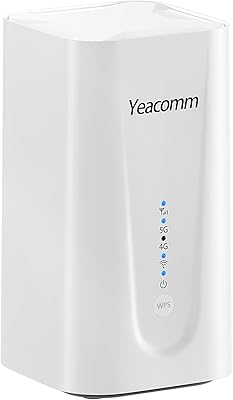
Yeacomm NR330 AX3600 5G WiFi 6 Router
72%
83%
Ease of Setup
71%
Real-World Speeds
62%
Carrier Compatibility
78%
WiFi Performance
74%
Build Quality
More
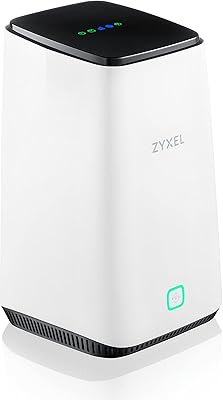
Zyxel FWA510 5G NR WiFi 6 Router
77%
78%
5G Connectivity Performance
83%
WiFi Coverage & Stability
81%
Cloud Management (Nebula)
61%
Value for Money
72%
Setup & Installation
More
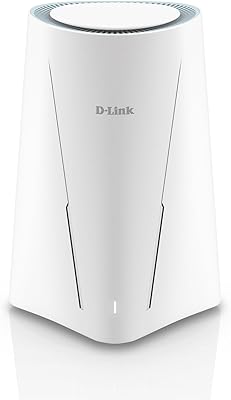
D-Link G530 5G WiFi 6 Cellular Router

75%
81%
5G Signal Reception
88%
Dual-WAN Failover
69%
WiFi Coverage & Range
86%
Setup Experience
62%
FALCON App Quality
More
Linksys MR20EC WiFi 6 Mesh Router
74%
78%
Wireless Performance
63%
Coverage & Range
91%
Setup & Installation
69%
App & Remote Management
82%
Device Handling & Congestion
More
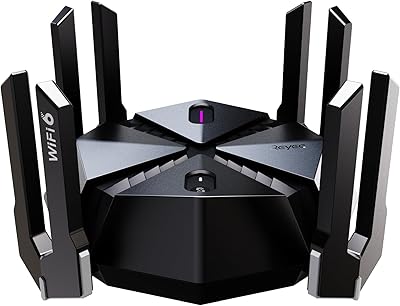
Reyee E6 AX6000 WiFi 6 Router
78%
93%
Value for Money
86%
Wireless Range & Coverage
82%
Gaming Performance
88%
Ease of Setup
61%
Mobile App & Software Experience
More
Tenda RX2Pro AX1500 WiFi 6 Router
76%
91%
Value for Money
78%
Wireless Performance
72%
Coverage & Range
93%
Ease of Setup
74%
App Experience
More
NETGEAR R6700AXS AX1800 WiFi 6 Router
76%
78%
Wireless Performance
91%
Setup Experience
83%
Multi-Device Handling
86%
Network Security
67%
Coverage Range
More
Gryphon AX Mesh WiFi 6 Router
73%
91%
Parental Controls
88%
Network Security
76%
WiFi Speed & Performance
78%
Coverage & Range
84%
Setup & Installation
More
Linksys MR7350 WiFi 6 Router
76%
91%
Setup & Onboarding
78%
WiFi Speed & Throughput
67%
Coverage & Range
83%
Device Handling & Congestion
72%
App & Remote Management
More
Reyee RG-R6 AX3200 Mesh WiFi 6 System (1-Pack)
71%
88%
Value for Money
91%
Setup & Ease of Use
76%
WiFi Coverage
79%
Network Speed & Throughput
82%
Multi-Device Performance
More

FAQ

No, and this is probably the most important thing to know before buying. In the United States, the router is compatible only with T-Mobile data SIM cards. AT&T, Verizon, and other domestic carriers will not work, regardless of band overlap. If you are not a T-Mobile customer in the US, this is not the right device for you.

Unfortunately, no. The dual-SIM setup operates in single-standby mode, meaning only one SIM is active at a time. The value of the second slot is redundancy, not aggregation — if your primary SIM loses signal or hits a data limit, the router can automatically switch to the backup SIM without you having to intervene manually.

Yes, this is actually one of its stronger use cases. The Wiflyer dual-SIM router is compatible with most global carriers and ISPs outside the United States, so swapping to a local SIM in a new country generally works without any complex reconfiguration. Several international users have reported using it across multiple countries without issues.

This is a known frustration that a number of buyers have run into. The manufacturer’s recommended fix is to perform a factory reset on the router and then reconfigure your settings from scratch. It is not elegant, but it resolves the issue in most reported cases. If you run into it, try the reset before assuming the unit is defective.

Yes, and this is a genuinely useful feature of the hardware design. All eight antennas are detachable and use standard SMA connectors, which means you can swap in higher-gain or weatherproof outdoor cellular antennas if your indoor 5G signal is weak. This makes the router a reasonable option for rural or semi-rural installs where indoor reception is marginal.

It can work well in an RV context, particularly if you are on T-Mobile in the US or using international carriers abroad. The dual-SIM failover is useful when moving between coverage zones, and the compact form factor does not take up much space. Keep in mind you will want a stable 12V-to-standard-power setup since it is a standard AC-powered desktop unit, not a purpose-built mobile device.

This is an honest area of concern. The included manual is fairly minimal, and the web interface, while functional, is not as polished or intuitive as what you would find on mainstream consumer routers. If you have never configured an APN or set up a cellular router before, expect a learning curve. Tech-savvy users generally get through it fine; less experienced buyers may find it frustrating early on.

OpenWrt is supported, which is a real plus for advanced users who want granular control over routing, firewall rules, and network behavior. However, AT command input to the modem is not supported on this unit, so if you were planning to send direct modem commands for diagnostics or configuration, that option is off the table.

That depends far more on your carrier signal and local tower conditions than on the router hardware itself. The Quectel RM520NGL modem is capable of high theoretical throughputs, but real-world 5G speeds vary enormously by location, time of day, and carrier congestion. Think of the hardware as removing the ceiling on speed, not guaranteeing a specific floor. In strong 5G coverage areas, performance is generally solid; in weaker areas, you will feel it.

Yes, the Ethernet port on this 5G cellular router is configurable as either WAN or LAN. Setting it to WAN lets you plug in a wired broadband connection, and the router can use the 5G cellular connection as the backup instead. This effectively gives you a wired-plus-cellular failover setup, which is a useful option for home offices that already have a landline but want cellular redundancy.