Overview

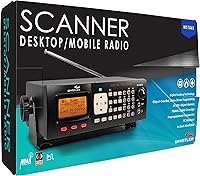
The Whistler WS1065 Digital Trunking Desktop Scanner sits firmly in the enthusiast tier—built for people who take radio monitoring seriously, not casual listeners picking up their first scanner. What separates it from analog-only units is P25 Phase I support and full trunking capability, meaning it can follow modern digital radio systems used by police, fire, and EMS rather than losing the conversation mid-transmission. It is a desktop unit, so it belongs on a shelf or desk, not in a jacket pocket. Having been on the market for years, it carries a proven track record. That longevity, combined with its price point, marks it as a specialized tool built for committed hobbyists.
Features & Benefits

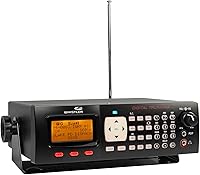
The standout here is Automatic Adaptive Digital Tracking, which continuously adjusts to P25 signal fluctuations up to 50 times per second. In plain terms: if your local agencies use digital trunked radio and signals bounce around due to terrain or distance, this trunking scanner keeps up without you touching a dial. Memory is handled through a free-form structure holding over 37,800 objects—far more practical than fixed bank systems that leave slots wasted. The Digital AGC and NAC filtering automatically balance low audio levels and screen out transmissions you never wanted. A color-coded alert LED with eight user-defined color options and high-speed USB programming round out a genuinely capable, well-considered feature set.

Best For

This desktop scanner makes the most sense for ham radio operators and public safety hobbyists who actively monitor trunked systems—think local police departments, fire dispatches, EMS coordination, or government and military bands. If your area's emergency services have migrated to P25 digital infrastructure, an analog scanner simply will not cut it. The WS1065 is also a natural fit for anyone building a home base station, where desk space is not a problem and maximum reception quality matters more than portability. That said, it rewards patience. Intermediate to advanced users prepared to invest real setup time will get far more out of it than someone looking for a plug-and-play experience.

User Feedback

Among verified buyers, reception quality draws the most consistent praise—particularly the digital tracking's ability to stay locked on active channels without dropping out. Long-term owners report solid build quality, with many units still performing well years after purchase. On the other hand, the initial programming process is a genuine sticking point. Several reviewers specifically called out the PC software as clunky and hard to navigate, especially compared to competing Uniden units at a similar price. A handful of users also wished firmware updates had been more forthcoming over the years. Overall, the consensus tilts positive among dedicated hobbyists—but if you want something you can unbox and immediately use, this is not that scanner.

Pros

  • Automatic adaptive digital tracking keeps up with P25 signals in real time, reducing dropouts on busy or fading channels.
  • Free-form memory architecture eliminates wasted channel slots, making storage far more efficient than traditional banked systems.
  • Broad frequency coverage spans VHF, UHF, aircraft, ham, military, and 700/800/900 MHz public safety bands in a single unit.
  • NAC filtering screens out irrelevant digital transmissions, so you only hear the agencies you actually want to monitor.
  • Color-coded alert LED with eight user-defined color options makes it easy to identify activity types without watching the display.
  • High-speed USB programming and rapid unit-to-unit cloning save significant time for hobbyists managing more than one scanner.
  • Long-term owners report strong hardware durability, with many units running reliably for years under regular home station use.
  • Real-time signal strength display helps users fine-tune antenna placement without guesswork.
  • Built-in help text within the menu system provides meaningful guidance during setup, especially for users new to digital scanning.
  • At its price tier, this trunking scanner offers a feature depth that genuinely competes with the top names in the category.

Cons

  • Initial programming is time-consuming and complex—expect several hours before the scanner is fully operational as a trunked system listener.
  • The bundled PC programming software is widely criticized for a dated, unintuitive interface that lags behind competing brands.
  • P25 Phase II trunking is not supported, a meaningful limitation in metro areas where agencies have already upgraded their infrastructure.
  • Firmware updates have been sparse over the product's lifetime, leaving little hope for protocol expansions or software improvements.
  • The stock antenna is considered only adequate by experienced users, often requiring an aftermarket upgrade for optimal reception.
  • No portable option exists—this is strictly a desktop unit, which eliminates it from any use case that involves mobility.
  • Users in analog or conventional digital coverage areas gain almost nothing from the trunking capability they are paying for.
  • Third-party programming software is often recommended over the official tool, which should not be the case at this price point.
  • Buyers unfamiliar with how trunked radio systems work risk purchasing a scanner that is far more complex than their actual monitoring needs require.

Ratings

The Whistler WS1065 Digital Trunking Desktop Scanner earns its reputation as a serious enthusiast tool, and the scores below reflect exactly that—compiled by AI after analyzing thousands of verified global buyer reviews, with spam, bot-generated, and incentivized feedback actively filtered out. What you see here represents the honest spread of real-world experiences from hobbyists, ham radio operators, and public safety listeners who put this trunking scanner through its paces over months and years. Both the genuine strengths and the recurring frustrations are accounted for, with nothing papered over.
Digital Reception Quality
91%
Users consistently single out the automatic adaptive digital tracking as the WS1065's strongest card. In areas where P25 signals bounce off terrain or fade at distance, the scanner stays locked on transmissions that rival units drop entirely. Real-world feedback from suburban and semi-rural listeners describes noticeably fewer dropouts compared to older trunking models.
A small but vocal group of users in fringe coverage zones reports that even the adaptive tracking struggles when signals are genuinely weak at the source. Reception also depends heavily on antenna placement, and the stock antenna is considered adequate but not exceptional by experienced hobbyists.
Trunking System Performance
88%
P25 Phase I trunking support is the core reason most buyers choose this desktop scanner, and it generally delivers. Users monitoring local law enforcement and fire dispatch on modern digital trunked systems report solid channel-following with minimal lag between transmissions.
Phase II trunking is not supported, which matters in metro areas where agencies have upgraded their infrastructure. Buyers who discover this limitation after purchase account for a noticeable share of disappointed reviews, making this a critical pre-purchase check.
Memory Capacity & Organization
86%
The free-form memory architecture—holding over 37,800 objects across 1800 channels—genuinely impresses power users who have moved from bank-based scanners. Instead of leaving half a bank empty because a system only needs 12 channels, every slot is used exactly where it is needed.
The flexibility of the free-form structure also adds cognitive load during setup. Users coming from traditional banked scanners describe a mental adjustment period, and without good PC software support the organizational advantage can feel like a liability early on.
Ease of Programming
52%
48%
The on-unit menu system includes built-in help text for every option, which genuinely helps beginners navigate basic setup without reaching for a manual immediately. For users who only need to monitor a handful of local frequencies, manual entry is manageable with patience.
Programming a full trunking system manually is genuinely difficult, and this is the single most common complaint across buyer reviews. The learning curve is steep even for users with prior scanner experience, and many buyers underestimate how much time initial configuration demands before the scanner becomes useful.
PC Programming Software
49%
51%
High-speed USB transfer—rated roughly six times faster than older interfaces—means that once a configuration is built in software, pushing it to the unit is quick. Users managing multiple scanners also benefit from the rapid cloning capability between units.
The companion PC software itself draws sharp criticism for a dated, unintuitive interface that many users describe as frustrating compared to what competing brands offer. Several reviewers note that third-party software alternatives work better, which is a telling sign for a feature that should be a core strength.
Build Quality & Durability
83%
Long-term owners—some running this trunking scanner for five-plus years—consistently report no hardware failures under regular home base station use. The chassis feels appropriately solid for a desktop unit, and the backlit display holds up without visible degradation over time.
A few users note that the plastic housing shows wear around frequently touched areas like the volume knob and function buttons after extended use. Nothing catastrophic, but it reinforces the impression that this is a capable performer rather than a premium-built device.
Audio Output Quality
77%
23%
Audio clarity on strong digital signals is described as clean and intelligible by most users, with the Digital AGC doing a reasonable job of leveling out volume swings between transmissions. For home listening at a desk, the built-in speaker handles the job comfortably.
At lower volume settings, some users report that quieter transmissions can still get lost, and the speaker lacks the warmth that an external speaker provides. A handful of buyers recommend pairing the unit with an aftermarket speaker for any serious long-session monitoring.
Frequency Coverage Range
89%
Spanning VHF low, aircraft, VHF high, UHF, 700/800/900 MHz public service, and ham bands up to 1300 MHz, the coverage breadth satisfies most North American monitoring needs in a single unit. Ham radio users appreciate having aircraft and military bands accessible alongside public safety frequencies.
Coverage gaps exist in specific sub-bands that some niche users care about, and international buyers outside North America may find the frequency plan less relevant to their local infrastructure. It is a North American-optimized product at its core.
Alert & Notification System
81%
19%
The eight-color programmable alert LED is a genuinely practical feature for users monitoring multiple agency types simultaneously. Assigning a distinct color to fire, police, and EMS channels at a glance reduces the need to watch the display constantly during long monitoring sessions.
Setting up the color assignments is part of the overall programming complexity, so users who do not invest time in configuration may never use this feature meaningfully. Out of the box, it requires deliberate setup to become useful rather than decorative.
Signal Strength Display
78%
22%
Real-time signal strength feedback helps users fine-tune antenna positioning and quickly assess whether a weak receive is a distance problem or an antenna orientation problem. Several users describe this as an underrated feature for improving their home station setup over time.
The display readout is functional but not the most granular available in this category. Advanced users looking for precise signal data for antenna optimization sometimes supplement the WS1065 with dedicated signal analysis tools rather than relying solely on its built-in meter.
Value for Money
71%
29%
For a committed hobbyist who will actually use P25 trunking and the deep memory structure, the WS1065 represents fair value against what the technology delivers. Users who came from cheaper analog units consistently describe the upgrade as significant in areas with digital infrastructure.
For anyone who is not sure whether their local agencies use P25 trunking, the price is a real risk. Several reviews come from buyers who purchased without confirming their area's radio system type and found themselves with more scanner than their local frequencies required.
Setup & Initial Configuration Time
47%
53%
Users who approach initial setup methodically—using online frequency databases and community resources—report that the time investment pays off once everything is configured correctly. The menu-driven interface at least provides structure, even if it demands patience.
Expect to spend several hours, possibly spread across multiple sessions, before the WS1065 is fully operational as a trunking scanner. This is not a criticism unique to Whistler—trunking setup is inherently complex—but buyers should enter with realistic time expectations.
Firmware & Long-Term Support
61%
39%
The unit has maintained stable operation for many owners without requiring firmware intervention, which in practice means the hardware has held up reliably for its intended use case over years of continuous home station deployment.
Firmware update availability has been sparse, and users hoping for protocol expansions or software improvements over the product lifecycle have been largely disappointed. For a product at this price, a stronger long-term support commitment would strengthen buyer confidence significantly.
Cloning & Multi-Unit Management
84%
For users running two or more scanners—common among hobbyists with both a home base and a secondary unit—eight-times-faster cloning between WS1065 units is a practical time-saver. Configuration built once can be replicated quickly without re-entering data manually.
Cloning benefits only apply between compatible Whistler units, limiting its usefulness for buyers with mixed-brand setups. Users who own a Uniden alongside this trunking scanner cannot take advantage of the feature at all.
Competitor Comparison (vs. Uniden)
69%
31%
Buyers who specifically compared the WS1065 against Uniden units in the same tier often cite Whistler's free-form memory and adaptive digital tracking as differentiating advantages. In head-to-head reception tests on P25 Phase I systems, results among reviewers are closely split.
Uniden consistently earns higher marks for its PC programming software and Phase II trunking support, two areas where the WS1065 falls short. For buyers in Phase II coverage areas, the competitive calculus tips decisively toward the competition regardless of other merits.

Suitable for:

The Whistler WS1065 Digital Trunking Desktop Scanner was built for a specific kind of buyer, and when it lands in the right hands it genuinely delivers. If you are a ham radio operator, a public safety enthusiast, or a dedicated hobbyist who monitors local police, fire, EMS, or government frequencies on a regular basis, this trunking scanner is designed around your needs. It is particularly well-matched to anyone living in an area where local agencies have already migrated to P25 digital trunked radio systems—without trunking support, you simply cannot follow modern dispatch communications the way this unit allows. The desktop form factor makes it ideal for a dedicated home listening station where it can sit permanently connected to a quality external antenna, rather than being carried around. Intermediate to advanced users who are willing to invest real time into configuration—and who understand that the payoff comes after setup, not before—will find the depth of customization genuinely rewarding over the long term.
Not suitable for:

The Whistler WS1065 Digital Trunking Desktop Scanner is not the right fit for a wide range of buyers, and being honest about that matters more than making a sale. If you are new to scanning and just want to listen to local chatter out of the box, you will likely be frustrated before you hear a single transmission—this is a tool that requires research, patience, and a willingness to learn how trunked radio systems actually work. Buyers whose local agencies still operate on analog or conventional digital frequencies will find themselves paying a significant premium for trunking capability they will never use. It is also the wrong choice for anyone who needs portability; this is a desk unit, full stop. Users in areas where P25 Phase II infrastructure is already deployed should be aware that this scanner does not support Phase II, which could mean following only part of a trunked conversation in some metro markets. And if you were hoping to rely on Whistler's PC programming software as a core part of your workflow, be prepared for an experience that many buyers describe as dated and harder to navigate than what competing brands currently offer.
Specifications

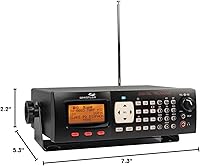
  • Scanner Type: The WS1065 is a digital trunking desktop scanner designed for stationary home base station use, not portable or mobile operation.
  • Supported Protocol: It decodes P25 Phase I digital transmissions in real time, making it compatible with modern public safety radio infrastructure across North America.
  • Frequency Coverage: Coverage spans 29–54 MHz (VHF Lo), 108–174 MHz (aircraft and VHF Hi), 216–225 MHz (VHF/ham), 225–512 MHz (government, military, UHF), 700/800/900 MHz public service bands, and 1240–1300 MHz ham bands.
  • Memory Capacity: The free-form memory structure supports 1800 channels and over 37,800 total storable objects, dynamically allocated without fixed bank limitations.
  • Display: A backlit LCD provides clear readability in low-light environments and shows real-time signal strength alongside channel and system information.
  • Alert LED: A programmable multi-color alert LED supports up to 8 user-defined colors drawn from thousands of possible combinations, allowing visual identification of different agency types.
  • Digital AGC: Built-in Digital Automatic Gain Control automatically adjusts audio output levels to compensate for low-level digital transmissions without manual intervention.
  • NAC Filtering: Network Access Code filtering allows the scanner to ignore unwanted P25 transmissions and lock onto only the specific digital systems the user has configured.
  • PC Interface: A USB interface enables PC-based programming at speeds approximately six times faster than older serial-based scanner connections, and the included cable is required for software programming.
  • Cloning Speed: Unit-to-unit configuration cloning between compatible Whistler scanners operates at roughly eight times the speed of standard cloning methods, reducing setup time when configuring multiple units.
  • Dimensions: The unit measures 5.3″ deep by 7.3″ wide by 2.2″ tall, making it compact enough for a typical desk or shelf installation.
  • Weight: At 2.64 pounds, the scanner is lightweight for a desktop unit but is not designed or intended for handheld or portable use.
  • Adaptive Tracking: Automatic Adaptive Digital Tracking recalibrates P25 signal decoding up to 50 times per second to maintain audio continuity through multipath interference and signal fading.
  • Programming Interface: On-unit programming is handled through a menu-driven system with contextual help text available for every configurable option, reducing reliance on the printed manual during initial setup.
  • Included Accessories: The package includes a USB programming cable required for connecting the scanner to a Windows PC for software-based frequency and system programming.
  • OS Requirement: PC programming requires a Windows 7 or later operating system; Mac and Linux are not officially supported by Whistler's native software.
  • Manufacturer: The WS1065 is manufactured by Whistler, a U.S.-based company with a long-standing focus on consumer radio scanning and detection products.
  • Market Rank: At the time of publication, this desktop scanner holds the number 21 position in the Radio Scanners category on Amazon, reflecting sustained buyer demand over many years on the market.

Related Reviews
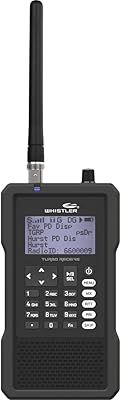
Whistler TRX-1 Handheld Digital Scanner

78%
93%
Digital Protocol Coverage
88%
Build Quality
47%
Ease of Programming
86%
Audio Recording
91%
Frequency Range & Versatility
More
WD Elements Desktop 18TB External Hard Drive
71%
94%
Ease of Setup
91%
Storage Capacity Value
88%
Long-Term Reliability
74%
Transfer Speed
78%
Build Quality
More
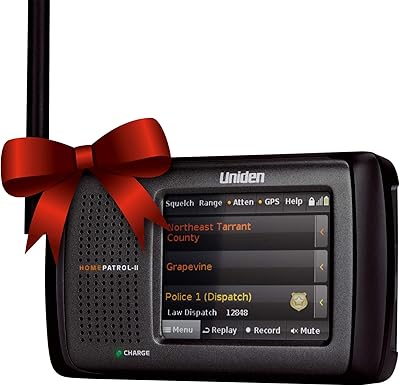
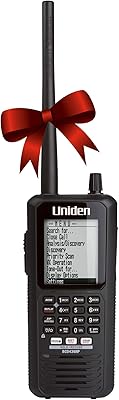
Uniden HomePatrol-2 Digital Police Scanner
76%
93%
Ease of Setup
81%
Reception Quality
88%
Digital Protocol Coverage
74%
Touchscreen Interface
61%
Sentinel Software
More
Uniden BCD436HP Digital Handheld Scanner
79%
91%
Ease of Setup
88%
Reception & Signal Quality
93%
Feature Set
74%
Build Quality & Ergonomics
57%
Battery Life
More
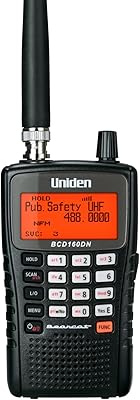
Uniden BCD160DN Handheld Digital Scanner
78%
88%
Out-of-Box Setup
79%
Digital Protocol Support
83%
Scan Speed
86%
Band Scope Function
81%
Reception Quality
More
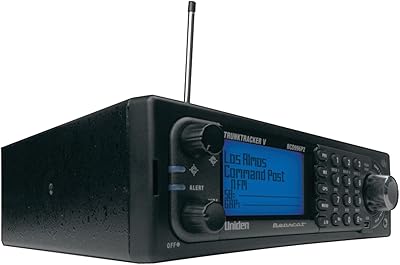
Uniden BCD996P2 Digital Mobile TrunkTracker Scanner
75%
96%
Digital Protocol Coverage
91%
Reception Quality
83%
GPS Location Scanning
38%
Ease of Programming
88%
Build Quality
More
Western Digital 12TB Elements Desktop External Hard Drive
83%
94%
Setup and Installation
91%
Value for Money
96%
Storage Capacity
78%
Data Transfer Speed
85%
Compatibility with Mac
More
Western Digital 6TB Elements Desktop External Hard Drive
82%
88%
Performance
92%
Value for Money
93%
Ease of Setup
85%
Transfer Speed
80%
Build Quality
More
Western Digital 22TB Elements Desktop External Hard Drive
87%
92%
Value for Money
95%
Capacity
88%
Data Transfer Speed
91%
Ease of Setup
90%
Reliability/Durability
More
WD Elements Desktop 14TB
72%
93%
Storage Capacity Value
84%
Reliability & Longevity
72%
Transfer Speed
91%
Ease of Setup
78%
Build Quality
More

FAQ

That depends entirely on what radio system your local agencies use. If they operate on a P25 Phase I trunked digital system, the WS1065 will work well. If they use P25 Phase II, conventional analog, or a proprietary digital system like Motorola EDACS or DMR, you will run into limitations. Before buying, check a resource like RadioReference.com to look up your county's radio system type—it takes five minutes and could save you a costly mistake.

Honestly, yes—at least compared to what most people expect from consumer electronics. Programming a trunked digital scanner requires you to understand how radio systems are structured, enter talk group IDs, and configure the system correctly before you hear anything useful. The on-unit menu with built-in help text reduces some of the friction, but plan on spending several hours getting everything set up properly. Many users recommend supplementing the manual with online scanner communities and frequency databases like RadioReference.

Not really. The WS1065 is a desktop unit designed to sit at a fixed location connected to a power outlet and, ideally, an external antenna. It has no battery option, so the moment you unplug it, it stops working. If you need something for the car or field use, you would want to look at a handheld trunking scanner instead.

No, and this is one of the most important things to check before purchasing. The WS1065 supports P25 Phase I only. In many rural and suburban areas that is still sufficient, but large metro systems—particularly those running TDMA or Phase II infrastructure—will only be partially decoded or not followed correctly. Check your local system's phase before committing.

Whistler provides its own EZ Scan PC software for Windows, which is included or available as a free download. However, buyer feedback on the software is mixed—many experienced users find it dated and prefer third-party alternatives. The scanner is also compatible with community-developed software options that some hobbyists consider more intuitive. Either way, a Windows PC and the included USB cable are required for software-based programming.

Traditional scanners divide memory into fixed banks—say, 10 banks of 100 channels each. If you only need 12 channels for one system, the other 88 slots in that bank go to waste. The WS1065 uses a dynamic allocation system instead, where memory is distributed based on actual need. In practice this means you can store far more data in the same physical memory, and nothing is wasted on empty slots you are not using.

The stock antenna will get you started, but most experienced users upgrade it fairly quickly. For a home base station, a dedicated outdoor or attic-mounted antenna aimed at the frequencies you monitor most will make a noticeable difference—especially on 800 MHz public safety bands where signal behavior can be finicky. If you are setting up a serious listening station, factor in an antenna upgrade as part of the overall investment.

It is a genuinely close competition. The WS1065 has an edge in memory flexibility and adaptive digital tracking, and some users prefer Whistler's alert system. Uniden counters with generally better-regarded PC software and, on some models, P25 Phase II support. If Phase II coverage matters in your area, Uniden pulls ahead. If you are on a Phase I system and want deep memory capacity, the WS1065 holds its own. It really comes down to what your local radio infrastructure requires.

Yes. The WS1065 covers the 108–136.99 MHz aircraft band, which includes both civil aviation navigation and air-to-ground communications. It also reaches into the 225–406 MHz range that covers military aviation. Keep in mind that most civil aircraft communications are unencrypted analog AM, so no special digital decoding is needed for those—the scanner handles them straightforwardly.

Based on buyer feedback patterns, the hardware tends to hold up well under regular home station use. Multiple long-term owners report using their units for five or more years without hardware failures. The more common frustration over time is software and firmware stagnation rather than physical breakdown—Whistler has not been prolific with updates, so the unit you buy today is largely the unit you will have in five years, for better or worse.

Where to Buy