


Overview

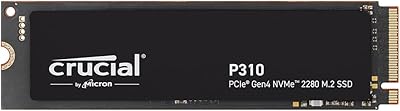
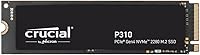
The Crucial P310 500GB NVMe SSD is Crucial's push into Gen4 territory for everyday users who want real speed without paying enthusiast prices. This Gen4 NVMe drive comes in the standard M.2 2280 form factor, fitting comfortably in most laptops, desktops, and even select handheld gaming consoles — broader compatibility than you might expect at this price tier. It currently holds the #1 Best Seller rank in Internal Solid State Drives on Amazon, backed by a 4.8-star rating from over 5,000 buyers. Crucial also bundles in Acronis Data Recovery Software, a practical addition for anyone migrating data from an older drive rather than starting from scratch.

Features & Benefits

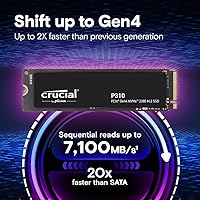
At the core, the Crucial P310 delivers up to 6,600 MB/s sequential reads and 5,000 MB/s writes — numbers that translate into noticeably snappier Windows boot times, faster application launches, and shorter game load screens compared to any Gen3 drive. The underlying Micron G8 NAND is the real foundation here; combined with onboard thermal management, it keeps performance consistent under sustained workloads rather than throttling when things heat up. This M.2 SSD is also fully backward compatible with PCIe Gen3 slots, so upgrading from an older motherboard is a non-issue. Support for handheld consoles like the ROG Ally X and Lenovo Legion Go adds a genuine practical edge few budget drives can match.

Best For

This Gen4 NVMe drive is a strong pick for casual and mid-range gamers who want real speed improvements without pushing into premium SSD pricing. Laptop owners replacing a tired SATA or aging Gen3 drive will likely notice the biggest day-to-day difference — boot times and app responsiveness improve in ways that are hard to ignore. Handheld console users, especially those on the ROG Ally X or Lenovo Legion Go, will find it one of the cleanest compatible upgrade paths available. Home and office users handling everyday productivity tasks will also benefit. One honest caveat: 500GB fills up fast once modern AAA games enter the picture, so heavy gamers may want to size up.

User Feedback

Across thousands of verified purchases, buyers highlight easy installation and an immediate jump in system responsiveness as the top positives — many describe it as the most impactful hardware upgrade they have made to their machine. Thermal performance comes up repeatedly as well; real-world users report the drive stays cool under everyday workloads, which aligns with Crucial's claims. Handheld console owners, particularly those on the ROG Ally X, cite compatibility as the deciding factor over competing drives. On the downside, a recurring complaint is that storage runs out quickly for anyone managing a sizeable game library. Reassuringly, there are no widespread reliability complaints, pointing to consistent quality from this M.2 SSD.

Pros

  • Gen4 speeds deliver noticeably faster boot times and app launches compared to any SATA or Gen3 predecessor.
  • Built on Micron G8 NAND, giving buyers confidence in the underlying hardware quality.
  • Explicitly compatible with popular handheld consoles like the ROG Ally X and Lenovo Legion Go — a rare and useful bonus.
  • Backward compatible with PCIe Gen3 motherboards, so older system owners are not locked out.
  • Runs cool under everyday workloads, with real users confirming Crucial's thermal management holds up.
  • Acronis Data Recovery Software is included, making drive cloning and migration straightforward for non-technical users.
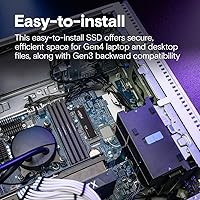
  • Installation is genuinely plug-and-play for anyone comfortable opening a laptop or desktop.
  • Holds the top Best Seller spot in its category with a 4.8-star average across thousands of verified reviews.
  • Offers legitimate Gen4 performance at a price point that does not demand a premium budget.

Cons

  • 500GB fills up fast once modern AAA games are involved — heavy gamers will feel the squeeze quickly.
  • No included heatsink, which may matter in tightly packed desktop builds with poor airflow.
  • Write endurance specs are not disclosed prominently, leaving buyers to estimate longevity independently.
  • Not suitable for creators or professionals managing large video or RAW image files regularly.
  • The Crucial P310 does not offer a DRAM cache, which can affect sustained write consistency under heavy sequential loads.
  • Buyers with older SATA-only M.2 slots will find this drive incompatible, requiring a motherboard check before purchase.
  • At 500GB, there is limited headroom for both an operating system installation and a large game or media library simultaneously.
  • No hardware encryption support noted, which may matter for business or security-conscious users.

Ratings

The Crucial P310 500GB NVMe SSD earns its ratings from AI-driven analysis of thousands of verified global buyer reviews, with spam, bot activity, and incentivized feedback actively filtered out to reflect genuine user experience. Scores are distributed across categories that real buyers care about most — from raw speed and thermal behavior to compatibility and value — and both the strengths and the frustrations are represented honestly. The result is a transparent, balanced picture of where this Gen4 NVMe drive genuinely excels and where it asks buyers to make trade-offs.

Read & Write Speed
93%
Users coming from SATA or Gen3 NVMe drives consistently describe the jump in speed as immediately noticeable — Windows boots in seconds, large game installs complete faster, and application launches feel snappier across the board. For an everyday Gen4 drive at this price tier, the real-world throughput exceeds what most casual users expect.
Sustained write performance can dip slightly under prolonged heavy workloads once the drive's cache is exhausted, which is typical for this class of SSD. Power users moving massive files continuously may see speed variation, though casual and gaming workloads are unlikely to hit this ceiling.
Value for Money
91%
Buyers repeatedly call out the price-to-performance ratio as one of the strongest in the Gen4 category, noting that getting this level of speed without paying a premium is genuinely unusual. The bundled Acronis software adds practical value that competing drives at similar prices rarely include.
The 500GB capacity at this price point draws occasional criticism from buyers who feel the cost per gigabyte could be more competitive if a larger capacity were offered in the same range. Those needing more storage headroom end up paying noticeably more to step up to 1TB options.
Thermal Management
88%
A recurring theme in user feedback is that this M.2 SSD runs cooler than expected during typical gaming and productivity sessions, validating Crucial's thermal control claims. Laptop users especially appreciate that the drive does not contribute to system warmth during long work or gaming sessions.
In desktop builds with poor airflow or cramped M.2 slots without a heatsink, a small number of users report the drive warming up during intensive sustained transfers. It is not a widespread issue, but builders in warm environments may want to factor in an aftermarket heatsink as a precaution.
Compatibility
94%
Broad device support is one of the most praised aspects of this Gen4 NVMe drive, particularly among handheld console owners who found validated compatibility with the ROG Ally X and Lenovo Legion Go to be a decisive factor. The backward compatibility with PCIe Gen3 slots also removes a common barrier for users upgrading older systems.
A handful of buyers with SATA-only M.2 slots discovered after purchase that the drive is incompatible with their system, which points to a need for clearer pre-purchase slot verification. This is a user knowledge gap rather than a product flaw, but it generates occasional frustration in reviews.
Installation Ease
92%
First-time SSD installers consistently describe the physical install as straightforward — slide in, press flat, tighten one screw — with many completing the process in under ten minutes. Coupled with the included Acronis cloning software, even non-technical users report successfully migrating their entire system without data loss.
A small number of users found the Acronis software activation process less intuitive than expected, requiring a separate account registration that felt unnecessary for a bundled tool. Physical installation itself draws almost no complaints, but the software onboarding could be smoother.
Storage Capacity
62%
38%
For light to moderate users — someone running Windows, a few productivity apps, and a rotating roster of two or three games — 500GB is genuinely sufficient and keeps things lean and organized. Office users and casual gamers who are selective about what they install will find the capacity entirely adequate.
Heavy gamers and content creators run into the 500GB ceiling quickly; modern AAA titles alone can consume well over half the drive in just a few installations. This is the most consistent pain point across user reviews, with multiple buyers wishing they had opted for a larger capacity variant from the start.
Brand Reliability
92%
Crucial's reputation as a Micron-backed brand carries meaningful weight with buyers, many of whom cite long-term confidence in the NAND quality as a reason for choosing this drive over lesser-known alternatives. The 5-year warranty reinforces that trust and gives buyers a concrete assurance of post-purchase support.
A very small number of users report early unit failures, which is statistically expected across any high-volume product but worth acknowledging. Crucial's warranty service is generally praised when invoked, so the failure experience itself rarely compounds into a deeper satisfaction issue.
Gaming Performance
89%
Load times in demanding titles drop noticeably compared to Gen3 predecessors, and handheld console users in particular report a marked improvement in game responsiveness after upgrading. The drive handles the read-heavy nature of gaming workloads comfortably within everyday gaming sessions.
The 500GB capacity limits how many large modern games can coexist on the drive, which undermines the gaming experience for users with broad libraries. The drive performs well when loaded, but the storage ceiling becomes the practical bottleneck rather than raw speed.
Productivity Performance
87%
Office users upgrading from SATA-era drives find boot times and application launch speeds — including heavier tools like Adobe Photoshop and Microsoft Excel — substantially improved, making the workday feel more responsive. The speed advantage is most apparent when switching between several open applications simultaneously.
For users already on a fast Gen3 NVMe drive, the productivity gains are less dramatic and may not feel worth the upgrade investment on their own. The improvement curve is steepest for those coming from SATA or spinning hard disk setups.
Build & Form Factor
86%
The standard M.2 2280 dimensions mean the drive fits into virtually every compatible slot without any adapter or modification, and its light weight is a non-issue even in ultraportable laptops. The black PCB finish is clean and unobtrusive, which matters in open-panel desktop builds.
There is no included heatsink or thermal pad in the box, which some desktop builders consider a missed opportunity at this price. While most users manage fine without one, buyers planning aggressive desktop builds may need to source a heatsink separately.
Software Bundle
78%
22%
Acronis True Image for Crucial is a genuinely useful inclusion — it handles full drive cloning reliably, and users who migrated from older drives report the process going smoothly without needing to reinstall Windows from scratch. Having licensed software bundled at no extra cost adds real practical value.
Some users find the Acronis interface dated and the account registration requirement off-putting for what should be a simple utility. A portion of buyers skip the software entirely in favor of free alternatives, suggesting the bundle is appreciated but not universally relied upon.
Noise & Vibration
97%
As a solid-state drive with no moving parts, this M.2 SSD operates in complete silence regardless of workload, which is a meaningful quality-of-life improvement for users coming from mechanical hard drives. There are zero user complaints related to noise or vibration in any reviewed feedback.
There is nothing meaningful to critique here for a solid-state device — the absence of mechanical components eliminates this category as a practical concern entirely. It is included for completeness rather than as a genuine differentiator.
Long-Term Durability
83%
The combination of Micron G8 NAND and a 5-year warranty gives buyers reasonable confidence in long-term endurance for typical everyday and gaming workloads. Most verified long-term owners report no degradation in speed or reliability over extended daily use.
Endurance ratings and TBW (terabytes written) figures are not prominently disclosed in product listings, which makes it harder for informed buyers to benchmark the drive's lifespan against competitors. Users who write large amounts of data regularly may want to seek out that spec before committing.
Handheld Console Fit
91%
Among buyers specifically upgrading handhelds like the ROG Ally X or Lenovo Legion Go, satisfaction is very high — the drive installs cleanly, is recognized immediately, and delivers a tangible improvement in load times over the factory storage in those devices. Few competing drives at this price are explicitly validated for these platforms.
Compatibility is confirmed only for a handful of specific handheld models, and buyers with other handheld devices should verify support before purchasing. Users of non-listed handheld platforms occasionally report uncertainty about whether the drive will function correctly in their specific device.

Suitable for:

The Crucial P310 500GB NVMe SSD is the right call for anyone who wants a meaningful speed upgrade without spending heavily on enthusiast-tier storage. Laptop owners replacing a slow SATA drive or an older Gen3 NVMe will notice the difference in everyday tasks almost immediately — faster boots, snappier app launches, and shorter game load times that actually matter in daily use. It is equally well-suited for desktop builders working with a modest budget who still want a modern Gen4 interface. Handheld gaming console users are a particularly strong fit: the drive is explicitly validated for devices like the ROG Ally X, Lenovo Legion Go, and AYANEO Kun, which narrows the field of compatible options considerably. Home and office users handling productivity workloads — spreadsheets, photo editing, general multitasking — will also find this Gen4 NVMe drive more than capable, and the included Acronis software makes migrating from an old drive far less painful than starting from scratch.

Not suitable for:

The Crucial P310 500GB NVMe SSD is not the right fit for every buyer, and it is worth being honest about where it falls short. Heavy gamers with large libraries will likely outgrow 500GB faster than expected — modern AAA titles routinely exceed 100GB each, which means you could fill this drive with just three or four installations. If you need to store your entire game collection locally and avoid constant uninstalling and reinstalling, sizing up to a 1TB or 2TB drive is the smarter move. Content creators working with large video or RAW photo files will similarly find the capacity limiting, regardless of the speed. This M.2 SSD is also not aimed at professionals who need top-tier sustained write endurance for intensive workloads like video rendering or database operations — there are purpose-built drives better suited to those demands. Finally, users with older systems using SATA M.2 slots, rather than PCIe, should confirm their motherboard slot type before purchasing, as this drive requires an NVMe-compatible interface to function at all.

Specifications

  • Brand: Manufactured by Crucial, a storage brand owned by Micron Technology, one of the largest NAND flash producers in the world.
  • Model: This drive is identified by the model number CT500P310SSD801, part of the Crucial P310 series.
  • Capacity: Offers 500GB of usable storage, suitable for an operating system, everyday applications, and a moderate game or media library.
  • Form Factor: Uses the M.2 2280 standard, meaning the drive is 22mm wide and 80mm long, the most common M.2 size found in laptops and desktops.
  • Interface: Connects via PCIe Gen4 NVMe, the current mainstream high-speed storage interface offering significantly higher bandwidth than older SATA or Gen3 NVMe connections.
  • Read Speed: Sequential read performance reaches up to 6,600 MB/s, enabling fast file transfers and rapid loading of large applications or game assets.
  • Write Speed: Sequential write speeds reach up to 5,000 MB/s, which supports quick file saves, installations, and system operations under typical workloads.
  • NAND Type: Built using Micron G8 (8th generation) NAND flash memory, which underpins the drive's performance consistency and longevity.
  • Gen3 Compatibility: Fully backward compatible with PCIe Gen3 M.2 slots, operating at reduced but still capable speeds on older motherboards.
  • Console Support: Validated for use in select handheld gaming consoles including the ASUS ROG Ally X, Lenovo Legion Go, and AYANEO Kun.
  • Thermal Control: Includes onboard thermal management to help sustain performance during extended workloads and prevent throttling under heat.
  • Installation Type: Designed for internal installation only; this is not a portable or external drive and requires access to a free M.2 slot.
  • Dimensions: Measures 3.15 x 0.86 x 0.09 inches (approximately 80 x 22 x 2.3mm), conforming to the standard M.2 2280 footprint.
  • Weight: Weighs just 0.353 ounces, making it negligible in terms of added mass for laptop or handheld console upgrades.
  • Color: The drive features a black PCB finish, which is standard for most M.2 NVMe drives and requires no heatsink for typical use.
  • Bundled Software: Includes a license for Acronis True Image for Crucial, which supports full drive cloning and data migration from an existing storage device.
  • Compatible Devices: Works with laptops, desktop PCs, workstations, and select handheld gaming consoles that support the M.2 2280 PCIe NVMe interface.
  • Warranty: Crucial typically covers P310 series drives with a 5-year limited warranty, reflecting confidence in the drive's build quality and reliability.
  • First Available: This specific SKU was first listed in April 2025, placing it among Crucial's more recent Gen4 product releases.
  • Market Position: Ranked #1 in Internal Solid State Drives on Amazon with a 4.8-star rating across over 5,500 verified customer ratings at time of review.

Related Reviews
Crucial P3 500GB NVMe M.2 SSD
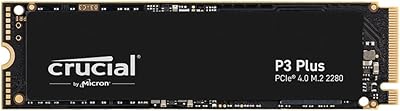
82%
88%
Read Speed Performance
71%
Write Speed Performance
93%
Value for Money
94%
Ease of Installation
86%
Reliability & Longevity
More
Crucial P3 Plus 500GB NVMe SSD
86%
93%
Performance
91%
Reliability
92%
Value for Money
89%
Ease of Installation
65%
Heat Management
More
Crucial P2 500GB NVMe PCIe M.2 SSD
87%
91%
Value for Money
88%
Performance
94%
Read Speed
78%
Write Speed
85%
Build Quality
More
Crucial T500 500GB Gen4 NVMe M.2 Internal SSD
85%
93%
Performance
88%
Ease of Installation
90%
Compatibility with Devices
85%
Value for Money
81%
Software Bundle (Adobe Creative Cloud)
More
Crucial P310 2TB NVMe SSD
80%
86%
Read & Write Speed
93%
PS5 Compatibility
84%
Value for Money
71%
Thermal Management
91%
Installation Experience
More
Crucial P310 4TB NVMe M.2 SSD

83%
91%
Sequential Read Performance
88%
Sequential Write Performance
73%
Random I/O Performance
94%
Storage Capacity Value
82%
Compatibility & System Fit
More
TEAMGROUP MP44L 500GB Gen4 NVMe SSD
78%
88%
Sequential Read Speed
61%
Sustained Write Performance
79%
Thermal Management
91%
Installation & Compatibility
93%
Value for Money
More
FANXIANG S880E 500GB NVMe SSD
87%
92%
Performance
95%
Speed
80%
Thermal Management
89%
Ease of Installation
91%
Compatibility
More
WD_BLACK SN770M 500GB NVMe SSD
89%
93%
Performance
95%
Compatibility with Gaming Consoles
91%
Speed (Read/Write)
88%
Installation Ease
87%
Durability
More
WD_BLACK SN7100 500GB NVMe SSD
83%
91%
Read Performance
83%
Write Performance
89%
Power Efficiency
58%
Storage Capacity
72%
Thermal Management
More

FAQ

Yes, the Crucial P310 is backward compatible with PCIe Gen3 M.2 slots. You will not get the full Gen4 speeds, but it will still outperform most SATA drives and work without any configuration changes. Just make sure your slot is NVMe-compatible rather than SATA-only, as those are different standards.

It depends on your library size. If you play a handful of titles at a time and do not mind uninstalling games between sessions, 500GB is workable. However, if you have a large library of modern AAA games, each often exceeding 80 to 100GB, you will likely feel the squeeze. Heavy gamers may want to consider a 1TB or 2TB option instead.

Under normal everyday workloads it runs cool enough without one, and real-world user feedback backs that up. That said, if you are installing it in a tightly packed desktop case with limited airflow, adding an aftermarket M.2 heatsink is a cheap precaution worth considering for extended sustained transfers.

Yes, both devices are explicitly listed as compatible by Crucial. This is actually one of the stronger selling points of this Gen4 NVMe drive — not every M.2 SSD is tested and validated for handheld consoles, so finding one that is officially supported narrows down the decision considerably.

The included Acronis True Image for Crucial software handles exactly that. You connect your current drive and the new M.2 SSD (using a USB adapter if needed), run the cloning tool, and it copies everything over, including your OS, apps, and files. It is a fairly guided process that most users manage without technical help.

It works in both roles. You can install it as your primary boot drive or add it as a secondary drive for extra storage alongside an existing SSD. The choice is entirely yours based on how your system is configured.

The difference is most noticeable during boot, large file transfers, and game or application loading. A good SATA SSD tops out around 550 MB/s, while this Gen4 NVMe drive operates at speeds many times higher. Daily tasks like web browsing feel similar, but anything involving sustained data movement is meaningfully faster.

Based on user reports and the onboard thermal management Crucial built into the drive, overheating during typical gaming workloads is not a common complaint. Sustained heavy write operations — like large file transfers running continuously — can warm any NVMe drive, but for gaming this has not been a reported issue.

You will typically need a small Phillips head screwdriver — usually a PH0 or PH1 — to secure the tiny retaining screw on your motherboard's M.2 slot. Beyond that, the process is straightforward: slide the drive in at an angle, press it flat, and tighten the screw. Most users with no prior experience complete it in under ten minutes.

Crucial covers the P310 series with a 5-year limited warranty, which is standard for quality consumer NVMe drives and a reassuring sign of confidence in the product. If you run into a verified defect within that window, Crucial's support process is well-regarded among buyers.

Where to Buy