Overview

The WD Red SN700 4TB NVMe SSD is not your everyday desktop drive — it was built specifically for NAS enclosures, and that distinction matters more than most buyers realize. Launched in late 2021, it sits at the top of WD's Red lineup, targeting prosumers, small business owners, and home-lab enthusiasts who need reliable, high-throughput storage in an always-on environment. Where a standard SATA SSD plateaus around 550 MB/s, NVMe over PCIe opens up significantly faster lanes — relevant when your NAS is handling multiple users or caching active datasets. At 4TB, this NAS-optimized NVMe drive fills a real gap for builders who want serious capacity without stacking traditional hard drives.
Features & Benefits

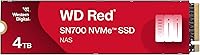
Running on Gen3 PCIe, this NAS-optimized NVMe drive hits sequential reads up to 3,400 MB/s — numbers that translate into noticeably snappier response times when your NAS is handling concurrent reads, VM snapshots, or active file caching. The M.2 2280 form factor keeps it compact enough to slot cleanly into supported NAS bays. Where this M.2 SSD really earns its keep is endurance: rated up to 5,100 TBW, it is designed to absorb the steady, repetitive write load a multi-user NAS generates daily — not a figure to chase in isolation, but meaningful for workloads that never truly stop. Power draw is also tuned for always-on operation, which matters when your enclosure runs 24/7.

Best For

This NAS-optimized NVMe drive makes the most sense for a specific type of buyer. If you are running a Synology or QNAP unit with an M.2 slot and want to use it as a read/write cache or even a dedicated primary volume, the compatibility testing WD has done removes a lot of guesswork. Home-lab users spinning up VMs or hosting collaborative file shares will get genuine mileage from the sustained throughput. Small businesses running always-on file servers — where a drive failing early costs real money — will appreciate the endurance spec in context. One important caveat: not every NAS supports M.2 NVMe, so verify compatibility before purchasing.

User Feedback

With a 4.5-out-of-5 rating across more than 760 reviews, the WD Red SN700 earns its reputation without much drama. Buyers consistently praise how it drops into compatible QNAP and Synology systems with minimal fuss — no driver installs, no configuration headaches. Where opinions diverge is around value versus cost: this M.2 SSD carries a notable premium over general-purpose NVMe drives with similar raw specs, and some users question whether the NAS-specific validation justifies the price gap. A smaller number of users in fanless or compact enclosures have noted higher operating temperatures and occasional thermal throttling. For most, though, real-world performance in caching roles has matched expectations.

Pros

  • Purpose-built and tested for compatibility with major NAS platforms like Synology and QNAP.
  • The 4TB capacity is one of the largest NVMe options available in this NAS-specific category.
  • Sequential read speeds up to 3,400 MB/s make a noticeable difference in caching and tiered storage roles.
  • Endurance rated up to 5,100 TBW handles the steady write loads typical in always-on NAS environments.
  • M.2 2280 form factor fits neatly into NAS units with available M.2 slots without occupying drive bays.
  • Power consumption is tuned for 24/7 operation, which matters for energy costs over time.
  • Plug-and-play integration on supported NAS systems means minimal setup friction for most users.
  • Strong overall satisfaction rating reflects reliable real-world performance across a broad range of NAS builds.
  • Works well as both a dedicated cache tier and a primary NVMe storage volume depending on your setup.

Cons

  • Carries a significant price premium over general-purpose NVMe drives with similar raw specifications.
  • Not compatible with NAS units that lack an M.2 NVMe slot, which excludes a large share of older models.
  • Some users in fanless or compact enclosures have reported elevated operating temperatures under sustained load.
  • Thermal throttling has been observed in poorly ventilated NAS builds, which can undercut real-world performance.
  • The NAS-specific validation WD offers may not justify the cost gap for buyers with straightforward storage needs.
  • No Gen4 PCIe support limits future-proofing for users planning to upgrade their NAS hardware.
  • Buyers accustomed to consumer SSD pricing may find the value proposition harder to justify without a demanding workload.
  • Limited usefulness outside NAS environments means resale flexibility is narrower than a general-purpose drive.

Ratings

The WD Red SN700 4TB NVMe SSD has been evaluated by our AI systems after processing hundreds of verified global user reviews, with spam, bot activity, and incentivized submissions actively filtered out to surface authentic buyer sentiment. Scores reflect the real-world experience of NAS builders, home-lab operators, and small business users — strengths and friction points alike. Where this NAS-optimized NVMe drive excels and where it falls short are both represented transparently in the ratings below.

NAS Compatibility
93%
Users running Synology DS923+ and QNAP TS-464 units consistently report that the WD Red SN700 is recognized immediately on first boot with no manual configuration required. The factory-level compatibility testing WD conducts gives buyers real confidence that the drive will behave predictably within their specific NAS environment.
A small but recurring group of buyers discovered — after purchase — that their NAS model does not support M.2 NVMe at all, even though it has an M.2 slot intended only for SATA. This compatibility gap is not the drive's fault, but it causes frustration and avoidable returns.
Sustained Performance
86%
In caching roles on multi-bay NAS setups, users report noticeably faster directory listings, quicker VM resume times, and reduced latency when multiple clients access shared folders simultaneously. The real-world throughput holds up well during hour-long transfer sessions, which is where most consumer NVMe drives start to show weakness.
A handful of power users running the drive as primary storage under constant heavy write loads — such as continuous surveillance recording or large database transactions — noted that sustained write speeds drop measurably after the SLC cache fills. For most NAS workloads this is a non-issue, but edge-case high-write scenarios expose the limitation.
Endurance & Longevity
88%
The 5,100 TBW rating gives buyers genuine peace of mind for an always-on NAS environment. Small business users who run overnight backups, Docker containers, and shared file access daily appreciate knowing the drive is rated for sustained workloads rather than the lighter duty cycles typical consumer SSDs are built around.
The endurance figure, while impressive, is sometimes misread as a guarantee of problem-free operation for any workload. A few users in write-heavy RAID and backup scenarios were disappointed that drive health monitoring tools flagged wear faster than expected, suggesting real-world TBW varies depending on write patterns and workload type.
Thermal Management
67%
33%
In NAS units with active cooling — even modest internal fans — the drive maintains acceptable operating temperatures during prolonged transfers. Users with well-ventilated enclosures like the QNAP TVS-h874 rarely encounter any heat-related complaints, and the drive's power tuning does help relative to high-performance desktop NVMe drives.
Fanless and compact NAS enclosures tell a different story. Multiple users with units like the Synology DS223 reported temperature spikes under sustained sequential writes, with throttling events visible in drive monitoring tools. In tight spaces without active airflow, the drive runs noticeably hotter than comparable SATA SSDs would.
Installation Experience
91%
The standard M.2 2280 form factor slots in cleanly across all compatible NAS units, and users consistently describe the physical installation as taking under five minutes. On supported Synology and QNAP platforms, the NAS OS detects the drive automatically during setup, making the first-use experience genuinely straightforward.
The drive ships without a mounting screw, which most NAS enclosures provide separately — but a few users without spares on hand found this mildly inconvenient. Documentation in the box is minimal, which rarely matters for experienced builders but can leave less technical buyers uncertain about next steps.
Value for Money
63%
37%
For buyers who genuinely need NAS-validated NVMe storage with high endurance and reliable 24/7 performance, the premium over generic consumer drives reflects real engineering differences. Businesses where storage failure carries operational cost find the price easier to justify against the reliability and compatibility assurances built into this M.2 SSD.
Casual home users and those without demanding multi-user workloads will find it difficult to rationalize the cost gap versus unbranded or consumer-focused NVMe alternatives that deliver similar everyday performance at a significantly lower price. The value proposition narrows considerably when the drive is used for light NAS tasks.
Read Speed Performance
84%
Sequential read performance at close to the rated 3,400 MB/s makes a tangible difference when the drive is serving as a read cache in front of spinning drives. Home-lab users streaming large video files or virtual machine images to multiple clients simultaneously noted snappy response times that hard drives simply cannot match.
The Gen3 PCIe interface means this drive will not compete with newer Gen4 NVMe options on raw peak throughput, and benchmarking enthusiasts may feel the numbers look modest against the current generation. For NAS use, this gap rarely matters in practice, but future NAS platform upgrades may expose the ceiling sooner than expected.
Write Speed Performance
78%
22%
For typical NAS write patterns — incremental backups, inbound file transfers from multiple clients, or ongoing surveillance indexing — write speeds are more than adequate and feel consistently responsive. Users performing nightly full backups from workstations to NAS report completion times well ahead of what their old SATA SSDs delivered.
Sustained sequential write speeds outside the SLC cache buffer are considerably lower than peak figures suggest, which catches some buyers off guard when benchmarking. Large single-file transfers in the hundreds of gigabytes will eventually plateau, making it less ideal for workloads defined by continuous bulk writes.
Build & Reliability
89%
Long-term owners report high confidence in day-to-day reliability, with very few early failure reports appearing in verified feedback. WD's track record with the Red product line and the five-year warranty backing gives buyers additional assurance that this is a drive built to last in demanding conditions.
A small number of users reported dead-on-arrival units, which is not unusual across any SSD line at scale but is worth noting. Replacement under warranty is generally described as smooth, though the downtime involved in a NAS storage failure — even a brief one — is a real operational inconvenience for business environments.
Power Efficiency
82%
18%
Buyers running always-on NAS setups appreciate that this M.2 SSD draws less power during idle and light-load periods compared to high-performance desktop NVMe drives. Over months of continuous operation, the difference in idle power draw adds up and contributes to lower heat output in the enclosure.
Under sustained heavy loads, power draw climbs and contributes to the thermal issues noted in low-airflow enclosures. Users who monitor their NAS power consumption closely noted higher-than-expected wattage spikes during intensive write operations, which matters in setups with tight power budgets or UPS sizing constraints.
Capacity Options
77%
23%
The availability of 4TB in an M.2 NVMe form factor is genuinely uncommon in the NAS-specific segment, and buyers who want high-density storage without filling every drive bay find it a compelling option. For NAS builds where bay count is limited, fitting 4TB into a single M.2 slot is a meaningful space advantage.
The jump in price between smaller SN700 capacities and the 4TB variant is steep enough that some buyers opt for two smaller drives instead, which can be configured with redundancy. The 4TB option also takes longer to fill during initial data migration, which a few users flagged as an unexpectedly time-consuming setup step.
Software & Monitoring Support
74%
26%
SMART data from the drive is readable by standard NAS health monitoring tools on both Synology DSM and QNAP QTS, allowing users to track wear indicators and temperature over time. WD also provides its own dashboard software for those who want deeper drive-level diagnostics outside the NAS interface.
Some users found that NAS-reported health metrics do not always align cleanly with what WD's own diagnostic tools show, creating mild confusion about actual drive status. There is no push notification or proactive alert system built into WD's monitoring tools, meaning users need to check manually rather than being warned automatically.
Packaging & Documentation
58%
42%
The drive arrives well-protected in electrostatic-safe packaging, and the no-frills approach keeps unboxing straightforward for experienced users who just want to get the drive installed. For buyers who have handled NVMe drives before, the minimal packaging is unlikely to cause any issues.
Documentation is sparse to the point of being nearly absent — there is no printed setup guide, and less experienced buyers are left to navigate WD's website and NAS vendor support pages independently. A few first-time NAS builders specifically called out the lack of guidance around configuring the drive as a cache tier versus a standalone volume.

Suitable for:

The WD Red SN700 4TB NVMe SSD is purpose-built for buyers who are serious about their NAS setup and need more than a basic hard drive can deliver. If you run a Synology or QNAP enclosure with an M.2 slot and want to add a high-speed cache tier or a dedicated NVMe volume, this drive was designed with exactly that workflow in mind. Home-lab enthusiasts juggling virtual machines, Docker containers, or self-hosted services will find the low-latency access genuinely useful under concurrent load. Small business operators running shared file servers — where downtime or early drive failure carries real cost — will appreciate that the endurance rating is calibrated for sustained, repetitive write activity rather than bursty consumer use. Content creators who need a NAS to hold up during collaborative video or photo editing sessions, where multiple users are pulling large files simultaneously, are also well-served here.

Not suitable for:

The WD Red SN700 4TB NVMe SSD is a poor fit for anyone shopping for general desktop or laptop storage — the NAS-specific tuning and premium price point offer no practical advantage outside that environment. Budget-conscious buyers who just need bulk NAS storage and do not have an M.2 slot to spare will find traditional hard drives or SATA SSDs more cost-effective for their use case. Users with older or entry-level NAS units that lack M.2 NVMe support simply cannot use this drive at all, so checking your device specifications before purchasing is non-negotiable. If you are looking for the fastest raw sequential speeds available for a workstation build or gaming rig, consumer-grade Gen4 NVMe drives will outperform this one at a comparable or lower price. This M.2 SSD is also overkill for anyone whose NAS sits mostly idle or handles light single-user file transfers.

Specifications

  • Capacity: This drive is available at 4TB, which represents the top-tier option in the SN700 lineup, alongside smaller variants ranging from 250GB upward.
  • Interface: It uses an NVMe interface over Gen3 PCIe, offering significantly higher throughput than SATA-based SSDs commonly found in older NAS builds.
  • Form Factor: The M.2 2280 form factor measures 22mm wide and 80mm long, fitting the standard M.2 slot found on compatible NAS enclosures and motherboards.
  • Sequential Read: Sequential read speeds reach up to 3,400 MB/s under optimal conditions, making it well-suited for high-demand NAS caching and tiering workloads.
  • Endurance: The drive is rated for up to 5,100 TBW (terabytes written), reflecting its design for sustained, repetitive write activity in always-on NAS environments.
  • Dimensions: Physical dimensions are 3.15 x 0.87 x 0.09 inches, and the drive weighs approximately 0.338 ounces, making it one of the lightest storage options available.
  • Drive Type: This is a NAND-based solid-state drive with no moving parts, which contributes to its reliability advantage over traditional spinning hard drives in a NAS setting.
  • Recommended Use: Western Digital officially recommends this drive for NAS caching and tiering applications, and it has been validated for use as a primary NVMe storage volume as well.
  • Compatible Devices: The drive has been tested and validated for compatibility with major NAS platforms including Synology and QNAP units that feature M.2 NVMe expansion slots.
  • Installation Type: This is an internal drive that installs directly into an M.2 slot on a compatible NAS enclosure, requiring no external cables or power connectors.
  • Power Design: The drive's power profile is tuned for continuous operation, which helps manage heat output and energy draw in NAS environments that run around the clock.
  • Model Number: The official model number is WDS400T1R0C, which can be used to verify compatibility with your specific NAS unit on the manufacturer's support pages.
  • Manufacturer: Produced by Western Digital Technologies, Inc., a company with an extensive history in consumer and enterprise storage solutions.
  • Availability Date: This drive became available in September 2021, placing it in WD's second generation of NAS-specific SSD offerings under the Red product family.
  • Product Series: The SN700 belongs to the WD Red lineup, a product family specifically engineered for NAS use cases rather than general desktop or laptop storage.

Related Reviews
WD Red SN700 2TB NVMe SSD

83%
91%
NAS Workload Performance
89%
Endurance & Longevity
88%
NAS Compatibility
86%
Installation Experience
67%
Thermal Management
More
WD Red SN700 500GB NVMe SSD
82%
88%
Sustained Performance
84%
NAS Compatibility
91%
Endurance & Longevity
69%
Value for Money
63%
Thermal Management
More
WD Red SA500 4TB NAS SSD
83%
93%
NAS Compatibility
91%
Endurance & Longevity
87%
Read & Write Performance
61%
Value for Money
89%
Installation Ease
More
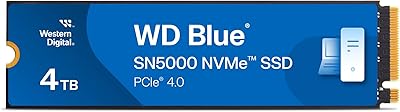
WD Blue SN5000 4TB NVMe SSD
87%
91%
Sequential Read Performance
88%
Sequential Write Performance
96%
Storage Capacity
67%
Thermal Management
93%
Endurance & Longevity
More
Fikwot FX550 4TB NVMe M.2 SSD
79%
93%
Storage Capacity Value
88%
Sequential Read Speed
61%
Sustained Write Performance
91%
Value for Money
89%
Installation & Compatibility
More
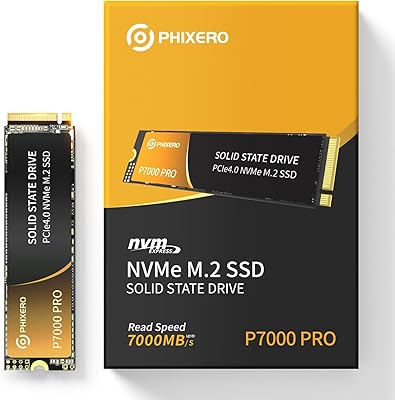
PHIXERO PM7450 4TB NVMe SSD
81%
93%
Sequential Read Performance
87%
Sequential Write Performance
61%
QLC Endurance & Longevity
88%
Thermal Management
84%
Burst Write Speed
More
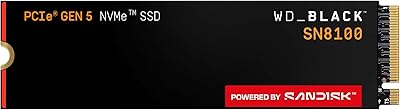
WD_BLACK SN8100 4TB NVMe SSD
82%
97%
Sequential Throughput
93%
Random I/O Performance
61%
Thermal Management
67%
Value for Money
82%
Installation & Compatibility
More
WD_BLACK SN750 4TB NVMe Internal SSD
82%
91%
Read & Write Performance
93%
Storage Capacity
88%
Installation Ease
62%
Thermal Management
89%
Long-Term Reliability
More
Ediloca EN870 4TB NVMe M.2 SSD
78%
91%
Sequential Read Speed
58%
Sustained Write Performance
93%
PS5 Compatibility
84%
Value for Money
89%
Installation Experience
More
XPG SX8100 4TB NVMe M.2 SSD
72%
93%
Storage Capacity
86%
Sequential Read Speed
67%
Sequential Write Speed
58%
Thermal Performance
84%
Endurance & Longevity
More

FAQ

It depends on your specific model. The WD Red SN700 has been tested with a range of Synology and QNAP units, but only those with M.2 NVMe slots can physically accept it. Check Synology's compatibility list for your exact NAS model before purchasing — not all enclosures support NVMe, even newer ones.

You can use it either way, though the answer depends on your NAS platform. Some units let you create a storage pool directly on an M.2 NVMe drive, while others restrict M.2 slots to read/write cache only. Check your NAS documentation to confirm which roles your M.2 slots support before deciding how to deploy it.

That really depends on your workload. If your NAS runs multiple users simultaneously, hosts virtual machines, or handles constant file transfers, the NAS-validated firmware and higher endurance rating justify the extra cost. For lighter use cases — say, a single-user media server — a cheaper consumer drive might serve you just as well.

TBW stands for terabytes written, and it represents the total amount of data the drive is rated to write before the NAND cells wear out. At 5,100 TBW, this drive is built for heavy use — a typical home NAS writing 10GB per day would take well over a century to hit that limit. It is a reassuring spec for business or multi-user environments, but for casual home use, it is rarely the deciding factor.

It can. NVMe drives generally run warmer than SATA SSDs, and in compact or fanless enclosures with limited airflow, you may see elevated temperatures under sustained loads. Some users have reported thermal throttling in tightly packed builds. If your NAS lacks active cooling, consider whether the enclosure has adequate passive heat dissipation before committing to an NVMe drive.

No, it is plug-and-play on supported NAS systems. Once physically installed, your NAS operating system — whether DSM on Synology or QTS on QNAP — should recognize it automatically. No third-party drivers are required.

Physically, yes — the M.2 2280 form factor is standard and it will fit in most desktop motherboards and laptops. But you would be paying a NAS-specific premium for features you will not use in a desktop environment. A general-purpose consumer NVMe drive would give you similar or better performance for everyday computing at a lower cost.

When configured as a cache, the NVMe drive stores frequently accessed data so that repeated requests are served from fast flash memory rather than slow spinning disks. The result is lower latency and faster response times for hot data — files or blocks that get accessed regularly. The improvement is most noticeable in environments with multiple users or applications hitting the same data frequently.

Western Digital backs the SN700 series with a five-year limited warranty, which is standard for WD Red products. That said, always register the drive and keep your purchase receipt — warranty claims are easier to process with proof of purchase on hand.

There can be, and it is worth knowing. Higher-capacity NAND drives sometimes offer better sustained write performance due to more available flash parallelism. The 4TB option tends to hold up well under prolonged writes compared to the smaller variants, which can matter in NAS workloads where the drive is being written to continuously over long periods.

Where to Buy

Best Buy
In stock $1,972.55
Target
In stock $2,028.46
Newegg.com
In stock $2,153.45
Tecisoft
In stock $1,981.73
SHI International
In stock $2,002.44
Provantage
In stock $1,790.41
CompSource
In stock $1,807.78
Beach Audio
In stock $1,875.98
Quill
In stock $1,879.99