




Overview

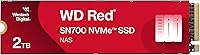
The WD Red SN700 2TB NVMe SSD sits in an interesting niche — it's not chasing gaming benchmarks or desktop workstation glory, but instead doing something more focused: keeping a NAS running fast under real, sustained pressure. Western Digital's consumer SSDs are built for burst performance, while this NAS-optimized drive is tuned for endurance and consistent throughput across multi-user environments. It uses the M.2 2280 form factor over a Gen3 PCIe connection, which means it slots into most modern NAS enclosures with M.2 support — though not every NAS has that slot, so check your enclosure specs before purchasing. At 2TB, it hits a practical capacity that works well for scaling without overcommitting.

Features & Benefits

What makes this NVMe SSD for NAS stand apart from a generic desktop drive isn't raw peak speed alone — it's the combination of high throughput and serious endurance working together. Read speeds pushing well above 3,000 MB/s mean multiple users can pull large files simultaneously without noticeable slowdown, which matters in shared environments. The drive is rated for substantial write endurance, making it a credible choice for virtualization or constant incremental backups. NAS-specific firmware tuning handles the kind of mixed, sustained I/O that would cause a consumer drive to throttle or degrade over time. Capacity options range from small cache tiers up to 4TB, letting you match the drive to your actual workload.

Best For

The WD Red SN700 is a natural fit for home lab users running Plex media servers, virtual machines, or self-hosted apps where storage I/O is a real bottleneck. It also makes strong sense in small business NAS setups where two or three users are hitting the same share simultaneously. Anyone upgrading from a SATA-based drive — even a solid one — will notice the difference in responsiveness under sustained load. Creative teams doing collaborative video editing on shared NAS storage are another compelling use case. That said, this NVMe SSD for NAS assumes your enclosure actually has an M.2 slot; confirm that before buying, since many older or entry-level NAS units simply don't.

User Feedback

Buyers who have run this NAS-optimized drive for extended periods generally report consistent performance without noticeable degradation — a key concern for always-on NAS environments. Straightforward installation and reliable compatibility with popular Synology and QNAP units come up repeatedly as highlights. On the flip side, heat in tightly enclosed NAS bays gets mentioned occasionally, particularly in fanless or poorly ventilated setups. Some users also weigh the cost against SATA alternatives; the NVMe premium is real, and a handful feel it isn't fully justified unless workloads are genuinely demanding. Those running persistent, heavy tasks — VM storage, large backups, active media serving — tend to view the upgrade as clearly worthwhile.

Pros

  • Purpose-built NAS firmware means the drive handles sustained, mixed I/O far better than repurposed desktop SSDs.
  • Exceptional endurance rating gives real confidence for always-on NAS environments running around the clock.
  • Tested and validated with major NAS brands like Synology and QNAP, reducing compatibility headaches at setup.
  • Multi-user read performance holds up well when several people access shared storage at the same time.
  • The M.2 2280 form factor fits cleanly into most modern NAS enclosures without adapters or modifications.
  • Available across a wide capacity range, so you can start small and scale up as storage needs grow.
  • Consistent long-term performance reported by users running it under heavy workloads for months without degradation.
  • Handles demanding tasks like virtualization and large file transfers without the throttling issues common in consumer drives.

Cons

  • Not all NAS enclosures have M.2 slots, so many buyers will need to verify compatibility before purchasing.
  • Costs noticeably more per gigabyte than SATA SSD alternatives, which is hard to justify for light workloads.
  • Runs warmer than SATA drives, which can be a real issue in fanless or tightly enclosed NAS bays.
  • Overkill for single-user or low-intensity NAS setups where the performance advantage rarely materializes in practice.
  • No onboard heatsink included, leaving thermal management entirely up to the enclosure design.
  • Users with older NAS units on SATA-only backplanes get no benefit from this drive whatsoever.
  • The endurance advantage over consumer SSDs only becomes relevant under sustained write-heavy workloads, not casual use.

Ratings

Our AI rating system analyzed verified global buyer reviews for the WD Red SN700 2TB NVMe SSD, actively filtering out incentivized, bot-generated, and low-signal feedback to surface what real users actually experience over time. The scores below reflect a balanced synthesis of genuine strengths and recurring frustrations — nothing is glossed over. Whether this NAS-optimized drive earns its place in your setup or not, you'll find an honest answer in the breakdown that follows.

NAS Workload Performance
91%
Users running multi-user Plex libraries, simultaneous VM instances, and collaborative file access consistently report that the WD Red SN700 holds its throughput without the throttling dips they experienced with repurposed desktop drives. Under sustained read-heavy loads — the exact scenario a NAS faces daily — it performs with a consistency that genuinely separates it from consumer-grade alternatives.
A small subset of users pushing extremely write-heavy workloads, such as continuous surveillance recording across many streams, noted that peak write speeds aren't as impressive as peak reads. It's not a dealbreaker, but buyers expecting symmetrical performance in both directions may want to temper expectations slightly.
Endurance & Longevity
89%
The drive's high TBW rating gives buyers real confidence when deploying it in always-on NAS environments where drives never sleep. Multiple users report running this NAS-optimized drive for over a year under demanding conditions without any signs of wear indicator degradation, which is exactly what you want in a 24/7 device.
Long-term endurance data beyond two years is still relatively limited given the drive's release date, so buyers planning decade-long deployments are somewhat trusting the rated specs rather than a long track record. A small number of early adopters reported unexpected failures, though these appear to be isolated rather than systematic.
NAS Compatibility
88%
Western Digital's investment in validating this drive against popular Synology and QNAP NAS operating systems pays off in practice — most users report zero compatibility issues straight out of the box. DSM and QTS both recognize the drive cleanly, and users appreciate not having to hunt down firmware updates or workarounds just to get the drive online.
Compatibility is only relevant if your NAS actually has an M.2 slot, and a frustrating number of buyers discover after purchase that their enclosure doesn't. Additionally, a handful of users on less common NAS platforms — particularly smaller brands — reported needing firmware updates before the drive was fully recognized.
Installation Experience
86%
The physical installation is as simple as NVMe drives get — slot in, screw down, and the NAS OS handles the rest. Buyers who have never installed an M.2 drive before report feeling comfortable with the process, and the drive's compact, lightweight build makes handling it in tight enclosure bays easy.
The drive ships without a heatsink or any thermal pad, which is a notable omission given that NVMe drives run warmer than SATA and some NAS bays offer limited airflow. Users in enclosed or passively cooled setups sometimes had to source third-party thermal solutions separately.
Thermal Management
67%
33%
In NAS enclosures with active cooling and reasonable airflow, operating temperatures stay within acceptable ranges under sustained load. Users with well-ventilated mid-range and high-end Synology or QNAP units rarely flagged heat as a concern during normal NAS operation.
This is one of the more consistently mentioned pain points. In compact, fanless, or poorly ventilated enclosures, temperatures climb noticeably under sustained write operations — and without a bundled heatsink, managing this falls entirely on the user. A few buyers reported thermal throttling events in particularly constrained setups.
Value for Money
71%
29%
For users with genuinely demanding NAS workloads — multiple simultaneous users, VM storage, video editing pipelines — the premium over SATA alternatives feels justified by the real-world performance gap. The 2TB capacity at this tier offers meaningful storage per dollar for prosumer and small business deployments.
Buyers with lighter workloads consistently question whether the NVMe premium is warranted, especially when high-quality SATA SSDs cost noticeably less per gigabyte and handle basic NAS duties without breaking a sweat. The value equation is workload-dependent, and honest reviewers acknowledge that for many home users, the upgrade math doesn't quite add up.
Sequential Read Speed
92%
Real-world transfers of large files — ISO images, RAW video footage, VM disk images — over a fast local network reflect the drive's impressive rated speeds in a way users can actually feel. Multiple simultaneous users pulling large files rarely experience the contention or slowdowns that plagued their previous SATA setups.
Sequential read performance is genuinely strong, but it's worth noting that most NAS network connections are still the bottleneck for typical home setups, meaning the drive's ceiling isn't always reachable in practice. The raw speed advantage is most visible in direct-attached or high-speed 10GbE network configurations.
Sustained Write Performance
74%
26%
For typical NAS write patterns — incremental backups, file sync operations, collaborative document saves — sustained write performance is reliably consistent and noticeably better than SATA drives under simultaneous multi-user write scenarios. Users running nightly backup routines across multiple client machines report completion times dropping meaningfully.
Sustained sequential write speeds fall behind the more impressive read figures, and under prolonged, back-to-back large write operations the gap widens a bit. Users doing continuous high-bitrate video ingestion directly to the NAS may find the sustained write ceiling more limiting than they anticipated from the spec sheet.
Build Quality
83%
The drive itself feels solid and well-constructed for an M.2 form factor — the PCB is clean, component placement is tidy, and nothing feels like it was cut to hit a price point. Western Digital's manufacturing quality control on this series has been broadly consistent across units.
There's no heatsink, spreader, or label with useful thermal properties included in the package, which feels like an oversight for a drive explicitly marketed for continuous NAS use. The bare-board design puts more responsibility on the enclosure for thermal dissipation than some users expect.
Firmware & Software
79%
21%
The NAS-tuned firmware does meaningful work in the background — queue depth handling, error recovery behavior, and power loss protection are all better calibrated for NAS operating patterns than what you'd find in a consumer desktop SSD. Users running virtualization workloads specifically noticed more stable I/O consistency over time.
Western Digital's dashboard software for monitoring drive health isn't always compatible with NAS operating systems, which means users sometimes have to rely on SMART data from within DSM or QTS rather than WD's own tools. Firmware update delivery for NAS deployments is also less streamlined than for desktop environments.
Noise & Power Draw
94%
As an SSD with no moving parts, the WD Red SN700 operates in complete silence — a genuine advantage in home lab or office NAS setups where noise matters. Power consumption is low relative to HDD alternatives, and users running the drive 24/7 report no noticeable impact on NAS power budgets.
NVMe drives do consume slightly more power than SATA SSDs at load, which is a marginal but real trade-off in power-constrained or battery-backed NAS setups. For the vast majority of users this is inconsequential, but it's worth noting for those running UPS-protected systems with tight runtime calculations.
Capacity Options
82%
18%
The availability of multiple capacity tiers — from compact cache-sized options up to 4TB — means the SN700 series can serve different NAS roles within the same ecosystem. Buyers who start with a smaller unit for caching and later want to expand to primary storage can stay within the same product family.
At the upper capacity end, the price-per-gigabyte ratio becomes harder to defend against competing NVMe options from other brands. Some users feel the 4TB tier in particular is priced in a way that makes alternatives more attractive once you're spending at that level.
Brand Trust & Support
81%
19%
Western Digital's five-year warranty on the Red series and its established reputation in the NAS storage space give buyers genuine peace of mind for long-term deployment. The brand's NAS-specific product history means support documentation and compatibility lists are more thorough than lesser-known alternatives.
A few users reported slower-than-ideal warranty claim resolution times, and Western Digital's RMA process drew mixed feedback in terms of speed and communication. Support for diagnosing NAS-specific drive issues through official channels was described by some buyers as generic rather than tailored to NAS environments.

Suitable for:

The WD Red SN700 2TB NVMe SSD is purpose-built for people who run a NAS as more than just a basic file dump. If you're a home lab enthusiast juggling Plex streams, Docker containers, or virtual machines on a Synology or QNAP box, this drive was genuinely designed with your workload in mind. Small business owners and prosumer users who have two or more people hitting shared storage simultaneously will appreciate how the drive holds its performance under that kind of sustained, multi-user pressure. It's also a strong pick for creative professionals doing collaborative video editing or managing large shared project folders over a network, where SATA speeds start to feel like a real ceiling. Buyers who have previously repurposed a generic desktop SSD in their NAS and wondered why it ran warm or slowed under load will find this NAS-optimized drive a noticeably more stable long-term choice.

Not suitable for:

The WD Red SN700 2TB NVMe SSD is not the right call for everyone, and the first thing to check is whether your NAS enclosure even has an M.2 slot — many budget and older units simply don't, which makes this drive a non-starter regardless of its merits. If your NAS workload is light — think basic file backups, occasional photo access, or a single user streaming media — the performance headroom this drive offers is largely wasted, and a quality SATA SSD would serve you just as well at a lower cost per gigabyte. Desktop PC builders and gamers looking for a fast system drive should look elsewhere entirely; this is not optimized for those use cases and there are better-suited options in Western Digital's own lineup. Users who are highly price-sensitive and running modest workloads will likely find the NVMe premium hard to justify when SATA alternatives get the job done without the added cost. Thermal management is also worth factoring in if your NAS enclosure is compact or passively cooled, since NVMe drives run warmer than SATA and not all enclosures handle that heat well.

Specifications

  • Brand: Manufactured by Western Digital Technologies, Inc. under the WD Red product family.
  • Model Number: The drive carries the official model designation WDS200T1R0C.
  • Capacity: This unit offers 2TB of usable NVMe storage, with the series spanning from 250GB up to 4TB.
  • Form Factor: Built in the M.2 2280 format, measuring 3.15 x 0.87 x 0.09 inches and weighing just 0.264 ounces.
  • Interface: Connects via PCIe Gen3 NVMe, delivering significantly higher throughput than SATA-based M.2 drives.
  • Read Speed: Sequential read performance reaches up to 3,400 MB/s, enabling fast multi-user file access across a NAS network.
  • Endurance Rating: Rated for up to 5,100 TBW, reflecting a design built to sustain the constant read/write cycles typical in NAS environments.
  • Recommended Use: Optimized specifically for NAS caching, tiering, and workloads involving virtualization or collaborative multi-user access.
  • Compatible Devices: Purpose-built and tested for compatibility with popular NAS systems, including units from Synology and QNAP.
  • Drive Type: Internal solid-state drive with no moving parts, offering silent operation and strong shock resistance compared to HDDs.
  • Operating Voltage: Operates at 1V, consistent with standard NVMe SSD power specifications for M.2 slots.
  • Color: The drive label and branding use Western Digital's signature red colorway, consistent with the WD Red NAS product line.
  • Availability: Released September 28, 2021, and remains actively available across multiple capacity options as of this writing.
  • BSR Ranking: Holds a top-100 ranking in the Internal Solid State Drives category on Amazon, reflecting strong sustained sales volume.
  • User Rating: Carries a 4.5 out of 5 star average rating based on over 760 verified buyer reviews.

Related Reviews

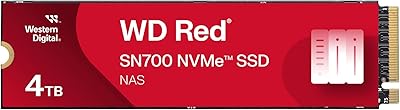
WD Red SN700 500GB NVMe SSD
82%
88%
Sustained Performance
84%
NAS Compatibility
91%
Endurance & Longevity
69%
Value for Money
63%
Thermal Management
More
WD Red SN700 4TB NVMe SSD
79%
93%
NAS Compatibility
86%
Sustained Performance
88%
Endurance & Longevity
67%
Thermal Management
91%
Installation Experience
More
Western Digital WD Red SA500 2TB SSD
82%
94%
NAS Compatibility
91%
Endurance & Longevity
83%
Sustained Performance
67%
Value for Money
89%
Installation Experience
More
Western Digital 2TB WD Blue SN580 NVMe SSD
89%
91%
Performance
94%
Speed (Read/Write)
88%
Build Quality
92%
Value for Money
90%
Durability/Endurance
More
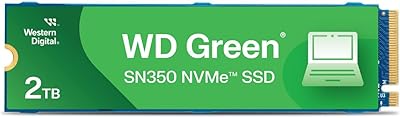
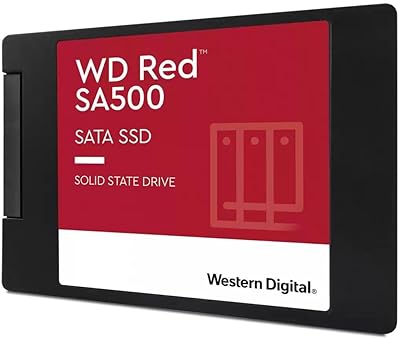
WD Green SN350 2TB NVMe SSD
82%
92%
Value for Money
83%
Read Speed Performance
58%
Sustained Write Performance
94%
Installation Ease
88%
Thermal Management
More
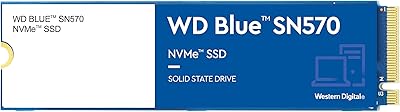
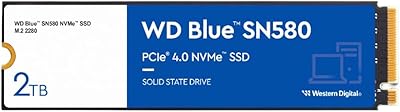
Western Digital WD Blue SN570 2TB NVMe SSD
84%
88%
Read Speed Performance
63%
Sustained Write Performance
91%
Value for Money
94%
Installation & Compatibility
89%
Long-Term Reliability
More
SanDisk 2TB SSD Plus M.2 NVMe SSD
86%
89%
Performance
92%
Ease of Installation
88%
Reliability
91%
Value for Money
90%
Capacity
More
TEAMGROUP MP33 2TB NVMe M.2 SSD
78%
93%
Value for Money
86%
Read Performance
67%
Write Performance
94%
Installation Ease
91%
Compatibility
More
ORICO J10 256GB M.2 NVMe Internal SSD
76%
83%
Read Speed Performance
61%
Write Speed & Cache Behavior
88%
Heatsink Quality
74%
Compatibility
79%
Value for Money
More
WD_BLACK SN770 2TB NVMe SSD
85%
91%
Read & Write Performance
93%
Value for Money
94%
Installation & Compatibility
88%
Long-Term Reliability
92%
Gaming Load Times
More

FAQ

You need to verify that your NAS enclosure has an M.2 slot — not all of them do. Many budget or older units are SATA-bay only and physically cannot accept an M.2 drive. Check your NAS manufacturer's compatibility list, which Synology and QNAP both publish and update regularly, before purchasing.

Honestly, it's probably more drive than you need for light backup use. If you're a single user doing occasional backups or file access, a quality SATA SSD will handle that without the added cost. This NAS-optimized drive really earns its place when you're pushing the NAS harder — multiple users, VM storage, or large media libraries.

It works in both roles. Western Digital recommends it for caching and tiering use cases, but there's nothing stopping you from using it as a primary NAS volume if your enclosure supports it. That said, for large-scale cold storage, traditional HDDs still offer a better cost-per-terabyte ratio.

NVMe drives do run warmer than SATA SSDs, so airflow matters. In a well-ventilated enclosure with active cooling, heat isn't a problem in normal use. If your NAS is fanless or has a tight, enclosed bay, it's worth checking whether your unit has any thermal management features or whether users have reported heat issues with NVMe drives in your specific model.

The SATA version is solid and more affordable per gigabyte, so if your workload is moderate, it remains a sensible choice. The NVMe variant pulls ahead when you need higher sustained throughput — think multi-user simultaneous access, video editing from shared storage, or running virtual machines directly off the NAS. The gap is most noticeable under real pressure, not casual browsing of files.

Installation is physically simple — slide the drive into the M.2 slot and secure it with the retention screw. Most NAS operating systems like DSM and QTS will recognize it automatically. You may need to initialize and format the volume through the NAS interface, but the process is well-documented and most users report no issues getting it up and running quickly.

TBW stands for terabytes written, and it's the manufacturer's estimate of how much data the drive can write over its lifetime before reliability may decline. For a NAS running 24/7 with typical workloads, 5,100 TBW is quite generous — most home and small business users won't come close to that ceiling within the realistic lifespan of the device.

Western Digital typically backs its Red series drives with a five-year limited warranty, which is reassuring for an always-on NAS application. The drive itself doesn't bundle NAS-specific software, but WD does offer drive health monitoring tools separately. Check Western Digital's official site for the exact warranty terms applicable in your region.

Physically it will fit in any standard M.2 2280 NVMe slot, so it will work in a PC. That said, the firmware tuning is aimed at NAS-style sustained workloads rather than desktop burst performance, so you'd likely be paying a premium for characteristics you won't fully use. There are better-matched options in WD's lineup, like the SN850X, if a desktop drive is what you actually need.

Yes — the WD Red SN700 series comes in several sizes ranging from 250GB on the low end up to 4TB at the top. The right size depends on your workload: smaller capacities work well as dedicated cache drives alongside HDD storage bays, while 2TB and 4TB options suit those using NVMe as primary or high-speed tiered storage.