Overview

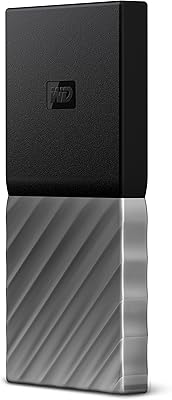
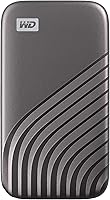
The WD My Passport SSD 1TB Portable Drive sits in a crowded but competitive market, and it earns its place near the top without much argument. Western Digital has been making storage hardware long enough to know what portability actually demands — real speed, real durability, and zero fuss at the cable end. Unlike older portable drives that leaned on spinning platters or slower NAND chips, this portable SSD uses NVMe technology, which puts it in a different league for transfer speeds. It ships with both USB-C and USB-A cables, so it works with modern laptops and older machines alike. Expect strong performance for everyday power users, creatives, and frequent travelers.
Features & Benefits

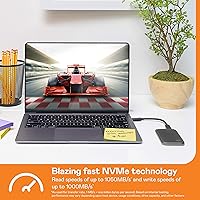
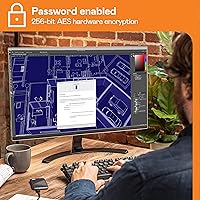
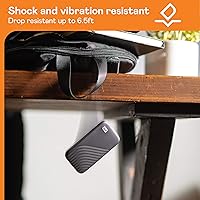
The headline numbers here are read speeds up to 1050MB/s and writes close behind at 1000MB/s — figures that actually matter when you're moving a folder of RAW photos or a finished video project between machines. That speed is contingent on a USB 3.2 Gen-2 port on the host device, so older USB 3.0 connections will bottleneck the WD drive, which is worth knowing before you buy. On the security side, 256-bit AES encryption handles password protection without any noticeable performance hit. The drive is also rated for drops up to 6.5 feet — lab conditions, not concrete guarantees, but reassuring nonetheless. WD Discovery software is bundled but entirely optional.

Best For

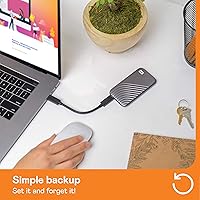
This pocket-sized storage drive makes the most sense for people who work with large files regularly — video editors shuttling 4K footage between editing rigs, photographers offloading shoots on location, or content creators who simply can't afford slow transfers mid-project. Students and remote workers will appreciate the compact size and built-in password protection, especially when carrying sensitive documents on a daily commute. It's also a solid fit for Mac and Windows users who want a plug-and-play experience; just note that Mac users aiming to use it with Time Machine will likely need to reformat the drive first. If you're upgrading from a portable HDD, the speed improvement is immediately felt.

User Feedback

Across a large pool of verified buyers, the most consistent praise centers on consistent transfer speeds and how well the drive holds up physically after months of daily use. The compact build gets frequent mentions — people seem genuinely surprised by how light it is. On the downside, some users flag noticeable heat buildup during long sustained transfers, though it hasn't caused reliability issues for most. A smaller group notes speed throttling when connected through older USB 3.0 hubs. WD Discovery receives mixed signals — some find it useful, others skip it entirely. Long-term owners tend to report solid reliability over one to two years of regular use, which is encouraging for anyone considering this as a long-haul backup solution.

Pros

  • NVMe speeds make transferring large media files dramatically faster than any portable HDD or older USB SSD.
  • Hardware-level 256-bit AES encryption protects sensitive data without slowing the drive down or requiring extra software.
  • At under a third of an ounce, this portable SSD is genuinely pocketable and easy to carry anywhere.
  • Both USB-C and USB-A cables are included, so you can connect it to older and newer machines right out of the box.
  • The drive is rated for drops up to 6.5 feet, offering solid reassurance for users who work in less-than-ideal conditions.
  • Long-term owners consistently report reliable performance after a year or more of regular daily use.
  • Works plug-and-play on both Windows and macOS without reformatting for standard use cases.
  • The WD Discovery software is completely optional — you get full functionality without ever installing it.
  • Strong ratings across thousands of verified buyers indicate this is not a case of a few lucky units.
  • Compact form factor means it fits in a jacket pocket, a laptop sleeve, or a small camera bag without any planning.

Cons

  • Sustained transfers under heavy load can cause noticeable heat buildup, which may trigger throttling over time.
  • Full NVMe speeds are only achievable on USB 3.2 Gen-2 ports — older USB 3.0 connections significantly limit performance.
  • Mac users who want Time Machine compatibility must reformat the drive first, which erases all existing content.
  • The price sits in mid-to-premium territory, which is hard to justify if you only need occasional, low-volume transfers.
  • Only 1TB capacity is available in this specific variant, which may not be enough for users with large 4K or RAW photo libraries.
  • The bundled WD Discovery software feels redundant to experienced users and adds unnecessary clutter to the setup process.
  • No included protective pouch or carry case, despite the drive being marketed toward travelers and commuters.
  • A minority of users report inconsistent speeds when connected through USB hubs rather than directly to a host device.

Ratings

The scores below reflect an AI-driven analysis of thousands of verified global buyer reviews for the WD My Passport SSD 1TB Portable Drive, with spam, bot-generated feedback, and incentivized reviews actively filtered out before scoring. Each category is assessed on real-world performance patterns reported by everyday users — from video editors and students to frequent travelers — not on manufacturer claims alone. Both the genuine strengths and the recurring frustrations are transparently weighted into every score.

Transfer Speed
91%
Buyers who upgraded from portable HDDs or older SATA SSDs consistently describe the speed difference as immediately noticeable — large RAW photo dumps and multi-gigabyte project folders that used to take several minutes now finish in under one. On USB 3.2 Gen-2 ports, real-world speeds track closely to the advertised ceiling.
The high-speed performance is strictly conditional on the host device supporting USB 3.2 Gen-2. Users plugging into older USB 3.0 ports report speeds that are decent but nowhere near what they paid for, which has caused frustration among buyers who did not check compatibility before purchasing.
Build Quality
88%
The drive feels dense and purposeful in hand — not plasticky or hollow like cheaper alternatives. Frequent travelers in particular praise how well it holds up after months of being tossed into bags, and there are very few reports of physical damage from normal daily wear.
A small number of long-term users have reported minor scuffing and surface marks appearing over time, suggesting the finish is not fully scratch-resistant. The drive also ships without any protective case or sleeve, which feels like an oversight given its travel-oriented positioning.
Thermal Management
63%
37%
For short bursts of transfer activity — moving a project folder, offloading a memory card, syncing a backup — the drive stays at a comfortable temperature that most users never even notice. Light daily use rarely triggers any heat-related concerns.
During sustained, continuous write operations lasting more than a few minutes, heat buildup becomes a legitimate issue. Multiple users report the drive getting uncomfortably warm and showing signs of speed throttling under heavy load, which is a real concern for anyone using it as a direct recording destination for high-bitrate video.
Portability
96%
At under a quarter of an ounce, this pocket-sized storage drive is genuinely one of the lightest options in its class — most users forget it is even in their bag. The compact form factor makes it practical to carry every day without any dedicated case or extra bulk.
The drive is so light that it can feel slightly less premium to buyers accustomed to heavier builds, and a small clip or loop for attaching it to a keyring or lanyard is absent, which some minimalist travelers would have appreciated.
Data Security
89%
Hardware-level 256-bit AES encryption is a meaningful differentiator for students, professionals, and remote workers who carry sensitive files. The fact that it operates at the hardware level means there is no perceptible slowdown, and setup through WD Security is straightforward enough for non-technical users.
Password recovery is a hard reset — forget your password and you lose access to your data entirely, with no backup unlock mechanism. A handful of users found this out the hard way, and while it is technically the correct security design, better upfront communication about this risk would help.
Cross-Platform Compatibility
83%
The included dual-cable setup — USB-C plus a USB-A adapter — means most users can plug in immediately without hunting for dongles or adapters. On Windows 10 and current macOS versions, the drive mounts and works without any configuration or driver installation.
Mac users who want to use the drive for Time Machine backups face a required reformatting step that many do not anticipate, and reformatting erases all existing content. Linux support is possible but requires manual reformatting, and WD does not officially support it.
Value for Money
74%
26%
For buyers who genuinely need NVMe portable speeds and hardware encryption in a ruggedized form factor, the price reflects what the technology actually costs at this performance tier. Creatives and professionals who use it daily tend to feel the investment is justified.
Buyers who primarily need occasional file transfers or basic backup storage will find cheaper alternatives that cover their actual needs. The premium feels harder to justify for light users, especially since the full speed advantage requires a Gen-2 host port that not every laptop has.
Software Experience
58%
42%
WD Discovery and WD Security are both optional, and users who skip them entirely lose nothing in terms of core drive functionality. For those who do want backup scheduling or encryption management, the tools are functional and cover the basics adequately.
WD Discovery has a reputation among tech-savvy users for being bloated and intrusive, and several buyers specifically mention uninstalling it immediately. The software feels like an afterthought rather than a polished companion app, and it has not been meaningfully updated in a way that earns user enthusiasm.
Long-Term Reliability
84%
Buyers who have owned the WD drive for a year or more are a vocal and generally positive group — the dominant narrative is that the drive keeps performing consistently without any degradation in speed or connectivity. Western Digital's reputation in storage hardware lends additional confidence here.
A minority of users report sudden disconnection issues or drives that stopped being recognized after extended use, though these cases appear isolated rather than systemic. As with any flash storage, there is no mechanical failure indicator to warn users before a potential issue occurs.
Cable & Accessory Inclusion
79%
21%
Including both a USB-C cable and a USB-A adapter in the box is a practical and user-friendly decision that many competing drives skip. It removes the first-day frustration of realizing you cannot actually connect the drive you just bought.
Neither cable is particularly long, which can be awkward when the port is in an inconvenient location on a desktop or monitor-side hub. No carrying pouch or protective sleeve is included, which is a common omission that users at this price point frequently flag as a missed opportunity.
Setup & Ease of Use
92%
Out of the box, this is as close to zero-setup as external storage gets for Windows and macOS users — plug it in, it mounts, and you are ready to go. Non-technical buyers consistently praise how intuitive the experience is without needing to read any documentation.
The encryption setup, while not complex, requires downloading WD Security separately and walking through a few steps that can confuse first-time users. There is also no quick-start guide that clearly flags the Time Machine reformatting requirement for Mac users upfront.
Noise & Vibration
97%
With no spinning platters or moving mechanical parts, this portable SSD is completely silent during operation — a quality that sounds minor until you have worked alongside a buzzing portable HDD in a quiet office or library. There is also zero vibration transmitted through a desk surface.
There is essentially no downside here; silence is a structural benefit of solid state storage. The only marginal note is that some users miss the audible confirmation of data transfer activity that a spinning drive provides, though this is a matter of personal preference rather than a real flaw.
Heat During Light Use
86%
During everyday tasks — syncing files, loading project assets, transferring a few gigabytes — the drive stays cool and unobtrusive. Most casual users report never noticing any warmth at all, which is reassuring for bag-based storage where airflow is nonexistent.
The distinction between light and heavy use is not always clear to buyers, and those who assume cool light-use temperatures will persist through sustained workloads are sometimes caught off guard. There is no thermal indicator or software alert to signal when the drive is approaching its heat threshold.
Speed Consistency Over Time
81%
19%
Users who have tracked transfer speeds over months of ownership generally report that the drive maintains consistent performance without the degradation seen in cheaper flash storage. The NVMe architecture handles repeated read and write cycles more gracefully than budget SATA drives at a similar age.
As the drive fills up beyond 80 to 90 percent capacity, some users note a modest reduction in write performance — a common characteristic of NAND-based storage that WD does not prominently communicate. Keeping a buffer of free space is good practice but not something every buyer knows to do.

Suitable for:

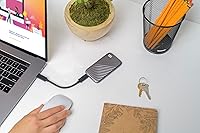
The WD My Passport SSD 1TB Portable Drive is an excellent fit for anyone whose work or lifestyle regularly involves moving large files between devices. Video editors and photographers will notice the difference immediately — transferring a multi-gigabyte project folder that used to take minutes on a spinning drive now takes seconds. Remote workers and students who carry sensitive documents daily will appreciate the hardware encryption, which protects data without requiring any third-party software. Frequent travelers benefit from the rugged build: it's light enough to forget it's in your bag, yet sturdy enough to handle the bumps and drops that come with life on the move. It also works well as a straightforward plug-and-play backup drive for both Mac and Windows users who want reliable external storage without a complicated setup.
Not suitable for:

There are real scenarios where this pocket-sized storage drive is not the right call, and it's worth being honest about them. If your laptop or desktop only has USB 3.0 ports, you won't come close to getting the NVMe speeds this drive is capable of — you'll be paying for headroom you can't use. Users who need very high sustained write performance for extended periods, such as recording long-form 8K video directly to the drive, may run into heat-related throttling under heavy load. Mac users who want to use it as a Time Machine destination will need to reformat it first, which wipes the drive and adds a setup step many assume won't be necessary. If budget is the primary concern and raw speed isn't critical, a slower but cheaper portable option might be a smarter allocation of funds. Desktop users who never move their storage have little reason to pay the portability premium this drive commands.

Specifications

  • Capacity: This drive offers 1TB of usable NVMe solid state storage, suitable for large media libraries, project files, and system backups.
  • Read Speed: Sequential read speeds reach up to 1050MB/s under optimal conditions with a USB 3.2 Gen-2 host connection.
  • Write Speed: Sequential write speeds reach up to 1000MB/s, making it well-suited for offloading large files quickly.
  • Interface: The drive uses a USB 3.2 Gen-2 interface, delivering maximum throughput when paired with a compatible host port.
  • Connector: Connects via USB-C, with a USB-A adapter cable included for compatibility with older laptops and desktops.
  • Encryption: 256-bit AES hardware encryption is built into the drive and activated through password protection setup in WD software.
  • Drop Resistance: The drive has been lab-tested to withstand drops of up to 6.5ft (1.98m) onto specific surfaces under controlled conditions.
  • Shock Resistance: Internal components are designed to tolerate shock and vibration, making the drive more resilient during transport than traditional HDDs.
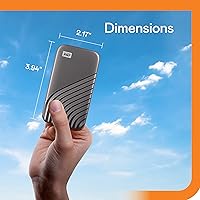
  • Form Factor: The drive measures 5 x 4 x 1.25 inches, classifying it as a 2.5-inch form factor portable SSD.
  • Weight: At just 0.25 ounces, this is one of the lightest portable SSDs in its storage class.
  • OS Compatibility: Works out of the box with Windows 10, Windows 8.1, macOS High Sierra, Mojave, Catalina, and Big Sur; other operating systems require reformatting.
  • Drive Type: Uses NVMe NAND flash memory, which is fundamentally faster than SATA-based SSDs and far ahead of spinning hard drives.
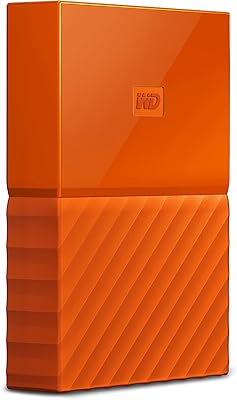
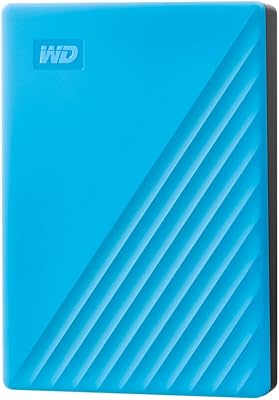
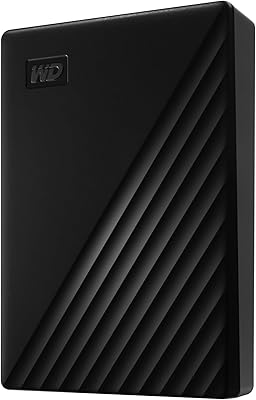
  • Color: Available in Gray in this variant; other color options may exist in separate product listings.
  • Brand: Manufactured by Western Digital Technologies, Inc., a company with decades of experience in consumer and enterprise storage hardware.
  • Model Series: Part of the My Passport SSD lineup, WD's portable solid state range aimed at everyday users and creative professionals.
  • Software: Compatible with the optional WD Discovery software suite, which provides backup scheduling and basic drive management tools.
  • Bus Powered: The drive is powered entirely through its USB connection, requiring no external power adapter or additional cables.
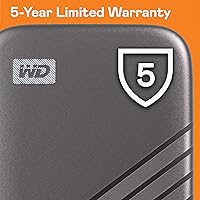
  • Warranty: Western Digital typically provides a 5-year limited warranty on My Passport SSD products, though buyers should verify current terms at purchase.

Related Reviews

WD My Passport 1TB Portable External Hard Drive
71%
93%
Portability
91%
Ease of Setup
78%
Build Quality
61%
Transfer Speed
88%
Data Security
More
WD My Passport Go 1TB Portable SSD
81%
94%
Portability
91%
Built-in Cable Design
88%
Durability & Drop Resistance
78%
Transfer Speed
86%
Storage Capacity
More
WD 3TB My Passport Portable External Hard Drive
85%
91%
Ease of Use
89%
Performance/Speed
92%
Portability/Size
85%
Reliability
83%
Compatibility (PC & Mac)
More
WD My Passport 6TB Portable External Hard Drive
79%
94%
Storage Value
91%
Portability
88%
Ease of Setup
86%
Data Security
61%
Transfer Speed
More
WD 2TB My Passport Portable External Hard Drive
86%
88%
Performance & Speed
91%
Security Features (Encryption & Password Protection)
89%
Ease of Use & Setup
90%
Portability & Design
84%
Compatibility with USB 2.0 & 3.0
More
WD My Passport 4TB Portable External Hard Drive
80%
93%
Storage Capacity
91%
Portability & Form Factor
61%
Transfer Speed
88%
Security & Encryption
67%
Backup Software
More
WD My Passport Essential 500 GB Portable External Hard Drive
85%
88%
Performance
91%
Transfer Speed
93%
Portability & Design
85%
Ease of Use
84%
Security Features
More
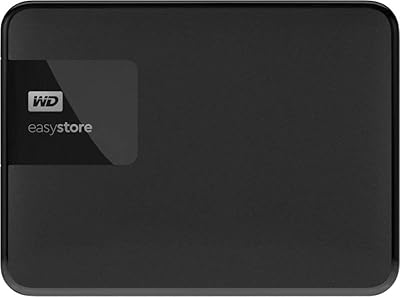
WD Easystore 1TB External USB 3.0 Portable Hard Drive
85%
88%
Performance
91%
Portability
90%
Ease of Use
85%
Transfer Speed
72%
Durability
More
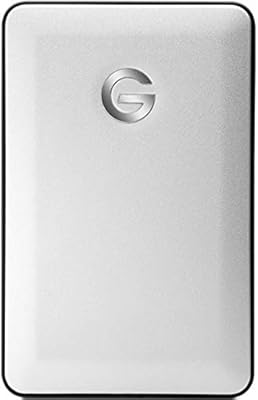
G-Technology G-DRIVE Mobile 1TB USB 3.0 Portable Hard Drive
86%
91%
Portability
87%
Data Transfer Speed
93%
Build Quality
89%
Ease of Use
60%
Windows Compatibility
More
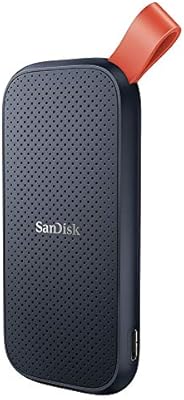
SanDisk Portable SSD 1TB External Drive
77%
88%
Transfer Speed
93%
Portability & Form Factor
79%
Build Quality & Durability
41%
Cable & Accessories
86%
Value for Money
More
WD My Passport Ultra 1TB
86%
94%
Portability
90%
Data Transfer Speed
89%
Design & Build Quality
83%
Compatibility
88%
Security Features (Encryption)
More

FAQ

No, you do not. The WD My Passport SSD 1TB Portable Drive works as a plug-and-play storage device on both Windows and macOS without installing anything. WD Discovery software is included optionally if you want backup scheduling or drive management features, but plenty of users never touch it.
Unfortunately, no. Full NVMe speeds are only available when connected to a USB 3.2 Gen-2 port. If your laptop has an older USB 3.0 connection, the drive will still work and be faster than an HDD, but you will not reach anywhere near the advertised 1050MB/s read speeds. Check your laptop specs before buying if speed is your primary reason for upgrading.

You can, but not right out of the box. The drive ships formatted for Windows (exFAT or NTFS), so you will need to reformat it to APFS or Mac OS Extended before Time Machine will accept it. Just keep in mind that reformatting erases everything on the drive, so do it before you put any files on it.

It is fairly straightforward. You install the WD Security tool, set a password, and the hardware encryption activates automatically from that point on. The encryption happens at the hardware level, so it does not slow the drive down. If you forget your password, though, you will need to erase the drive to regain access — there is no backdoor recovery.

The drive is rated for drops up to 6.5 feet in lab-controlled testing, and the lack of moving parts makes it inherently more resistant to bumps and vibration than a traditional hard drive. That said, the rating is based on specific surface and angle conditions — it is not a guarantee for every real-world drop scenario. For extra peace of mind on long trips, a small protective sleeve would not hurt.

It can. Some users report the drive getting noticeably warm during sustained large file transfers, particularly when writing continuously for several minutes. In most cases this does not cause problems, but under very heavy and prolonged workloads it can lead to mild speed throttling as a thermal protection measure. For typical everyday transfers it is not an issue.

Yes. The box includes both a USB-C cable and a USB-A adapter cable, so you are covered whether your laptop has modern USB-C ports or older USB-A ports. You will not need to buy any additional cables to get started.

The difference is significant and immediately noticeable. Copying a 10GB folder that might take three or four minutes on a spinning hard drive can be done in well under a minute on this pocket-sized storage drive. There are no moving parts, so it is also quieter, more resistant to drops, and generally more reliable over time.

Most of the time, yes, but there is a catch. Some users have reported inconsistent speeds or occasional connection issues when using the drive through third-party USB hubs rather than directly plugging into a laptop port. If you run into speed issues, try connecting directly to your machine first to rule out the hub as the cause.

For most people — students, remote workers, photographers on a shoot, or anyone keeping a project backup — 1TB is a comfortable amount of working storage. If you are editing multi-hour 4K video projects or archiving years of RAW photo libraries, you might find yourself running short over time. In that case it may be worth looking at larger capacity options in the same drive family.