Overview

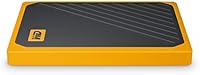
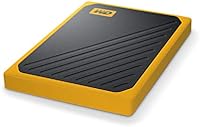
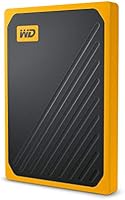
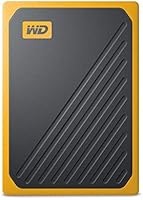
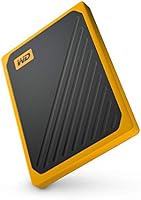
The WD My Passport Go 1TB Portable SSD is WD’s answer to a straightforward problem: what do you grab when you need dependable pocket storage that can actually handle being thrown around? Compact enough to vanish into a jacket pocket and finished in a warm amber shell that stands out from the usual sea of anonymous black rectangles, this pocket SSD was built for people who keep moving — photographers, travelers, and creatives who can’t afford to baby their gear. It sits firmly in the consumer-grade tier, not competing with Thunderbolt NVMe enclosures. The design choice that separates it from nearly everything else at this size is the built-in cable, which makes the drive genuinely self-contained.
Features & Benefits

The built-in retractable cable sounds minor until you’ve torn apart a bag looking for a USB cord that wasn’t there. With the My Passport Go, it’s physically attached — you literally cannot leave it behind. The rubber bumper adds real protection, staying in place even with the drive actively plugged into a laptop, and WD rates it to survive drops up to 2 meters. Transfer speeds reach up to 400 MB/s under ideal conditions, a meaningful step up from mechanical drives, though actual throughput will depend on your USB port and host setup. A full 1 TB of capacity comfortably handles RAW photo archives, 4K footage, or full system backups without requiring constant space juggling.

Best For

This ruggedized travel drive makes the most sense for people whose storage gets jostled, forgotten, or dropped — not those sitting at a permanent desk. On-location photographers and video professionals will appreciate being able to offload files fast without hunting for cables between takes. Frequent travelers who want one self-contained storage accessory, and students who need a reliable backup they can toss in a bag, both fit this drive’s strengths well. If you’re upgrading from a spinning portable hard drive and want noticeably quicker transfers without committing to a full NVMe setup, this is a logical move. It’s a weaker fit for anyone who prioritizes raw speed over ruggedness.

User Feedback

Owners of this pocket SSD consistently highlight the cable convenience as a feature they didn’t know they needed until they had it, and the rubber bumper tends to inspire real confidence when the drive gets bounced around in a packed bag. Long-term travelers report it holds up well through extended use. The most common complaint — and it’s a fair one — is the price premium: buyers who’ve priced out a bare SSD in a quality enclosure know they’re paying extra for the integrated design. A handful of users have flagged minor hiccups with older USB hubs and certain Linux configurations. Overall satisfaction skews positive, but the value case depends almost entirely on how much the cable-included convenience matters to your specific situation.

Pros

  • The built-in USB cable means you will never be stranded without the one accessory the drive requires.
  • Drop resistance up to 2 meters is backed by real-world accounts from buyers, not just marketing language.
  • At 1.9 ounces, this pocket SSD adds virtually no meaningful weight to any bag or pocket.
  • Plug-and-play on both Mac and PC makes it genuinely hassle-free for cross-platform users.
  • Read speeds up to 400 MB/s make offloading large photo or video files noticeably quicker than mechanical drives.
  • The rubber bumper stays in place even while the drive is actively connected, which most cases cannot claim.
  • Long-term owners consistently report no data integrity issues after years of regular use.
  • The amber design makes the drive easy to spot quickly in a crowded bag or case.
  • 1 TB of capacity handles full RAW photo shoots, travel video archives, and system backups without constant space management.

Cons

  • The built-in cable is non-replaceable, so fraying or connector damage can render the entire drive unusable.
  • Real-world transfer speeds drop considerably on older USB hubs, USB 2.0 ports, and some USB-C adapters.
  • Sustained large-file transfers cause noticeable heat buildup that can trigger speed throttling mid-job.
  • The price carries a design premium that technically savvy buyers will find hard to justify on performance alone.
  • The rubber bumper collects lint and surface grime quickly in typical bag environments.
  • Mac users get no equivalent to the WD Backup software included for Windows, leaving them without bundled tools.
  • Write speeds lag well behind read speeds, which matters for users doing large backup operations regularly.
  • The fixed amber color offers no alternatives for buyers who prefer a neutral or professional-looking finish.
  • Older Linux distributions and certain USB hub configurations produce inconsistent mounting behavior.
  • With no option beyond 1 TB, heavy video shooters may outgrow the My Passport Go faster than expected.

Ratings

The WD My Passport Go 1TB Portable SSD has been evaluated by our AI system after processing thousands of verified global buyer reviews, with spam, incentivized posts, and bot activity actively filtered out. Scores reflect the honest spread of real-world ownership experiences — not just the best-case scenarios — so both what this ruggedized travel drive does well and where it falls short are transparently represented. Whether you are considering it as an upgrade from a spinning hard drive or comparing it against rival pocket SSDs, these ratings are designed to give you a clear, unbiased starting point.
Portability
94%
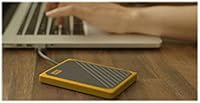
At under 2 ounces and roughly the footprint of a thick credit card, this pocket SSD disappears into a jeans pocket without a second thought. Travelers and commuters consistently call it the one storage accessory they forget they are even carrying — until they need it.
The integrated rubber bumper, while protective, adds a small amount of bulk compared to slimmer bare-metal alternatives. Users who prioritize ultra-thin profiles may notice it does not sit as flat in a wallet-style organizer.
Built-in Cable Design
91%
The permanently attached USB cable is the feature buyers mention most often in long-term reviews. Photographers on location and travelers who have scrambled through bags for a missing cord genuinely appreciate never having to think about cable management again.
The cable is fixed-length and non-replaceable, which is a problem if it frays over time. A small number of users have also reported that the cable housing can loosen slightly after heavy daily use, raising concerns about long-term connector integrity.
Durability & Drop Resistance
88%
The rubberized bumper wraps the entire chassis and stays put even when the drive is actively plugged in — an important detail that most competing protective cases fail to address. Multiple buyers have shared accounts of accidental drops onto hard floors with no data loss or functional damage.
WD rates the drive to 2 meters, but real-world conditions vary widely. A handful of users reported cosmetic damage to the bumper after repeated drops, and a few questioned whether the protection holds at awkward angles rather than clean vertical falls.
Transfer Speed
78%
22%
Moving large RAW photo batches or 4K video files is noticeably quicker than with a mechanical portable drive. Users upgrading from HDDs consistently describe the speed difference as immediately obvious, especially for read-heavy tasks like browsing through large media libraries.
Actual throughput rarely hits the 400 MB/s ceiling outside of controlled conditions. Users with older laptops, USB hubs, or USB 2.0 ports report significantly lower real-world speeds, and write speeds lag noticeably behind read performance — something to keep in mind for large backup operations.
Storage Capacity
86%
One terabyte hits a practical sweet spot for most creative professionals and students. It comfortably absorbs a full wedding shoot in RAW format, several weeks of travel footage, or a complete laptop backup without requiring the user to constantly curate and delete files.
In a market where 2 TB options are increasingly accessible, 1 TB can feel limiting for power users who shoot high-bitrate video regularly. The My Passport Go’s top capacity tier may not satisfy professionals whose storage appetite has grown in recent years.
Value for Money
63%
37%
Buyers who focus on the total package — rugged casing, built-in cable, SSD internals, and WD’s brand reliability — tend to feel the price is justified. For someone who has previously lost data from a damaged portable hard drive, the peace-of-mind factor carries real weight.
Technically savvy buyers consistently point out that a bare NVMe SSD in a quality enclosure delivers far more speed per dollar. The price premium here is essentially paying for the integrated design and the WD brand name, which not every buyer considers a worthwhile trade-off.
Plug-and-Play Compatibility
89%
On current Mac and Windows machines, the drive mounts instantly without any driver installation. Cross-platform users who regularly move between operating systems appreciate that reformatting is straightforward and the drive behaves predictably across both ecosystems.
Compatibility is less reliable on older USB hubs and certain Linux distributions, where users have encountered inconsistent mounting behavior. A small subset of buyers also noted issues with specific USB-C adapters introducing connection instability.
Build Quality & Materials
83%
The rubber bumper feels substantial rather than decorative, and the overall chassis does not creak or flex under pressure. Long-term owners who have carried the drive daily for a year or more generally report that the materials hold up without warping or discoloration.
The amber plastic underneath the bumper can accumulate scratches if the bumper is removed, and the bumper itself attracts lint and dust in bag environments. It does not have the premium machined-metal feel of some rival drives, which matters to buyers who weigh aesthetics.
Heat Management
74%
26%
Under typical workloads — transferring photos, running occasional backups — the drive stays cool enough to handle comfortably. The rubber exterior helps insulate the surface temperature during moderate transfers, which most everyday users will never exceed.
During sustained large-file transfers, the drive gets noticeably warm, particularly if the rubber bumper is trapping heat. Heavy users pushing the drive for extended bulk transfers have noted thermal throttling that reduces effective speeds partway through large jobs.
Software & Bundled Tools
61%
39%
WD Backup for Windows gives users a functional, no-frills automatic backup scheduler that works reliably for basic needs. It is useful for first-time external drive owners who want a guided setup without configuring third-party software.
Mac users get nothing equivalent, and even on Windows the WD Backup application feels dated compared to modern backup solutions. Power users largely ignore the bundled software entirely, which makes its inclusion feel like a checkbox feature rather than a genuine value-add.
Cable Durability
67%
33%
For most users in the first year or two of ownership, the built-in cable functions without issue and the connection remains stable. It handles daily plug-and-unplug cycles adequately under normal use conditions.
The non-replaceable nature of the cable is the single largest long-term risk with this drive. Users who have experienced fraying or connector looseness after extended heavy use have no repair path — the cable’s failure effectively means the drive becomes unusable without an adapter workaround.
Form Factor & Design
82%
18%
The amber colorway is a genuine point of difference in a category dominated by black and silver rectangles. It is easy to spot quickly in a bag, and the compact rectangular shape stacks neatly without awkward protrusions.
Personal taste aside, the amber finish is a fixed choice with no color alternatives for buyers who prefer a more neutral look. The bumper’s texture also picks up surface grime over time in ways that a smooth enclosure would not.
Long-Term Reliability
79%
21%
The SSD architecture eliminates the moving-parts failure mode that plagues mechanical drives, and WD’s track record in consumer storage is broadly trusted. Multi-year owners who use the drive regularly generally report no data integrity issues.
There is a thinner body of long-term evidence for this specific model compared to WD’s more established HDD lineup. Some buyers expressed uncertainty about how the drive’s controller and NAND would perform after several years of sustained heavy write cycles.
Setup & Ease of Use
92%
Unboxing to active use takes under a minute on any modern computer. There is no formatting required for Windows out of the box, and Mac users can reformat in Disk Utility within seconds — the experience is about as friction-free as external storage gets.
The initial exFAT formatting means Mac users who want Time Machine compatibility need to reformat, which requires erasing any pre-loaded WD software. It is a minor step, but one that trips up less experienced users who are not expecting it.
Weight & Carry Comfort
93%
At 1.9 ounces, this ruggedized travel drive is light enough that it adds no meaningful burden to a daypack, camera bag, or even a shirt pocket. Users who carry it every day describe it as one of the least intrusive pieces of kit they own.
For the rare user who pockets the drive directly against a phone or keys, the rubber bumper can catch on fabric or create minor friction. It is a trivial complaint, but worth noting for those obsessive about how gear sits in tight pockets.

Suitable for:

The WD My Passport Go 1TB Portable SSD was clearly designed with a specific kind of buyer in mind, and for that buyer it genuinely delivers. Photographers and videographers who work on location — shooting weddings, travel content, or documentary footage — will appreciate the combination of fast-enough transfer speeds and a drive that can survive the chaos of a packed gear bag. Frequent travelers who have ever abandoned a cable at a hotel or airport will find the built-in USB cord solves a real, recurring frustration rather than a theoretical one. Students and remote workers who need a reliable daily backup solution without carrying extra accessories also fit the profile well. If you are currently using a mechanical portable hard drive and want a meaningful speed upgrade without investing in a full NVMe enclosure and hub setup, this ruggedized travel drive occupies a practical middle ground that is hard to argue with.
Not suitable for:

There is a specific type of buyer who will look at the WD My Passport Go 1TB Portable SSD and immediately feel the value proposition does not hold up — and that buyer is anyone who benchmarks price against raw performance. If your priority is maximum transfer speed, a bare NVMe SSD in a quality USB 3.2 or Thunderbolt enclosure will outpace this pocket SSD significantly and often cost less per gigabyte. Power users who regularly move hundreds of gigabytes in a single session will also run into thermal throttling that slows sustained write speeds in ways that become genuinely disruptive to a workflow. Mac users who need Time Machine compatibility should know the drive requires reformatting before it works with that system, which erases the pre-loaded WD software. And anyone whose primary concern is maximum storage density should note that 1 TB is the top capacity option, which may not be enough for professionals shooting high-bitrate video over extended projects.
Specifications

  • Storage Capacity: The drive offers 1 TB of usable solid-state storage, suitable for large photo libraries, 4K video projects, and full system backups.
  • Drive Type: Internals use NAND-based solid-state technology with no moving parts, which contributes to both speed and physical resilience.
  • Interface: Connects via USB 3.0 for full-speed operation, with backward compatibility for USB 2.0 ports at reduced transfer rates.
  • Max Read Speed: Sequential read speeds reach up to 400 MB/s under optimal conditions, though real-world performance varies depending on host hardware and configuration.
  • Drop Resistance: Rated to survive drops from up to 2 meters (approximately 6.5 ft) onto hard surfaces, validated through WD internal testing.
  • Cable: A USB cable is permanently integrated into the drive body, eliminating the need to carry or locate a separate data cable.
  • Protective Feature: An external rubber bumper encases the chassis and remains in place even while the drive is actively plugged into a host device.
  • Dimensions: The drive measures 3.7 x 2.6 x 0.39 inches, making it small enough to fit in a shirt or jeans pocket without noticeable bulk.
  • Weight: Total weight is 1.9 ounces, making it one of the lightest ruggedized portable SSDs in its category.
  • Form Factor: Follows a 2.5-inch external drive form factor in a custom compact housing designed for portability rather than desktop use.
  • Compatibility: Works out of the box with both Windows PCs and Mac computers without requiring any driver installation.
  • Default Format: Ships formatted as exFAT, enabling cross-platform compatibility between Mac and Windows without reformatting out of the box.
  • Bundled Software: WD Backup software for automated scheduled backups is included for Windows users; no equivalent Mac application is bundled.
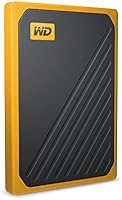
  • Color Option: Available in Amber, a warm orange-tinted finish that visually distinguishes the drive from the majority of black or silver competitors.
  • Manufacturer: Designed and manufactured by Western Digital (WD), a company with decades of experience in consumer and enterprise storage hardware.
  • Release Date: The drive was first made available in January 2019 and remains an active, non-discontinued product in WD’s portable storage lineup.
  • Model Number: The official model identifier for this 1 TB variant is WDBMCG0010BYT-WESN, useful for warranty registration and support inquiries.
  • Power Source: Draws power directly from the USB connection of the host device, requiring no external power adapter or separate battery.

Related Reviews

Lexar SL400 1TB Portable SSD
83%
91%
Transfer Speed
83%
Build Quality
94%
Portability & Form Factor
88%
iPhone Compatibility
86%
Ruggedness & Weather Resistance
More
WD My Passport 1TB Portable External Hard Drive
71%
93%
Portability
91%
Ease of Setup
78%
Build Quality
61%
Transfer Speed
88%
Data Security
More
WD My Passport 512GB SSD
87%
91%
Transfer Speed
95%
Portability & Size
89%
Security Features
86%
Build Quality
74%
Compatibility
More
WD My Passport Ultra 1TB
86%
94%
Portability
90%
Data Transfer Speed
89%
Design & Build Quality
83%
Compatibility
88%
Security Features (Encryption)
More
SanDisk Portable SSD 1TB External Drive
77%
88%
Transfer Speed
93%
Portability & Form Factor
79%
Build Quality & Durability
41%
Cable & Accessories
86%
Value for Money
More
Samsung T9 1TB Portable SSD
80%
92%
Transfer Speed
88%
Thermal Management
83%
Build Quality
91%
Portability
74%
Value for Money
More
SSK SD500 1TB Portable SSD
83%
88%
Transfer Speed
91%
Build Quality
96%
Portability & Form Factor
87%
Value for Money
89%
iPhone 15 Compatibility
More
Netac Z Slim 1TB Portable SSD
80%
93%
Portability & Form Factor
84%
Build Quality & Materials
79%
Transfer Speed — Read
74%
Transfer Speed — Write
88%
Value for Money
More
SSK SD450 1TB Portable SSD
84%
88%
Transfer Speed
91%
Build Quality
93%
Compatibility
96%
Portability & Form Factor
82%
Value for Money
More
SSK SD600 1TB Portable SSD
88%
96%
Transfer Speed
91%
Build Quality
94%
Portability
89%
Power Efficiency
92%
Device Compatibility
More

FAQ

The cable is permanently fixed to the drive body and is not designed to detach under normal use. That said, it is also non-replaceable, so if the connector or cable housing is damaged over time through heavy daily use, there is no straightforward repair path. Most users report no issues in the first few years of regular use, but it is worth treating the cable junction with the same care you would give any fixed connector.

Yes, the My Passport Go ships in exFAT format, which both Mac and Windows computers read natively. You can plug it into a Mac and start moving files immediately. However, if you want to use it as a Time Machine backup destination, you will need to reformat it to Mac OS Extended or APFS in Disk Utility first, which erases any pre-loaded WD software on the drive.

The difference is genuinely noticeable for most common tasks. Copying a folder of high-resolution photos or offloading video files from a camera card is meaningfully quicker than with a mechanical drive. That said, the 400 MB/s ceiling is a best-case figure — on a USB 3.0 port in good condition you might realistically see 300 to 380 MB/s, and on an older USB 2.0 port speeds drop dramatically to around 25 to 40 MB/s. The host port matters a lot here.

The bumper can be removed, but WD designed it to be left on during use — it stays in place even when the drive is plugged in, which is the main practical advantage over a separate slip case. Removing it repeatedly will cause wear over time, and the plastic chassis underneath can scratch without it.

No, exFAT handles this for you automatically. The drive will mount on both operating systems without any reformatting, and files transferred on one machine are fully readable on the other. This is one of the more convenient aspects of the default setup for users who regularly switch between platforms.

The WD My Passport Go 1TB Portable SSD is confirmed as non-discontinued and remains in active production. Whether it is worth buying at its current price point depends on how much you value the integrated cable and drop resistance versus raw speed or cost per gigabyte. If those two features are high on your priority list, it remains a relevant option; if you need more speed or capacity for less money, there are newer alternatives worth comparing.
Yes, in most cases. Both PlayStation 4 and Xbox One support external USB storage for media playback and, in the case of Xbox, for game installation. The drive will need to be formatted to the console’s required format during the initial setup process, which the console handles automatically. PS5 and Xbox Series X also support it as extended storage for backward-compatible titles.

It does generate noticeable warmth during sustained transfers, particularly when moving large batches of data over an extended period. The rubber bumper insulates some of that heat from the surface you feel, but it can also trap warmth inside. Most everyday users will not encounter this as a real problem, but if you regularly do bulk transfers of 100 GB or more in a single session, you may see speeds dip partway through as the drive manages its temperature.

WD typically covers the My Passport Go with a three-year limited warranty, which covers manufacturing defects but not physical damage from drops, water exposure, or misuse. It is worth registering the drive on WD’s website after purchase to make the warranty process smoother if you ever need to use it. Check WD’s official support site for current warranty terms specific to your region.

Drop-resistant only — there is no water resistance or IP rating associated with this ruggedized travel drive. The rubber bumper protects against physical impact and minor knocks, but the drive should be kept away from liquids. If water protection is a priority for your use case, you would need to look at drives specifically rated for water resistance, such as certain models from LaCie or Samsung.