Overview

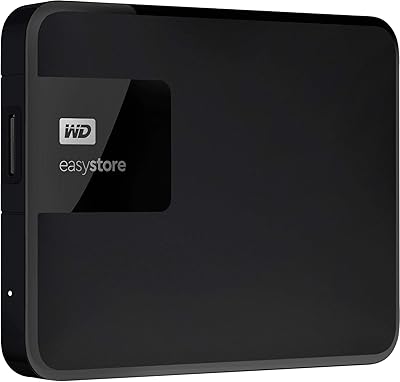
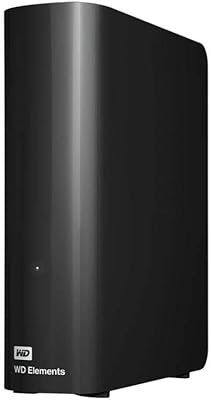
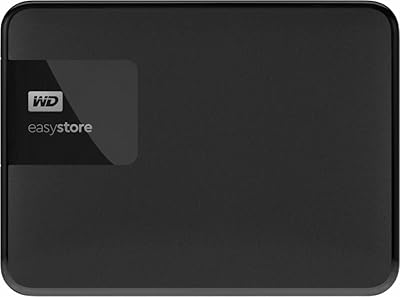
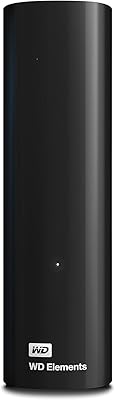
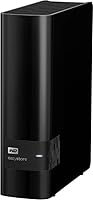
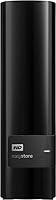
The Western Digital Easystore 14TB External Hard Drive is a high-capacity desktop storage solution built for anyone who has outgrown their internal drive and needs serious room to grow. Before anything else: this is not a portable pocket drive. It's a full 3.5-inch desktop enclosure, so keep that in mind if you're shopping for something to slip into a bag. For home users, photographers, video editors, or anyone building a real backup system, this high-capacity external hard drive hits a meaningful spot in the WD Easystore lineup. Plug it into a Mac or PC and it's ready almost immediately — no drivers, no complicated setup required.
Features & Benefits

The USB 3.0 connection handles transfers at up to 5 Gbps, which is fast enough for moving large files without sitting around waiting. Older machines with USB 2.0 ports will work too — you just won't hit peak speeds, but for regular backups that's rarely a real bottleneck. The 14TB capacity genuinely changes how you think about storage: 4K video archives, uncompressed RAW photo libraries, and full system backups can all live on the same drive without constantly shuffling files. Power runs through the single USB cable on most setups, keeping your desk cleaner. Scheduled, hands-off backups are supported via compatible software, which is a quiet but useful feature.

Best For

This desktop drive makes the most sense for home backup users who want one reliable place to store years of family photos, videos, and documents without ever worrying about running out of room. Creative professionals working with 4K footage or large RAW image collections will appreciate having that much headroom on a single drive. Small home offices that need a high-volume, low-maintenance backup target are also a natural fit. Worth mentioning: the WD Easystore line has a well-known reputation among hardware enthusiasts for drive shucking — pulling the internal disk for use in a NAS or desktop build. It's a niche but genuinely common reason people buy this specific drive.

User Feedback

Sitting at 4.1 stars across 113 ratings, the WD Easystore 14TB earns broadly positive marks, though not without honest caveats. Most buyers point to easy setup and the relief of finally having enough space as clear wins. The value-per-terabyte at this capacity tier comes up frequently as a reason people choose it over alternatives. On the other side, a portion of users flag mechanical noise and vibration during sustained use — expected behavior for an HDD, not an SSD, but worth knowing upfront. A small number of reviews mention DOA units, a persistent risk with spinning drives at any capacity. Long-term reliability feedback is mixed, which tracks with high-capacity mechanical storage broadly.

Pros

  • Fourteen terabytes of capacity is enough to consolidate multiple aging drives into one clean, organized storage hub.
  • Plug-and-play setup works on both Mac and PC with virtually no configuration required.
  • Single USB cable handles both power and data, keeping desk clutter minimal.
  • USB 3.0 transfers are fast enough for large batch file moves and nightly backup jobs.
  • The cost-per-terabyte is competitive for a desktop HDD at this capacity tier from a reputable brand.
  • Compatible with third-party backup software for fully automated, hands-off data protection.
  • The compact enclosure footprint is surprisingly small given the sheer storage capacity inside.
  • Well-regarded among hardware enthusiasts for its repurposing potential in NAS and desktop builds.
  • Backward compatibility with USB 2.0 means it works with older machines without additional hardware.

Cons

  • Audible hum and desk vibration under sustained workloads can become distracting in quiet environments.
  • A visible minority of buyers report dead-on-arrival units or early failures within the first few months.
  • Long-term reliability reports are inconsistent enough to make this a risky single-point storage solution.
  • Mechanical HDD speeds feel sluggish compared to even entry-level SSDs under heavy, repeated access workloads.
  • Some macOS users need to reformat the drive before it becomes writable, which is not clearly communicated upfront.
  • The bundled backup software is basic and poorly documented, requiring most users to seek third-party alternatives.
  • Extended heavy use generates noticeable warmth, which may concern buyers in warm or poorly ventilated spaces.
  • No active cooling in the enclosure limits sustained performance potential during very long transfer sessions.
  • Shucking voids the warranty, and internal drive configurations have changed over time without public notice.

Ratings

The Western Digital Easystore 14TB External Hard Drive has been evaluated by our AI rating system after analyzing verified global user reviews, with spam, bot-generated, and incentivized feedback actively filtered out. The scores below reflect a balanced picture of where this desktop drive genuinely excels and where real buyers have run into frustration. Both the strengths and the recurring pain points are represented transparently across every category.
Storage Capacity
94%
Fourteen terabytes is a genuinely transformative amount of space for home users and creative professionals alike. Buyers consistently report being able to consolidate multiple smaller drives into one, storing years of 4K footage, RAW photo libraries, and full system backups without ever feeling cramped.
A small number of users note that at this capacity, a single drive failure represents a catastrophic data loss risk, which pushes them toward RAID setups instead. The sheer size can also create a false sense of security — buyers sometimes forget that capacity alone is not a backup strategy.
Value for Money
88%
The cost-per-terabyte at this storage tier is one of the most frequently praised aspects across buyer reviews. Users who compared alternatives consistently found this desktop drive competitive, especially when factoring in the WD brand reputation and the option to repurpose the internal disk.
A handful of reviewers feel the price has crept up over time, narrowing the gap with competing options. Those who experienced a DOA unit felt the value proposition collapsed entirely given the hassle of returns and replacement timelines.
Ease of Setup
91%
Plug it in and it works — that sentiment comes up repeatedly in buyer feedback across Mac and PC users alike. No driver installation, no formatting headaches for most users, and no separate power brick to manage makes the initial experience genuinely painless for non-technical buyers.
A small portion of macOS users report needing to reformat the drive before it becomes writable, which catches them off guard. The included documentation is minimal, and buyers who expected guided backup software setup found themselves hunting for instructions online.
Transfer Speed
73%
27%
For a mechanical hard drive, the USB 3.0 interface delivers respectable throughput for bulk file transfers and scheduled backups. Users moving large video archives or photo libraries report manageable transfer times when the drive is connected to a USB 3.0 port on a modern machine.
This is still a spinning HDD, not an SSD, and sustained write speeds reflect that reality. Users accustomed to solid-state performance find the drive noticeably slower under heavy workloads, and USB 2.0 fallback speeds are a real bottleneck on older hardware.
Noise & Vibration
58%
42%
Under light use — occasional file access, nightly backup jobs running in the background — most buyers report the drive is quiet enough to ignore. When the drive is idle, many users say they forget it is even on.
Under sustained read/write workloads, a notable share of reviewers describe an audible hum and perceptible vibration through the desk surface. A few users specifically mention the noise becoming distracting during long video renders or large data migrations, which is a real concern for anyone working in a quiet environment.
Build Quality & Durability
69%
31%
The enclosure feels solid for a product in this category — not flimsy, not flashy. At 2.77 lbs, it has enough heft to stay planted on a desk during operation, and the matte black finish resists minor scuffs reasonably well over time.
Long-term reliability reports are mixed. Some buyers report trouble-free operation spanning years, while others flag early failures or degraded performance within the first year. For a drive holding this much irreplaceable data, that inconsistency is hard to overlook.
Compatibility
87%
Working across both Windows and macOS without reformatting in most cases is a genuine convenience, particularly for households or small offices running a mix of machines. Users appreciate being able to move the drive between systems without triggering formatting prompts.
Edge cases exist: some Linux users report compatibility quirks, and a subset of macOS users still need to reformat before the drive works as intended. These are minority experiences but worth knowing before assuming true plug-and-play universality.
Software & Backup Features
62%
38%
The drive supports compatibility with third-party backup software, which lets users set up automated, scheduled backups without babysitting the process. For buyers who actually configure this, it adds meaningful peace of mind to an otherwise hardware-only purchase.
The bundled software experience is not impressive on its own, and several reviewers felt the backup tools were basic or poorly documented. Users expecting a polished, integrated backup suite comparable to dedicated NAS software will likely be disappointed.
Portability & Form Factor
54%
46%
The physical footprint is surprisingly compact for a drive of this capacity — the 5.5 x 1.9 x 6.7 inch enclosure fits neatly on most desks without dominating the workspace. Single-cable operation keeps the setup tidy.
This is a desktop drive, full stop. Buyers who misread listings and expected something bag-friendly or bus-powered for travel use are frequently disappointed. It is not designed to move around, and using it that way risks data integrity issues from bumps and jolts to a spinning mechanical disk.
DOA & Reliability Out of Box
66%
34%
The majority of buyers receive a functioning unit and get up and running without incident. For most people, the out-of-box experience is exactly what they expected — drive detected, files transferring, no drama.
A visible minority of reviews document dead-on-arrival units or early failures within weeks of purchase. While not statistically dominant, the pattern is consistent enough to recommend buyers test the drive thoroughly as soon as it arrives and keep their receipt.
Thermal Performance
71%
29%
Under typical backup workloads, the drive handles heat reasonably well without an external fan or special ventilation. Users running nightly backups report no warmth-related concerns during normal operation cycles.
Extended heavy-use sessions — hours of continuous large file transfers — result in warmth that some users find concerning. The enclosure has no active cooling, so buyers using this in enclosed spaces or warm environments should factor that into placement decisions.
Cable & Connectivity Quality
74%
26%
The single USB cable powering and connecting the drive simultaneously is a clean, practical design choice that buyers appreciate. It reduces desk clutter and simplifies the setup to one connection point.
A small number of users report issues with the included cable, with intermittent disconnections that turned out to be cable-related rather than drive-related. Swapping to a higher-quality aftermarket cable resolved the issue for most, but it is an avoidable frustration.
Shucking & Enthusiast Value
82%
18%
Among the hardware enthusiast community, the WD Easystore line has developed a strong reputation for containing full-sized desktop drives worth repurposing in NAS builds or custom enclosures. Buyers in this segment frequently cite the internal drive quality as exceeding the value of the external product alone.
Shucking voids any warranty, and WD has made this more difficult over time by adjusting internal drive configurations. Buyers purchasing specifically for this purpose should research current drive internals before committing, as the contents are not guaranteed to match expectations.

Suitable for:

The Western Digital Easystore 14TB External Hard Drive is built for anyone whose storage needs have genuinely outgrown what a single internal drive can handle. Home users with growing libraries of family photos, home videos, and documents spanning decades will find the capacity headroom here almost impossible to exhaust in normal use. Creative professionals — photographers shooting RAW, videographers working in 4K, or audio producers sitting on large project archives — will appreciate being able to keep everything in one place without constantly offloading to multiple smaller drives. Small home offices that need a dependable, high-volume backup target they can set and forget will also get real mileage out of this desktop drive. It also has a loyal following among hardware enthusiasts who repurpose the internal disk for NAS builds, making it attractive at multiple levels of technical expertise.
Not suitable for:

The Western Digital Easystore 14TB External Hard Drive is a poor fit for anyone who needs portable, bag-friendly storage — this is a 3.5-inch desktop device that belongs on a desk, not in a backpack. Users expecting solid-state speeds will be let down; as a mechanical HDD, it is noticeably slower under sustained workloads and has no place in workflows where rapid, repeated random access matters. Anyone working in a noise-sensitive environment — a home recording studio, a quiet shared office — should know upfront that this drive produces audible hum and vibration under heavy use. Buyers who cannot tolerate even a small risk of DOA units or early failure should consider drives with stronger documented reliability records or invest in a redundant storage setup from the start. If your entire irreplaceable data archive is going on a single drive with no secondary backup, this high-capacity external hard drive is not the right solution regardless of brand.

Specifications

  • Storage Capacity: This drive provides 14TB of total storage, though formatted capacity available to the user will be slightly lower due to filesystem overhead.
  • Interface: Connects via USB 3.0, delivering data transfer rates of up to 5 Gbps, with full backward compatibility for USB 2.0 ports.
  • Form Factor: Houses a 3.5-inch mechanical hard disk inside a desktop enclosure — not designed for portable or mobile use.
  • Dimensions: The enclosure measures 5.5 x 1.9 x 6.7 inches, offering a reasonably compact footprint for a desktop drive of this capacity.
  • Weight: The unit weighs 2.77 lbs, giving it enough heft to stay stable on a desk during operation without being cumbersome.
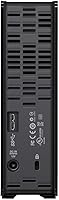
  • Power Delivery: Powered directly through the USB connection on most setups, eliminating the need for a separate AC power adapter in typical configurations.
  • OS Compatibility: Compatible with both Windows PCs and macOS systems; most Windows users can use it immediately out of the box, while some macOS users may need to reformat.
  • Drive Type: Uses a traditional spinning hard disk drive (HDD) rather than solid-state storage, which affects both speed and noise characteristics.
  • Color & Finish: Available in a matte black finish that resists minor surface scuffs and integrates unobtrusively into most desktop environments.
  • Series & Model: Part of the WD Easystore desktop lineup, with model number BCKA0140HBK-NESN, first introduced in January 2020.
  • Backup Software: Compatible with third-party automatic backup software for scheduling regular, hands-off data protection routines.
  • Best Sellers Rank: Ranked #851 in External Hard Drives on Amazon at the time of evaluation, reflecting a solid but not dominant position in its category.
  • User Rating: Holds an average rating of 4.1 out of 5 stars based on 113 verified ratings across global buyers.
  • Brand & Warranty: Manufactured by Western Digital, a long-established storage brand; standard WD limited warranty terms apply — buyers should confirm current coverage at time of purchase.
  • Cable Included: Ships with a USB 3.0 cable included in the box; some users have reported better connection stability by substituting a higher-quality aftermarket cable.

Related Reviews
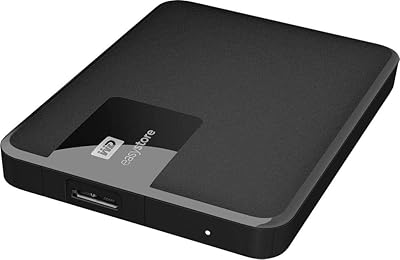
Western Digital Easystore 2TB External Hard Drive
85%
88%
Value for Money
90%
Performance
94%
Portability/Size/Weight
91%
Ease of Use
80%
Build Quality/Durability
More
Western Digital Easystore 5TB External Hard Drive
86%
96%
Storage Capacity
88%
Data Transfer Speed
91%
Ease of Setup
93%
Portability & Size
82%
Build Quality
More
WD Elements Desktop 14TB
72%
93%
Storage Capacity Value
84%
Reliability & Longevity
72%
Transfer Speed
91%
Ease of Setup
78%
Build Quality
More
Western Digital EasyStore 4TB External Hard Drive

69%
88%
Ease of Setup
91%
Storage Capacity
72%
Transfer Speed
51%
Long-Term Reliability
61%
Build Quality & Durability
More
WD Elements Desktop 10TB External Hard Drive
73%
93%
Storage Capacity Value
88%
Ease of Setup
71%
Transfer Speed
74%
Build Quality & Durability
82%
Noise & Heat Levels
More
Western Digital 6TB Elements Desktop External Hard Drive
82%
88%
Performance
92%
Value for Money
93%
Ease of Setup
85%
Transfer Speed
80%
Build Quality
More
Western Digital 12TB Elements Desktop External Hard Drive
83%
94%
Setup and Installation
91%
Value for Money
96%
Storage Capacity
78%
Data Transfer Speed
85%
Compatibility with Mac
More
Western Digital 5TB My Passport Portable External Hard Drive
87%
88%
Data Transfer Speed
91%
Build Quality
89%
Ease of Use
94%
Encryption & Security
90%
Portability & Size
More
Western Digital 8TB Elements Desktop External Hard Drive
82%
92%
Value for Money
95%
Setup & Installation
85%
Performance & Speed
88%
Build Quality & Durability
58%
Noise Levels Under Load
More
WD Elements Desktop 26TB External Hard Drive
65%
97%
Storage Capacity
93%
Ease of Setup
67%
Transfer Speed
29%
Data Security
74%
Build Quality
More

FAQ

It depends on what you want to do with it. On a Mac, the drive will show up and be readable immediately, but if you want to write files to it, most macOS users will need to reformat it using Disk Utility first. The drive ships formatted for Windows compatibility, so a quick reformat to APFS or exFAT takes just a few minutes and you are good to go.

It needs to stay on your desk. The Western Digital Easystore 14TB External Hard Drive is a full 3.5-inch desktop drive — it is larger and heavier than a portable drive, and moving it around while it is spinning risks data loss or physical damage. Think of it as a permanent fixture in your workspace, not something to toss in a bag.

Yes, it will connect and function on USB 2.0 ports, but your transfer speeds will be significantly slower than the USB 3.0 maximum. For light use or occasional backups on older hardware, it is workable, but if you are regularly moving large files you will notice the speed difference.

During light use — browsing files, running a background backup job overnight — most users find it quiet enough to ignore. The noise becomes more noticeable during sustained heavy workloads like large file transfers, where a low hum and some vibration through the desk surface are common. If you work in a very quiet environment and plan to run frequent large transfers, that is worth factoring in.

Technically yes, but it requires partitioning the drive into separate volumes first — one for Time Machine and one for general use. It is not complicated to set up in Disk Utility, but it does add a step. Keep in mind that running both simultaneously means all your data lives on one drive, so having an additional backup somewhere else is strongly advisable.

With a USB 3.0 connection, typical sustained write speeds for a mechanical desktop drive like this land in the range of 100–180 MB/s under favorable conditions. Sequential reads tend to be slightly faster. Random access workloads — opening many small files quickly — will feel slower, which is normal behavior for any spinning hard drive.

Yes, warmth is expected during and after long transfer sessions. The enclosure has no active fan or ventilation holes, so heat dissipates passively through the casing. It should not get hot to the touch under typical desktop use, but if you are running marathon transfers for hours in a warm room, give it some breathing space and avoid stacking things on top of it.

DOA units are a minority experience but do happen. If the drive is not recognized by your computer or makes unusual clicking sounds on arrival, stop using it immediately — that clicking is a classic sign of a failing head. Contact the retailer for a return or exchange as soon as possible, and check whether WD's warranty covers a direct replacement through their support channel.

You can, and many users do for always-on backup setups. Most WD desktop drives are rated for 24/7 operation, though the Easystore line is technically positioned as a consumer product rather than a NAS-grade drive. For always-on scenarios, it is worth monitoring drive health periodically using a free tool like CrystalDiskInfo on Windows or DriveDx on Mac.

Shucking refers to opening the enclosure and removing the internal hard disk for use in a NAS device or desktop computer. The WD Easystore line has developed a reputation for containing full-size desktop drives that enthusiasts find valuable for this purpose. Whether that affects you as a standard buyer depends on your use case — if you are buying it to use as-is, shucking is irrelevant to you. Just know that opening the enclosure voids the warranty, and internal drive configurations can vary between production runs.