Overview

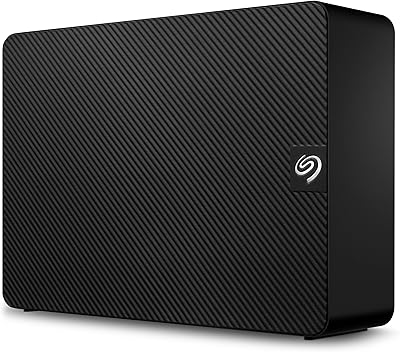
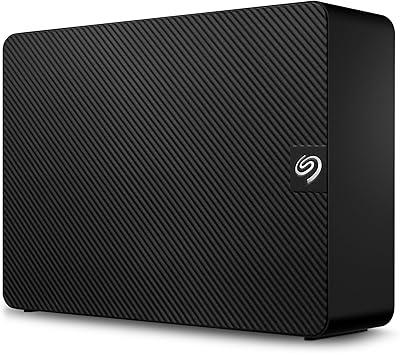
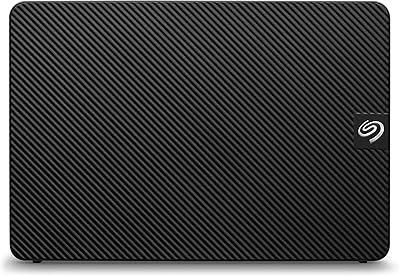
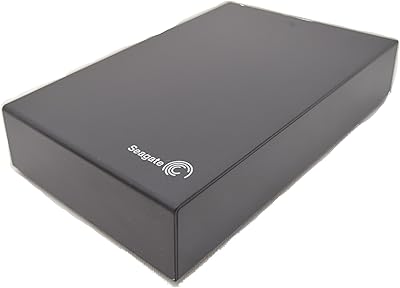
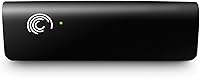
The Seagate Expansion 2TB External Hard Drive has been around long enough to prove it isn't going anywhere. It's a no-nonsense storage solution — no apps, no complicated drivers, just extra space when you need it. That said, the USB 2.0 interface is worth flagging upfront: by today's standards, it's a slower connection than most buyers are used to, and transfer speeds reflect that honestly. If you're after raw performance or fast bulk transfers, this desktop drive will leave you wanting more. But for users who simply need reliable, high-capacity storage without the fuss, it still holds its own.

Features & Benefits

Plug this desktop drive into any available USB port and you're ready to go — no software installation required, no account creation, nothing to configure. The 2TB capacity is genuinely useful for holding years of photos, video files, or document archives without constantly managing space. Running at 5400 RPM, it handles large sequential transfers — think full folder backups or moving a media library — without issue. It won't impress anyone copying files in bulk at speed, but for steady, everyday workloads it performs consistently. The built-in power management keeps energy draw low, and the 1-year warranty offers at least a basic safety net.

Best For

This external storage unit makes most sense for home backup setups — someone who wants to plug in a dedicated drive, point their backup software at it, and forget about it. It's also a natural fit for anyone building a personal archive of photos or home videos, where transfer speed matters far less than having a roomy, dependable place to store files long-term. Offices needing a low-maintenance secondary drive for document repositories will find it equally practical. One honest caveat: if your system is modern and you're accustomed to USB 3.0 speeds, the slower interface here may frustrate you during large transfers.

User Feedback

With a 4.6-star average across more than 700 ratings, this Seagate expansion drive has built a solid reputation over the years. Most owners highlight the effortless plug-and-play experience and day-to-day dependability as its strongest qualities — it works, consistently, without drawing attention to itself. The sharper criticism tends to come from buyers comparing it against newer drives: the USB 2.0 connection becomes a noticeable bottleneck when moving large file batches. A handful of long-term owners also raise questions about longevity past warranty. On balance, positive experiences outweigh the negatives, but going in with realistic expectations about speed makes a real difference.

Pros

  • Truly plug-and-play — no software, no drivers, no setup friction whatsoever.
  • 2TB of capacity handles years of photos, videos, and documents without running low.
  • Works with virtually any desktop system that has a standard USB-A port.
  • Built-in power management spins the drive down during inactivity, saving energy quietly.
  • A 4.6-star average across hundreds of verified buyers signals consistent real-world satisfaction.
  • Completely software-free experience means no bloatware competing for system resources.
  • Reliable for stationary backup duties — set it up once and largely forget it exists.
  • The 3.5-inch form factor keeps the drive stable and well-ventilated during long sessions.
  • Seagate's brand history in storage means replacement parts and support channels are accessible.

Cons

  • USB 2.0 transfer speeds feel noticeably sluggish when moving large file batches compared to modern drives.
  • Only a 1-year warranty — short for a device buyers expect to use for five or more years.
  • Some long-term owners have reported unexpected failures shortly after the warranty period ends.
  • The plastic casing picks up scratches and dust easily, looking worn faster than expected.
  • No companion app or health monitoring utility is included for users who want drive diagnostics.
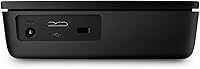
  • Requires a separate power connection, ruling it out entirely for portable or travel use.
  • Spinning up from idle introduces a brief delay that grows noticeable if you access files frequently.
  • Buyers on USB-C-only systems need an adapter, undermining the seamless setup experience.
  • Competing drives at similar price points now offer USB 3.0 speeds and larger storage capacities.

Ratings

The Seagate Expansion 2TB External Hard Drive has been rated across 12 performance and usability categories by our AI system, which analyzed hundreds of verified global buyer reviews while actively filtering out incentivized, bot-generated, and duplicate submissions. Scores reflect what real users consistently experienced over time — both the genuine strengths and the honest frustrations. Nothing has been smoothed over to flatter the product.

Ease of Setup
94%
Buyers across all experience levels consistently praised how little effort the initial setup requires. You plug it in, the operating system recognizes it, and you start dragging files over within seconds — no disc, no app, no account. For people who just want storage without a tutorial, this is the drive's single strongest point.
A small number of users on certain Linux distributions noted the drive required manual formatting before it was recognized. While rare, it's a reminder that true plug-and-play experience can depend on your specific OS configuration.
Storage Capacity
88%
Two terabytes is a meaningful amount of space for home archiving — enough to hold tens of thousands of photos, several years of home videos, or a substantial music library without constantly shuffling files. Users building personal media vaults or off-site document backups found the capacity more than adequate for years of use.
For users who have since moved to 4TB or 8TB alternatives at comparable prices, the 2TB ceiling can feel limiting. The storage landscape has shifted considerably, and buyers comparing options today may find the capacity less competitive than it once was.
Transfer Speed
47%
53%
For light, infrequent transfers — moving a folder of documents, running an overnight backup — the speed is functional enough that most casual users won't feel blocked. Sequential reads on large files perform reasonably for the interface it uses.
USB 2.0 is the real ceiling here, and it shows. Copying a large video library or a full system backup can take significantly longer than with a USB 3.0 drive. Users who frequently move large batches of files reported noticeable frustration, especially after using faster alternatives side by side.
Build Quality
73%
27%
The enclosure feels solid for a desktop unit — not flimsy or hollow-sounding when handled. Several long-term owners noted the drive survived years of regular use sitting on a desk without physical degradation, loose ports, or casing issues.
The exterior plastic finish attracts dust and light scratches without much provocation. A few users also described the housing as feeling utilitarian rather than polished — functional, but nothing about the build inspires confidence in rough handling or travel.
Reliability & Longevity
71%
29%
The majority of owners report consistent, trouble-free operation over extended periods. For a drive used primarily as a backup destination or archive — powered up, accessed occasionally, then left alone — reliability feedback leans positive across the board.
A recurring thread in longer-term reviews involves drive failures appearing after the warranty window closes. These are not universal, but enough users flagged unexpected failures past the one-year mark to warrant caution. Seagate drives generally carry a mixed reputation for longevity in this product tier.
Noise & Vibration
68%
32%
Under normal operating conditions — browsing files, running background backups — the drive stays quiet enough to be unnoticeable in a typical home or office environment. Idle spin-down kicks in reasonably quickly, which reduces ambient noise during inactive periods.
During sustained heavy reads or writes, an audible hum and slight desk vibration can emerge. Users who keep their desktops in quiet workspaces noted the mechanical noise more than they expected from a modern external drive.
Compatibility
86%
USB 2.0, paradoxically, works in its favor here — virtually every desktop machine made in the last two decades has at least one USB-A port. Windows and macOS users reported zero compatibility issues right out of the box, and the drive works smoothly across both platforms.
Buyers using newer systems exclusively equipped with USB-C ports will need an adapter, which adds a small cost and an extra point of failure. While not a dealbreaker, it's an inconvenience that reflects the drive's dated interface design.
Value for Money
61%
39%
For buyers who catch this drive at a reduced price or who specifically need a USB 2.0 unit for an older system, the cost-per-terabyte can still feel reasonable. The Seagate name and relatively clean reliability record add some perceived value over no-name alternatives.
At its listed price point, faster USB 3.0 drives with greater capacity exist from competing brands. Informed buyers doing side-by-side comparisons often conclude the speed and capacity trade-off doesn't justify the premium, making value a genuine weak point for this model in 2024.
Power Efficiency
82%
18%
The built-in power management draws noticeably less energy than older external drives without this feature. Users who leave the drive connected full-time appreciated that it spins down automatically during inactivity rather than running constantly.
A handful of users noticed the drive occasionally takes a second or two to spin back up after an idle period, causing brief delays when resuming file operations. It's a minor inconvenience, but worth knowing if you access stored files frequently throughout the day.
Software & Driver Experience
89%
The absence of bundled software is almost universally praised. No bloatware, no forced registration, no background processes competing for system resources — the drive behaves like a simple external volume, which is exactly what most buyers want from it.
There is no companion app offered for users who might want extras like automated backup scheduling or drive health monitoring. Buyers expecting any software utility will need to source a third-party solution independently.
Portability & Form Factor
54%
46%
The 3.5-inch desktop form factor keeps the internal mechanism stable and well-ventilated, which likely contributes to its longevity in stationary setups. The footprint is compact enough to tuck beside a monitor or desktop tower without occupying excessive desk space.
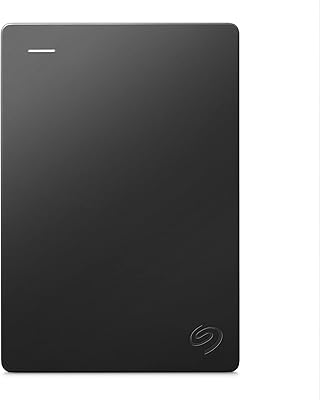
At 2.25 pounds with a separate power requirement, this is firmly a stay-at-home drive. Users who initially considered taking it between home and office quickly gave up on the idea. Anyone needing portability should look at 2.5-inch bus-powered alternatives instead.
Heat Management
76%
24%
Under typical workloads, the drive runs warm but not hot. Long-term owners using it as a continuous backup destination reported no heat-related shutdowns or performance throttling in normal ambient room temperatures.
Extended heavy usage — large multi-hour transfers — can cause the casing to become noticeably warm to the touch. While not dangerous under normal circumstances, users in poorly ventilated spaces or warm climates flagged this as a mild concern worth monitoring.
Warranty & Support
58%
42%
A one-year limited warranty is standard for this category, and Seagate's RMA process is generally considered functional if not exceptional. Users who needed to initiate a warranty claim within the coverage window reported a straightforward enough process.
One year is short for a product buyers often expect to last half a decade or more. Competing drives sometimes offer two or three-year coverage at similar price points, and Seagate's customer service quality during claims received mixed reviews depending on the region.

Suitable for:

The Seagate Expansion 2TB External Hard Drive is a practical choice for home users who want a dedicated backup drive they can set up in under a minute and leave running in the background without babysitting it. If you're the kind of person who accumulates years of family photos, home videos, or a sprawling music collection on a desktop PC, this external storage unit gives you a roomy, low-maintenance home for all of it. It also fits naturally into older desktop setups where USB 2.0 is still the dominant interface — no adapters, no compatibility headaches, just a straightforward connection. Small offices looking for a reliable secondary repository to store documents and project archives will find it equally well-suited, particularly where simplicity and minimal IT overhead matter more than raw speed. If your transfers are mostly overnight backups or occasional file moves rather than daily large-batch operations, the slower interface will rarely feel like a problem in practice.

Not suitable for:

The Seagate Expansion 2TB External Hard Drive is a harder sell for anyone who works with large files regularly and values their time. Video editors, photographers shooting in RAW, or anyone who routinely moves tens of gigabytes between drives will hit the USB 2.0 ceiling fast — and at that point, the wait times become genuinely disruptive rather than just mildly inconvenient. This desktop drive is also not the right pick for users who need portability; at over two pounds and requiring a separate power connection, it belongs on a desk, not in a bag. Buyers with modern systems built around USB-C ports will need an adapter, which adds friction to what should be a plug-and-play experience. Those comparing options in today's market will also find that newer USB 3.0 drives offer considerably faster speeds and, in many cases, larger capacities — making the value case for this particular model harder to justify unless the price point is notably lower.

Specifications

  • Brand: Manufactured by Seagate, one of the longest-established names in consumer and enterprise hard drive storage.
  • Model Number: The exact model identifier for this unit is ST320005EXA101-RK.
  • Storage Capacity: This drive provides 2TB (2,000GB) of formatted storage capacity for files, backups, and media archives.
  • Interface: Connects via USB 2.0, which offers universal compatibility with virtually all desktop computers manufactured in the past two decades.
  • Form Factor: Built around a 3.5-inch internal disk, this is a desktop-class drive designed for stationary use rather than travel.
  • Rotational Speed: The internal disk spins at 5400 RPM, a speed appropriate for sequential workloads like backups and media archiving.
  • Dimensions: The enclosure measures 4.96 x 8.15 x 1.57 inches, making it compact enough to sit beside a desktop tower or monitor.
  • Weight: The unit weighs 2.25 pounds, reflecting the standard heft of a 3.5-inch desktop external drive with its enclosure.
  • Power Management: Built-in automatic power management spins the drive down during periods of inactivity to conserve energy and reduce wear.
  • Installation: No software installation or driver download is required; the drive is recognized automatically by Windows and macOS upon connection.
  • Compatible Devices: Designed for use with desktop computers; compatible with any system featuring a standard USB-A port.
  • Warranty: Covered by a 1-year limited warranty from Seagate, applicable from the original date of purchase.
  • Amazon Rating: Holds a 4.6-out-of-5-star average based on over 722 verified ratings on Amazon.
  • Bestseller Rank: Ranked number 564 in the External Hard Drives category on Amazon at the time of listing.
  • Availability: This model is listed as not discontinued by the manufacturer, meaning it remains an active product line.
  • Date Introduced: This drive was first made available for purchase on May 28, 2009, giving it a long track record in the market.

Related Reviews
Seagate Game Drive for PlayStation 2TB

79%
94%
Ease of Setup
91%
Storage Capacity
93%
PS4 Compatibility
72%
PS5 Compatibility
74%
Transfer Speed
More
Seagate Expansion 28TB External Hard Drive
86%
96%
Storage Capacity
92%
Data Transfer Speed
89%
Ease of Setup
80%
Compatibility
88%
Build Quality
More
Seagate Expansion 22TB External Hard Drive
81%
94%
Storage Capacity
88%
Performance (Transfer Speed)
91%
Ease of Setup
87%
Reliability (Data Recovery Services)
83%
Compatibility (Windows and Mac)
More
Seagate Expansion 10TB External Hard Drive
82%
95%
Capacity & Storage
90%
Transfer Speed
92%
Ease of Setup
85%
Build Quality
78%
Reliability
More
Seagate Portable 2TB (STGX2000400)
84%
93%
Value for Money
91%
Portability
94%
Setup Experience
88%
Operating Noise
67%
Cable Utility
More
Seagate Expansion 6TB External Hard Drive
84%
91%
Value for Money
88%
Ease of Setup
93%
Data Recovery Service
85%
USB 3.0 Performance
89%
Cross-Platform Compatibility
More
Seagate Expansion 24TB External Hard Drive
71%
93%
Value for Money
97%
Storage Capacity
91%
Ease of Setup
68%
Transfer Speed
72%
Build Quality
More
Seagate Expansion 18TB External Hard Drive
85%
94%
Storage Capacity
86%
Transfer Speed
89%
Build Quality
91%
Ease of Setup
88%
Reliability
More
Seagate Expansion 8TB External Hard Drive
71%
91%
Value for Money
93%
Ease of Setup
94%
Storage Capacity
67%
Transfer Speed
72%
Build Quality
More
Seagate Expansion Portable 1TB External Hard Drive
85%
88%
Performance
94%
Setup & Installation
91%
Portability & Size
89%
Compatibility
87%
Value for Money
More

FAQ

It works right away on most Windows and macOS systems — just plug it into a USB port and it shows up as a new drive within seconds. There is nothing to install, no disc to run, and no account to create. It is about as simple as external storage gets.

Yes, USB 2.0 is one of the most universally supported interfaces ever made, so compatibility with older Windows machines is essentially guaranteed. Whether you are running Windows 7, 8, 10, or 11, the drive should be recognized automatically without any manual configuration.

It depends on what you are doing. For occasional file transfers or overnight backups, the slower speed is unlikely to bother you much. But if you regularly move large folders — say, several gigabytes at a time — the difference becomes very apparent. USB 3.0 drives can transfer the same data in a fraction of the time, so if speed matters to your workflow, this is a genuine trade-off to weigh.

Yes, though macOS will typically prompt you to reformat the drive when you first connect it, since it ships formatted for Windows. The reformatting process takes just a few minutes and is straightforward. After that, it works just like any other external drive on a Mac.

Yes, this is a 3.5-inch desktop drive, which means it requires a dedicated power connection rather than drawing power through the USB cable alone. A power adapter is included in the box. This is standard for drives of this size and is one reason it is not practical to carry around.

Not directly — it uses a USB-A connector, which is the older rectangular type. If your computer only has USB-C ports, you will need a USB-A to USB-C adapter or hub, which you would have to purchase separately. Keep in mind the drive will still operate at USB 2.0 speeds regardless of the adapter used.

With light to moderate use — primarily as a backup or archive drive that is not accessed constantly — many owners report years of trouble-free operation. That said, some long-term users have noted failures appearing after the one-year warranty window, which is worth knowing. No mechanical hard drive lasts forever, so keeping a secondary backup of critical data is always a smart habit regardless of which drive you use.

Absolutely. After reformatting it to a Mac-compatible format, this external storage unit works well as a dedicated Time Machine destination. The 2TB capacity is generous enough to hold multiple backup snapshots over a long period, especially for users who do not have enormous system drives.

Under typical conditions it stays warm but manageable. During extended large transfers, the enclosure can become noticeably warm to the touch, though not hot enough to cause concern in a well-ventilated space. If you plan to run sustained workloads in a warm room, make sure the drive has a bit of airflow around it and is not enclosed in a tight cabinet.

No, this Seagate expansion drive ships with no bundled software at all. That is actually a feature for many users — no bloatware, no background processes. However, if you want automated backup scheduling, you will need a third-party solution. Windows has built-in backup tools, macOS has Time Machine, and there are plenty of free third-party options that pair well with this drive.