Overview

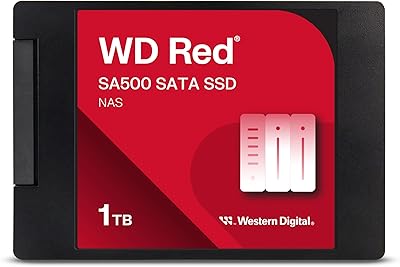
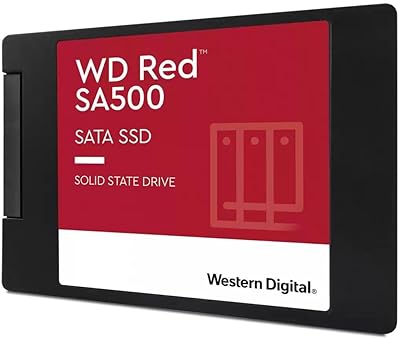
The WD Red SA500 4TB NAS SSD is Western Digital's answer to a specific question: what happens when your NAS outgrows spinning hard drives but you still need serious capacity? The Red lineup has long been synonymous with NAS-rated HDDs, and the SA500 extends that philosophy into solid-state territory. At 4TB, it occupies a rare position — most NAS SSDs top out at 2TB, making this a meaningful option for storage-hungry setups. It fits the standard 2.5″ SATA III bay found in most home and business NAS units, so installation is straightforward. The pricing reflects a premium tier positioning; this isn't a casual purchase, and it's not meant to be.
Features & Benefits

What sets this NAS SSD apart from a standard desktop SSD is largely invisible at first glance: the firmware and NAND tuning underneath. Western Digital built the SA500 around 3D NAND endurance, calibrated to handle the kind of relentless read/write cycles a NAS sees running 24 hours a day, seven days a week. Sequential reads reach up to 560 MB/s over SATA III, which translates to noticeably faster file access in multi-user environments — think several people pulling large files simultaneously. The drive also reduces latency for demanding tasks like 4K video editing or OLTP database queries routed through NAS storage. Its 7mm slim profile slots cleanly into Synology, QNAP, and similar NAS bays without adapters.

Best For

This drive makes the most sense for users who have already committed to NAS as a serious part of their workflow. Home lab enthusiasts who've squeezed everything out of mechanical Red drives will notice an immediate difference — less spin-up lag, quieter operation, snappier response under load. Small businesses running shared storage workloads — file servers, lightweight databases, collaborative media projects — get reliable throughput without babysitting the hardware. Content creators editing 4K or 8K footage directly off NAS will appreciate consistent speeds that spinning disks simply can't sustain. That said, pure capacity buyers will likely find HDDs a more practical choice at this price point.

User Feedback

Among a large pool of verified buyers, the consensus leans heavily positive — reviewers consistently cite long-term reliability and steady performance in always-on NAS setups as the standout strengths. Users switching from WD Red HDDs frequently mention the reduction in noise and noticeably faster directory listings and file transfers. The main pushback centers on value: several buyers question whether the performance gain over a mechanical drive justifies the cost, especially for cold-storage use cases where speed rarely matters. A smaller number of users flagged occasional compatibility questions with specific NAS firmware versions, though these appear to resolve with updates. Overall, the drive earns its place as a dependable long-haul option for those who genuinely need SSD performance in a NAS bay.

Pros

  • NAS-certified firmware reduces latency in ways a repurposed desktop SSD simply cannot match.
  • Sequential reads near 560 MB/s support smooth 4K video streaming for multiple users simultaneously.
  • The 4TB capacity is genuinely rare in the NAS SSD market, simplifying high-density storage builds.
  • Runs silently with minimal heat, a real quality-of-life improvement over spinning drives in home setups.
  • Fits standard 2.5″ NAS bays in Synology, QNAP, and Asustor units without any adapter hardware.
  • Built for 24/7 operation — endurance tuning means it holds up under the constant load NAS environments demand.
  • Compatible with both Windows 10+ and macOS 10.9+, covering virtually every home and SMB user.
  • Consistently strong user satisfaction across thousands of verified reviews reflects reliable real-world performance.
  • Reduces NAS noise floor noticeably — meaningful for home office or living space installations.
  • WD ecosystem integration works well with major NAS operating systems for health monitoring and firmware updates.

Cons

  • Price-per-TB is steep; mechanical Red drives offer far better value for cold or archival storage workloads.
  • No clearly published TBW endurance rating in standard product documentation makes long-term wear planning harder.
  • SATA III bandwidth ceiling becomes a bottleneck for 8K RAW workflows or 10GbE-connected NAS environments.
  • Some Synology and QNAP users report compatibility warning banners in NAS dashboards, even when the drive works normally.
  • Write speeds lag behind read performance and can throttle under sustained large-scale backup or migration tasks.
  • Western Digital does not include mounting screws or installation accessories in the box at this price tier.
  • Two smaller drives in RAID offer redundancy the single 4TB option cannot provide on its own.
  • Older NAS firmware versions on some units require a manual update before the drive is fully recognized.
  • WD dashboard software is desktop-oriented and lacks native remote monitoring suited to headless NAS environments.
  • Users scaling beyond a small team will likely hit performance limits before the drive reaches end of physical life.

Ratings

The WD Red SA500 4TB NAS SSD earns consistently high marks across thousands of verified buyer reviews worldwide, and the scores below reflect that signal — filtered by AI to remove incentivized, duplicate, and bot-generated feedback. Strengths in endurance and NAS compatibility dominate the positive side, while value and niche positioning create real hesitation for some buyers. Both sides of that picture are represented transparently here.

NAS Compatibility
93%
Buyers running Synology DS923+ and QNAP TS-453E units report plug-and-play installation with zero firmware conflicts in the vast majority of cases. The 2.5″/7mm form factor slots cleanly into standard NAS bays, and the drive shows up immediately in NAS management dashboards without manual configuration.
A small but notable group of users encountered compatibility prompts on older QNAP firmware versions, requiring a manual update before the drive was fully recognized. These cases appear edge-specific, but they do add a step for users running legacy NAS software.
Endurance & Longevity
91%
Users who run their NAS around the clock — for home media servers, small business file sharing, or continuous backup targets — consistently report stable operation over extended periods without performance degradation. The NAS-tuned 3D NAND holds up noticeably better than repurposed desktop SSDs under sustained write cycles.
Because most buyers haven't owned the drive long enough to test multi-year wear, long-term endurance data in real-world reviews is still limited. A few users note that Western Digital does not publish a clearly visible TBW rating in accessible documentation, making direct endurance comparisons harder.
Read & Write Performance
87%
Sequential read speeds near the 560 MB/s ceiling make a tangible difference when multiple users pull large files simultaneously from a shared NAS. Video editors streaming 4K footage directly off the drive report smooth playback without the buffering hiccups common with mechanical Red drives.
Write speeds are not as impressive as the read figures, and under prolonged heavy write workloads — like large-scale backups or initial data migrations — some users observe speed throttling. For write-heavy workflows specifically, the performance gap versus premium NVMe-based NAS options becomes more apparent.
Value for Money
61%
39%
For users who genuinely need SSD responsiveness in a 24/7 NAS environment — especially those running OLTP workloads or collaborative media projects — the price premium makes sense when amortized over years of continuous operation. The reliability track record helps justify the cost for business users with uptime requirements.
For home users using NAS primarily as a cold storage or backup destination, the cost-per-TB is difficult to defend against mechanical WD Red HDDs. Several buyers openly state they returned or reconsidered after comparing the real-world benefit against the significant price difference at the 4TB tier.
Installation Ease
89%
The physical installation is as simple as it gets — drop it into any 2.5″ NAS bay and it is ready to go. Users migrating from WD Red HDDs specifically appreciate that no bracket adapters or extra hardware are needed, making the upgrade process quick and low-stress.
A handful of users running Synology units with strict drive compatibility lists noted warning banners in DSM after installation, even though the drive functioned normally. While not a functional issue, these alerts caused unnecessary concern and required a forum search to resolve.
Noise & Heat
92%
Switching from a spinning Red HDD to this NAS SSD is immediately noticeable in quiet home environments — there is simply no mechanical noise during operation. Heat output is also consistently described as minimal, even in compact NAS enclosures with limited airflow.
A small number of users with densely packed NAS units report slightly elevated drive temperatures under sustained heavy loads compared to lighter workloads. This is not unique to this drive but is worth monitoring in NAS builds with poor ventilation.
Build Quality
88%
The physical construction feels solid and consistent with what you expect from a branded Western Digital product at this tier. The slim metal housing handles without any flex, and the SATA connector fits snugly without the looseness sometimes found on cheaper third-party SSDs.
There is no visible wear indicator or health-reporting LED, which means drive health monitoring is entirely dependent on NAS software or third-party tools like CrystalDiskInfo. For users less comfortable with diagnostic software, this can make proactive maintenance less intuitive.
Software & Ecosystem Support
78%
22%
Western Digital's dashboard software provides basic health monitoring and firmware updates, and the drive integrates well with Synology's Storage Manager and QNAP's QTS health tools. For most users, the ecosystem support is sufficient and unobtrusive.
WD's desktop dashboard is not designed specifically for NAS environments, so remote health monitoring requires relying entirely on the NAS OS itself. Users managing multiple drives across several NAS units find the lack of centralized cloud monitoring a minor but recurring inconvenience.
4K and 8K Video Workflow
84%
Content creators editing directly from NAS describe noticeably smoother scrubbing and timeline performance compared to HDD-based setups, particularly with multicam 4K projects in DaVinci Resolve or Premiere Pro over a Gigabit network. The consistent read throughput is the key factor here.
The SATA III bandwidth ceiling does become a limiting factor for 8K RAW workflows or users working over 2.5GbE and 10GbE connections where the network can outpace the drive. In those cases, an NVMe-based NAS solution would be a more appropriate investment.
Multi-User File Access
83%
Small teams accessing shared project folders simultaneously experience far less latency than with mechanical drives, particularly during peak hours when several users are reading large files at once. Office environments with 3 to 8 concurrent NAS users report the difference is immediately noticeable day-to-day.
As concurrent user counts scale beyond a small team, the SATA interface starts to show its limits compared to NVMe alternatives. For businesses already planning to grow headcount or storage demands, this drive may need replacement sooner than its physical lifespan would suggest.
Firmware Stability
81%
19%
The vast majority of users report stable, trouble-free firmware behavior across Synology, QNAP, and Asustor NAS environments. Western Digital has issued updates that resolved early compatibility edge cases, and most buyers who updated their NAS firmware before installation report zero issues.
There is a modest but consistent thread of users reporting unexpected compatibility warnings or brief disappearance from NAS device lists after firmware updates on specific NAS models. These appear resolvable but add friction for less technically confident users managing their own NAS setups.
Capacity Options
76%
24%
The 4TB offering is genuinely rare in the NAS SSD market, giving users who want solid-state primary storage — rather than just a cache tier — a meaningful option without stitching together multiple smaller drives. This simplifies NAS bay planning considerably for storage-dense builds.
The jump in price from the 2TB to the 4TB variant is steep enough that many buyers opt for two 2TB drives in RAID instead, which also adds redundancy. The single 4TB option lacks the fault-tolerance benefit that a dual-drive RAID setup would provide.
OLTP Database Performance
79%
21%
Users running lightweight databases — inventory management systems, CRM backends, or home automation logs — through NAS storage report noticeably reduced query latency compared to spinning drives. The purpose-built firmware tuning for random I/O workloads makes a practical difference in this use case.
For truly demanding database workloads, the SATA interface and lack of NVMe speeds mean this drive is appropriate only for light-to-moderate transaction volumes. IT buyers with heavier database requirements will likely outgrow SATA-based NAS storage faster than anticipated.
Packaging & Unboxing
74%
26%
The drive arrives in compact, well-protected retail packaging that keeps it secure during shipping. Users report no instances of damage on arrival, and the packaging is straightforward to open without requiring tools or excessive plastic wrapping.
At this price tier, some buyers expected more in the box — a mounting bracket, screws, or even a basic installation guide. The bare-drive packaging feels slightly underwhelming compared to what competitors include, even if the omissions have no impact on actual performance.

Suitable for:

The WD Red SA500 4TB NAS SSD is purpose-built for users who rely on their NAS as an active, always-on workhorse rather than a passive storage shelf. Home lab enthusiasts who have pushed WD Red HDDs to their limits will find the jump to solid-state genuinely transformative — faster directory loads, near-instant file access, and no spin-up delays at 2 a.m. when a scheduled backup kicks in. Small businesses running shared storage for 3 to 10 concurrent users, or hosting lightweight CRM and inventory databases directly off a Synology or QNAP unit, will appreciate the lower latency and consistent throughput that mechanical drives simply cannot sustain under that kind of load. Content creators who edit 4K footage directly from NAS — particularly in collaborative environments where multiple editors access the same project files — will find the read performance meaningfully reduces buffering and timeline lag. If you are upgrading an existing NAS with 2.5″ SATA bays and want the reliability of NAS-certified hardware without switching your entire setup to M.2, this drive slots in cleanly with no adapter gymnastics required.

Not suitable for:

If your NAS primarily sits in a corner doing nightly backups or archiving family photos you access a few times a month, the WD Red SA500 4TB NAS SSD is almost certainly more drive than you need. Cold storage and light personal use do not stress a spinning HDD enough to justify the significant cost premium here — a mechanical WD Red of equivalent capacity would serve those workloads just as well at a fraction of the price. Buyers running heavily write-intensive workflows, such as continuous surveillance recording across multiple cameras or high-frequency transaction databases, should also think carefully: the SATA III interface imposes a bandwidth ceiling that NVMe-based NAS solutions clear with headroom to spare. Similarly, if you are building a new NAS that supports M.2 slots natively, there are NVMe alternatives designed for NAS use that offer substantially higher throughput for comparable or lower cost per GB. And if your primary concern is raw storage density on a budget — maximizing terabytes per dollar — mechanical drives remain the practical choice for the foreseeable future.

Specifications

  • Brand: Manufactured by Western Digital Technologies, Inc. under the WD Red product family.
  • Model Number: The exact model identifier for this drive is WDS400T2R0A.
  • Capacity: Formatted storage capacity is 4TB, using 3D NAND flash memory architecture.
  • Interface: Connects via SATA III at 6 Gb/s, the standard high-speed interface for 2.5″ internal drives.
  • Form Factor: Physical dimensions conform to the 2.5″ / 7mm profile standard used in most modern NAS bays.
  • Read Speed: Sequential read throughput reaches up to 560 MB/s under optimal conditions.
  • Drive Type: Solid-state drive using Western Digital 3D NAND flash, with no moving mechanical parts.
  • Workload Rating: Rated for continuous 24/7 operation in always-on NAS environments with sustained mixed read/write workloads.
  • Installation Type: Designed for internal installation only; not intended for external enclosure or USB adapter use.
  • OS Compatibility: Officially compatible with Windows 10 and later, and macOS version 10.9 and later.
  • Use Cases: Optimized for NAS caching, OLTP databases, multi-user file sharing, photo rendering, and 4K/8K video editing workflows.
  • Weight: The drive weighs approximately 1.22 ounces, making it lightweight enough for any standard NAS installation.
  • Color: Ships in Western Digital's signature Red housing, consistent with the WD Red product line identity.
  • Series: Part of the WD Red SA500 series, which is the solid-state branch of Western Digital's NAS-dedicated storage lineup.
  • NAS Optimization: Firmware is purpose-built for NAS caching and primary storage roles, tuned to reduce latency versus generic desktop SSDs.
  • M.2 Availability: The SA500 series is also available in an M.2 form factor, though this specific model is the 2.5″ SATA variant.
  • Market Rank: Ranked number 51 in Internal Solid State Drives on Amazon, reflecting strong and sustained market adoption.
  • Release Date: This model was first made available for purchase in February 2024.

Related Reviews
Western Digital 500GB WD Red SA500 NAS SSD
87%
92%
Performance
91%
Speed
88%
Reliability
90%
Endurance (24/7 Operation)
87%
Ease of Installation
More
Western Digital 1TB WD Red SA500 NAS SSD
87%
93%
Performance in NAS Environments
88%
Endurance & Reliability
89%
Read Speed
85%
Power Consumption
87%
Multi-User Performance
More
Western Digital WD Red SA500 2TB SSD
82%
94%
NAS Compatibility
91%
Endurance & Longevity
83%
Sustained Performance
67%
Value for Money
89%
Installation Experience
More
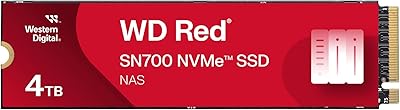
Western Digital 4TB WD Red SN700 NVMe SSD
85%
92%
Performance in NAS Systems
88%
Installation Process
90%
Reliability for 24/7 Operation
91%
Endurance and Lifespan
85%
Compatibility with NAS Devices
More
Western Digital 4TB WD Red Plus NAS Internal Hard Drive
89%
91%
Performance
94%
Reliability
88%
Energy Efficiency
85%
Noise Levels
89%
Workload Handling
More
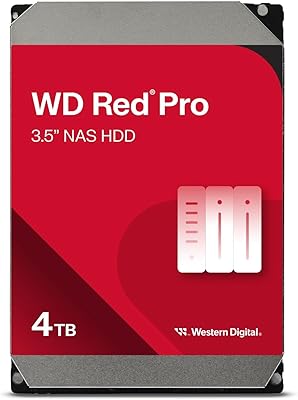
WD Red Pro 4TB NAS Hard Drive
81%
93%
Reliability & Longevity
91%
RAID Compatibility
88%
NAS Firmware Optimization
86%
Vibration Management
82%
Sustained Throughput
More
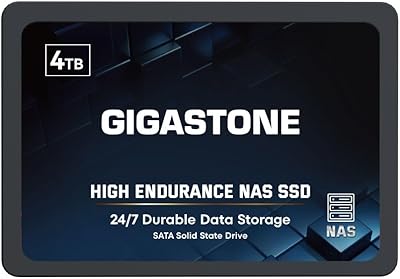
Gigastone 4TB NAS SSD
88%
94%
Performance for Heavy Workloads
92%
Reliability for 24/7 Operation
88%
Data Transfer Speed
85%
Compatibility with NAS Systems
90%
Ease of Setup
More
WD Red 5TB NAS Hard Drive
84%
91%
Reliability for 24/7 Operation
77%
Performance (Speed)
89%
Energy Efficiency
85%
Ease of Integration
90%
Compatibility with NAS Systems
More
WD Red Pro 3TB NAS Hard Drive
86%
91%
Performance
88%
Reliability
92%
Compatibility with NAS Systems
65%
Noise Levels
89%
Ease of Setup
More
WD Red Plus 12TB NAS Hard Drive
88%
91%
Performance Under Load
95%
Storage Capacity
87%
Ease of Setup & Integration
90%
Error Recovery & Data Protection
88%
Reliability & Durability
More

FAQ

In most cases, yes — the WD Red SA500 4TB NAS SSD slots into any 2.5″ SATA bay on compatible Synology units and shows up in DSM without manual configuration. Some users have seen a compatibility warning banner in DSM, but this is typically cosmetic and does not affect functionality. Keeping your DSM firmware up to date before installing the drive is always a good precaution.

For active workloads, yes — the difference is noticeable. File listings load faster, there is no spin-up delay when the NAS wakes from sleep, and multi-user access during peak hours feels considerably more responsive. For cold storage or infrequent access, the gap narrows significantly and may not justify the cost difference.

It works well as primary storage. The caching use case is highlighted because it is a common NAS SSD application, but this drive handles primary storage duties just as capably, especially in setups where fast random read access matters — like serving media files or running a lightweight database.

Generally no — SSDs produce far less heat than spinning drives, and user reports from compact units like the Synology DS223 and QNAP TS-233 describe the drive running well within normal temperature ranges. In very tight enclosures with poor airflow, it is worth keeping an eye on drive temps via your NAS dashboard, but thermal issues are not a common complaint.

The drive will almost certainly still work — SATA SSDs are largely universal at the hardware level. The compatibility list is more about verified firmware co-testing than hard technical restrictions. That said, some NAS units display health warnings for unlisted drives, and support from both WD and your NAS manufacturer may be limited if issues arise.

Yes, and it performs well in those configurations. The NAS-tuned firmware handles the consistent read/write demands of RAID rebuilds better than a repurposed desktop SSD would. Just keep in mind that even in RAID 5 or 6, you will want a spare drive on hand — RAID is not a backup strategy.

The two-drive RAID 1 approach gives you redundancy, which a single 4TB drive cannot provide on its own. On the other hand, a single drive simplifies your setup and frees up a NAS bay for future expansion. If data protection is a top priority and you have the bay space, the dual-drive route is worth considering.

Physically and electrically, yes — it will work in any device with a 2.5″ SATA III slot. However, the NAS-specific firmware tuning is optimized for the steady sustained workloads of a NAS, not the bursty random patterns of a desktop OS drive. You are paying a premium for NAS optimization that would go unused in a standard PC.

Western Digital typically backs the WD Red SA500 series with a five-year limited warranty, which is competitive for this class of drive. For warranty validation and the exact terms applicable in your region, it is worth checking WD's official warranty portal at the time of purchase, as terms can vary.

It depends on what you are storing and how you work. If you are running a media server, photo library, or collaborative project folder that is already pushing 2TB or more, the 4TB capacity in a single drive is genuinely useful — it keeps your NAS bay free and your setup simple. If you are just backing up a few computers or storing documents, a smaller and less expensive drive is probably the smarter call.

Where to Buy

Poshmark
In stock $850.00
Grooves-Inc.com
In stock $982.08