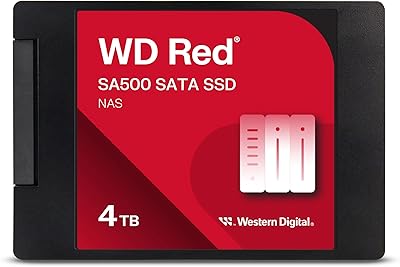
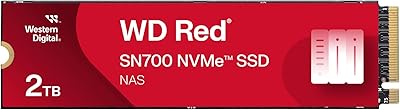
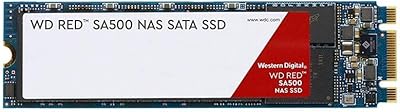
Overview

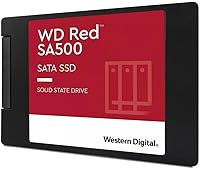
The Western Digital WD Red SA500 2TB SSD is built for one job: living inside a NAS enclosure and handling whatever gets thrown at it around the clock. This isn't a drive you drop into a gaming PC or use as a boot drive — WD's Red lineup exists specifically for network-attached storage, and the SA500 reflects that focus entirely. Launched in early 2024, it uses a 2.5-inch, 7mm form factor with a SATA III interface, which matters because the vast majority of NAS bays still run SATA, not NVMe. At 2TB, it hits a practical capacity sweet spot for home labs and small business setups. Expect solid reliability, not record-breaking speed.
Features & Benefits

The WD Red SA500's core appeal comes down to its 3D NAND endurance tuning. Rather than chasing peak sequential numbers, the firmware is optimized for sustained, mixed read/write loads — exactly the kind of punishment a multi-user NAS dishes out continuously. Sequential reads top out at 560 MB/s, which is the practical ceiling for SATA and genuinely useful for serving large files to multiple users at once. The drive is also built for always-on operation, handling vibration tolerance and thermal management better than desktop SSDs never designed to run 24/7 inside a chassis full of spinning drives. For photo rendering, shared 4K video editing, or lightweight database access, this NAS SSD delivers consistent throughput where it counts.

Best For

This drive makes the most sense for anyone running a Synology, QNAP, or similar multi-bay NAS who wants to move past spinning hard drives without jumping to a full NVMe setup. It's particularly well-suited for photographers and video editors who use a NAS as a central scratch or archive volume — workloads where sustained transfer rates matter more than raw burst speed. Small IT teams managing lightweight OLTP workloads or shared file environments will also find it a reliable fit. What it is not: a smart choice for a gaming PC, a desktop boot drive, or anyone prioritizing cost-per-gigabyte above all else. If NAS reliability is the priority, the WD Red SA500 earns its place.

User Feedback

With a 4.7-star rating across over 2,300 reviews, the reception for this drive is hard to argue with. Owners running Synology and QNAP units consistently report plug-and-play compatibility, and long-term users say performance holds steady under sustained workloads — no surprise throttling, no gradual degradation. On the critical side, some buyers question whether the NAS-specific firmware actually justifies the price gap over a standard desktop SATA SSD like WD's own Blue line — a fair point worth considering. There is no dramatic hardware difference; the value is in firmware behavior, warranty terms, and WD's explicit NAS support. If those matter to your setup, the premium is reasonable. If you are budget-constrained running a light workload, the skeptics are not entirely wrong.

Pros

  • Purpose-built NAS firmware handles sustained read/write cycles far better than desktop-grade SSDs in always-on environments.
  • Broad compatibility with Synology and QNAP enclosures confirmed by a large base of real-world users.
  • 3D NAND endurance tuning means consistent performance over months and years, not just out of the box.
  • The 2.5-inch, 7mm form factor fits the widest range of existing NAS bays without adapter hassles.
  • Up to 560 MB/s sequential read is the practical SATA ceiling and genuinely useful for multi-user file serving.
  • WD's established warranty and NAS-specific support coverage adds meaningful peace of mind for business deployments.
  • Long-term owners report no noticeable performance degradation under sustained, heavy NAS workloads.
  • The 2TB capacity hits a practical sweet spot — enough for serious storage without managing a full array of smaller drives.
  • Rated for 24/7 operation with vibration tolerance, making it far more suitable for NAS chassis than consumer alternatives.
  • Ranks among the top internal SSDs on major retail platforms, reflecting a broad and largely satisfied user base.

Cons

  • Real-world NAS throughput will fall well below the 560 MB/s spec once network, RAID overhead, and NAS CPU become bottlenecks.
  • The price premium over standard SATA SSDs is hard to justify for light-use or mostly idle NAS setups.
  • Offers no meaningful speed advantage over cheaper desktop SATA SSDs for users running single-client, low-concurrency workloads.
  • SATA III interface is a hard ceiling — buyers with NVMe-capable NAS bays are leaving significant performance on the table.
  • No included mounting hardware or accessories, which can be a minor inconvenience for some enclosure configurations.
  • A minority of technically informed buyers question whether the NAS firmware differences are substantial enough to warrant the cost delta over WD Blue.
  • 2TB may be insufficient for media-heavy deployments without pairing this drive alongside additional storage volumes.
  • Not available in capacities larger than 4TB, which limits scalability for high-density single-drive NAS configurations.
  • As an internal SATA SSD, it offers no built-in encryption management features beyond what the NAS OS itself provides.
  • First available in early 2024, so long-term reliability data beyond a couple of years is still accumulating.

Ratings

The Western Digital WD Red SA500 2TB SSD earns its strong reputation among NAS users, and these scores reflect exactly that — generated by AI after analyzing thousands of verified global buyer reviews, with spam, bot-driven, and incentivized feedback actively filtered out. Ratings are based on real ownership experiences across home lab builders, small business IT teams, photographers, and video editors who rely on shared NAS storage daily. Both the genuine strengths and the honest frustrations are reflected here, without rounding edges to make the product look better than it is.

NAS Compatibility
94%
Owners running Synology DS-series and QNAP TS-series enclosures consistently report that this NAS SSD installs and initializes without any special configuration, firmware patches, or compatibility workarounds. For users managing multi-bay setups in a small office or home lab, that kind of out-of-box reliability removes a meaningful source of frustration.
A small number of users with older or less mainstream NAS enclosures report having to check compatibility lists before committing to purchase, which adds friction. WD's official compatibility documentation does not cover every NAS brand on the market, leaving buyers of niche enclosures to rely on community forums for confirmation.
Endurance & Longevity
91%
The 3D NAND firmware tuning earns real trust from long-term owners who have run this drive under sustained 24/7 NAS workloads for over a year without measurable performance degradation. For users storing critical business data or large creative archives on an always-on NAS, that track record matters considerably more than peak benchmark numbers.
Because this drive only became available in early 2024, multi-year endurance data is still limited compared to more established models. Buyers looking for decade-long reliability data will find the long-term community evidence thinner than it is for older WD Red HDD lineups.
Sustained Performance
83%
Under real NAS workloads — multiple users pulling large RAW photo files, serving 4K video streams, or running lightweight database queries simultaneously — the WD Red SA500 maintains stable throughput better than desktop SSDs that throttle under sustained mixed loads. That consistency is genuinely useful in a shared storage environment.
Real-world throughput inside a NAS is meaningfully lower than the 560 MB/s rated ceiling, constrained by Gigabit or even 2.5GbE network limits, NAS CPU overhead, and RAID configurations. Users expecting close to spec performance numbers inside their enclosure will be disappointed by actual transfer speeds.
Value for Money
67%
33%
For NAS users who depend on uptime, WD's 5-year warranty and the firmware tuning tailored for always-on environments do provide a tangible argument for the price premium — particularly for small business deployments where a drive failure means real downtime and potential data loss scenarios.
The price gap over comparable consumer SATA SSDs is difficult to ignore for buyers running light or occasional NAS workloads. A meaningful segment of reviewers openly question whether the NAS-specific firmware differences are large enough to justify the cost delta over something like a WD Blue or Samsung 870 EVO in low-demand setups.
Installation Experience
89%
The 2.5-inch, 7mm form factor slides into the widest range of NAS bays without adapters or surprises, and the standard SATA power and data connectors mean no proprietary hardware is needed. Users swapping out a failed HDD report the physical installation as fast and uncomplicated.
Buyers with 3.5-inch NAS bays need a separate adapter bracket, which is cheap but not included. Users upgrading from an existing volume also need to plan for data migration carefully, as the drive itself provides no built-in cloning utility.
Random Access Speed
81%
19%
For the kind of workloads NAS users actually run — serving many small files, handling concurrent database reads, or managing photo library metadata — the SSD's random I/O advantage over spinning HDDs is immediately apparent and practically impactful in multi-user environments.
Compared to NVMe SSDs, random access performance is still bound by the SATA interface, and users with NVMe-capable NAS bays who chose this drive for the NAS label may feel they have left performance on the table. The gap is less visible in typical NAS throughput scenarios but real in benchmark comparisons.
Build Quality
88%
The drive feels solid and well-constructed for its 1.22-ounce weight class, and the low-profile 7mm housing fits cleanly inside enclosures with minimal chassis flex or vibration resonance. Users installing it into vibration-prone multi-drive NAS units report no physical rattling or mounting issues.
There is no visible LED activity indicator on the drive itself, so users troubleshooting NAS-level storage issues must rely entirely on their enclosure's disk activity lights and software diagnostics rather than any drive-side feedback.
Thermal Management
79%
21%
In typical NAS enclosures with adequate airflow, the WD Red SA500 runs cool and does not require additional cooling measures. Users in well-ventilated home lab setups report the drive operating at stable temperatures even under extended write-heavy workloads.
In poorly ventilated or compact NAS enclosures, a few users noted elevated operating temperatures during prolonged heavy writes. Without active cooling, thermal throttling is a low-probability but non-zero risk in worst-case enclosure designs with multiple drives generating ambient heat.
Firmware Intelligence
76%
24%
The NAS-optimized firmware handles cache management and wear leveling in a way that shows up in real-world consistency — particularly in multi-user file serving scenarios where a desktop SSD might begin to exhibit uneven performance after months of sustained operation.
The firmware benefits are largely invisible to the end user and difficult to validate without direct A/B comparison testing over extended periods. Buyers skeptical about firmware-level differentiation have legitimate grounds for questioning whether the tuning gap is as meaningful as marketing suggests.
Warranty & Support
86%
A 5-year limited warranty from WD is among the stronger coverage terms in the prosumer SSD market and provides meaningful peace of mind for NAS deployments where replacement logistics can be disruptive. WD's RMA process is well-regarded in the community for straightforward handling.
Warranty coverage requires keeping proof of purchase and registering through WD's support portal, which some users find cumbersome. Business buyers in regions with limited WD distributor presence have occasionally reported slower RMA turnaround times than the brand's reputation suggests.
Multi-User Workload Handling
82%
18%
Small teams using a NAS as shared scratch storage for photo editing or video post-production notice a real difference versus HDD-based setups — simultaneous access from multiple clients produces far less queuing latency, and the drive sustains that behavior over hours of continuous use.
As team size and concurrent user count grows beyond what a SATA SSD can serve without saturation, the interface bottleneck becomes the limiting factor rather than the drive itself. Larger SMB environments may find this drive a starting point rather than a long-term solution at scale.
Capacity Utilization
77%
23%
At 2TB, this NAS SSD covers the realistic storage needs of most home users and small creative teams without requiring multiple drives or complex RAID configurations to reach usable capacity. It is a practical single-drive solution for photo libraries, document archives, and shared project folders.
Power users archiving raw 4K or 8K video footage, or running media servers with large libraries, will bump against 2TB faster than expected. The SA500 line caps at 4TB, which limits headroom for users planning significant storage growth within a single drive.
Form Factor Versatility
73%
27%
The availability of both 2.5-inch and M.2 SA500 variants means NAS users with different enclosure slot types can stay within the same product family and firmware ecosystem. The 2.5-inch version reviewed here covers the broadest hardware compatibility across older and current NAS generations.
Buyers who need M.2 must purchase a completely separate SKU rather than choosing a form factor at checkout for the same product, which adds friction when ordering for mixed enclosure environments. M.2 NAS slots are also often treated as cache-only bays, limiting practical deployment options.

Suitable for:

The Western Digital WD Red SA500 2TB SSD is the right call for anyone running a multi-bay NAS enclosure at home or in a small business who wants to move beyond the limitations of spinning hard drives without overcomplicating their setup. Synology and QNAP users in particular will find it a natural fit — the drive is explicitly validated for NAS environments, and real-world compatibility reports back that up consistently. Photographers, video editors, and creative teams using a shared NAS as a central storage hub will appreciate the sustained throughput under heavy mixed workloads, whether that means rendering large RAW files or streaming high-bitrate video to multiple users simultaneously. IT administrators managing lightweight OLTP databases or shared file environments on NAS hardware will also find the always-on endurance tuning genuinely useful rather than just a marketing label. If your priority is a reliable, low-maintenance SSD that handles 24/7 operation without surprises, this drive is purpose-built for exactly that role.

Not suitable for:

The Western Digital WD Red SA500 2TB SSD is not the right drive if you are building a gaming PC, upgrading a laptop, or looking for a primary boot drive — it was never designed for those use cases, and better-value options exist for all of them. Buyers chasing maximum sequential speeds should also look elsewhere; SATA III tops out around 560 MB/s, and NVMe drives routinely deliver three to five times that throughput, so if raw speed is your benchmark, this drive will disappoint regardless of workload. Budget-focused buyers who plan to run light, infrequent NAS tasks may find it hard to justify the price gap over a generic SATA SSD — if your NAS sits mostly idle and you have no redundancy or uptime requirements, the NAS-specific firmware tuning may offer little tangible benefit in practice. Users who need M.2 form factor specifically should verify their NAS bay compatibility carefully, as the 2.5-inch variant reviewed here will not physically fit M.2 slots. This is a specialist tool, and buying it outside its intended context means paying a premium for features you will likely never use.

Specifications

  • Capacity: This drive provides 2TB (2000 GB) of raw storage, formatted capacity will be slightly lower as reported by the operating system.
  • Interface: Uses a SATA III 6 Gb/s interface, backward compatible with SATA II bays but limited to SATA III maximum throughput.
  • Form Factor: The 2.5-inch, 7mm height profile fits standard NAS drive bays and most 2.5-inch internal mounting slots.
  • Sequential Read: Rated for sequential read speeds of up to 560 MB/s under optimal conditions, representing the practical ceiling for SATA III.
  • NAND Type: Built with Western Digital 3D NAND flash, engineered for high endurance under sustained mixed read/write workloads.
  • Designed Use: Purpose-built for NAS environments, with firmware tuned for always-on operation, cache-heavy workloads, and vibration tolerance inside multi-drive enclosures.
  • OS Compatibility: Compatible with Windows 10 and later, and macOS version 10.9 and later operating systems.
  • Installation: Installed internally inside a NAS enclosure or compatible device; no external power cable required beyond the SATA data and power connectors.
  • Available Formats: The SA500 series is available in both 2.5-inch and M.2 form factors; this specific review covers the 2.5-inch variant.
  • Model Number: The official WD model number for this drive is WDS200T2R0A, which identifies the 2TB Red SA500 2.5-inch configuration.
  • Manufacturer: Designed and manufactured by Western Digital Technologies, Inc., a long-established name in consumer and enterprise storage hardware.
  • Weight: The drive weighs approximately 1.22 ounces, making it light enough to install without additional chassis support in standard NAS bays.
  • Series: Part of the WD Red product family, which is WD's dedicated lineup for NAS-optimized storage across both HDD and SSD categories.
  • First Available: This model was first made available in February 2024, placing it among the more recent additions to the WD Red SA500 lineup.
  • BSR Ranking: Ranked #56 in Internal Solid State Drives on major retail platforms, reflecting strong market adoption and consistent buyer satisfaction.
  • User Rating: Holds a 4.7 out of 5 star rating based on over 2,300 verified ratings, indicating a high level of satisfaction among real-world users.
  • Connectivity: Connects via standard SATA data and power connectors; no proprietary adapters or cables are required for installation in compatible NAS bays.
  • Discontinuation Status: As of the time of publication, this drive is not discontinued by the manufacturer and remains available through authorized retailers.

Related Reviews
Western Digital 1TB WD Red SA500 NAS SSD
87%
93%
Performance in NAS Environments
88%
Endurance & Reliability
89%
Read Speed
85%
Power Consumption
87%
Multi-User Performance
More
Western Digital 500GB WD Red SA500 NAS SSD
87%
92%
Performance
91%
Speed
88%
Reliability
90%
Endurance (24/7 Operation)
87%
Ease of Installation
More
WD Red SA500 4TB NAS SSD
83%
93%
NAS Compatibility
91%
Endurance & Longevity
87%
Read & Write Performance
61%
Value for Money
89%
Installation Ease
More
Western Digital 2TB WD Red SN700 NVMe SSD
88%
93%
Performance
94%
Speed
90%
Endurance
89%
Reliability
92%
Compatibility with NAS Devices
More
Western Digital WD Green 2TB Internal SSD
82%
91%
Value for Money
84%
Read Performance
71%
Write Performance
93%
Installation Experience
92%
Compatibility
More
WD Blue SA510 2TB M.2 SSD
80%
78%
Read & Write Speed
83%
Value for Money
61%
Compatibility
88%
Installation Ease
84%
Reliability & Longevity
More
Western Digital 2TB WD Blue SN580 NVMe SSD
89%
91%
Performance
94%
Speed (Read/Write)
88%
Build Quality
92%
Value for Money
90%
Durability/Endurance
More
Western Digital 4TB WD Red SN700 NVMe SSD
85%
92%
Performance in NAS Systems
88%
Installation Process
90%
Reliability for 24/7 Operation
91%
Endurance and Lifespan
85%
Compatibility with NAS Devices
More
WD Green SN350 2TB NVMe SSD
82%
92%
Value for Money
83%
Read Speed Performance
58%
Sustained Write Performance
94%
Installation Ease
88%
Thermal Management
More
Western Digital WD Red SN700 500GB NVMe SSD
87%
94%
Performance
91%
Endurance
88%
Compatibility with NAS systems
85%
Ease of Installation
89%
Speed under Load
More

FAQ

In the vast majority of cases, yes. The WD Red SA500 is one of the more commonly reported plug-and-play drives for both Synology and QNAP enclosures. That said, it is always worth cross-checking your specific NAS model against WD's or your NAS manufacturer's compatibility list before purchasing, particularly for older enclosures.

Yes, noticeably so. Even accounting for network overhead and NAS CPU bottlenecks pulling real-world throughput below the rated 560 MB/s, an SSD will respond significantly faster than a spinning HDD — especially for random reads, cache operations, and anything involving frequent small file access. The difference is most obvious in multi-user environments where multiple people are hitting the NAS simultaneously.

The honest answer is that the hardware is similar, but the firmware and warranty terms differ. The WD Red SA500 is tuned for sustained 24/7 mixed workloads, vibration tolerance inside multi-drive enclosures, and the kind of cache-heavy behavior NAS systems rely on. A desktop SSD running non-stop inside a NAS may throttle or wear unevenly over time. If your NAS runs light and infrequent workloads, the difference may be negligible. For serious or business use, the NAS-specific tuning is worth the premium.

Technically it will work in any device with a SATA III port, but that is not what it is optimized for. You would be paying a premium for NAS-specific tuning you would never use. For a desktop boot drive or general PC use, a standard consumer SATA SSD is a better value.

No, not directly. The WD Red SA500 is a 2.5-inch drive. If your NAS has 3.5-inch bays, you will need a 2.5-inch to 3.5-inch adapter bracket. These are inexpensive and widely available, but it is an extra step worth planning for before the drive arrives.

They use the same underlying NAND and firmware but differ in physical format. The 2.5-inch version fits standard NAS drive bays and the widest range of enclosures. The M.2 version fits dedicated M.2 slots found on some newer or higher-end NAS units. Check your NAS hardware specs carefully — most NAS enclosures that have M.2 slots treat them as cache slots, not primary storage bays.

Early long-term user reports are encouraging. Owners who have run this drive under sustained NAS workloads for extended periods report consistent performance without the gradual speed degradation sometimes seen with desktop-grade SSDs pushed beyond their intended duty cycle. WD's endurance ratings for the SA500 are set with 24/7 operation in mind, which is reassuring — though comprehensive multi-year data is still accumulating given its early 2024 release date.

The SA500 does not offer self-encrypting drive capabilities on its own for most use cases. If encryption is important to your setup, it is typically handled at the NAS OS level — both Synology DSM and QNAP QTS support volume-level encryption independently of the drive hardware.

WD backs the Red SA500 with a 5-year limited warranty, which is one of the stronger warranty commitments in the consumer and prosumer SSD space. This is one of the practical advantages over budget third-party SATA SSDs that often carry only 3-year or shorter coverage.

It depends heavily on what you are storing. For a home lab, a small photo archive, or a shared file server for a small team, 2TB is a very usable starting point. If you are archiving raw video footage, running a media server with large libraries, or planning for significant growth, you may want to consider running multiple drives or looking at the 4TB capacity variant. The good news is that most NAS units allow you to mix and expand storage over time.

Where to Buy