Overview

The Ediloca EN870 4TB NVMe M.2 SSD enters a crowded market with a clear pitch: maximum capacity at Gen4 speeds without asking you to spend flagship money. Ediloca is not a household name yet, but the EN870 has earned real attention by pairing 4TB of fast storage with PCIe Gen4 performance specs that rival more established brands. For anyone who has filled up a 1TB or 2TB drive faster than expected — gamers, video editors, or just heavy users — the sheer headroom here is genuinely useful. This review looks past the spec sheet to assess whether the drive holds up in practical, everyday use cases.
Features & Benefits

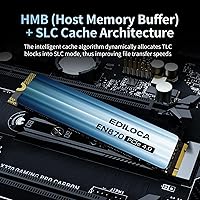
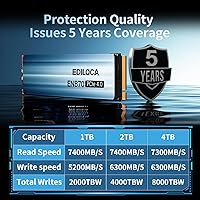
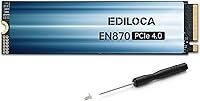
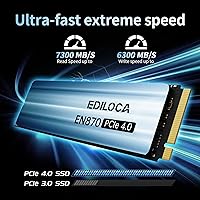
The EN870 runs on a PCIe Gen4 x4 interface, hitting sequential reads up to 7300MB/s and writes up to 6300MB/s — figures that translate to noticeably fast game loading and smooth 4K file handling in real use. The standard M.2 2280 form factor means it drops into virtually any compatible desktop, laptop, or PS5 expansion slot without adapters. Dynamic SLC caching helps maintain burst speeds when transferring large batches of files. One honest caveat: this NVMe drive lacks a dedicated DRAM cache, which can cause speed dips during prolonged, sustained write sessions. It also ships without a heatsink, so thermal management depends on your system or an aftermarket solution.

Best For

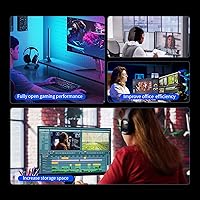
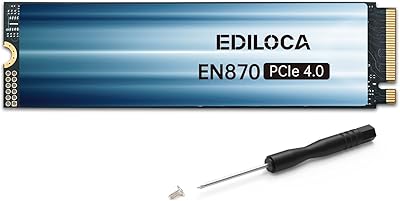
This 4TB SSD is an especially strong fit for PS5 storage expansion — Sony's console demands fast NVMe drives, and this one clears the required threshold with room to spare. PC gamers juggling massive modern titles will appreciate having 4TB in a single drive rather than managing multiple partitions. Laptop users with an open M.2 slot gain a significant storage boost without added bulk. Content creators handling 4K footage benefit from the high read throughput. The included installation kit — screwdriver, mounting screw, and multilingual guide — makes it accessible even for first-time builders, and a 5-year warranty adds meaningful reassurance for a newer brand.

User Feedback

With a 4.6-star average across more than 4,000 ratings, the EN870 has built a solid track record for a relatively new brand. Buyers frequently praise straightforward installation and real-world speeds that match the marketing claims closely enough — particularly for PS5 upgrades. The most consistent criticism centers on speed throttling under sustained, heavy write workloads, which is a known limitation of DRAM-less designs rather than a flaw unique to this drive. Some users mention initial hesitation over brand recognition compared to Samsung or WD, though most report no reliability issues over extended use. Long-term durability data is still accumulating, but warranty support responses have drawn mostly positive feedback.

Pros

  • Gen4 speeds up to 7300MB/s make a real difference for game loading and large file transfers.
  • 4TB in a single M.2 drive removes the need to manage multiple storage devices.
  • Officially validated for PS5 expansion, with sustained performance that meets console requirements.
  • The M.2 2280 form factor fits desktops, laptops, and workstations without any adapters.
  • Dynamic SLC caching helps maintain burst speeds during typical gaming and creative workloads.
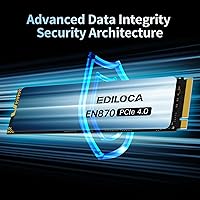
  • LDPC error correction and S.M.A.R.T. monitoring add a meaningful layer of data protection.
  • An 8000 TBW endurance rating is competitive for a 4TB drive in this class.
  • The five-year warranty provides solid coverage for a brand still establishing its reputation.
  • Installation kit included — screwdriver, mounting screw, and guide — which is a genuinely helpful touch for new builders.
  • Over 4,000 user ratings averaging 4.6 stars suggests consistent real-world satisfaction, not just launch hype.

Cons

  • No DRAM cache means sustained write speeds can drop significantly under heavy, prolonged workloads.
  • Speed throttling under continuous large writes is a documented limitation, not just a theoretical concern.
  • No heatsink is included, which may be a problem in thermally tight builds or warm environments.
  • Ediloca lacks the long public reliability track record of more established storage brands.
  • Long-term durability data is still accumulating, making it harder to assess multi-year dependability with confidence.
  • Users on PCIe Gen3 systems will be bottlenecked and unable to take advantage of the rated top speeds.
  • Brand unfamiliarity can make warranty or support interactions feel less reassuring than with a household name.
  • The drive is not ideal for server or NAS environments that demand consistent write throughput around the clock.

Ratings

The scores below reflect an AI-driven analysis of thousands of verified global user reviews for the Ediloca EN870 4TB NVMe M.2 SSD, with spam, bot-generated, and incentivized feedback actively filtered out before scoring. Each category is rated on the full range of real buyer experiences — not averaged toward the middle — so both the genuine strengths and the honest friction points are visible in the numbers. This NVMe drive earns high marks in several key areas, but a few trade-offs are reflected just as transparently.

Sequential Read Speed
91%
Users consistently report that game load times on both PC and PS5 feel noticeably shorter compared to their previous SATA or Gen3 NVMe drives. Large file reads — like opening project files in video editing software — happen fast enough that the rated 7300MB/s figure feels credible in everyday use rather than a lab-only number.
A small segment of reviewers noted that real-world read speeds in mixed workloads land slightly below peak rated figures, which is expected behavior but surprised buyers who took the spec sheet literally. Those running Gen3 systems, of course, see none of these speeds at all.
Sustained Write Performance
58%
42%
For typical gaming installs, moderate file moves, and everyday write tasks, the dynamic SLC cache keeps things feeling quick. Most home users and gamers rarely push workloads large enough to saturate the cache, so day-to-day writes feel responsive and capable.
The absence of a DRAM cache becomes a real limitation when writing very large files continuously — think moving a 500GB game library or backing up a full drive. Once the SLC cache is exhausted, write speeds drop significantly, and several technically informed reviewers flagged this as the EN870's most meaningful real-world weakness.
PS5 Compatibility
93%
PS5 users report a straightforward installation experience and confirmed compatibility with the console's expansion slot. The drive clears Sony's required NVMe thresholds, and multiple reviewers specifically called out smooth game loading and no compatibility errors after formatting within the PS5 interface.
The drive does not include a heatsink, and Sony recommends one for the PS5 expansion slot. While most users report no thermal issues during normal play sessions, heavy back-to-back gaming could push temperatures higher without one, making a separate heatsink purchase a practical necessity for PS5 builds.
Value for Money
84%
At 4TB, the price-per-gigabyte ratio is a consistent talking point in positive reviews, particularly from users who compared it against Samsung or WD options at similar capacity. Buyers who needed bulk fast storage in a single drive found the cost justifiable without hesitation.
Some reviewers with awareness of the DRAM-less architecture felt the pricing sits a touch high relative to other DRAM-less Gen4 competitors. Buyers who later discovered the cache limitation felt the value proposition was less clear-cut than it appeared at purchase.
Installation Experience
89%
The included installation kit — screwdriver, mounting screw, and multilingual guide — is repeatedly praised by first-time builders who appreciated not needing to hunt for tools or supplementary instructions. The M.2 2280 form factor dropped into both PC builds and PS5 slots without fit or compatibility issues in the vast majority of reported cases.
A handful of reviewers encountered minor confusion around PS5-specific formatting steps, which are handled through the console's menu rather than any PC-based utility. The printed guide does not cover every edge case, and a few users had to seek out online walkthroughs to complete the PS5 setup.
Thermal Management
63%
37%
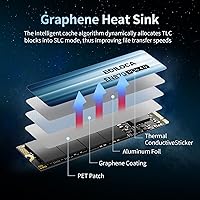
The integrated composite heat dissipation patch helps keep the NAND chips at reasonable temperatures during moderate workloads like gaming sessions or typical file transfers. In open desktop cases with decent airflow, most users report temperatures staying within a comfortable operating range.
Without an included heatsink, the drive runs warmer under sustained heavy use than competing drives that ship with thermal solutions. Users in compact laptops or thermally constrained cases reported higher idle and load temperatures, and some noted slight throttling behavior in those environments during extended writes.
Long-Term Reliability
71%
29%
The 8000TBW endurance rating is competitive for a consumer-grade 4TB drive, and early adopters who have owned the EN870 for a year or more mostly report no failures or degraded performance. S.M.A.R.T. monitoring support gives technically inclined users a way to keep an eye on drive health proactively.
Ediloca does not yet have the years-long public reliability data that Samsung or WD have accumulated, which makes long-term confidence harder to calibrate. A small but notable portion of reviewers expressed that brand unfamiliarity made them less comfortable in the absence of a multi-year track record.
Warranty & Support
77%
23%
A five-year limited warranty is genuinely strong for a brand at this price level, and reviewers who contacted US-based support largely described their experiences as responsive and helpful. The coverage period compares favorably to many established competitors offering only three-year warranties on similar drives.
A few reviewers noted that the warranty claim process requires some persistence and thorough documentation, including purchase receipts and diagnostic data. Buyers accustomed to the frictionless support experiences of major brands occasionally found the process slower than expected.
Broad Device Compatibility
88%
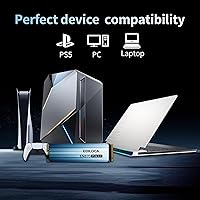
The M.2 2280 form factor and NVMe interface cover an impressively wide range of devices — modern gaming desktops, mainstream laptops, workstations, and the PS5 all accept this drive without adapters or modifications. Windows, Linux, and macOS compatibility further broadens its appeal.
Compatibility is limited to systems with an M.2 NVMe slot, which excludes older machines using SATA-only interfaces or proprietary connectors. Many modern MacBooks, in particular, use non-standard storage connectors that make this drive incompatible despite the listed macOS support.
Brand Trust
62%
38%
Ediloca has clearly invested in building credibility — the 4.6-star rating across more than 4,000 reviews is not a trivial sample size, and the five-year warranty signals a degree of confidence in the product. For buyers who research thoroughly and feel comfortable looking beyond household names, the EN870 earns reasonable trust.
Ediloca simply does not carry the brand equity of Samsung, WD, or Seagate, and that gap is real for buyers who factor reputation heavily into purchasing decisions. Some reviewers admitted they felt mild anxiety about long-term support availability from a newer brand, particularly if warranty claims arise years down the line.
Packaging & Accessories
81%
19%
Reviewers appreciated the thoughtful inclusion of an installation screwdriver and mounting screw, which removes a small but genuinely annoying friction point for new builders. The multilingual guide is practical for a globally shipped product and was called out positively by non-English-speaking buyers in particular.
The packaging itself is functional but not premium — a few buyers noted that the retail box arrived with cosmetic damage during shipping, though the drive inside was unaffected. Those expecting a more polished unboxing experience comparable to Samsung's retail packaging may find it underwhelming.
Cache Efficiency
67%
33%
For the workloads most buyers actually run — loading games, transferring moderate file batches, and handling everyday read-heavy tasks — the dynamic SLC cache does its job without drawing attention to itself. The drive feels quick in normal use, which is what matters most for the majority of its target audience.
Cache exhaustion is the EN870's most discussed technical limitation, and it surfaces in any workload that pushes sustained sequential writes beyond a few dozen gigabytes. Power users who specifically sought out a DRAM-equipped drive for media production pipelines or large backup workflows will find this cache architecture frustrating at scale.
Noise & Vibration
96%
As a solid-state drive with no moving parts, the EN870 operates in complete silence under all workloads. Reviewers coming from HDDs specifically mentioned the absence of any audible noise or vibration as a notable quality-of-life improvement in their builds.
There is essentially nothing negative to report here — this is a fundamental advantage of SSD technology that the EN870 shares with all NVMe drives. It is not a differentiating strength specific to this model, but buyers upgrading from spinning drives will appreciate it regardless.

Suitable for:

The Ediloca EN870 4TB NVMe M.2 SSD is built for users who need a lot of fast storage in one place and do not want to compromise on speed to get it. PS5 owners are among the most obvious beneficiaries — the drive clears Sony's minimum NVMe requirements and adds enough capacity to store dozens of modern titles without constant juggling. PC gamers with large libraries of open-world or AAA games will find the 4TB ceiling genuinely liberating. Content creators editing 4K footage also stand to benefit, since the Gen4 read speeds keep timelines responsive without the workflow interruptions that slower drives cause. Laptop users with a free M.2 2280 slot can consolidate what might currently be spread across multiple drives or external storage. The included installation hardware and five-year warranty also make this a sensible pick for first-time builders or anyone who values post-purchase support from a growing brand.
Not suitable for:

The Ediloca EN870 4TB NVMe M.2 SSD is not the right choice for every storage need, and being clear about that matters. Users who routinely push sustained, heavy write workloads — think large-scale video rendering pipelines, frequent full-drive backups, or database-heavy server tasks — will likely run into the speed throttling that comes with a DRAM-less architecture. Without a dedicated cache buffer, write performance can drop noticeably once the dynamic SLC cache is saturated, which is a real-world limitation rather than a theoretical one. Buyers who insist on proven long-term brand track records from names like Samsung or Western Digital may also feel uncomfortable here, since Ediloca is still building its reliability history. The drive also ships without a heatsink, so users in thermally constrained systems or high-ambient-temperature environments will need to budget for an aftermarket solution. Finally, anyone running a PCIe Gen3 system will not see the full speed potential this drive is rated for.
Specifications

  • Capacity: The drive offers 4TB of usable storage, making it one of the higher-capacity single M.2 options available in this performance tier.
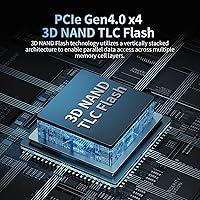
  • Interface: It uses a PCIe Gen4 x4 interface, which requires a compatible Gen4 slot to achieve rated speeds, though it remains backward compatible with Gen3 slots at reduced throughput.
  • Form Factor: The M.2 2280 form factor measures 22mm wide and 80mm long, the most common M.2 size found in modern desktops, laptops, and the PS5 expansion slot.
  • Sequential Read: Rated sequential read speed reaches up to 7300MB/s under optimal, sustained burst conditions using the SLC cache.
  • Sequential Write: Rated sequential write speed reaches up to 6300MB/s, though real-world sustained write performance will vary depending on workload size and cache exhaustion.
  • NAND Type: The drive uses 3D TLC (Triple-Level Cell) NAND flash memory, a widely used technology that balances capacity, cost, and reasonable write endurance.
  • Cache Architecture: Dynamic SLC caching is employed to accelerate burst performance; there is no dedicated DRAM cache, which can affect sustained write consistency under heavy loads.
  • Endurance: The drive is rated for 8000TBW (terabytes written), a competitive endurance figure for a 4TB consumer NVMe drive.
  • Error Correction: LDPC (Low-Density Parity-Check) error correction is built in to help maintain data integrity over the drive's lifespan.
  • Health Monitoring: S.M.A.R.T. monitoring support allows compatible software to track drive health, temperature, and wear indicators over time.
  • Thermal Design: A composite heat dissipation patch is applied to the NAND chips for passive thermal control; no external heatsink is included in the package.
  • PS5 Support: The drive is officially validated for PS5 internal storage expansion and meets Sony's minimum NVMe speed requirements without modification.
  • OS Compatibility: Compatible operating systems include Windows 7, 8, 10, and 11, Linux distributions, and macOS 10.9 and later.
  • Warranty: Ediloca covers this drive with a 5-year limited warranty and offers US-based technical support for the duration of the coverage period.
  • Weight: The drive weighs approximately 1.06 ounces, consistent with other bare M.2 2280 modules without an attached heatsink.
  • Package Contents: The retail package includes the drive, an installation screwdriver, a mounting screw, and an illustrated multilingual installation guide.
  • NVMe Protocol: The drive operates on the NVMe 1.4 protocol, which supports lower latency command queuing compared to older AHCI-based storage interfaces.
  • TRIM Support: TRIM command support is included to help the drive maintain consistent long-term performance by efficiently managing deleted data blocks.

Related Reviews
Ediloca EN870 2TB NVMe M.2 SSD
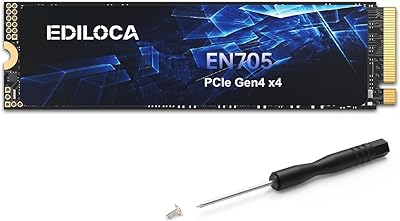
86%
93%
Performance (Speed)
88%
Thermal Management
90%
Compatibility (PC & PS5)
89%
Endurance (4000TBW)
85%
Ease of Installation
More
Ediloca EN705 4TB SSD NVMe M.2 PCIe Gen4
87%
89%
Performance
92%
Value for Money
88%
Read Speed
85%
Write Speed
82%
Build Quality
More
ORICO IG740PRO 4TB M.2 NVMe SSD
79%
91%
Sequential Read Performance
88%
Endurance & Longevity
84%
Thermal Management
79%
Value for Money
74%
PS5 Compatibility
More
fanxiang S660 4TB NVMe M.2 SSD
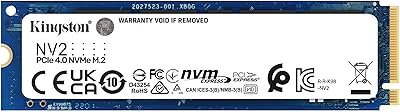
88%
92%
Performance
89%
Cooling Efficiency
91%
Ease of Installation
96%
Compatibility with PS5
87%
Build Quality
More
fanxiang S770 4TB NVMe M.2 SSD
84%
88%
Read Speed Performance
82%
Write Speed Consistency
93%
PS5 Compatibility
86%
Thermal Management
84%
Value for Money
More
TEAMGROUP MP44Q 4TB M.2 NVMe SSD
88%
95%
Read Speed
92%
Write Speed
90%
PS5 Compatibility
75%
Thermal Performance
88%
Value for Money
More
Kingston NV2 4TB M.2 NVMe SSD
90%
94%
Read Performance
88%
Write Performance
91%
Reliability
95%
Installation Ease
89%
Compatibility
More
ORICO TCM2 M.2 NVMe SSD Enclosure
78%
83%
Transfer Speed
61%
Thermal Management
74%
Build Quality
91%
Ease of Installation
86%
Cable Bundle Quality
More
Ediloca 2TB M.2 NVMe SSD with Heatsink
86%
92%
Performance
88%
Ease of Installation
75%
Thermal Management
91%
Value for Money
85%
Durability
More
Crucial T500 4TB Gen4 NVMe M.2 SSD
89%
94%
Performance
87%
Cooling Efficiency
90%
Installation Process
92%
Reliability
95%
Compatibility with PS5
More

FAQ

Yes, it fits directly into the PS5 M.2 expansion slot and meets Sony's speed requirements. The only thing to keep in mind is that the PS5 slot accommodates a heatsink, and since this drive does not include one, you may want to add an inexpensive aftermarket heatsink — Sony recommends it for good thermal management inside the console.

It depends on what you are doing with it. For gaming, everyday file transfers, and most creative work, the absence of DRAM is rarely noticeable because the dynamic SLC cache handles burst workloads well. Where it can become a factor is during very large, sustained writes — like moving hundreds of gigabytes in one go — where speeds may drop once the SLC cache fills. For typical home or gaming use, most buyers do not run into this in practice.

It will physically fit and function in a Gen3 slot, but you will not get anywhere near the rated speeds. PCIe Gen3 x4 maxes out at roughly 3500MB/s read, so while the drive is backward compatible, buyers with Gen3 systems are essentially paying for performance they cannot use. If your system is Gen3 only, a purpose-built Gen3 drive would be a more cost-efficient choice.

For most people, 4TB is a genuinely comfortable amount of storage rather than excess. Modern PC game installs routinely run 100GB or more, 4K video projects accumulate fast, and having everything on one fast internal drive is much cleaner than juggling external drives. If you have ever stress-managed a nearly full 1TB or 2TB drive, 4TB removes that friction entirely.

It is one of the simpler PC upgrades you can do. The drive slides into the M.2 slot at a slight angle, lays flat, and is secured with a single small screw. Ediloca includes that screw and a screwdriver in the box, along with a multilingual guide. For PS5 installation, Sony also provides a clear official walkthrough. Most first-timers complete the process in under fifteen minutes.

Ediloca backs the drive with a 5-year limited warranty and US-based support. In practice, you would contact their support team, describe the issue, and go through their claims process. For a newer brand, the warranty coverage period is solid, though it is worth keeping your purchase receipt and any diagnostic data the S.M.A.R.T. monitoring tool provides, as that information can speed up a claim significantly.

It depends on the specific Mac. Older MacBooks that use a standard M.2 2280 slot and support NVMe drives can technically use this drive, but many modern Macs use proprietary storage connectors that are not M.2 compatible at all. The listed macOS 10.9 and later compatibility refers to external enclosure use cases or compatible Mac Pros, not general MacBook upgrades. Always check your specific Mac model before purchasing.

Under typical gaming or file transfer loads, most users report temperatures in a normal and safe range, especially in well-ventilated cases. However, in tight laptop chassis or thermally restricted environments, temperatures can climb higher under sustained workloads. If your build runs warm or you plan heavy sustained use, an aftermarket M.2 heatsink is a cheap and worthwhile addition.

The EN870 holds up reasonably well on raw specs and price-per-terabyte at 4TB. Where established brands have an edge is in long-term reliability data and brand confidence — Samsung and WD have years of public track records to draw from. The EN870's 4.6-star average across thousands of real reviews is encouraging, but buyers who want maximum peace of mind around brand trust may still lean toward a more recognized name, even at a premium.

The product specifications do not list AES hardware encryption support, which is worth noting if data security features like BitLocker hardware encryption are important to your use case. Software-based encryption options remain available through your operating system, but buyers requiring TCG Opal or AES 256-bit hardware encryption should verify compatibility directly with Ediloca before purchasing.