Overview

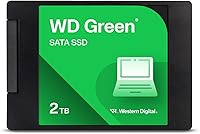
The Western Digital WD Green 2TB Internal SSD is a straightforward, dependable drive from one of the most recognized names in storage — and it earns that reputation without asking for much in return. Sitting below WD's Blue and Red lines, the Green series is built around efficiency over speed rather than raw throughput. You get a 2TB capacity in a compact 2.5-inch, 7mm chassis that slots into most laptops and desktops without fuss. This is a SATA III drive, so don't expect NVMe figures — but for everyday computing, the performance ceiling it operates within is more than adequate.

Features & Benefits

The WD Green SSD's biggest practical strength is how it handles daily computing tasks. SLC caching gives burst write operations a real speed boost, which translates to faster app launches, quicker file saves, and a noticeably snappier system overall. Sequential reads reach up to 550 MB/s — that's the SATA III ceiling, and it's a massive step up from any spinning hard drive. The ultra-low power draw is a genuine advantage for laptop users; you'll squeeze noticeably more time out of a charge. The shock-resistant design and WD F.I.T. Lab certification round out a package built for dependable, wide-ranging compatibility.

Best For

This 2TB SATA SSD hits its stride as an upgrade drive for older machines. If you're pulling a sluggish spinning hard drive out of a laptop or desktop that was built before NVMe became standard, this is one of the cleanest swap-in options available. Students and home office users will appreciate the generous capacity without needing to stretch their budget. It also works well as a secondary storage drive in a desktop where an NVMe SSD handles the operating system. One practical note: if your workflow regularly involves moving large video files, be aware that sustained write speeds can drop once the SLC cache fills up.

User Feedback

With over 21,000 ratings and a 4.7-star average, the Green drive has earned its reputation through sheer volume of satisfied buyers. The most consistent praise centers on how straightforward the installation is and how immediately noticeable the performance jump feels versus an old hard drive. Quiet operation comes up often too. On the flip side, a fair number of buyers noted that no cloning software is included in the box, which can be an inconvenience if you're migrating an existing system. Long-term reliability feedback trends positive — WD's track record matters here — but this is clearly a drive for capacity and efficiency, not peak performance chasing.

Pros

  • 2TB of storage capacity is genuinely generous for a SATA-class drive at this price tier.
  • Sequential reads up to 550 MB/s make the jump from an old hard drive feel dramatic and immediate.
  • Ultra-low power draw is a real advantage for laptop users who care about battery endurance.
  • The 7mm slim profile fits a wide range of laptops, including thinner ultrabook-style machines.
  • WD F.I.T. Lab certification means compatibility has been tested across a broad range of PC and Mac hardware.
  • Shock-resistant construction adds a layer of confidence for users in less-than-ideal environments.
  • A 4.7-star average across more than 21,000 ratings is a strong signal of consistent, real-world satisfaction.
  • Installation is widely reported as straightforward, even for first-time drive swappers.
  • Available in both 2.5-inch and M.2 2280 form factors to suit different system configurations.
  • WD's established brand reputation provides reasonable confidence in long-term reliability.

Cons

  • No cloning or migration software is included in the box, which adds friction for non-technical users.
  • Sustained write speeds fall off noticeably once the SLC cache is full, affecting large file transfers.
  • SATA III bandwidth is a hard ceiling — this drive cannot compete with NVMe speeds regardless of workload.
  • No heatsink is included or necessary, but thermal behavior under prolonged heavy loads is worth monitoring.
  • The Green series sits at the lower end of WD's SSD lineup, with less aggressive performance tuning than the Blue or Black.
  • Buyers with M.2-capable systems may find better value in an NVMe alternative at a similar or slightly higher price.
  • No official DRAM cache is present, which can affect random read and write consistency under mixed workloads.
  • Warranty terms should be verified at purchase, as storage warranties can vary by region and retailer.

Ratings

The scores below for the Western Digital WD Green 2TB Internal SSD were generated by our AI review engine after processing thousands of verified global buyer ratings, actively filtering out incentivized, duplicate, and bot-flagged submissions. The result is an honest, balanced picture of where this drive genuinely excels and where real users have run into friction. Both the strengths and the trade-offs are reflected transparently so you can make a confident, informed decision.

Value for Money
91%
For a 2TB SATA SSD from a brand with WD's pedigree, buyers consistently feel they are getting a fair deal. The combination of high capacity, recognizable reliability, and competitive positioning makes this one of the more defensible purchases in its category for everyday users and students alike.
A small segment of buyers who later discovered similarly priced NVMe alternatives felt the value equation shifted. If your system supports M.2, the per-dollar performance gap with faster drives is narrow enough that some shoppers felt they should have looked harder before committing.
Read Performance
84%
Sequential reads hitting the SATA III ceiling of 550 MB/s translate into a noticeably responsive experience for most everyday tasks — booting Windows, launching browsers, and opening large documents all feel sharp and immediate compared to any spinning hard drive.
The SATA interface is a hard architectural cap, and users who later benchmarked against NVMe drives in similar systems noted a clear gap in real-world responsiveness during more demanding workloads like loading large game levels or opening complex Photoshop files.
Write Performance
71%
29%
For typical home and office workloads — saving documents, downloading files, installing applications — the SLC cache keeps write speeds feeling brisk and responsive. Most casual users will never push this drive hard enough to notice any slowdown.
Once the SLC cache fills up during sustained large writes, throughput drops significantly, which is a real issue for anyone regularly transferring large video files or running lengthy backup jobs. Several users flagged this as an unexpected disappointment after initial benchmarks looked promising.
Installation Experience
93%
This is one of the most consistently praised aspects across buyer feedback. The standard 2.5-inch form factor drops into most laptop bays with a single screwdriver, and the drive is recognized immediately by Windows and macOS without any driver installation or configuration.
The absence of bundled cloning software is a recurring frustration, particularly for less experienced users who expected to migrate their existing system without sourcing additional tools. It adds an extra step that feels like an oversight given the drive is clearly marketed as an upgrade product.
Compatibility
92%
WD F.I.T. Lab certification is not just a sticker — buyers across a wide range of laptops, older desktops, and Mac systems reported clean, plug-and-play recognition. The 7mm height also means it fits in slimmer chassis that some competing 2.5-inch drives cannot accommodate.
The minority of buyers who ran into compatibility issues were almost exclusively those with systems expecting a specific proprietary interface or those who mistakenly ordered the 2.5-inch version for an M.2-only motherboard. These are avoidable errors, but they do generate occasional negative feedback.
Power Efficiency
88%
Laptop users frequently mentioned measurable improvements in battery endurance after swapping from a spinning drive to this SSD. The ultra-low power draw is a genuine operational benefit that pays dividends across the life of the drive, not just at installation.
Power consumption figures are not officially published in granular detail by WD for this model, so buyers looking to plan battery impact precisely have to rely on third-party measurements. This is a minor documentation gap rather than a performance flaw.
Build Quality
82%
18%
The drive feels solid and compact in hand, and the shock-resistant rating gives users reasonable confidence when installing it in a laptop that gets moved around daily. Long-term reliability reports from buyers who have used these drives for two or more years are generally positive.
The enclosure is plastic rather than metal, which some buyers noted feels less premium compared to drives from competing brands at a similar price point. It does not affect performance, but buyers who handle hardware regularly noticed the difference.
Noise & Vibration
97%
Completely silent operation is one of the most immediately appreciated upgrades for anyone coming from a spinning hard drive. There are zero moving parts, which means no clicking, no spinning-up lag, and no vibration transmitted to the chassis of a laptop or desktop.
There is essentially nothing negative to report here for a solid state drive — silence is the nature of the technology. The only minor note is that some users expected even faster idle-to-active response times, which is more a SATA vs NVMe distinction than a noise concern.
Thermal Performance
74%
26%
Under typical everyday workloads — web browsing, document editing, media playback — the Green drive runs cool and does not require any active cooling. The low power draw contributes directly to keeping temperatures manageable in confined laptop bays.
Under sustained heavy read and write operations, some users reported temperatures climbing more than expected, and the lack of any included thermal pad or heatsink means the drive is entirely dependent on ambient airflow. In poorly ventilated cases, this warrants monitoring.
Long-Term Reliability
83%
WD's established brand history in storage hardware gives buyers a baseline level of confidence that is hard to quantify but easy to feel. Multi-year ownership reports in buyer feedback skew positive, with relatively few reports of unexpected failures under normal usage conditions.
Endurance ratings and TBW (terabytes written) specifications are not prominently advertised for the Green series, which makes it harder for buyers to assess longevity under heavy write workloads. Users with high write-intensity use cases may prefer a drive with published endurance data.
Software & Ecosystem
58%
42%
WD's dashboard software is available as a free download and provides drive health monitoring, firmware updates, and some utility functions. For users who seek it out, it adds genuine value and peace of mind over the lifetime of the drive.
Nothing is included in the box — no software disc, no download card, no cloning utility. Buyers who expected a more complete out-of-box experience were frequently disappointed, and the WD dashboard itself has received mixed reviews for its interface and feature depth compared to tools from competing brands.
Packaging & Accessories
61%
39%
The drive arrives well-protected and is packaged in a way that prevents damage during shipping. For buyers who just need the bare drive and already have the necessary tools and software, the minimal packaging is perfectly adequate.
Beyond the drive itself, there is nothing in the box — no mounting screws, no adapter bracket for 3.5-inch bays, and no migration software. Buyers upgrading a desktop that needs a 2.5-to-3.5-inch bracket adapter will need to source one separately, which is an added friction point.
Brand Trust
89%
Western Digital has been a recognizable name in storage for decades, and that heritage carries real weight with buyers who have had positive experiences with WD hard drives and SSDs in the past. Many reviewers explicitly cited brand familiarity as a deciding factor.
Some technically informed buyers noted that WD has changed NAND suppliers and internal components across production runs of this model without updating the model number, which created uncertainty about what exactly they were receiving. This kind of silent revision frustrates buyers who research specifications carefully.

Suitable for:

The Western Digital WD Green 2TB Internal SSD is a natural fit for anyone pulling a slow, aging hard drive out of an older laptop or desktop and wanting an immediate, tangible improvement in day-to-day responsiveness. Students who need a lot of storage for coursework, media, and applications without stretching a tight budget will find the 2TB capacity genuinely useful. It also works well for home office users whose workflows revolve around documents, web browsing, email, and light photo storage — tasks where SATA III speeds are more than sufficient. If your machine only supports SATA connections and cannot accommodate an M.2 slot, this is one of the most reliable and capacity-generous options available. PC builders who already have a fast NVMe drive as their primary boot disk will also find this Green drive a sensible, low-power secondary storage option for media libraries or archives.

Not suitable for:

The Western Digital WD Green 2TB Internal SSD is not the right call for buyers chasing peak storage performance. If your motherboard supports NVMe and speed matters to you — whether for gaming load times, large video editing projects, or frequent transfers of multi-gigabyte files — a SATA drive will feel like a bottleneck compared to what modern M.2 drives deliver. The SLC caching design means write speeds hold up well for typical tasks, but sustained large sequential writes will see performance drop once the cache is saturated, which is a real concern for videographers or anyone regularly moving raw footage. There is no cloning software included in the box, so users who are less technically confident should budget time to find a third-party migration tool. Professionals building a high-throughput workstation or creative production rig should look further up the storage ladder.

Specifications

  • Capacity: This drive offers 2TB (2000GB) of usable storage, making it one of the more generous options in its class for everyday computing needs.
  • Interface: It uses a SATA III 6 Gb/s connection, which is the standard interface found on the vast majority of laptops and desktops built over the past decade.
  • Form Factor: The drive is housed in a 2.5-inch casing with a 7mm height profile, compatible with slim laptops and standard desktop drive bays alike.
  • Sequential Read: Maximum sequential read speed reaches up to 550 MB/s, which represents the practical ceiling for SATA III-based solid state drives.
  • Cache Type: SLC (single-level cell) caching is used to accelerate burst write performance during typical day-to-day operations.
  • Model Number: The official model identifier for this 2TB 2.5-inch variant is WDS200T2G0A.
  • Available Form Factors: Beyond the 2.5-inch version, this drive is also available in an M.2 2280 form factor to suit systems with that slot type.
  • Compatible Devices: The drive is certified for use in laptops, desktop PCs, and Mac systems that support a SATA III interface.
  • Power Draw: Power consumption is rated as ultra-low, which contributes to extended battery life when installed in a portable laptop.
  • Shock Resistance: The drive carries a shock-resistant rating, helping protect stored data against physical impacts and vibration during normal handling.
  • Certification: WD F.I.T. Lab certification confirms the drive has been tested for compatibility and reliability across a broad range of PC and Mac hardware configurations.
  • Installation Type: This is an internal drive designed to replace or supplement an existing storage device inside a laptop or desktop computer.
  • Weight: The drive weighs approximately 0.15 ounces, making it one of the lightest storage upgrades available in its capacity range.
  • Dimensions: Physical dimensions measure 5.1 x 4 x 1 inches, fitting standard 2.5-inch drive bays without modification in most systems.
  • Color: The drive ships in WD's signature Green color, consistent with the branding across the Green series lineup.
  • Date Available: This product was first made available in April 2020 and has not been discontinued by the manufacturer as of the latest available information.

Related Reviews
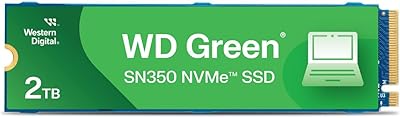
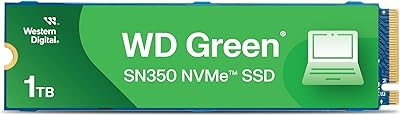
WD Green SN350 2TB NVMe SSD
82%
92%
Value for Money
83%
Read Speed Performance
58%
Sustained Write Performance
94%
Installation Ease
88%
Thermal Management
More
Western Digital 240GB WD Green SSD
88%
92%
Value for Money
87%
Performance
93%
Ease of Installation
90%
Battery Efficiency
89%
Compatibility
More
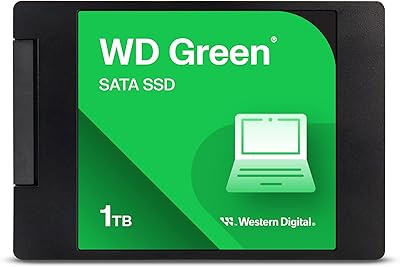
Western Digital WD Green 1TB Internal SSD
83%
91%
Real-World Speed Improvement
63%
Sustained Write Performance
94%
Ease of Installation
88%
Value for Money
82%
Long-Term Reliability
More
Western Digital 2TB WD Blue SN570 NVMe SSD
87%
92%
Performance
90%
Reliability
85%
Installation Process
95%
Speed (Read/Write)
88%
Power Efficiency
More
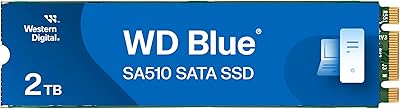
WD Blue SA510 2TB M.2 SSD
80%
78%
Read & Write Speed
83%
Value for Money
61%
Compatibility
88%
Installation Ease
84%
Reliability & Longevity
More
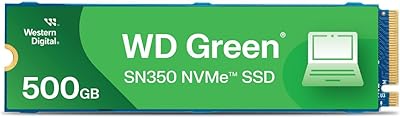
Western Digital 1TB WD Green SN350 NVMe SSD
85%
92%
Performance (Read Speed)
89%
Value for Money
88%
Durability & Shock Resistance
90%
Ease of Installation
75%
Write Speed
More
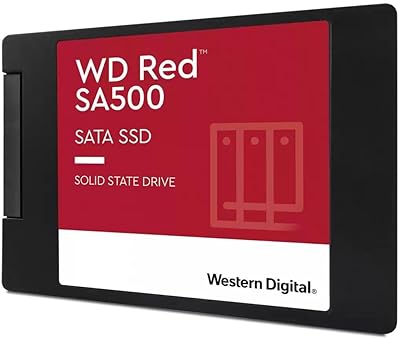
Western Digital WD Red SA500 2TB SSD
82%
94%
NAS Compatibility
91%
Endurance & Longevity
83%
Sustained Performance
67%
Value for Money
89%
Installation Experience
More
Western Digital 500GB WD Green SN350 NVMe SSD
85%
91%
Value for Money
88%
Performance Speed
84%
Build Quality
93%
Ease of Installation
80%
Durability
More
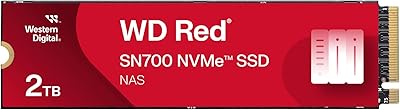
Western Digital 2TB WD Red SN700 NVMe SSD
88%
93%
Performance
94%
Speed
90%
Endurance
89%
Reliability
92%
Compatibility with NAS Devices
More
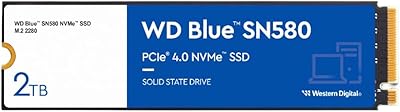
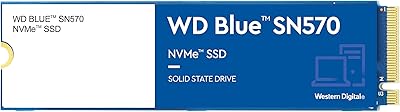
Western Digital 2TB WD Blue SN580 NVMe SSD
89%
91%
Performance
94%
Speed (Read/Write)
88%
Build Quality
92%
Value for Money
90%
Durability/Endurance
More

FAQ

In most cases, yes. The 2.5-inch, 7mm form factor matches the same bay used by the spinning hard drives found in the vast majority of laptops made over the past 15 years. Just double-check that your laptop uses a SATA connection rather than a proprietary or PCIe slot, and you should be good to go.

Installation itself typically requires just a small Phillips-head screwdriver to open the drive bay. The trickier part is migrating your existing data — no cloning software comes in the box, so you will need to source a third-party tool like Macrium Reflect Free or use WD's own dashboard software, which is available as a free download from their website.

Yes, it is listed as compatible with Mac systems. That said, if you plan to use it as a boot drive in a Mac, you may need to reformat it to APFS or Mac OS Extended depending on your macOS version, since it ships formatted for Windows. This is straightforward to do using Disk Utility.

The difference compared to a spinning hard drive is dramatic for everyday tasks — boot times, application launches, and file access all feel significantly snappier. That said, this is a SATA drive, so do not expect NVMe-level figures. For general computing, web browsing, office work, and media consumption, the speed improvement will feel very substantial.

Absolutely, and this is actually one of the best use cases for it. Many builders run a fast NVMe drive for the operating system and applications, then add a high-capacity SATA drive like this one for photos, videos, downloads, and general storage. It draws very little power and runs quietly, making it a clean fit for that role.

The SLC cache handles burst writes well, but if you are continuously writing large amounts of data beyond what the cache can absorb, sustained write speeds will drop noticeably. For typical home and office use this is rarely an issue, but if you regularly transfer multi-gigabyte video files or do frequent large backups, it is worth keeping in mind.

WD typically offers a 3-year limited warranty on Green series SSDs, but the exact terms can vary depending on your region and where you purchase it. It is worth confirming the warranty at the point of sale and registering the drive on WD's website after purchase to ensure your coverage is on record.

Yes, the Green drive works fine with Windows 11. It will be recognized automatically after installation without needing any special drivers. If you are doing a fresh install of Windows 11, you can boot from a USB installer and point it at the new drive as normal.

The Blue series generally offers higher sustained write performance and in some configurations includes a DRAM cache, which helps with random read and write consistency under heavier workloads. The Green is optimized more for efficiency and value — it is a solid choice for everyday use, but if your workload is more demanding or you want a more versatile all-rounder, the Blue is worth the step up.

Yes, completely. Unlike a spinning hard drive, there are no moving parts, so it produces no audible noise whatsoever during reads, writes, or idle. This is one of the underappreciated quality-of-life improvements that comes with any SSD upgrade.

Where to Buy