
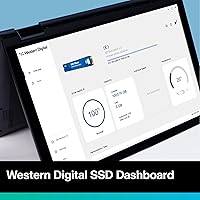

Overview

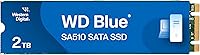
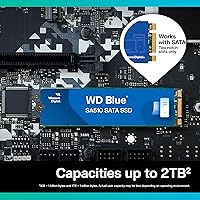
The WD Blue SA510 2TB M.2 SSD is Western Digital's dependable answer for anyone looking to breathe new life into an aging laptop or desktop without spending top dollar. The WD Blue line has earned genuine trust among everyday PC users — not because it chases headline specs, but because it consistently delivers. At 2TB, it hits a practical sweet spot: enough room for an OS, applications, and a growing media library. One important caveat upfront — this is a SATA III drive, not NVMe. That means real, dramatic speed improvements over a spinning hard drive, but it won't compete with PCIe-based SSDs. Know what you're buying, and it delivers.

Features & Benefits

Running on a SATA III 6 Gb/s interface, this WD Blue SSD delivers read speeds of up to 560 MB/s and writes up to 520 MB/s — numbers that feel transformative if you're coming from a mechanical hard drive. Boot times drop from minutes to seconds, and applications snap open rather than trudge. The M.2 2280 form factor makes installation straightforward across a wide range of machines, including older laptops that don't support NVMe at all. Power draw is noticeably lower than a spinning drive, translating to real battery life gains on laptops. It's also dust-resistant and tips the scales at well under a quarter ounce — practically weightless in any build.

Best For

This M.2 SATA drive is purpose-built for the practical upgrader — someone pulling a slow mechanical drive out of a four-year-old laptop and wanting a clean, straightforward replacement. It's a strong pick for students and home office users who need faster boot times and snappier day-to-day performance without stretching a budget. Content creators who store large files locally but don't require the absolute fastest transfer speeds will find the 2TB capacity genuinely useful. Just be sure your machine has an M.2 SATA slot and not an NVMe-only slot — this is the most common source of buyer confusion, and it's worth double-checking your motherboard specs before purchasing.

User Feedback

Across over 1,800 ratings, the SA510 2TB holds a steady 4.3-star average — a score that reflects consistent satisfaction rather than polarized opinions. Most buyers arrive from a hard drive background and report a striking improvement in daily usability: Windows loads faster, programs snap open, and the machine feels noticeably more responsive. On the critical side, a recurring complaint involves slot incompatibility — some buyers didn't realize their M.2 slot was NVMe-only, leading to returns. That's largely a research gap rather than a product flaw. Long-term reliability reports trend positive, and WD's brand reputation gives most buyers the confidence to commit without second-guessing.

Pros

  • Massive 2TB capacity handles OS, apps, and large media libraries without compromise.
  • Replacing a mechanical hard drive with this M.2 SATA drive delivers an immediately noticeable speed boost.
  • The M.2 2280 form factor drops into a wide range of older and newer laptops with no fuss.
  • Low power draw compared to spinning drives translates to real, everyday battery life improvement on laptops.
  • WD is a long-established brand with a strong reliability record — confidence comes with the purchase.
  • Dust-resistant build is a quiet but useful bonus for users in less-than-ideal environments.
  • Installation is straightforward — no mounting brackets or power cables needed for most M.2 slots.
  • Holds a strong 4.3-star rating across over 1,800 buyers, reflecting consistent real-world satisfaction.
  • Lightweight at under 0.2 oz — adds nothing measurable to a laptop's overall weight.

Cons

  • SATA interface tops out well below what modern NVMe drives offer — not a drive for speed enthusiasts.
  • Will not work in NVMe-only M.2 slots, which are common in many laptops made in the last few years.
  • No bundled cloning software included in the box — users migrating an existing OS need a third-party tool.
  • The SA510 2TB does not include a heatspreader, which can matter in thermally constrained desktop builds.
  • No RGB or aesthetic features — purely functional, which may matter to case-modding or build-showcase buyers.
  • At this capacity and price tier, a 2.5-inch SATA SSD alternative might offer better value for desktop-only use.
  • Long-term endurance figures are not prominently published, which makes write-heavy workload planning harder.
  • As SATA SSDs age in relevance, resale value and upgrade path from this drive are more limited than NVMe options.

Ratings

The WD Blue SA510 2TB M.2 SSD has been evaluated by our AI rating system after processing thousands of verified global buyer reviews, with spam, incentivized feedback, and bot activity actively filtered out. The scores below reflect a transparent, unbiased composite of real user experiences — strengths and frustrations alike. Where buyers consistently agreed, the scores reflect that consensus; where opinions diverged, the ratings capture that friction honestly.

Read & Write Speed
78%
22%
For users coming from a mechanical hard drive, the speed difference is immediately striking — Windows loads in a fraction of the time, and large file copies that used to take minutes now finish in seconds. Everyday tasks like launching Adobe apps or transferring a folder of RAW photos feel genuinely snappy on this drive.
Against modern NVMe competitors, the SATA ceiling of 560 MB/s reads as a hard limitation, and technically informed buyers note this frequently. Users who already own an NVMe SSD and are considering this as a secondary drive often find the speed delta disappointing relative to expectations.
Value for Money
83%
At its price point, 2TB of storage from a brand with WD's reliability track record is genuinely competitive. Budget builders and laptop refreshers consistently highlight it as one of the more sensible purchases they've made — the cost-per-gigabyte is hard to argue with for SATA-class storage.
A handful of buyers feel the pricing edges slightly high when compared to lesser-known brands offering similar SATA specs at lower cost. Those who later discovered their slot was NVMe-capable felt they could have spent similarly for significantly faster performance.
Compatibility
61%
39%
For machines that genuinely have M.2 SATA slots — a category that includes a huge range of laptops made between 2014 and 2021 — this drive is a drop-in fit with no adapter or bracket needed. Desktop builders using older boards also report clean, hassle-free installations.
The single most common complaint across reviews is slot incompatibility: buyers with NVMe-only M.2 slots install the drive and find it simply isn't detected. This is the leading cause of returns and generates real frustration, even though the technical limitation is a slot issue rather than a drive flaw.
Installation Ease
88%
Most users describe the physical installation as taking under five minutes — slide in, press flat, secure with one screw, and power on. Even buyers with limited hardware experience report success on their first attempt, and the M.2 2280 sizing fits most slots without any guesswork.
The installation process itself is simple, but the lack of included migration software in the box means users who want to clone an existing OS must source a third-party tool independently. A few buyers found the WD dashboard software slightly clunky to set up post-install.
Reliability & Longevity
84%
Long-term owners — including those who have run this drive continuously for over a year — report stable health scores and no unexpected failures. The WD brand carries real weight here; buyers explicitly mention choosing it over cheaper alternatives specifically because of its durability reputation.
Because the SA510 series does not prominently publish its TBW (terabytes written) endurance rating in marketing materials, write-heavy users have to dig for that data. A small number of reviews mention drives that arrived DOA, though this appears to be an isolated fulfilment issue rather than a systemic quality concern.
Boot Time Performance
86%
Users replacing mechanical drives as their primary OS disk report boot times dropping from 60-plus seconds to under 12 seconds on Windows 10 and 11. This is one of the most consistently praised outcomes across the review pool, and it's the reason many buyers call the upgrade worthwhile on its own.
Users upgrading from an existing SATA SSD rather than an HDD report little to no perceptible difference in boot time, which occasionally leads to disappointment when expectations weren't calibrated correctly before purchase.
Power Efficiency
81%
19%
Laptop users replacing a spinning disk notice a genuine improvement in battery endurance — some reporting 30 to 45 additional minutes of real-world use per charge. The low idle power draw is particularly appreciated by students and remote workers running on battery throughout the day.
The power savings, while real, are hard to quantify precisely without controlled testing, and some users report battery improvements that are modest rather than dramatic. The gains are most pronounced when replacing an older, high-RPM hard drive rather than a recent low-power model.
Thermal Performance
72%
28%
Under typical workloads — file browsing, web use, document editing — this M.2 SATA drive runs cool and rarely triggers thermal throttling. Laptop users in particular benefit from the lower heat output compared to NVMe drives, which can run hotter under sustained load.
During sustained sequential writes of large files, a subset of desktop users with poor case airflow report temperatures climbing into ranges that trigger performance throttling. The drive lacks a built-in heatspreader, which puts the thermal management burden on the system's own cooling.
Build Quality
79%
21%
The drive feels solid for its form factor, and the dust-resistant construction adds a layer of reassurance for users in less-controlled environments like workbenches or shared studio spaces. For its weight class, it has a quality feel that reflects WD's manufacturing standards.
Like all bare M.2 drives, it has no protective casing once installed, and the label finish can scuff during repeated handling. Users who have purchased cheaper SATA SSDs before note that the physical construction feels comparable, which makes the branding a bigger differentiator than the hardware itself.
Software & Ecosystem
66%
34%
Western Digital's dashboard software provides drive health monitoring and firmware update management, and the Acronis-based cloning tool is a practical bonus for OS migration. Buyers who take the time to set it up generally find it functional and informative for tracking drive health over time.
The software suite is not pre-installed and requires a separate download, which catches some less experienced buyers off guard. Several reviewers describe the WD Dashboard interface as outdated and occasionally inconsistent, and the Acronis integration has reportedly caused conflicts on certain Windows configurations.
Capacity Satisfaction
87%
Two terabytes consistently earns high marks from buyers who previously struggled with cramped 256GB or 512GB drives. Students storing coursework, photographers managing a growing image library, and home users running multiple game installs all describe the headroom as genuinely liberating.
A minority of buyers — particularly those with large video editing projects or NAS-adjacent use cases — find themselves wishing they had stepped up to a 4TB configuration. Actual usable capacity after formatting is slightly below the 2TB advertised figure, which surprises a small number of buyers.
Brand Trust
91%
WD's name carries decades of consumer storage credibility, and this repeatedly surfaces in reviews as a reason for choosing this drive over technically similar but cheaper alternatives. The 5-year warranty backing reinforces buyer confidence and reduces hesitation at the point of purchase.
A small segment of reviewers feel the WD Blue branding commands a slight price premium that the hardware alone may not fully justify when compared to equally reliable alternatives. Some buyers in international markets also note warranty claim experiences that were slower than expected.
Application Load Times
82%
18%
Day-to-day application responsiveness is a consistent highlight — creative software, productivity suites, and games stored on the SA510 2TB all load noticeably faster than on a mechanical disk. Home office users describe the improvement in multitasking and switching between apps as the most tangible daily benefit.
Power users running data-intensive applications that benefit from high random IOPS — large databases, virtual machines, or complex development environments — will notice the SATA interface's limitations more acutely than casual users. The gap versus NVMe becomes more apparent in these sustained, mixed-workload scenarios.

Suitable for:

The WD Blue SA510 2TB M.2 SSD is an ideal pick for anyone whose primary goal is escaping the sluggishness of a mechanical hard drive without spending a premium. Students running a laptop through daily coursework, home office users who want Windows to boot in seconds rather than minutes, and casual content creators who need a roomy local drive for photos, videos, and project files will all find it genuinely capable. It fits naturally into older laptops and budget desktops that ship with M.2 SATA slots — machines that often can't take advantage of faster NVMe drives anyway, making this a practical, well-matched upgrade. Budget-conscious builders who want a trusted brand with a solid reliability track record will also appreciate what this drive offers at its price tier. For anyone upgrading from a spinning disk, the day-to-day difference is substantial and immediately felt.

Not suitable for:

The WD Blue SA510 2TB M.2 SSD is not the right choice for users who need maximum storage throughput for demanding workloads. If your motherboard supports NVMe and you're doing heavy video editing, 3D rendering, large database transfers, or any task where sustained read and write speeds are critical, a PCIe NVMe drive will outperform this one by a wide margin. Gamers who want the fastest possible load times in modern titles would also be better served by a current-generation NVMe option. This drive is strictly SATA — it will not function in an NVMe-only M.2 slot, which is an increasingly common configuration in newer machines, so compatibility must be verified before purchasing. Power users who are already running an SSD and looking for a meaningful speed upgrade should look elsewhere.

Specifications

  • Brand: Manufactured by Western Digital Technologies, Inc., under the long-established WD Blue consumer storage line.
  • Model Number: The exact model identifier for this drive is WDS200T3B0B, part of the SA510 series.
  • Capacity: This drive provides 2TB of raw flash storage, with actual usable capacity slightly lower depending on the operating system and formatting.
  • Form Factor: Uses the M.2 2280 form factor, measuring 3.15 x 0.87 x 0.09 inches and fitting standard M.2 slots found in laptops and desktop motherboards.
  • Interface: Connects via SATA III at 6 Gb/s, which is the standard bandwidth ceiling for all SATA-based solid state drives.
  • Sequential Read: Rated for sequential read speeds of up to 560 MB/s under optimal conditions on supported SATA III systems.
  • Sequential Write: Rated for sequential write speeds of up to 520 MB/s, suitable for everyday file transfers and application installs.
  • Slot Compatibility: Requires an M.2 SATA-compatible slot; it is not compatible with M.2 NVMe-only slots, which use the PCIe signaling protocol.
  • Installation Type: Designed for internal installation inside a desktop PC or laptop, secured with a single M.2 retention screw in most systems.
  • Weight: The drive weighs approximately 0.17 oz (around 4.8g), making it one of the lightest internal storage upgrades available.
  • Power Draw: Consumes significantly less power than a traditional mechanical hard drive, contributing to improved battery endurance in laptops.
  • Durability Feature: Rated as dust-resistant, offering a degree of protection against particulate ingress in less-controlled environments.
  • Hardware Platform: Compatible with both desktop PCs and laptops that include an M.2 SATA slot on the motherboard.
  • Flash Type: Uses NAND flash memory technology as its storage medium, with no moving parts unlike traditional mechanical hard drives.
  • Amazon Ranking: Holds a Best Sellers Rank of #76 in the Internal Solid State Drives category on Amazon at the time of this review.
  • Customer Rating: Carries an average rating of 4.3 out of 5 stars based on over 1,800 customer ratings on Amazon.
  • Release Date: This product was first made available for purchase on August 22, 2023.
  • Warranty: Western Digital typically backs the WD Blue SA510 series with a 5-year limited warranty, though buyers should confirm terms at time of purchase.

Related Reviews

SanDisk 2TB SSD Plus M.2 NVMe SSD
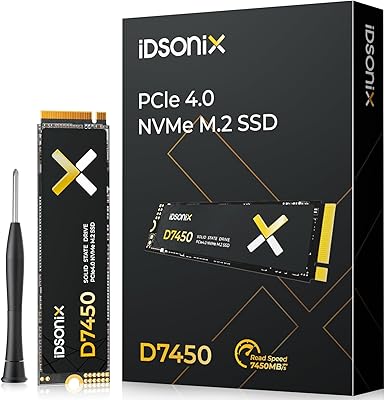
86%
89%
Performance
92%
Ease of Installation
88%
Reliability
91%
Value for Money
90%
Capacity
More
Transcend MTE410S 2TB M.2 NVMe SSD
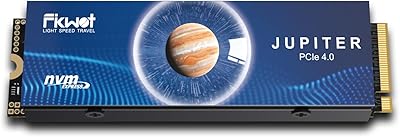
80%
93%
Device Compatibility
88%
Sequential Read Speed
61%
Sustained Write Performance
86%
Power Efficiency & Battery Impact
91%
Form Factor & Physical Design
More
GAMERKING 2TB M.2 NVMe SSD
85%
91%
Performance (Read/Write Speeds)
72%
Thermal Management
88%
Ease of Installation
94%
Compatibility with PS5
87%
Value for Money
More
iDsonix D7450 2TB M.2 SSD
88%
94%
Performance
90%
Compatibility
88%
Heat Management
92%
Ease of Installation
87%
Value for Money
More
iDsonix i3000 2TB M.2 SSD
87%
92%
Performance (Speed)
89%
Value for Money
85%
Thermal Management
81%
Setup & Installation
90%
Build Quality
More
Vansuny 2TB NVMe M.2 SSD
86%
95%
Performance
88%
Installation Ease
78%
Thermal Management
92%
Storage Capacity
94%
Speed for Gaming
More
Fikwot FX660 2TB NVMe SSD
79%
88%
Sequential Read Performance
63%
Sustained Write Speed
71%
Thermal Management
91%
PS5 Compatibility
89%
Value for Money
More
fanxiang S770 2TB NVMe M.2 SSD
79%
88%
Sequential Read Speed
91%
PS5 Compatibility
86%
Value for Money
83%
Thermal Management
74%
Build Quality
More
KingSpec OneBoom X400 2TB M.2 SSD
88%
95%
Performance
97%
Read Speed
90%
Ease of Installation
89%
Thermal Management
91%
Compatibility with PS5
More
PNY CS2230 2TB M.2 NVMe SSD
88%
94%
Performance
88%
Installation Ease
92%
Speed (Read/Write)
90%
Compatibility with PC and Mac
89%
Reliability
More

FAQ

It depends on the type of M.2 slot your laptop has. This is a SATA-based drive, so it only works in M.2 slots that support the SATA protocol. Many newer laptops ship with NVMe-only M.2 slots, which are physically similar but electrically incompatible. Check your laptop's manual or manufacturer spec sheet before buying — look for the terms 'M.2 SATA' or 'NGFF' in the slot description.

If you're replacing a traditional spinning hard drive, the difference is dramatic — Windows boot times typically drop from over a minute to under 15 seconds, and apps snap open noticeably faster. If you're upgrading from an older SATA SSD, the improvement will be more modest. The biggest gains are felt in everyday tasks: launching applications, transferring files, and general system responsiveness.

For casual gaming on a budget system it works fine — game load times are meaningfully faster than with a hard drive. That said, if your motherboard supports NVMe, a PCIe-based SSD will load modern games noticeably quicker. This drive is better suited to everyday computing tasks than high-performance gaming rigs where every second of load time matters.

Absolutely — it works just as well as a secondary data drive as it does running an operating system. Many users install it alongside an existing NVMe boot drive specifically to take advantage of the 2TB capacity for media storage, project files, or game libraries. The SATA interface is more than sufficient for bulk storage use cases.

Western Digital offers its own free data migration tool called Acronis True Image for WD, which you can download from their official website after registering the drive. It is not included in the physical box, but it is available at no extra cost and handles full OS cloning if you want to migrate from an existing drive without reinstalling Windows.

The dust-resistant rating means the drive has some protection against fine particles entering the casing, which is useful in workshop or mobile environments. It is not waterproof or water-resistant, so exposure to liquids should be avoided entirely. For a typical home office or laptop use case, this feature is more of a bonus than a necessity.

The easiest way is to check your laptop or motherboard manufacturer's support page and look up your exact model. You can also check in Windows Device Manager or use a free tool like CPU-Z to identify the slot type. If your current drive is labeled as NVMe or PCIe, your slot likely won't support this M.2 SATA drive. When in doubt, contact the manufacturer's support before purchasing.

For the majority of everyday users — students, home office workers, and even light content creators — 2TB is genuinely comfortable. You can store a full Windows installation, a large application suite, thousands of photos, and still have room for a sizable video or music library. Heavy video editors or users with massive raw media archives might eventually feel constrained, but for typical use, 2TB is a practical and generous amount.

Western Digital backs this drive with a 5-year limited warranty, which is solid coverage for a mid-range storage product and reflects confidence in the drive's long-term durability. It is worth registering the drive on WD's website after purchase to ensure warranty eligibility. Always verify the current warranty terms on WD's official site at time of purchase, as policies can change.

Installation is fairly accessible for anyone comfortable opening their laptop or PC case. You'll need a small Phillips-head screwdriver to remove and replace the single M.2 retention screw. Slide the drive in at a slight angle, press it flat, and secure it with the screw — that's essentially the full process. There are no power cables to connect. If you've never done it before, a quick video guide for your specific laptop model will walk you through it in minutes.

Where to Buy

Walmart
In stock $299.00
Best Buy
In stock $479.99
Newegg.com
In stock $349.99
B&H Photo-Video-Audio
In stock $479.99
Adorama
In stock $479.99
Grooves-Inc.com
In stock $315.92
Sandisk.com
In stock $479.99
Altex Electronics
In stock $499.99
Beach Audio
In stock $545.63